Cycling through all six. Tap any point to stop.
Measured on six things
Smart Way to Convert OST to PST without Outlook on Mac and WIndows
Security
41HTTPS enforced and SPF configured, but HSTS, CSP, frame protection, X-Content-Type-Options, Referrer-Policy, Permissions-Policy and secure cookies are all missing — 3/13 on the header checklist. No SOC 2, ISO, or audit claims published.
Screenshots
1 / 6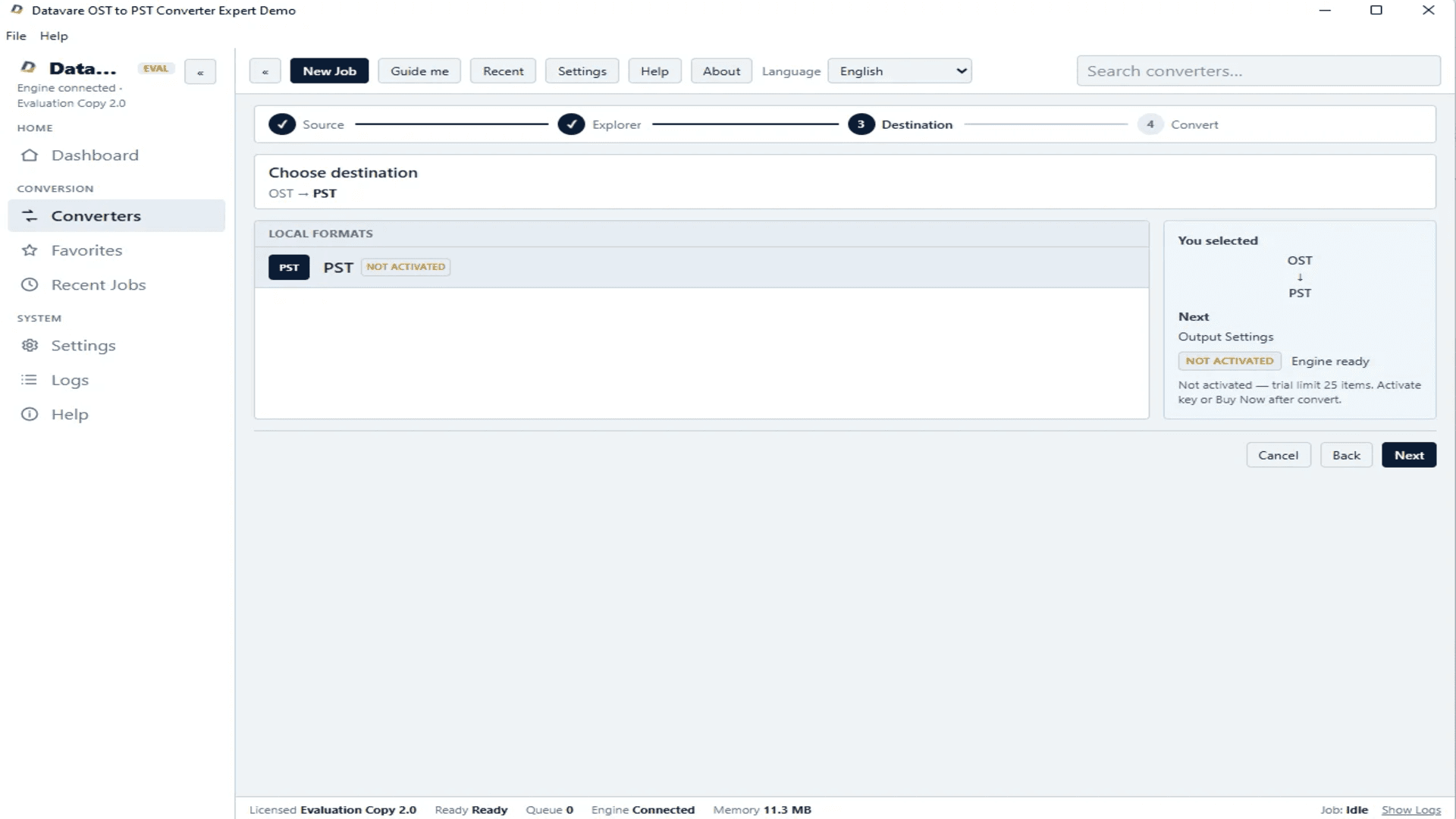
About this app
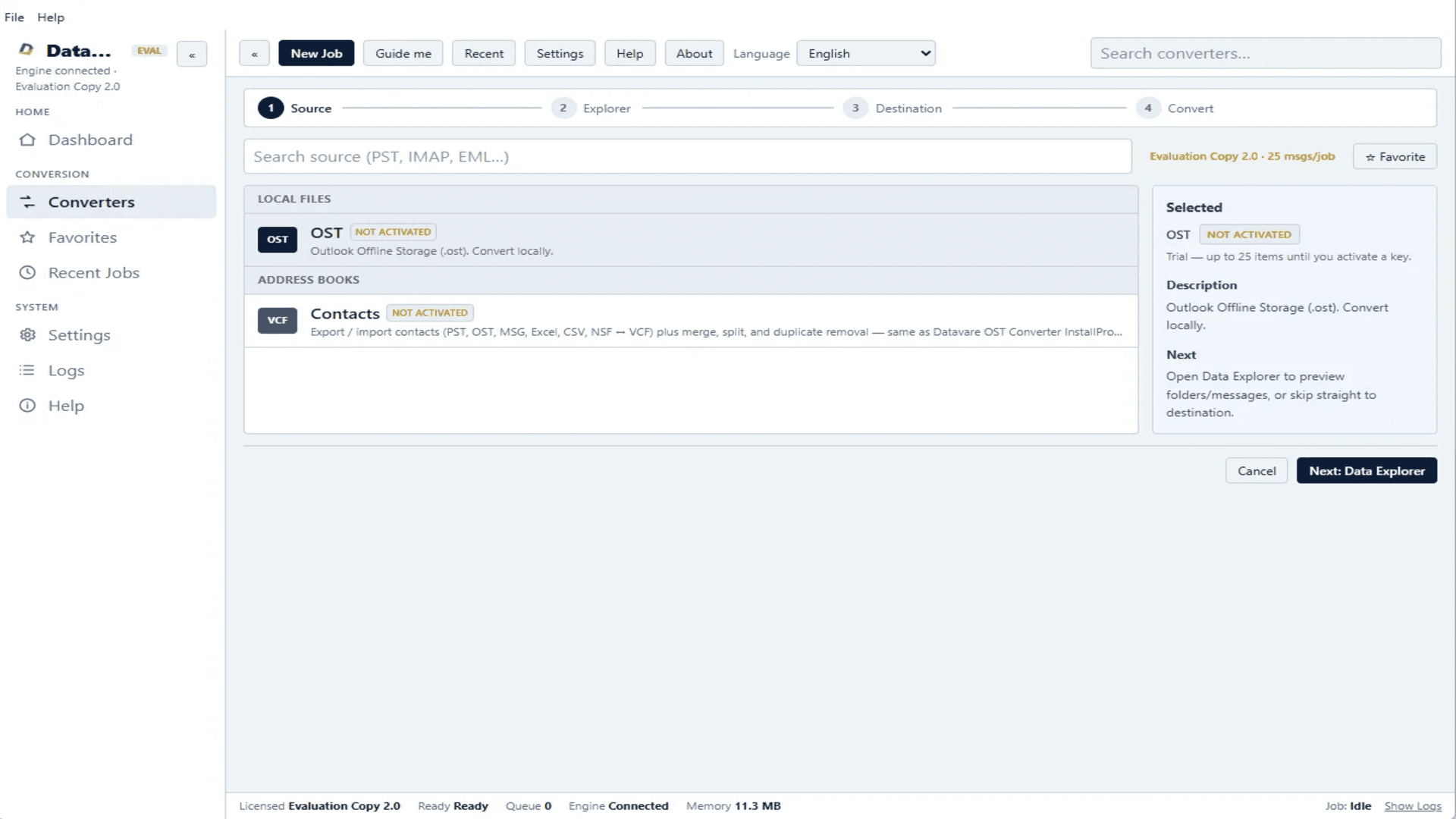
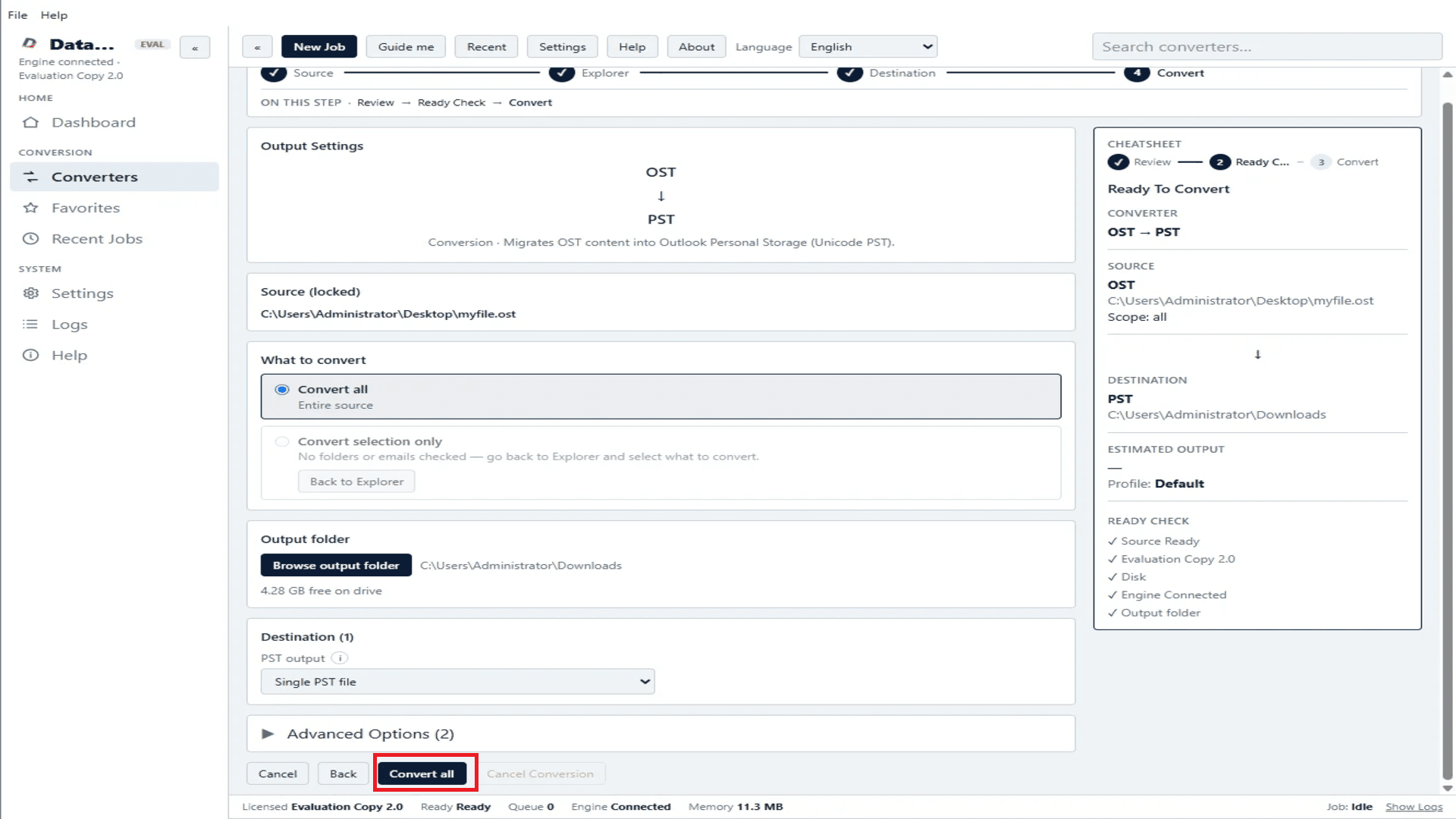
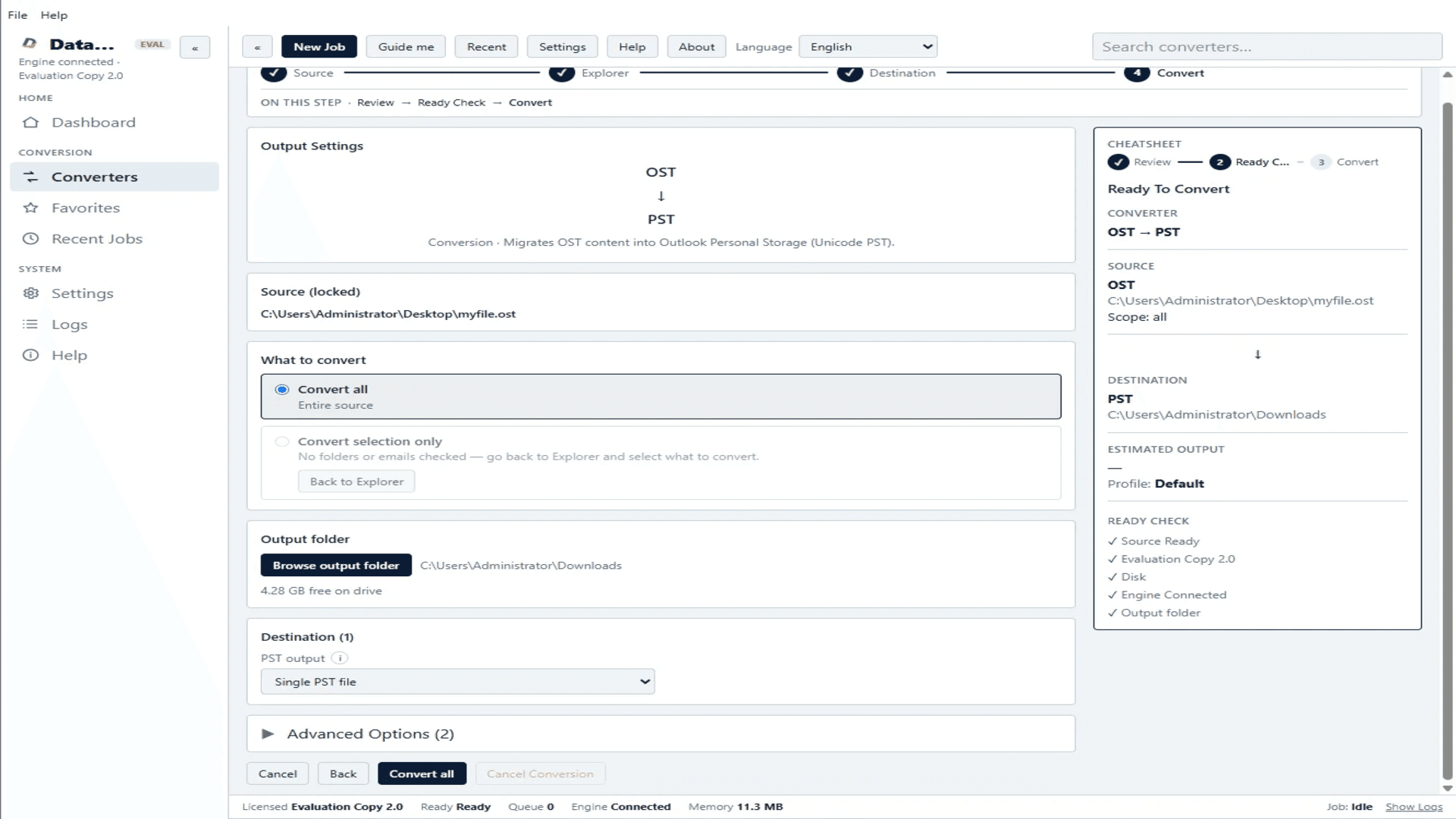
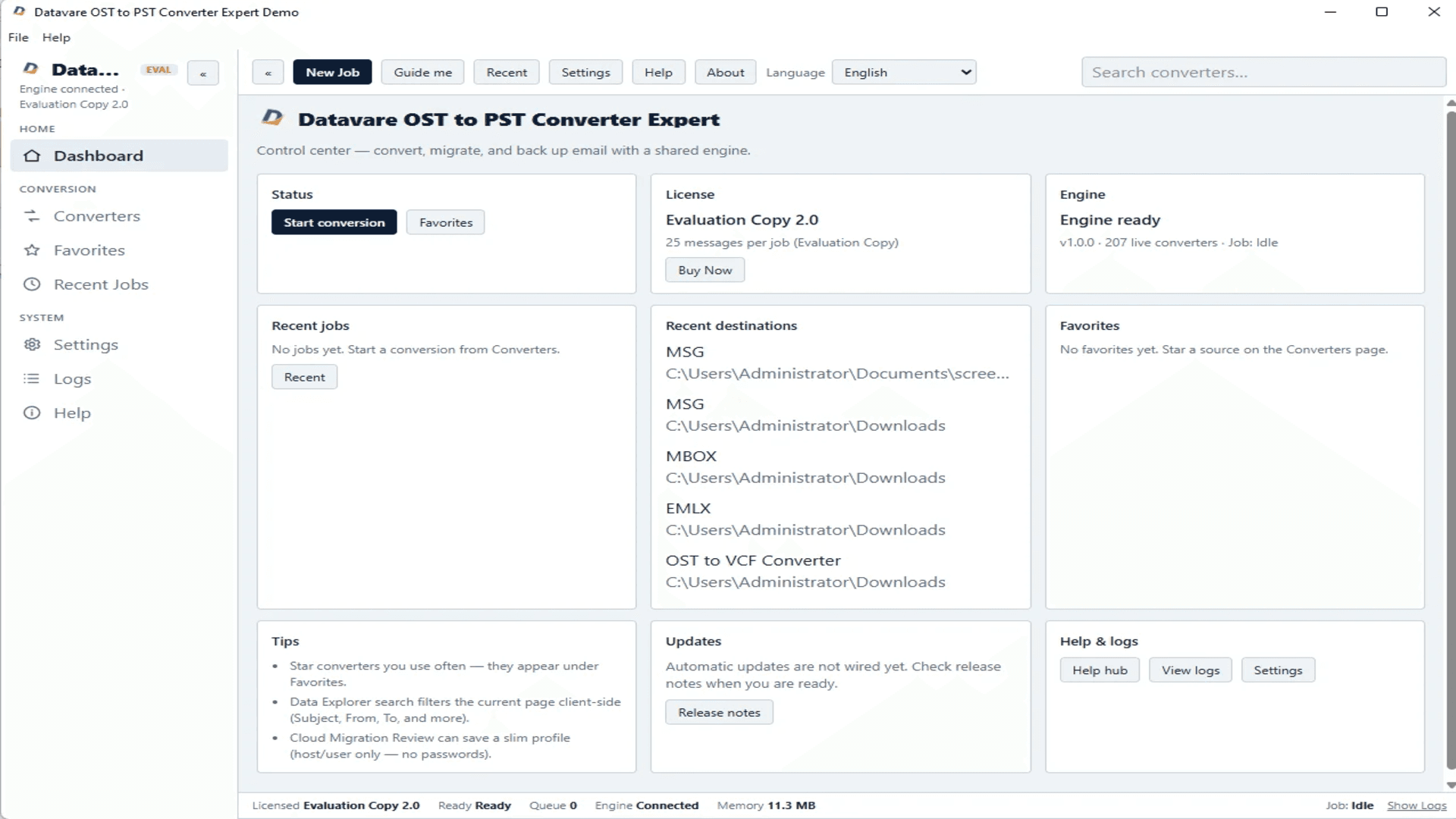
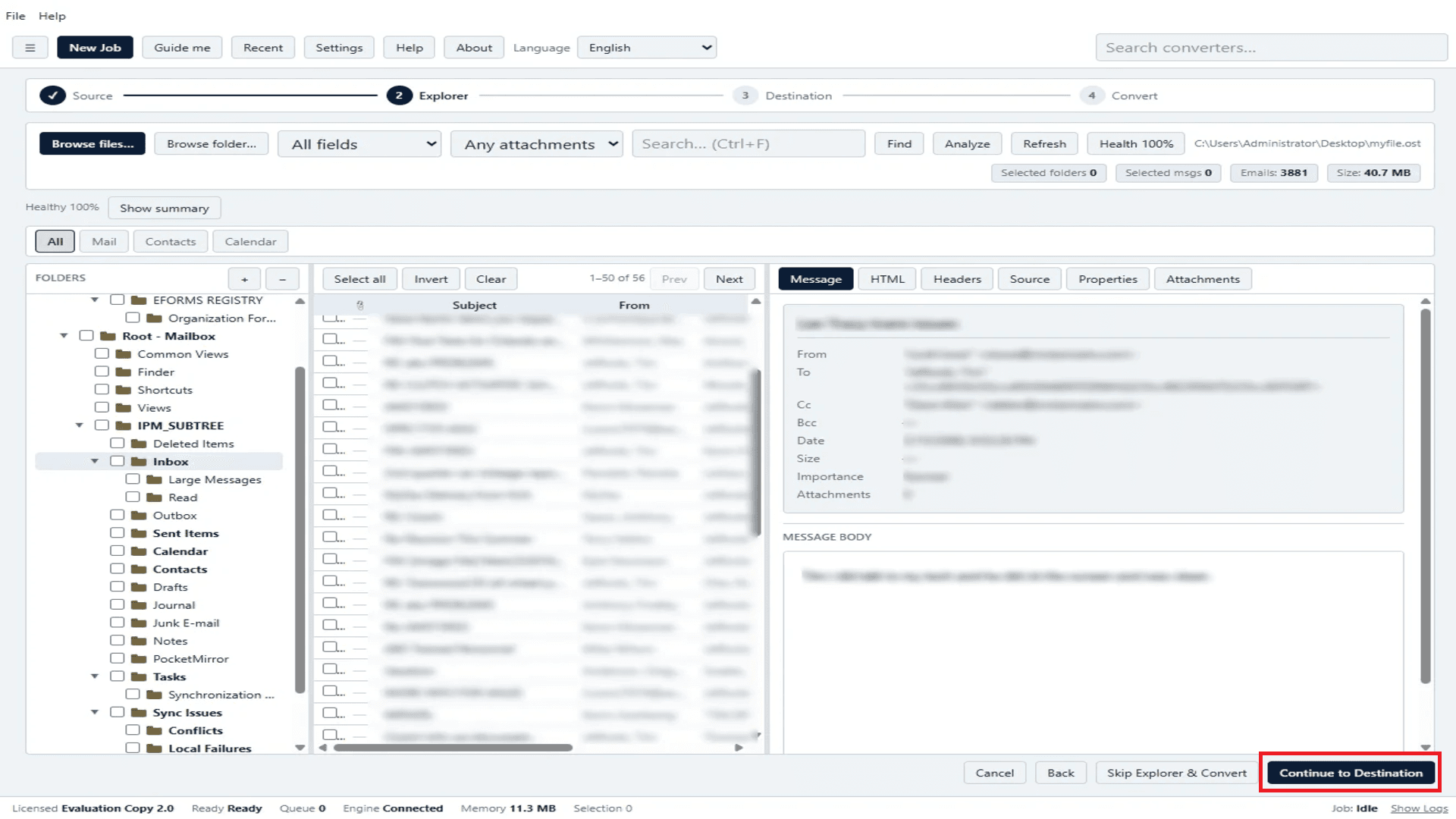
DataVare OST to PST Converter is a reliable tool designed to convert OST files to PST format quickly. The application easily converts batches or selected OST files into PST format while keeping all mailbox items. It offers a clean and modern UI, user-friendly for both tech newbies and non-tech users. The software includes an Advanced Preview option, which allows users to view OST data before beginning the conversion process. Users can pick selective conversion or convert entire OST data as per their requirements. Automatic Structure Maintenance function preserves the original folder hierarchy. No Outlook installation or Exchange connection is required to finish the conversion process. The software is compatible with both Windows and Mac, which is useful for users on different operating systems. It also has 19 language options for customers from different regions. Another useful feature is the ability to split PST files by size. Users can split huge PST files into smaller files.
Key features
- 1Converts OST to PST without requiring MS Outlook or an Exchange Server connection
- 2Four-step wizard with Advanced Preview to inspect OST data before conversion
- 3Cross-platform: Windows (7-11, XP, Vista) and Mac (Sierra through Ventura) with 19 language options
Target customer profile
Drawn from the product itself, not from a survey.
Demographic
IT Administrators in Enterprises
Pain points
Corrupted OST files, data inaccessibility, migration challenges
Primary needs
Reliable bulk conversion, data integrity, minimal downtime
Demographic
Small Business Owners
Pain points
Limited technical expertise, budget constraints, data loss risks
Primary needs
User-friendly tool, affordable pricing, comprehensive recovery
Demographic
Individual Outlook Users
Pain points
OST file corruption, orphaned files, need for backup
Primary needs
Easy conversion without Outlook, preservation of data structure
Scout Review
Written by AI from measured evidence, scored out of 100.
DataVare OST to PST Converter Expert is a competent, dated, genuinely fast niche utility. The four-step wizard works, the no-Outlook-required angle is real, and Lighthouse desktop hits 99/100. But the design is stuck in 2013, the docs are a video title, the 'bulk migration' claim contradicts the FAQ, and the security headers are 3/13 with no compliance certifications. Against Stellar and SysTools, it's a reasonable third option with no clear reason to be the first.
Measure by measure
Usability
58Four-step wizard is genuinely simple and the FAQ answers the obvious questions. But docs are a video title with no written guide, support is email-only, and the 'bulk migration' claim collapses when the FAQ admits one OST file at a time.
Design
46Dated early-2010s look: 3D product box render, gradient buttons, dense 3x2 feature grid, and an ungrouped 12-question FAQ wall. App UI is functional but marred by 'NOT ACTIVATED' watermarks. Consistent purple/orange palette is the one saving grace.
Speed
71Lighthouse desktop 99/100 and mobile 86/100 with CLS 0 and TBT 0ms — genuinely snappy. Mobile LCP of 3.5s and FCP 2.7s drag it down, but the 7.4 MB installer claim matches the lightweight feel.
Security
41HTTPS enforced and SPF configured, but HSTS, CSP, frame protection, X-Content-Type-Options, Referrer-Policy, Permissions-Policy and secure cookies are all missing — 3/13 on the header checklist. No SOC 2, ISO, or audit claims published.
Accessibility
68Lighthouse 94/100 with only two failing audits (unnamed buttons, heading order). Cookie banner has proper per-category toggles. App claims 19 languages, though the marketing site itself is English-only. No published WCAG statement.
Growth
54Real, painful problem (corrupted OST files, Exchange migrations) with a specific wedge: no Outlook or Exchange required, Windows + Mac, 19 languages. But Stellar and SysTools own this niche and nothing here is structurally defensible.
Improvement areas
- Security headers are 3/13 with no HSTS, CSP, or DMARC; no SOC 2, ISO, or audit documentation published
- Documentation is a video title with no written walkthrough; support is email-only with no live chat or knowledge base
- Homepage 'bulk migration' claim contradicts the FAQ, which states only one OST file converts simultaneously
Design & Usability
DataVare OST to PST Converter Expert looks like it was designed in 2013 and never got the memo. The homepage leans on a 3D product box render, gradient buttons, and a six-card feature grid so dense you need a ruler to read it, followed by a twelve-question FAQ that scrolls like a legal document. The app itself is cleaner — a four-step wizard with a visible progress bar and a sidebar for Dashboard, Converters, and Settings — but it's plastered with 'NOT ACTIVATED' and 'Evaluation Copy' watermarks that make the trial feel like a nag screen. Usability is where it claws back ground: the wizard is genuinely simple, the FAQ answers the obvious questions, and the no-Outlook-required angle is real. But the docs page is a video title with an email address, support is email-only, and the marketing's 'bulk migration' claim quietly contradicts the FAQ's admission that only one OST file converts at a time. For a tool aimed at non-technical SMB owners, that gap matters.
Speed & Security
Speed is the standout. Lighthouse desktop scores 99/100 and mobile 86/100 with zero cumulative layout shift and zero total blocking time — the page is genuinely snappy, and the 7.4 MB installer claim matches the lightweight feel. Mobile LCP of 3.5s and FCP of 2.7s are the only drags, likely from the heavy hero imagery. Security is the opposite story. HTTPS is enforced and SPF is configured, but HSTS, CSP, frame protection, X-Content-Type-Options, Referrer-Policy, Permissions-Policy and secure cookies are all absent — 3 out of 13 on the header checklist. There's no SOC 2, no ISO 27001, no penetration test report, no bug bounty, and no security page. For a utility that reads and rewrites entire Outlook mailboxes, that's a thin posture. The privacy and refund policies exist, which is the floor, not the ceiling.
Accessibility & Growth
Accessibility lands at a solid 94/100 on Lighthouse, with only two failing audits: buttons without accessible names and headings that skip levels. The cookie banner does the right thing with per-category toggles, and the app claims 19 language options — though the marketing site itself is English-only, which undercuts the globalization pitch. No WCAG conformance statement is published. Growth is the harder question. The problem is real: corrupted OST files and Exchange migrations are genuinely painful, and the wedge — no Outlook, no Exchange, Windows and Mac, 19 languages — is specific. But the category is owned by Stellar and SysTools, both listed as alternatives, and nothing in DataVare's material is structurally defensible. The 360 ratings at 4.9/5 are self-reported on the homepage, not verified on any independent platform. Eleven years of domain history and three social profiles show staying power, not momentum. This is a competent niche utility with a real use case and no obvious reason to pick it over the incumbents.
Conclusion
If you're an IT admin with a corrupted OST file and no Outlook install, this does the job — the wizard is simple, the conversion is Outlook-independent, and the app is lightweight. But go in knowing: the trial is watermarked, the docs are thin, support is email-only, and the security posture is bare. For a one-off conversion, that's tolerable. For an enterprise migration touching hundreds of mailboxes, the missing SOC 2 and absent security headers should give you pause. Stellar and SysTools are the safer defaults; DataVare is the budget alternative that mostly works.
Suggestions for improvement
- Publish a real written documentation page with step-by-step screenshots instead of a video title and an email address.
- Fix the 'bulk migration' marketing claim or actually support multiple OST files simultaneously — the FAQ contradicts the homepage.
- Add HSTS, CSP, X-Content-Type-Options, Referrer-Policy and secure cookies; publish a security page with data-handling details.
- Clean up the trial UI: replace repeated 'NOT ACTIVATED' watermarks with a single clear upgrade prompt.
Alternatives comparison
Named competitors, point by point. Nobody paid to appear here or to be left out.
 DataVare OST to PST Converter Expert DataVare OST to PST Converter Expert |  Stellar Converter for OST Stellar Converter for OST |  SysTools OST to PST Converter SysTools OST to PST Converter | |
|---|---|---|---|
| Price (single-user license) | Not published on homepage; contact sales | Tiered licensing; free trial with save limits | Tiered licensing; free trial with save limits |
| Requires Outlook / Exchange installed | No — standalone, no Outlook or Exchange needed | No — standalone converter | No — standalone converter |
| Batch / multiple OST file conversion | Marketed as bulk, but FAQ states one OST file at a time | Batch conversion of multiple OST files supported | Batch conversion of multiple OST files supported |
| Preview before conversion | Advanced Preview option to inspect OST data | Preview of mailbox items before saving | Preview of emails, contacts, calendars before export |
| Cross-platform (Windows + Mac) | Yes — separate Windows and Mac builds | Primarily Windows; Mac support varies by product | Primarily Windows-focused |
| Split large PST by size | Yes — split PST files by size | Yes — split PST by size or date | Yes — split PST by size |
| Published security / compliance certifications | None found; 3/13 security headers | Established vendor with published privacy and compliance pages | Established vendor with published privacy and compliance pages |
Stellar Converter for OST
A popular tool to convert OST to PST, supporting all Outlook versions and offering advanced recovery options.
SysTools OST to PST Converter
Efficiently converts OST files to PST, including emails, contacts, and calendars, with batch conversion and preview features.
Comparing options? See DataVare OST to PST Converter Expert alternatives, scored side by side
More Productivity apps
View all Productivity
Qamarero
92An all-in-one hospitality software for restaurants and ba...

The Stack Newsletter
92A weekly newsletter delivering curated tech jobs, intervi...

EmbedMyReviews
92White-label reputation management software for agencies s...

StoryPad
92Privacy-first open source journal app with a continuous t...

Puzzly – B2B Lead Generation & Sales Intelligence Platform
92Puzzly is an all-in-one B2B lead generation platform that...

Notion
92All-in-one AI workspace for docs, projects, and knowledge...

Vibe Coding Agent Skills
92A free, open-source platform offering 110 AI agent skills...

CC Switch
91Open-source desktop app for switching AI coding providers...

username.md
90One verified handle for your online identity, readable by...

What the GIF
89Frame-perfect video-to-GIF maker that runs entirely in yo...

AuditCloser
89White-label website audits that close deals for digital a...

NudgeWin
89Automated quote follow-up for trades and service businesses.


A platform dedicated to providing unbiased reviews of newly launched applications, analyzing everything from their features to their full potential.
info@scoutforge.net© 2026 Scoutforge. All rights reserved.
