Is this your app?
Claim Delta Widgets to manage its page, add your badge and see your traffic — free, and it stays free.
Cycling through all six. Tap any point to stop.
Measured on six things
Free, open-source desktop widget builder for Windows with drag-and-drop customization and real-time data integration.
Accessibility
50Basic Windows accessibility support but lacks comprehensive features for diverse user needs
Screenshots
1 / 4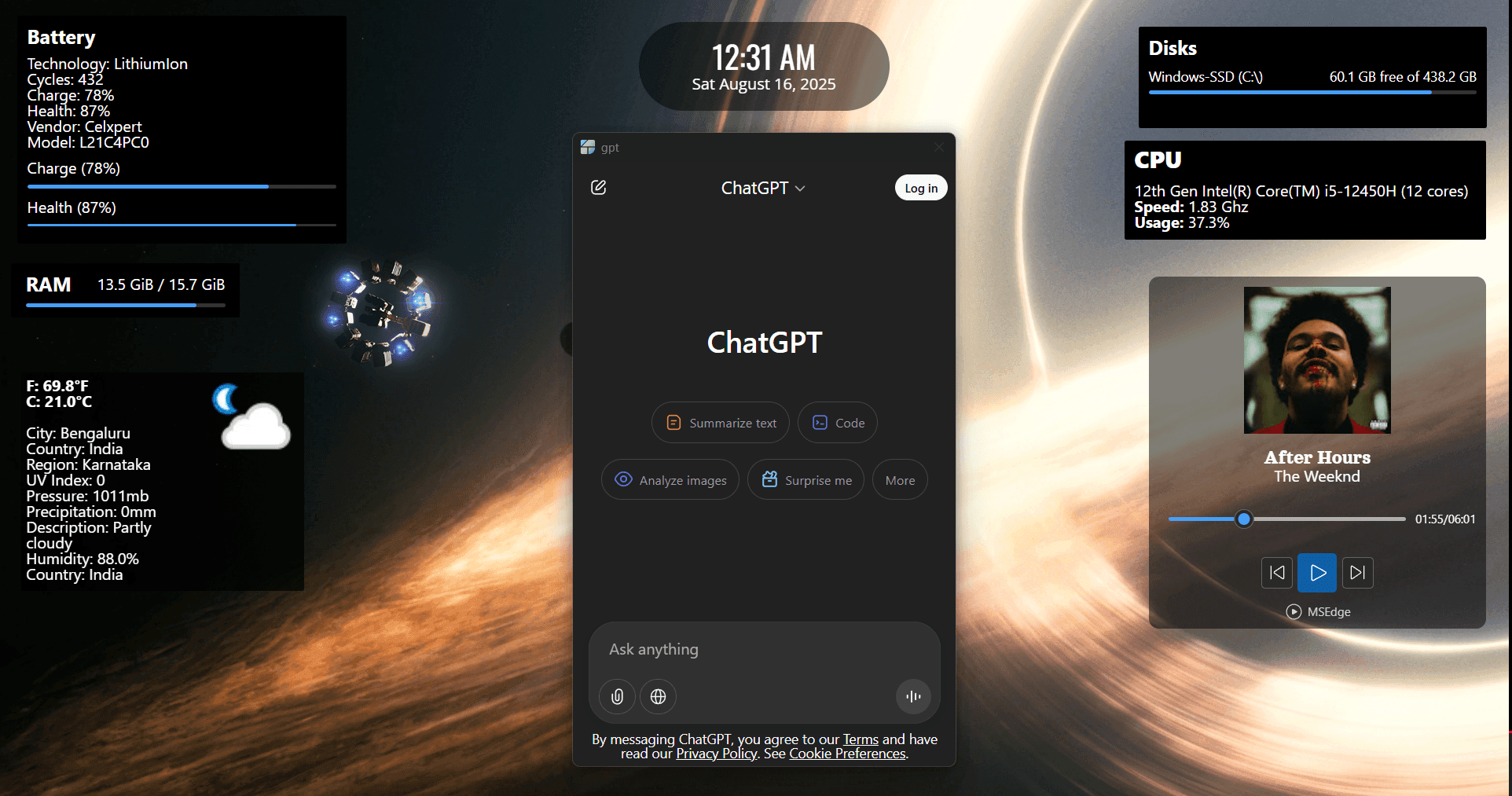
About this app
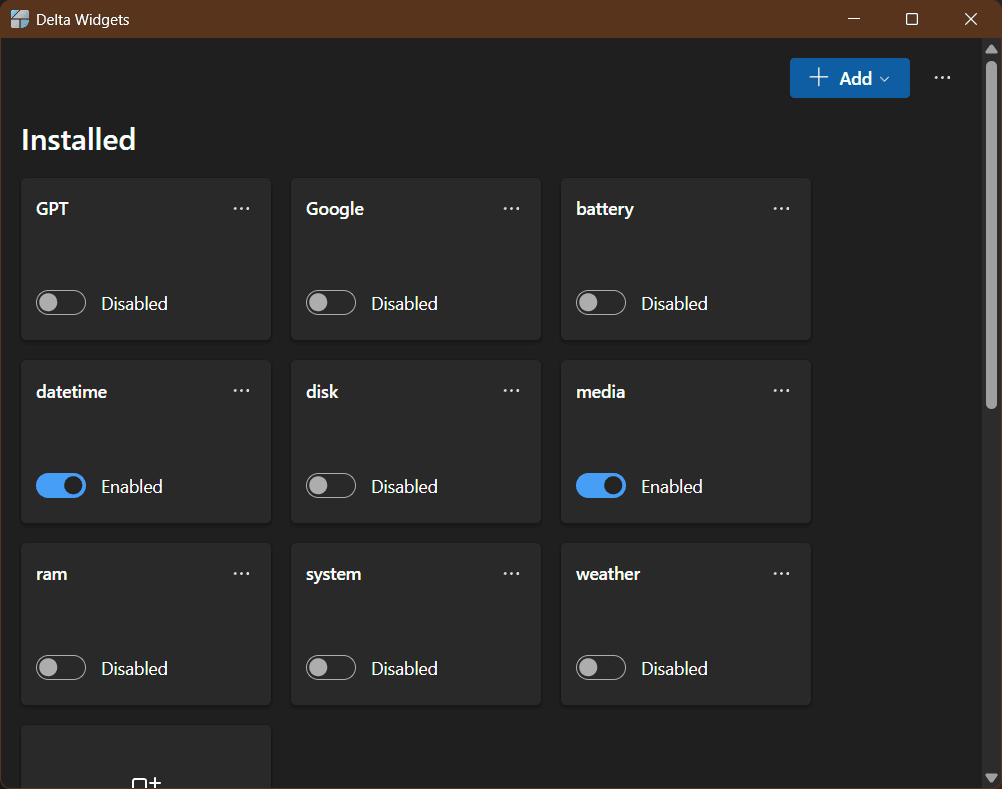
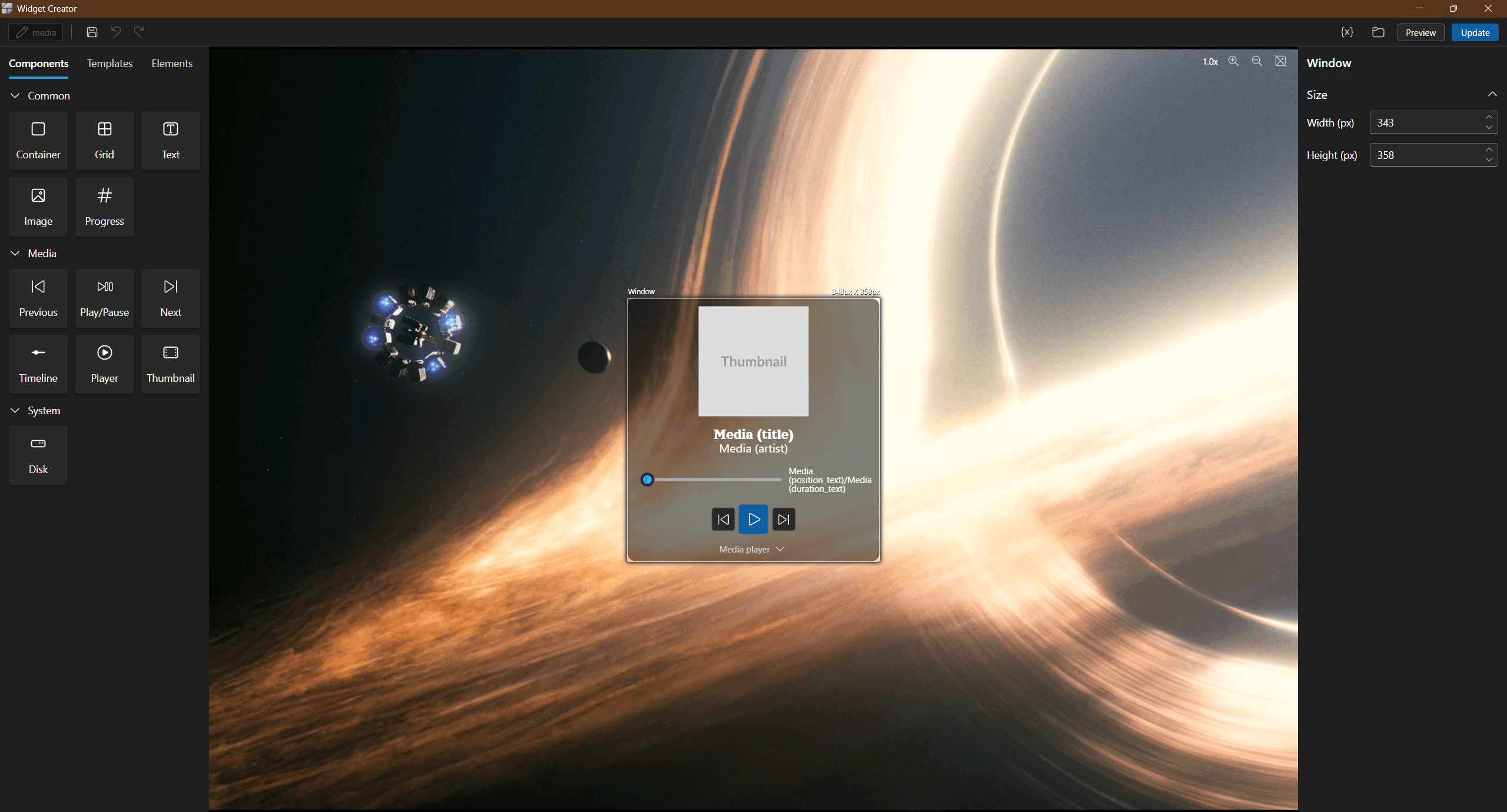
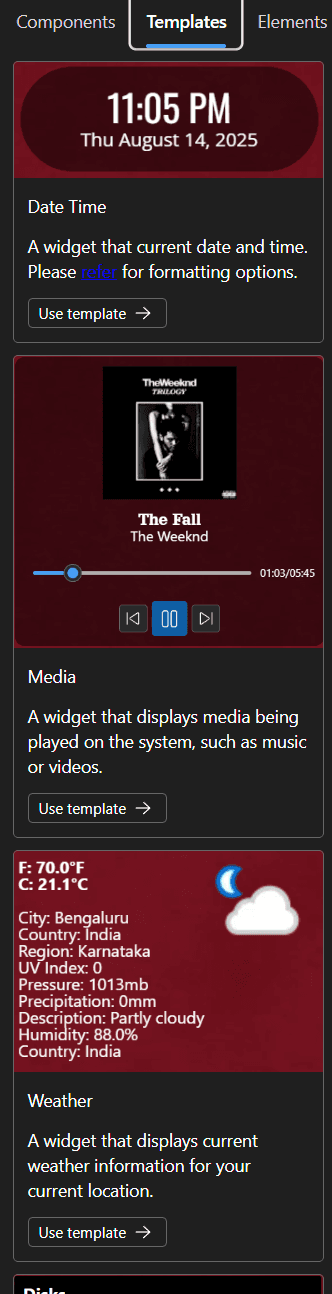
Delta Widgets is a game-changer for Windows users who want to personalize their desktops without the hassle of coding. Built on the lightweight Tauri framework, it delivers native performance and a smooth experience on both Windows 10 and 11. The app shines with its intuitive drag-and-drop interface, making it accessible for beginners, while also offering advanced features like custom HTML integration and dynamic data expressions for tech-savvy users. With pre-made templates, you can get started quickly, and the open-source nature ensures transparency and community-driven improvements. It's completely free, requires no registration, and addresses common pain points like limited native widget options and complex customization tools. Whether you're a productivity enthusiast looking to monitor system stats or a casual user wanting a more functional desktop, Delta Widgets balances simplicity and power beautifully.
Key features
- 1Drag-and-drop widget builder requiring zero coding knowledge
- 2Lightweight Tauri framework for native Windows performance
- 3Custom HTML integration and dynamic data expressions for advanced users
Target customer profile
Drawn from the product itself, not from a survey.
Demographic
Windows power users and productivity enthusiasts
Pain points
Limited native widget options, complex customization tools requiring coding knowledge
Primary needs
Easy desktop personalization, system monitoring widgets, quick access to frequently used information
Demographic
Developers and tech-savvy users
Pain points
Heavy resource usage from widget applications, lack of customization flexibility
Primary needs
Lightweight performance, HTML/CSS customization capabilities, open-source transparency
Demographic
Casual Windows users
Pain points
Intimidating technical tools, paid software for basic customization needs
Primary needs
Simple drag-and-drop interface, free solution, pre-made templates for quick setup
Scout Review
Written by AI from measured evidence, scored out of 100.
Delta Widgets successfully addresses a genuine need in the Windows ecosystem by providing accessible desktop customization without sacrificing power. It excels at making widget creation approachable through intuitive interfaces while still offering advanced capabilities for technical users. The lightweight performance and free, open-source model make it an attractive alternative to both limited native widgets and overly complex customization tools.
Measure by measure
Usability
90Excellent drag-and-drop interface with templates for beginners and HTML customization for advanced users
Design
70Clean, functional interface with intuitive drag-and-drop builder, though more utilitarian than visually polished
Speed
90Lightweight Tauri framework delivers native performance with minimal resource usage
Security
70Open-source transparency is good, but specific security measures aren't clearly documented
Accessibility
50Basic Windows accessibility support but lacks comprehensive features for diverse user needs
Growth
90Strong market demand for desktop customization with active open-source community support
Improvement areas
- Comprehensive accessibility features for diverse user needs
- Enhanced visual design with modern UI elements
- Detailed security documentation and privacy features
- Cross-platform support beyond Windows
Design & Usability
Delta Widgets strikes an impressive balance between approachability and power. The drag-and-drop interface feels natural and responsive, making widget creation accessible even for non-technical users. The template system provides excellent onboarding, while the custom HTML integration and dynamic data expressions cater to developers wanting deeper customization. The interface follows standard Windows conventions, though the visual design prioritizes function over form. Navigation is straightforward, with logical workflows that minimize the learning curve. The expression system for dynamic data shows particularly thoughtful UX design, allowing technical users to create sophisticated widgets without overwhelming casual users.
Speed & Security
Performance is where Delta Widgets truly shines. Built on the Tauri framework, it delivers native application speed with remarkably low resource consumption. Widgets load quickly and respond instantly to interactions, maintaining smooth desktop performance even with multiple widgets active. The open-source nature provides security transparency, allowing community scrutiny of the codebase. While specific security features like encryption or sandboxing aren't prominently documented, the local-first approach reduces attack vectors by minimizing internet dependencies. The application runs efficiently on both Windows 10 and 11 without noticeable performance degradation.
Accessibility & Growth
Accessibility remains the app's weakest area, offering only basic Windows-level support without specialized features for users with disabilities. Screen reader compatibility exists but lacks optimization for the widget creation workflow. However, the growth potential is substantial, with increasing demand for desktop personalization tools that bridge the gap between simple native widgets and complex systems like Rainmeter. The open-source model fosters community development, while the free pricing removes barriers to adoption. The market clearly needs solutions that democratize desktop customization without technical complexity.
Conclusion
If you're tired of Windows' limited widget options but don't want to learn Rainmeter's scripting language, Delta Widgets offers the perfect middle ground. It's particularly valuable for productivity enthusiasts who want system monitoring widgets or quick access to frequently used information. The combination of ease of use and customization flexibility makes it worth trying for anyone looking to personalize their desktop experience. Give it a download if you want functional widgets without the technical headache.
Suggestions for improvement
- Implement comprehensive accessibility features including screen reader optimization and high contrast modes
- Create a widget gallery for community sharing and template discovery
- Add detailed security documentation and privacy feature explanations
- Expand platform support to macOS and Linux for broader reach
Alternatives comparison
Named competitors, point by point. Nobody paid to appear here or to be left out.
 Delta Widgets Delta Widgets |  Rainmeter Rainmeter |  Windows Widgets Windows Widgets | Smart Widgets | |
|---|---|---|---|---|
| Ease of Use | Drag-and-drop interface, no coding required | Requires learning scripting language | Simple but limited customization | Moderate complexity with some learning curve |
| Customization Depth | Advanced HTML/CSS with dynamic data | Extensive but complex scripting required | Very limited customization options | Moderate customization within app limits |
| Performance Impact | Lightweight Tauri framework, minimal resources | Variable depending on skin complexity | Integrated with Windows, low impact | Potentially more resource-intensive |
| Cost | Completely free and open-source | Free with premium skins available | Free but limited functionality | Free with potential in-app purchases |
Rainmeter
A more established but complex desktop customization tool that requires learning its scripting language
Windows Widgets
Microsoft's native widget system that offers limited customization and third-party integration options
Smart Widgets
Microsoft Store alternative with similar functionality but potentially more resource-intensive
Comparing options? See Delta Widgets alternatives, scored side by side
More Productivity apps
View all Productivity
Notion
92All-in-one AI workspace for docs, projects, and knowledge...

Qamarero
92An all-in-one hospitality software for restaurants and ba...

EmbedMyReviews
92White-label reputation management software for agencies s...

StoryPad
92Privacy-first open source journal app with a continuous t...

Puzzly – B2B Lead Generation & Sales Intelligence Platform
92Puzzly is an all-in-one B2B lead generation platform that...

The Stack Newsletter
92A weekly newsletter delivering curated tech jobs, intervi...

Vibe Coding Agent Skills
92A free, open-source platform offering 110 AI agent skills...

QRBliss
91Branded QR codes with AI Brand Sync, 15 free dynamic code...

Gerty
91Private, local AI assistant for Mac that runs offline

CC Switch
91Open-source desktop app for switching AI coding providers...

username.md
90One verified handle for your online identity, readable by...

PitchWhip
90AI cold call scripts & direct dials from LinkedIn


A platform dedicated to providing unbiased reviews of newly launched applications, analyzing everything from their features to their full potential.
info@scoutforge.net© 2026 Scoutforge. All rights reserved.
