Is this your app?
Claim Dockside to manage its page, add your badge and see your traffic — free, and it stays free.
Cycling through all six. Tap any point to stop.
Measured on six things
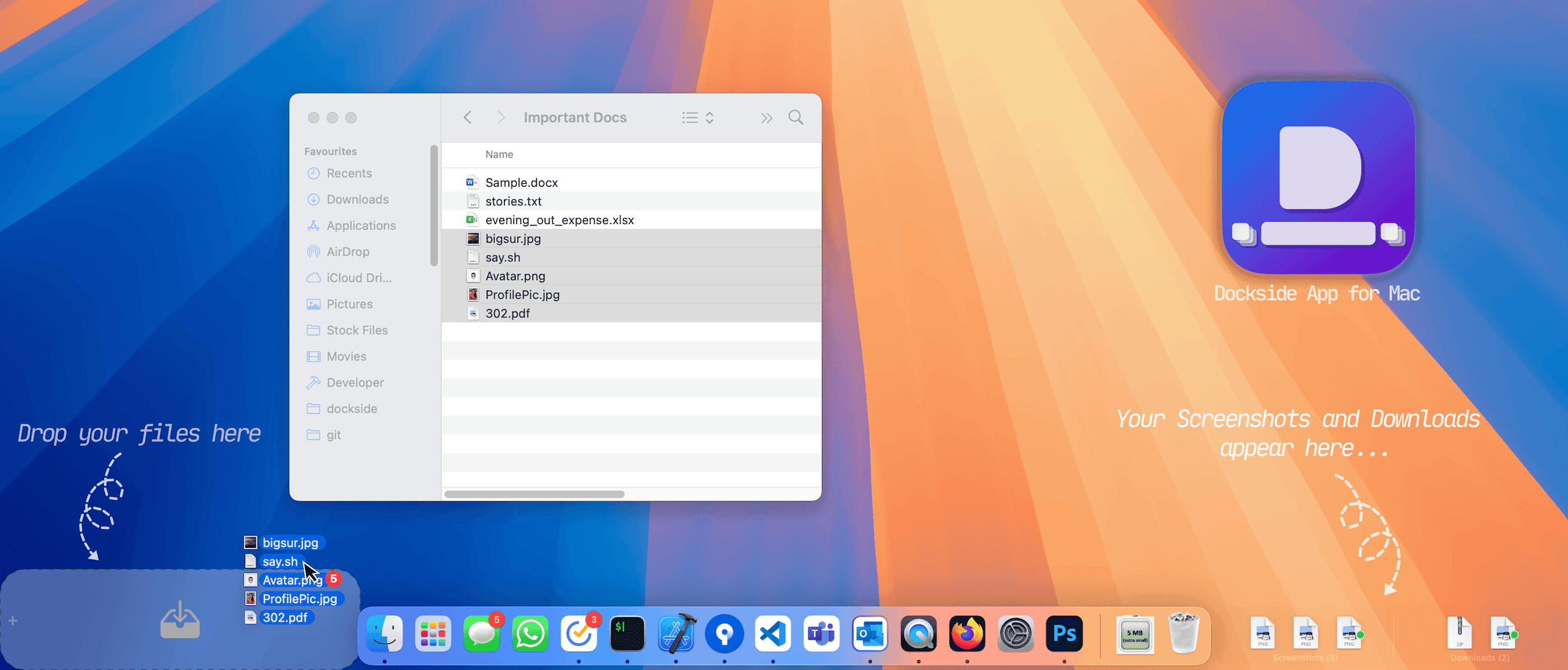
A minimalist macOS app that acts as a temporary shelf for files, folders, URLs, apps, and text snippets, enhancing productivity with seamless Dock integration.
Accessibility
70Supports keyboard shortcuts and dark mode but lacks screen-reader compatibility and multilingual options.
Screenshots
1 / 5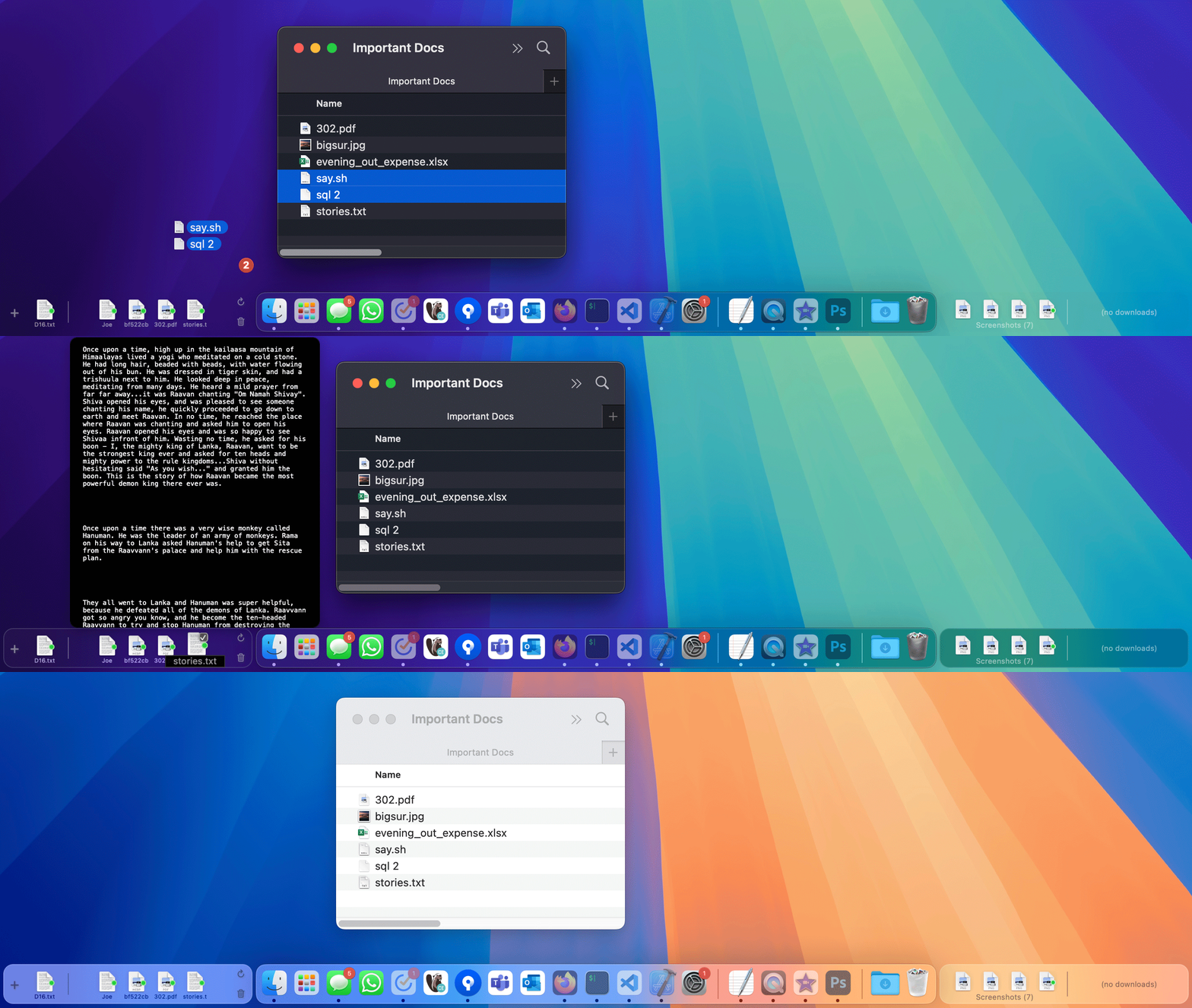
About this app
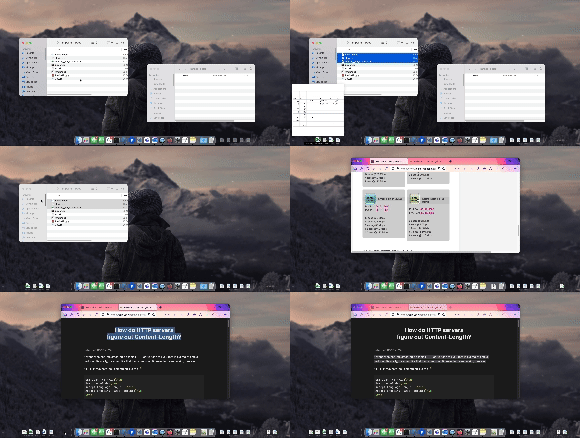
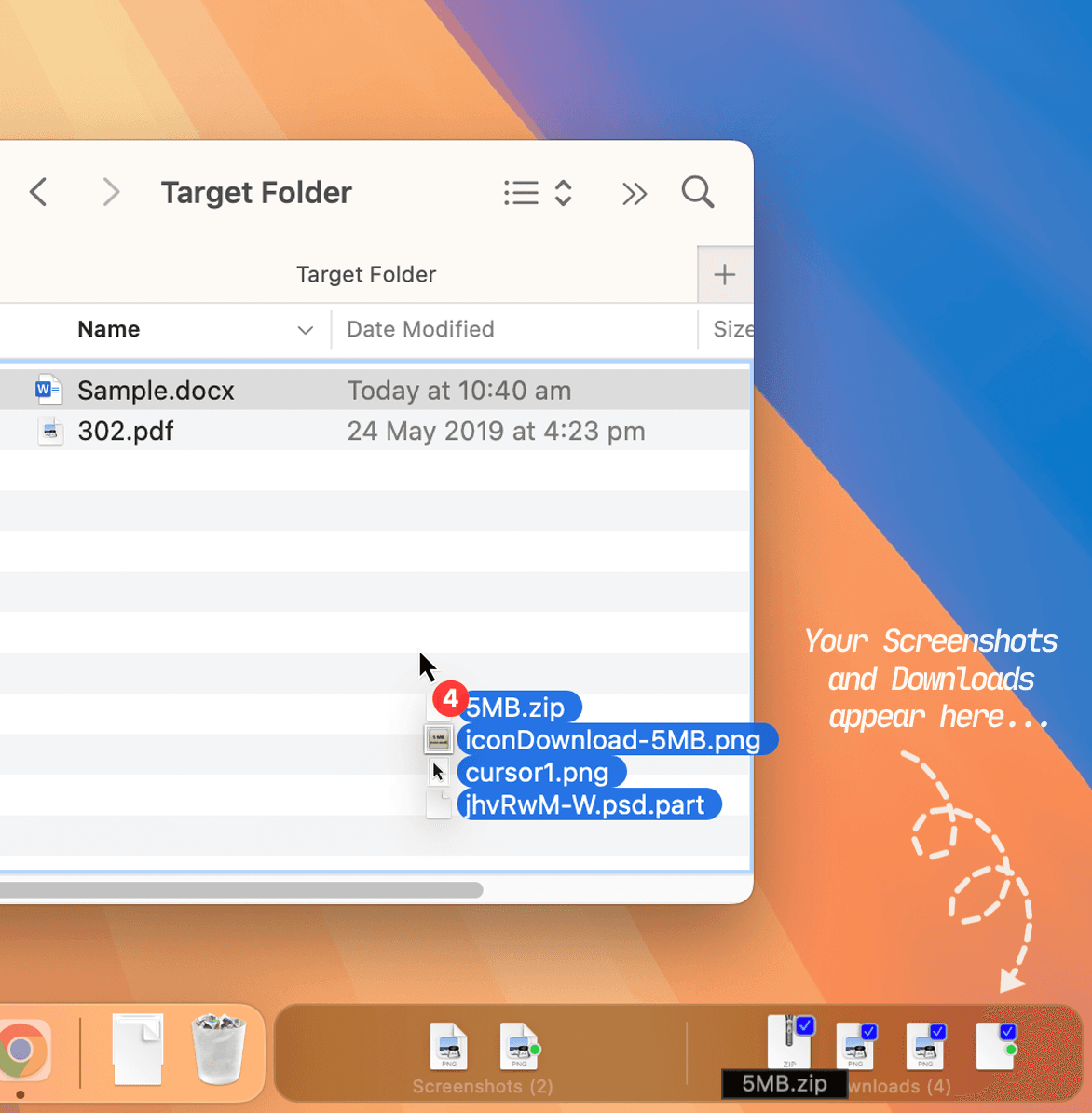
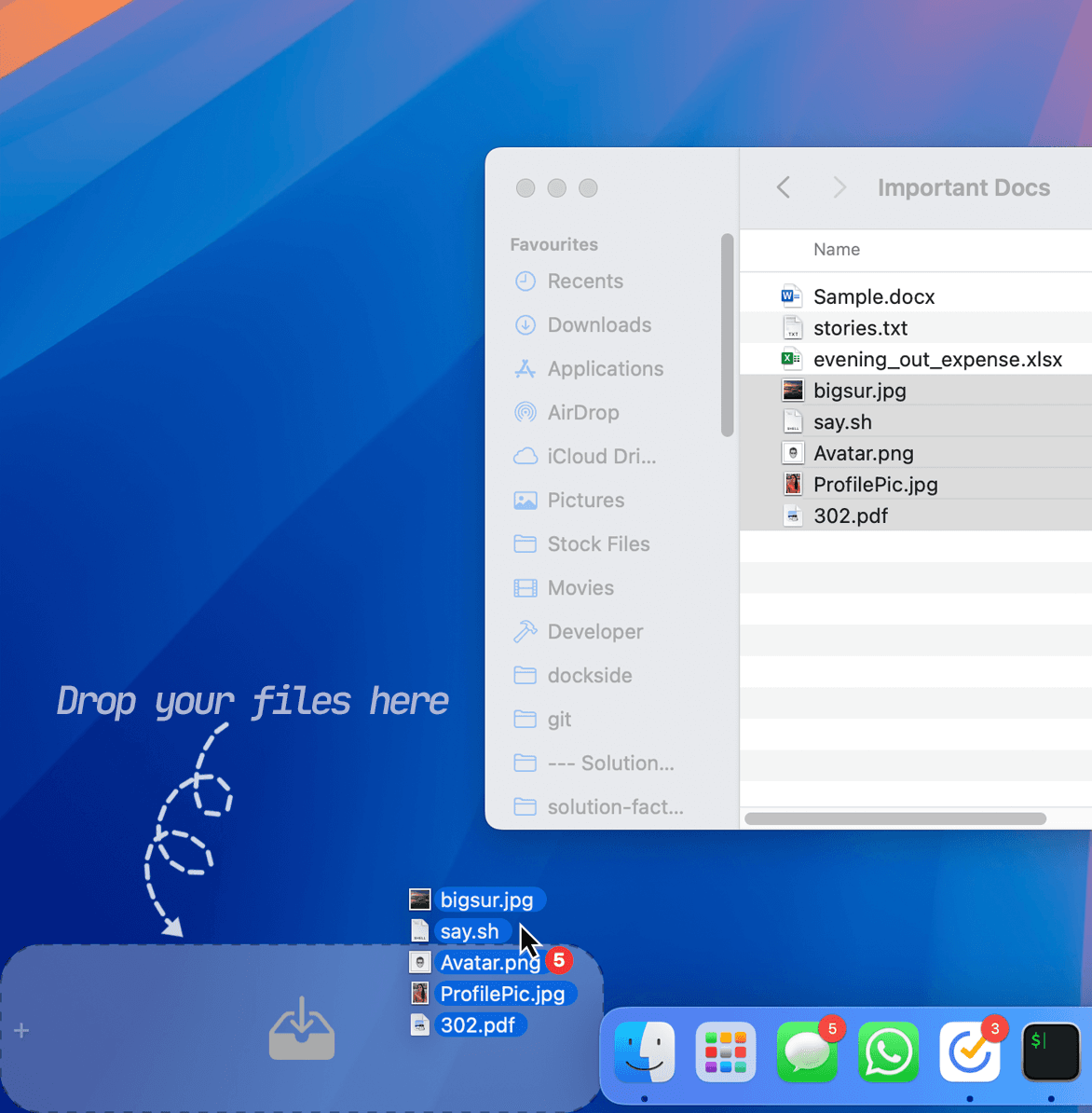
Dockside is a sleek macOS utility designed to sit beside your Dock, providing a convenient space to temporarily store and access files, folders, URLs, applications, and text snippets. It's perfect for users who frequently juggle multiple tasks, such as creatives, coders, and students, helping to reduce desktop clutter. The app intelligently fades out when not in use and reappears with the Dock, ensuring it's always accessible without being intrusive. With features like drag-and-drop functionality, context menus for actions like compress and share, and support for keyboard shortcuts and QuickLook, Dockside offers a smooth user experience. It prioritizes security with offline operation, Apple Notarization, and local data storage, and includes a 14-day free trial with a one-time purchase option of $5.99. While it excels in usability and design, it lacks some accessibility features like screen-reader support and multilingual options, but its roadmap hints at future improvements.
Key features
- 1Clean macOS-native UI with adaptive light/dark modes and transparent themes that blend seamlessly with the Dock.
- 2Intuitive drag-and-drop with context menus, keyboard shortcuts, and QuickLook integration for smooth workflows.
- 3Lightweight and responsive performance even with large files, no resource hogging, and Apple Notarized security with offline operation and local data storage.
Target customer profile
Drawn from the product itself, not from a survey.
Demographic
Freelancers and Creatives
Pain points
Cluttered workspace and difficulty in quickly accessing project assets
Primary needs
Efficient organization and quick retrieval of files and resources
Demographic
Students and Researchers
Pain points
Frequent file juggling and disorganized notes or screenshots
Primary needs
A simple tool to manage and organize study materials and research files
Demographic
Developers
Pain points
Constant switching between applications and files, and managing text snippets
Primary needs
Streamlined workflow with easy access to code snippets and project files
Scout Review
Written by AI from measured evidence, scored out of 100.
Dockside delivers exactly what it promises: a minimalist, efficient temporary storage solution that integrates beautifully with macOS. Its strengths in design, usability, speed, and security make it an excellent choice for professionals who frequently juggle files between applications. The one-time purchase model offers great value compared to subscription alternatives, and the 14-day trial removes any risk from trying it out.
Measure by measure
Usability
96Intuitive drag-and-drop with context menus, keyboard shortcuts, and QuickLook integration for smooth workflows.
Design
90Clean macOS-native UI with adaptive light/dark modes and transparent themes that blend seamlessly with the Dock.
Speed
94Lightweight and responsive performance even with large files, no resource hogging.
Security
100Apple Notarized, offline operation, local data storage with no cloud sync or data collection.
Accessibility
70Supports keyboard shortcuts and dark mode but lacks screen-reader compatibility and multilingual options.
Growth
86Roadmap includes AI integrations and iOS compatibility with strong indie development potential.
Improvement areas
- Lacks screen-reader compatibility and multilingual options, limiting accessibility for users relying on assistive technologies.
- Reliance on external apps for advanced features; consider integrating basic file optimization natively to reduce dependencies.
- Add collapsible shelf options for users with limited screen real estate and explore optional cloud sync for multi-Mac users while maintaining offline-first default.
Design & Usability
Dockside's design philosophy embraces macOS minimalism with impressive execution. The UI adapts seamlessly to your Dock's position and system appearance settings, offering light/dark modes and transparency options that make it feel like a native macOS feature rather than a third-party add-on. The shelves dynamically adjust to available space, and drag-and-drop functionality works exactly as you'd expect from a well-designed Mac app. Context menus provide quick actions like compress, share, and text extraction, while keyboard shortcuts and QuickLook integration eliminate friction from common workflows. The only minor drawback is the reliance on external apps for advanced features, but the core experience remains exceptionally polished.
Speed & Security
Performance is where Dockside truly shines - it's lightweight, responsive, and handles large files without any noticeable lag. The app doesn't consume significant system resources, making it ideal for running alongside demanding applications. Security is arguably its strongest suit: being Apple Notarized ensures malware-free operation, while the completely offline nature and local data storage mean your files never touch external servers. The one-time internet connection required for license activation is a reasonable trade-off for the privacy benefits. This combination of speed and security makes Dockside feel both efficient and trustworthy for handling sensitive work materials.
Accessibility & Growth
Accessibility represents Dockside's most significant area for improvement. While it supports standard macOS features like keyboard navigation and dark mode, the lack of screen-reader compatibility and multilingual support limits its inclusivity. The visual-centric design works well for most users but excludes those relying on assistive technologies. However, the growth potential is promising with mentions of AI integration and iOS compatibility in the roadmap. The indie development approach suggests focused improvements rather than bloated feature additions, which could maintain the app's elegant simplicity while expanding its capabilities across Apple's ecosystem.
Conclusion
If you're a macOS user tired of desktop clutter and constantly digging through folders for recent files, Dockside is absolutely worth testing. It's particularly valuable for creatives, developers, and students who need quick access to temporary assets without disrupting their workflow. The free trial makes experimentation risk-free, and at $5.99, the full version offers substantial productivity gains for a minimal investment.
Suggestions for improvement
- Prioritize adding screen-reader support to meet macOS accessibility standards.
- Expand language localization for global users.
- Consider integrating basic file optimization features natively to reduce third-party dependencies.
- Add collapsible shelf options for users with limited screen real estate.
- Explore adding optional cloud sync for users who work across multiple Macs while maintaining the current offline-first approach as the default.
Alternatives comparison
Named competitors, point by point. Nobody paid to appear here or to be left out.
 Dockside Dockside |  Dropzone Dropzone |  Yoink Yoink | |
|---|---|---|---|
| Platform Compatibility | macOS only | macOS only | macOS only |
| Pricing Model | One-time $5.99 purchase | Freemium with paid upgrades | One-time purchase (price varies) |
| Dock Integration | Seamless side-by-side integration | Grid interface separate from Dock | Separate window or panel |
| File Types Supported | Files, folders, URLs, apps, text | Files, apps, custom actions | Files, text, images |
| Security Approach | Fully offline, local storage only | Online features available | Primarily local with some cloud options |
Dropzone
A macOS app that provides a grid for quick actions like file uploads and app launches, but with a different interface and feature set.
Yoink
Another macOS utility that holds files and text temporarily, offering similar drag-and-drop functionality but with a focus on simplicity.
Comparing options? See Dockside alternatives, scored side by side
More Productivity apps
View all Productivity
Notion
92All-in-one AI workspace for docs, projects, and knowledge...

Qamarero
92An all-in-one hospitality software for restaurants and ba...

EmbedMyReviews
92White-label reputation management software for agencies s...

StoryPad
92Privacy-first open source journal app with a continuous t...

Puzzly – B2B Lead Generation & Sales Intelligence Platform
92Puzzly is an all-in-one B2B lead generation platform that...

The Stack Newsletter
92A weekly newsletter delivering curated tech jobs, intervi...

Vibe Coding Agent Skills
92A free, open-source platform offering 110 AI agent skills...

QRBliss
91Branded QR codes with AI Brand Sync, 15 free dynamic code...

Gerty
91Private, local AI assistant for Mac that runs offline

CC Switch
91Open-source desktop app for switching AI coding providers...

username.md
90One verified handle for your online identity, readable by...

PitchWhip
90AI cold call scripts & direct dials from LinkedIn


A platform dedicated to providing unbiased reviews of newly launched applications, analyzing everything from their features to their full potential.
info@scoutforge.net© 2026 Scoutforge. All rights reserved.
