Cycling through all six. Tap any point to stop.
Measured on six things
Convert DWG, DXF & DWF files to PDF, images, DOC & HTML w...
Design
46Dated legacy-software homepage: keyword-stuffed copy, unsourced stat strip, and a context-free logo wall. Comparison table and CTA hierarchy are the few clean touches.
Screenshots
1 / 1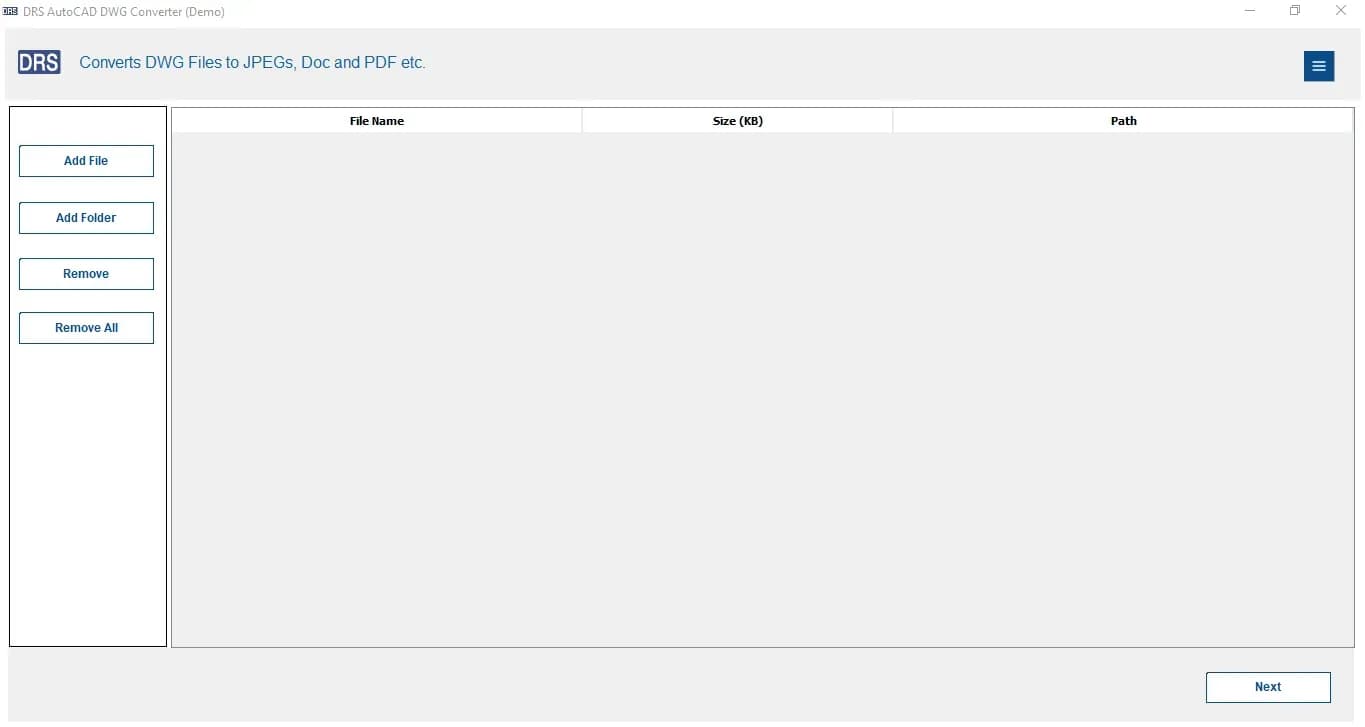
About this app
DRS Softech DWG Converter is a dedicated Windows utility that converts AutoCAD DWG, DXF, and DWF files into PDF, DOC, HTML, and image formats like JPEG, PNG, BMP, TIFF, and GIF without requiring AutoCAD or any CAD software installed. It handles both 2D and 3D drawings, supports batch processing, and preserves layers, line weights, colors, fonts, and annotations during conversion. The tool supports all major DWG versions (R1.x through 2018) and Windows 7 through 11. A free trial allows four conversions with a watermark; the paid version removes limits and file-size caps. Backed by 24/7 support and used by 200K+ users globally, it targets architects, engineers, contractors, and IT admins who need to share CAD drawings in universally viewable formats.
Key features
- 1Converts DWG, DXF, and DWF to PDF, DOC, HTML, JPEG, PNG, BMP, TIFF, and GIF without AutoCAD installed.
- 2Batch processing with layer, line weight, color, font, and annotation preservation across 2D and 3D drawings.
- 3Supports all major DWG versions (R1.x through 2018) on Windows 7 through 11, with a four-conversion free trial.
Target customer profile
Drawn from the product itself, not from a survey.
Demographic
Architects and CAD engineers sharing designs with clients
Pain points
Clients lack AutoCAD; converting DWG to PDF/JPG is tedious
Primary needs
Batch, high-fidelity conversion to viewable formats
Demographic
IT administrators managing large drawing repositories
Pain points
Installing AutoCAD on every machine is costly and heavy
Primary needs
Standalone, lightweight converter with no CAD dependency
Demographic
Project managers and site contractors reviewing blueprints
Pain points
Complex CAD files slow field review and printing
Primary needs
Quick DWG to PDF/image export for site and supplier use
Scout Review
Written by AI from measured evidence, scored out of 100.
DRS Softech DWG Converter is a competent, fast-loading Windows utility site for a genuinely useful tool: convert DWG, DXF, and DWF to PDF, DOC, HTML, and images without AutoCAD. The engineering behind the page is strong — 95/100 mobile Lighthouse, full security headers — and the product's positioning against DWG TrueView and Any DWG to PDF is clear and defensible. What holds it back is presentation: a dated, keyword-stuffed homepage with unsourced stats and a context-free logo wall, a thin four-conversion trial, no accessibility statement, and no compliance certifications. It works, it is quick, and it solves a real problem — it just markets itself like it is still 2012.
Measure by measure
Usability
58Clear nav, above-the-fold CTAs, and a five-step guide give a workable path, but unlabeled carousel dots and heavy repetition across sections slow orientation.
Design
46Dated legacy-software homepage: keyword-stuffed copy, unsourced stat strip, and a context-free logo wall. Comparison table and CTA hierarchy are the few clean touches.
Speed
88Lighthouse mobile 95/100 (LCP 1.8s, CLS 0.004, TBT 61ms) and desktop 97/100. Genuinely snappy for a page this content-heavy.
Security
74Strong header hygiene (HSTS, CSP, frame protection, 10/12 checks) but SPF and DMARC are missing and no SOC 2, ISO, or pen-test claims appear anywhere.
Accessibility
68Lighthouse a11y 94/100, but failing touch-target sizing, a missing main landmark, and role conflicts remain. No WCAG statement or multi-language support found.
Growth
58Real, specific problem (share DWG without AutoCAD) with a genuine wedge: no Autodesk dependency plus broader output formats than either listed alternative.
Improvement areas
- Dated, keyword-stuffed homepage with unsourced stats and a context-free logo wall weakens trust.
- No published SOC 2, ISO, pen-test, or bug bounty; SPF and DMARC records are missing.
- No WCAG conformance statement; Lighthouse flags missing main landmark and small touch targets.
- Four-conversion watermarked trial is thin compared to competitors offering fuller evaluations.
Design & Usability
The homepage is a time capsule from the era when every Windows utility site looked the same: centered hero, download badge, star rating, and a stat strip nobody asked for. The visual audit calls it dated, and the copy backs that up — 'DWG Converter' and 'DWG File Format Converter' are repeated so often the page reads like it was written for a crawler. What works: the comparison table makes the free-vs-paid tradeoff explicit, the solid 'Purchase Now' button correctly dominates the outlined 'Free Download', and the use-case cards share a consistent illustration style. Usability is serviceable — simple top nav, visible phone number, CTAs above the fold, and a five-step guide — but unlabeled carousel dots and the same value props repeated across five sections make the scroll feel longer than it needs to be. The four-conversion watermarked trial is thin but honest.
Speed & Security
Speed is the standout: Lighthouse mobile 95/100 with LCP 1.8s, CLS 0.004, and TBT 61ms, plus 97/100 on desktop. For a page this long and content-heavy, that is genuinely well-engineered and clearly ahead of the typical legacy-software site. Security is strong on transport and headers — HTTPS enforced, HSTS, CSP, frame protection, X-Content-Type-Options, Referrer-Policy, and Permissions-Policy all present, 10 of 12 checklist points. The gaps are email authentication: no SPF and no DMARC, which leaves the domain spoofable even as the web surface is locked down. There is also no published SOC 2, ISO 27001, pen-test summary, or bug bounty, so buyers in regulated environments have nothing to point at beyond the headers. Solid hygiene, no compliance story.
Accessibility & Growth
Accessibility scores 94/100 on the automated Lighthouse audit, which is a good baseline, but the failing checks are the ones automated tools catch and humans still hit: touch targets too small or too close, no main landmark for screen reader navigation, and role=none/presentation conflicts. There is no WCAG conformance statement and no multi-language support mentioned, so the site is accessible-ish rather than accessibility-committed. Growth is the more interesting question. The problem is real and specific — architects, engineers, contractors, and IT admins need to share DWG files with people who will never install AutoCAD — and the product has a genuine wedge against both listed alternatives: DWG TrueView requires the Autodesk ecosystem and lacks broad batch image export, while Any DWG to PDF has narrower output format support. DRS Softech converts to PDF, DOC, HTML, and five image formats with batch processing and no CAD dependency. That is a defensible niche. The limit is that this is a mature, commoditized category with free and cheap competitors everywhere, and the site's unsourced '55K+ downloads' and '45+ awards' do nothing to prove it is winning. Domain registered in 2021 gives it a few years of runway but no visible moat.
Conclusion
If you need to hand a DWG to a client who will never install AutoCAD, this does the job and does it fast. The free trial's four watermarked conversions are enough to confirm output fidelity before you pay. Go in expecting a functional tool wrapped in dated marketing, not a polished SaaS experience — and if you are buying for a regulated org, ask directly about SOC 2 and email authentication, because neither is published.
Suggestions for improvement
- Replace the unsourced '55K+ downloads / 45+ awards / 50+ countries' strip with verifiable numbers or remove it — it currently costs trust.
- Add context to the logo wall (how each org uses the product) or drop it; a grayscale Cisco logo alone proves nothing.
- Publish a WCAG conformance statement and fix the missing main landmark and touch-target sizing flagged by Lighthouse.
- Add SPF and DMARC records, and publish a security/compliance page covering data handling and any audits.
Alternatives comparison
Named competitors, point by point. Nobody paid to appear here or to be left out.
 DRS Softech DWG Converter | DWG TrueView | Any DWG to PDF Converter | |
|---|---|---|---|
| Requires AutoCAD or Autodesk ecosystem | No — standalone, no CAD dependency | Yes — Autodesk ecosystem required | No — standalone converter |
| Output formats supported | PDF, DOC, HTML, JPEG, PNG, BMP, TIFF, GIF | Primarily PDF plotting; limited image export | Focused on PDF; narrower format range |
| Batch conversion | Yes — bulk DWG/DXF/DWF processing | Limited; not broad batch image export | Yes — batch DWG/DXF to PDF |
| 2D and 3D drawing support | Yes — both 2D and 3D | Yes — full DWG viewer | Yes — 2D and 3D DWG/DXF |
| Free trial / free tier | Four conversions with watermark | Free viewer and PDF plotting | Trial available; paid for full batch |
DWG TrueView
Autodesk's free viewer that opens DWG files and can plot to PDF but requires Autodesk ecosystem and lacks broad batch image export.
Any DWG to PDF Converter
A commercial Windows tool focused on batch DWG/DXF to PDF conversion, but with narrower output format support than DRS Softech.
Comparing options? See DRS Softech DWG Converter alternatives, scored side by side
More Productivity apps
View all Productivity
Puzzly – B2B Lead Generation & Sales Intelligence Platform
92Puzzly is an all-in-one B2B lead generation platform that...

Qamarero
92An all-in-one hospitality software for restaurants and ba...

EmbedMyReviews
92White-label reputation management software for agencies s...

StoryPad
92Privacy-first open source journal app with a continuous t...

Notion
92All-in-one AI workspace for docs, projects, and knowledge...

The Stack Newsletter
92A weekly newsletter delivering curated tech jobs, intervi...

Vibe Coding Agent Skills
92A free, open-source platform offering 110 AI agent skills...

QRBliss
91Branded QR codes with AI Brand Sync, 15 free dynamic code...

Gerty
91Private, local AI assistant for Mac that runs offline

Strukchad Property Management
91Property management for Kenyan letting agents: rent invoices raised every month, M-Pesa rent prompts to tenants, arrears tracking and landlord statements.

CC Switch
91Open-source desktop app for switching AI coding providers...

PitchWhip
90AI cold call scripts & direct dials from LinkedIn


A platform dedicated to providing unbiased reviews of newly launched applications, analyzing everything from their features to their full potential.
info@scoutforge.net© 2026 Scoutforge. All rights reserved.
