Cycling through all six. Tap any point to stop.
Measured on six things
Fast file search for the Mac. Results as you type, files inside Mail and Photos, works with Wi-Fi off. $19 once.
Security
44Privacy architecture is genuinely excellent — no servers, no analytics, no account, offline licence verification. But the site itself ships almost no security headers (no HSTS, CSP, frame protection, Referrer-Policy; DMARC missing), and no SOC 2/ISO claims exist.
Screenshots
1 / 3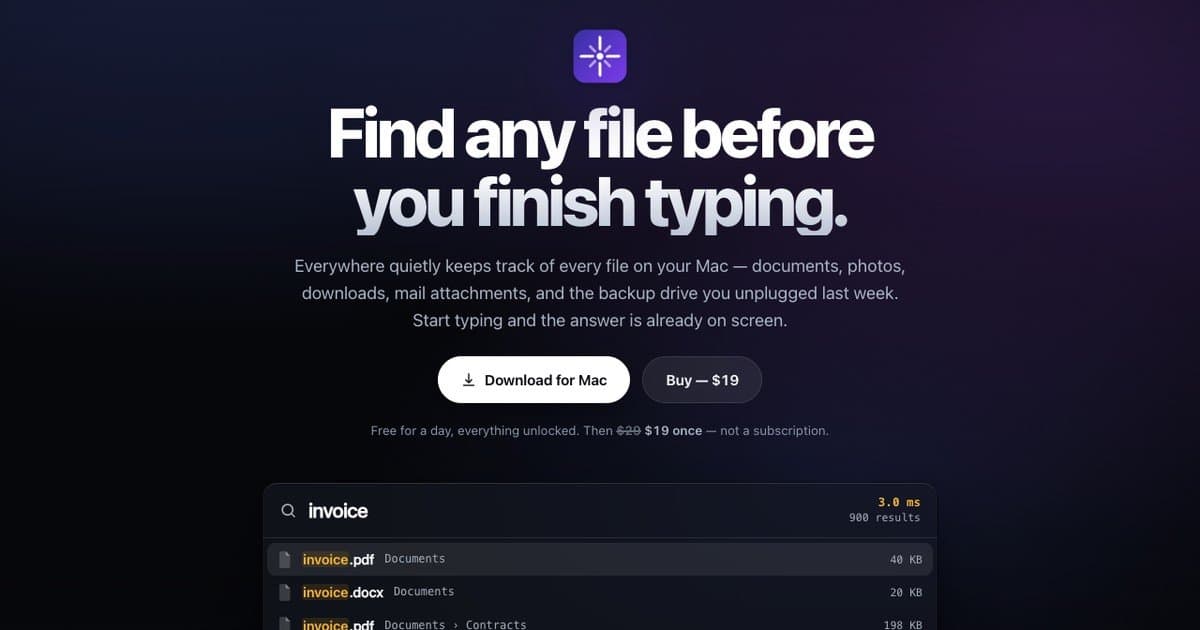
About this app
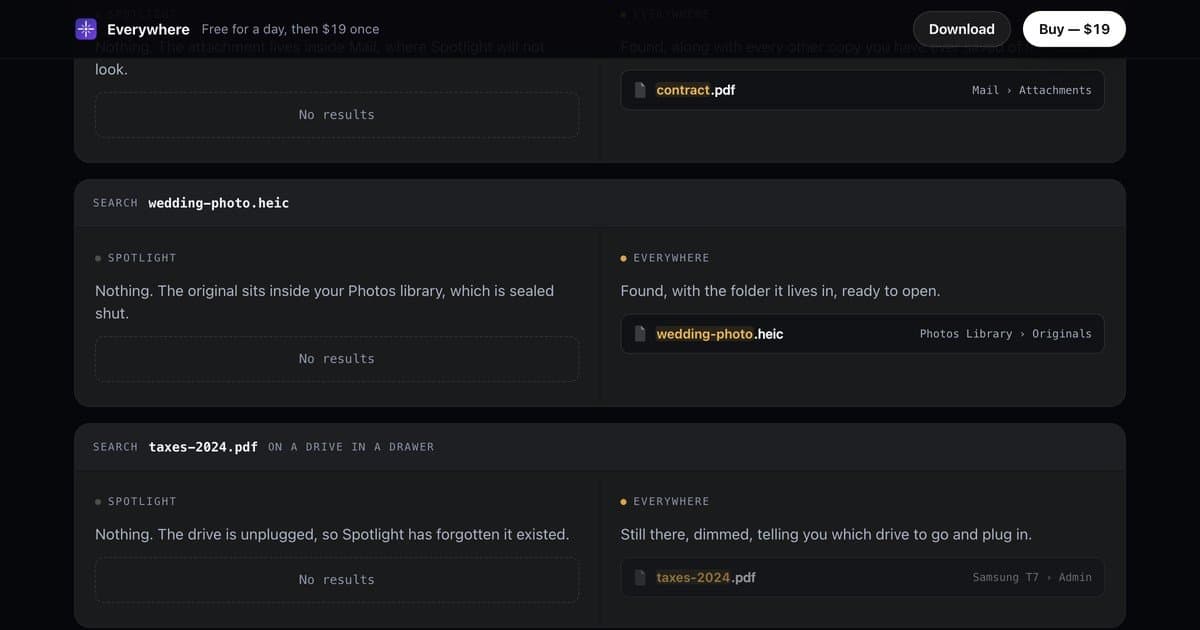
Everywhere is fast file search for the Mac: results appear as you type. Every result has keyboard actions: Space for Quick Look, reveal in Finder, copy the full path, or move to Trash. Open it with Option-Space over any app. It finds files inside Mail and the Photos library, even on drives you have unplugged, and it works with Wi-Fi off. Nothing leaves your Mac. $19 once, with a free one-day trial.
Key features
- 1Instant file search with results as you type, opened via Option-Space over any app.
- 2Finds files inside Mail attachments and the Photos library, plus files on unplugged drives.
- 3Keyboard actions on every result: Quick Look, reveal in Finder, copy path, open Terminal, find duplicates, move to Trash.
- 4Fully offline and private: no servers, no analytics, no account, offline licence verification.
- 5Query syntax with ext:, size:, path:, OR (|) and NOT (!) operators, suggested as you type.
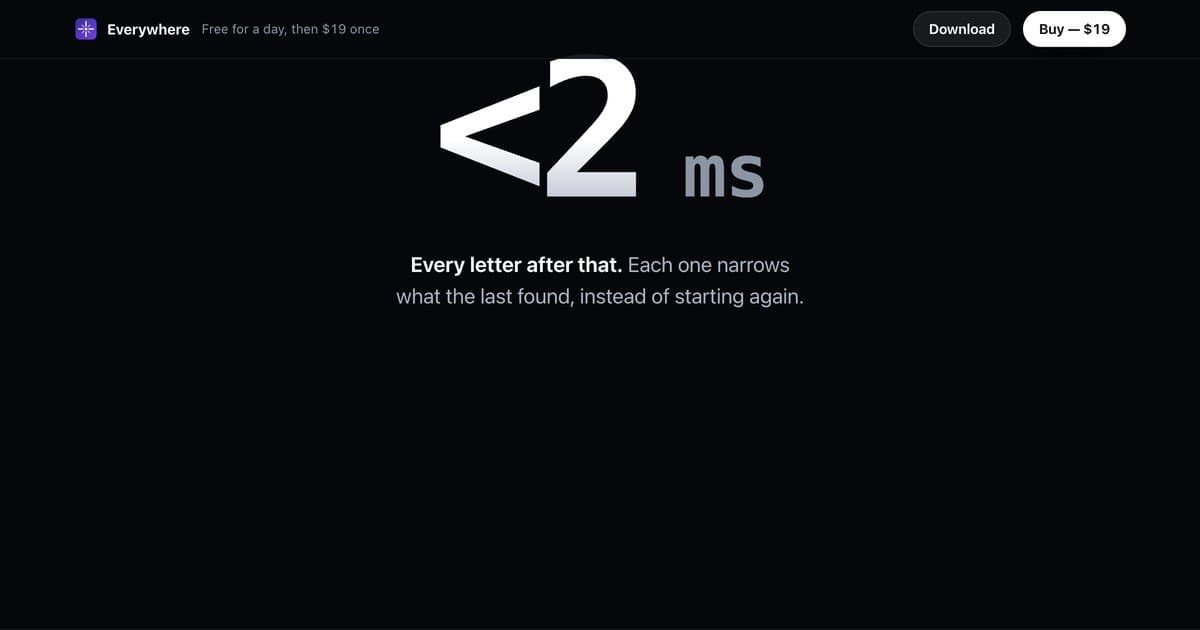
- 6Published measured benchmarks: 31s to catalogue 6M files, <10ms first keystroke, 308MB index.
Target customer profile
Drawn from the product itself, not from a survey.
Scout Review
Written by AI from measured evidence, scored out of 100.
Everywhere is a focused, well-executed Mac file search utility with a landing page that actually demonstrates the product instead of describing it. The wedge is real and specific — it finds what Spotlight refuses to see — and the live demo, keyboard documentation and one-day trial make the value obvious in under a minute. The privacy architecture is a genuine differentiator, not marketing. The gaps are craft and hardening: a couple of broken-looking hero images, a low-contrast buy button, and a website missing most standard security headers despite the product's privacy-first pitch. At $19 once with no subscription, it's an easy recommendation for anyone who has ever lost a file inside Mail.
Measure by measure
Usability
74Genuinely strong onboarding: a live in-browser search demo over 70k paths, a full keyboard shortcut table, clickable syntax examples, and a one-day trial with nothing held back. No account friction. Docs are essentially the homepage, which works here.
Design
71Polished, self-explanatory hero with a realistic search-results demo card and consistent purple branding. Comparison cards land the Spotlight-vs-Everywhere point, though two hero images read as near-empty gradients and the dark Buy button is low-contrast.
Speed
71Lighthouse mobile 89/100 (LCP 3.2s, TBT 158ms) and desktop 92/100 — a lean, near-static page with zero third-party requests. The app's own published benchmarks (31s for 6M files, <10ms first keystroke) are measured and re-checked at build time.
Security
44Privacy architecture is genuinely excellent — no servers, no analytics, no account, offline licence verification. But the site itself ships almost no security headers (no HSTS, CSP, frame protection, Referrer-Policy; DMARC missing), and no SOC 2/ISO claims exist.
Accessibility
80Lighthouse accessibility audit scored a perfect 100/100, and the product is keyboard-first by design with every shortcut documented and wired to a live keycap demo. No formal WCAG statement or localization, but the automated and manual signals are strong.
Growth
62A real, specific wedge: files Spotlight structurally refuses to see — Mail attachments, Photos originals, unplugged drives — sold once for $19. Clear target, clear reason to switch, but a single-platform utility with a one-time price caps the ceiling.
Improvement areas
- Two hero images render as near-empty dark gradients; replace with real UI screenshots.
- Dark 'Buy — $19' button is low-contrast next to the white Download CTA.
- Website sets almost no security headers (no HSTS, CSP, frame protection, Referrer-Policy; DMARC missing).
- No formal WCAG conformance statement, no localization, and no docs beyond the homepage.
Design & Usability
Everywhere's site does the hardest thing a utility landing page can do: it shows the product working before you download it. The hero pairs a plain-language promise ('find any file before you finish typing') with a floating results card using realistic filenames and source tags, and the comparison section uses concrete edge cases — a Mail attachment, a Photos original, a file on an unplugged Samsung T7 — to make the Spotlight gap visceral. Branding is disciplined: one purple accent, no clutter. The weak spots are craft-level: two hero images render as near-empty dark gradients, and the dark Buy button sits low-contrast next to the white Download CTA. Usability is where it shines — a live in-browser demo that actually searches 70,316 paths, a full keyboard table wired to a real keycap demo, clickable syntax examples, and a one-day trial with nothing held back and no account required. Onboarding friction is close to zero.
Speed & Security
Speed is solid rather than spectacular. Lighthouse gives mobile 89/100 (LCP 3.2s, TBT 158ms) and desktop 92/100, consistent with a page that claims zero third-party requests. The app's own numbers — 31 seconds to catalogue six million files, under 10ms for the first keystroke, 308MB index — are presented as measured and re-checked at build time, which is the right way to make that claim. Security is a split verdict. The privacy architecture is genuinely strong: no servers, no analytics, no account, offline signature-based licensing, works with Wi-Fi off forever. But the website itself is thin on headers — HTTPS is enforced, yet there's no HSTS, CSP, frame protection, X-Content-Type-Options, Referrer-Policy or Permissions-Policy, and DMARC is missing (SPF is present). No SOC 2 or ISO claims. For a privacy-first product, the front door should match the vault.
Accessibility & Growth
Accessibility is a clear strength: Lighthouse scored 100/100, and the product is keyboard-first by design — every shortcut documented, a live keycap demo, and a layout that holds up across mobile and desktop runs. What's missing is a formal WCAG conformance statement and any localization, so the perfect automated score is doing more work than it should. Growth is a judgement on the idea, and the idea is good: Everywhere names a real, specific gap — files inside Mail, inside the Photos library, and on drives you unplugged, all of which Spotlight structurally will not surface — and prices it as a $19 one-time purchase against a free default. That's a clear reason to switch for a specific user. The honest limit is the ceiling: a single-platform Mac utility with one-time pricing has no expansion path built in, and the domain is only months old, so this is a wedge, not yet a platform.
Conclusion
If you've ever hunted for an attachment you know is in Mail, or a photo you know is in Photos, and watched Spotlight shrug, Everywhere is aimed squarely at you — and at $19 once, the math is trivial. The product is more finished than the website around it. Fix the two dead hero images, bump the Buy button's contrast, and put the same rigor into your HTTP headers that you put into your offline licensing, and this goes from a strong indie utility to a genuinely tight one.
Suggestions for improvement
- Replace the two near-empty dark gradient hero images with real UI screenshots or remove them entirely.
- Increase contrast on the dark 'Buy — $19' button so it doesn't lose to the white Download CTA.
- Add HSTS, CSP, X-Content-Type-Options, Referrer-Policy and a DMARC record to match the privacy pitch.
- Publish a short WCAG conformance statement and a real docs page beyond the homepage.
Alternatives comparison
Named competitors, point by point. Nobody paid to appear here or to be left out.
 Everywhere Everywhere |  | |
|---|---|---|
| Pricing model | $19 one-time, free one-day trial | Not provided |
| Finds files inside Mail and Photos libraries | Yes — explicitly supported | Not provided |
| Searches unplugged / offline drives | Yes — shows dimmed results with drive name | Not provided |
| Works fully offline with no account | Yes — no servers, no analytics, offline licence | Not provided |
| Keyboard-driven actions on results | Quick Look, reveal, copy path, Terminal, duplicates, Trash | Not provided |
| Published performance benchmarks | Yes — 31s/6M files, <10ms first keystroke, 308MB | Not provided |
Comparing options? See Everywhere alternatives, scored side by side
More Productivity apps
View all Productivity
Qamarero
92An all-in-one hospitality software for restaurants and ba...

The Stack Newsletter
92A weekly newsletter delivering curated tech jobs, intervi...

EmbedMyReviews
92White-label reputation management software for agencies s...

StoryPad
92Privacy-first open source journal app with a continuous t...

Puzzly – B2B Lead Generation & Sales Intelligence Platform
92Puzzly is an all-in-one B2B lead generation platform that...

Notion
92All-in-one AI workspace for docs, projects, and knowledge...

Vibe Coding Agent Skills
92A free, open-source platform offering 110 AI agent skills...

CC Switch
91Open-source desktop app for switching AI coding providers...

username.md
90One verified handle for your online identity, readable by...

What the GIF
89Frame-perfect video-to-GIF maker that runs entirely in yo...

AuditCloser
89White-label website audits that close deals for digital a...

NudgeWin
89Automated quote follow-up for trades and service businesses.


A platform dedicated to providing unbiased reviews of newly launched applications, analyzing everything from their features to their full potential.
info@scoutforge.net© 2026 Scoutforge. All rights reserved.
