Cycling through all six. Tap any point to stop.
Measured on six things
AI face search to find similar faces and public profiles ...
Speed
46Lighthouse mobile 49/100 with a 6.0s LCP and 711ms TBT — the store page is heavy on phones. Desktop scores 78/100, so the gap is mobile rendering, not the backend. No user lag reports found either way.
Screenshots
1 / 2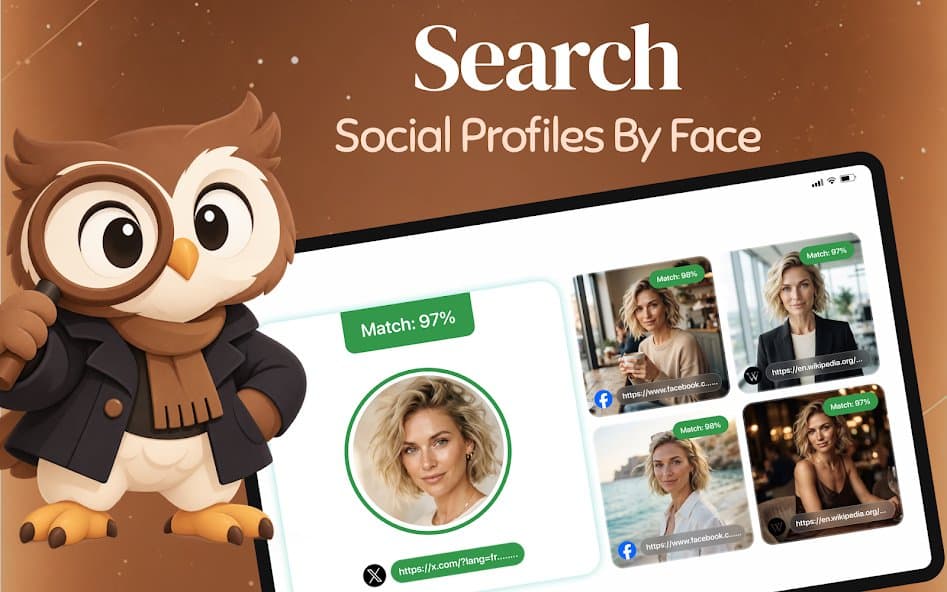
About this app
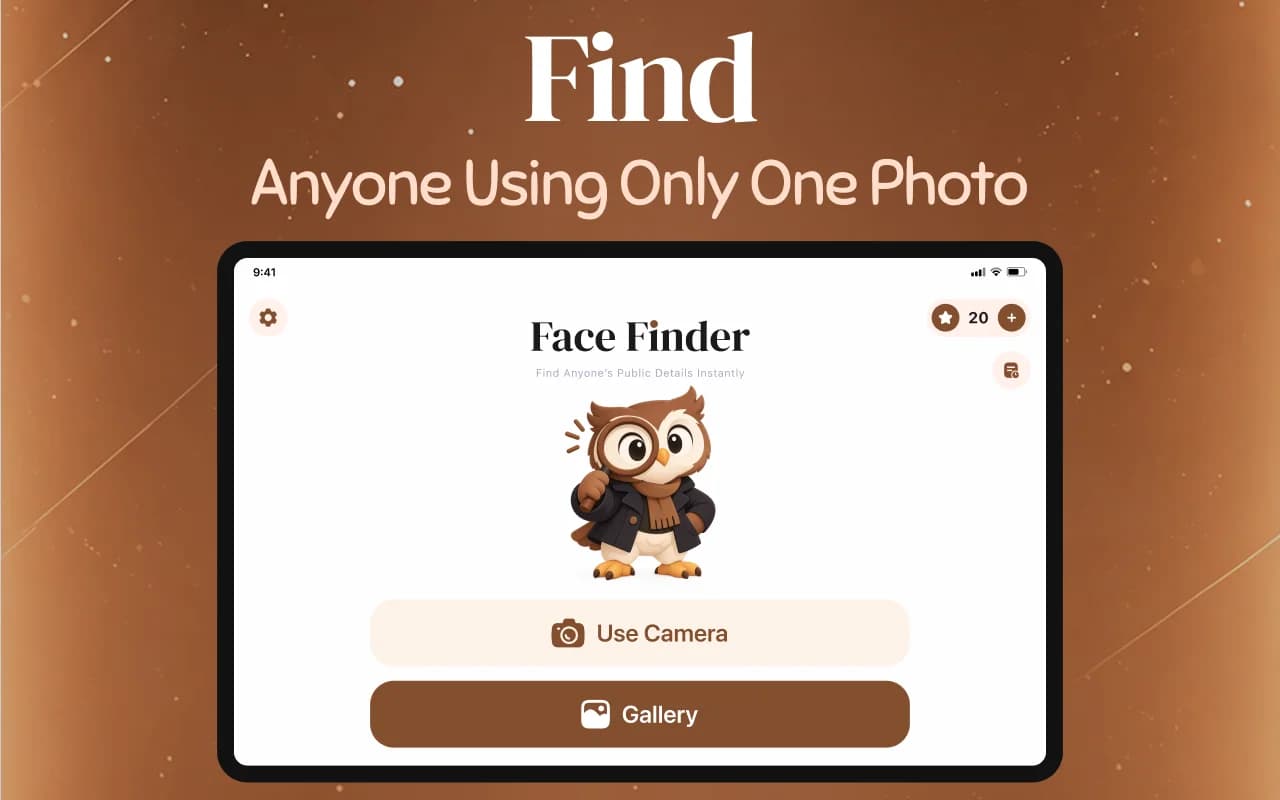
I spent some time digging into FaceFinder: AI Face Search, a relatively new Android app from developer Right Tracks IT that flips the usual reverse image search on its head. Instead of hunting for a photo's origin, it uses AI face recognition to surface faces that look like the one you upload. You pick a photo from your gallery, snap a new one, or paste a link, then crop the face and let it scan supported public web pages and social profiles. Results are ranked by match score with previews and one-tap source links, which makes it surprisingly easy to check whether a picture of you has been reused online or to find a look-alike. Standout touches include on-device search history with a clear option, no sign-up required, encrypted uploads, and credit packs plus weekly or monthly plans. It's fair to flag that credits gate each search, so heavy users will feel the cost, and the app itself states it only shows visual similarity rather than verifying identity and only reads publicly availa...
Key features
- 1AI face search across public web pages and social profiles with ranked match scores and one-tap source links.
- 2No signup required; pick from gallery, camera, or paste a link, then crop and scan.
- 3On-device search history with clear option; credits via weekly/monthly plans or one-time packs.
Target customer profile
Drawn from the product itself, not from a survey.
Demographic
Privacy-conscious social media users aged 18-35
Pain points
Unsure where personal photos have been reshared or scraped online
Primary needs
Quick reverse image and face search without creating an account
Demographic
Freelance models and content creators
Pain points
Image theft and unauthorized reuse of portfolio photos
Primary needs
Spot copied pictures and track public sources of uploads
Demographic
Curious casual users and look-alike hunters
Pain points
Wondering who resembles them or a friend with no easy tool
Primary needs
Fun face match search with ranked scores and source links
Demographic
Journalists and OSINT hobbyists
Pain points
Manual reverse image lookup across public pages is slow
Primary needs
Fast visual match leads with direct links to public profiles
Scout Review
Written by AI from measured evidence, scored out of 100.
FaceFinder is a competent, clearly-positioned Android face-search app with a distinctive owl-branded identity, a frictionless no-signup flow, and strong automated accessibility. It's held back by a slow mobile store page, an unenforced-HTTPS security posture with no published audits, and a credit model that taxes every search. The idea is sound and differentiated; execution is solid but not yet standout.
Measure by measure
Usability
63No signup, three-tap flow (pick, crop, scan) and results that show match % plus source links without extra taps is genuinely tight. Credits-per-search and a thin support surface (email + Google Sites policy) keep it mid-pack.
Design
68Judging the Play Store listing and app UI: a coherent owl mascot and warm brown palette give real identity, and match badges read instantly. Held back by cramped first screenshot, wall-of-text About copy and a clipped carousel card.
Speed
46Lighthouse mobile 49/100 with a 6.0s LCP and 711ms TBT — the store page is heavy on phones. Desktop scores 78/100, so the gap is mobile rendering, not the backend. No user lag reports found either way.
Security
62HTTPS not enforced and no DMARC or Referrer-Policy, though HSTS, CSP and frame protection are set (8/13 probe points). Listing claims in-transit encryption and no third-party sharing; no SOC 2, ISO or pen-test claims published.
Accessibility
80Lighthouse a11y 99/100 with only two failing audits (missing main landmark, mismatched accessible names). 38-language support is a real plus; no WCAG statement or screen-reader notes published, so it sits in the upper band, not the top.
Growth
58Real problem (photo reuse, look-alike hunting) with a concrete wedge: no-signup, mobile-native face search with ranked scores and source links. PimEyes is web-only and paid; Lens/Yandex are general-purpose. Early (10+ downloads) but the idea has room.
Improvement areas
- Enforce HTTPS, add DMARC and Referrer-Policy, and publish a security/audit page.
- Improve mobile store page performance (LCP 6.0s, TBT 711ms).
- Clean up the Play Store listing: declutter screenshot one, break up About text, fix clipped carousel card.
Design & Usability
The Play Store listing is the design surface here, and it mostly works: a brown-and-cream palette, an owl mascot with a monocle, and match-percentage badges that read at a glance. The first screenshot is cluttered with overlapping social icons, the About section is a wall of unbroken text, and the last carousel card is clipped. Usability is the stronger half — no signup, pick/crop/scan in three taps, results with source links inline. The friction is credits: every search costs, and support is an email address plus a Google Sites policy page.
Speed & Security
Lighthouse mobile performance lands at 49/100 with a 6.0s LCP and 711ms TBT — the store page is slow on phones, though desktop hits 78/100, so it's a mobile rendering problem rather than a backend one. Security is mixed: HSTS, CSP and frame protection are set, but HTTPS isn't enforced, there's no DMARC or Referrer-Policy, and secure cookies aren't flagged (8/13 probe points). The listing claims in-transit encryption and no third-party data sharing, but no SOC 2, ISO or pen-test evidence is published.
Accessibility & Growth
Accessibility is the standout: 99/100 on Lighthouse with only a missing main landmark and mismatched accessible names failing, plus 38-language support. No WCAG statement or screen-reader documentation, so it's strong on automation, unproven on the rest. Growth is a judgement on the idea: photo-reuse checking and look-alike hunting are real needs, and a no-signup mobile face search with ranked scores and one-tap sources is a genuine wedge against web-only PimEyes and general-purpose Lens/Yandex. The listing shows 10+ downloads — early, but the category has headroom.
Conclusion
If you want to check whether a photo of you has been reused, or scratch a look-alike itch without making an account, FaceFinder does the job in three taps. Go in knowing mobile is slow, credits add up, and the app is honest that it shows visual similarity — not identity. For privacy-curious casual users it's a reasonable pick; for heavy OSINT work, PimEyes still has the depth.
Suggestions for improvement
- Enforce HTTPS redirects and add DMARC plus a Referrer-Policy header to close the probe gaps.
- Cut mobile LCP below 3s — compress store screenshots and lazy-load carousel assets.
- Publish a short security page: encryption details, data retention, and any third-party audit.
- Add a WCAG/accessibility statement and fix the missing main landmark and label mismatches.
Alternatives comparison
Named competitors, point by point. Nobody paid to appear here or to be left out.
 FaceFinder: AI Face Search FaceFinder: AI Face Search |  Google Lens Google Lens |  PimEyes PimEyes |  Yandex Images Yandex Images | |
|---|---|---|---|---|
| Price model | Credits via weekly/monthly plans or one-time packs | Free | Paid subscription tiers | Free |
| Face-specific search | Yes — AI face recognition with ranked match scores | General visual search; face matching incidental | Yes — dedicated face search engine | Reverse image search; surfaces look-alikes incidentally |
| Signup required | No | No (Google account for some features) | Yes for paid plans | No |
| Platform | Android app | Web, iOS, Android | Web | Web, app |
| Source links on results | Yes — one-tap source links per match | Yes — links to matching pages | Yes — source URLs per result | Yes — links to matching pages |
Google Lens
Free visual search built into Google apps that finds similar images, products, and text across the web.
PimEyes
Web-based face search engine focused on finding public photos of a face, with paid plans for more results.
Yandex Images
Reverse image search that often surfaces look-alike faces and reused photos across public sites.
Comparing options? See FaceFinder: AI Face Search alternatives, scored side by side
More Productivity apps
View all Productivity
Qamarero
92An all-in-one hospitality software for restaurants and ba...

The Stack Newsletter
92A weekly newsletter delivering curated tech jobs, intervi...

EmbedMyReviews
92White-label reputation management software for agencies s...

StoryPad
92Privacy-first open source journal app with a continuous t...

Puzzly – B2B Lead Generation & Sales Intelligence Platform
92Puzzly is an all-in-one B2B lead generation platform that...

Notion
92All-in-one AI workspace for docs, projects, and knowledge...

Vibe Coding Agent Skills
92A free, open-source platform offering 110 AI agent skills...

CC Switch
91Open-source desktop app for switching AI coding providers...

username.md
90One verified handle for your online identity, readable by...

What the GIF
89Frame-perfect video-to-GIF maker that runs entirely in yo...

AuditCloser
89White-label website audits that close deals for digital a...

NudgeWin
89Automated quote follow-up for trades and service businesses.


A platform dedicated to providing unbiased reviews of newly launched applications, analyzing everything from their features to their full potential.
info@scoutforge.net© 2026 Scoutforge. All rights reserved.
