Cycling through all six. Tap any point to stop.
Measured on six things
Adds haptic feedback and sound to Mac trackpad gestures.
Growth
62A real, specific wedge: tactile material metaphor on gestures you already use, aimed at accessibility and long-session users. HapticKey is free but key-press only; MultiTouch has no haptics.
Screenshots
1 / 6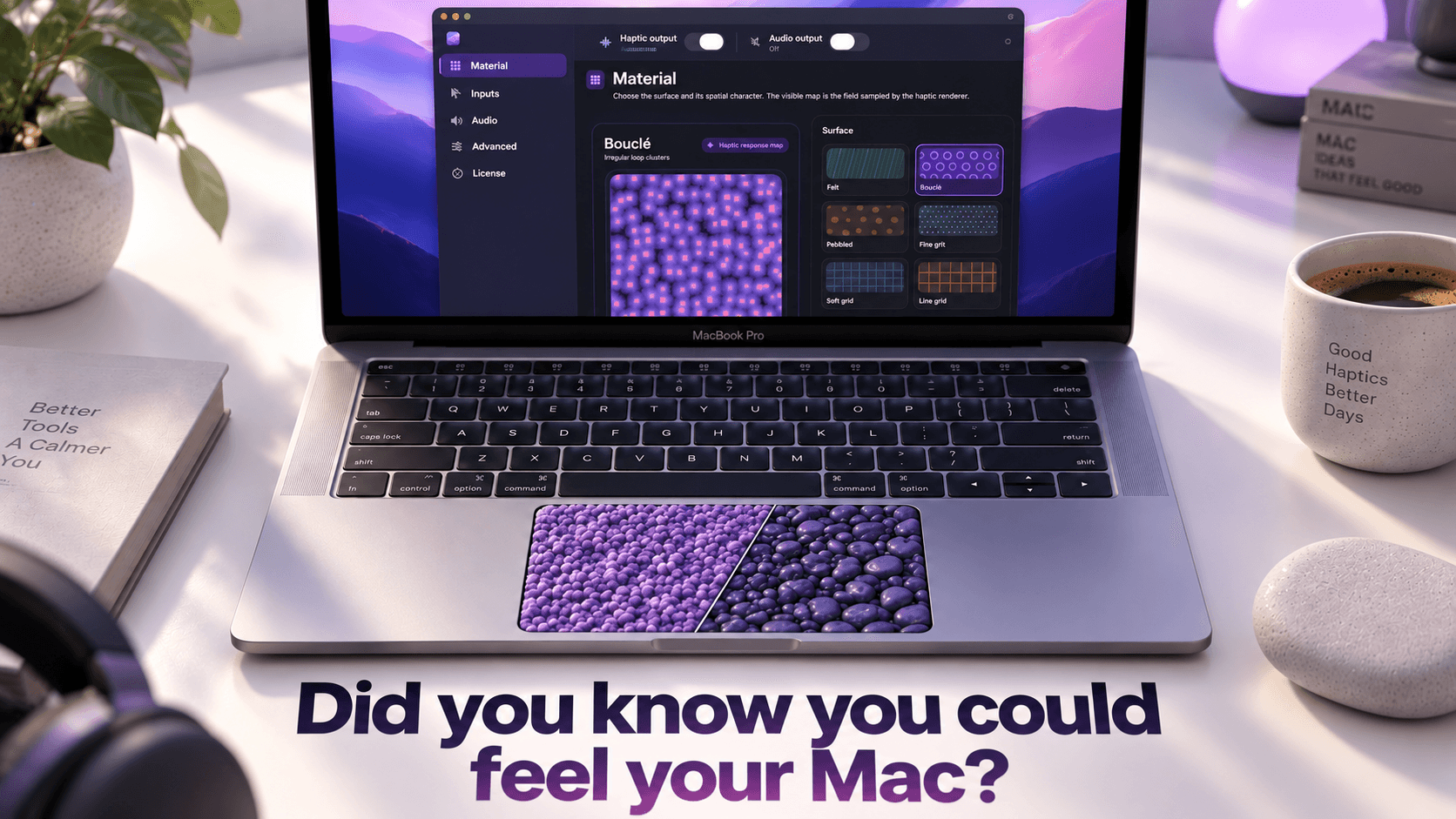
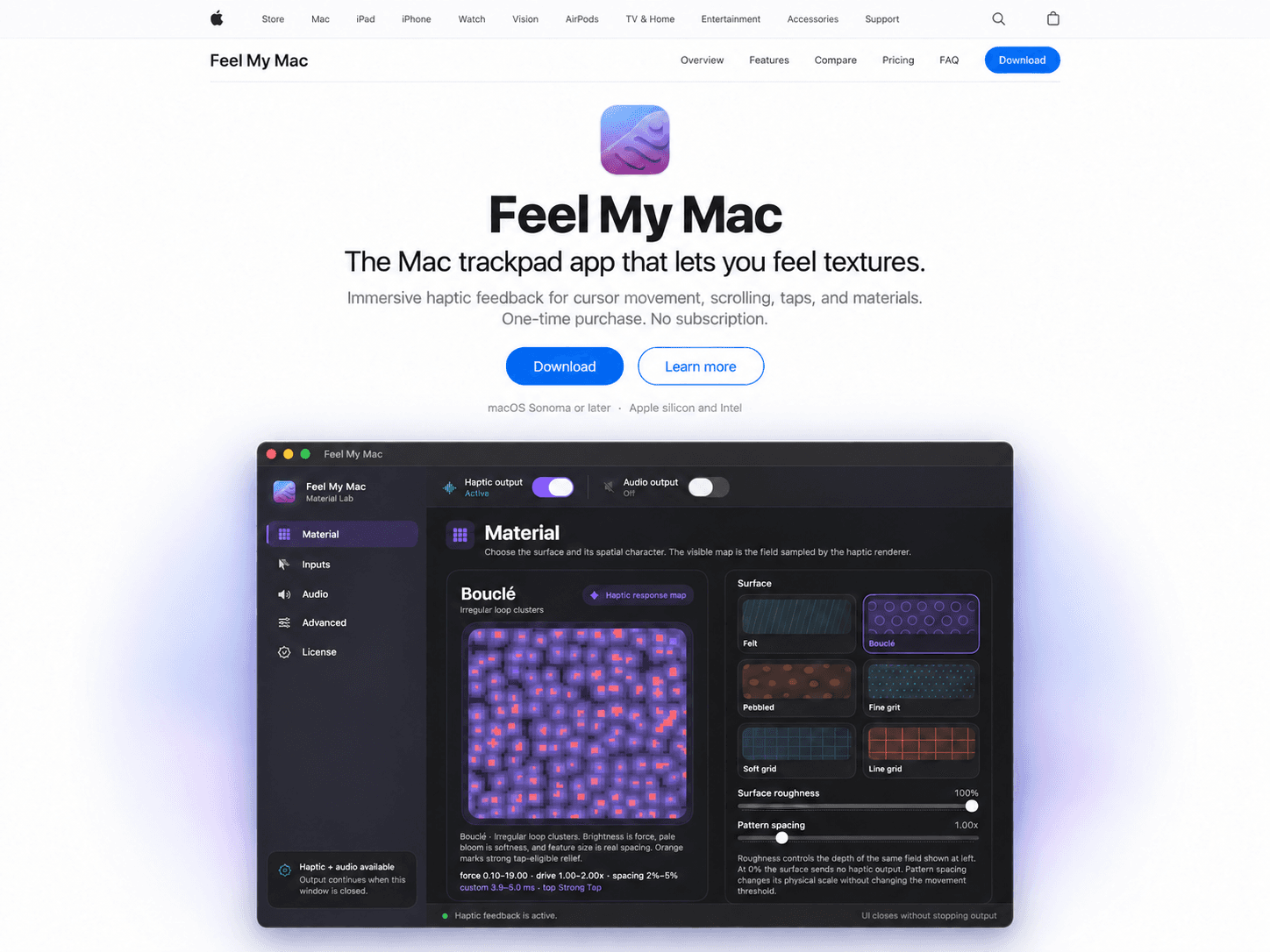
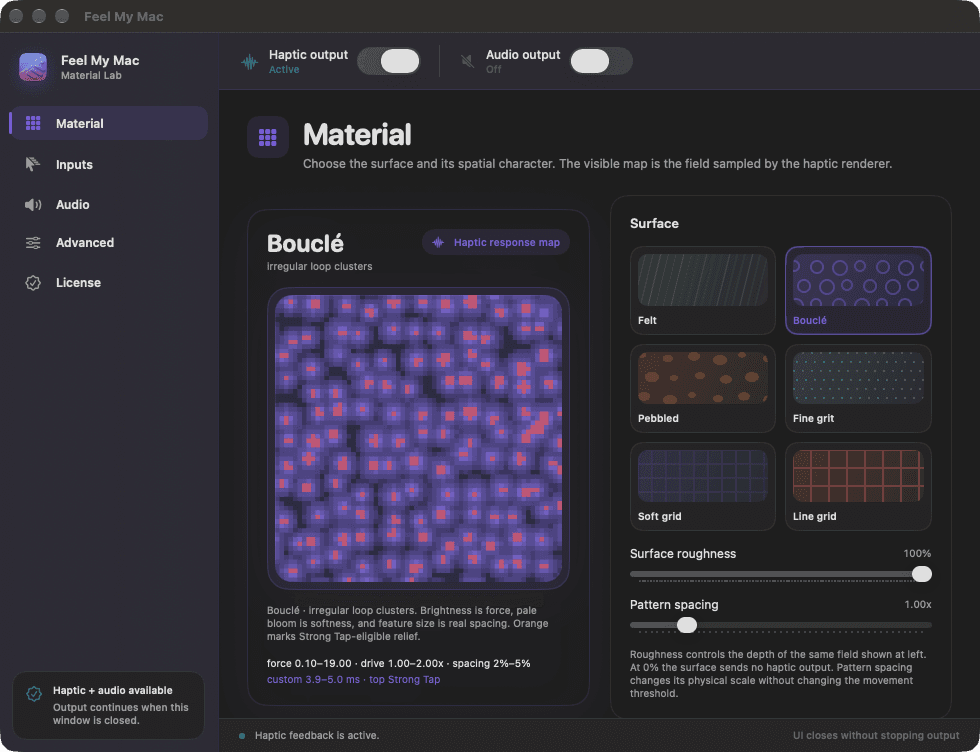
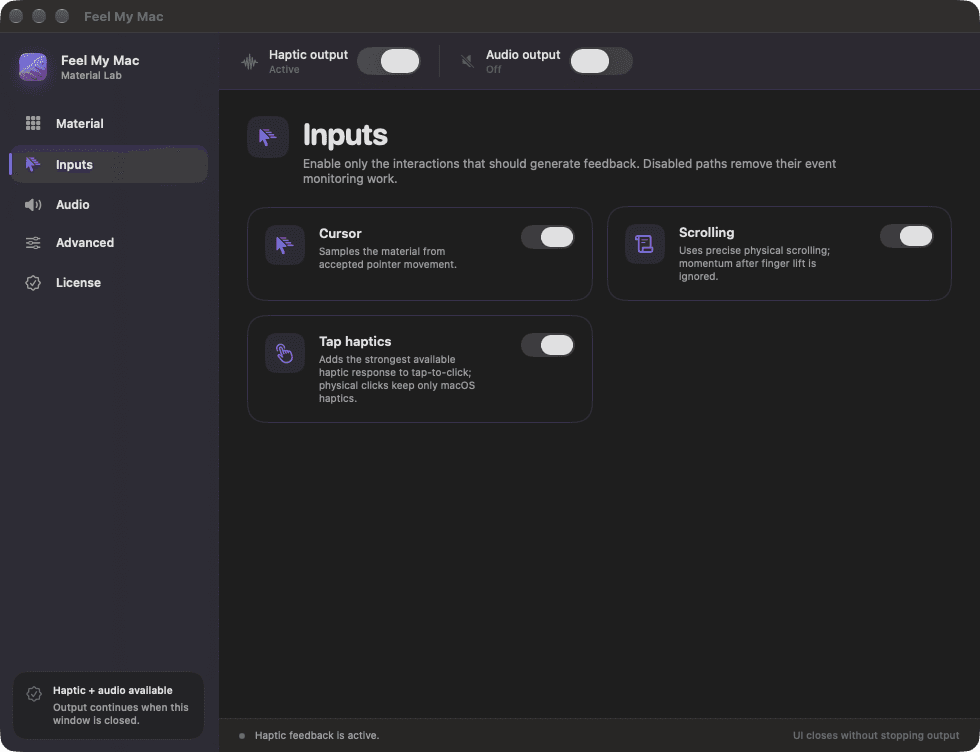
About this app
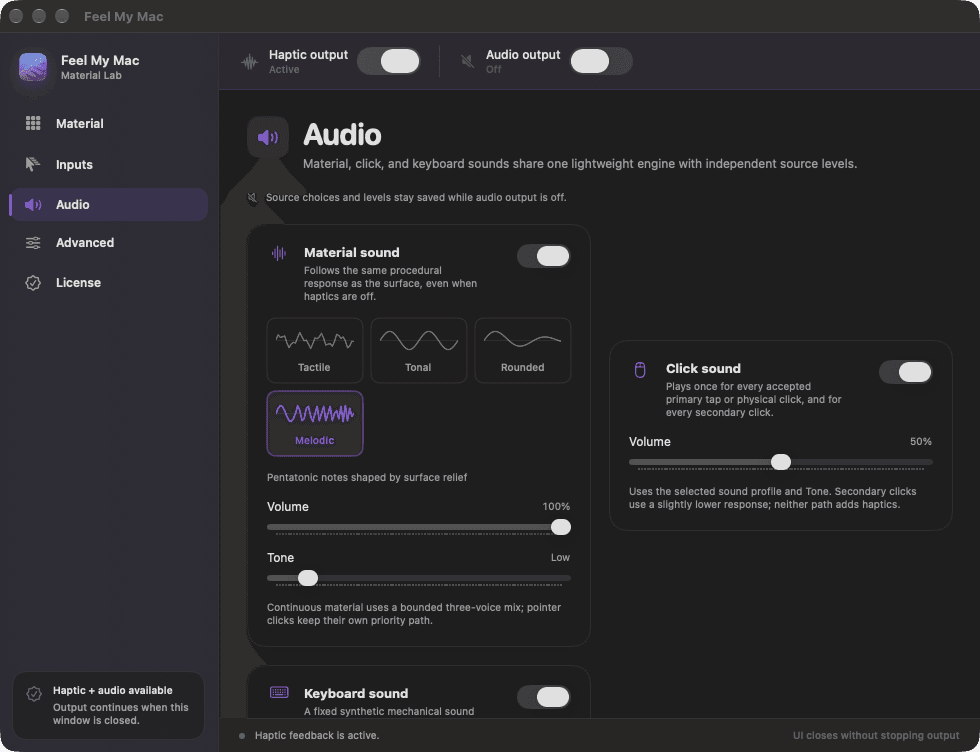
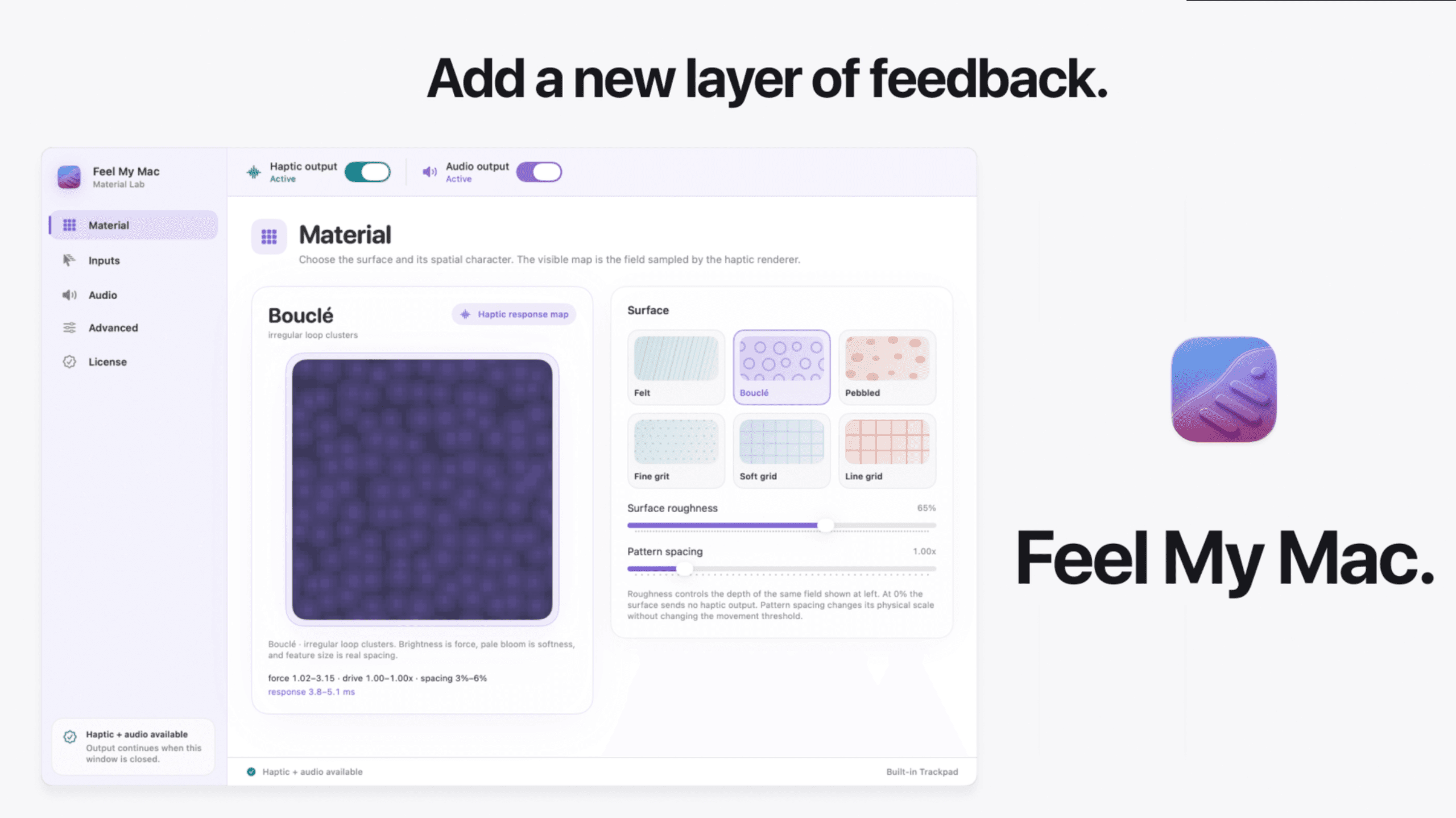
FeelMyMac is a fascinating little macOS utility that caught my attention recently on Product Hunt. The core idea is simple but surprisingly effective: it layers tactile haptic pulses and optional audio feedback on top of the gestures you already use every day. Instead of learning new shortcuts or changing your workflow, you just pick a "material" — Felt, Bouclé, Pebbled, Fine grit, Soft grid, or Line grid — and the app translates its texture into subtle vibrations through a compatible Magic Trackpad as you move, scroll, or tap. You can enable cursor movement, two-finger scrolling, and tap feedback independently, then fine-tune roughness, intensity, and pattern spacing until it feels just right. There's also a sound layer with separate controls for material sounds, clicks, and even keyboard typing. What I really appreciate is that everything runs locally on your Mac, with no analytics or interaction history sent anywhere. There is a free demo!
Key features
- 1Six tactile 'materials' (Felt, Bouclé, Pebbled, Fine grit, Soft grid, Line grid) translated into haptic pulses through a Magic Trackpad
- 2Independent toggles for cursor movement, two-finger scrolling, and tap-to-click feedback, plus adjustable roughness, intensity and pattern spacing
- 3Optional audio layer with separate controls for material sounds, clicks, and keyboard typing (keyboard sound is full-license only)
Target customer profile
Drawn from the product itself, not from a survey.
Demographic
macOS power users and developers
Pain points
Trackpad feels flat and unresponsive during long sessions
Primary needs
Tactile confirmation of gestures without changing workflow
Demographic
Digital nomads and remote workers
Pain points
Disconnected from physical input; silent keyboards and smooth surfaces
Primary needs
Subtle sensory feedback that improves typing and scrolling comfort
Demographic
Accessibility-focused users
Pain points
Difficulty confirming taps or scrolls without visual cues
Primary needs
Independent, adjustable haptic and audio feedback per gesture
Scout Review
Written by AI from measured evidence, scored out of 100.
FeelMyMac is a well-executed little macOS utility with a clear idea and a demo that respects your time. The core pitch — pick a material, feel it through your trackpad as you move, scroll and tap — is genuinely novel in a category where most haptic tools stop at key presses. The site is polished at the top, the app UI looks clean, the free demo is unusually generous (no email, no card, no expiry), and the privacy stance is real: everything runs locally. The weak spots are honest ones. The lower homepage has visible unfinished panels. Mobile has a CLS problem. There's no CSP header and no published security audit. And the market is narrower than the marketing suggests — you need a compatible Magic Trackpad and macOS 15.1+, which rules out a chunk of the Mac audience. None of that is fatal. It's a focused tool that does one thing well and doesn't try to be a platform.
Measure by measure
Usability
68Free demo with no email, no card, no time limit, and an FAQ that actually answers hardware and activation questions. Accessibility permission is a real friction point.
Design
70Strong purple branding, real product photography, and a clear dark-theme app UI. Undermined by large empty white panels in lower homepage sections that read as unfinished.
Speed
72Lighthouse mobile 88/100, desktop 91/100, LCP 2.2s and TBT 0ms are solid. CLS 0.222 is the weak spot — visible layout shift on mobile load.
Security
74HTTPS enforced, HSTS, frame protection, Referrer-Policy, Permissions-Policy, SPF and DMARC all present. Local-only processing is a real privacy win. No CSP, no published audit.
Accessibility
80Lighthouse accessibility 100/100 and eight supported languages is a strong combo. No published WCAG statement, but the automated audit is clean and the product itself targets accessibility users.
Growth
62A real, specific wedge: tactile material metaphor on gestures you already use, aimed at accessibility and long-session users. HapticKey is free but key-press only; MultiTouch has no haptics.
Improvement areas
- Lower homepage sections have large empty white panels that read as unfinished and break the visual rhythm established at the top
- Mobile CLS of 0.222 causes visible layout shift during page load; no CSP header on an otherwise solid security header set
- No published WCAG conformance statement despite targeting accessibility-focused users; no security page or audit documentation
Design & Usability
The homepage opens strong: deep purple gradient, real product photography of a hand on a trackpad, and a hero that actually shows what the six materials look like. The app UI screenshot reveals a clean dark theme with an organized sidebar and material grid, and the gesture list uses a consistent left-right layout that's easy to scan. Then you scroll down and hit a wall of large empty white panels under headings like 'Choose what every gesture feels like' — they read as unfinished, not minimal. Usability is where the product earns real points: the free demo includes two materials and all three gesture types with no time limit, no email, no card, and no activation. The FAQ answers the questions people actually ask — does the demo expire, do I need an account, will it work on my Mac. The one friction point is the Accessibility permission requirement, which is unavoidable for this kind of app but still a real ask.
Speed & Security
Speed is solid on paper: Lighthouse mobile 88/100 with LCP 2.2s and TBT 0ms, desktop 91/100. The one blemish is a CLS of 0.222 on mobile, which means content visibly shifts during load — noticeable on a site that's trying to feel premium. Security is quietly competent. The HTTP probe found HTTPS enforced, HSTS, frame protection, X-Content-Type-Options, Referrer-Policy, Permissions-Policy, SPF and DMARC all in place — 10 of 12 checklist points. The missing piece is a Content-Security-Policy header, which is a real gap but not a critical one for a marketing site. More importantly, the app itself processes interactions locally and the site explicitly states no app-usage analytics, interaction history or diagnostics are sent anywhere. That's a meaningful privacy stance for a utility that watches your input. No published SOC 2, ISO or bug bounty, but for a small indie Mac utility that's expected, not damning.
Accessibility & Growth
Accessibility is the strongest dimension here. Lighthouse scored a clean 100/100 on the automated audit, and the app ships in eight languages — English, Italian, Spanish, German, French, Japanese, and both Simplified and Traditional Chinese. There's no published WCAG conformance statement, but the automated checks are clean and the product explicitly targets accessibility-focused users who need non-visual confirmation of taps and scrolls. That's a coherent story, not a checkbox. Growth is a more interesting question. The wedge is specific: a tactile material metaphor layered on gestures you already use, sold to macOS power users, long-session workers, and people who need haptic confirmation. The alternatives list is thin — HapticKey is free but only does key presses, MultiTouch does gestures but no haptics — so there's genuine room. The site claims a Reddit thread with 100K+ views, which is real community signal. The honest limit: this is a nice-to-have utility for people who already own a Magic Trackpad, and that's a narrower market than the pitch implies.
Conclusion
If you own a Magic Trackpad and spend long hours scrolling and tapping, FeelMyMac is worth the demo download — it costs you nothing but a few minutes and an Accessibility permission. The material metaphor is more than a gimmick; the accessibility angle in particular is a real use case that most Mac utilities ignore. If you're on an older Mac, an Intel machine, or a non-Apple trackpad, check the compatibility list first because the haptic feedback won't work for you. The full license unlocks the remaining materials, sound profiles, spacing and tone controls, and keyboard sound. Whether that's worth it depends entirely on how much you value your trackpad feeling like felt instead of glass. For some people that's a novelty. For others — especially those who need non-visual confirmation of input — it's the whole point.
Suggestions for improvement
- Fill in the empty white panels on the lower homepage — they read as broken, not minimal, and they undercut the strong top-of-page design
- Fix the 0.222 CLS on mobile by reserving space for images and preview elements so content stops shifting during load
- Add a Content-Security-Policy header to close the one real gap in an otherwise solid security header set
- Publish a short accessibility statement describing keyboard support and screen reader behavior, since the product targets accessibility users
Alternatives comparison
Named competitors, point by point. Nobody paid to appear here or to be left out.
 FeelMyMac FeelMyMac |  HapticKey HapticKey |  MultiTouch MultiTouch | |
|---|---|---|---|
| Haptic feedback type | Material-based haptics for cursor movement, scrolling, and taps | Haptic feedback on key presses only | No haptics; visual gesture overlays only |
| Price model | Free demo (Felt + Bouclé, no time limit); paid full license | Free, open source | Paid app |
| Audio feedback | Material, click, and keyboard sounds with separate controls | None | None |
| Custom gesture support | Uses existing gestures; no new gestures to learn | Key presses only | Custom user-defined trackpad gestures with visual overlays |
| Local processing / privacy | All processing local; no analytics or interaction history sent | Open source, local-only | Local app; privacy details not verified in collected evidence |
| Language support | 8 languages including EN, IT, ES, DE, FR, JA, ZH-CN, ZH-TW | Not specified in collected evidence | Not specified in collected evidence |
HapticKey
A free macOS utility that adds haptic feedback to key presses by driving the trackpad actuator.
MultiTouch
A macOS app that uses the trackpad for custom gestures and visual feedback overlays, not haptics.
Comparing options? See FeelMyMac alternatives, scored side by side
More Productivity apps
View all Productivity
StoryPad
92Privacy-first open source journal app with a continuous t...

Puzzly – B2B Lead Generation & Sales Intelligence Platform
92Puzzly is an all-in-one B2B lead generation platform that...

Qamarero
92An all-in-one hospitality software for restaurants and ba...

Notion
92All-in-one AI workspace for docs, projects, and knowledge...

EmbedMyReviews
92White-label reputation management software for agencies s...

The Stack Newsletter
92A weekly newsletter delivering curated tech jobs, intervi...

Vibe Coding Agent Skills
92A free, open-source platform offering 110 AI agent skills...

CC Switch
91Open-source desktop app for switching AI coding providers...

username.md
90One verified handle for your online identity, readable by...

What the GIF
89Frame-perfect video-to-GIF maker that runs entirely in yo...

AuditCloser
89White-label website audits that close deals for digital a...

NudgeWin
89Automated quote follow-up for trades and service businesses.


A platform dedicated to providing unbiased reviews of newly launched applications, analyzing everything from their features to their full potential.
info@scoutforge.net© 2026 Scoutforge. All rights reserved.
