Cycling through all six. Tap any point to stop.
Measured on six things
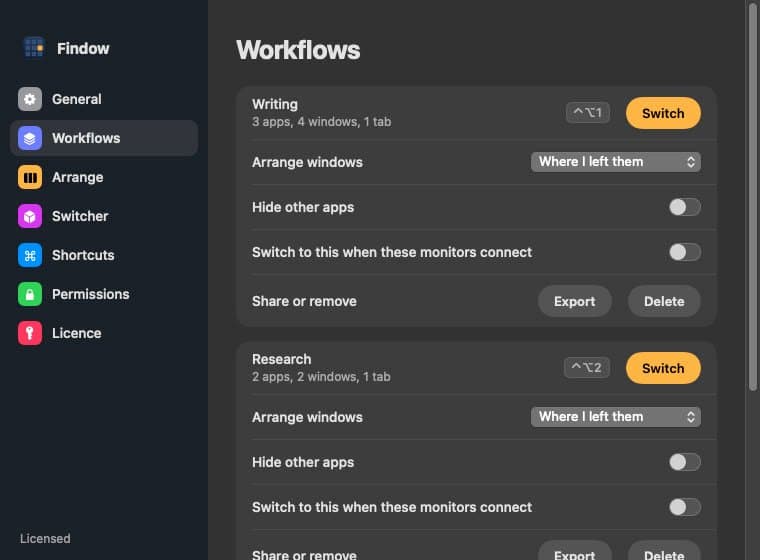
Scrolling window manager and window switcher for Mac
Security
52HTTPS enforced with frame protection, nosniff and Referrer-Policy, plus SPF. But no HSTS, CSP, Permissions-Policy or DMARC (6/12 checklist), and no published audit or security page. 'Notarized by Apple' and on-device previews are good signals; compliance is unverified.
Screenshots
1 / 5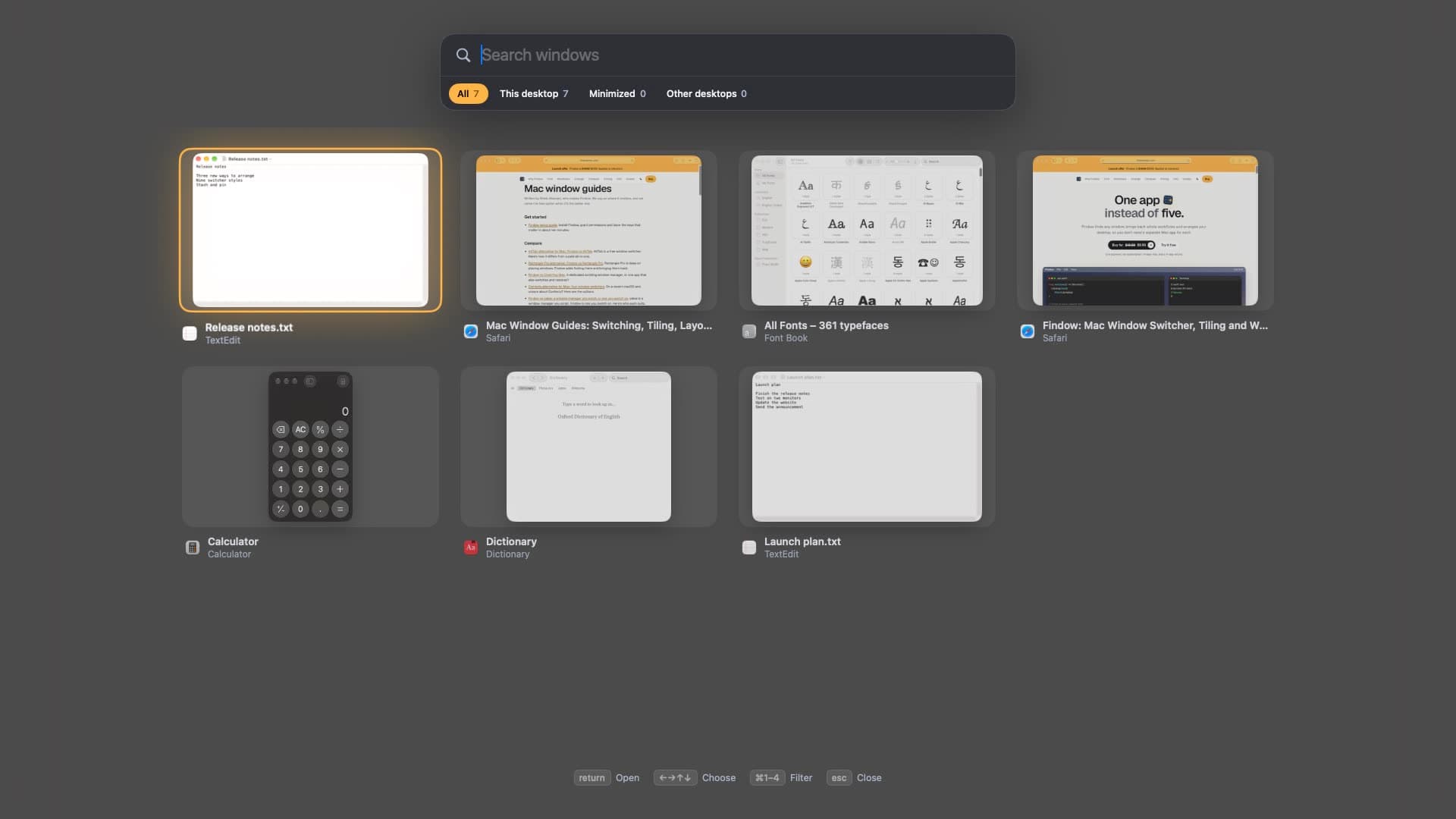
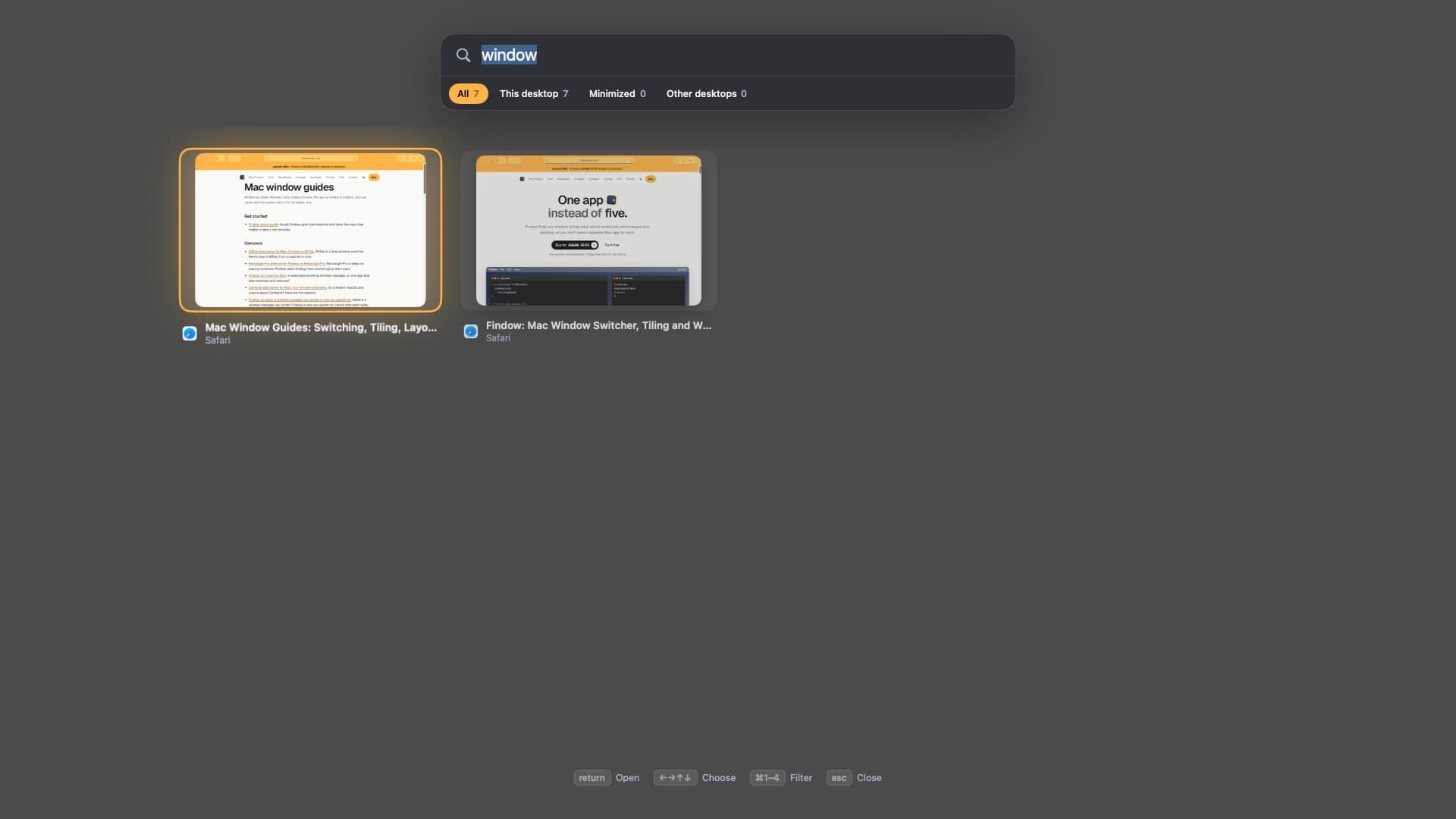
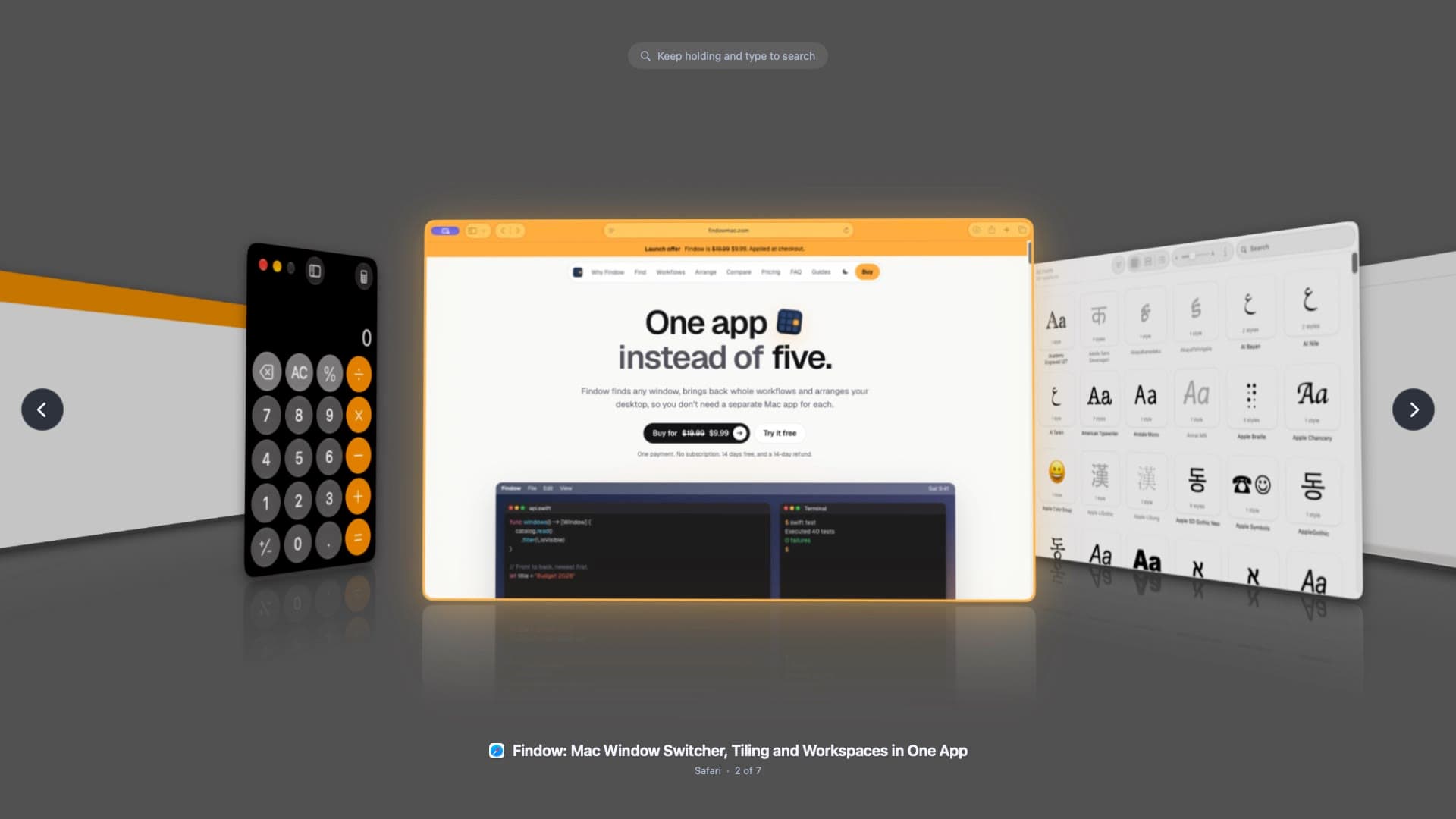
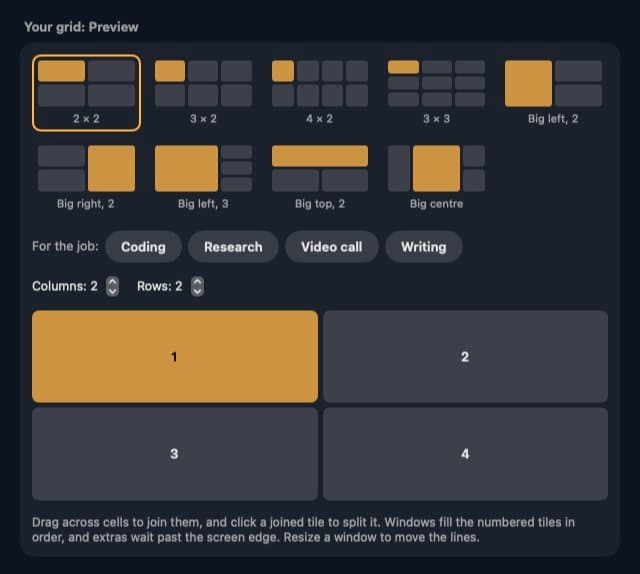
About this app
Findow is a menu bar app for macOS 14 or later that does five window jobs in one: find any window with a searchable switcher, bring back saved workflows (apps, window positions and browser tabs), tile windows into grids you draw yourself, park windows on an endless scrolling strip so nothing shrinks, and dim or black out everything but the window you are in. Workflows can start at a time of day, when the Mac joins a Wi-Fi network, or from a Focus mode. Findow keeps a separate layout for each monitor setup, never quits your apps, and every action can be undone. It needs only Accessibility; Screen Recording (for previews) and Automation (for browser tabs) are optional. No config files and no account. $19.99 once, licensed for 1 Mac, with a 1-day free trial and a 14-day refund.
Key features
- 1Searchable window switcher with 14 styles, live previews, minimized and other-desktop windows included.
- 2Saved workflows that restore apps, window positions and browser tabs, triggered by key, time, Wi-Fi or Focus.
- 3Custom-grid tiling, a scrolling strip that keeps windows full-size, and a dim/blackout mode for calls.
Target customer profile
Drawn from the product itself, not from a survey.
Demographic
Mac power users and developers juggling 20+ windows across multiple desktops
Pain points
Losing windows in Mission Control, constantly re-tiling, switching between multiple utility apps
Primary needs
Fast searchable window switching, custom grid layouts, automatic tiling, saved workspaces
Demographic
Remote workers and consultants who switch contexts between clients or tasks daily
Pain points
Reopening the same apps and tabs every morning, messy desktop after calls, privacy on shared screens
Primary needs
One-key workflow restoration, automatic workspace switching by time or network, Blackout mode for calls
Demographic
Designers and content creators on MacBook with external monitors
Pain points
Windows rearranging when unplugging a display, cramped single-screen workflow, no scrolling strip
Primary needs
Per-monitor layout memory, scrolling strip to keep windows full-size, Solo mode for focused work
Scout Review
Written by AI from measured evidence, scored out of 100.
Findow is a macOS 14+ menu bar app that consolidates five window chores — searchable switching, saved workflows, custom-grid tiling, a scrolling strip and a blackout/dim mode — into one $19.99 one-time purchase with a 1-day trial and 14-day refund. The pitch is coherent and the site backs it with an interactive demo, a clickable working model and a fast, polished landing page. Design and usability are the highlights; speed is measurably good. Security is table-stakes only (6/12 headers, no published audit) and accessibility is strong on automation but has real contrast and labeling gaps. Growth is a solid idea in a crowded category: the consolidation and workflow-trigger angle is the reason to pick it, and the incumbents are the reason it has to earn that pick.
Measure by measure
Usability
68Strong onboarding for a utility: an in-page interactive demo, a clickable 'working model', a 1-day trial and no account required. The switcher's live filter counts and in-place shortcut legend aid discovery. Dense homepage copy and a dimmed capture weaken the read.
Design
70Bento hero, bold editorial type and a saturated price tile give a distinctive first impression; the app's switcher UI is polished with a clear orange selection glow and live filter chips. Small, low-contrast captions and cluttered price messaging hold it back.
Speed
72Lighthouse mobile 85/100 (LCP 2.8s, TBT 8ms, CLS 0.003) and desktop 90/100 — a fast, stable marketing site with no lag complaints in the evidence. Solidly above the category-typical band for a utility landing page.
Security
52HTTPS enforced with frame protection, nosniff and Referrer-Policy, plus SPF. But no HSTS, CSP, Permissions-Policy or DMARC (6/12 checklist), and no published audit or security page. 'Notarized by Apple' and on-device previews are good signals; compliance is unverified.
Accessibility
80Lighthouse accessibility 95/100, with keyboard-first design throughout the switcher and a shortcut legend. Failing audits: insufficient color contrast, non-sequential headings, and labels without matching accessible names. No WCAG statement found.
Growth
62A real, specific problem (window sprawl) with a genuine wedge: five jobs in one $19.99 app, per-monitor layouts, workflow triggers. Differentiated, but the category is crowded with cheap and free incumbents.
Improvement areas
- Security headers incomplete (no HSTS, CSP, Permissions-Policy, DMARC) and no published audit or security page.
- Accessibility gaps: insufficient contrast, non-sequential headings, labels without matching accessible names.
- Homepage copy is long and the price presentation is cluttered with an inline strikethrough.
Design & Usability
Findow's design is the strongest part of the pitch. The homepage uses a bento hero, bold editorial type and a single saturated price tile that pulls the eye straight to the buy action, and the app's own switcher UI carries the same orange accent through a clear selection glow, live filter counts and an in-place keyboard legend. The weak spots are finish-level: tiny low-contrast captions under the feature cards and a strikethrough price sitting inline with the new one, which makes the offer read as cluttered. Usability is above average for a Mac utility — an in-page interactive demo and a clickable working model let you feel the product before downloading, the trial needs no account, and the switcher teaches its own shortcuts. The cost is a homepage that keeps talking long after the demo has already made the sale.
Speed & Security
Speed is a genuine strength. Lighthouse puts the site at 85/100 on mobile (LCP 2.8s, TBT 8ms, CLS 0.003) and 90/100 on desktop — a fast, stable marketing page with no lag complaints in the evidence. Security is the weaker half. HTTPS is enforced and frame protection, nosniff, Referrer-Policy and SPF are all present, but HSTS, CSP, Permissions-Policy and DMARC are missing (6/12 on the header checklist), and there is no published audit, security page or compliance certification. The site does claim Apple notarization and on-device previews, which are meaningful trust signals for a local Mac app, but they are product claims rather than independently verified security posture. For a $19.99 one-time utility this is roughly category-typical, not a red flag — just not a differentiator.
Accessibility & Growth
Accessibility scores well on automated checks (95/100) and the product is genuinely keyboard-first, with a shortcut legend and full keyboard navigation through the switcher. The failing audits are real but fixable: insufficient color contrast, non-sequential heading order, and visible labels without matching accessible names. No WCAG statement or accessibility page was found. On growth, the idea holds up: window sprawl is a real, recurring pain for Mac power users, and Findow's wedge — five jobs in one $19.99 app, per-monitor layouts, a scrolling strip, and workflows that trigger on time, Wi-Fi or Focus — is specific and demonstrably different from AltTab, Rectangle Pro, Magnet and ChainYourMac. The limit is the category: window management is crowded with free and cheap incumbents that already own users' muscle memory, so Findow has to win on consolidation and workflow automation rather than on a feature nobody else has.
Conclusion
If you juggle 20+ windows across desktops and monitors and you're tired of stacking a switcher, a tiler and a workspace app, Findow is a credible one-app answer at a fair one-time price — and the demo lets you test that claim before you pay. Go in knowing what it is: a well-executed indie utility, not a compliance-hardened enterprise tool. Try the 1-day trial against your actual multi-monitor setup, confirm the workflow triggers fit how you work, and keep the 14-day refund in your back pocket. The idea is good; the execution on design and speed is good; the security and accessibility polish is where the next update should land.
Suggestions for improvement
- Add HSTS, CSP, Permissions-Policy and DMARC to close the 6/12 header gap.
- Fix the three failing a11y audits: contrast, heading order, and accessible names on labeled elements.
- Publish a short security/privacy page covering notarization, on-device previews and data handling.
- Clean up the price presentation — one clear price, no inline strikethrough clutter.
Alternatives comparison
Named competitors, point by point. Nobody paid to appear here or to be left out.
 Findow |  AltTab |  Rectangle Pro |  Magnet | ChainYourMac | |
|---|---|---|---|---|---|
| Window switcher with search and live previews | Yes — 14 styles, search while holding, minimized and other desktops | Yes — Windows-style Alt-Tab switcher, free | No — snapping/tiling only | No — snapping only | Partial — layout/workspace focus |
| Saved workflows restoring apps, positions and tabs | Yes — with time/Wi-Fi/Focus triggers and iCloud sharing | No | No | No | Partial — workspace/layout features |
| Custom-grid tiling and automatic arrangement | Yes — grid, columns, rows, focus, auto-arrange | No | Yes — keyboard-driven snapping and custom shortcuts | Yes — standard snapping zones | Yes — grid arrangements |
| Scrolling strip that keeps windows full-size | Yes | No | No | No | No |
| Dim/blackout mode for privacy on calls | Yes | No | No | No | No |
| Pricing model | $19.99 one-time, 1 Mac, 1-day trial, 14-day refund | Free, open source | Paid one-time (Pro tier) | Paid one-time, low cost | Paid |
AltTab
Free open-source Windows-style Alt-Tab window switcher for macOS; no tiling, workflows, or strip.
Rectangle Pro
Keyboard-driven window snapping and tiling for Mac with custom shortcuts; no window switcher or workflows.
Magnet
Popular menu-bar window snapping utility for macOS; lacks switcher styles, scrolling strip, and workflows.
ChainYourMac
Mac window management and layout tool offering grid arrangements and workspace features; Findow compares against it.
Comparing options? See Findow alternatives, scored side by side
More Productivity apps
View all Productivity
Puzzly – B2B Lead Generation & Sales Intelligence Platform
92Puzzly is an all-in-one B2B lead generation platform that...

Qamarero
92An all-in-one hospitality software for restaurants and ba...

EmbedMyReviews
92White-label reputation management software for agencies s...

StoryPad
92Privacy-first open source journal app with a continuous t...

Notion
92All-in-one AI workspace for docs, projects, and knowledge...

The Stack Newsletter
92A weekly newsletter delivering curated tech jobs, intervi...

Vibe Coding Agent Skills
92A free, open-source platform offering 110 AI agent skills...

QRBliss
91Branded QR codes with AI Brand Sync, 15 free dynamic code...

Gerty
91Private, local AI assistant for Mac that runs offline

Strukchad Property Management
91Property management for Kenyan letting agents: rent invoices raised every month, M-Pesa rent prompts to tenants, arrears tracking and landlord statements.

CC Switch
91Open-source desktop app for switching AI coding providers...

PitchWhip
90AI cold call scripts & direct dials from LinkedIn


A platform dedicated to providing unbiased reviews of newly launched applications, analyzing everything from their features to their full potential.
info@scoutforge.net© 2026 Scoutforge. All rights reserved.
