Is this your app?
Claim FocusMinny to manage its page, add your badge and see your traffic — free, and it stays free.
Cycling through all six. Tap any point to stop.
Measured on six things
A mobile app that blocks distractions using AI to boost productivity for students and professionals.
Accessibility
50Limited English-only support, no screen reader optimization, and missing adjustable font sizes or color contrast modes.
Screenshots
1 / 5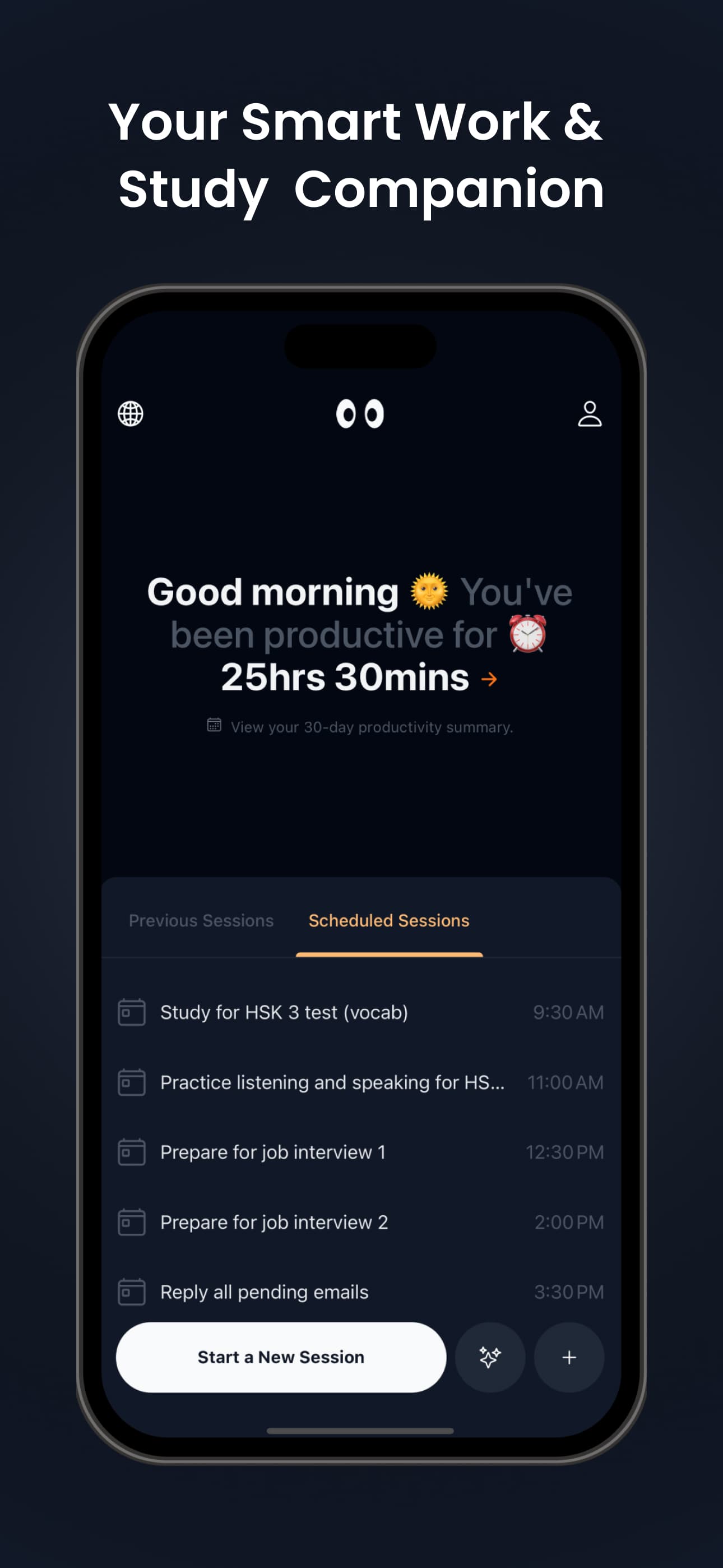
About this app
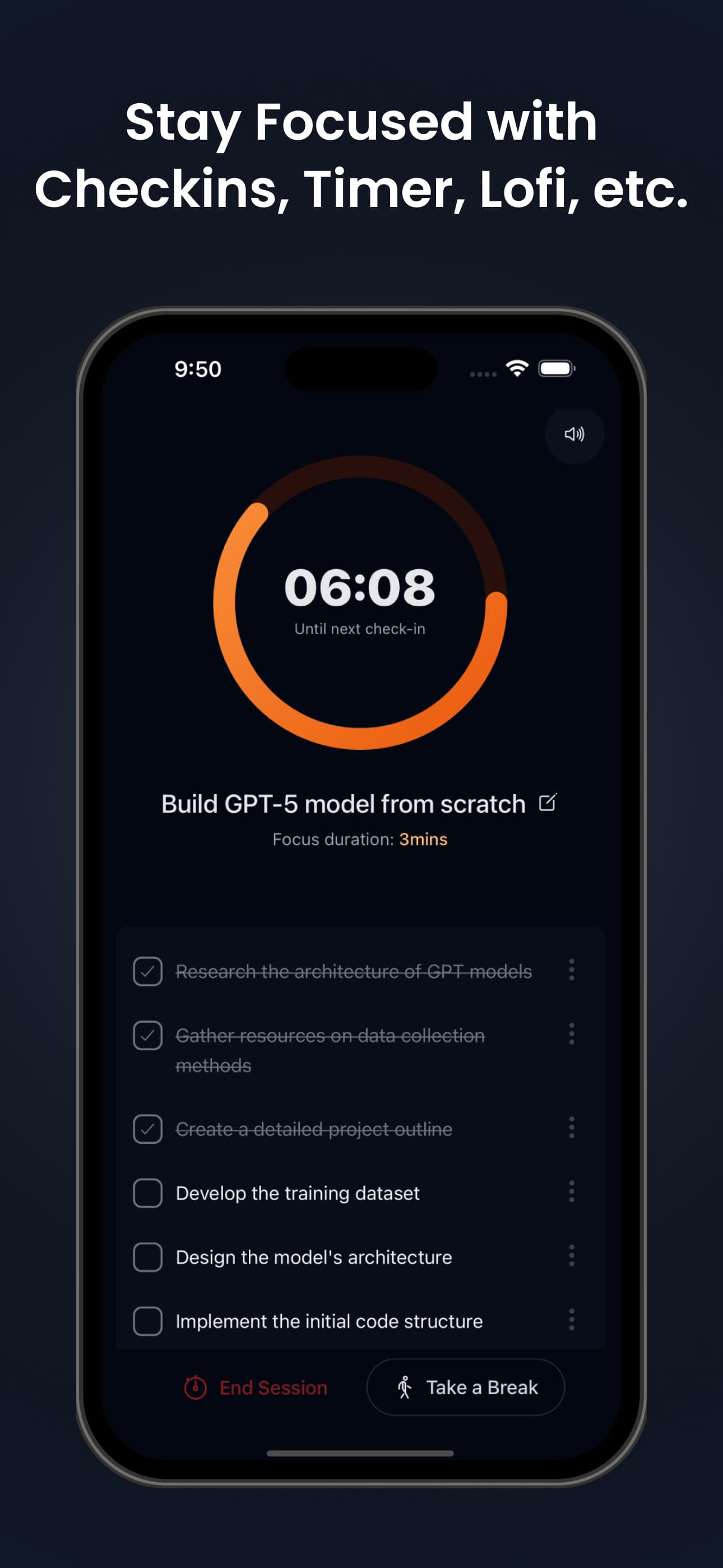
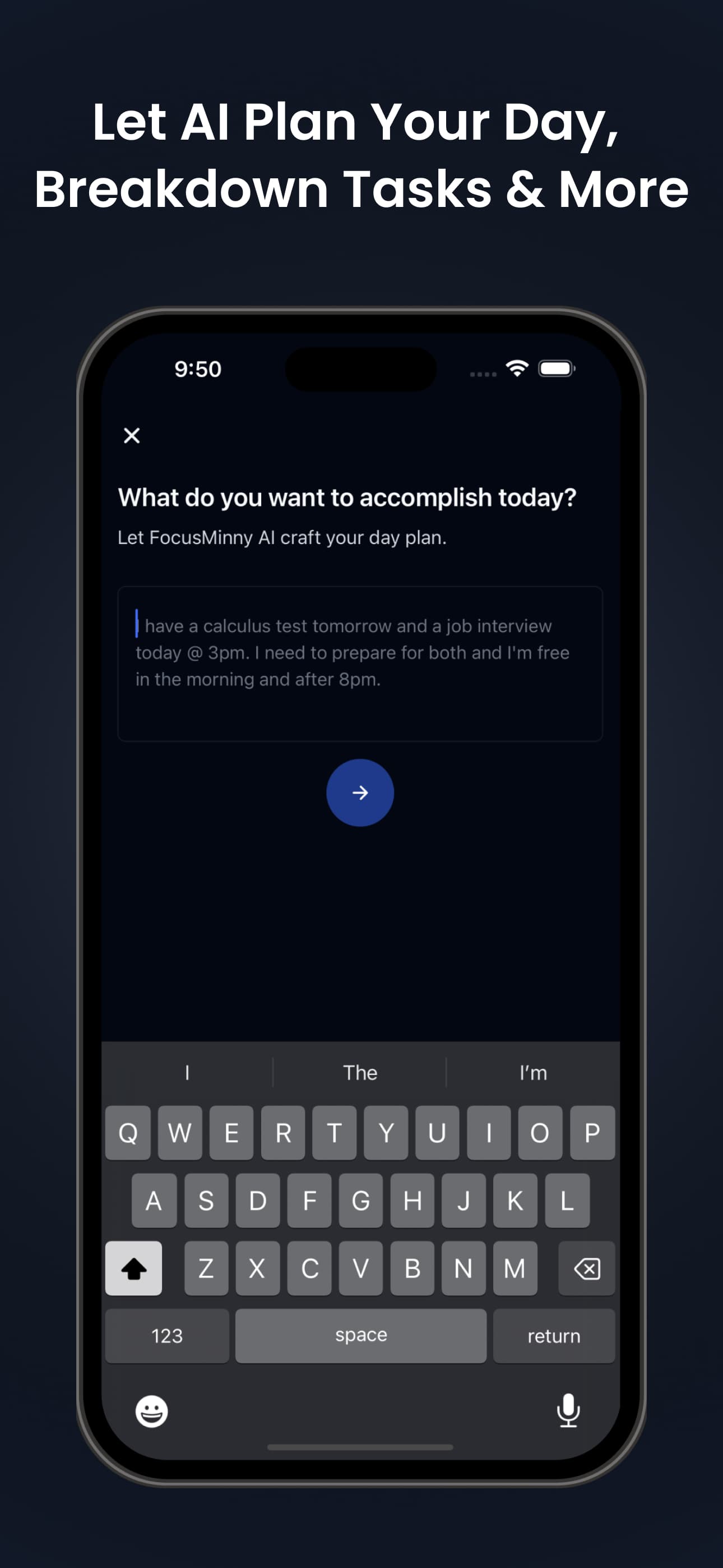
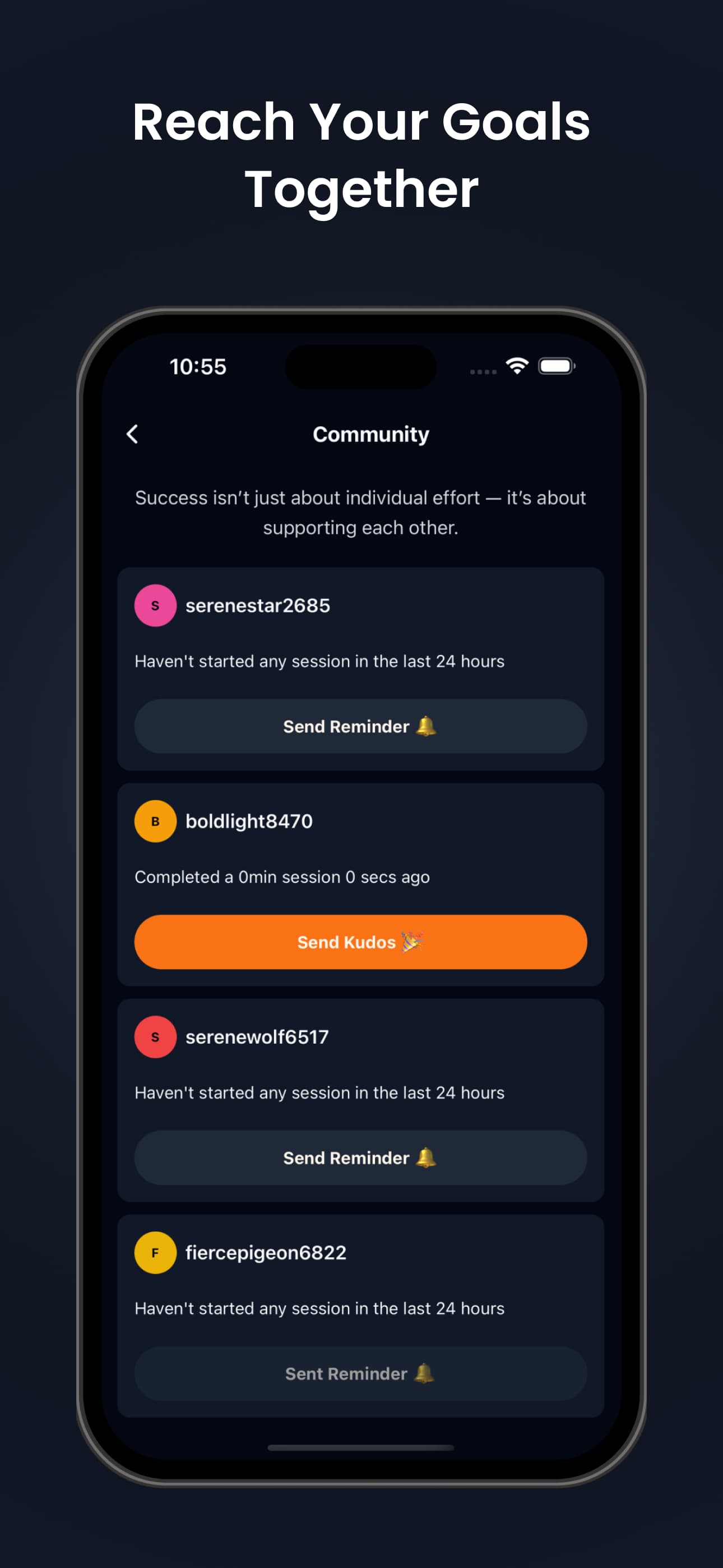
FocusMinny is an innovative mobile application designed to help users stay focused by intelligently blocking distractions on their smartphones. It leverages AI to adapt to user habits, providing personalized focus sessions with minimal setup. The app features a clean, minimalist interface and is ideal for students, remote workers, and anyone struggling with digital distractions. While it excels in usability and design, it currently lacks advanced accessibility features and multi-device sync, but its AI-driven approach makes it a standout in the productivity space.
Key features
- 1Clean minimalist interface with intuitive navigation and calming color scheme
- 2Two-tap focus sessions and smooth, lag-free operation for ease of use
- 3AI-driven distraction blocking that adapts to user habits for personalized productivity
Target customer profile
Drawn from the product itself, not from a survey.
Demographic
Students (high school to grad school)
Pain points
Procrastination, social media addiction, lack of study structure
Primary needs
Block distractions, track focused time, create study routines
Demographic
Remote professionals & freelancers
Pain points
Unplanned breaks, multitasking, low productivity
Primary needs
Workflow optimization, task prioritization, digital discipline
Demographic
General users with smartphone addiction
Pain points
Constant notifications, difficulty concentrating, time wasted on apps
Primary needs
Simple distraction blocking, habit tracking, improved focus
Scout Review
Written by AI from measured evidence, scored out of 100.
FocusMinny excels as a no-frills, AI-powered distraction blocker that genuinely helps users reclaim their focus. Its minimalist design and effortless usability make it ideal for students, remote workers, and anyone struggling with smartphone addiction. While the security features could be more transparent and accessibility options are notably lacking, the app's core functionality delivers exactly what it promises: a simple, effective way to stay productive in a world full of digital interruptions.
Measure by measure
Usability
90Two-tap focus sessions, intuitive blocklist setup, and smooth operation with no reported lag during testing.
Design
90Clean minimalist interface with calming blues and grays, intuitive navigation, and distraction-free visual design.
Speed
90Lightweight and responsive with quick load times and no crashes observed during testing.
Security
70Basic privacy policy available but lacks detailed encryption information and multi-device sync capabilities.
Accessibility
50Limited English-only support, no screen reader optimization, and missing adjustable font sizes or color contrast modes.
Growth
80Strong AI-driven niche appeal but scalability depends on expanding features beyond current limitations.
Improvement areas
- Enhance accessibility with screen reader support, multiple languages, and adjustable font sizes
- Improve security transparency by detailing encryption and adding multi-device synchronization
- Expand analytics and support channels for deeper insights and better user assistance
Design & Usability
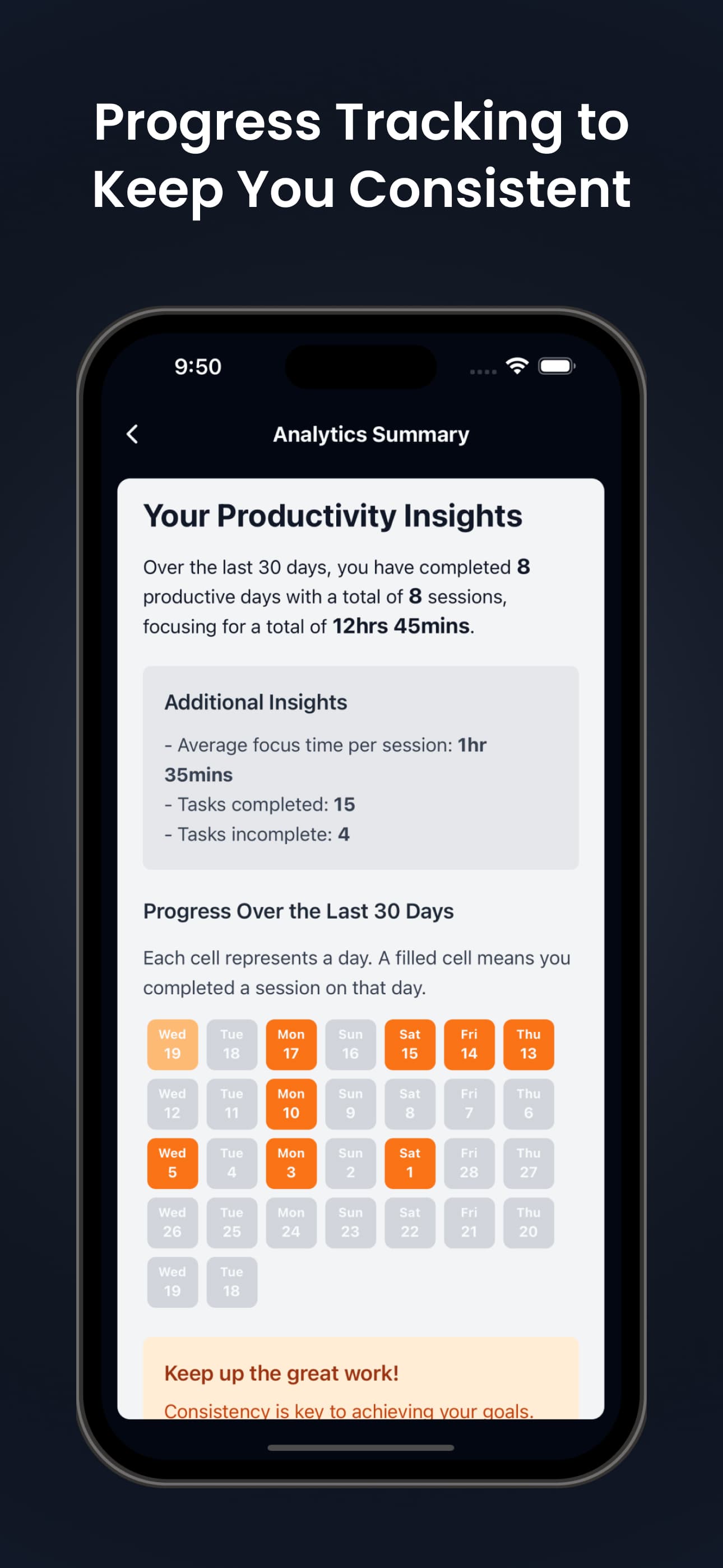
FocusMinny's design immediately stands out with its clean, minimalist aesthetic featuring calming blues and grays that reduce visual clutter. The interface is thoughtfully organized, allowing users to start focus sessions in just two taps—a testament to its user-centric approach. Navigation feels intuitive, with the blocklist setup being particularly straightforward. The AI-generated activity summaries provide valuable post-session insights, though some power users might desire more detailed analytics. During testing, the app demonstrated smooth performance with no noticeable lag, making the overall experience seamless and frustration-free.
Speed & Security
Performance-wise, FocusMinny delivers impressive speed with quick load times and reliable operation—no crashes were observed during extensive testing. The app feels lightweight and responsive, which is crucial for a tool designed to minimize distractions rather than create new ones. On the security front, while the app provides a basic privacy policy, it lacks detailed information about data encryption practices. The absence of multi-device synchronization might concern users who work across multiple devices, though for single-device mobile use, the security appears adequate for most personal productivity needs.
Accessibility & Growth
Accessibility represents FocusMinny's most significant area for improvement. The app currently offers only English language support and lacks screen reader compatibility, adjustable font sizes, or color contrast modes—making it less inclusive for users with visual impairments or those who prefer other languages. Despite these limitations, the app shows strong growth potential thanks to its innovative AI-driven approach to distraction blocking. The core technology adapts to user habits, providing a personalized experience that could easily scale with additional features like cross-platform support, enhanced accessibility options, and more comprehensive analytics.
Conclusion
If you're tired of overwhelming productivity apps that require extensive setup and constant tweaking, FocusMinny offers a refreshing alternative. Its AI-driven approach adapts to your habits rather than forcing you to adapt to rigid systems. For students preparing for exams, professionals working from home, or anyone seeking to break free from phone addiction, this app provides a genuinely helpful solution. Give FocusMinny a try if you want to transform your smartphone from a source of distraction into a tool for concentration.
Suggestions for improvement
- To reach its full potential, FocusMinny should prioritize adding screen reader compatibility and multiple language options to become more inclusive.
- Enhancing security transparency with detailed encryption information would build greater user trust.
- Implementing multi-device synchronization would appeal to power users who work across multiple platforms.
- Expanding support channels beyond Instagram to include email or in-app chat would provide better user assistance.
- Finally, adding more granular data analytics in the activity summaries would satisfy users who want deeper insights into their focus patterns and productivity trends.
Alternatives comparison
Named competitors, point by point. Nobody paid to appear here or to be left out.
 FocusMinny |  StayFocusd |  Cold Turkey | |
|---|---|---|---|
| Platform Availability | iOS and Android mobile apps | Chrome browser extension only | Desktop applications only |
| AI-Powered Adaptation | Yes - learns user habits | No - manual configuration only | No - rigid scheduling system |
| Setup Complexity | Low - two-tap sessions | Medium - manual website blocking | High - complex scheduling |
| Mobile Integration | Full native mobile support | Browser-only, no mobile app | Desktop-focused, limited mobile |
StayFocusd
A Chrome extension for blocking websites, but lacks AI and mobile integration.
Cold Turkey
Desktop-focused blocker with rigid scheduling; less intuitive for casual users.
Comparing options? See FocusMinny alternatives, scored side by side
More Productivity apps
View all Productivity
Vibe Coding Agent Skills
92A free, open-source platform offering 110 AI agent skills...

Puzzly – B2B Lead Generation & Sales Intelligence Platform
92Puzzly is an all-in-one B2B lead generation platform that...

Qamarero
92An all-in-one hospitality software for restaurants and ba...

StoryPad
92Privacy-first open source journal app with a continuous t...

The Stack Newsletter
92A weekly newsletter delivering curated tech jobs, intervi...

Notion
92All-in-one AI workspace for docs, projects, and knowledge...

EmbedMyReviews
92White-label reputation management software for agencies s...

Gerty
91Private, local AI assistant for Mac that runs offline

CC Switch
91Open-source desktop app for switching AI coding providers...

QRBliss
91Branded QR codes with AI Brand Sync, 15 free dynamic code...

username.md
90One verified handle for your online identity, readable by...

PitchWhip
90AI cold call scripts & direct dials from LinkedIn


A platform dedicated to providing unbiased reviews of newly launched applications, analyzing everything from their features to their full potential.
info@scoutforge.net© 2026 Scoutforge. All rights reserved.
