Cycling through all six. Tap any point to stop.
Measured on six things
Split oversized Outlook PST files by size, year, or folde...
Security
40HTTPS enforced and SPF present, but the header probe scored 3/13: no HSTS, CSP, frame protection, or DMARC. No SOC 2, ISO, or pen-test signals. For a tool that ingests entire mailboxes, that's thin — 'Virus Free' badges aren't a security program.
Screenshots
1 / 7
About this app
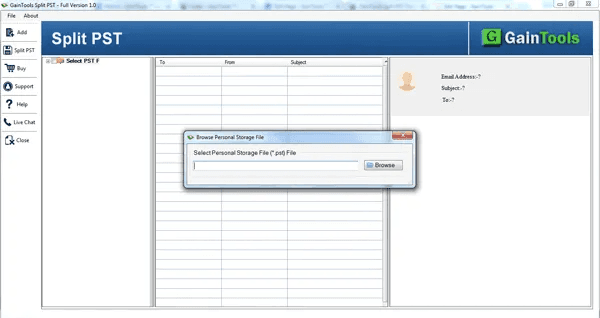
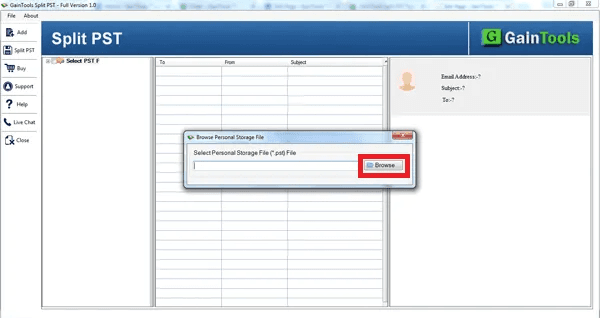
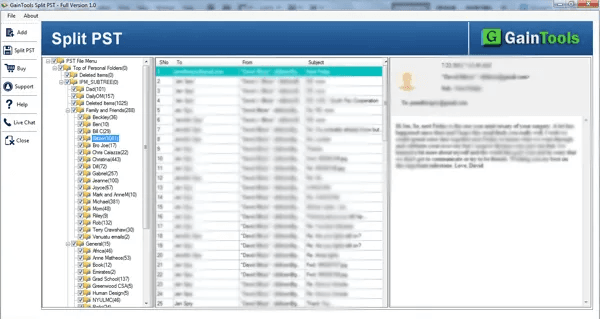
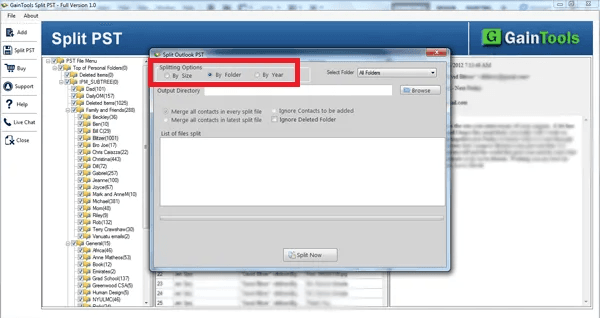
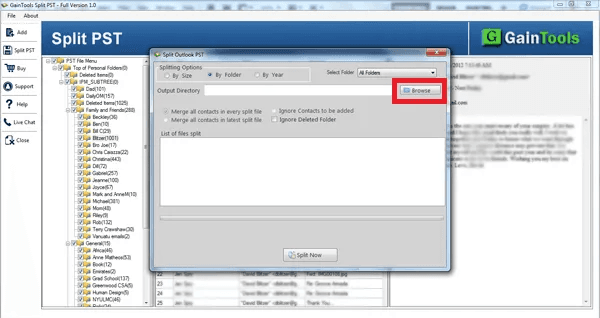
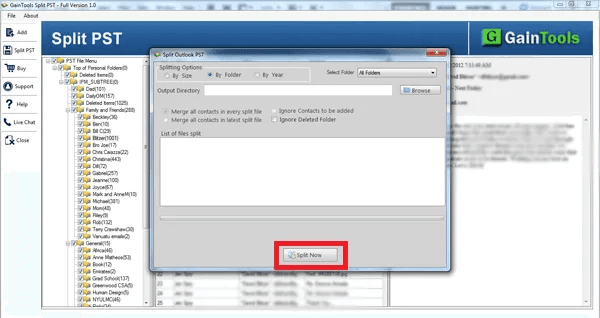
GainTools Split PST Software is a useful tool that helps users split huge Outlook PST files into smaller pieces. Large PST files are easier to maintain and help keep mailbox data organized when they are divided. The software may be separated in three ways: by size, by year, and by folder. Users may select the procedure according to their demand and store the resulting files at their desired location. It supports both ANSI and Unicode PST formats and is compatible with files generated in various versions of Outlook. Its straightforward interface makes the procedure simple even for users who have little technical experience. Main Features Split huge PST files into smaller sections. Split PST files by size, year, or folder. Supports ANSI PST format & Unicode PST format. If you split data, keep it accurate. Select PST files from the local directories. Easy-to-use interface and easy workflow. Works with Windows 11, 10, 8.1, 8, and 7. Trial version to test the program.
Key features
- 1Split oversized PST files by size, year, or folder with ANSI and Unicode support.
- 2Lightweight 2.17 MB Windows app with a no-registration free trial.
- 3Six-step guided workflow with FAQ and $39 lifetime license.
Target customer profile
Drawn from the product itself, not from a survey.
Demographic
IT administrators managing shared Outlook mailboxes in SMBs
Pain points
PST files hitting 50GB Outlook limits, causing crashes and slow sync
Primary needs
Fast, repeatable splitting by size or folder with no data corruption
Demographic
Long-time Outlook users on legacy versions (2007/2010) with bloated archives
Pain points
Manual archive methods are tedious and risk breaking folder structure
Primary needs
Year-based splitting to separate old mail from active correspondence
Demographic
Freelance consultants and legal/accounting pros archiving client email
Pain points
Need to hand off or store subsets of email without sharing the whole PST
Primary needs
Folder-level extraction (e.g., only contacts or a specific project folder)
Scout Review
Written by AI from measured evidence, scored out of 100.
GainTools Split PST is a competent, dated Windows utility for a real problem. It splits oversized PST files by size, year, or folder, handles ANSI and Unicode, and ships a tiny 2.17 MB trial with no registration. The site loads well (mobile 81, desktop 89) and the workflow is documented. What holds it back: a visibly unpolished landing page, thin security posture (3/13 header checks, no compliance signals), and a crowded category where three established vendors already do the same three splitting modes. It's a fair $39 buy for a one-off archive job — just don't expect it to feel modern.
Measure by measure
Usability
58Clear 6-step guide, FAQ, and a no-registration 2.17 MB trial make the workflow easy to grasp. But the guide hides behind a tab, and the FAQ admits one-file-at-a-time and no corrupted-PST support — real limits for the IT admins it targets.
Design
44Dated utility-page design: repeated pencil icons across every feature card, a search button overlapping the 'Contact' nav label, clipped copy ('n terms of compatibility'), and a grey placeholder video thumbnail. Functional but visibly unpolished.
Speed
68Lighthouse mobile 81/100 (LCP 2.6s, TBT 162ms) and desktop 89/100 — solid. CLS 0.256 is the weak spot, with visible layout shift. The 2.17 MB installer is genuinely lightweight for a native Windows utility.
Security
40HTTPS enforced and SPF present, but the header probe scored 3/13: no HSTS, CSP, frame protection, or DMARC. No SOC 2, ISO, or pen-test signals. For a tool that ingests entire mailboxes, that's thin — 'Virus Free' badges aren't a security program.
Accessibility
78Lighthouse accessibility 95/100 is strong, but two real failures remain: buttons without accessible names and visible labels not matching accessible names. No WCAG statement and English-only, which caps it below the top of the band.
Growth
56Real, specific pain (50GB PST limits, crashes, slow sync) with a clear $39 lifetime wedge. But SysTools, Stellar, and Kernel all do size/date/folder splitting too — the differentiator is price, not capability.
Improvement areas
- Dated landing page: repeated icons, nav overlap, clipped copy, placeholder video.
- Thin security posture: 3/13 header checks, no compliance or security page.
- One PST at a time and no corrupted-file support limits IT-admin use.
Design & Usability
GainTools Split PST looks exactly like what it is: a 2017-era utility download page. The hero is conventional and readable — clear heading, one-line value prop, green trial button next to a coral $39 buy button — but the craft stops there. The same pencil icon sits on all six feature cards, the nav search button overlaps 'Contact', a headline is missing its first letter, and the tutorial thumbnail is a grey placeholder. Usability is better than design: a six-step guide, an FAQ, and a no-registration 2.17 MB trial make the flow easy to follow. The catch is in the FAQ itself — one PST at a time, and no corrupted-file support — which undercuts the IT-admin pitch.
Speed & Security
Speed is the strongest measured dimension. Lighthouse gives mobile 81/100 (LCP 2.6s, TBT 162ms) and desktop 89/100, with CLS 0.256 the one visible flaw as the page shifts during load. The 2.17 MB installer confirms a genuinely lightweight native app. Security is the weak flank: HTTPS and SPF are present, but the header probe scored 3/13 — no HSTS, CSP, frame protection, or DMARC — and there's no SOC 2, ISO, or pen-test signal anywhere. For software that ingests entire mailboxes, a 'Virus Free' badge is not a substitute for a security page.
Accessibility & Growth
Accessibility scores well on automation — 95/100 — but two failures persist: buttons without accessible names and visible labels that don't match their accessible names. There's no WCAG statement and the site is English-only, so it lands in the upper-middle rather than the top. Growth is a judgment on the idea: the pain is real and specific (PST files hitting Outlook's 50GB ceiling, causing crashes and slow sync), and the $39 lifetime price undercuts the field. But SysTools, Stellar, and Kernel all offer size/date/folder splitting, so the wedge is price, not capability — enough to compete, not enough to run away.
Conclusion
If you have a bloated PST, a Windows machine, and no appetite for a subscription, GainTools does the job at a price that's hard to argue with. Test the free trial on a copy of your file first — the FAQ is upfront that corrupted PSTs aren't supported, and one-file-at-a-time means big cleanups take patience. The tool is honest about its limits; the marketing page is the part that needs work.
Suggestions for improvement
- Replace the repeated pencil icon with distinct icons per splitting mode (size, year, folder).
- Fix the nav overlap on 'Contact' and the clipped 'In terms of compatibility' headline.
- Add HSTS, CSP, and DMARC, and publish a short security/data-handling page.
- Give buttons accessible names and add a WCAG/accessibility statement.
Alternatives comparison
Named competitors, point by point. Nobody paid to appear here or to be left out.
 GainTools Split PST Software |  SysTools Split PST |  Stellar Splitter for Outlook |  Kernel for PST Split | |
|---|---|---|---|---|
| Splitting criteria | By size, year, folder | Multiple criteria incl. size, date, folder | By size, date, folder | By size, year, folder |
| Preview pane | Displays PST data before split | Yes | Yes | Yes, preview pane |
| Free trial | Yes, no registration, 2.17 MB | Yes, trial version | Yes, trial version | Yes, trial version |
| Corrupted PST support | No (stated in FAQ) | Not the core focus | Vendor has separate repair tools | Vendor has recovery pedigree |
| Price model | $39 lifetime license | Comparable price point | Paid license | Paid license |
SysTools Split PST
A well-known PST splitter with multiple splitting criteria and a comparable price point.
Stellar Splitter for Outlook
Splits large PST files by size, date, or folder with a polished interface from a long-established vendor.
Kernel for PST Split
Offers size-, year-, and folder-based splitting plus a preview pane, backed by Kernel's data recovery pedigree.
Comparing options? See GainTools Split PST Software alternatives, scored side by side
More Productivity apps
View all Productivity
Puzzly – B2B Lead Generation & Sales Intelligence Platform
92Puzzly is an all-in-one B2B lead generation platform that...

Qamarero
92An all-in-one hospitality software for restaurants and ba...

EmbedMyReviews
92White-label reputation management software for agencies s...

StoryPad
92Privacy-first open source journal app with a continuous t...

Notion
92All-in-one AI workspace for docs, projects, and knowledge...

The Stack Newsletter
92A weekly newsletter delivering curated tech jobs, intervi...

Vibe Coding Agent Skills
92A free, open-source platform offering 110 AI agent skills...

QRBliss
91Branded QR codes with AI Brand Sync, 15 free dynamic code...

Gerty
91Private, local AI assistant for Mac that runs offline

Strukchad Property Management
91Property management for Kenyan letting agents: rent invoices raised every month, M-Pesa rent prompts to tenants, arrears tracking and landlord statements.

CC Switch
91Open-source desktop app for switching AI coding providers...

PitchWhip
90AI cold call scripts & direct dials from LinkedIn


A platform dedicated to providing unbiased reviews of newly launched applications, analyzing everything from their features to their full potential.
info@scoutforge.net© 2026 Scoutforge. All rights reserved.
