Cycling through all six. Tap any point to stop.
Measured on six things
Wireless, no-reset iOS to Android data transfer with What...
Speed
44Lighthouse mobile 43/100 with LCP 9.1s and TBT 2.8s; desktop 64/100. Heavy enough that the hero takes nine seconds to paint on mobile.
Screenshots
1 / 4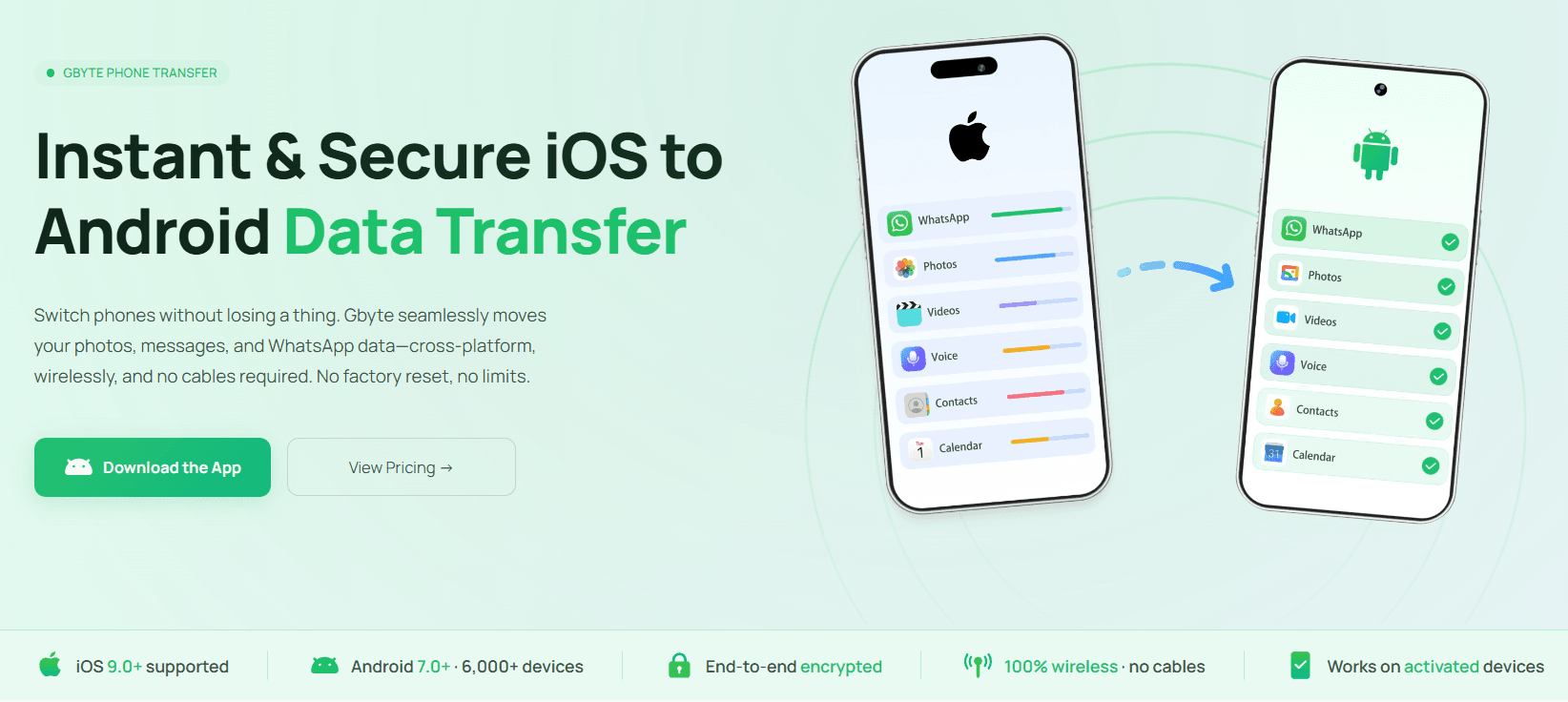
About this app
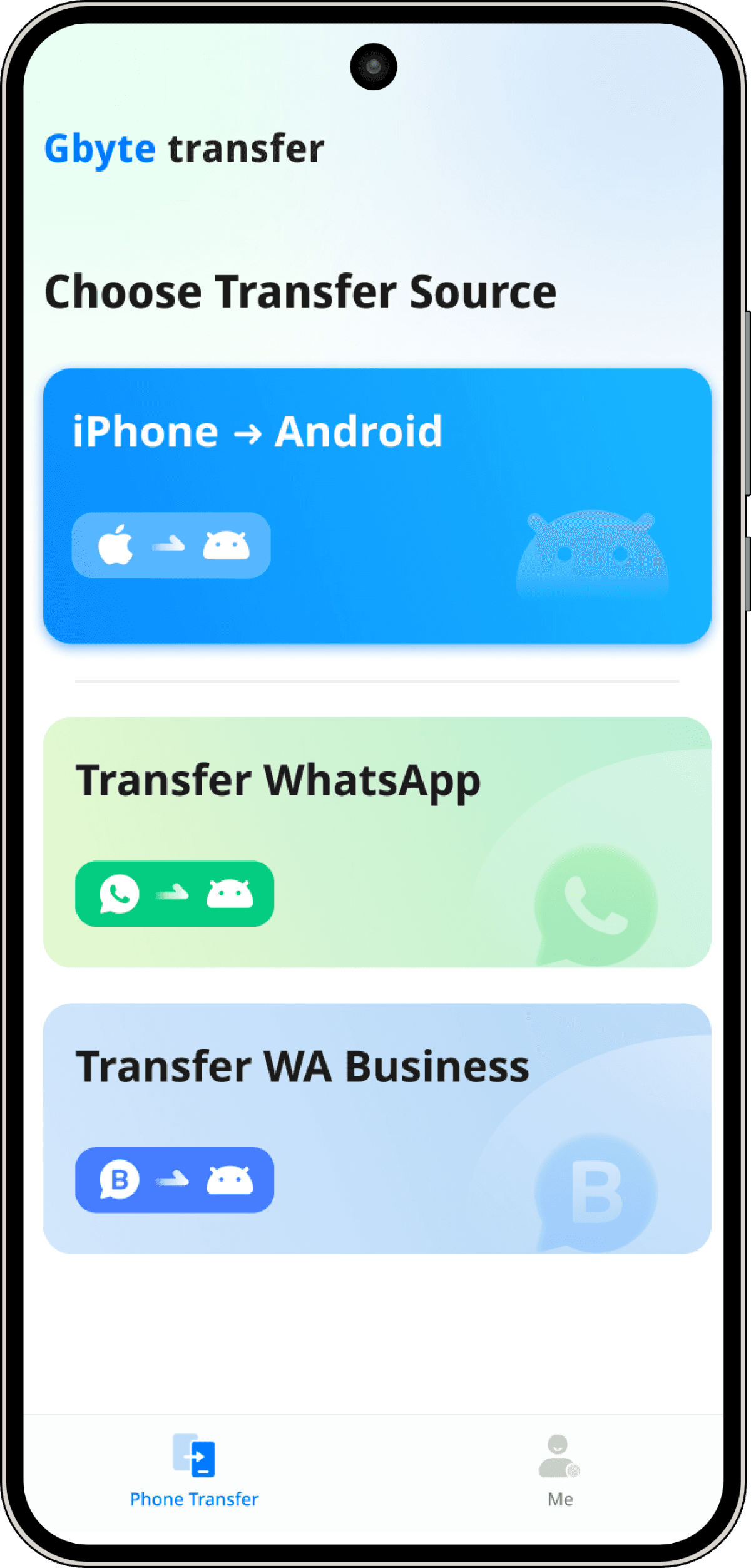
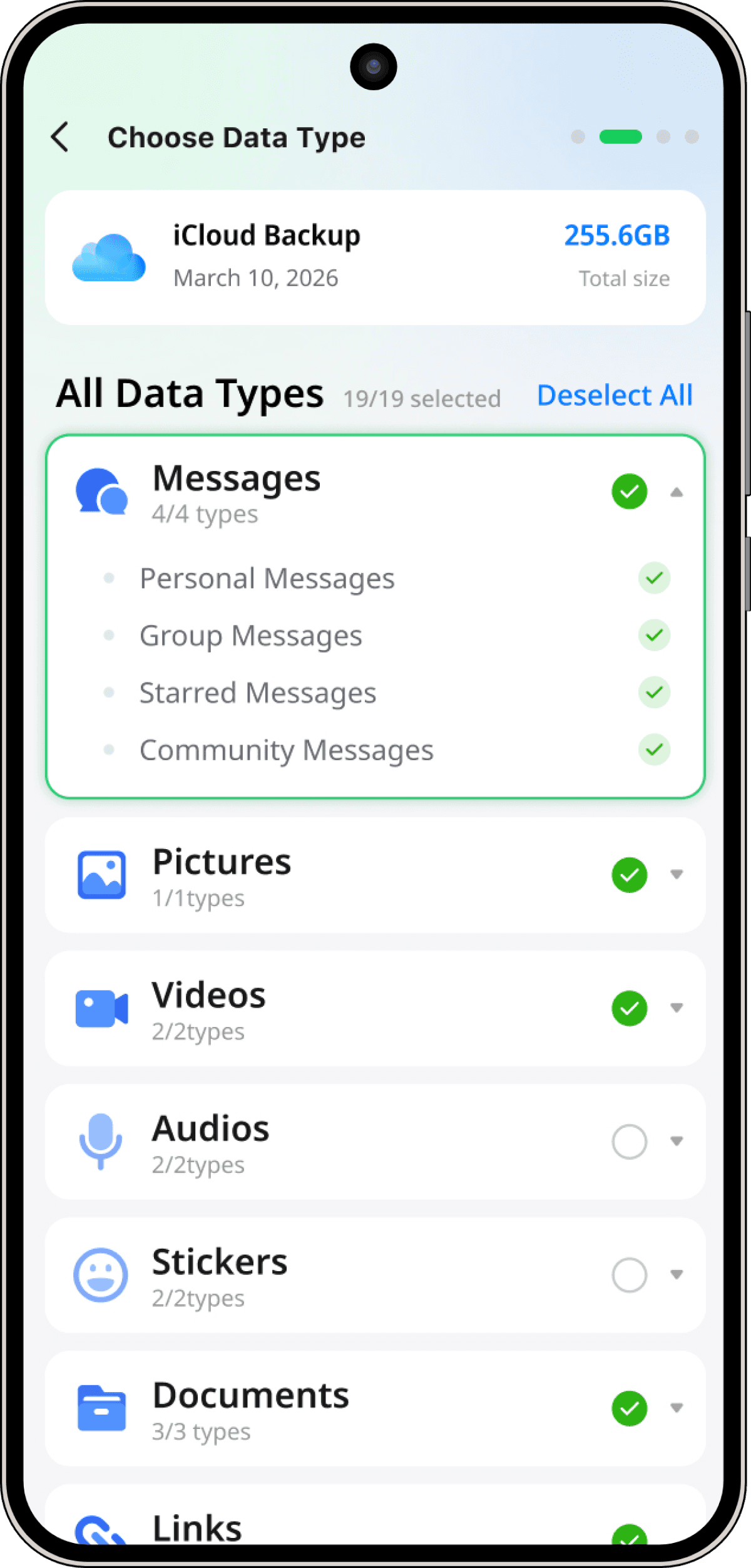
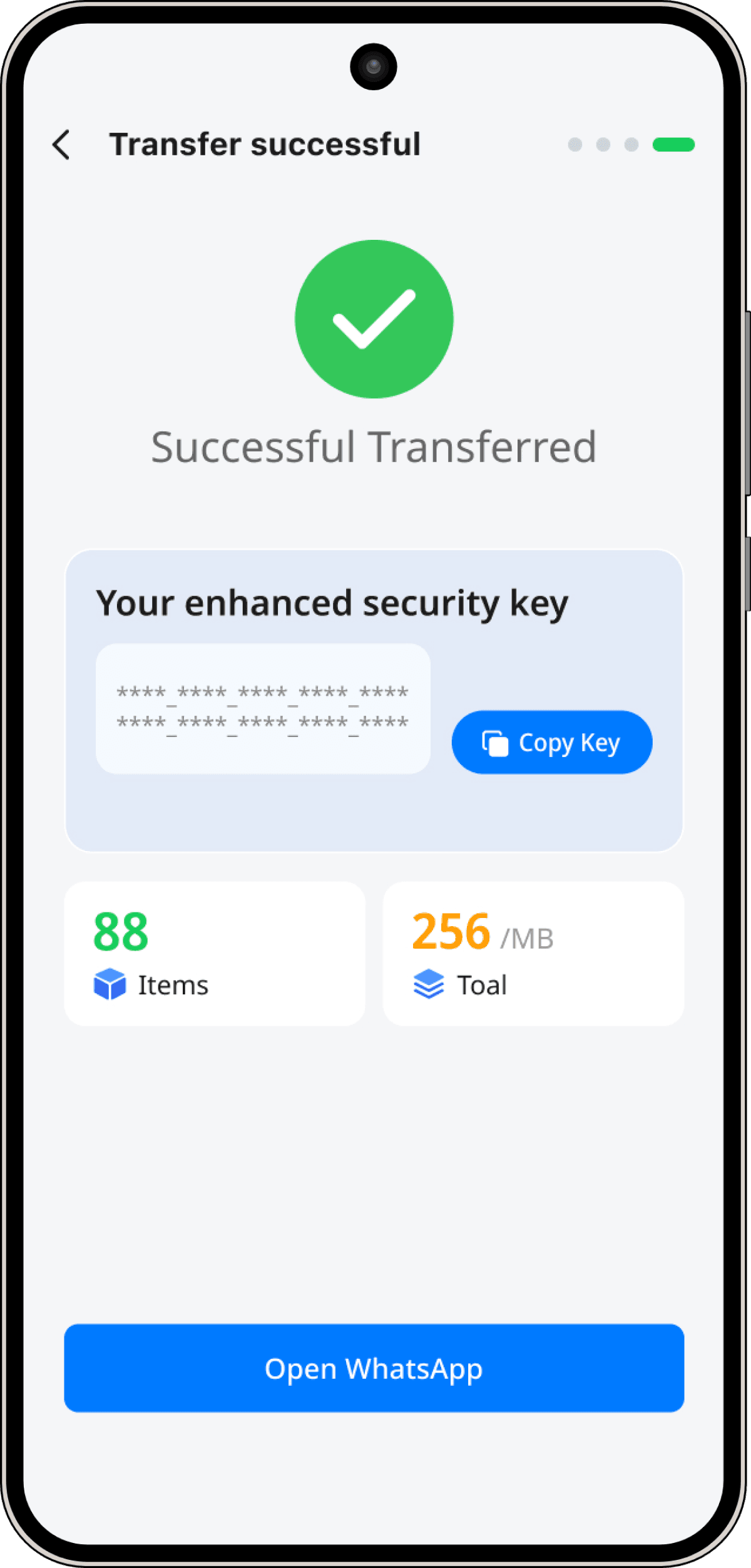
Gbyte Phone Transfer is a specialized utility designed for seamlessly migrating data from iPhone to Android without cables, factory resets, or data loss. It stands out by allowing transfers even if the Android device is already set up, and it uniquely handles WhatsApp and WhatsApp Business data migration, including media, voice messages, and business catalogs. The tool uses end-to-end encryption and operates as a secure bridge via iCloud, ensuring privacy and security. With support for over 6,000 Android devices and iOS 9.0+, Gbyte offers a universal solution for anyone switching from iOS to Android. Its key features include smart merge (avoiding overwrites), resume/recover for interrupted transfers, and compatibility with all major Android brands. The app is ideal for individuals and businesses who need a reliable, hassle-free transfer solution.
Key features
- 1Wireless iPhone-to-Android transfer via iCloud — no cable, no factory reset, works on already-activated Android devices.
- 2WhatsApp and WhatsApp Business migration including catalogs, quick replies, labels, order history and media.
- 3Smart Merge preserves existing Android data; Resume & Recover restarts interrupted transfers from where they stopped.
Target customer profile
Drawn from the product itself, not from a survey.
Demographic
Individuals switching from iPhone to Android
Pain points
Fear of losing photos, messages, and WhatsApp chats; frustration with official tools requiring factory reset
Primary needs
Seamless transfer of all data, including WhatsApp history, without resetting new phone
Demographic
WhatsApp Business users
Pain points
Official tools don't support WhatsApp Business data like catalogs, quick replies, and labels
Primary needs
Complete migration of business chats, catalogs, and customer interactions without downtime
Demographic
Users who already activated their new Android phone
Pain points
Most transfer tools require a fresh setup or factory reset, making it impossible to transfer after initial setup
Primary needs
Ability to transfer data to an already-in-use Android device without erasing existing data
Demographic
People who lost their iPhone or need to restore from iCloud
Pain points
No access to old phone; need to recover data from iCloud backup to a new Android
Primary needs
Wireless transfer from iCloud backup to Android without needing the old device
Scout Review
Written by AI from measured evidence, scored out of 100.
Gbyte Phone Transfer attacks a problem the official tools genuinely don't solve: moving iPhone data — including WhatsApp and WhatsApp Business history — to an Android phone that's already set up, without a cable and without a factory reset. That's a real wedge, and the WhatsApp Business catalog/label/quick-reply migration is something none of the listed alternatives (Google Switch, Samsung Smart Switch, Wondershare MobileTrans) offer. The homepage is well-designed, the mint-green branding is consistent, and the problem/solution framing is sharp. But the execution has cracks. The pricing page renders empty placeholders where prices should be. The docs page buries the transfer guide under three unrelated products. Lighthouse mobile performance is 43/100 with a 9.1-second LCP. Accessibility fails on unnamed buttons, missing alt text and low contrast. Security has HTTPS and secure cookies but no HSTS, no CSP and no third-party audit for a tool that handles Apple ID credentials and business chat data. The idea is stronger than the current polish.
Measure by measure
Usability
58Clear CTA and helpful how-it-works mockup, but pricing page renders empty price placeholders and the transfer guide is buried under Recovery/Repair/Unlock docs.
Design
70Coherent mint-green branding, high-fidelity phone mockups and clear problem/solution cards. Crowded 19-item transfer grid and thin table separators hurt scannability.
Speed
44Lighthouse mobile 43/100 with LCP 9.1s and TBT 2.8s; desktop 64/100. Heavy enough that the hero takes nine seconds to paint on mobile.
Security
54HTTPS enforced, secure cookies, SPF/DMARC set, and 256-bit encryption claimed. Missing HSTS, CSP and frame protection; no SOC 2, ISO or bug bounty published.
Accessibility
46Lighthouse a11y 73/100: unnamed buttons, missing alt text, low contrast, unnamed links and undersized touch targets. 14 languages offered but no WCAG statement.
Growth
68Real pain point with a genuine wedge: wireless iCloud transfer to already-activated Android, plus WhatsApp Business catalogs and labels no listed alternative handles.
Improvement areas
- Pricing page renders empty placeholders instead of actual prices — a direct conversion blocker.
- Docs bury the Phone Transfer guide under Recovery, Repair and Unlock sections; needs its own dedicated help area.
- Mobile Lighthouse performance 43/100 (LCP 9.1s) and accessibility 73/100 with unnamed buttons and missing alt text.
Design & Usability
Gbyte's homepage is genuinely well-built — the mint-green palette is consistent from hero to footer, the phone mockups are high-fidelity and show the real 'Choose Transfer Source' screen, and the three problem cards ('Factory Reset Nightmare', '99% Failed Loop', 'Data Overwrite Fear') pair each pain with a Gbyte answer. That's competent marketing design. Where it slips: the 19-item transfer grid is a wall of tiny labels that's hard to scan on mobile, the comparison table's thin separators make rows blur together, and steps 2 and 3 of 'How it Works' are bare headings with no visuals. Usability is more mixed. The primary CTA is high-contrast and early, and the how-it-works mockup does real work teaching the flow. But the pricing page renders empty placeholders where the actual prices should be ('—— /mo', '{{symbol}}{{num}} / month'), which is a serious conversion problem, and the docs page buries the transfer guide at the bottom of a page that mostly covers Recovery, Repair and Unlock — three other products. The transfer-specific help is thin.
Speed & Security
Speed is the weakest measured dimension. Lighthouse mobile performance lands at 43/100 with an LCP of 9.1 seconds and a total blocking time of 2.8 seconds; desktop fares better at 64/100. Nine seconds to paint the hero on mobile is rough for a page whose whole pitch is 'transfer in under 10 minutes' — the marketing page itself takes almost as long as the product claims to. CLS is excellent at 0.004, so at least nothing jumps around while you wait. Security is middling. HTTPS is enforced, cookies are secure, X-Content-Type-Options and Referrer-Policy are set, and SPF and DMARC are configured — seven of thirteen checklist points. But HSTS, CSP, frame protection and Permissions-Policy are all missing, which is a thin header posture for a product that handles Apple ID credentials and WhatsApp chat history. The site claims 256-bit encryption, end-to-end encryption and 'no data stored on servers', and the docs describe an Apple ID + 2FA sign-in flow. What's absent is any third-party validation: no SOC 2, no ISO 27001, no pen-test summary, no bug bounty. For a tool that touches iCloud backups and business WhatsApp data, that's a real gap.
Accessibility & Growth
Accessibility scored 73/100 on Lighthouse with a stack of failing audits: buttons without accessible names, images without alt attributes, links without discernible names, insufficient color contrast, invalid list markup, and touch targets that are too small or too tightly spaced. Those are the basics — a screen reader user hits unnamed controls almost immediately. On the plus side, the pricing page offers 14 languages, which is unusually broad for a tool this size, and the site is responsive. There's no accessibility statement or WCAG conformance claim anywhere. Growth is where Gbyte actually has a story. The problem it names is real and specific: Google Switch and Samsung Smart Switch both require a cable and a factory reset of the new phone, and Wondershare MobileTrans needs a computer. Gbyte's wedge — wireless transfer via iCloud to an already-activated Android, with historical backup selection and smart merge — is a genuine differentiator the listed alternatives structurally can't match without rearchitecting. The WhatsApp Business angle is sharper still: catalog sync, quick replies, labels and order history are things official migration tools strip out, and no competitor in the list addresses them. The docs page claims 'Trusted by 2M+ Users Worldwide' and the gbyte.com domain dates to 1995, which is context, not proof. The honest limit: this is a paid utility in a category where the free official tools are 'good enough' for most casual switchers, so the addressable market is the subset who've already set up their phone, need WhatsApp Business data, or lost their iPhone. That's a real segment, not a mass market.
Conclusion
Gbyte is a product with a clear reason to exist and a landing page that mostly does it justice — which makes the fixable stuff more frustrating than it should be. The empty price placeholders on the pricing page are the single biggest problem: nobody buys a transfer tool without knowing the number. The docs need a dedicated transfer section instead of being the fourth tab on a page about Recovery, Repair and Unlock. The speed work is real — a 9.1-second mobile LCP on a marketing page is a conversion tax you're paying on every visitor. And for a tool that signs into iCloud and moves WhatsApp Business data, publishing even a basic security page (headers, encryption details, data-handling policy) would go a long way toward earning trust. None of this is structural. The wedge is good. The polish just hasn't caught up to the pitch yet.
Suggestions for improvement
- Fix the pricing page — render actual price values instead of '—— /mo' and '{{symbol}}{{num}} / month' placeholders.
- Give Phone Transfer its own docs section instead of burying it under Recovery, Repair and Unlock guides.
- Cut mobile LCP from 9.1s: compress hero imagery, defer non-critical JS, and serve modern image formats.
- Add HSTS, CSP and frame protection headers, and publish a basic security page covering encryption and data handling.
Alternatives comparison
Named competitors, point by point. Nobody paid to appear here or to be left out.
 Gbyte Transfer Gbyte Transfer |  Google Switch Google Switch |  Samsung Smart Switch Samsung Smart Switch |  Wondershare MobileTrans Wondershare MobileTrans | |
|---|---|---|---|---|
| Requires factory reset of new Android device | No — works on already-activated devices | Yes — requires reset during initial setup | Yes — requires reset of new Galaxy device | No — but requires computer and cable |
| Cable required | No — fully wireless via iCloud | Yes — USB-C cable required | Yes — cable or adapter required | Yes — computer and cable required |
| WhatsApp Business data (catalogs, labels, quick replies) | Yes — catalog, labels, quick replies, order history | No — limited WhatsApp support | No — no direct WhatsApp transfer | Partial — WhatsApp chats, not Business catalogs |
| Transfer without old phone present | Yes — restores from iCloud backup | No — both phones required | No — both phones required | No — both phones plus computer required |
| Smart merge (preserve existing Android data) | Yes — merges old and new data | No — overwrites during setup | No — overwrites during setup | Limited — depends on mode selected |
Google Switch
Official Google app for transferring data from iPhone to Android. Requires cable and factory reset of new device; limited WhatsApp support.
Samsung Smart Switch
Samsung's tool for transferring data from iPhone to Galaxy devices. Requires cable or adapter, and factory reset; doesn't support WhatsApp transfer directly.
Wondershare MobileTrans
Third-party software for phone-to-phone transfer, including WhatsApp. Requires computer and cable; not fully wireless.
Comparing options? See Gbyte Transfer alternatives, scored side by side
More Productivity apps
View all Productivity
Qamarero
92An all-in-one hospitality software for restaurants and ba...

The Stack Newsletter
92A weekly newsletter delivering curated tech jobs, intervi...

EmbedMyReviews
92White-label reputation management software for agencies s...

StoryPad
92Privacy-first open source journal app with a continuous t...

Puzzly – B2B Lead Generation & Sales Intelligence Platform
92Puzzly is an all-in-one B2B lead generation platform that...

Notion
92All-in-one AI workspace for docs, projects, and knowledge...

Vibe Coding Agent Skills
92A free, open-source platform offering 110 AI agent skills...

CC Switch
91Open-source desktop app for switching AI coding providers...

username.md
90One verified handle for your online identity, readable by...

What the GIF
89Frame-perfect video-to-GIF maker that runs entirely in yo...

AuditCloser
89White-label website audits that close deals for digital a...

NudgeWin
89Automated quote follow-up for trades and service businesses.


A platform dedicated to providing unbiased reviews of newly launched applications, analyzing everything from their features to their full potential.
info@scoutforge.net© 2026 Scoutforge. All rights reserved.
