

Usability66Design68Speed74Security52Accessibility82Growth58

Cycling through all six. Tap any point to stop.

Measured on six things

Free AI video generator with prompt-to-video and image-to...
Security

52

HTTPS enforced, SPF and DMARC configured, Stripe handles payments so card data never touches the app. But no HSTS, CSP, frame protection or X-Content-Type-Options — 4/12 on the header checklist, and no published audits.

Screenshots

1 / 1

About this app

H3 Max is a web-based AI video generator built on MiniMax's H3 model. It allows users to turn text prompts or images into 5-15 second videos with synchronized audio. The platform offers multiple resolution options, prompt expansion, and fine control over camera motion, character consistency, and art direction. It's ideal for content creators, marketers, and filmmakers looking to quickly produce high-quality video content without extensive editing skills. H3 Max is particularly noted for its fast rendering times and strong prompt adherence.

Key features

  • 1Text-to-video and image-to-video generation producing 5-15 second clips with synchronized audio in one pass
  • 2Begin image and end image inputs to control the opening and closing frames, with H3 generating the motion between them
  • 3H3 Max at 480P/768P/1080P plus standard H3 up to 2K and 4K, with seven aspect ratios including 21:9 and 9:16

Target customer profile

Drawn from the product itself, not from a survey.

Demographic

Content Creators & Social Media Influencers

Pain points

Limited time and resources for video production, need for quick turnaround.

Primary needs

Fast, easy-to-use tool to generate engaging video content for platforms like TikTok, Instagram, and YouTube.

Demographic

Marketing Professionals & Advertisers

Pain points

High costs of traditional video production, need for multiple ad variations.

Primary needs

Cost-effective solution to create personalized video ads and promotional content at scale.

Demographic

Filmmakers & Animators

Pain points

Storyboarding and pre-visualization can be time-consuming and expensive.

Primary needs

Tool to quickly prototype scenes, experiment with camera angles, and visualize concepts before full production.

Scout Review

Written by AI from measured evidence, scored out of 100.

H3 Max is a competent, honestly-priced front end for MiniMax's H3 video model. It does the core job well: prompt or image in, 5-15 second video with synchronized audio out, with real control over camera motion, character consistency, first and last frames, resolution and aspect ratio. The pricing page is unusually transparent, publishing exact per-second credit rates across every model and resolution rather than hiding behind vague 'credits.' Failed renders are refunded automatically, which matters when you're burning 32 credits a second on 1080P output. Desktop performance is excellent and the accessibility audit is strong. Where it falls short: mobile load time, a security header posture that's barely there, and the fundamental fact that it's a reseller — the model belongs to MiniMax, and the interface is the only thing keeping users here. For a creator who wants fast, cheap iteration on short clips and doesn't need Runway's editing suite or Synthesia's avatars, it's a reasonable pick. For anyone who needs compliance documentation, published audits, or a platform that won't be undercut next month, look elsewhere.

Measure by measure

Usability

66

Free signup with free credits, failed renders refunded, and an on-page guide covering image limits, duration, resolution and prompt expansion. Pricing page publishes exact per-second credit rates. Solid onboarding for the category.

Design

68

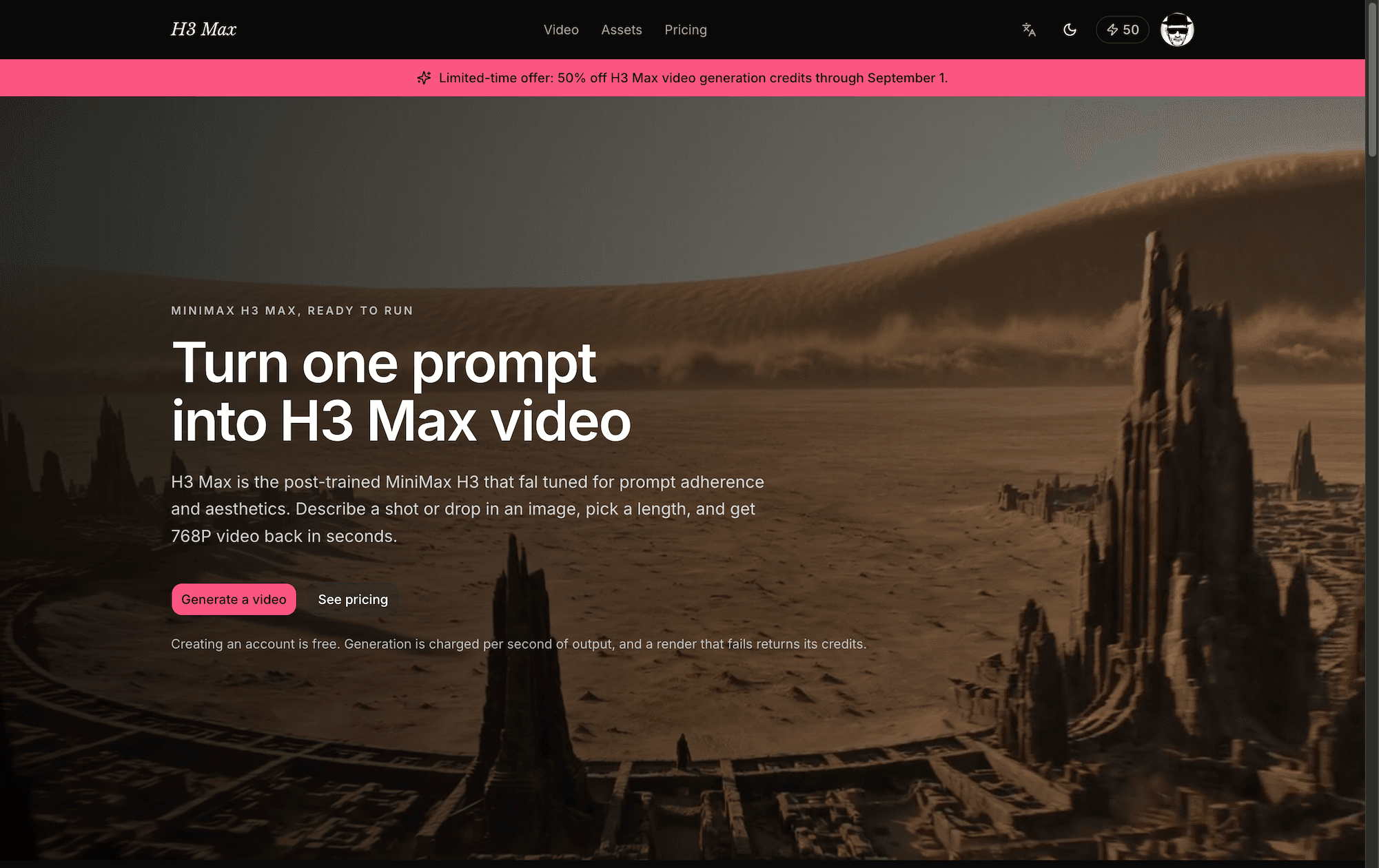
Clean single-page generator: prompt box, image uploads, duration/resolution/aspect controls and a live output panel all above the fold. Theme toggle and language switch included. Judged from page structure, not a captured render.

Speed

74

Lighthouse desktop 98/100 and mobile 82/100 with CLS 0 and TBT 166ms. Mobile LCP of 4.1s is the weak spot. Site claims 5-second 768P inference in about 3 seconds, queue time excluded.

Security

52

HTTPS enforced, SPF and DMARC configured, Stripe handles payments so card data never touches the app. But no HSTS, CSP, frame protection or X-Content-Type-Options — 4/12 on the header checklist, and no published audits.

Accessibility

82

Lighthouse accessibility 95/100 with a single failing audit: unlabeled form elements. Bilingual English/Chinese interface with a remembered language preference. No WCAG statement or a11y documentation published.

Growth

58

Real, growing demand for cheap AI video, and the site names specific segments. But it's a reseller of MiniMax's H3 model — the differentiator is price and UI, both of which any competitor can copy in a weekend.

Improvement areas

  • Security headers are largely absent — no HSTS, CSP, frame protection or X-Content-Type-Options, scoring 4/12 on the probe
  • Mobile LCP of 4.1s is well behind the 98/100 desktop score and slow enough to be felt on a phone
  • No published SOC 2, ISO, penetration test or bug bounty information despite handling user-uploaded personal images

Design & Usability

The design is functional and honest: a single-page generator with the prompt box, image uploads, duration, resolution, aspect ratio and prompt-expansion controls all visible at once, plus a live output panel beside them. No scroll-to-find-the-tool nonsense. Theme toggle and a one-click English/Chinese switch sit in the header. Usability is where it earns its keep — free signup with free credits, failed renders automatically refunded, and an on-page creation guide that actually explains the begin-image/end-image mechanic, the 10MB image cap, the 5-15 second duration range and what each prompt-expansion mode does. The pricing page goes further than most competitors and publishes a full credit-rate table broken down by model, resolution and run type. The FAQ answers the five questions everyone actually has: free trial, max length, image-to-video, cost, commercial use. What's missing is any captured visual audit, so layout polish is judged from structure rather than pixels, and there's no visible demo video or sample gallery beyond a hover-preview strip.

Speed & Security

Speed is genuinely strong on desktop — Lighthouse 98/100 — and respectable on mobile at 82/100, with a perfect CLS of 0 and a 166ms total blocking time. The one soft spot is a 4.1-second mobile LCP, which is slow enough to be noticeable on a phone. The site claims H3 Max inference renders a 5-second 768P clip in about 3 seconds, with queue and file-processing time varying, which is a fast turnaround if it holds under load. Security is the weakest dimension. HTTPS is enforced, SPF and DMARC are configured, and payments run through Stripe so card details never touch the app — those are real positives. But the header probe scored 4/12: no HSTS, no Content-Security-Policy, no frame protection, no X-Content-Type-Options, no Referrer-Policy, no Permissions-Policy. For a tool where users upload personal photos and unreleased client material, that's a thin defensive posture. No SOC 2, ISO certification, penetration test summary or bug bounty program is published anywhere in the collected evidence.

Accessibility & Growth

Accessibility scores well on automated checks: Lighthouse 95/100 with exactly one failing audit — form elements lacking associated labels, which is a real and easily fixed problem on the very fields users type prompts into. The bilingual English/Chinese interface with a remembered preference is a genuine strength that most competitors in this category don't offer. There's no WCAG conformance statement or accessibility documentation, so the automated score is all we have to go on. Growth is the harder question. The demand is real and growing — cheap, fast AI video generation is a genuine need for creators, marketers and filmmakers, and the site names those segments specifically. But the product is a wrapper around MiniMax's H3 model, reselling inference at 10 to 32 credits per second depending on resolution. The differentiators are the interface and the price, both of which are copyable. Runway ML and Synthesia are established platforms with broader feature sets — editing tools, avatars, motion tracking — that this doesn't attempt to match. The domain is roughly three months old, so there's no traction history to weigh. The wedge is real but shallow.

Conclusion

The honest verdict: H3 Max knows exactly what it is and doesn't pretend otherwise. It's a fast, cheap, well-documented way to turn a prompt into a short clip with sound. The credit table is the most transparent pricing in this category, the refund policy on failed renders is the right call, and the bilingual interface is a thoughtful touch. It just isn't a platform — it's a door into someone else's model. If MiniMax changes its API terms or pricing, or ships its own consumer interface, this product's entire value proposition evaporates overnight. That's not a reason to avoid it today, but it is a reason to think about how much of your workflow you want to build on top of it. Try the free credits, see if the output quality holds up for your use case, and keep your options open.

Suggestions for improvement

  • Add HSTS, Content-Security-Policy, X-Content-Type-Options and frame protection headers — the probe scored 4/12 and these are cheap wins
  • Fix the unlabeled form elements flagged by the accessibility audit; prompt, duration and resolution fields all need proper labels
  • Publish a sample gallery with real generated clips and their prompts, so buyers can judge output quality before spending credits
  • Cut mobile LCP below 2.5s — 4.1s on phones is the one performance number that's clearly behind the desktop score
How we score

Alternatives comparison

Named competitors, point by point. Nobody paid to appear here or to be left out.

H3 MaxRunway MLSynthesia
Core generation approachText or image to 5-15s video with synchronized audio, built on MiniMax's H3 modelAI video generation plus a full editing suite with green screen and motion trackingText to video using AI avatars, focused on presenter-led business content
Maximum output resolution1080P on H3 Max; up to 4K via standard H3Up to 4K on higher-tier plansUp to 1080P on standard plans
Synchronized audio generationNative audio generated in the same pass — ambience, effects, dialogue, musicAudio tools available but not natively synchronized in a single generation passVoiceover and avatar speech generated with the video
Pricing transparencyPublished per-second credit rates for every model and resolution; failed renders refundedTiered subscription with credit allowances; per-generation costs not fully itemizedPer-seat subscription tiers; enterprise pricing requires contacting sales
Free trial availabilityFree account with free credits; upgrade only when readyFree tier with limited credits availableFree demo video available; full access requires a paid plan
Editing and post-production toolsGeneration only — no timeline editor, no motion tracking, no green screenFull editing suite including green screen, motion tracking and video-to-videoBuilt-in scene editor, templates and avatar customization
Published security complianceHTTPS and Stripe payments; no published SOC 2, ISO or penetration test resultsEnterprise security documentation and compliance information publishedSOC 2 Type II and GDPR compliance documented for enterprise customers

Comparing options? See H3 Max alternatives, scored side by side

View all Productivity
Scout Forge

A platform dedicated to providing unbiased reviews of newly launched applications, analyzing everything from their features to their full potential.

info@scoutforge.net

© 2026 Scoutforge. All rights reserved.
