Is this your app?
Claim Hopted to manage its page, add your badge and see your traffic — free, and it stays free.
Cycling through all six. Tap any point to stop.
Measured on six things
Hopted automates data sync between business apps and Google Sheets, eliminating manual CSV exports for real-time updates.
Accessibility
70Relies entirely on Google Sheets' native accessibility features, no dedicated accessibility documentation, and English-only interface limits global teams.
Screenshots
1 / 4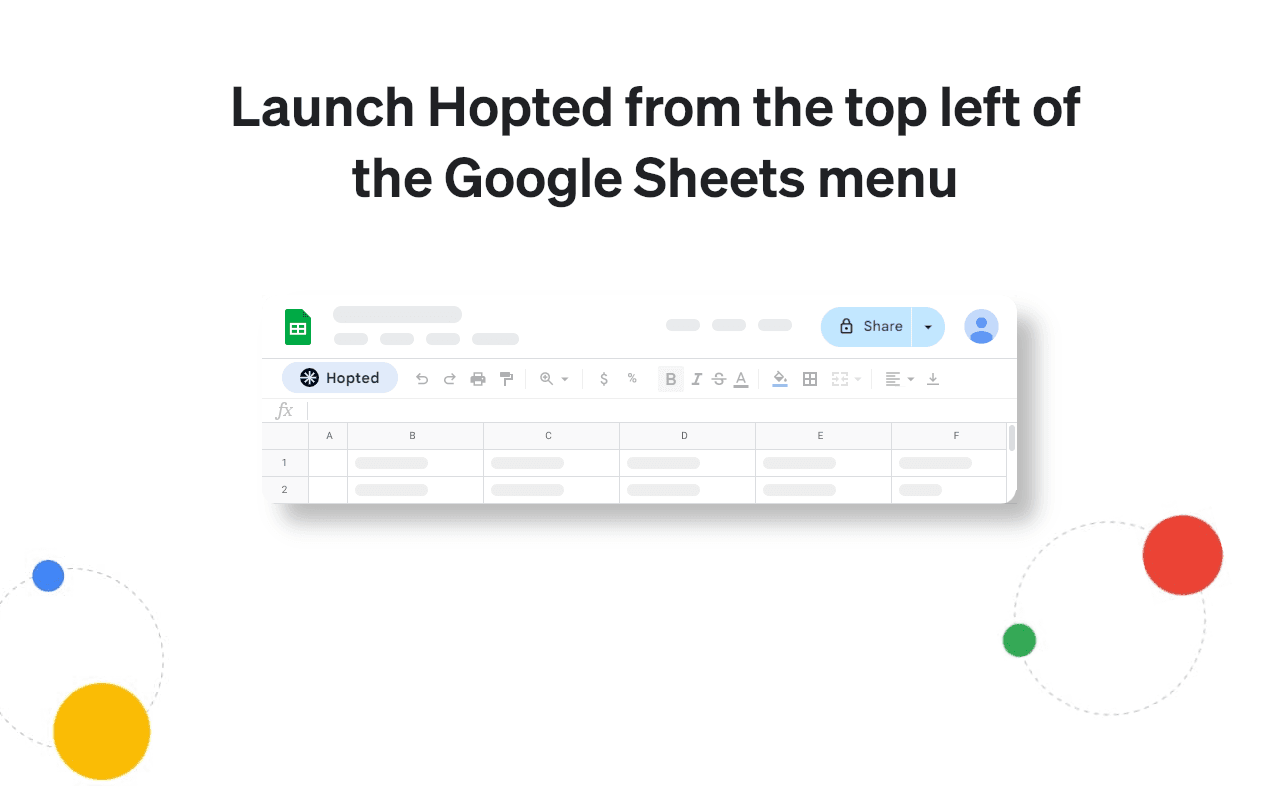


About this app
Hopted is a game-changing tool that bridges the gap between your favorite business applications—like CRMs, ERPs, and ad platforms—and Google Sheets. As someone who's spent countless hours wrestling with CSV files, I can attest that Hopted feels like a breath of fresh air. It sets up a live, two-way pipeline, allowing you to view and edit data directly in Sheets without the hassle of manual imports. The Chrome extension integrates seamlessly, offering an intuitive interface for mapping data fields, and it supports secure connections via OAuth 2.0. While it excels in its niche with near real-time syncing, there's room for growth in areas like accessibility and language support. Overall, it's a must-try for teams drowning in spreadsheet chaos, offering a 7-day trial to test its capabilities.
Key features
- 1Seamless integration with Google Sheets via Chrome extension for real-time two-way data sync
- 2Intuitive column-mapping and dropdown menus making setup easy for non-technical users
- 3OAuth 2.0 security with data encryption during transfer ensuring safe data handling
Target customer profile
Drawn from the product itself, not from a survey.
Demographic
Marketing Teams
Pain points
Manual ad platform data exports, inconsistent campaign reports
Primary needs
Real-time performance data in Sheets for quick analysis
Demographic
Sales Operations
Pain points
Updating CRM records individually, data entry errors
Primary needs
Bulk-edit CRM data directly from spreadsheets
Demographic
Finance Departments
Pain points
Consolidating siloed financial data, version control issues
Primary needs
Automated ERP-to-Sheets sync for accurate reporting
Scout Review
Written by AI from measured evidence, scored out of 100.
Hopted excels at solving a very specific but widespread pain point: the tedious manual data transfer between business applications and spreadsheets. It transforms what was previously a error-prone, time-consuming process into an automated, two-way conversation between systems. The tool particularly shines for operations teams maintaining reports across CRMs, ERPs, and advertising platforms where real-time data accessibility directly impacts decision-making quality and speed.
Measure by measure
Usability
90Intuitive setup with simple dropdown menus for two-way editing, makes complex data syncs surprisingly straightforward for non-technical users.
Design
80Clean Chrome extension integrates seamlessly with Google Sheets sidebar, minimal interface avoids overwhelming users with intuitive column-mapping system.
Speed
80Near real-time sync performance limited by connected platform APIs, handles most updates promptly with occasional delays on heavy initial datasets.
Security
76Standard OAuth 2.0 implementation with data encryption during transfer, but lacks detailed compliance documentation or SOC2 certification.
Accessibility
70Relies entirely on Google Sheets' native accessibility features, no dedicated accessibility documentation, and English-only interface limits global teams.
Growth
90Massive market need for spreadsheet automation with clear expansion paths to additional platforms and enterprise features.
Improvement areas
- Lacks detailed compliance documentation like SOC2 certification for enterprise needs
- Relies on Google's accessibility features with no dedicated support for multilingual or enhanced accessibility
- Occasional sync delays on heavy datasets and no usage-based pricing option for flexibility
Design & Usability
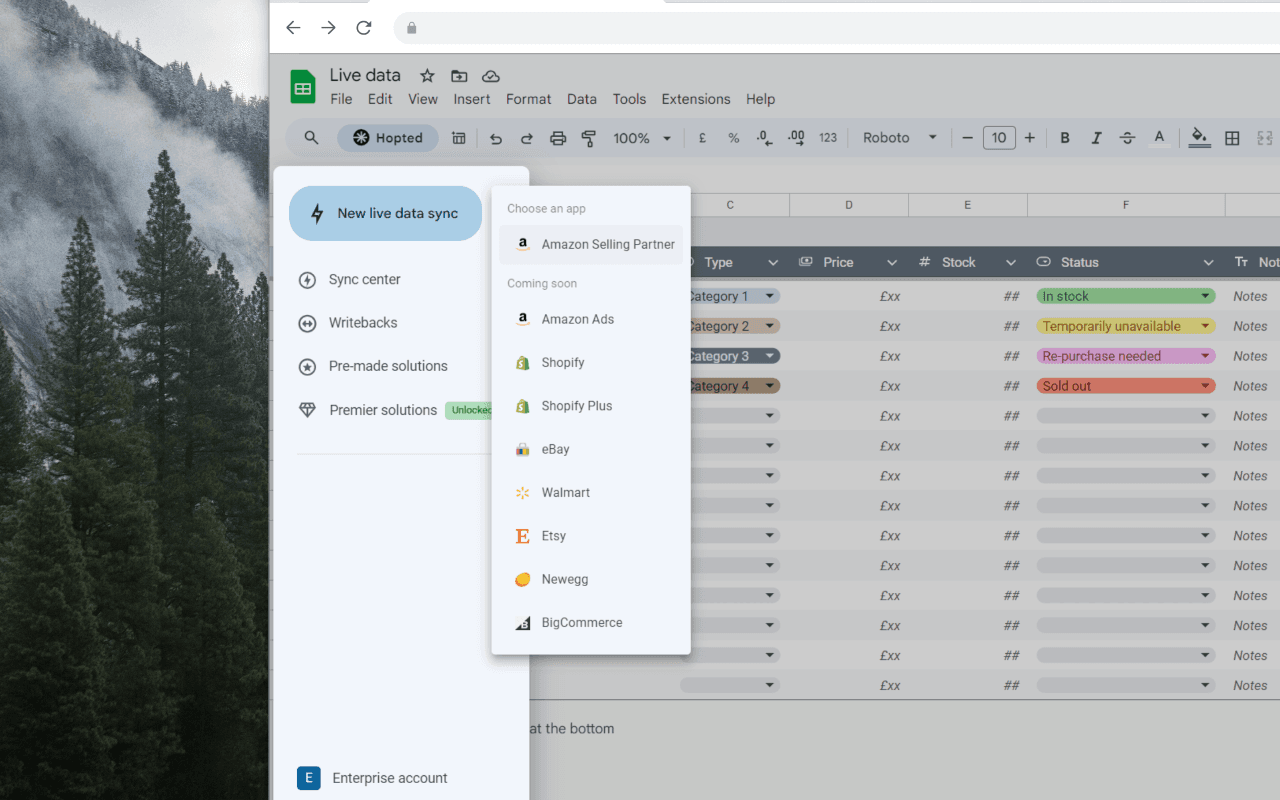
Hopted's design philosophy centers on seamless integration rather than flashy visuals. The Chrome extension nestles comfortably in Google Sheets' sidebar with a clean, minimal interface that prioritizes function over form. The setup process uses intuitive column-mapping that feels familiar to spreadsheet users, making complex data synchronization surprisingly approachable. The two-way editing capability works through simple dropdown menus that even non-technical team members can navigate. While power users might crave more customization options, the utilitarian design successfully avoids overwhelming new users while delivering robust functionality.
Speed & Security
Performance-wise, Hopted delivers near real-time synchronization that's primarily constrained by the API limits of connected platforms rather than its own infrastructure. Most updates happen promptly, though heavy datasets might experience brief delays during initial sync operations. Security follows industry standards with OAuth 2.0 implementation ensuring credentials aren't stored, and data encryption during transfer meets expected protocols. However, the absence of detailed compliance documentation like SOC2 certification or audit logs for writeback actions leaves room for improvement in enterprise readiness.
Accessibility & Growth
Accessibility currently rides entirely on Google Sheets' coattails, leveraging its screen reader compatibility and keyboard navigation without adding dedicated features. The English-only interface presents limitations for global teams, though the underlying functionality remains valuable. Growth potential is exceptionally strong given the massive, underserved market of spreadsheet-dependent organizations seeking automation solutions. The clear expansion paths to additional business platforms, template libraries, and enterprise features position Hopted well for scaling beyond its current niche.
Conclusion
If your team lives in spreadsheets but constantly battles outdated data from business applications, Hopted offers an elegant solution that eliminates CSV chaos. The 7-day trial provides ample opportunity to test whether the automation justifies the investment. For marketing teams analyzing campaign performance, sales operations managing CRM updates, or finance departments consolidating financial data, this tool could become an indispensable part of your workflow stack.
Suggestions for improvement
- Adding pre-built templates for common workflows like Salesforce-to-Sheets would accelerate onboarding for new users.
- Developing native accessibility features beyond relying on Google's ecosystem would make the tool more inclusive.
- Introducing usage-based pricing could attract occasional users who don't need unlimited syncs.
- Comprehensive audit logs for data writeback actions would enhance security transparency, while multilingual support would better serve global organizations.
Alternatives comparison
Named competitors, point by point. Nobody paid to appear here or to be left out.
 Hopted Hopted |  Zapier Zapier |  Coupler.io Coupler.io |  AppSheet AppSheet | |
|---|---|---|---|---|
| Integration Approach | Direct spreadsheet integration with two-way sync | Complex automation builder requiring workflow setup | Data import specialization without two-way editing | Turns spreadsheets into apps rather than syncing platforms |
| Ease of Use | Intuitive column-mapping similar to spreadsheet formulas | Steeper learning curve with visual workflow builder | Simpler import focus but limited functionality | Requires app development mindset rather than simple sync |
| Real-time Capabilities | Near real-time two-way synchronization | Real-time possible but requires complex setup | Scheduled imports rather than real-time sync | Real-time functionality depends on app implementation |
| Target User | Spreadsheet-dependent operations teams | Technical users building complex automations | Teams needing simple data imports to Sheets | Organizations wanting to create apps from spreadsheets |
Zapier
More complex automation builder requiring workflow setup versus Hopted's direct spreadsheet integration
Coupler.io
Specializes in data imports to Sheets but lacks two-way editing capabilities
AppSheet
Turns spreadsheets into apps rather than syncing existing business platforms
Comparing options? See Hopted alternatives, scored side by side
More Productivity apps
View all Productivity
Notion
92All-in-one AI workspace for docs, projects, and knowledge...

Qamarero
92An all-in-one hospitality software for restaurants and ba...

EmbedMyReviews
92White-label reputation management software for agencies s...

StoryPad
92Privacy-first open source journal app with a continuous t...

Puzzly – B2B Lead Generation & Sales Intelligence Platform
92Puzzly is an all-in-one B2B lead generation platform that...

The Stack Newsletter
92A weekly newsletter delivering curated tech jobs, intervi...

Vibe Coding Agent Skills
92A free, open-source platform offering 110 AI agent skills...

QRBliss
91Branded QR codes with AI Brand Sync, 15 free dynamic code...

Gerty
91Private, local AI assistant for Mac that runs offline

CC Switch
91Open-source desktop app for switching AI coding providers...

username.md
90One verified handle for your online identity, readable by...

PitchWhip
90AI cold call scripts & direct dials from LinkedIn


A platform dedicated to providing unbiased reviews of newly launched applications, analyzing everything from their features to their full potential.
info@scoutforge.net© 2026 Scoutforge. All rights reserved.
