

A platform dedicated to providing unbiased reviews of newly launched applications, analyzing everything from their features to their full potential.
info@scoutforge.net© 2026 Scoutforge. All rights reserved.
A platform dedicated to providing unbiased reviews of newly launched applications, analyzing everything from their features to their full potential.
info@scoutforge.net© 2026 Scoutforge. All rights reserved.
A platform dedicated to providing unbiased reviews of newly launched applications, analyzing everything from their features to their full potential.
info@scoutforge.net© 2026 Scoutforge. All rights reserved.
Cycling through all six. Tap any point to stop.
Measured on six things
Free Instagram Reel to text converter with 99% accuracy.
HTTPS and HSTS in place, SPF configured, and payments run through a Merchant of Record. But no CSP, frame protection, DMARC, or security page; checklist 5/12. Standard for an early-stage tool, not a standout.
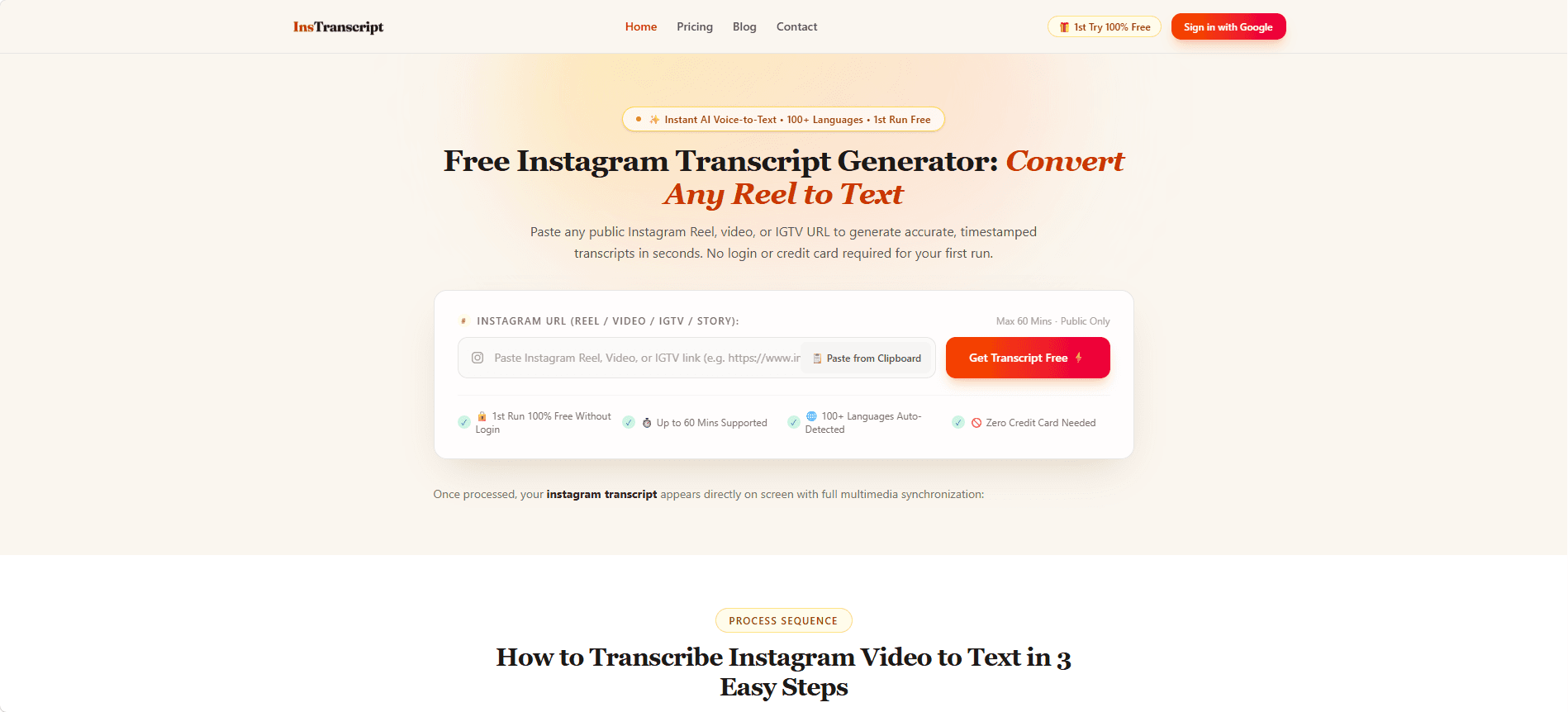
InsTranscript is a free online tool that converts Instagram Reels, videos, and IGTV into accurate, timestamped transcripts. Leveraging advanced AI speech recognition, it supports over 100 languages and offers multiple export formats including TXT, SRT, and VTT. The tool is designed for creators, marketers, students, and podcasters who need quick and reliable transcription without subscriptions. Key features include a user-friendly editor, privacy-first processing, and a pay-as-you-go credit system. With its first-run free offer and no login required, InsTranscript stands out as a cost-effective and efficient solution for transcribing Instagram content.
Drawn from the product itself, not from a survey.
Demographic
Short-form video creators & influencers
Pain points
Manual transcription is time-consuming; need accurate captions for engagement; struggle with multilingual content.
Primary needs
Fast, accurate transcription; SRT export for video editing; support for multiple languages.
Demographic
Social media marketers & content repurposers
Pain points
Repurposing video content into blogs or posts is tedious; need to extract key quotes; limited budget for transcription tools.
Primary needs
Efficient transcription to text; export in editable formats; affordable pricing with no subscription.
Demographic
Students, researchers & academic note-takers
Pain points
Extracting quotes from educational videos is slow; need verbatim transcripts for study; budget constraints.
Primary needs
Accurate transcription with timestamps; ability to edit and export text; free or low-cost options.
Written by AI from measured evidence, scored out of 100.
InsTranscript is a competent, focused Instagram transcription tool with a genuinely low-friction first run and a smart pay-as-you-go model. The design is clean, the core flow works, and the 60-minute support is a real advantage over the 2-minute competitor. Where it stumbles: mobile performance (LCP 4.7s), a thin security posture (5/12 headers, no audit), and accessibility gaps (contrast, headings, touch targets) that undercut the multilingual pitch. It's early — the domain is months old — and the idea is sound but not defensible. For creators who need quick Reel transcripts without a subscription, it's a reasonable pick today. For anyone handling sensitive media or needing compliance, look elsewhere until the security page exists.
No-login first run, clipboard paste, and a three-step guide make the core flow fast. Pricing FAQ covers credit math and expiry clearly. No dedicated docs or help center beyond the FAQ.
Clean, modern landing page with a focused hero, consistent iconography, and real export-format previews. Branding is minimal but coherent; no dated UI or stock-photo filler observed.
Desktop Lighthouse 100/100, mobile 76/100 with LCP 4.7s and TBT 181ms. Mobile load is the weak spot — LCP nearly double the 'good' threshold — but CLS is 0 and the page is otherwise lean.
HTTPS and HSTS in place, SPF configured, and payments run through a Merchant of Record. But no CSP, frame protection, DMARC, or security page; checklist 5/12. Standard for an early-stage tool, not a standout.
Lighthouse a11y 91/100, but failing audits include insufficient color contrast, non-sequential headings, and small touch targets. No WCAG statement or a11y page found; UI is English-only despite 100+ transcription languages.
Real problem (Reels-to-text) with a concrete wedge: 60-min support vs. SpeakApp's 2-minute cap, pay-as-you-go credits, no subscription. Targets creators, marketers, and students. Early-stage domain (0.1 years) is context, not the score.
InsTranscript's design is clean and focused: a single URL input, a clear CTA, and a three-step explainer that gets you from paste to transcript without a manual. The feature grid is consistent, and the export-format section shows real SRT/TXT/VTT previews rather than vague icons. Usability is the stronger half — no login for the first run, clipboard paste, and a pricing FAQ that actually answers the credit-expiry question. The gaps are a missing docs/help center and an editor that's claimed but not deeply documented. For a free-first tool aimed at creators, the onboarding friction is genuinely low, which matters more than a polished settings page nobody visits.
Speed is a tale of two devices: desktop Lighthouse 100/100, mobile 76/100 with LCP 4.7s and TBT 181ms. The mobile LCP is the real issue — nearly double the 'good' threshold — likely from hero assets or render-blocking resources. CLS is 0, so at least nothing jumps around while you wait. Security is early-stage standard: HTTPS and HSTS are on, SPF is configured, and payments route through Subotiz as Merchant of Record, which keeps card data off the site. But the header checklist is 5/12 — no CSP, no frame protection, no DMARC, no security page. The 'privacy-first, ephemeral RAM' claim is a nice line, but there's no audit or policy page backing it up. For a tool handling user-submitted media, that's a gap worth closing before scale.
Accessibility lands at 66: Lighthouse 91/100 with real failures in color contrast, heading order, and touch-target sizing. No WCAG statement, no a11y page, and the interface is English-only despite supporting 100+ transcription languages — a mismatch for a multilingual product. Growth is a judgment on the idea, not the traction: the problem (turning Reels into text) is real, the wedge against SpeakApp's 2-minute cap is concrete, and the pay-as-you-go model fits budget-conscious creators and students. The category has headroom as short-form video keeps exploding, but the moat is thin — transcription is commoditized, and the differentiator is a duration limit, not a workflow lock-in. The 0.1-year-old domain is context, not a verdict.
Conclusion
The honest read: InsTranscript does one thing well and doesn't pretend to be a platform. If you're a creator who needs a Reel transcribed right now without signing up or paying a subscription, it delivers. If you need SOC 2, a real docs site, or a mobile experience that doesn't make you wait five seconds, this isn't there yet. The pay-as-you-go credits and 12-month validity are a genuinely fair deal. The missing pieces — security headers, a11y fixes, a help center — are all fixable, and none of them are fatal at this stage. It's a tool worth bookmarking, not a tool worth betting a workflow on.
Named competitors, point by point. Nobody paid to appear here or to be left out.
 InsTranscript InsTranscript | SpeakApp | |
|---|---|---|
| Maximum video duration supported | Up to 60 minutes per video | 2-minute limit |
| Pricing model | Pay-as-you-go credits, 12-month validity, no subscription | Subscription-based pricing |
| Login requirement for first use | No login required for first run | Not specified; likely account required |
| Export formats | TXT, SRT, VTT included free | Not specified |
| Language support | 100+ languages with auto-detection and translation | Not specified |
Comparing options? See InsTranscript alternatives, scored side by side

An all-in-one hospitality software for restaurants and ba...

A weekly newsletter delivering curated tech jobs, intervi...

White-label reputation management software for agencies s...

Privacy-first open source journal app with a continuous t...

Puzzly is an all-in-one B2B lead generation platform that...

All-in-one AI workspace for docs, projects, and knowledge...

A free, open-source platform offering 110 AI agent skills...

Open-source desktop app for switching AI coding providers...

One verified handle for your online identity, readable by...

Frame-perfect video-to-GIF maker that runs entirely in yo...

White-label website audits that close deals for digital a...

Automated quote follow-up for trades and service businesses.
A platform dedicated to providing unbiased reviews of newly launched applications, analyzing everything from their features to their full potential.
info@scoutforge.net© 2026 Scoutforge. All rights reserved.
