Cycling through all six. Tap any point to stop.
Measured on six things
Fast, simple expense tracker for daily spending and month...
Security
52Privacy-first architecture is real — no account, no bank connection, on-device data with optional iCloud sync. But the site ships without HSTS, CSP, frame protection, or X-Content-Type-Options; only 4/12 header checks pass.
Screenshots
1 / 3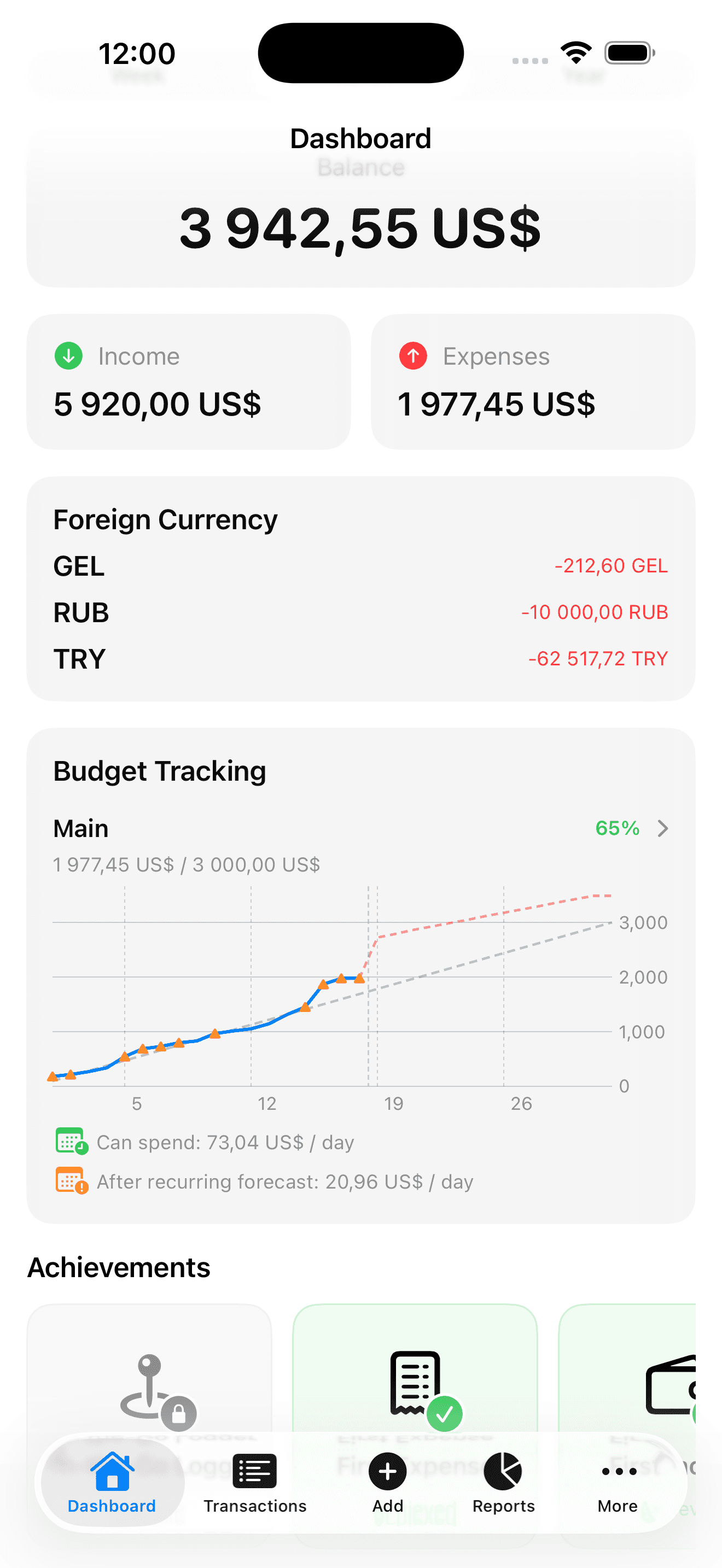
About this app
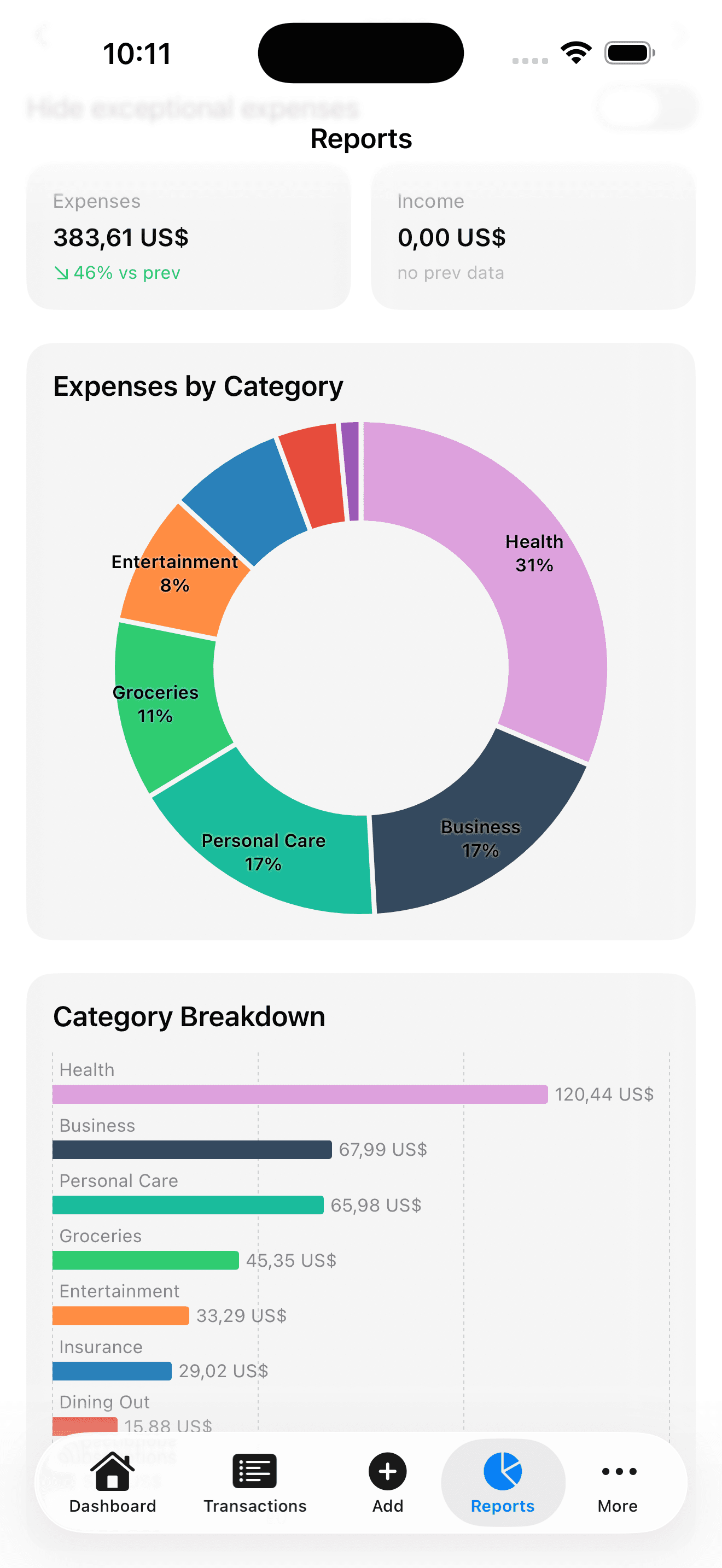
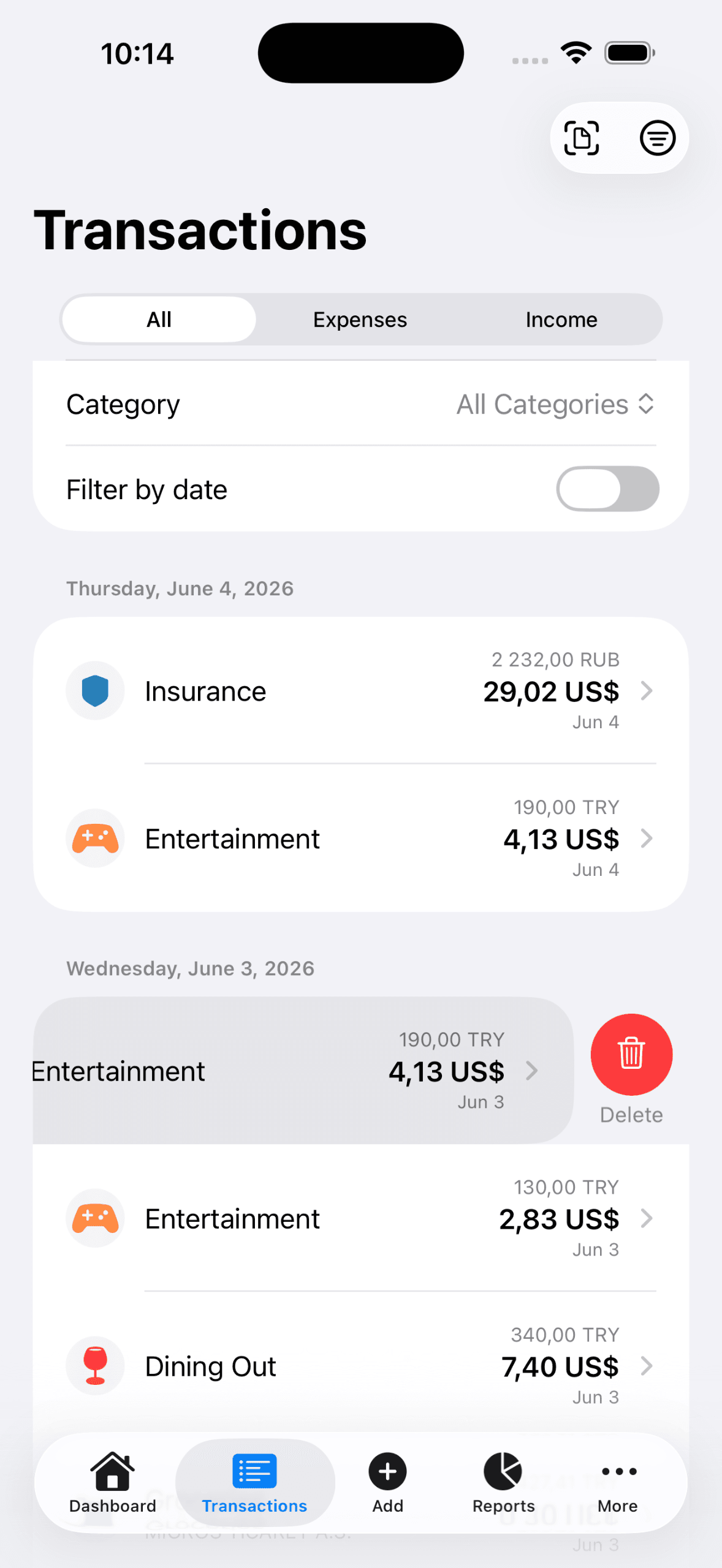
KashLog is a privacy-first iPhone expense tracker that helps you record purchases in seconds and see how much you can still spend before the month ends. A daily spending allowance adjusts as you log expenses, helping you spot overspending early. Track 165+ currencies with automatic exchange rates, scan receipts, manage recurring expenses, and explore spending trends. No account or bank connection required; data stays on your device with optional iCloud sync.
Key features
- 1Daily spending allowance that adjusts as you log expenses, so overspending surfaces early.
- 2165+ currencies with automatic exchange rates for multi-country spending.
- 3No account or bank connection required; data stays on-device with optional iCloud sync.
- 4Receipt scanning, recurring expense management, and spending trend reports.
Target customer profile
Drawn from the product itself, not from a survey.
Demographic
People living abroad, digital nomads, international professionals, and frequent travelers.
Pain points
Managing purchases in different currencies, inconsistent exchange rates, and difficulty understanding total spending across countries.
Primary needs
Multi-currency expense tracking, automatic currency conversion, location-aware suggestions, and consolidated budgeting.
Demographic
Budget-conscious households and couples
Pain points
Monthly bills and everyday spending hard to monitor together
Primary needs
Simple category visibility and on-track budget status
Scout Review
Written by AI from measured evidence, scored out of 100.
KashLog is a privacy-first iPhone expense tracker with a genuinely good core idea: no account, no bank link, log spending in seconds, and watch a daily allowance adjust so you catch overspending early. Multi-currency support with automatic exchange rates across 165+ currencies is the sharpest part — it's aimed squarely at expats, nomads, and travelers, a segment YNAB and Spendee serve clumsily. The app UI looks clean and iOS-native. The website undersells it: a near-empty hero, low-contrast nav, and a mobile LCP of 20.1 seconds. Security headers are thin on the site even though the data architecture is sound. Accessibility is close but trips on contrast and touch targets.
Measure by measure
Usability
63No account, no bank link — log a purchase in seconds and you're done. Receipt scan, recurring bills, and 165+ currencies are all there. Onboarding friction is genuinely low versus YNAB's setup gauntlet.
Design
58Clean iOS app mockups with sensible category color-coding, but the homepage hero is near-empty with a faint blurred logo and low-contrast nav. Marketing craft lags the app it's selling.
Speed
57Desktop scores 82/100 with zero layout shift and zero blocking time, but mobile LCP of 20.1s is brutal — the page is light and stable yet the main content crawls in on a phone.
Security
52Privacy-first architecture is real — no account, no bank connection, on-device data with optional iCloud sync. But the site ships without HSTS, CSP, frame protection, or X-Content-Type-Options; only 4/12 header checks pass.
Accessibility
70Lighthouse accessibility lands at 92/100, but two real audits fail: insufficient color contrast and touch targets that are too small or tightly spaced. No WCAG statement published.
Growth
62Sharp wedge: multi-currency auto-conversion plus a daily spending allowance for expats and nomads, a segment YNAB and Spendee serve awkwardly. Real problem, specific customer, room to grow.
Improvement areas
- Mobile page load: 20.1s LCP is the single biggest fixable flaw.
- Website security headers: add HSTS, CSP, frame protection, and X-Content-Type-Options.
- Accessibility: raise text contrast and enlarge touch targets to clear failing audits.
- Homepage design: replace the near-empty hero with real product imagery and a stronger CTA.
Design & Usability
The app itself looks well-built: clean iOS list rows, category pills, a standard bottom tab bar, and screenshots that communicate the core loop instantly. The website is the weak link — a near-empty mint hero, a faint blurred logo that reads as unfinished, and nav links that fade into the header. Usability is where KashLog earns its keep: no account, no bank connection, log a purchase in seconds, and a daily allowance that updates as you spend. Receipt scanning, recurring expenses, and 165+ currencies with automatic rates round it out. The one friction point is the marketing page, where the App Store button is small and competes with a QR code card while the actual product screens sit below the fold.
Speed & Security
Speed is a split verdict. Desktop Lighthouse scores 82/100 with zero layout shift and zero blocking time, which tells you the page is genuinely light. Mobile tells a different story: a 20.1-second Largest Contentful Paint means the main content takes an eternity to arrive on a phone, even though the page never jumps around. Security is architecturally sound where it matters most — no account, no bank connection, data on-device with optional iCloud sync is a strong privacy posture for a finance app. The gap is on the website: HTTPS is enforced and SPF/DMARC are in place, but there's no HSTS, no CSP, no frame protection, and no X-Content-Type-Options, landing at 4/12 on header hardening.
Accessibility & Growth
Accessibility scores 92/100 on Lighthouse, which is strong, but two automated audits fail and both matter in practice: background/foreground contrast and touch target size and spacing. For a mobile-first app, small tap targets are a real usability cost, not a checkbox. There's no published WCAG statement, so the commitment is unverified beyond the automated run. Growth is the most interesting dimension. KashLog names a specific, underserved customer — expats, digital nomads, and travelers juggling multiple currencies — and backs it with a concrete differentiator: automatic conversion across 165+ currencies plus a daily spending allowance that adjusts as you log. YNAB is built around zero-based budgeting and treats multi-currency as friction; Spendee is friendlier but not currency-native. The wedge is real. The limit is reach: this is a niche within budgeting, and the domain is only months old, so the idea has room but the audience is narrower than a general budgeting app's.
Conclusion
If you live across currencies and want a tracker that doesn't ask for your bank credentials, KashLog is aimed at exactly your problem and the daily-allowance model is a smart way to make budgeting feel like a game rather than a chore. What holds it back isn't the idea — it's the storefront. Fix the mobile load time, tighten the hero, ship the security headers, and bump the contrast and tap targets, and the website will finally match the product behind it. The foundation is solid; the polish is the work left to do.
Suggestions for improvement
- Fix the 20.1s mobile LCP — compress hero assets and preload the largest content element.
- Add HSTS, CSP, X-Content-Type-Options, and frame protection to the site headers.
- Raise text contrast and enlarge touch targets to clear the two failing Lighthouse audits.
- Rebuild the hero: real product imagery above the fold, larger App Store CTA, less empty space.
Alternatives comparison
Named competitors, point by point. Nobody paid to appear here or to be left out.
 KashLog KashLog |  YNAB (You Need A Budget) YNAB (You Need A Budget) |  Spendee Spendee |  Money Manager Money Manager | |
|---|---|---|---|---|
| Pricing model | Not specified in collected site content | Subscription (~$14.99/mo or $99/yr) | Freemium with paid premium tiers | Free with optional paid upgrade |
| Multi-currency support | 165+ currencies with automatic exchange rates | Limited; multi-currency is manual and awkward | Supports multiple currencies with manual rates | Basic multi-currency entry |
| Bank connection required | No — manual entry, data on-device | Optional bank sync, manual entry supported | Optional bank sync | Manual entry only |
| Daily spending allowance | Yes — adjusts as expenses are logged | Category-based, not daily allowance | Budget-based, not daily allowance | No daily allowance concept |
| Receipt scanning | Yes | Yes, via mobile app | Yes, premium tier | Limited |
| Platform | iPhone (iOS) | Web, iOS, Android | iOS, Android, Web | iOS, Android |
YNAB (You Need A Budget)
A full-featured budgeting app built around zero-based budgeting and proactive planning.
Spendee
A user-friendly expense tracker with budgets and spending insights across categories.
Money Manager
A straightforward personal expense and income tracker for daily spending records.
Comparing options? See KashLog alternatives, scored side by side
More Finance apps
View all Finance
CalcFi
92A free, comprehensive financial calculator platform with ...

CreateMyCoin
92A no-code Solana token creator that deploys SPL tokens in...

Stellar Staff
88A top-rated virtual assistant agency that matches busines...

Receipt Bot
88Automated bookkeeping software that extracts data from re...

BringMe Money
88AI invoice follow-up that drafts reminders and tracks next steps.

Prop Firm Consistency Calculator
88Check your prop firm consistency rule and best-day percen...

OpenBudget
87Connect your bank to AI for real answers about your money.

StockFit API
87A developer-first financial data API providing structured...

HISAB 360
87A Windows Excel add-in that pulls your ledger data into the workbook, reconciles it, and drafts the reports - all in plain English, inside Excel.

Stripdo
87Stripdo is a smart invoicing tool that automatically gene...

Credyt
87Real-time monetization infrastructure for AI products tha...

FX Terminal
87Free browser-based forex research terminal: live charts, economic calendar, COT reports, retail sentiment, strength meter and bond yields. No signup.https://fxterminal.app/


A platform dedicated to providing unbiased reviews of newly launched applications, analyzing everything from their features to their full potential.
info@scoutforge.net© 2026 Scoutforge. All rights reserved.
