Cycling through all six. Tap any point to stop.
Measured on six things
Video review and collaboration platform for creative team...
Accessibility
55Lighthouse accessibility 87/100 but with 4 concrete failures: contrast ratio, ARIA role children, unnamed links, and non-focusable skip links. No WCAG statement or dedicated accessibility page found.
Screenshots
1 / 4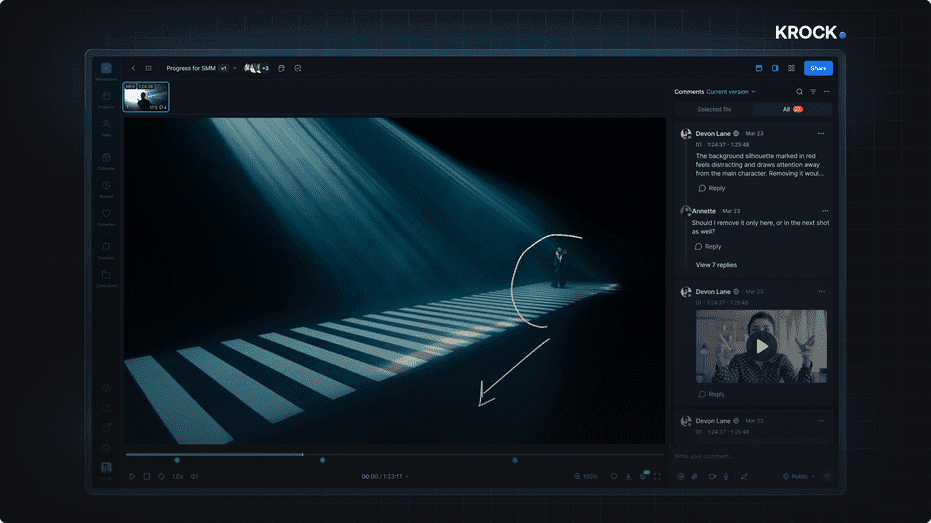
About this app
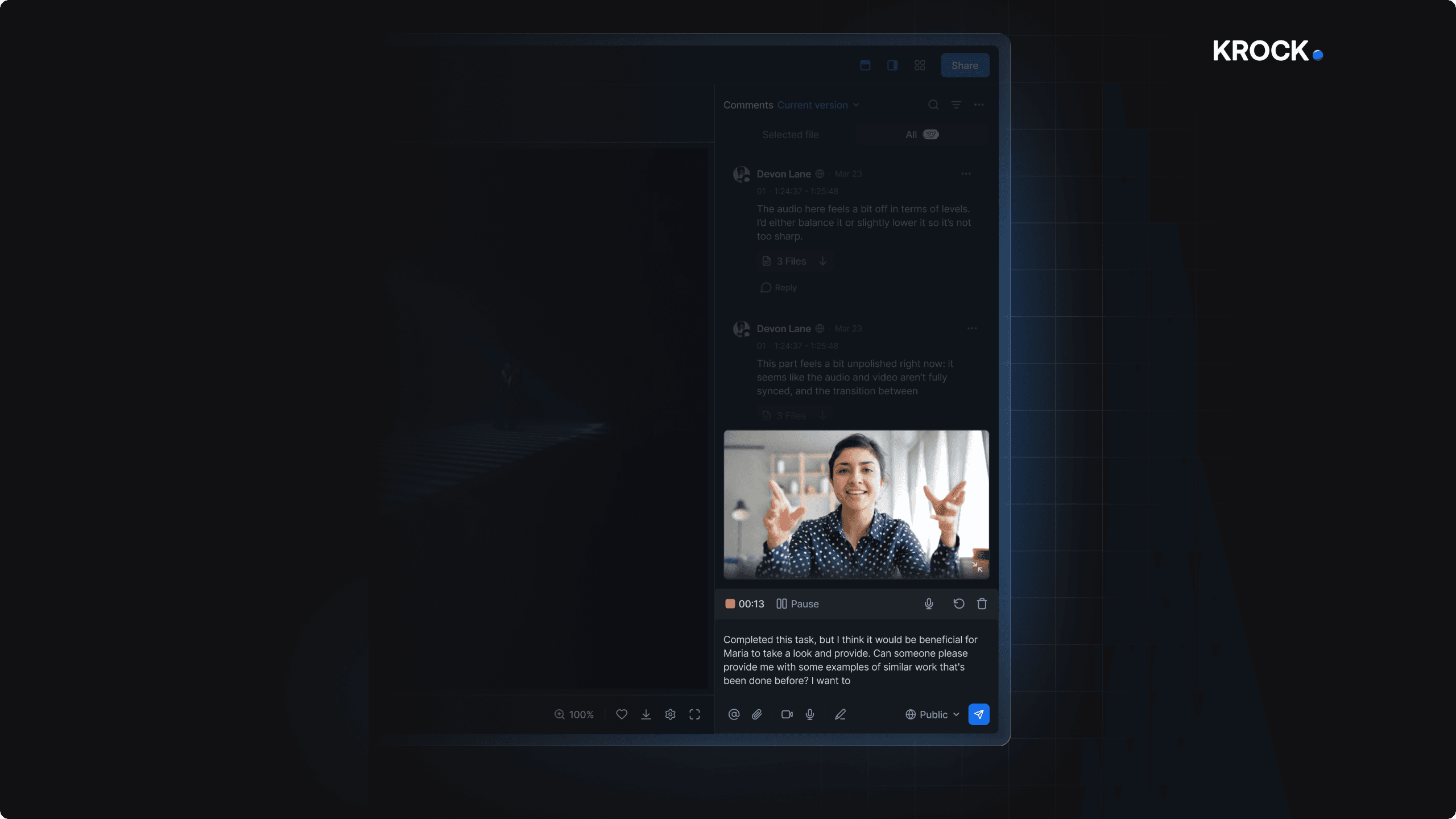
Krock.io is a purpose-built video review and media collaboration platform that centralizes feedback, approvals, and project tracking for creative teams. I've been using it for a while now, and it's genuinely a game-changer for anyone tired of juggling email threads and scattered comments. The standout feature is the frame-accurate commenting—you can drop a comment on a specific frame, draw on it, and even attach files, which makes feedback crystal clear. Version comparison is another killer feature: overlay mode lets you slide a line to see changes, and auto-compare highlights differences automatically, so you never miss a revision request. Plus, the integrations with DaVinci Resolve, Adobe, and Final Cut Pro mean you can sync comments directly with your editing timeline—that's a huge time-saver. It also includes an AI-powered storyboard creator for pre-production, and the dashboard gives you nice metrics like a 59% reduction in review time and 30% fewer versions before approval. Se...
Key features
- 1Frame-accurate commenting with draw, attach files, and time-coded feedback
- 2Version comparison with overlay slide and auto-compare difference highlighting
- 3NLE integrations for DaVinci Resolve, Adobe CC, and Final Cut Pro with playhead sync and marker import
- 4AI-powered storyboard creator with animatic and script tools for pre-production
- 5Unlimited reviewers on all plans with role-based access control and dedicated workspaces
Target customer profile
Drawn from the product itself, not from a survey.
Demographic
Video production companies
Pain points
Managing feedback from clients in long email chains; missing critical comments; slow approval cycles; version confusion.
Primary needs
A centralized review platform with frame-specific comments, version compare, and streamlined approvals.
Demographic
Advertising agencies
Pain points
Coordinating reviews between creatives, account managers, and clients; maintaining brand consistency; meeting tight deadlines.
Primary needs
A tool that provides clear feedback tracking, role-based access, and fast client sign-offs to keep campaigns on schedule.
Demographic
Animation and motion design studios
Pain points
Reviewing complex animations frame by frame; integrating feedback from directors; managing storyboards and animatics in one place.
Primary needs
Platform with precise time-coded comments, storyboard and animatic tools, and integration with editing software like Premiere or After Effects.
Scout Review
Written by AI from measured evidence, scored out of 100.
Krock.io is a competent video review platform that understands its audience. The frame-accurate commenting, version comparison with overlay and auto-compare modes, and NLE integrations address real pain points for creative teams drowning in email threads. Performance is excellent—fast loads, zero layout shift. The unlimited reviewer pricing model is a genuine differentiator against Frame.io's per-seat charges. Design is solid but not exceptional: the dark theme is cohesive, annotation tools are clean, yet the hero mockup and dashboard density feel unpolished. Security is adequate with room to publish concrete certifications. Accessibility has known gaps that could block enterprise deals. For small to mid-size creative teams, the free plan and $10/user Pro tier offer strong value. The main question is whether Krock.io can scale its claims—80,000 teams is a bold number—and convert its workflow integrations into lasting customer loyalty.
Measure by measure
Usability
64Clear single CTA, free plan without credit card lowers friction. Review sidebar keeps comments visible next to player. Help Center has 46 articles across 9 categories, though some workflows may require scanning dense dashboard data.
Design
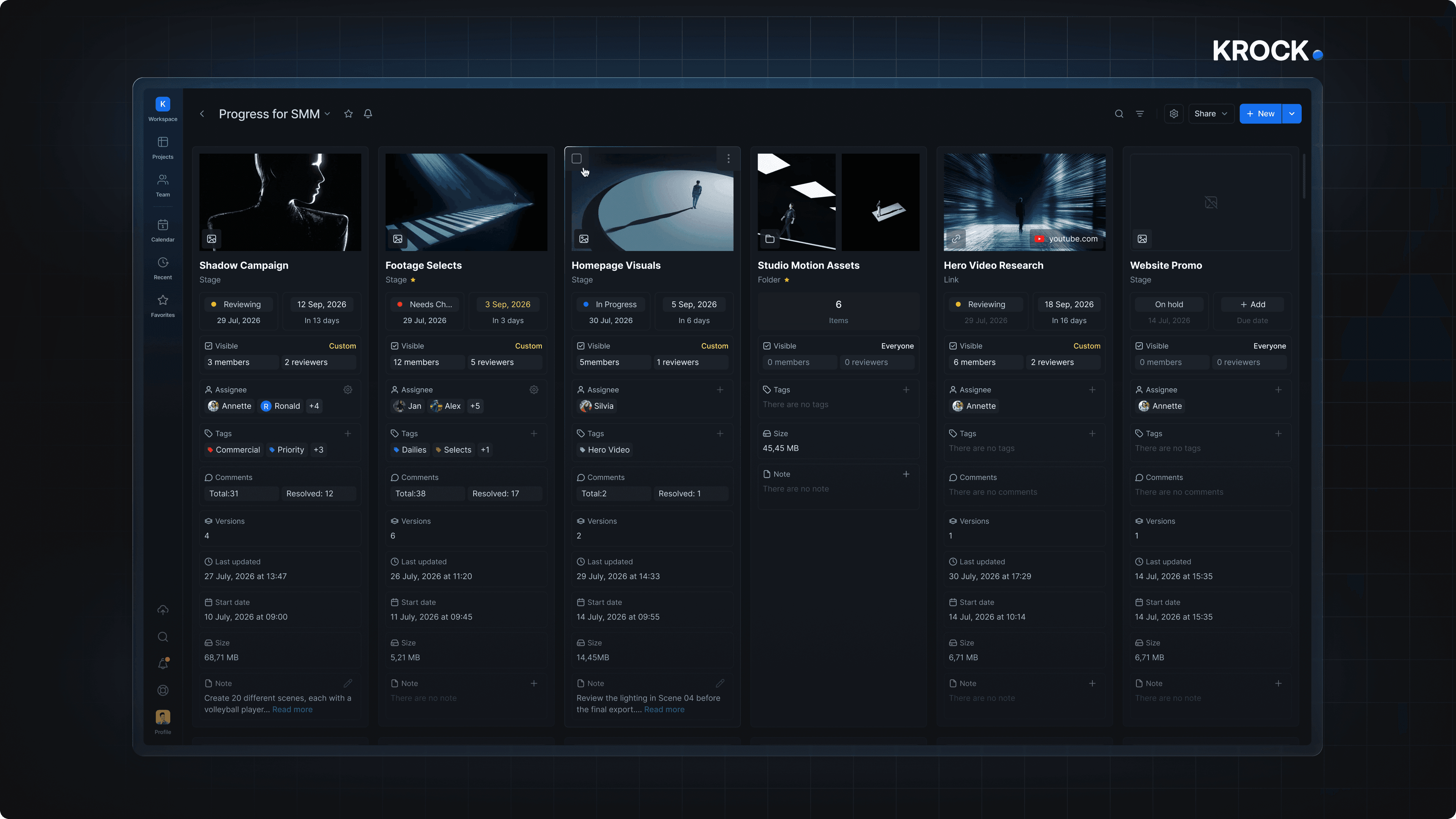
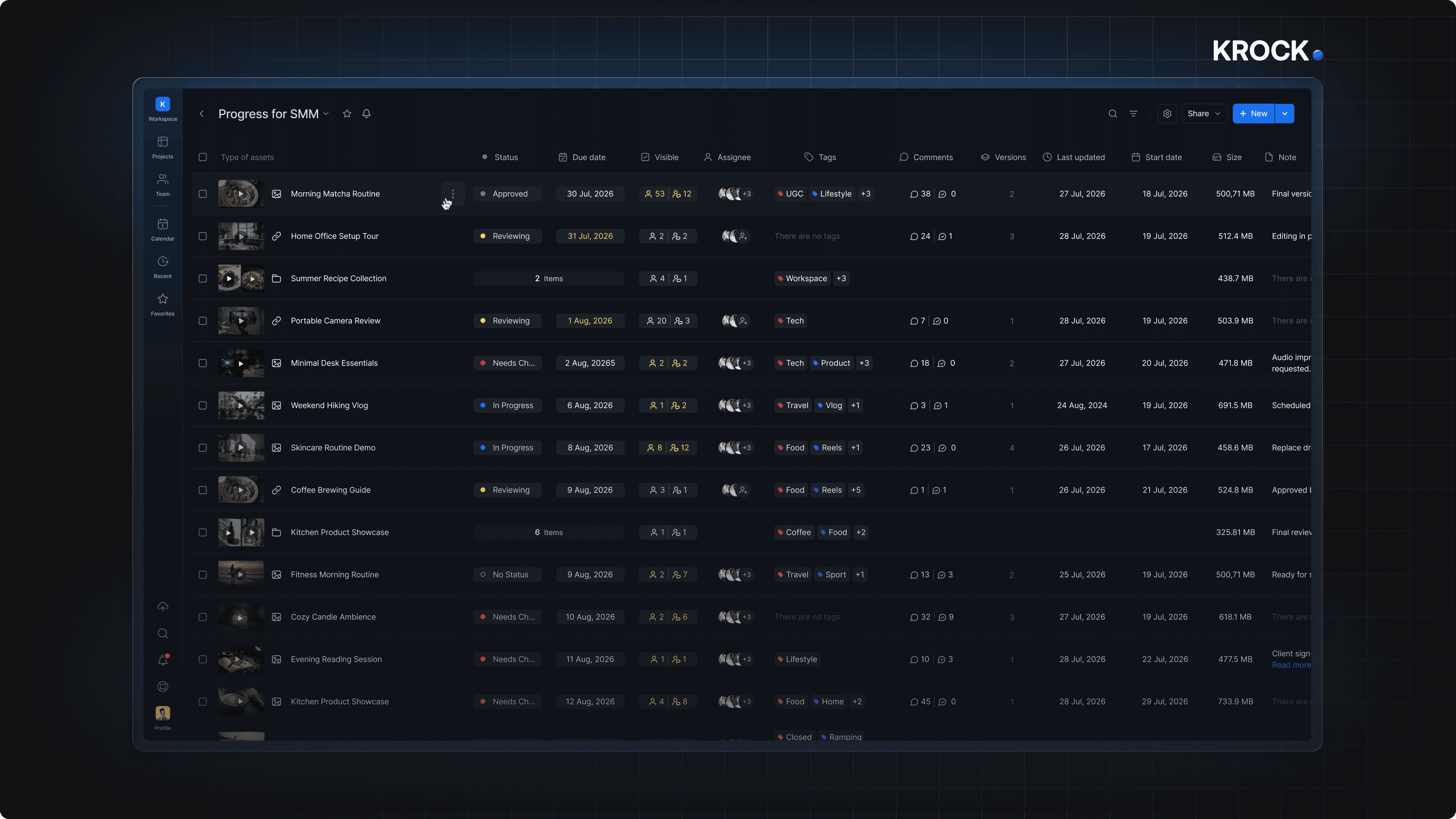
58Consistent dark theme with blue accents, clean annotation tools, but hero mockup feels template-like with heavy glow and cookie banner overlap. Dashboard cards lack visual hierarchy with dense metadata.
Speed
78Excellent Lighthouse performance: 90/100 desktop with LCP 1.5s, CLS 0, TBT 74ms. Fast initial render (FCP 629ms) suggests lightweight, well-optimized front-end with no jank.
Security
72Solid baseline: HTTPS, CSP, frame protection, X-Content-Type-Options, Referrer-Policy all present. SPF and DMARC configured. Missing HSTS and Permissions-Policy. Claims 'international security certificates' but no specifics published.
Accessibility
55Lighthouse accessibility 87/100 but with 4 concrete failures: contrast ratio, ARIA role children, unnamed links, and non-focusable skip links. No WCAG statement or dedicated accessibility page found.
Growth
68Clear wedge: unlimited reviewers at flat pricing vs per-seat competitors. Integrations with NLEs create workflow lock-in. Targets specific segments with distinct pain points. Category has room as video production grows.
Improvement areas
- Publish specific security certifications (SOC 2, ISO 27001) instead of vague 'international certificates' claims
- Fix accessibility failures: contrast ratios, ARIA roles, unnamed links, and non-focusable skip links
- Declutter dashboard cards with clearer visual hierarchy and collapsible metadata
- Add HSTS and Permissions-Policy headers to complete the security checklist
Design & Usability
Krock.io presents a cohesive dark theme with blue accents that carries through homepage and product views. The annotation tools are well-designed—circle and arrow markers sit cleanly on video frames without fighting the player controls. However, the hero mockup's heavy drop shadow and glow feel template-like, and the cookie banner overlaps the product screenshot, cutting off thumbnails. The dashboard packs dates, sizes, and member counts into dense cards with minimal hierarchy, requiring scanning rather than quick reading. On usability, the single prominent CTA and free no-credit-card plan lower onboarding friction. The review interface keeps threaded comments visible beside the player, directly supporting the core feedback workflow. The Help Center offers 46 articles across 9 categories, though depth varies—some sections have only 2-3 articles. Navigation is straightforward, but the dashboard's information density could overwhelm new users.
Speed & Security
Performance is a clear strength: Lighthouse desktop score of 90/100 with LCP at 1.5s, zero CLS, and TBT of just 74ms. The site feels snappy, and the fast initial render (FCP 629ms) suggests a well-optimized front-end without heavy JavaScript bloat. Security shows a solid baseline—HTTPS enforced, CSP active, frame protection and X-Content-Type-Options in place, plus SPF and DMARC for email authentication. The 9/12 checklist score reflects missing HSTS and Permissions-Policy headers. The homepage mentions 'international security certificates' but doesn't name specifics like SOC 2 or ISO 27001, which would strengthen trust. For a platform handling client media, publishing concrete compliance details would be a meaningful upgrade. No security incidents or complaints surfaced in available evidence.
Accessibility & Growth
Accessibility sits at 55—functional but with known gaps. The Lighthouse audit scored 87/100 but flagged four concrete failures: insufficient color contrast, missing ARIA role children, unnamed links, and skip links that aren't focusable. No WCAG statement or dedicated accessibility page exists, which is a miss for enterprise procurement. Growth potential is more promising. Krock.io's wedge is clear: unlimited reviewers on every plan, directly attacking Frame.io's per-reviewer pricing. The NLE integrations (DaVinci Resolve, Adobe CC, Final Cut Pro) create workflow lock-in that competitors would struggle to replicate. Targeting video production companies, ad agencies, and animation studios with distinct pain points shows thoughtful segmentation. The category has headroom as video content demand grows. The 80,000+ teams claim is unverified, but the positioning itself is sound.
Conclusion
Krock.io has the right bones: solid performance, a clear pricing advantage, and integrations that make it sticky. The path forward is tightening the rough edges—publish specific security certifications, fix the accessibility failures, and declutter the dashboard. If the team executes on those, it could genuinely challenge Frame.io's dominance in the mid-market. For now, it's a strong contender worth a free trial, especially for teams tired of paying per reviewer. The 59% review time reduction claim is marketing, but the workflow improvements are real enough to test yourself.
Suggestions for improvement
- Publish specific security certifications (SOC 2, ISO 27001) with links on the homepage and pricing page
- Fix the four Lighthouse accessibility failures: contrast ratios, ARIA roles, link names, and skip link focusability
- Add a dedicated accessibility statement page referencing WCAG 2.1 AA compliance
- Declutter dashboard cards with clearer visual hierarchy—larger thumbnails, bolder status indicators, collapsible metadata rows
Alternatives comparison
Named competitors, point by point. Nobody paid to appear here or to be left out.
 Krock.io Krock.io |  Frame.io Frame.io |  Wipster Wipster |  Vimeo Review Vimeo Review | |
|---|---|---|---|---|
| Pricing model | Unlimited reviewers on all plans; Pro at $10/user/month; Free plan with 2GB storage | Per-reviewer pricing; reviewer seats cost extra on top of base plan | Per-user pricing with tiered plans based on team size | Vimeo Pro/Business plans include review features; per-seat pricing on higher tiers |
| Frame-accurate commenting | Frame-accurate comments with draw, attach files, and time-coded feedback | Frame-accurate comments with drawing tools and time-coded markers | Frame-accurate comments with drawing and annotation tools | Basic time-coded comments; limited annotation tools |
| Version comparison | Overlay slide mode and auto-compare with automatic difference highlighting | Side-by-side and overlay comparison with toggle | Side-by-side version comparison | No dedicated version comparison feature |
| NLE integrations | DaVinci Resolve, Adobe CC, Final Cut Pro with playhead sync and marker import | Adobe Premiere, After Effects, DaVinci Resolve, Final Cut Pro integrations | Adobe Premiere Pro integration; limited NLE support | No direct NLE integrations |
| Storyboard tools | AI-powered storyboard creator with animatic export and script tools | No built-in storyboard tools; focuses on review and collaboration | No storyboard tools; review-focused | No storyboard tools |
Frame.io
Another popular video review platform with similar features, but often charges per reviewer.
Wipster
A collaborative video review tool that offers frame-accurate comments and approval workflows.
Vimeo Review
Basic video review features, but less specialized for detailed feedback and version compare.
Comparing options? See Krock.io alternatives, scored side by side
More Productivity apps
View all Productivity
Notion
92All-in-one AI workspace for docs, projects, and knowledge...

Qamarero
92An all-in-one hospitality software for restaurants and ba...

EmbedMyReviews
92White-label reputation management software for agencies s...

StoryPad
92Privacy-first open source journal app with a continuous t...

Puzzly – B2B Lead Generation & Sales Intelligence Platform
92Puzzly is an all-in-one B2B lead generation platform that...

The Stack Newsletter
92A weekly newsletter delivering curated tech jobs, intervi...

Vibe Coding Agent Skills
92A free, open-source platform offering 110 AI agent skills...

QRBliss
91Branded QR codes with AI Brand Sync, 15 free dynamic code...

Gerty
91Private, local AI assistant for Mac that runs offline

CC Switch
91Open-source desktop app for switching AI coding providers...

username.md
90One verified handle for your online identity, readable by...

PitchWhip
90AI cold call scripts & direct dials from LinkedIn


A platform dedicated to providing unbiased reviews of newly launched applications, analyzing everything from their features to their full potential.
info@scoutforge.net© 2026 Scoutforge. All rights reserved.
