Cycling through all six. Tap any point to stop.
Measured on six things
The AI operating system that IS the AI — in your browser, on Android and on Windows.
Usability
63Clear primary CTA with platform-specific secondary buttons and friction-killing copy ('no API key, no card'). But the lower page is a wall of small dark text, and the objection-removing line is buried in grey micro-type.
Screenshots
1 / 1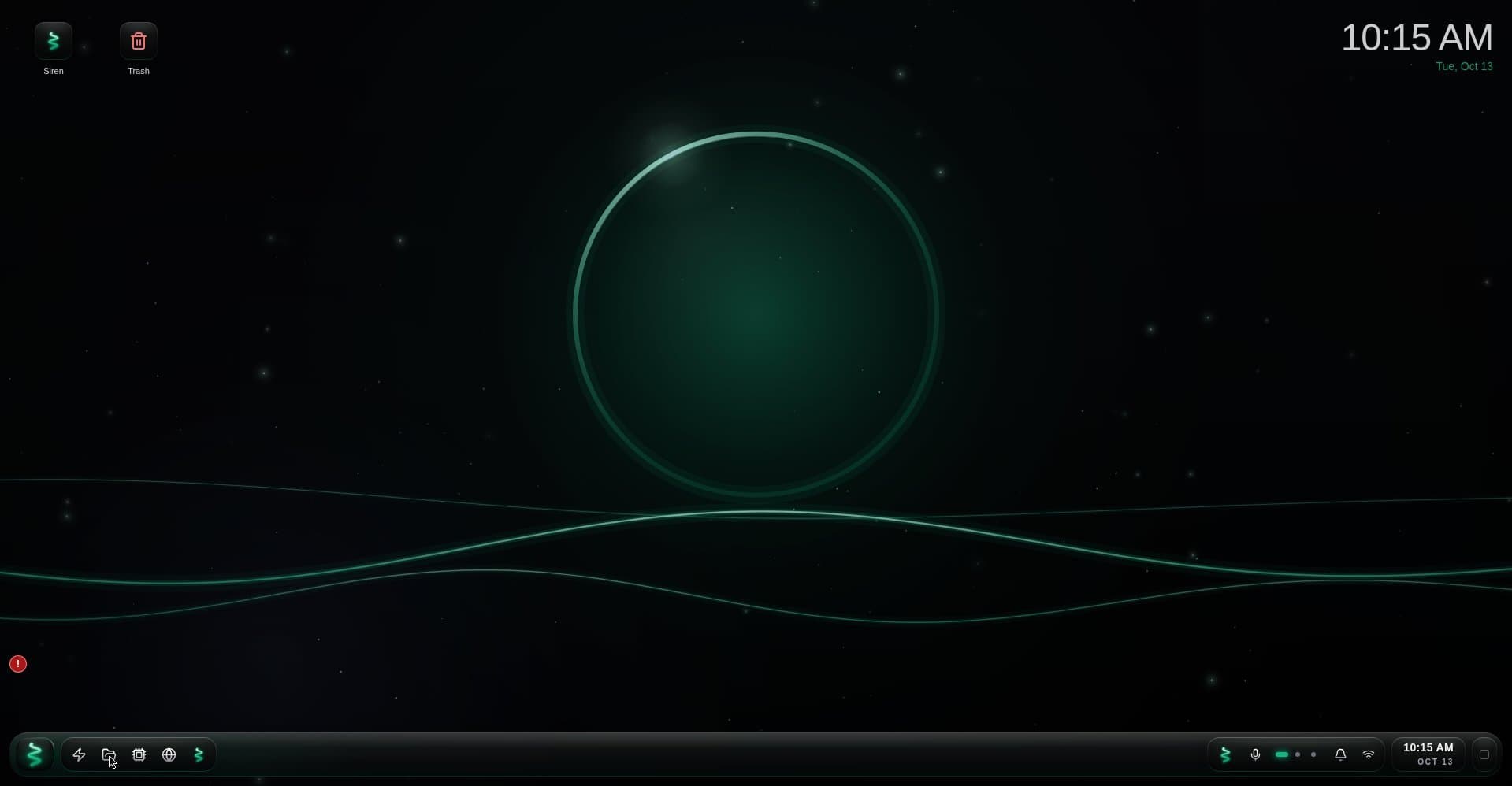
About this app
LazySiren is an operating system run by its AI, Siren. She is not a chatbot in a sidebar — she operates the whole system: desktop, windows, files, terminal. Describe the app you need and she builds it, tests it and installs it on your desktop. She remembers you and your projects across sessions, and long jobs run as missions that resume exactly where they stopped if interrupted. 54+ apps built in, a real file system and a real Linux terminal. Runs in the browser, on Android and on Windows. Built solo in British Columbia, Canada. Free during beta.
Key features
- 1Siren builds, tests and installs custom apps on your desktop from a plain-language description, with self-healing when they break.
- 2Full OS control: opens/arranges windows, manages files, changes settings, and runs a real Debian terminal with git, python and ssh.
- 3Cross-session memory, proactive messages, voice interaction, screen sharing, and a builder studio (HyperIDE, AutoForge, GitHub PRs).
Target customer profile
Drawn from the product itself, not from a survey.
Demographic
Small business owners & solopreneurs
Pain points
Too many subscriptions; off-the-shelf apps almost fit but not quite; no budget for custom dev
Primary needs
Affordable custom tools like client trackers, invoices, and dashboards tailored to their workflow
Demographic
Developers & technical builders
Pain points
Context-switching between chat and IDE; manual bug fixing; slow prototyping
Primary needs
AI-assisted coding environment with self-healing, real Linux terminal, and GitHub integration
Demographic
Students & productivity-focused individuals
Pain points
App overload; fragmented study tools; forgetting deadlines and follow-ups
Primary needs
Personalized planners, flashcards, habit trackers, and a proactive assistant that reminds them
Scout Review
Written by AI from measured evidence, scored out of 100.
LazySiren is an ambitious bet: an AI, Siren, that operates a whole browser/Android/Windows desktop — opening apps, handling files, running a real Linux terminal, and building custom apps on request with self-healing when they break. The landing page sells it well, with real mockups and a fast, polished dark UI. The execution gaps are in the details: low-contrast micro-text hurts readability and accessibility, security signals stop at the basics with no published audits, and the 'seconds' claims need proof. It's early — the domain is months old — but the positioning is sharper than most AI-wrapper launches.
Measure by measure
Usability
63Clear primary CTA with platform-specific secondary buttons and friction-killing copy ('no API key, no card'). But the lower page is a wall of small dark text, and the objection-removing line is buried in grey micro-type.
Design
70Cohesive dark palette with one green accent, real desktop mockups instead of stock illustration, and a clear hero hierarchy. Undercut by grey-on-black captions and tiny, low-contrast body text in the lower sections.
Speed
88Lighthouse 100/100 on both mobile and desktop: LCP 1.5s, CLS 0, TBT 0ms, FCP 1.0s. A genuinely lightweight, well-optimized landing page with no measurable layout shift or main-thread blocking.
Security
64HTTPS enforced with CSP, frame protection, X-Content-Type-Options and Referrer-Policy; 8/12 probe points. HSTS, Permissions-Policy and DMARC are missing, and no SOC 2, pen-test or bug bounty is published.
Accessibility
68Lighthouse a11y 90/100, but two real failures: insufficient color contrast and a missing main landmark. The contrast issue is visible on the page itself in captions and feature cards. No WCAG statement published.
Growth
66Sharp, specific wedge: describe an app, Siren builds and installs it, with self-healing and a real Linux terminal. Clear target segments and a real anti-subscription pitch. Early (domain 0.1 years), but the idea has room.
Improvement areas
- Contrast and typography: captions and feature-card text fail WCAG AA and flatten the page hierarchy.
- Security transparency: missing HSTS, DMARC and Permissions-Policy, and no published audit, pen-test or security page.
- Accessibility documentation: no WCAG statement, missing main landmark, keyboard and screen-reader support unverified.
Design & Usability
The landing page is well-crafted where it counts: a dark palette with a single green accent, a hero that shows a real desktop with Siren's chat beside a Habits tracker, and a clear primary CTA flanked by Android and Windows buttons. The 'Made for you' quote cards and the wrapping prompt chips communicate range quickly. The problem is the lower half — captions and feature-card body text are grey-on-near-black and very small, so hierarchy flattens and the page becomes hard to scan. Usability is decent: platform choice is immediate and the 'no API key, no card' line kills the main objections, but that line is buried in micro-type and the text-heavy sections below the hero ask for patience the design doesn't reward.
Speed & Security
Speed is the standout: Lighthouse 100/100 on mobile and desktop, LCP 1.5s, CLS 0, TBT 0ms, FCP 1.0s — a genuinely lean page with no layout shift or blocking work. Security is competent but incomplete: HTTPS enforced with CSP, frame protection, X-Content-Type-Options and Referrer-Policy, scoring 8/12 on the header/DNS probe, but HSTS, Permissions-Policy and DMARC are absent. For a product that positions itself as an operating system running your files and a real Linux terminal, the absence of any published SOC 2, pen-test, bug bounty or dedicated security page is the gap that matters most. Nothing broken, but nothing that earns trust beyond the basics.
Accessibility & Growth
Accessibility lands at 90/100 on Lighthouse with two concrete failures: insufficient color contrast and a missing main landmark. The contrast failure is visible on the page itself — the same grey-on-black captions the visual audit flagged — and no WCAG statement is published, so keyboard and screen-reader support are unverified. Growth is the more interesting story. The problem is real and named specifically: subscription sprawl and off-the-shelf apps that almost fit, aimed at solopreneurs, students and builders. The wedge is concrete — describe an app, Siren writes, tests and installs it, with self-healing and a real Debian terminal — and the anti-rental pitch ('yours, not rented') is a genuine differentiator against Copilot, Replit and Cursor, none of which manage a desktop. The limit is execution risk: 'builds it in seconds' is a big claim, and the category has headroom but also heavyweights circling.
Conclusion
If LazySiren delivers even half of what the page promises — custom apps built, tested and installed on demand, with a real terminal underneath — it occupies a space Copilot, Replit and Cursor don't. The risks are the usual ones for a solo-built OS-scale product: reliability of the self-healing loop, trust for something that touches your files, and the gap between a demo and daily use. Free during beta with 2.25M tokens a week is a low-risk way to find out. Worth a serious look, with eyes open.
Suggestions for improvement
- Fix the contrast failures: raise caption and feature-card text to at least WCAG AA against the dark background.
- Add a <main> landmark and publish a short accessibility statement covering keyboard and screen-reader support.
- Ship HSTS, Permissions-Policy and DMARC, and add a security page describing data handling and any audits.
- Surface the 'no API key, no card' objection-killer above the fold in readable type, not 11px grey.
Alternatives comparison
Named competitors, point by point. Nobody paid to appear here or to be left out.
 LazySiren |  Microsoft Copilot |  Replit |  Cursor | |
|---|---|---|---|---|
| Builds and installs custom apps on demand | Yes — describes, writes, tests and installs apps on the desktop | No — assists within Windows/M365, does not build or install apps | Partial — builds web apps in a hosted IDE, not on your desktop | Partial — writes code in an editor, no install or desktop management |
| Operates the desktop OS (windows, files, settings) | Yes — opens, arranges, closes apps; reads/writes files; changes settings | Partial — integrated into Windows but limited OS-level control | No — browser IDE only | No — code editor only |
| Real Linux terminal with internet | Yes — real Debian with git, python, ssh, pip | No | Yes — hosted Linux shell in the browser | Partial — local terminal access, not a managed OS shell |
| Cross-session memory and proactive assistant | Yes — remembers projects across sessions/devices; speaks first with reminders | Partial — memory in some contexts, not proactive OS-level | Limited — project context, not a proactive assistant | Partial — codebase context, not personal/proactive |
| Pricing model | Free during beta, 2.25M tokens/week included | Free tier plus paid Microsoft 365 Copilot subscription | Free tier plus paid subscription tiers | Free tier plus paid Pro/Business subscriptions |
Microsoft Copilot
AI assistant integrated into Windows and Microsoft 365, but doesn't build or run a full OS or custom apps on demand.
Replit
Browser-based IDE with AI coding assistance, but lacks the OS-level app management, file handling, and proactive assistant features.
Cursor
AI-powered code editor focused on development, not a full operating system with app generation and desktop management.
Comparing options? See LazySiren alternatives, scored side by side
More Productivity apps
View all Productivity
Puzzly – B2B Lead Generation & Sales Intelligence Platform
92Puzzly is an all-in-one B2B lead generation platform that...

Qamarero
92An all-in-one hospitality software for restaurants and ba...

EmbedMyReviews
92White-label reputation management software for agencies s...

StoryPad
92Privacy-first open source journal app with a continuous t...

Notion
92All-in-one AI workspace for docs, projects, and knowledge...

The Stack Newsletter
92A weekly newsletter delivering curated tech jobs, intervi...

Vibe Coding Agent Skills
92A free, open-source platform offering 110 AI agent skills...

QRBliss
91Branded QR codes with AI Brand Sync, 15 free dynamic code...

Gerty
91Private, local AI assistant for Mac that runs offline

Strukchad Property Management
91Property management for Kenyan letting agents: rent invoices raised every month, M-Pesa rent prompts to tenants, arrears tracking and landlord statements.

CC Switch
91Open-source desktop app for switching AI coding providers...

PitchWhip
90AI cold call scripts & direct dials from LinkedIn


A platform dedicated to providing unbiased reviews of newly launched applications, analyzing everything from their features to their full potential.
info@scoutforge.net© 2026 Scoutforge. All rights reserved.
