Cycling through all six. Tap any point to stop.
Measured on six things
Smart lone worker safety app with check-ins, SOS, and liv...
Security
40HTTPS isn't enforced, and there's no HSTS, CSP, frame protection or Referrer-Policy — 3/13 on the header checklist. No SOC 2, ISO or pen-test claims, and no privacy policy surfaced.
Screenshots
1 / 5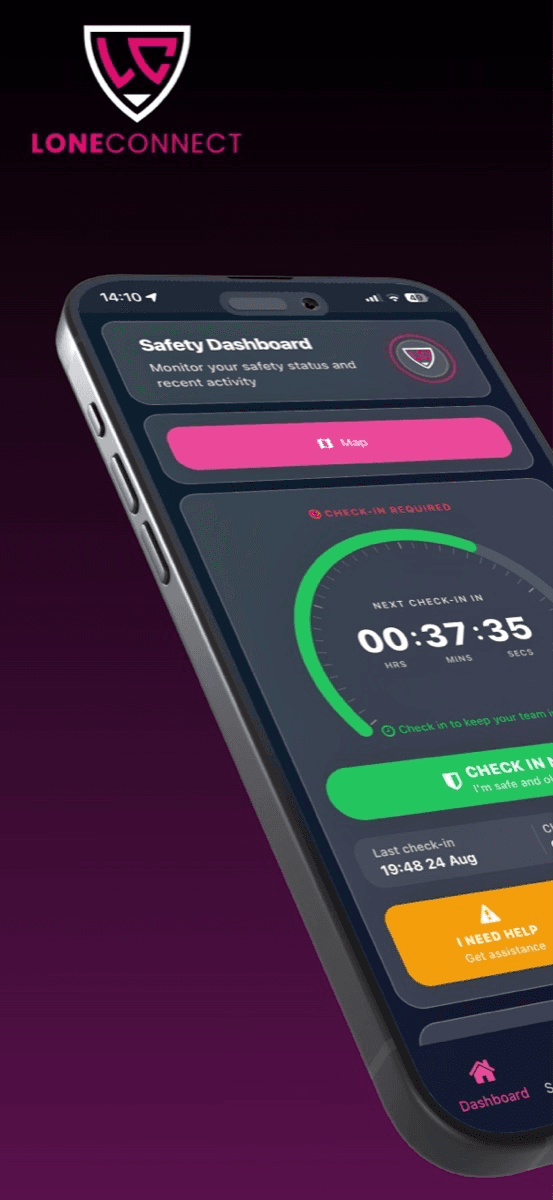
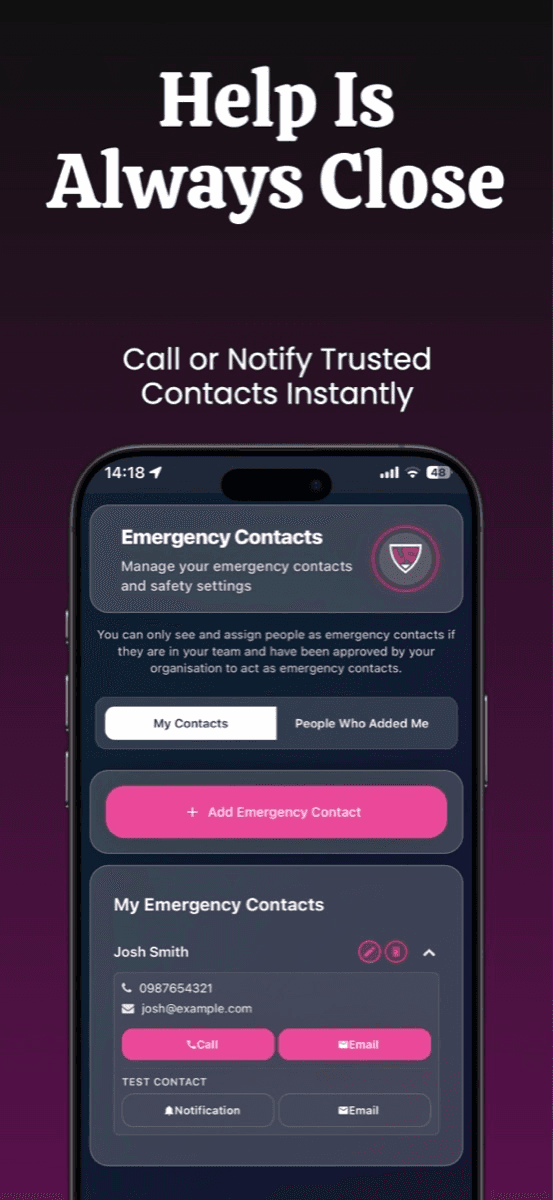
About this app
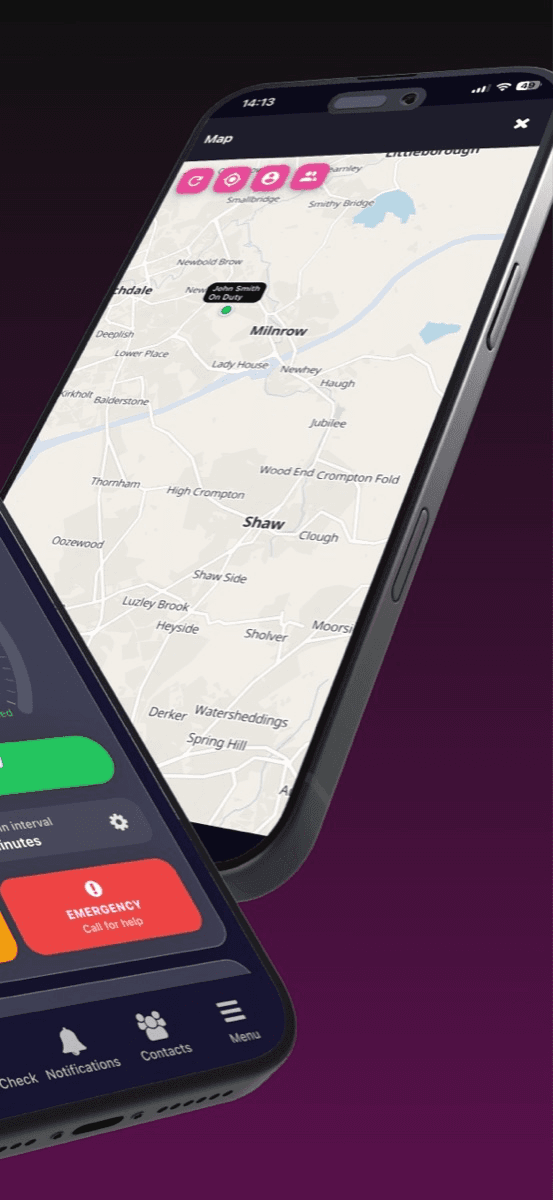
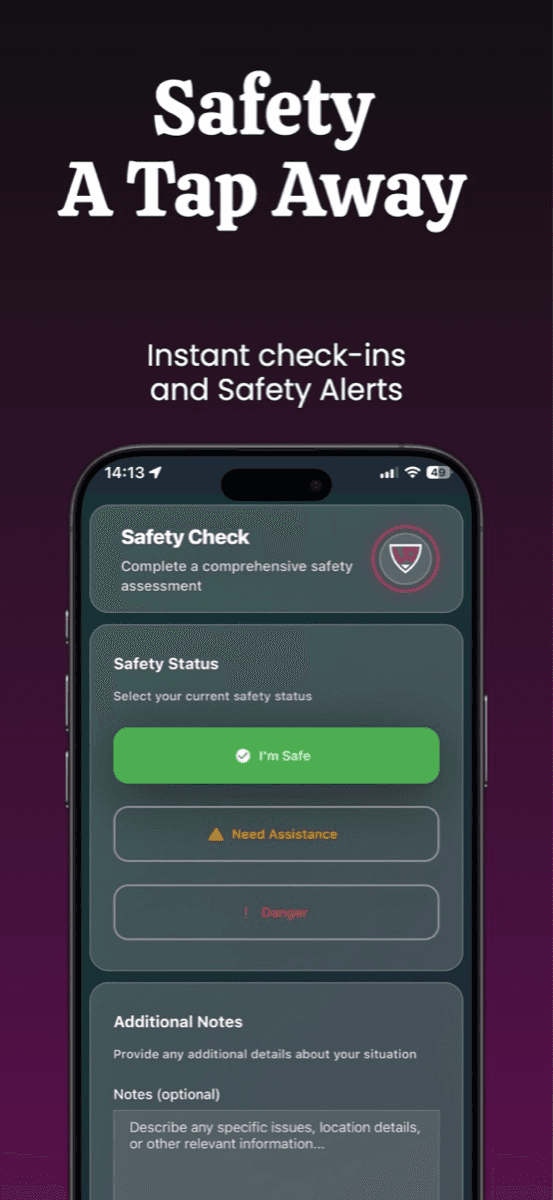
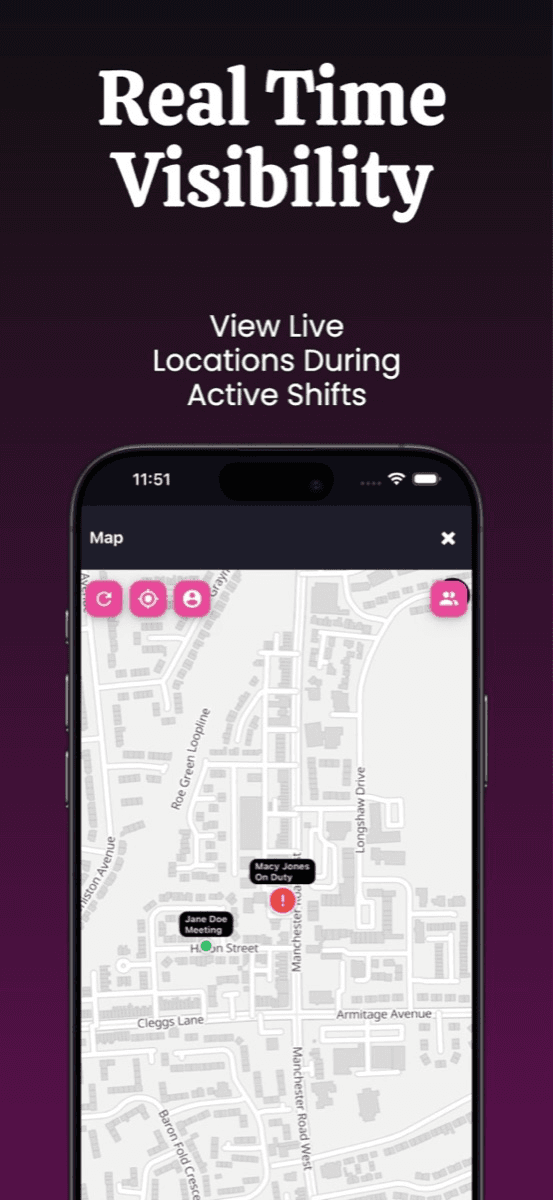
LoneConnect is a modern lone worker safety app designed to protect employees who work alone or in high-risk situations. It offers proactive check-ins, live monitoring, instant SOS alerts, and escalation workflows. Key features include automated check-in schedules with reminders, fall detection, duress PIN, and real-time GPS tracking. The app ensures employers have clear visibility and can meet duty of care obligations. With multi-device support and a user-friendly interface, LoneConnect is ideal for field workers, security personnel, and maintenance staff. It provides peace of mind through reliable safety workflows and rapid emergency response.
Key features
- 1Automated check-in schedules with reminders and escalation workflows for missed responses.
- 2Instant SOS with hold-to-send activation, duress PIN and automatic fall detection via device sensors.
- 3Real-time GPS tracking, live shift status and audit-ready incident logging for employers.
Target customer profile
Drawn from the product itself, not from a survey.
Demographic
Field service engineers and technicians
Pain points
Working alone in remote areas with limited connectivity and risk of accidents.
Primary needs
Reliable check-ins, SOS alerts, and location sharing for rapid response.
Demographic
Security guards and patrol officers
Pain points
High-risk environments with potential for confrontation and need for discreet alerts.
Primary needs
Duress PIN, fall detection, and live monitoring for immediate backup.
Demographic
Healthcare and social workers
Pain points
Visiting clients in unpredictable settings, facing personal safety risks.
Primary needs
Automated check-ins, escalation workflows, and emergency contacts routing.
Scout Review
Written by AI from measured evidence, scored out of 100.
LoneConnect is a competent early-stage lone worker safety app with a genuinely well-designed core dashboard and a real, regulated market behind it. The app's severity-coded UI is the best thing here. The website is where it falls apart: a broken badge, a duplicated feature card, four competing CTAs, no docs, and — most seriously — no enforced HTTPS, no security headers and no compliance claims for a product handling worker location data. Speed is slow at 8.5s LCP on mobile. The idea is sound and the pricing is sharp; the execution needs hardening before any employer should trust it with duty of care.
Measure by measure
Usability
60The app's Check In button is unmistakably the primary action and the tab bar is labelled. On the web, four competing CTAs and no help center or docs leave buyers guessing where to start.
Design
58Judging the app UI and store material: a coherent magenta brand and a clear green/orange/red safety hierarchy. The marketing site is tidy but ships a broken badge and a duplicated feature card.
Speed
46Lighthouse mobile 51/100 with an 8.5s LCP and 4.2s FCP; desktop 67/100. CLS is a clean 0, but the hero imagery drags first paint well past acceptable.
Security
40HTTPS isn't enforced, and there's no HSTS, CSP, frame protection or Referrer-Policy — 3/13 on the header checklist. No SOC 2, ISO or pen-test claims, and no privacy policy surfaced.
Accessibility
78Lighthouse a11y 95/100, but heading order is non-sequential and touch targets are undersized — a real problem for a gloved-hands field app. Only one language, no WCAG statement.
Growth
62A real, regulated duty-of-care problem with a specific wedge: duress PIN, fall detection and escalation at £9/user — undercutting enterprise lone-worker vendors. Early stage, but the idea has room.
Improvement areas
- Security posture: HTTPS not enforced, no HSTS/CSP/frame protection, no SOC 2 or privacy policy.
- Mobile performance: 8.5s LCP and 4.2s FCP drag the Lighthouse score to 51/100.
- Website polish: broken partner badge, duplicated feature card, four competing CTAs, no docs.
- Accessibility for field use: undersized touch targets and non-sequential heading order.
Design & Usability
LoneConnect ships through the app stores, so the app UI is the product — and it's the stronger half. The Safety Dashboard maps severity to a green/orange/red scale with Check In as the dominant action, which is exactly right for someone under stress. The marketing site is coherent but sloppy: a broken partner badge renders as raw alt text, Emergency Contacts appears twice in the services section, and four different CTAs compete for the same click. There's no help center or documentation, only a newsletter box, so a buyer evaluating rollout has nowhere to go beyond 'Book a Demo'.
Speed & Security
Speed is the weakest measured dimension: Lighthouse mobile 51/100 with an 8.5s LCP and 4.2s FCP, desktop 67/100. CLS is a clean zero, but heavy hero imagery pushes first paint far past the 2.5s threshold. Security is worse. The HTTP probe found HTTPS not enforced and no HSTS, CSP, frame protection, X-Content-Type-Options, Referrer-Policy or Permissions-Policy — 3/13 on the checklist, with only secure cookies, SPF and DMARC present. For a product handling worker location and emergency contacts, there's no SOC 2, ISO 27001, pen-test or bug bounty claim, and no privacy policy surfaced in the fetched content.
Accessibility & Growth
Accessibility scores well on automation — Lighthouse 95/100 — but the two failing audits matter for this audience: non-sequential heading order and touch targets too small for gloved hands in the field. The app is localized in a single language and there's no WCAG statement. Growth is the more interesting question. Lone worker safety is a real, regulated duty-of-care obligation across field service, security, healthcare and maintenance, and LoneConnect names a specific wedge — duress PIN, fall detection, escalation workflows and multi-device support — at £9/user/month entry, well under enterprise lone-worker vendors. The domain is barely a year old and the iOS app has no ratings yet, but the idea itself has room to grow.
Conclusion
If you're evaluating LoneConnect, the app UI suggests the team can build. The gaps are operational: lock down HTTPS and ship security headers, publish a privacy policy and a real help center, fix the broken badge and duplicated card, and cut the hero image weight to get LCP under 2.5s. None of that is hard. All of it is table stakes for a safety product. Do it and this becomes a credible challenger at its price point.
Suggestions for improvement
- Enforce HTTPS and add HSTS, CSP, frame protection and Referrer-Policy — 3/13 on headers is not acceptable for location data.
- Publish a privacy policy, security page and any SOC 2 or pen-test status; buyers need this for procurement.
- Fix the broken 'Featured on Super Launch' badge and remove the duplicated Emergency Contacts card.
- Compress hero imagery to bring mobile LCP from 8.5s under 2.5s, and consolidate the four CTAs into one primary action.
Alternatives comparison
Named competitors, point by point. Nobody paid to appear here or to be left out.
 LoneConnect | StaySafe |  PeopleSafe | |
|---|---|---|---|
| Automated check-ins with escalation | Yes — scheduled check-ins with reminders and missed-response escalation | Yes — check-in timers with escalation to monitors | Yes — check-ins with SOS and real-time monitoring |
| SOS / panic alert | Yes — hold-to-send SOS with duress PIN | Yes — panic alert with GPS location | Yes — SOS alerts to responders |
| Fall detection | Yes — device-sensor fall detection triggers SOS | Not listed as a core feature | Not listed as a core feature |
| Real-time GPS tracking | Yes — live location sharing and shift status | Yes — GPS tracking | Yes — real-time monitoring |
| Pricing model | £9/user/month (1-49), £5.95 (50-249), £4.50 (250-1000), bespoke 1000+ | Quote-based enterprise pricing | Quote-based pricing |
| Multi-device support | Yes — iOS and Android with same-time experience | iOS and Android | iOS and Android |
StaySafe
StaySafe offers lone worker safety solutions with GPS tracking, panic alerts, and check-in features.
PeopleSafe
PeopleSafe provides a lone worker safety app with check-ins, SOS alerts, and real-time monitoring.
Comparing options? See LoneConnect alternatives, scored side by side
More Productivity apps
View all Productivity
Puzzly – B2B Lead Generation & Sales Intelligence Platform
92Puzzly is an all-in-one B2B lead generation platform that...

Qamarero
92An all-in-one hospitality software for restaurants and ba...

EmbedMyReviews
92White-label reputation management software for agencies s...

StoryPad
92Privacy-first open source journal app with a continuous t...

Notion
92All-in-one AI workspace for docs, projects, and knowledge...

The Stack Newsletter
92A weekly newsletter delivering curated tech jobs, intervi...

Vibe Coding Agent Skills
92A free, open-source platform offering 110 AI agent skills...

QRBliss
91Branded QR codes with AI Brand Sync, 15 free dynamic code...

Gerty
91Private, local AI assistant for Mac that runs offline

Strukchad Property Management
91Property management for Kenyan letting agents: rent invoices raised every month, M-Pesa rent prompts to tenants, arrears tracking and landlord statements.

CC Switch
91Open-source desktop app for switching AI coding providers...

PitchWhip
90AI cold call scripts & direct dials from LinkedIn


A platform dedicated to providing unbiased reviews of newly launched applications, analyzing everything from their features to their full potential.
info@scoutforge.net© 2026 Scoutforge. All rights reserved.
