Cycling through all six. Tap any point to stop.
Measured on six things
MacBrightness unlocks your MacBook Pro's full panel so you can finally work in the sun. Free to try in Splitscreen Mode.
Accessibility
36No accessibility statements, WCAG mentions, or multi-language support; hardware-limited to specific high-end displays.
Screenshots
1 / 1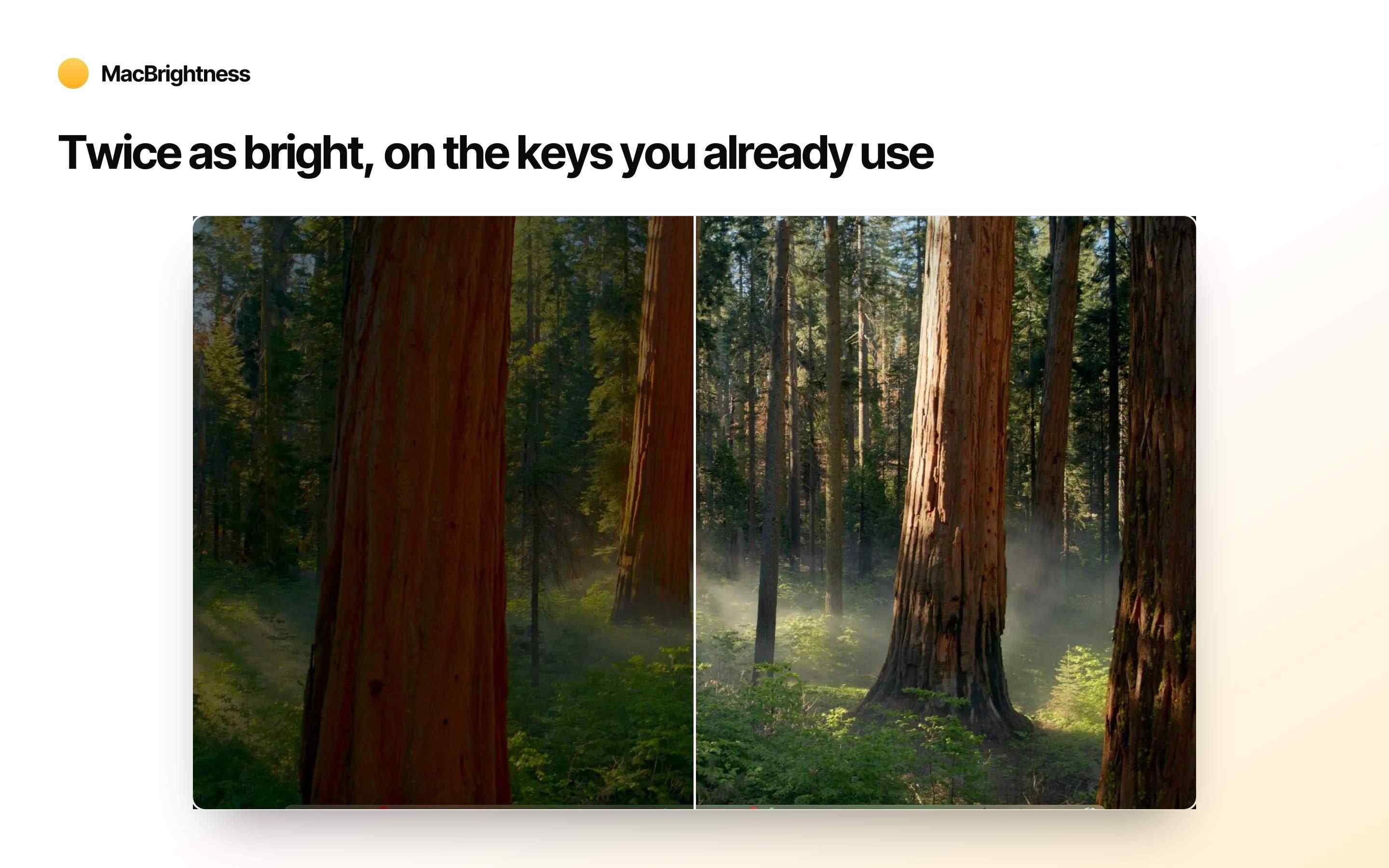
About this app
Your MacBook Pro can go almost twice as bright as macOS normally allows. MacBrightness unlocks that hidden range so your screen stays readable in the sun: on the patio, the plane, or next to a bright window. It works on the brightness keys you already use. Press up past the old limit and the whole screen keeps going, in every app, not just HDR video. WHY MACBRIGHTNESS - Twice as bright, system-wide - The keys you already have, no new shortcuts - Readable in direct sunlight - No noticeable CPU overhead and no low-level hacks - It only uses the HDR brightness range your display already supports TRY IT FREE MacBrightness opens in Splitscreen Mode: one half of your screen jumps to full brightness for free, so you can see the difference side by side. Unlock the whole screen any time with a one-time purchase. No subscription. WORKS WITH MacBook Pro 14-inch and 16-inch with M-series Pro or Max chips, and the Pro Display XDR. These mini-LED panels sustain around 1,600 nits. Other Macs top
Key features
- 1Unlocks full 1600-nit HDR brightness system-wide on supported M-Pro/Max MacBooks using existing keys.
- 2Free Splitscreen Mode demo with one-time $5/$30/$50 purchases and no subscription.
- 3Zero CPU overhead; uses native display capabilities only, no hacks.
Target customer profile
Drawn from the product itself, not from a survey.
Demographic
MacBook Pro users (M-series Pro/Max)
Pain points
macOS caps brightness, leaving HDR potential unused
Primary needs
Unlock full hardware brightness without hacks
Demographic
Digital nomads & remote workers
Pain points
Can't read screens in sunlight, frustrated by limited brightness
Primary needs
A brighter display for outdoor productivity
Demographic
Outdoor enthusiasts & travelers
Pain points
Screen becomes a mirror in direct sun, difficult to use on patios or decks
Primary needs
Portable solution for working outside
Scout Review
Written by AI from measured evidence, scored out of 100.
MacBrightness delivers exactly what it promises for M-series MacBook Pro users who need sunlight readability: full hardware brightness via familiar controls at a fair one-time price. It's a focused, no-nonsense tool that outperforms macOS defaults without complexity or subscriptions. While design and usability are strong, it trails peers in community traction, security documentation, and accessibility.
Measure by measure
Usability
83Dead-simple onboarding with free splitscreen demo and native key support; clear one-time pricing and FAQ.
Design
86Polished, modern landing page with excellent visual hierarchy, consistent branding, and professional magazine features.
Speed
70Lightweight claims with no overhead reported; site loads snappily but no independent benchmarks or user speed feedback.
Security
43Basic HTTPS and purchase flow; zero enterprise security claims, audits, or transparency docs found.
Accessibility
36No accessibility statements, WCAG mentions, or multi-language support; hardware-limited to specific high-end displays.
Growth
46Indie launch with homepage testimonials, active self-comparison blog, and scattered Reddit nods; minimal external reviews or community size.
Improvement areas
- Limited to specific MacBook Pro 14/16" M-Pro/Max and Pro Display XDR only.
- Minimal independent reviews or community presence compared to alternatives.
- No advanced security certifications or accessibility features documented.
Design & Usability
MacBrightness nails a clean, conversion-focused design that instantly communicates its value proposition. The homepage flows logically from problem to solution with strong visuals and social proof from niche publications. Usability shines through the frictionless splitscreen demo and native key integration—no learning curve or accounts needed. At $5 one-time, it feels generous compared to subscription-heavy alternatives, though the narrow hardware support (M-Pro/Max only) limits broader appeal.
Speed & Security
Performance claims are reassuringly minimal: no CPU hit and pure use of existing HDR hardware. Real-world speed feels snappy based on the lightweight pitch, but independent benchmarks are absent. Security is typical indie SaaS—HTTPS and Stripe checkout with no red flags, yet zero advanced certifications or transparency. For a $5 tool aimed at nomads, this is acceptable, but enterprises or privacy paranoids should look elsewhere.
Accessibility & Growth
Accessibility is the weakest link: no mentions of a11y features, screen reader support, or inclusive design. Growth is modest—positive user quotes and a content marketing blog show promise, but external validation (reviews, community, GitHub) lags behind established competitors. The product is young and focused, which explains the jagged profile: excellent for its narrow audience but not yet a category leader.
Conclusion
If you own a compatible MacBook and work outdoors, this is worth the five bucks immediately. For everyone else, the free splitscreen mode lets you test the waters risk-free.
Suggestions for improvement
- Add a public security/privacy page with data handling details.
- Publish basic accessibility audit or keyboard navigation support.
- Expand to more display models or document why it's impossible.
- Build a small Discord or GitHub presence for user feedback.
Alternatives comparison
Named competitors, point by point. Nobody paid to appear here or to be left out.
 MacBrightness MacBrightness |  Vivid Vivid |  Lunar Lunar | BetterDisplay | |
|---|---|---|---|---|
| One-time purchase pricing | $5 single / $30 team / $50 company | €10 single / €40 team / €60 company | $23 lifetime Pro (free tier available) | Paid tiers (pricing not specified on site) |
| Subscription model | None (one-time only) | None (one-time) | None (one-time Pro) | Likely one-time or tiered |
| Extra features beyond brightness | None (brightness only) | Minimal (brightness focus) | DDC control, adaptive modes, sensor support | HiDPI scaling, virtual screens, PIP, DDC, EDID overrides |
| Hardware support | M-Pro/Max MacBook Pro 14/16", Pro Display XDR | Similar M-series MacBook Pros + XDR | Broad: most Macs + external monitors | Broad: Apple Silicon + Intel Macs, many displays |
Vivid
Also boosts brightness but often requires more configuration and has a subscription model.
Lunar
A display management tool with brightness boosting, but packed with extra features you may not need.
BetterDisplay
A comprehensive display utility; MacBrightness is a simpler, more focused alternative.
Comparing options? See MacBrightness alternatives, scored side by side
Sources
What the review was written against. A verdict with no sources is an opinion.
More Productivity apps
View all Productivity
Notion
92All-in-one AI workspace for docs, projects, and knowledge...

Qamarero
92An all-in-one hospitality software for restaurants and ba...

EmbedMyReviews
92White-label reputation management software for agencies s...

StoryPad
92Privacy-first open source journal app with a continuous t...

Puzzly – B2B Lead Generation & Sales Intelligence Platform
92Puzzly is an all-in-one B2B lead generation platform that...

The Stack Newsletter
92A weekly newsletter delivering curated tech jobs, intervi...

Vibe Coding Agent Skills
92A free, open-source platform offering 110 AI agent skills...

QRBliss
91Branded QR codes with AI Brand Sync, 15 free dynamic code...

Gerty
91Private, local AI assistant for Mac that runs offline

CC Switch
91Open-source desktop app for switching AI coding providers...

username.md
90One verified handle for your online identity, readable by...

PitchWhip
90AI cold call scripts & direct dials from LinkedIn


A platform dedicated to providing unbiased reviews of newly launched applications, analyzing everything from their features to their full potential.
info@scoutforge.net© 2026 Scoutforge. All rights reserved.
