Cycling through all six. Tap any point to stop.
Measured on six things
Convert Excel contacts to vCard on Mac with precision and...
Design
46Dated, cluttered homepage: stacked blue bands, three trust badges, floating Guide/FAQ tabs and a chat bubble fighting the hero. App screenshots leak a real user path and a red debug outline. Feature grid is tidy but repetitive.
Screenshots
1 / 4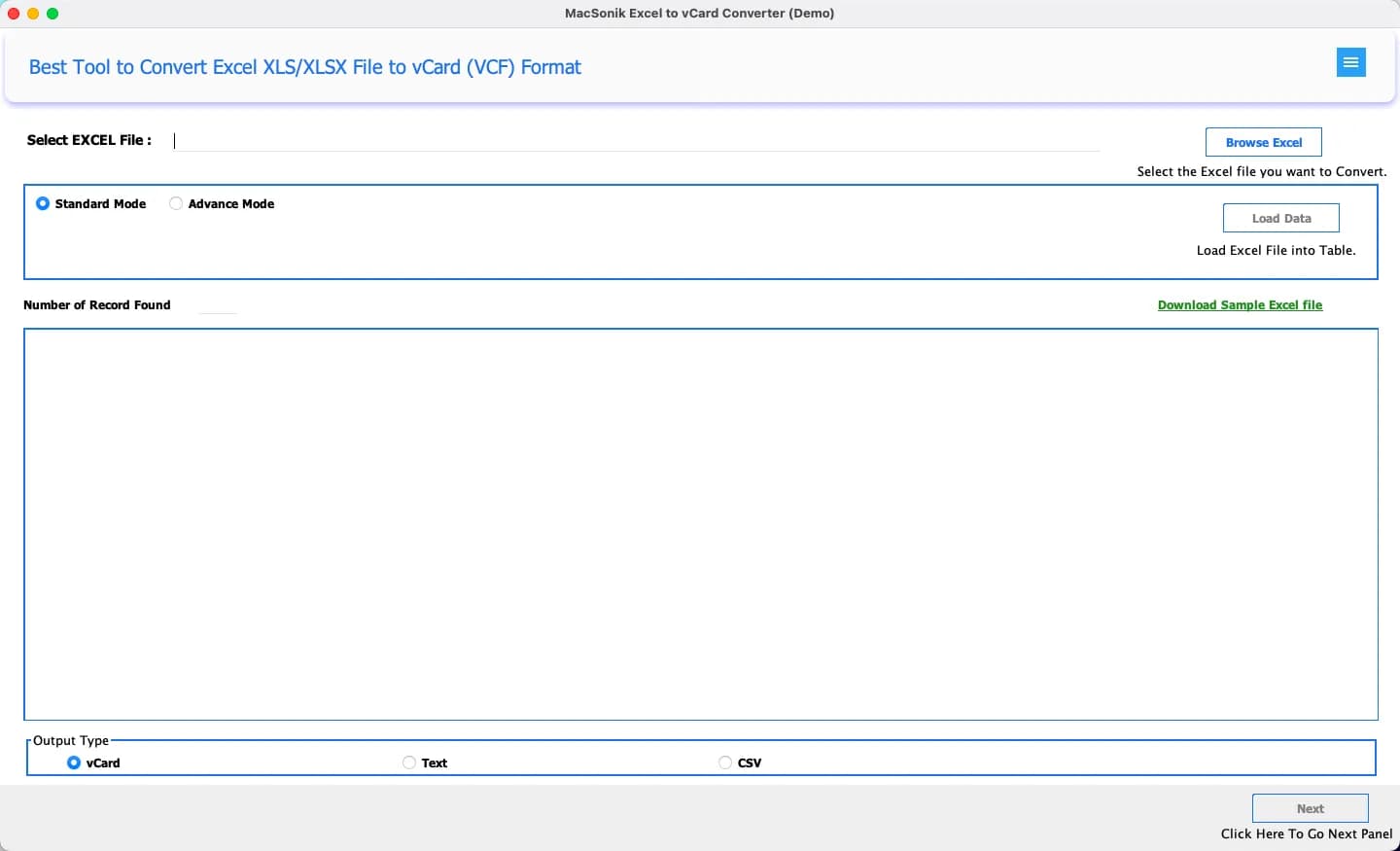
About this app
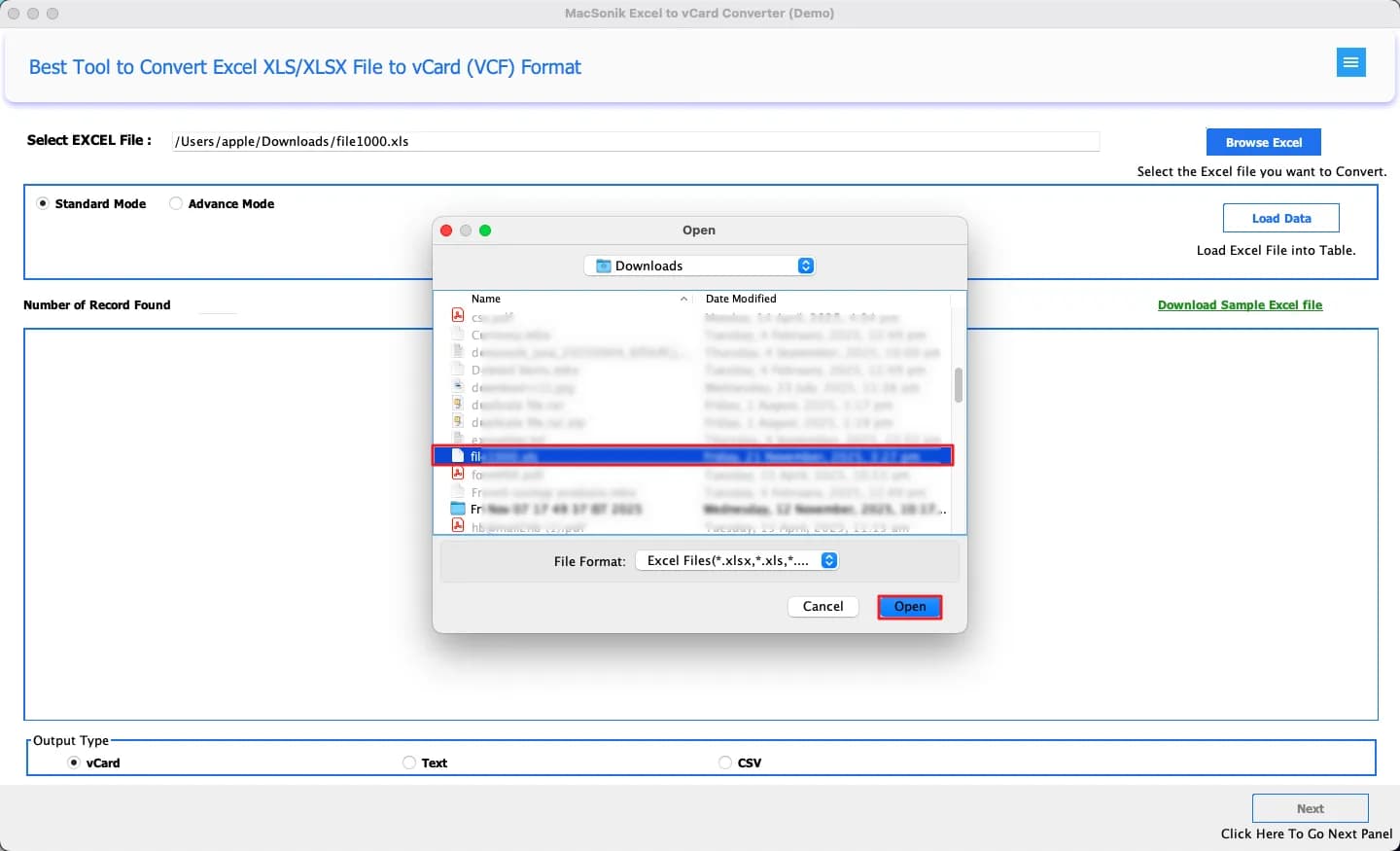
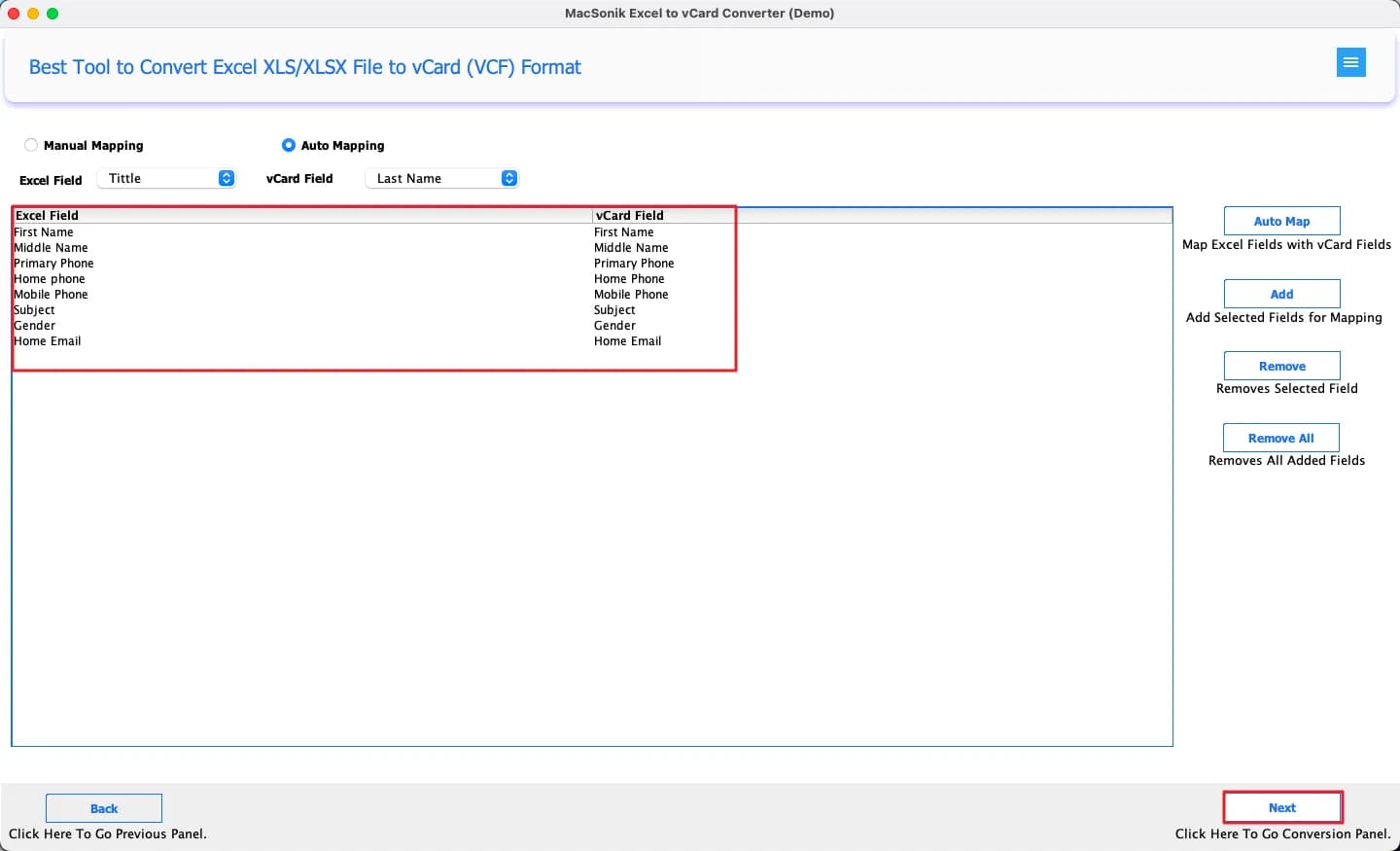
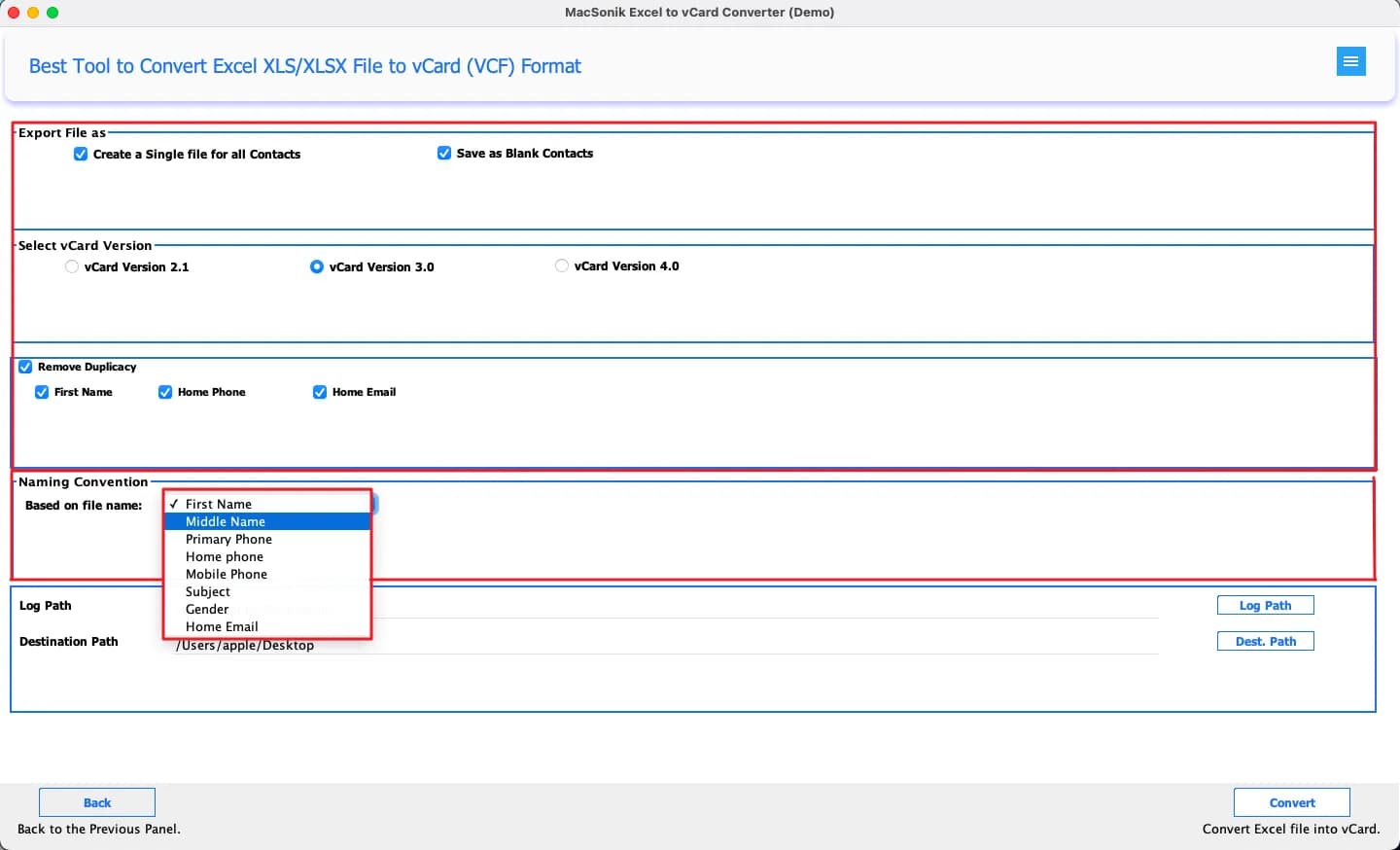
MacSonik Excel to vCard Converter is a dedicated macOS utility designed to transform Excel spreadsheets into vCard (VCF), CSV, and TEXT formats without requiring Microsoft Office. It supports all Excel file extensions, offers standard and advanced conversion modes with field mapping, and allows batch conversion of multiple sheets. With a user-friendly interface, preview before conversion, and compatibility with all vCard versions and Mac OS versions, it ensures no data loss and provides a seamless experience for managing contact data.
Key features
- 1Converts all Excel formats (XLSX, XLS, XLSM, XLT, XLTM, XLTX, XLSB) to vCard, CSV and TEXT on Mac without MS Office
- 2Standard and Advanced conversion modes with field mapping and column-level filtering
- 3Batch conversion of multiple sheets with preview before export and all vCard version support
Target customer profile
Drawn from the product itself, not from a survey.
Demographic
Mac users migrating contacts from Excel to iPhone/Mac
Pain points
Excel files unsupported on Apple devices; manual entry is tedious and error-prone
Primary needs
Quick, accurate conversion of Excel contacts to vCard for seamless import
Demographic
Sales and marketing professionals managing large contact lists
Pain points
Large Excel files prone to corruption; need to filter and export specific data
Primary needs
Batch conversion with mapping and filtering; export to multiple vCard files
Demographic
IT administrators and support teams in organizations
Pain points
Need to convert contacts without installing MS Office; ensure data integrity
Primary needs
Reliable, no-data-loss conversion; compatibility with all Excel formats and Mac OS versions
Scout Review
Written by AI from measured evidence, scored out of 100.
MacSonik Excel to vCard Converter is a competent niche Mac utility wrapped in a dated, cluttered marketing site. The core offer is clear and the workflow is documented, and the site itself is fast and technically well-secured. The weak spots are visual polish, accessibility and inline explanation of its two conversion modes. It's a solid tool for the specific job of getting Excel contacts into vCard format on a Mac, but it isn't trying to be more than that, and the site doesn't make the case that it should be.
Measure by measure
Usability
58Clear primary CTAs and a 14-step illustrated guide make the workflow followable. But Standard vs Advanced mode is never explained inline, and small grey body copy makes long sections a slog. Functional, not frictionless.
Design
46Dated, cluttered homepage: stacked blue bands, three trust badges, floating Guide/FAQ tabs and a chat bubble fighting the hero. App screenshots leak a real user path and a red debug outline. Feature grid is tidy but repetitive.
Speed
82Lighthouse mobile 94/100 (LCP 2.9s, CLS 0, TBT 28ms) and desktop 97/100. Genuinely snappy marketing site with no layout shift and no lag complaints in the evidence.
Security
74Full header stack verified: HSTS, CSP, frame protection, Referrer and Permissions policies, plus SPF and DMARC — 12/12 on the probe. No SOC 2, ISO or bug bounty claim found, which is normal for a small Mac utility vendor.
Accessibility
46Lighthouse a11y 66/100 with real failures: missing alt text, insufficient contrast, broken heading order, ARIA role misuse, color-only links and unnamed links. No accessibility statement or WCAG claim on the site.
Growth
54Real, narrow pain — Excel contacts to vCard on Mac without Office — with mapping and batch export as a genuine wedge. But the category is crowded with cheap converters and the listed alternatives are its own siblings.
Improvement areas
- Accessibility: missing alt text, insufficient contrast, broken heading order and ARIA misuse
- Homepage visual clutter: competing badges, floating tabs and a chat bubble above the fold
- Inline explanation of Standard vs Advanced mode and a cleaner, non-leaky screenshot set
Design & Usability
The homepage does the job of explaining what the product is and putting Download and Purchase right under the hero, which is more than a lot of utility sites manage. The 14-step illustrated guide is thorough and the app screenshots show a consistent blue accent carried from web to app. Where it falls apart is polish: the hero is a pile of badges, floating tabs and a chat bubble, the screenshots leak a real user path and a red debug outline, and the spec panel has a 'Software Delivery: Electronic Yes' label that nobody read. Standard vs Advanced mode is never explained inline, so first-time users have to reverse-engineer the difference from feature copy.
Speed & Security
Speed is the standout: Lighthouse mobile 94/100 with LCP 2.9s, CLS 0 and TBT 28ms, and desktop 97/100. The marketing site is genuinely fast and there are no lag complaints in the evidence. Security is solid on the technical side — HTTPS enforced, HSTS, CSP, frame protection, Referrer and Permissions policies, SPF and DMARC all present, 12/12 on the header probe. What's missing is the compliance layer: no SOC 2, ISO or bug bounty claim anywhere in the collected content, which is normal for a small Mac utility vendor but leaves enterprise buyers without a document to point at.
Accessibility & Growth
Accessibility is the weakest measured dimension: 66/100 with missing alt text, insufficient contrast, non-sequential headings, ARIA role misuse, color-only links and unnamed links. There's no accessibility statement or WCAG claim on the site, so there's no signal that this is being worked on. Growth is a judgement call on the idea: converting Excel contact sheets to vCard on a Mac without Office is a real, specific pain, and field mapping plus batch multi-sheet export is a genuine wedge over a basic CSV converter. But the category is crowded with cheap converters and free online tools, and the listed alternatives are MacSonik's own sibling products — which tells you the competitive moat is thin.
Conclusion
If you have a Mac, a spreadsheet full of contacts and no desire to install Office, this does the job and the site loads fast enough to prove it. Go in expecting a functional utility, not a polished product experience, and read the guide before you start — the two conversion modes aren't self-explanatory. The 30-day money-back window is the right safety net for a purchase you can't trial first.
Suggestions for improvement
- Add alt text to every image and fix the contrast on grey body copy — the a11y audit failures are all fixable in an afternoon.
- Explain Standard vs Advanced mode inline on the homepage and next to the toggle in the app, not buried in feature copy.
- Replace the leaked '/Users/apple/Downloads' screenshot and remove the red debug outline before the next marketing push.
- Publish a short security page stating data handling and whether files ever leave the machine — enterprise buyers will ask.
Alternatives comparison
Named competitors, point by point. Nobody paid to appear here or to be left out.
 MacSonik Excel to vCard Converter | CSV to vCard Converter | vCard Duplicate Remover | |
|---|---|---|---|
| Input formats supported | All Excel formats: XLSX, XLS, XLSM, XLT, XLTM, XLTX, XLSB | CSV only | vCard (VCF) files only |
| Primary function | Convert Excel spreadsheets to vCard, CSV and TEXT | Convert CSV files to vCard | Remove duplicate contacts from vCard files |
| Field mapping / filtering | Yes — map Excel fields to vCard fields, filter by column | Limited — CSV column mapping only | No — deduplication only |
| Batch / multi-sheet conversion | Yes — multiple sheets in one Excel file | Batch CSV files, not sheets | Batch vCard files |
| Requires Microsoft Office | No | No | No |
CSV to vCard Converter
Converts CSV files to vCard format on Mac, similar to Excel to vCard but limited to CSV.
vCard Duplicate Remover
Removes duplicate contacts from vCard files, complementing conversion tools.
Comparing options? See MacSonik Excel to vCard Converter alternatives, scored side by side
More Productivity apps
View all Productivity
Puzzly – B2B Lead Generation & Sales Intelligence Platform
92Puzzly is an all-in-one B2B lead generation platform that...

Qamarero
92An all-in-one hospitality software for restaurants and ba...

EmbedMyReviews
92White-label reputation management software for agencies s...

StoryPad
92Privacy-first open source journal app with a continuous t...

Notion
92All-in-one AI workspace for docs, projects, and knowledge...

The Stack Newsletter
92A weekly newsletter delivering curated tech jobs, intervi...

Vibe Coding Agent Skills
92A free, open-source platform offering 110 AI agent skills...

QRBliss
91Branded QR codes with AI Brand Sync, 15 free dynamic code...

Gerty
91Private, local AI assistant for Mac that runs offline

Strukchad Property Management
91Property management for Kenyan letting agents: rent invoices raised every month, M-Pesa rent prompts to tenants, arrears tracking and landlord statements.

CC Switch
91Open-source desktop app for switching AI coding providers...

PitchWhip
90AI cold call scripts & direct dials from LinkedIn


A platform dedicated to providing unbiased reviews of newly launched applications, analyzing everything from their features to their full potential.
info@scoutforge.net© 2026 Scoutforge. All rights reserved.
