Cycling through all six. Tap any point to stop.
Measured on six things
Convert, migrate, and manage ICS calendar files across fo...
Design
56Average landing page: clear primary CTA and a scannable free-vs-full table, but a crowded hero, broken FAQ numbering, a clipped carousel, and inconsistent product naming ('Converter'/'Exporter'/'Migrator') drag it down.
Screenshots
1 / 3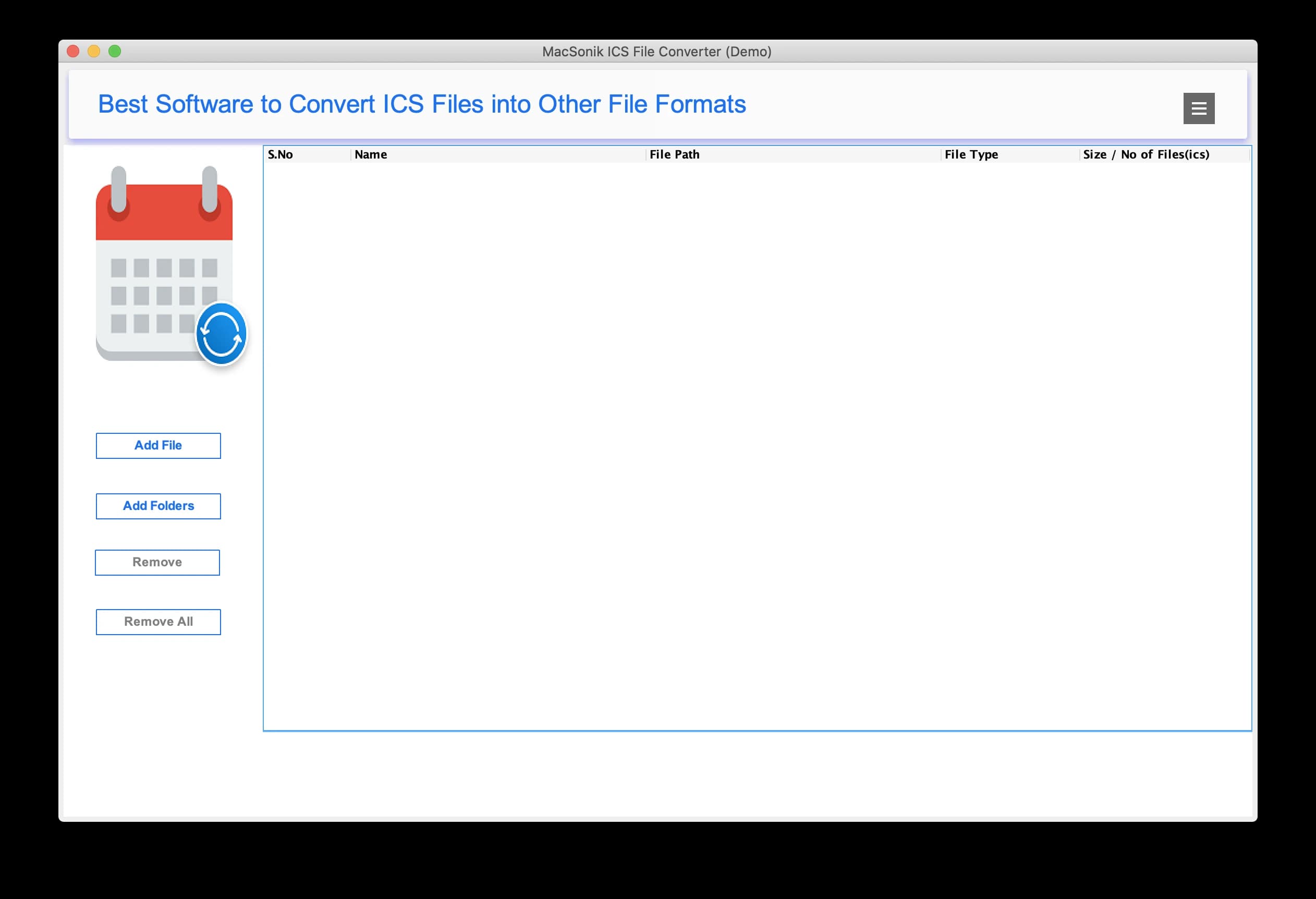
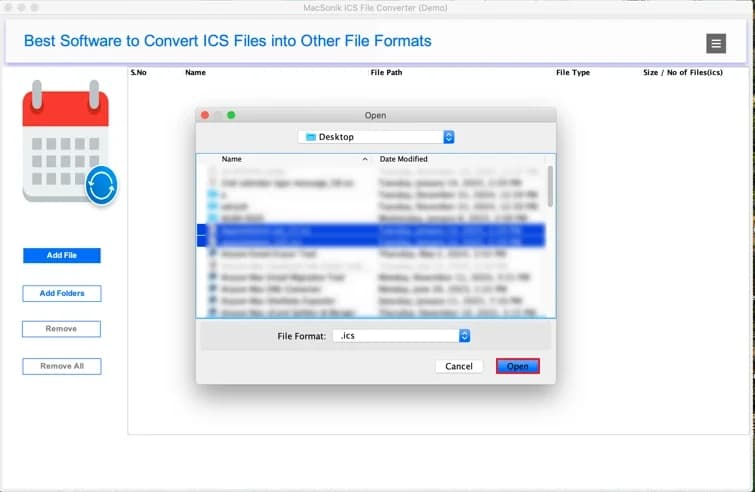
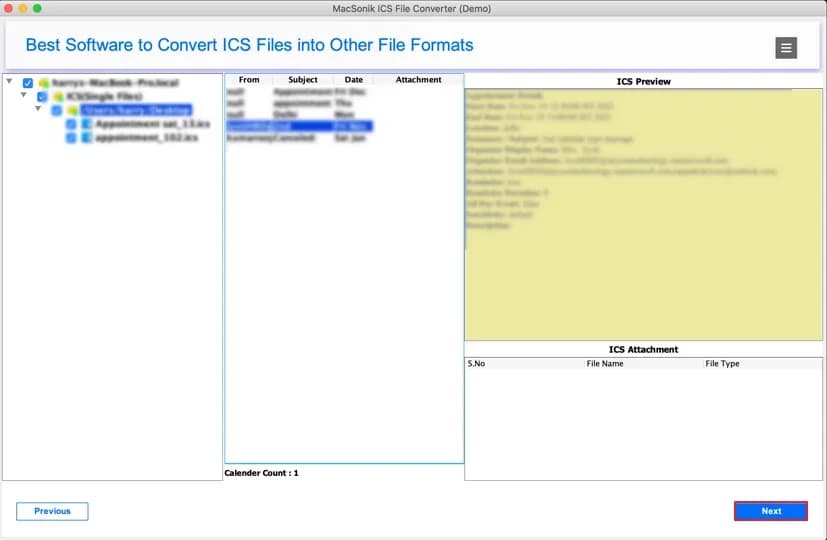
About this app
MacSonik ICS File Converter is a dedicated desktop utility that transforms iCalendar (.ics) files into a wide range of formats, including PDF, PST, EML, MSG, CSV, HTML, DOCX, and more. It also supports direct migration of ICS events to Gmail, Office 365, and Google Workspace. Standout features include a smart preview panel, bulk conversion, duplicate event removal based on subject and dates, handling of attachments, and date-range filtering. It runs on Windows, macOS (including Apple Silicon), and Linux, making it a versatile tool for professionals who need to archive, share, or migrate calendar data without losing integrity.
Key features
- 1Bulk convert ICS to PDF, PST, EML, MSG, CSV, HTML, DOCX and more, with a preview panel and attachment handling.
- 2Direct migration of ICS events to Gmail, Office 365 and Google Workspace.
- 3Duplicate-event removal by subject and dates, date-range filtering, and per-event PDF export.
Target customer profile
Drawn from the product itself, not from a survey.
Demographic
IT administrators and email migration specialists
Pain points
Converting bulk ICS files manually is error-prone and time-consuming; migrating calendars to cloud platforms often disrupts data.
Primary needs
Reliable bulk conversion, direct migration to Gmail/Office 365, and preservation of event attachments and metadata.
Demographic
Busy executives and project managers
Pain points
Sharing individual calendar events as PDFs is cumbersome; managing multiple schedules across platforms is chaotic.
Primary needs
Quick conversion of specific events to PDF, duplicate removal, and easy sharing of calendar data in common formats.
Demographic
Legal and compliance professionals
Pain points
Calendar data often needs to be archived in non-editable formats like PDF for legal hold; manual export risks data loss.
Primary needs
Batch conversion to PDF with individual event files, date-range filtering, and secure, auditable output.
Scout Review
Written by AI from measured evidence, scored out of 100.
MacSonik ICS File Converter is a focused desktop utility for turning .ics files into PDF, PST, EML, MSG, CSV, HTML, DOCX and more, with direct migration to Gmail, Office 365 and Google Workspace, attachment handling, duplicate removal and date-range filtering. It runs on Windows, macOS (Apple Silicon included) and Linux. The marketing site is fast and the security headers are complete, but the page itself is cluttered and inconsistent, accessibility has real gaps, and there's no published compliance documentation. Against the free online converters it lists as alternatives, it wins on bulk handling, attachments and migration — at the cost of a download and a license.
Measure by measure
Usability
62OS selector above the CTA and a 12-step screenshot guide make the workflow clear, and live chat plus a phone number are offered. The 50-file free cap is buried in a table cell, and the homepage is dense.
Design
56Average landing page: clear primary CTA and a scannable free-vs-full table, but a crowded hero, broken FAQ numbering, a clipped carousel, and inconsistent product naming ('Converter'/'Exporter'/'Migrator') drag it down.
Speed
88Lighthouse mobile 95/100 (LCP 1.8s, CLS 0.05, TBT 189ms) and desktop 96/100. The marketing site is genuinely fast and stable; no lag complaints surfaced in the collected evidence.
Security
74Full header hygiene (HSTS, CSP, frame protection, Referrer-Policy, Permissions-Policy) plus SPF and DMARC — 12/12 on the probe. No SOC 2, ISO, pen-test, or bug-bounty claim is published, which caps it.
Accessibility
58Lighthouse a11y 85/100, but real failures: low-contrast text, out-of-order headings, images without alt text, unnamed links, and no main landmark. No WCAG statement published.
Growth
60A real, specific problem (bulk ICS conversion and calendar migration) with named segments and a clear wedge over free online converters: attachments, duplicate removal, direct Gmail/O365 migration. Niche ceiling, but defensible.
Improvement areas
- Landing page polish: broken FAQ numbering, clipped carousel, inconsistent product naming, crowded hero.
- No published compliance documentation (SOC 2 / ISO / pen-test) despite targeting legal and compliance buyers.
- Accessibility gaps: missing alt text, unnamed links, heading order, contrast, no main landmark.
Design & Usability
The homepage does the job: a clear 'Free Download' button, an OS selector right above it, and a free-vs-full table that makes the upgrade path obvious. The 12-step screenshot guide on the docs page is more thorough than most indie utilities manage, and live chat plus a phone number are listed for support. Where it slips is polish and density — the hero crams a ten-item checklist, three CTAs, a platform selector and a stack of trust badges into one screen, the FAQ numbering repeats 'Q6', the testimonial carousel is clipped, and the product is called a Converter, an Exporter and a Migrator in different places. The 50-file free cap is buried in a table cell rather than stated up front.
Speed & Security
Speed is the standout: Lighthouse mobile 95/100 with a 1.8s LCP, 0.05 CLS and 189ms TBT, and desktop 96/100. The marketing site is light and stable, and nothing in the collected evidence suggests lag complaints. Security is solid plumbing without published proof: HTTPS enforced with HSTS, CSP, frame protection, X-Content-Type-Options, Referrer-Policy and Permissions-Policy all present (12/12 on the probe), plus SPF and DMARC. What's missing is the paper trail — no SOC 2, ISO 27001, pen-test summary or bug-bounty program is advertised, so buyers in the legal and compliance segment it targets have to take the vendor's word on data handling.
Accessibility & Growth
Accessibility lands at 85/100 on Lighthouse but the failing audits are the ones that actually bite: insufficient color contrast, headings out of sequence, images with no alt attributes, links with no discernible name, and no main landmark. There's no WCAG conformance statement either. Growth is a judgement on the idea: ICS conversion and calendar migration is a real, specific problem, and the product names three concrete buyers (IT/migration specialists, executives and PMs, legal/compliance). Its wedge over the free online converters in the alternatives list is real — bulk conversion, attachment handling, duplicate removal by subject and dates, date-range filtering, and direct migration to Gmail, Office 365 and Google Workspace. The ceiling is the category: calendar migration is episodic, not daily, and the domain has been around since 2020 with only a YouTube profile as a public channel.
Conclusion
If you're an IT admin or compliance person who needs to archive or migrate calendar data in bulk and keep the attachments, this is a credible step up from the free web converters — the feature set matches the job. If you just need to turn one .ics into a CSV once, the free alternatives are fine and you don't need to install anything. Either way, ask the vendor directly about data handling before you feed it legal-hold calendars, because the security page is headers, not audits.
Suggestions for improvement
- Publish a security/compliance page: SOC 2 or ISO status, data-handling policy, and whether files leave the machine during cloud migration.
- Fix the homepage: one primary CTA, sequential FAQ numbering, unclipped carousel, and one consistent product name.
- State the 50-file free-tier limit up front instead of burying it in a comparison-table cell.
- Add alt text, a main landmark, sequential headings and contrast fixes to clear the Lighthouse a11y failures.
Alternatives comparison
Named competitors, point by point. Nobody paid to appear here or to be left out.
 MacSonik ICS File Converter | ICS to CSV Converter |  Calendar Converter by Fuzzymonkey | |
|---|---|---|---|
| Bulk conversion of multiple ICS files at once | Yes — bulk conversion, free tier capped at 50 files per folder | Limited — lightweight online converter, one format | Limited — free online, file size limits |
| Output formats supported | PDF, PST, EML, MSG, CSV, HTML, DOCX, JPG, TXT and more | CSV only | Several formats, online only |
| Direct migration to Gmail / Office 365 / Google Workspace | Yes — direct migration supported | No | No |
| Attachment handling and preview | Yes — preview panel, save with/without attachments, separate attachment folder | No attachment handling | No preview feature |
| Duplicate removal and date-range filtering | Yes — remove duplicates by subject/dates, multiple date ranges | No | No |
| Platform and pricing model | Desktop app for Windows/macOS/Linux; free tier + paid license | Browser-based, free | Browser-based, free with limits |
ICS to CSV Converter
A lightweight online tool for converting ICS files to CSV, but lacks migration and attachment handling.
Calendar Converter by Fuzzymonkey
Free online converter that supports ICS to various formats but has file size limits and no preview feature.
Comparing options? See MacSonik ICS File Converter alternatives, scored side by side
More Productivity apps
View all Productivity
Puzzly – B2B Lead Generation & Sales Intelligence Platform
92Puzzly is an all-in-one B2B lead generation platform that...

Qamarero
92An all-in-one hospitality software for restaurants and ba...

EmbedMyReviews
92White-label reputation management software for agencies s...

StoryPad
92Privacy-first open source journal app with a continuous t...

Notion
92All-in-one AI workspace for docs, projects, and knowledge...

The Stack Newsletter
92A weekly newsletter delivering curated tech jobs, intervi...

Vibe Coding Agent Skills
92A free, open-source platform offering 110 AI agent skills...

QRBliss
91Branded QR codes with AI Brand Sync, 15 free dynamic code...

Gerty
91Private, local AI assistant for Mac that runs offline

Strukchad Property Management
91Property management for Kenyan letting agents: rent invoices raised every month, M-Pesa rent prompts to tenants, arrears tracking and landlord statements.

CC Switch
91Open-source desktop app for switching AI coding providers...

PitchWhip
90AI cold call scripts & direct dials from LinkedIn


A platform dedicated to providing unbiased reviews of newly launched applications, analyzing everything from their features to their full potential.
info@scoutforge.net© 2026 Scoutforge. All rights reserved.
