Cycling through all six. Tap any point to stop.
Measured on six things
Bulk-convert MBOX files to PST, PDF, Office 365, and 30+ ...
Design
56Clean blue type system and scannable comparison tables, but the hero splits attention across three purchase paths, the tutorial video is a black box, and the pill wall plus keyword copy reads as SEO filler.
Screenshots
1 / 2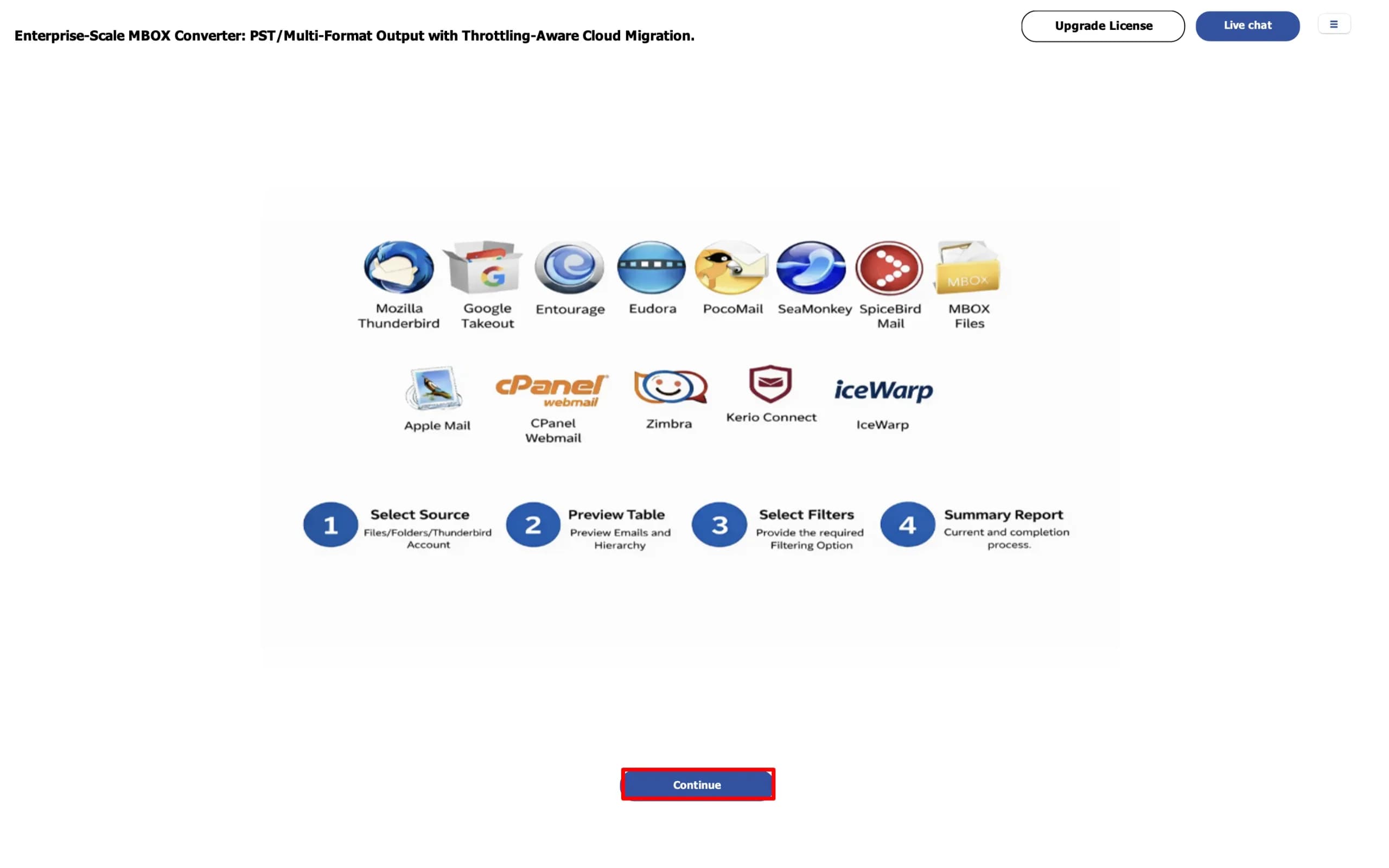
About this app
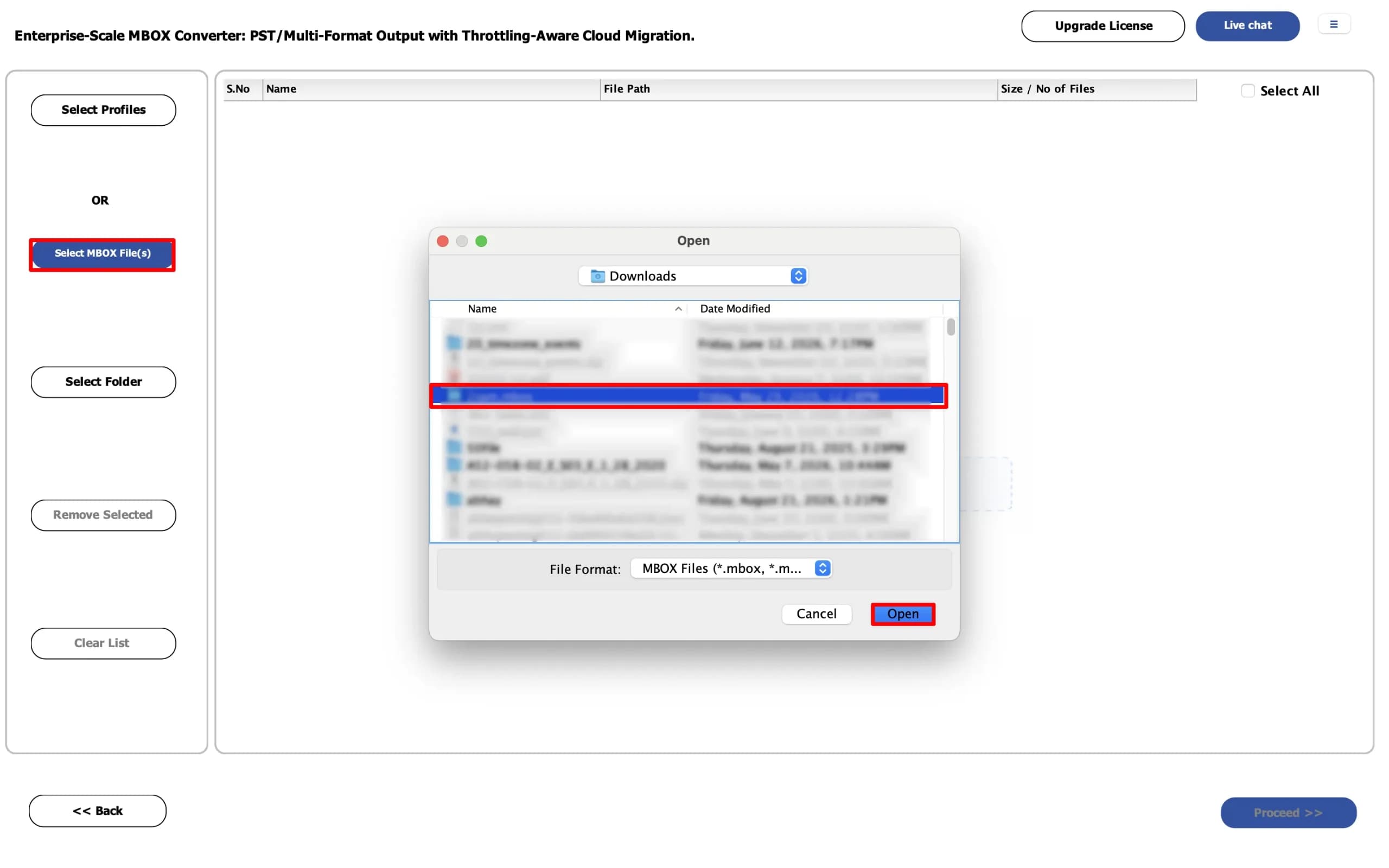
MacSonik MBOX Converter is a desktop utility that converts MBOX, MBX, and MBS files into PST, PDF, MSG, EML, and 20+ other formats, or migrates them directly to Office 365, Gmail, and IMAP accounts. It stands out for handling orphan MBOX files without any email client installed, preserving folder hierarchy, removing duplicates, and supporting incremental exports. The tool offers a 7-step GUI workflow, bulk conversion, date filters, and separate attachment extraction. With 50 free emails per folder, local processing, and plans starting around $39, it targets IT admins, MSPs, legal teams, and individuals migrating Thunderbird or Apple Mail archives to modern platforms.
Key features
- 1Converts MBOX, MBX and MBS files to PST, PDF, MSG, EML and 20+ formats without any email client installed.
- 2Direct migration to Office 365, Gmail, Google Workspace, iCloud and any IMAP server with four mailbox mapping modes.
- 3Incremental export skips previously migrated emails; built-in duplicate removal and audit-ready HTML export reports.
Target customer profile
Drawn from the product itself, not from a survey.
Demographic
IT administrators & MSPs managing 100–1000+ mailboxes
Pain points
Manual Thunderbird-to-Office 365 migrations break at scale, lose folder structure, and require multi-tool chains.
Primary needs
Bulk conversion, many-to-many mailbox mapping, incremental re-runs, and audit-ready export reports.
Demographic
Legal & compliance teams handling eDiscovery and GDPR holds
Pain points
Archived MBOX files need forensically complete PDFs with metadata and attachment inventory.
Primary needs
Metadata preservation, batch PDF export, duplicate removal, and local processing for data security.
Demographic
Individuals & small businesses migrating legacy email archives
Pain points
Stuck with orphan MBOX files from old clients; manual import to Outlook or Gmail is slow and error-prone.
Primary needs
A simple GUI to convert MBOX to PST or directly to Gmail/Office 365 without installing an email client.
Scout Review
Written by AI from measured evidence, scored out of 100.
MacSonik MBOX Converter is a competent, feature-dense desktop utility aimed at a real problem: converting orphan MBOX archives and running at-scale migrations to Office 365 or Gmail without installing an email client. The site documents a 7-step workflow and a real guide page, security headers are complete, and the feature set (incremental export, duplicate removal, four mapping modes, audit reports) is genuinely differentiated. The weaknesses are presentation and proof: an SEO-stuffed homepage with three competing purchase buttons, a broken tutorial video, a 0.747 CLS, accessibility gaps, and no third-party security certification behind the '100% Data Security' badge. The 50-email trial cap makes it hard to validate the bulk features before paying.
Measure by measure
Usability
62A documented 7-step workflow and a real step-by-step guide page make the flow learnable, but the 50-emails-per-folder trial barely lets you test it and the CTA label keeps changing.
Design
56Clean blue type system and scannable comparison tables, but the hero splits attention across three purchase paths, the tutorial video is a black box, and the pill wall plus keyword copy reads as SEO filler.
Speed
58Lighthouse mobile 73/100 with a fast 1.0s LCP and 83ms TBT, but a CLS of 0.747 means the page visibly jumps around as it loads.
Security
76Full 12/12 header checklist with HSTS, CSP, SPF and DMARC, plus a local-processing claim. No SOC 2, ISO or pen-test documentation found to back the '100% Data Security' badge.
Accessibility
70Lighthouse 88/100, but contrast failures, unnamed links, small touch targets and a missing main landmark remain, and there's no published accessibility statement.
Growth
58A real, specific pain — orphan MBOX files and at-scale migrations — with genuine differentiators, but a crowded niche against SysTools, BitRecover and Stellar.
Improvement areas
- Homepage hero has three competing purchase paths and a broken tutorial video; consolidate to one primary CTA.
- CLS of 0.747 causes visible layout shift; reserve space for media and hero elements.
- No SOC 2, ISO or pen-test documentation to back the '100% Data Security' claim.
- 50-emails-per-folder trial cap prevents meaningful testing of bulk and incremental export features.
Design & Usability
The homepage is competent but overstuffed: a consistent blue type system and clean comparison tables are undercut by three competing purchase buttons in the hero, an empty black video box, and a three-row pill wall that turns the feature list into noise. Usability is stronger — the site documents a full 7-step workflow and ships a real step-by-step guide page, so the flow is learnable before you buy. The catch is the trial: 50 emails per folder is barely enough to test bulk conversion or incremental export, the exact features the product is selling. CTA labels also drift between 'Free Download', 'Download Free Trial' and the store badge, so the next step isn't obvious.
Speed & Security
Speed is a mixed bag. Lighthouse mobile scores 73/100 with a genuinely fast 1.0s LCP and low 83ms TBT, but CLS sits at 0.747 — the page visibly shifts as it loads, which is well past the 0.1 'good' threshold and annoying on mobile. Security is the strongest dimension: the HTTP probe found all 12 checklist items present, including enforced HTTPS, HSTS, CSP, frame protection, Referrer-Policy, Permissions-Policy, SPF and DMARC. The product also claims 100% local processing, which is the right posture for legal and compliance buyers handling eDiscovery. What's missing is third-party proof — no SOC 2, ISO 27001 or pen-test report surfaced, so the '100% Data Security' badge is a claim, not a certification.
Accessibility & Growth
Accessibility lands at 88/100 on Lighthouse, but the failing audits matter: insufficient color contrast, links without discernible names, undersized touch targets, and no main landmark. There's no accessibility statement or WCAG conformance claim on the site, so buyers with procurement requirements have nothing to point at. Growth is a judgement on the idea: the problem is real and specific — orphan MBOX files and Thunderbird-to-Office 365 migrations that break at scale — and the differentiators (orphan handling without a client, incremental export, four mailbox mapping modes, audit-ready HTML reports) are concrete. But the category is crowded with SysTools, BitRecover and Stellar, and nothing in the positioning explains why an IT admin picks MacSonik over those three beyond a slightly higher trial limit.
Conclusion
If you're an IT admin or legal team with orphan MBOX files and a migration deadline, this is a reasonable tool to evaluate — the workflow is documented, the security posture is sound, and the feature list matches the pain. Just budget time to test the trial properly (50 emails per folder won't cut it for bulk validation) and don't take the '100% Data Security' badge at face value without asking for documentation. For individuals converting a single archive, the free manual route or a cheaper single-purpose tool may be enough. The product is solid; the marketing around it is doing it no favors.
Suggestions for improvement
- Collapse the hero to one primary CTA and move the Microsoft Store badge to a secondary position.
- Fix the CLS 0.747 by reserving space for the video embed and hero elements before they load.
- Raise the free trial cap above 50 emails per folder so buyers can actually test bulk and incremental export.
- Publish a security page with SOC 2 or pen-test documentation to back the '100% Data Security' claim.
Alternatives comparison
Named competitors, point by point. Nobody paid to appear here or to be left out.
 MacSonik MBOX Converter |  SysTools MBOX Converter |  BitRecover MBOX Converter |  Stellar Converter for MBOX | |
|---|---|---|---|---|
| Platform support | Mac & Windows | Windows (Mac variant separate) | Windows only | Windows |
| Orphan MBOX handling without email client | Yes — explicit feature | Yes | Yes | Yes |
| Direct cloud migration (Office 365 / Gmail / IMAP) | Yes — O365, Gmail, iCloud, IMAP | Yes | Yes | Limited / no direct cloud migration |
| Incremental export (skip already migrated) | Yes | Limited | Not advertised | No |
| Free trial limit | 50 emails per folder | Lower trial limit (per description) | Limited trial | Limited trial |
| Audit-ready export reports | Yes — HTML report with processed/skipped/failed | Yes | Basic | No |
SysTools MBOX Converter
A well-known MBOX conversion tool with similar output formats and cloud migration options, though with a lower trial limit and fewer advanced mapping features.
BitRecover MBOX Converter
Offers broad format support and direct migration, but is Windows-only and lacks some of MacSonik's incremental export and orphan-file handling.
Stellar Converter for MBOX
A reputable MBOX conversion utility with a simpler feature set, typically limited to fewer export formats and no direct cloud migration.
Comparing options? See MacSonik MBOX Converter alternatives, scored side by side
More Productivity apps
View all Productivity
Puzzly – B2B Lead Generation & Sales Intelligence Platform
92Puzzly is an all-in-one B2B lead generation platform that...

Qamarero
92An all-in-one hospitality software for restaurants and ba...

EmbedMyReviews
92White-label reputation management software for agencies s...

StoryPad
92Privacy-first open source journal app with a continuous t...

Notion
92All-in-one AI workspace for docs, projects, and knowledge...

The Stack Newsletter
92A weekly newsletter delivering curated tech jobs, intervi...

Vibe Coding Agent Skills
92A free, open-source platform offering 110 AI agent skills...

QRBliss
91Branded QR codes with AI Brand Sync, 15 free dynamic code...

Gerty
91Private, local AI assistant for Mac that runs offline

Strukchad Property Management
91Property management for Kenyan letting agents: rent invoices raised every month, M-Pesa rent prompts to tenants, arrears tracking and landlord statements.

CC Switch
91Open-source desktop app for switching AI coding providers...

PitchWhip
90AI cold call scripts & direct dials from LinkedIn


A platform dedicated to providing unbiased reviews of newly launched applications, analyzing everything from their features to their full potential.
info@scoutforge.net© 2026 Scoutforge. All rights reserved.
