Cycling through all six. Tap any point to stop.
Measured on six things
Convert MBOX files to CSV on Mac and Windows with attachm...
Design
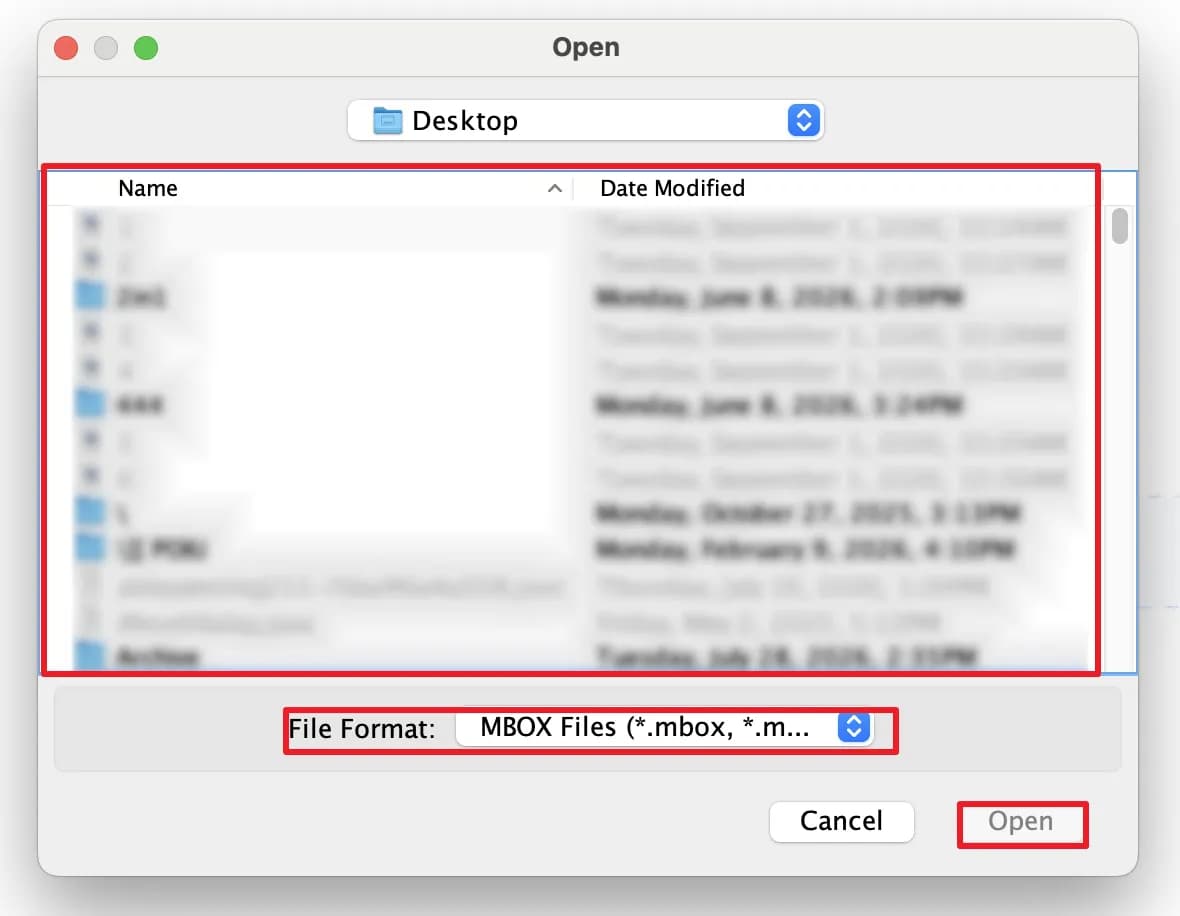
44Dated, cluttered landing page: Arial-era typography, three competing download CTAs, award badges and a floating chat bubble fighting the hero. Screenshots carry red annotation boxes and a mismatched 'Enterprise-Scale' title bar.
Screenshots
1 / 2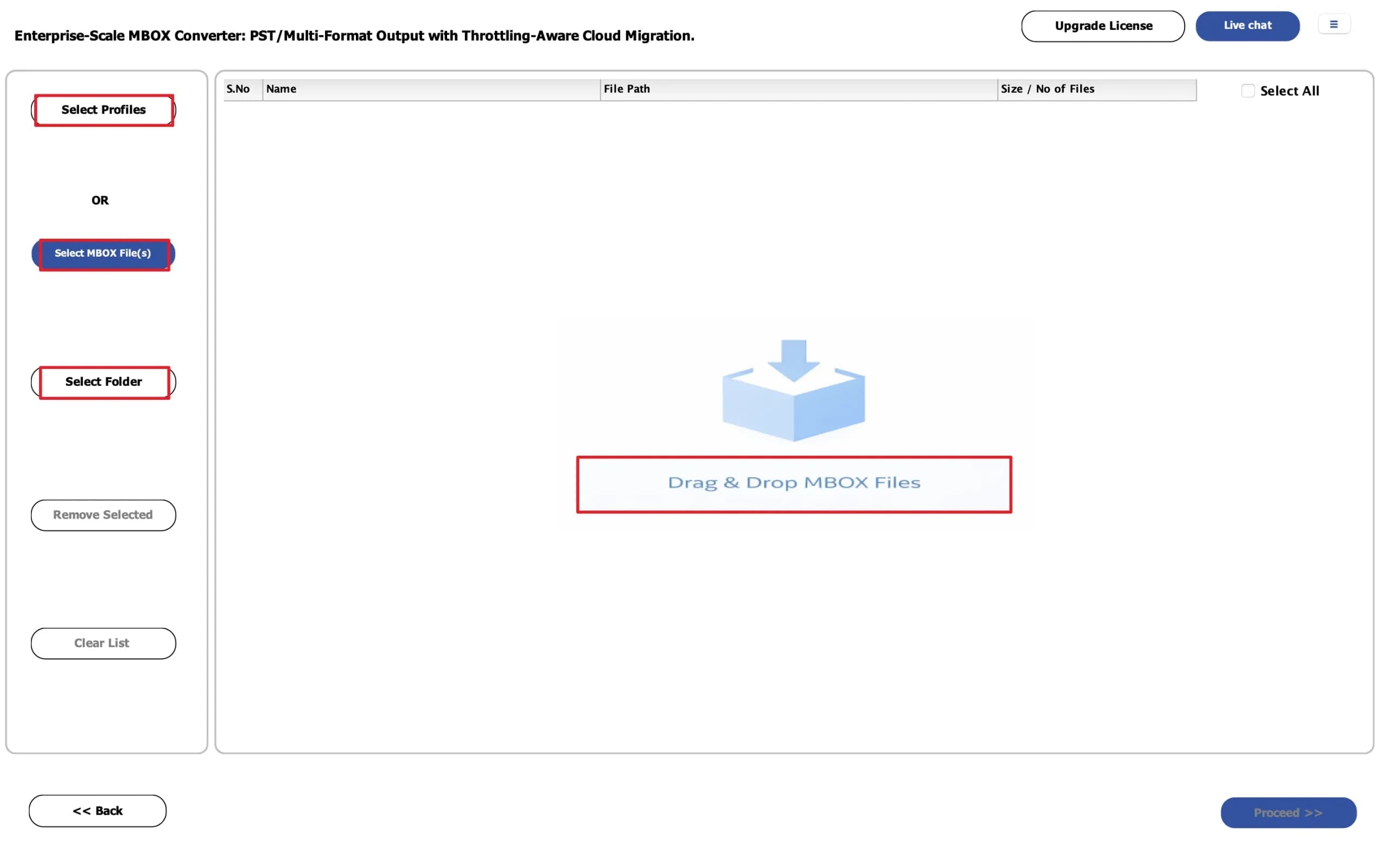
About this app
MacSonik MBOX to CSV Converter is a dedicated desktop utility that transforms MBOX mailbox files into CSV format, making emails, attachments, and metadata accessible in Excel or Google Sheets. It handles single or multiple MBOX files in batch, preserves folder hierarchy, and supports all common MBOX variants (SBD, MBOXO, MBS, MBX, MSF, MBOXRD). Key features include attachments inclusion/exclusion, duplicate detection based on To, From, Subject, Body, and Bcc, date-range filtering, and a preview pane for mailbox items. The tool operates offline for privacy and works on macOS 10.13 High Sierra and later (including Apple Silicon) as well as Windows. A free version allows export of 50 emails per folder for evaluation, while the full version unlocks unlimited conversion. With a user-friendly interface and 24/7 technical support, it's a solid choice for users needing to migrate or analyze MBOX data in spreadsheet-friendly format.
Key features
- 1Batch MBOX to CSV conversion with folder-hierarchy preservation and support for SBD, MBOXO, MBS, MBX, MSF and MBOXRD variants.
- 2Duplicate removal based on To, From, Subject, Body and Bcc, plus date-range filtering before export.
- 3Fully offline operation — MBOX files never leave the machine — with a preview pane and a 50-email-per-folder free tier.
Target customer profile
Drawn from the product itself, not from a survey.
Demographic
IT administrators and email migration specialists
Pain points
Manual MBOX to CSV conversion is tedious and error-prone; need to migrate large volumes without data loss or corruption.
Primary needs
Batch conversion, duplicate removal, retention of folder structure, and support for various MBOX formats.
Demographic
Data analysts and researchers using email data
Pain points
Emails locked in MBOX files can't be directly analyzed in Excel; extracting metadata and content for analysis is time-consuming.
Primary needs
Accurate conversion to CSV with columns for date, sender, recipient, subject, and body; ability to filter by date.
Demographic
Small business owners and non-technical users
Pain points
Lack of technical expertise; fear of data loss; need to archive or backup emails in a universally readable format.
Primary needs
Simple, intuitive interface; one-click conversion; preview feature to ensure data integrity; affordable pricing.
Scout Review
Written by AI from measured evidence, scored out of 100.
MacSonik MBOX to CSV Converter is a competent, narrowly-scoped desktop utility wrapped in a dated marketing site. The product itself does what it says: batch MBOX conversion, duplicate removal, date filtering, folder preservation, offline operation, and a 50-email free tier to test before buying. Security headers are genuinely well-configured (12/12 on the probe) and desktop performance is perfect. The problems are presentation and proof: a cluttered, Arial-era landing page with three competing CTAs, an accessibility score of 61 with eight failing audits, and no published audit or compliance documentation. Against Aid4Mail and SysTools it competes on price and simplicity, which is a real position but not a moat.
Measure by measure
Usability
60A documented 7-step workflow, drag-and-drop, preview pane and a 50-email free tier make it learnable. But dense paragraphs, a long single-scroll page and three payment paths up front slow a first-timer down.
Design
44Dated, cluttered landing page: Arial-era typography, three competing download CTAs, award badges and a floating chat bubble fighting the hero. Screenshots carry red annotation boxes and a mismatched 'Enterprise-Scale' title bar.
Speed
70Desktop Lighthouse 100/100; mobile 78/100 with LCP 4.4s and TBT 253ms. CLS 0 and FCP 1.8s are clean. A light static marketing page that loads well on desktop and acceptably on mobile.
Security
76Full header hygiene: HTTPS enforced, HSTS, CSP, frame protection, Referrer-Policy, Permissions-Policy, plus SPF and DMARC — 12/12 on the probe. Offline-by-design conversion is a real privacy plus. No published audit or bug bounty.
Accessibility
46Lighthouse 61/100 with eight failing audits: low contrast, missing alt text, broken heading order, color-only links, unnamed links and ARIA role violations. No WCAG statement or a11y page anywhere on the site.
Growth
54Real, specific problem (MBOX locked out of Excel) with named segments and concrete features — batch, dedupe, date filter, offline. But Aid4Mail and SysTools already do this; the wedge is price and simplicity, not a moat.
Improvement areas
- Dated, cluttered landing page with three competing download CTAs and annotated tutorial screenshots instead of clean product shots.
- Accessibility score of 61/100 with eight failing audits: contrast, alt text, heading order, named links and ARIA roles.
- No published security documentation (SOC 2, ISO, pen-test, bug bounty) despite strong header configuration.
Design & Usability
The landing page is the weak link. A visual audit calls it dated: Arial-era type, mixed heading weights, award badges and a floating chat bubble all competing with a hero that offers Download, Purchase and a Microsoft Store badge at once. The product screenshots don't help — they carry red annotation boxes and a title bar advertising 'Enterprise-Scale... Throttling-Aware Cloud Migration,' which is not what a simple MBOX-to-CSV converter is. Usability is better than the marketing: a documented seven-step workflow, drag-and-drop loading, a preview pane and a 50-email free tier make it learnable, and the sticky tab bar gives clear in-page wayfinding. Dense paragraphs and the three payment paths up front are the friction points.
Speed & Security
Speed is a genuine strength on desktop: Lighthouse 100/100, with CLS 0 and FCP 1.8s. Mobile drops to 78/100 with LCP 4.4s and TBT 253ms — acceptable, not exceptional, and the only real cost is a slow hero image on a phone. Security is the strongest measured dimension: the HTTP probe returns 12/12, with HTTPS enforced, HSTS, CSP, frame protection, Referrer-Policy, Permissions-Policy, plus SPF and DMARC on the domain. The tool also runs offline, so MBOX files never leave the machine — a real privacy advantage for the IT-admin buyer. What's missing is third-party proof: no SOC 2, ISO, pen-test summary or bug bounty page appears anywhere in the collected evidence.
Accessibility & Growth
Accessibility is the weakest measured dimension. Lighthouse scores 61/100 with eight failing audits: insufficient color contrast, images without alt attributes, non-sequential heading order, links distinguishable only by color, links with no discernible name, and ARIA roles missing required children or parents. There is no accessibility statement or WCAG conformance claim on the site. On growth, the idea holds up: MBOX files genuinely can't be opened in Excel, and the product names three specific buyers (IT admins, data analysts, non-technical small business owners) with concrete features — batch conversion, dedupe by To/From/Subject/Body/Bcc, date-range filtering, folder-hierarchy preservation. The limit is differentiation: Aid4Mail and SysTools already sell MBOX-to-CSV, so MacSonik's wedge is price and simplicity rather than anything a competitor can't copy.
Conclusion
If you're an IT admin with a pile of MBOX files and a spreadsheet deadline, this will get the job done — the free tier lets you verify output quality on 50 emails per folder before you pay, and the offline design means nothing leaves your machine. Buy it for the workflow, not the website. If accessibility compliance or a formal security audit is a procurement requirement, look elsewhere or budget for a conversation with their support team first.
Suggestions for improvement
- Collapse the hero to one primary CTA (Download) with Purchase and Microsoft Store demoted to secondary links.
- Fix the eight failing Lighthouse a11y audits: alt text, contrast, heading order, named links, ARIA roles.
- Publish a short security page stating the offline architecture, data handling, and any third-party testing.
- Replace annotated tutorial screenshots with clean product shots and drop the 'Enterprise-Scale' title bar copy.
Alternatives comparison
Named competitors, point by point. Nobody paid to appear here or to be left out.
 MacSonik MBOX to CSV Converter |  Aid4Mail |  MBOX to CSV Converter by SysTools | |
|---|---|---|---|
| MBOX to CSV conversion | Yes — dedicated MBOX to CSV with batch support | Yes — MBOX to CSV among many format pairs | Yes — dedicated MBOX to CSV converter |
| Batch conversion of multiple MBOX files | Yes — multiple files and folders at once | Yes — batch plus scripting options | Yes — batch conversion supported |
| Duplicate email removal | Yes — by To, From, Subject, Body and Bcc | Filtering and scripting; dedupe not a headline feature | Yes — duplicate removal supported |
| Date-range filtering | Yes — start and end date filter | Yes — filtering options available | Yes — date filters supported |
| Free trial / demo limits | Free version exports 50 emails per folder | Trial available; generally higher-priced product | Free demo version available |
| Platform support | macOS 10.13+ (incl. Apple Silicon) and Windows | Windows (primary); broader format coverage | Both Mac and Windows |
| Offline / privacy-first operation | Yes — runs fully offline, no upload | Desktop app; local processing | Desktop app; local processing |
Aid4Mail
Aid4Mail is a popular email conversion tool that supports MBOX to CSV among many other formats. It offers batch conversion, filtering, and scripting options, but is generally more expensive.
MBOX to CSV Converter by SysTools
SysTools offers a dedicated MBOX to CSV converter with batch conversion, date filters, and duplicate removal. It supports both Mac and Windows and provides a free demo.
Comparing options? See MacSonik MBOX to CSV Converter alternatives, scored side by side
More Productivity apps
View all Productivity
StoryPad
92Privacy-first open source journal app with a continuous t...

Puzzly – B2B Lead Generation & Sales Intelligence Platform
92Puzzly is an all-in-one B2B lead generation platform that...

Qamarero
92An all-in-one hospitality software for restaurants and ba...

Notion
92All-in-one AI workspace for docs, projects, and knowledge...

The Stack Newsletter
92A weekly newsletter delivering curated tech jobs, intervi...

EmbedMyReviews
92White-label reputation management software for agencies s...

Vibe Coding Agent Skills
92A free, open-source platform offering 110 AI agent skills...

QRBliss
91Branded QR codes with AI Brand Sync, 15 free dynamic code...

Gerty
91Private, local AI assistant for Mac that runs offline

Strukchad Property Management
91Property management for Kenyan letting agents: rent invoices raised every month, M-Pesa rent prompts to tenants, arrears tracking and landlord statements.

CC Switch
91Open-source desktop app for switching AI coding providers...

PitchWhip
90AI cold call scripts & direct dials from LinkedIn


A platform dedicated to providing unbiased reviews of newly launched applications, analyzing everything from their features to their full potential.
info@scoutforge.net© 2026 Scoutforge. All rights reserved.
