Cycling through all six. Tap any point to stop.
Measured on six things
Bulk convert MBOX files to Outlook PST with enterprise-gr...
Design
46Dated, template-built landing page: three competing hero CTAs, a legacy Mac/Windows radio toggle, tiny low-contrast trust badges, and keyword-stuffed copy. Card grids are tidy but generic.
Screenshots
1 / 3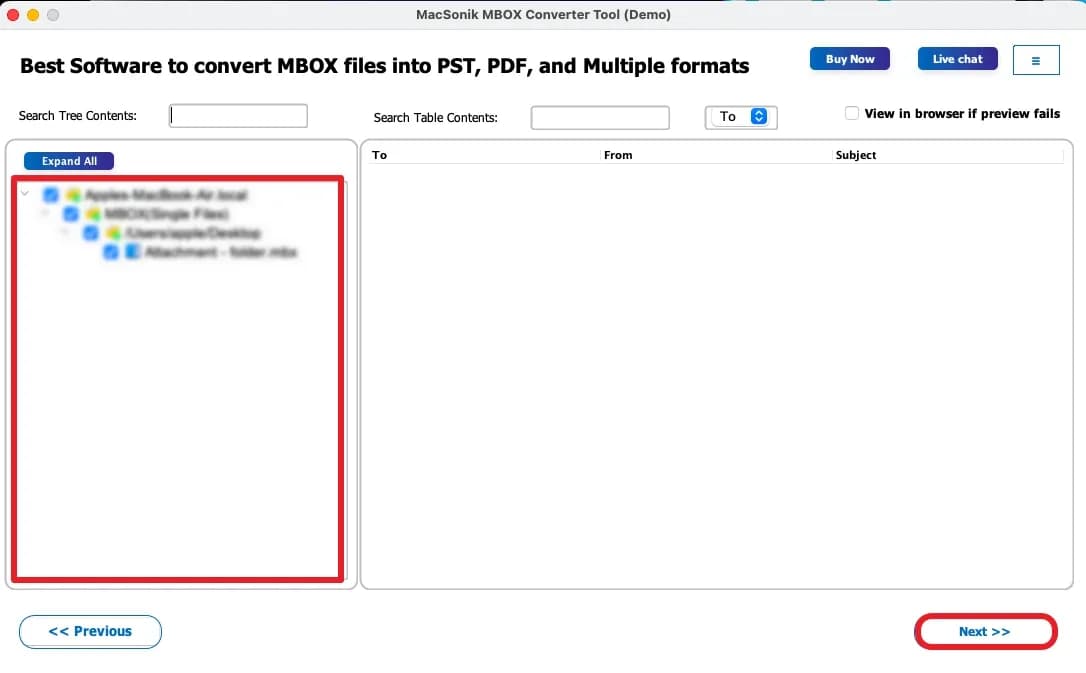
About this app
MacSonik MBOX to PST Converter is a specialized desktop tool for IT teams and businesses that need to migrate MBOX emails (Thunderbird, Apple Mail, Google Takeout, etc.) into Outlook PST format. It handles bulk conversions, preserves folder hierarchy and metadata, and includes advanced filters, duplicate removal, PST splitting, and preview. No Outlook installation is required, and all processing is done locally for security. The tool is available for Mac and Windows, with a free demo (50 emails per folder) and paid editions.
Key features
- 1Bulk MBOX to PST conversion with full folder-hierarchy and metadata preservation
- 2Advanced filters: date range, duplicate detection, file naming, custom output folder
- 3PST splitting for large mailboxes; no Outlook installation required, local processing
Target customer profile
Drawn from the product itself, not from a survey.
Demographic
Enterprise IT Teams and System Administrators
Pain points
Manual mailbox conversion is slow, error-prone, and disrupts business continuity.
Primary needs
Bulk conversion, folder structure preservation, secure local processing, and minimal IT workload.
Demographic
Legal and Compliance Officers
Pain points
Archived MBOX data must be migrated for audits, investigations, and retention with full integrity.
Primary needs
Accurate metadata preservation, date filters, duplicate removal, and offline security.
Demographic
Managed Service Providers (MSPs) and Migration Consultants
Pain points
Handling multiple client migrations with varying MBOX sources and tight deadlines.
Primary needs
Batch processing, wide client compatibility, split PST options, and reliable results.
Demographic
Businesses Switching to Outlook or Microsoft 365
Pain points
Migrating from Thunderbird, Apple Mail, or Google Takeout to Outlook without data loss.
Primary needs
Seamless conversion, no Outlook dependency, and support for large mailboxes.
Scout Review
Written by AI from measured evidence, scored out of 100.
MacSonik MBOX to PST Converter is a competent, focused migration utility with a fast marketing site and clean security headers, wrapped in a dated, keyword-stuffed landing page. The wizard and support are solid; the 50-email demo cap and missing third-party security certifications are the friction points for enterprise buyers. Against SysTools, Stellar, and Aid4Mail it's on par feature-wise, not clearly ahead. A reasonable pick if you value local processing and PST splitting, but bring your own due diligence on compliance.
Measure by measure
Usability
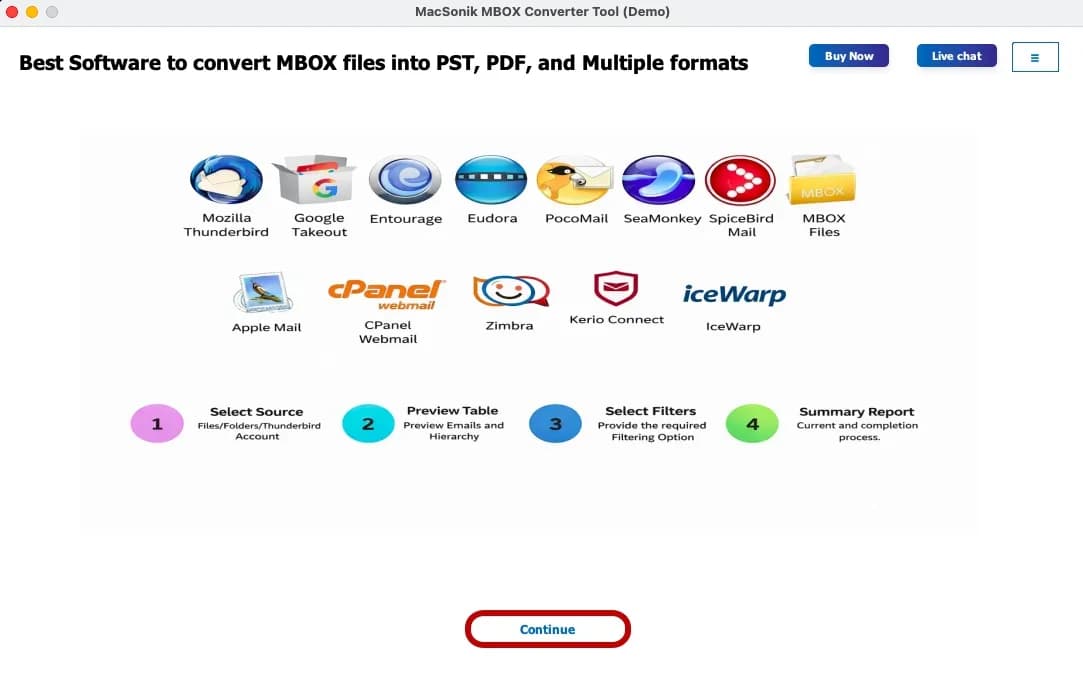
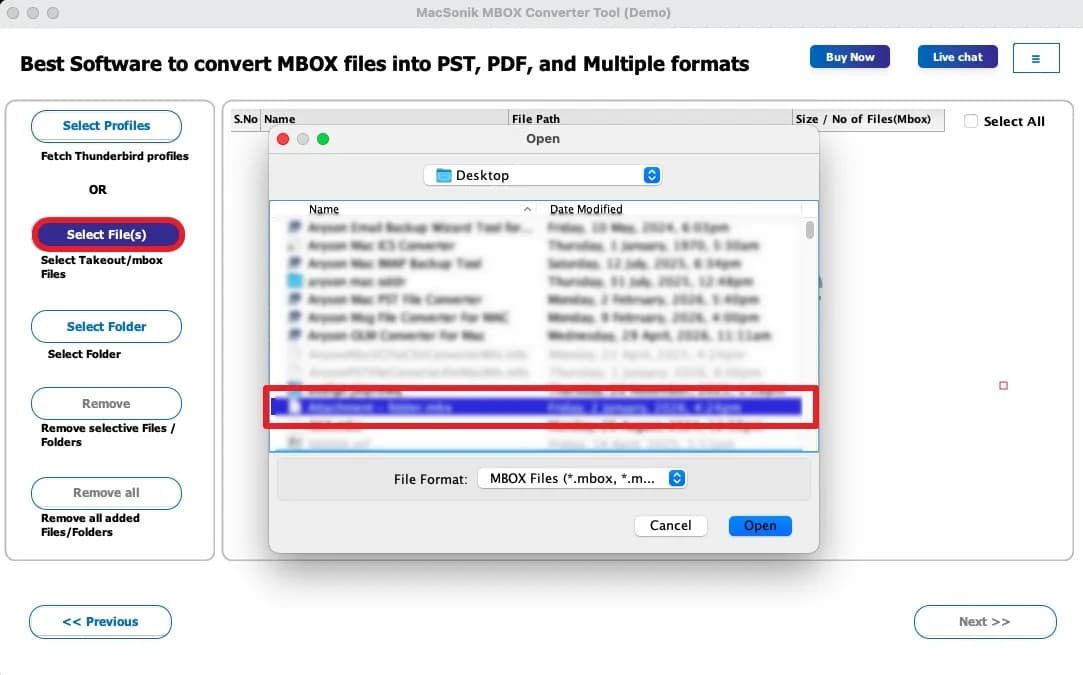
62Documented multi-step wizard (source → preview → filters → export) and live chat/phone support are solid. Undercut by a 50-emails-per-folder demo buried in one table cell and feature sections with no screenshots.
Design
46Dated, template-built landing page: three competing hero CTAs, a legacy Mac/Windows radio toggle, tiny low-contrast trust badges, and keyword-stuffed copy. Card grids are tidy but generic.
Speed
88Lighthouse mobile 96/100 (LCP 1.8s, CLS 0.019, TBT 128ms), desktop 79/100. The marketing site is genuinely snappy; no conversion-speed benchmarks published.
Security
76Full header hygiene (HSTS, CSP, frame protection, Referrer/Permissions-Policy) plus SPF and DMARC, 12/12 on the probe. Local-processing claim is a plus; no SOC 2/ISO/pen-test page found.
Accessibility
58Lighthouse 82/100 but six failing audits: low contrast, out-of-order headings, missing alt text, unnamed links, small touch targets, no main landmark. No WCAG statement on site.
Growth
58Real, specific migration pain with a clear wedge (bulk, hierarchy-preserving, no Outlook install, PST split). Differentiated but crowded — SysTools, Stellar, Aid4Mail all fight for the same IT buyer.
Improvement areas
- 50-emails-per-folder demo cap is thin for enterprise validation
- No SOC 2/ISO/pen-test page despite 'enterprise-grade security' claims
- Dated landing page with competing CTAs and six failing accessibility audits
Design & Usability
The landing page is orderly but dated: consistent card grids and a clear H1, undermined by three competing hero CTAs, a legacy radio toggle, and keyword-stuffed copy that reads as SEO filler. Usability is stronger — the software guide documents a clean source→preview→filters→export wizard, and live chat plus phone support are offered. The 50-emails-per-folder demo cap is the weak spot: it's buried in one comparison-table cell and is thin for a tool pitched at bulk enterprise migrations. Feature sections lack per-feature screenshots, so scanning leans on bold titles.
Speed & Security
Speed is the standout: Lighthouse mobile 96/100 with LCP 1.8s and CLS 0.019, desktop 79/100 — the marketing site is genuinely snappy, though no conversion-speed benchmarks are published. Security is well-covered on the transport layer: HTTPS enforced with HSTS, CSP, frame protection, Referrer and Permissions-Policy, plus SPF and DMARC, scoring 12/12 on the header probe. The local-processing, no-Outlook-install claim is a real selling point for compliance buyers. What's missing is third-party assurance — no SOC 2, ISO 27001, or pen-test page — which enterprise procurement will ask for.
Accessibility & Growth
Accessibility lands at 82/100 on Lighthouse but with six failing audits: insufficient contrast, non-sequential headings, missing image alt text, links without discernible names, small touch targets, and no main landmark. There's no WCAG conformance statement, so buyers with a11y requirements have nothing to point at. Growth is a judgement on the idea: MBOX-to-PST migration for IT teams, sysadmins, legal, and MSPs is a real, specific pain, and the wedge — bulk conversion, folder-hierarchy preservation, PST splitting, duplicate removal, no Outlook dependency — is concrete. But the category is crowded with SysTools, Stellar, and Aid4Mail offering near-identical feature sets, so differentiation rests on execution and price rather than a structural moat.
Conclusion
If your team needs to move MBOX archives into Outlook without an Outlook install and you want local processing, this does the job and the site won't waste your time loading. Just don't expect the marketing page to sell it for you — and if procurement asks for a SOC 2 report, you'll be the one explaining why there isn't one. Test the 50-email demo against your real folder sizes before you commit budget.
Suggestions for improvement
- Collapse the three hero CTAs into one primary action; demote the Microsoft Store badge to a secondary link.
- Publish a security/compliance page with SOC 2 or ISO status, or state plainly that none is held.
- Raise the demo cap or make it size-based so enterprise buyers can validate real mailbox volumes.
- Add per-feature screenshots and fix the six failing a11y audits (alt text, contrast, landmarks, headings).
Alternatives comparison
Named competitors, point by point. Nobody paid to appear here or to be left out.
 MacSonik MBOX to PST Converter |  SysTools MBOX to PST Converter |  Stellar MBOX to PST Converter |  Aid4Mail | |
|---|---|---|---|---|
| Bulk MBOX to PST conversion | Yes — multiple files/folders at once | Yes — bulk conversion supported | Yes — batch conversion | Yes — batch and scripting |
| Folder hierarchy & metadata preservation | Yes — folders, attachments, metadata, timestamps | Yes — preserves structure and properties | Yes — maintains folder structure | Yes — high-fidelity conversion |
| Advanced filters (date range, duplicates) | Yes — date range, duplicate removal, naming | Yes — filters and preview | Yes — advanced filtering | Yes — via filters and scripting |
| PST splitting for large files | Yes — split oversized PST files | Yes — split PST option | Yes — split PST supported | Yes — size-based splitting |
| No Outlook installation required | Yes — standalone, local processing | Yes — standalone | Yes — standalone | Yes — standalone |
| Free demo / trial | Free demo — 50 emails per folder | Free demo available | Free demo available | Free trial available |
SysTools MBOX to PST Converter
A popular tool for converting MBOX files to PST with support for bulk conversion, preview, and filters.
Stellar MBOX to PST Converter
Converts MBOX files to PST and other formats with a user-friendly interface and advanced filtering.
Aid4Mail
A versatile email conversion tool that supports MBOX to PST and many other formats, with scripting and batch capabilities.
Comparing options? See MacSonik MBOX to PST Converter alternatives, scored side by side
More Productivity apps
View all Productivity
Puzzly – B2B Lead Generation & Sales Intelligence Platform
92Puzzly is an all-in-one B2B lead generation platform that...

Qamarero
92An all-in-one hospitality software for restaurants and ba...

EmbedMyReviews
92White-label reputation management software for agencies s...

StoryPad
92Privacy-first open source journal app with a continuous t...

Notion
92All-in-one AI workspace for docs, projects, and knowledge...

The Stack Newsletter
92A weekly newsletter delivering curated tech jobs, intervi...

Vibe Coding Agent Skills
92A free, open-source platform offering 110 AI agent skills...

QRBliss
91Branded QR codes with AI Brand Sync, 15 free dynamic code...

Gerty
91Private, local AI assistant for Mac that runs offline

Strukchad Property Management
91Property management for Kenyan letting agents: rent invoices raised every month, M-Pesa rent prompts to tenants, arrears tracking and landlord statements.

CC Switch
91Open-source desktop app for switching AI coding providers...

PitchWhip
90AI cold call scripts & direct dials from LinkedIn


A platform dedicated to providing unbiased reviews of newly launched applications, analyzing everything from their features to their full potential.
info@scoutforge.net© 2026 Scoutforge. All rights reserved.
