Cycling through all six. Tap any point to stop.
Measured on six things
Convert Outlook OST files to PST and 8+ formats on Mac an...
Design
46Functional but dated Bootstrap-style template. Mac-first positioning clashes with Windows-only screenshots, and typos like 'License Tyes' undercut polish. Comparison table is the cleanest element.
Screenshots
1 / 2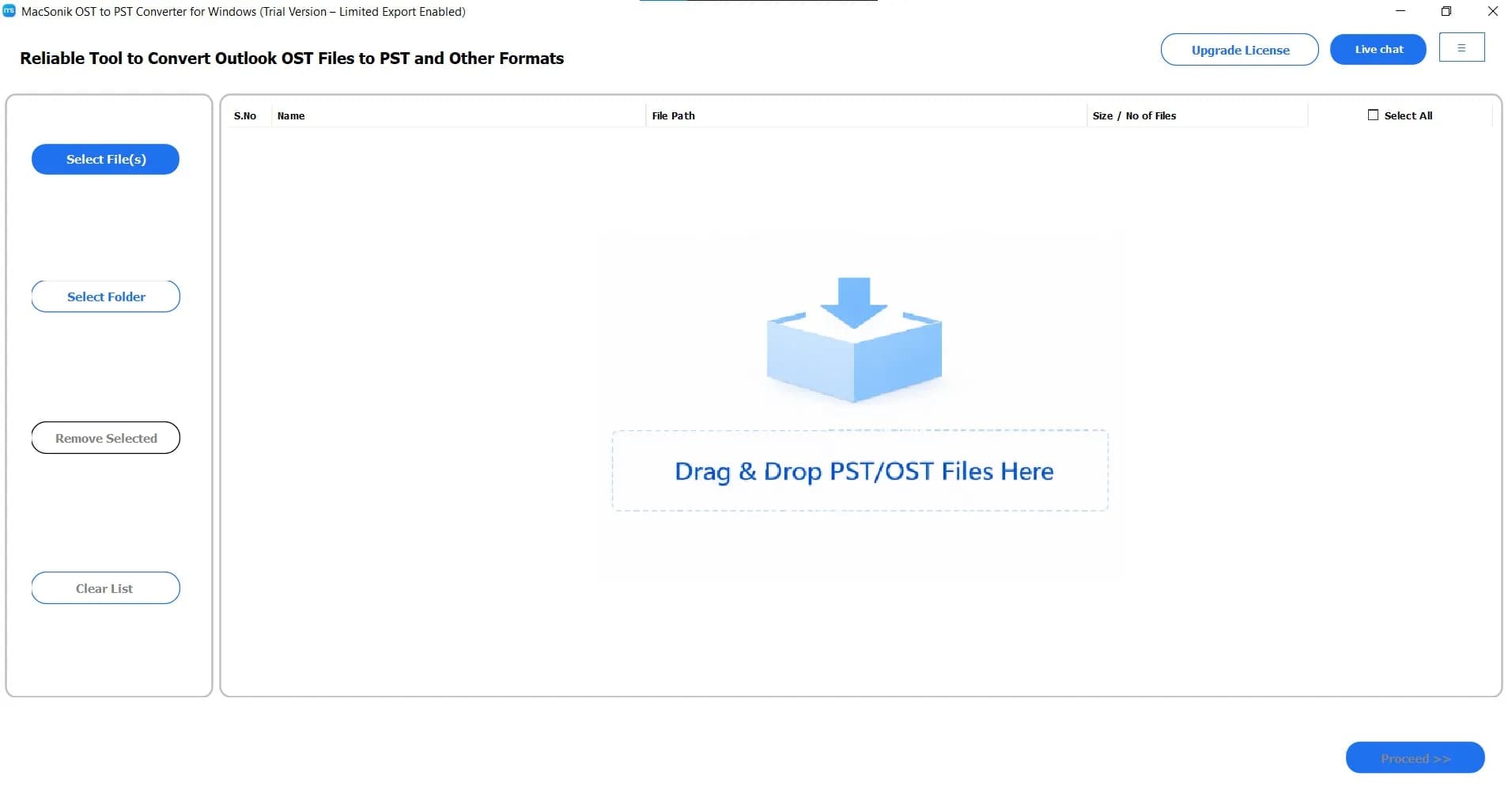
About this app
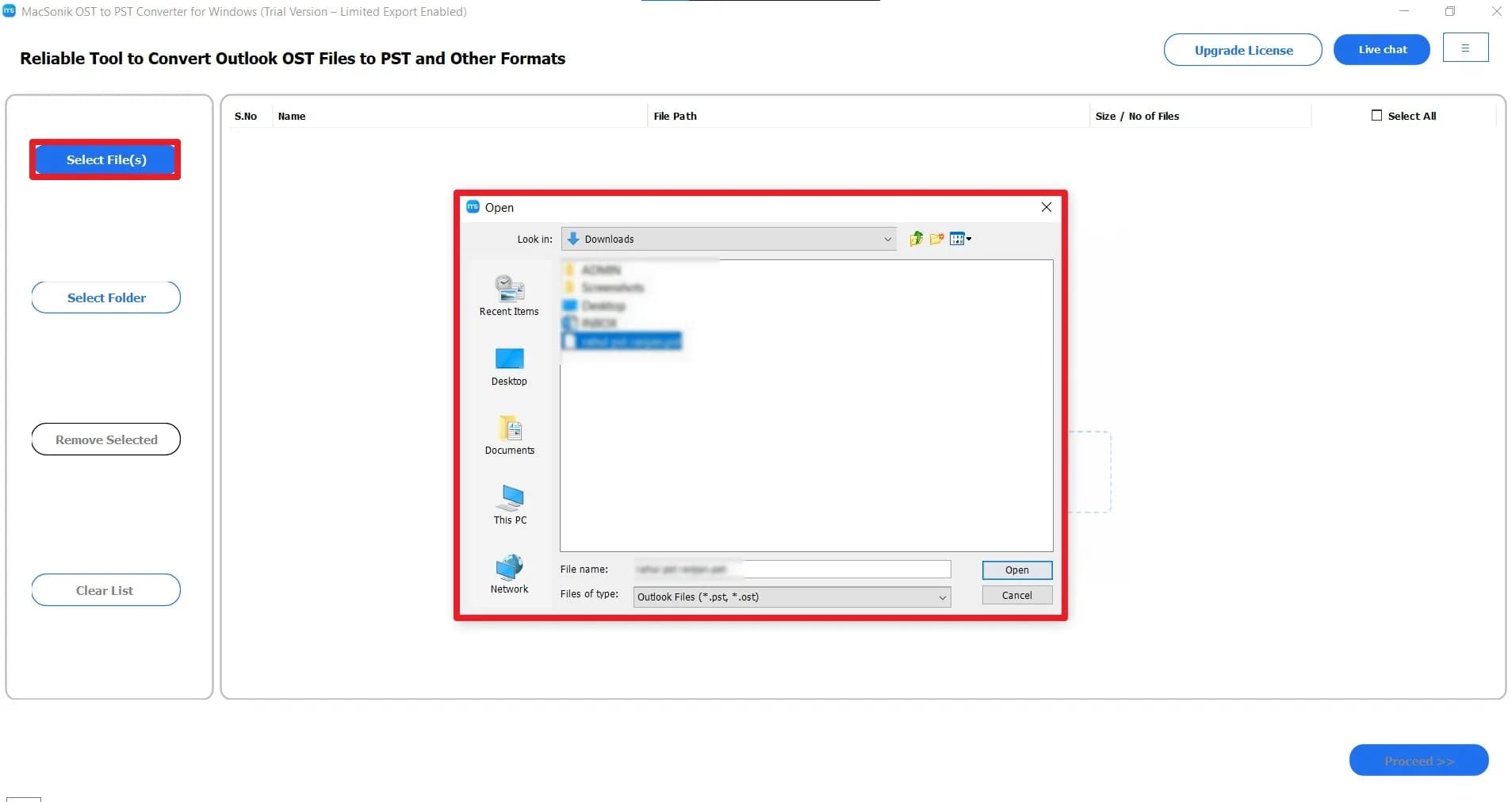
I recently spent time with MacSonik OST to PST Converter, and it's a solid, no-nonsense utility for anyone stuck with orphaned or inaccessible Outlook OST files. The core job—converting OST to PST—is handled cleanly, but the tool goes further by supporting exports to MBOX, MSG, EML, PDF, HTML, and even image formats. You can also push mail directly into Gmail, Office 365, Thunderbird, and other clients, which is handy for migration projects. The interface is straightforward: add files, preview the mailbox tree, pick a format, apply date-range filters or deduplication, and hit convert. I appreciated the batch mode and the option to split oversized PSTs into manageable chunks. The free version caps you at 50 emails per folder, which is enough to test the waters. System requirements are modest, and it runs natively on Apple Silicon as well as Windows. The 4.5-star average from 778 ratings seems fair—it's not the flashiest tool, but it gets the job done without data loss. If you're deal...
Key features
- 1Batch OST to PST conversion plus export to MBOX, MSG, EML, PDF, HTML, and image formats.
- 2Direct migration to Gmail, Office 365, Thunderbird, IMAP, and other email clients.
- 3Date-range filters, duplicate removal, attachment handling, and auto-split of large PST files.
- 4Native macOS app with Apple Silicon (M1–M4) support alongside Windows.
Target customer profile
Drawn from the product itself, not from a survey.
Demographic
IT administrators and email migration specialists
Pain points
Orphaned OST files, complex migrations to Office 365 or Gmail, risk of data corruption
Primary needs
Batch conversion, direct migration to cloud clients, data integrity, deduplication
Demographic
Small business owners and office managers
Pain points
Limited IT budget, need to archive old emails, avoid Outlook dependency
Primary needs
Affordable one-time tool, easy preview, export to PST/PDF for legal or backup
Demographic
Mac users with Outlook for Mac
Pain points
OST files not natively supported on macOS, need to move data to Windows Outlook
Primary needs
Native Mac app, Apple Silicon compatibility, simple step-by-step conversion
Scout Review
Written by AI from measured evidence, scored out of 100.
MacSonik OST to PST Converter is a workmanlike utility in a crowded niche. The marketing site is fast (100 mobile Lighthouse) and technically well-secured (12/12 headers), but visually dated, with Mac-first messaging undermined by Windows-only screenshots and copy typos. The product itself does what it says: batch OST conversion to PST and a dozen other formats, direct migration to Gmail/Office 365, deduplication, date filters, and PST splitting. The free tier's 50-emails-per-folder cap is reasonable for testing but poorly surfaced. Against Stellar, SysTools, and Kernel it competes mainly on native Mac support rather than feature depth.
Measure by measure
Usability
58Step-by-step guide and live chat support are genuinely helpful. But the 50-email free cap is buried in the comparison table, so users hit the wall after downloading. FAQ is long and ungrouped.
Design
46Functional but dated Bootstrap-style template. Mac-first positioning clashes with Windows-only screenshots, and typos like 'License Tyes' undercut polish. Comparison table is the cleanest element.
Speed
88Lighthouse mobile 100/100 with LCP 927ms and CLS 0.022; desktop 91/100. Genuinely fast, lightweight marketing site with no measurable performance complaints.
Security
76Full security header stack (HSTS, CSP, frame protection, Permissions-Policy) and SPF/DMARC in place — 12/12 checklist. No SOC 2, ISO, or bug bounty published, which is normal for this category.
Accessibility
58Lighthouse 82/100 with real failures: contrast, heading order, missing alt text, unnamed links, small touch targets, no main landmark. No WCAG statement or multi-language support found.
Growth
58Real, specific pain (orphaned OST, Office 365 migration) with a genuine wedge: native Mac + Apple Silicon in a Windows-dominated category. Crowded by Stellar, SysTools, Kernel.
Improvement areas
- Surface the 50-emails-per-folder free limit near the download CTA instead of burying it in the comparison table.
- Replace Windows-only screenshots with macOS UI captures to match the Mac-first positioning.
- Fix copy typos and tighten repetitive feature descriptions into scannable benefit lines.
- Address the six failing Lighthouse accessibility audits and publish a WCAG conformance statement.
Design & Usability
The site is a competent but dated Bootstrap template: identical icon cards, a blue-on-pale palette, and a Mac-first pitch illustrated with Windows-only screenshots. Typos ('License Tyes', 'Form' for 'From') suggest nobody proofread. Usability is better than design — the software guide walks through General and Advanced Settings clearly, and live chat plus a phone number are listed. The real friction is the 50-emails-per-folder free cap, which only appears inside the comparison table, so users can download before discovering the wall. The FAQ is eight long accordion items with no search or grouping.
Speed & Security
Speed is the standout: Lighthouse mobile 100/100 with LCP 927ms, CLS 0.022, TBT 82ms, and desktop 91/100 — a genuinely lightweight marketing site. Security is solid on the technical side: HTTPS enforced with HSTS, CSP, frame protection, X-Content-Type-Options, Referrer-Policy, and Permissions-Policy all present, plus SPF and DMARC — 12/12 on the header checklist. What's missing is the compliance layer: no SOC 2, ISO 27001, pen-test summary, or bug bounty is published, which is typical for this category but leaves enterprise buyers without a paper trail. The install guide's advice to disable the Mac firewall is a questionable security posture.
Accessibility & Growth
Accessibility lands at 82/100 on Lighthouse but with six real failures: insufficient color contrast, non-sequential headings, missing alt attributes, links without discernible names, undersized touch targets, and no main landmark. No WCAG conformance statement or multi-language support was found. Growth is a judgment call on the idea: the pain is real and specific (orphaned OST files, Office 365/Gmail migrations), and the native Mac + Apple Silicon support is a genuine wedge in a category dominated by Windows-centric tools from Stellar, SysTools, and Kernel. The domain is 6.6 years old with only YouTube as an official social channel — modest traction, but the positioning itself has room.
Conclusion
If you're a Mac user stuck with orphaned OST files and the Windows-centric incumbents don't run natively, MacSonik fills a real gap — Apple Silicon support is not a marketing line here, it's the actual differentiator. Test the free 50-email tier first to confirm conversion fidelity on your specific files, and budget for the full license if you need batch or cloud migration. If you're on Windows or need enterprise compliance documentation, the established players offer more. The tool is competent; the website just needs a designer and a proofreader.
Suggestions for improvement
- Surface the 50-emails-per-folder free limit directly next to the Free Download button, not buried in the comparison table.
- Replace Windows-only screenshots with actual macOS UI captures to match the Mac-first positioning.
- Fix copy typos ('License Tyes', 'Form' → 'From') and tighten feature descriptions into scannable benefit lines.
- Add an accessibility statement and fix the six failing Lighthouse audits (contrast, alt text, heading order, landmarks).
Alternatives comparison
Named competitors, point by point. Nobody paid to appear here or to be left out.
 MacSonik OST to PST Converter |  Stellar Converter for OST |  SysTools OST to PST Converter |  Kernel for OST to PST | |
|---|---|---|---|---|
| Native macOS / Apple Silicon support | Yes — native Mac app, M1–M4 supported | Primarily Windows | Primarily Windows | Primarily Windows |
| Free version / trial limit | Free tier: 50 emails per folder | Free preview of recoverable items | Free trial with limited items | Free trial version available |
| Direct export to Office 365 / Gmail | Yes — Gmail, Office 365, Thunderbird, IMAP, etc. | Yes — Office 365 and other clients | Yes — Office 365 emphasized | Yes — Office 365 and Exchange |
| Batch conversion | Yes — multiple OST files at once | Yes | Yes — enterprise batch mode | Yes |
| Duplicate removal / deduplication | Yes — across multiple OST files | Limited / not core feature | Yes | Limited |
| PST splitting into smaller files | Yes — customizable sizes | Yes | Yes | Yes |
Stellar Converter for OST
Popular OST to PST converter with advanced recovery features and a free preview option.
SysTools OST to PST Converter
Enterprise-grade tool that supports batch conversion, date filters, and direct export to Office 365.
Kernel for OST to PST
Well-known converter with a simple interface, suitable for both technical and non-technical users.
Comparing options? See MacSonik OST to PST Converter alternatives, scored side by side
More Productivity apps
View all Productivity
Puzzly – B2B Lead Generation & Sales Intelligence Platform
92Puzzly is an all-in-one B2B lead generation platform that...

Qamarero
92An all-in-one hospitality software for restaurants and ba...

EmbedMyReviews
92White-label reputation management software for agencies s...

StoryPad
92Privacy-first open source journal app with a continuous t...

Notion
92All-in-one AI workspace for docs, projects, and knowledge...

The Stack Newsletter
92A weekly newsletter delivering curated tech jobs, intervi...

Vibe Coding Agent Skills
92A free, open-source platform offering 110 AI agent skills...

QRBliss
91Branded QR codes with AI Brand Sync, 15 free dynamic code...

Gerty
91Private, local AI assistant for Mac that runs offline

Strukchad Property Management
91Property management for Kenyan letting agents: rent invoices raised every month, M-Pesa rent prompts to tenants, arrears tracking and landlord statements.

CC Switch
91Open-source desktop app for switching AI coding providers...

PitchWhip
90AI cold call scripts & direct dials from LinkedIn


A platform dedicated to providing unbiased reviews of newly launched applications, analyzing everything from their features to their full potential.
info@scoutforge.net© 2026 Scoutforge. All rights reserved.
