Cycling through all six. Tap any point to stop.
Measured on six things
Cross-platform PST converter for Mac, Windows & Linux wit...
Design
58Coherent blue palette and tidy card grids, but the hero's three competing CTAs and a dense, keyword-stuffed capabilities wall drag it to average. On par with typical utility-software peers.
Screenshots
1 / 5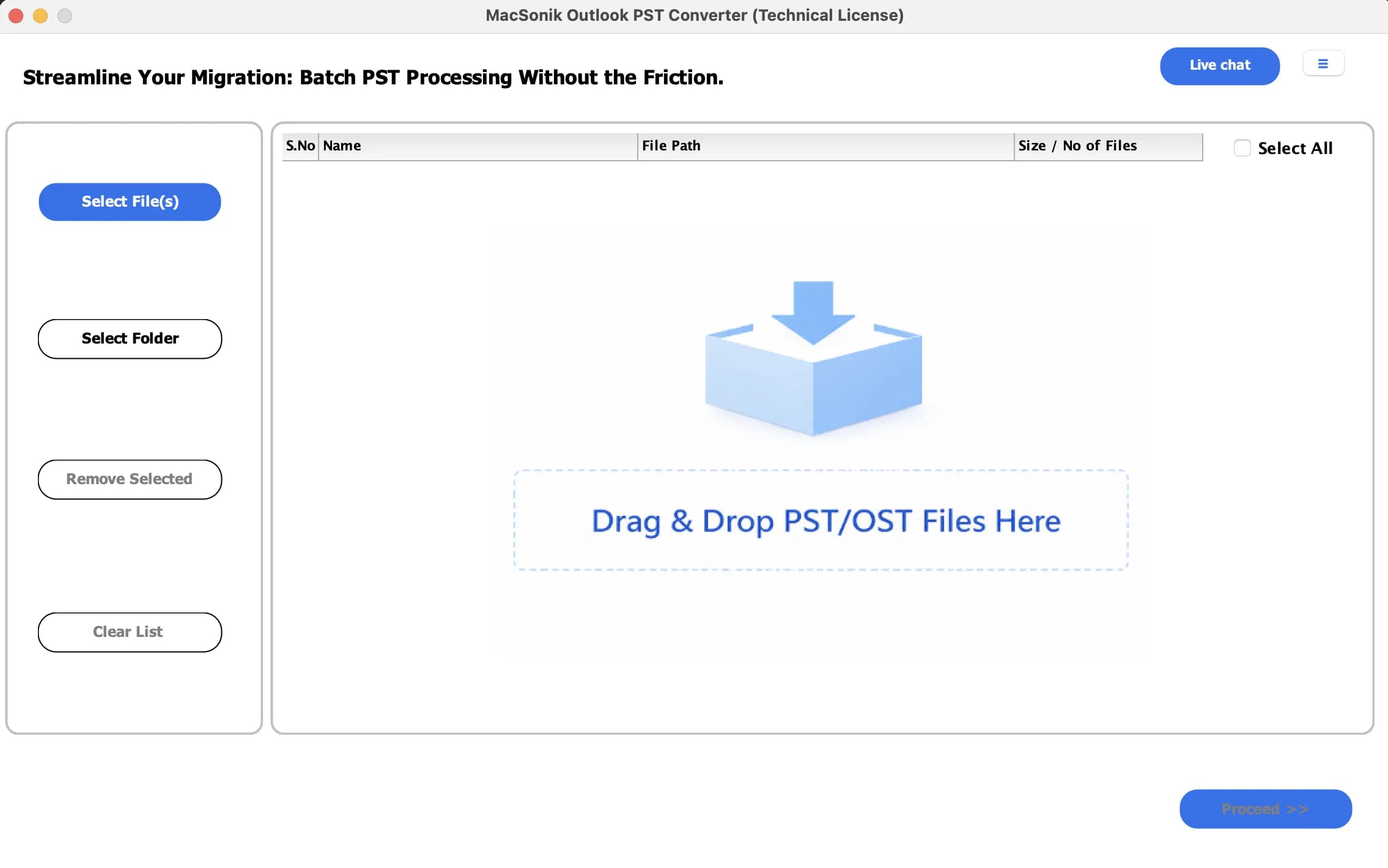
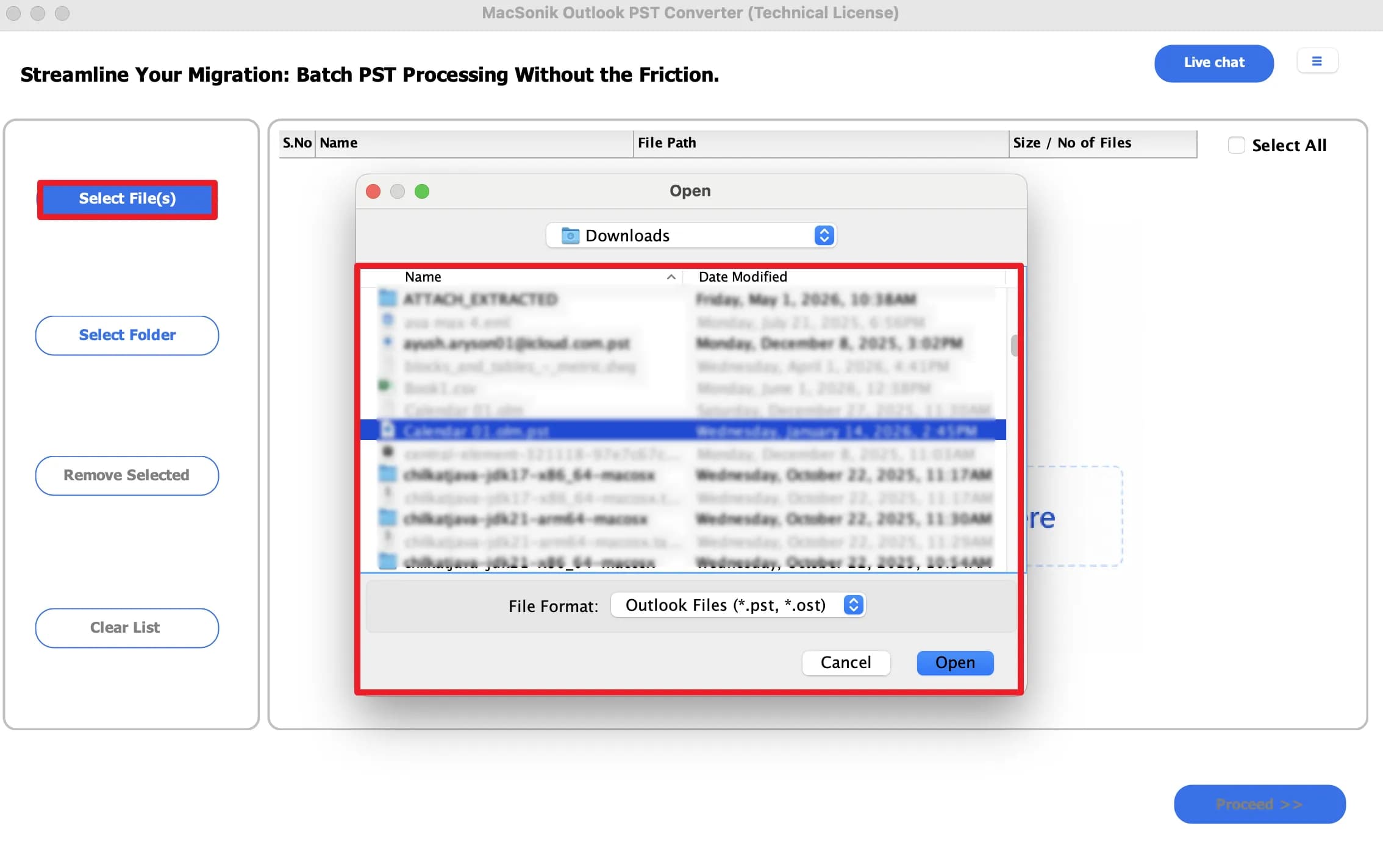
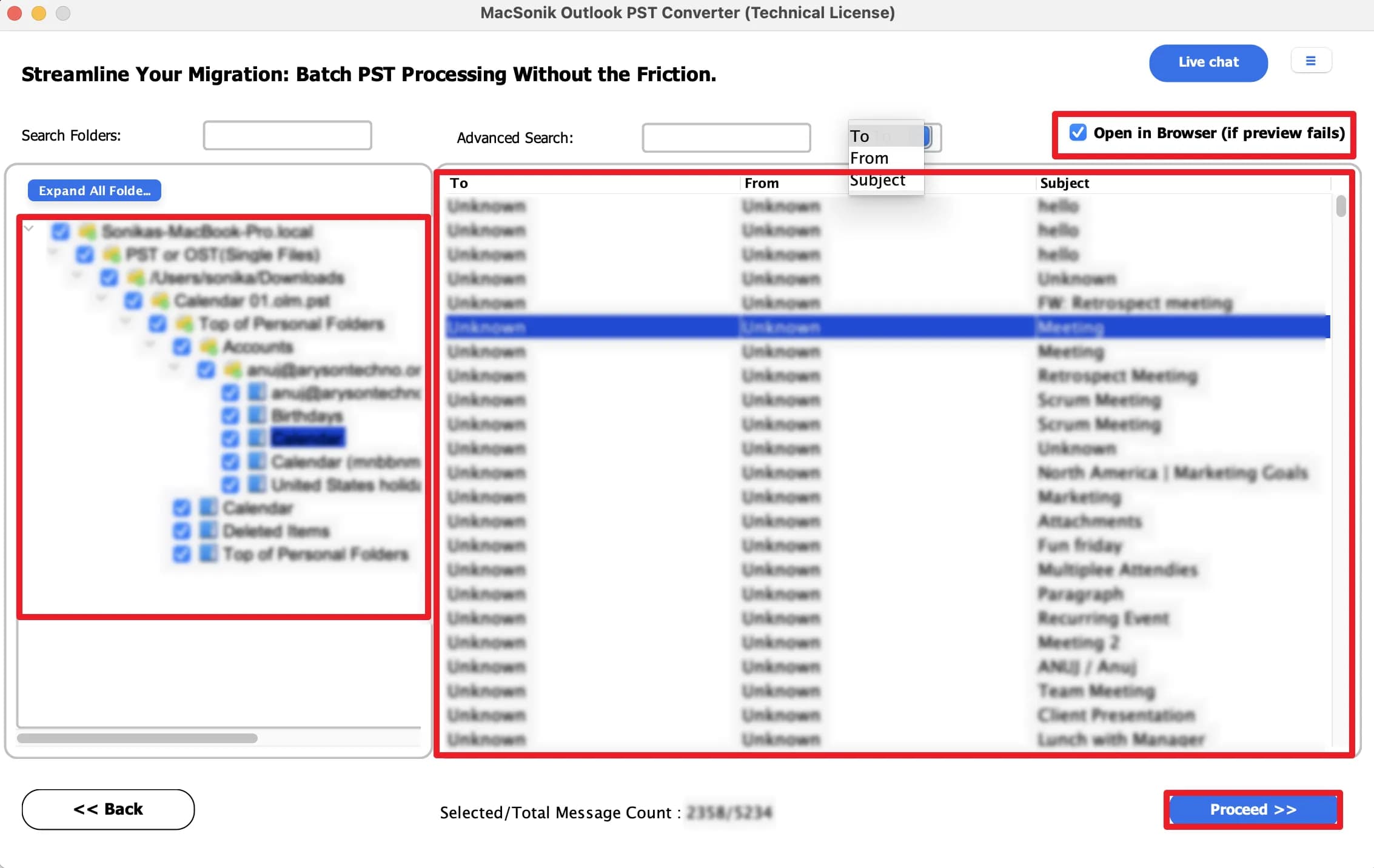
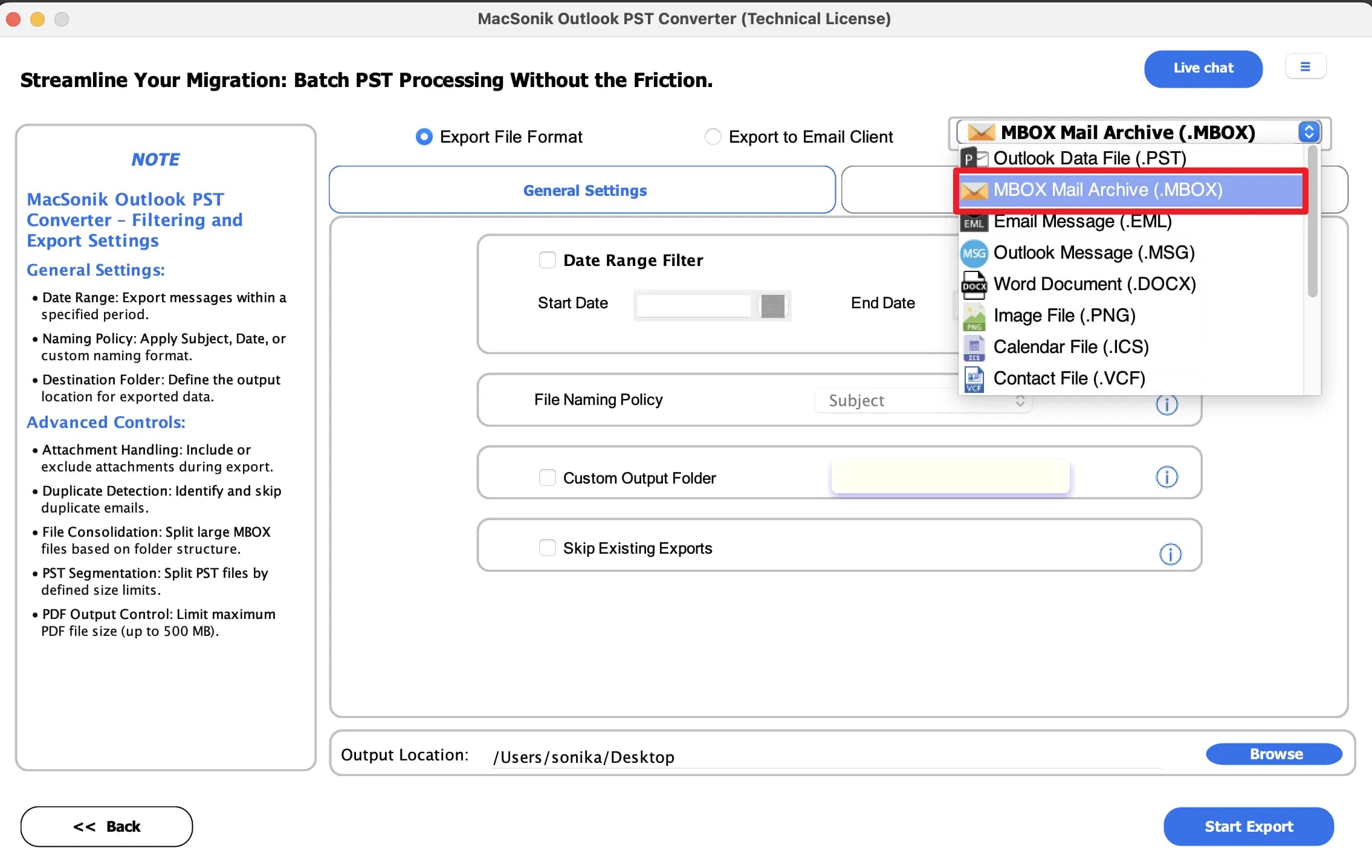
About this app
MacSonik PST Converter Tool is an enterprise-grade utility that reads, previews, and converts Outlook PST files without requiring Microsoft Outlook on Mac, Windows, or Linux. You can bulk-load unlimited PST files and export them to 20+ formats like MBOX, EML, MSG, PDF, DOCX, CSV, and JSON, or migrate directly to Microsoft 365, Google Workspace, Thunderbird, Yahoo, and IMAP accounts. The tool preserves folder hierarchy, metadata, attachments, and HTML/MIME structure, while advanced features like date/sender/subject filters, duplicate removal, skip-existing exports, modern OAuth 2.0 authentication, and file splitting (PST/PDF/MBOX) make large mailbox projects manageable. Multi-user mapping via impersonation and Domain-Wide Delegation supports one-to-one, one-to-many, many-to-one, and many-to-many migrations, which is a big plus for IT teams juggling department-level archives. A smart browser-based fallback preview keeps data accessible even if the built-in viewer hiccups, and read-onl...
Key features
- 1Convert PST to 20+ formats (MBOX, EML, MSG, PDF, DOCX, CSV, JSON) without Outlook installed.
- 2Direct migration to Microsoft 365, Google Workspace, Thunderbird, Yahoo, and IMAP with OAuth 2.0.
- 3Multi-user mapping via impersonation and Domain-Wide Delegation for enterprise mailbox migrations.
- 4Advanced filters (date/sender/subject), duplicate removal, skip-existing exports, and file splitting.
- 5Cross-platform: Mac, Windows, and Linux with folder hierarchy and metadata preservation.
Target customer profile
Drawn from the product itself, not from a survey.
Demographic
Enterprise IT teams and system administrators
Pain points
Migrating hundreds of PST archives across mixed OS environments with no Outlook installed
Primary needs
Bulk conversion, multi-user Office 365 mapping, folder hierarchy preservation, audit logs
Demographic
Legal professionals and compliance officers
Pain points
Preserving email records with attachments and timestamps for audits and case documentation
Primary needs
PDF exports, metadata integrity, date/sender filters, duplicate removal
Demographic
Managed Service Providers (MSPs) and migration specialists
Pain points
Repetitive client mailbox migrations and duplicate data inflating storage costs
Primary needs
Skip-existing exports, incremental migration, file splitting, cross-platform licensing
Demographic
Individual professionals and cross-platform macOS/Linux users
Pain points
Accessing legacy Outlook data without Outlook or Windows on hand
Primary needs
No-Outlook conversion, straightforward interface, multiple export formats
Scout Review
Written by AI from measured evidence, scored out of 100.
MacSonik PST Converter is a competent, fast, technically well-built utility for a real problem — converting Outlook PST files without Outlook, across Mac, Windows, and Linux. The site is quick (mobile Lighthouse 90), the security headers are complete, and the docs actually help. Where it stumbles: a generic, keyword-stuffed homepage with three competing CTAs, five accessibility audit failures, and no published compliance certifications despite the 'enterprise-grade' pitch. In a category already occupied by Stellar, SysTools, and Aid4Mail, it needs sharper positioning and real compliance proof to stand out.
Measure by measure
Usability
63Numbered step-by-step guide, live chat, and phone support give real onboarding help, and the OS selector is a nice touch. Text-heavy marketing pages make feature-finding slower than it should be.
Design
58Coherent blue palette and tidy card grids, but the hero's three competing CTAs and a dense, keyword-stuffed capabilities wall drag it to average. On par with typical utility-software peers.
Speed
82Lighthouse mobile 90/100 with 1.8s LCP and 8ms TBT is genuinely fast. Desktop 78/100 and a CLS of 0.174 (above the 0.1 good threshold) are the only blemishes.
Security
76Full 12/12 security-header checklist, HSTS, CSP, SPF and DMARC all in place — solid hygiene. No SOC 2, ISO, or bug-bounty claims surfaced, which caps it below the top of the band.
Accessibility
58Lighthouse 85/100 but five real failing audits: contrast, heading order, missing alt text, unnamed links, no main landmark. No WCAG statement. Mid-band for a site with these gaps.
Growth
58Real, specific problem (PST conversion without Outlook) with concrete differentiators — 20+ formats, OAuth 2.0, multi-user mapping. But it's a crowded category with entrenched peers.
Improvement areas
- No published SOC 2, ISO 27001, or bug-bounty program despite 'enterprise-grade' positioning.
- Five Lighthouse accessibility failures: contrast, heading order, alt text, link names, main landmark.
- Homepage copy is keyword-stuffed and dense; capabilities section needs scannable structure.
- Three competing hero CTAs with inconsistent styling obscure the primary action.
Design & Usability
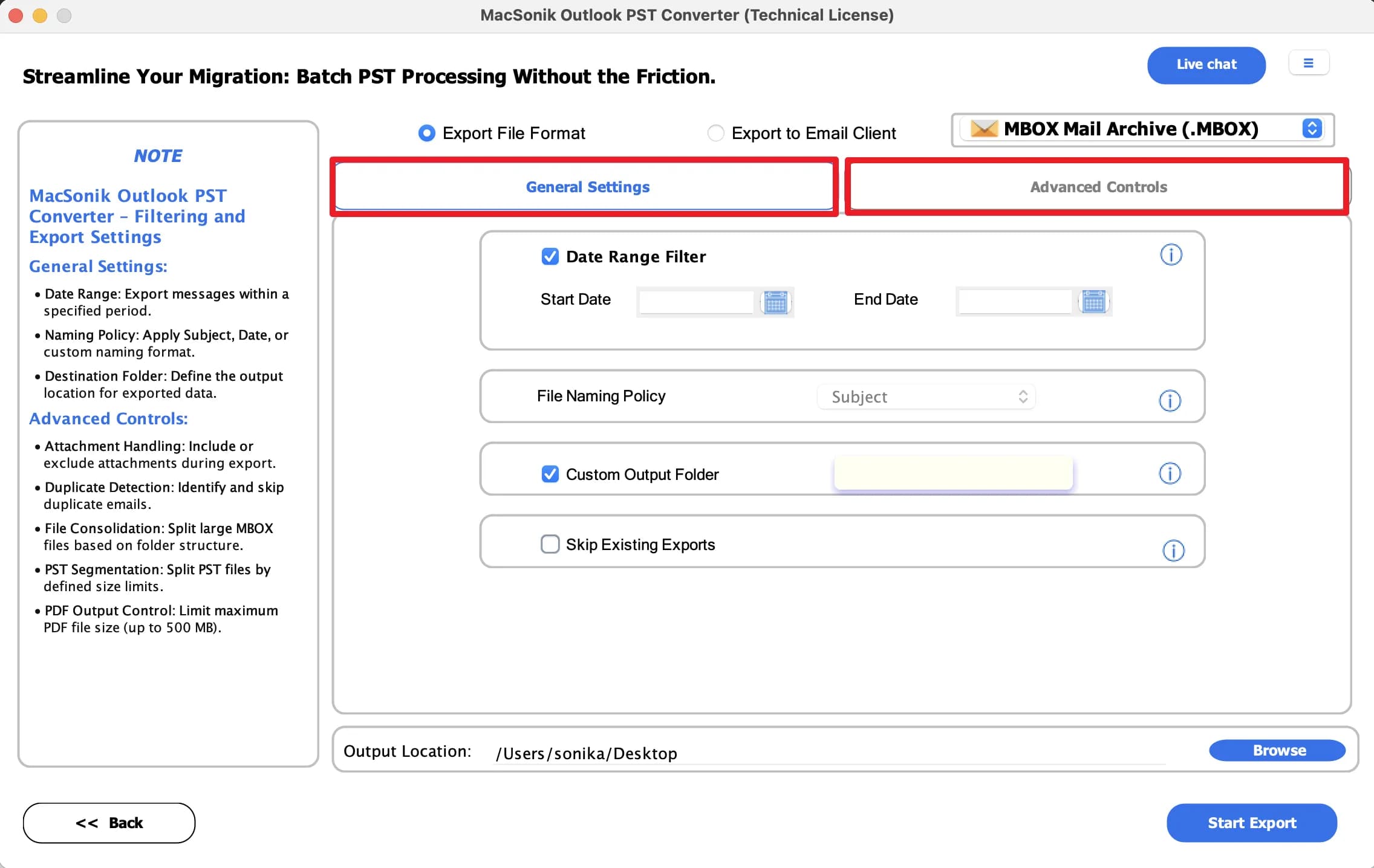
The homepage is competent but generic — a coherent blue palette, tidy icon-card grids, and a clear product mockup, undermined by three competing hero CTAs and a capabilities section that reads like SEO copy pasted twelve times. Usability is stronger: the guide page walks through the workflow in numbered steps, explains General and Advanced settings, and offers live chat plus a phone number. The OS selector up top is a genuinely helpful touch. The gap is that marketing pages are so text-heavy a visitor hunting a specific feature has to wade through paragraphs to find it.
Speed & Security
Speed is the standout: Lighthouse mobile 90/100, LCP 1.8s, TBT 8ms — genuinely snappy. Desktop dips to 78/100 and CLS of 0.174 sits above the good threshold, so there's minor layout shift to clean up. Security hygiene is thorough on the technical side — HTTPS enforced, HSTS, CSP, frame protection, Referrer-Policy, Permissions-Policy, plus SPF and DMARC, a clean 12/12 on the header checklist. What's missing is the compliance layer: no SOC 2, ISO 27001, or bug-bounty program surfaced, which is a notable gap for a tool marketed as enterprise-grade and handling legal email archives.
Accessibility & Growth
Accessibility lands mid-band: Lighthouse 85/100 but five real failing audits — insufficient color contrast, non-sequential headings, images without alt text, links without discernible names, and no main landmark. No WCAG conformance statement anywhere. Growth is a judgement on the idea: PST conversion without Outlook is a real, specific problem, and the differentiators (20+ formats, OAuth 2.0, multi-user impersonation/DWD mapping, skip-existing exports) are concrete. But Stellar, SysTools, and Aid4Mail already own this category, and the differentiators are features a competitor can copy, not structural moats. A solid, clearly positioned product in a crowded field.
Conclusion
If you're an IT admin or legal team that needs PST conversion without Outlook and you value speed and a working guide over marketing polish, this does the job. If your procurement team asks for SOC 2 before signing, you'll be waiting. The product is solid; the trust signals around it are the work left to do.
Suggestions for improvement
- Publish a SOC 2 Type II or ISO 27001 report — 'enterprise-grade' needs compliance proof for legal and IT buyers.
- Fix the five Lighthouse accessibility failures: color contrast, heading order, alt text, link names, and a main landmark.
- Consolidate the hero to one primary CTA and move the Microsoft Store / Purchase options to a secondary row.
- Break the 'Full Review of Capabilities' wall into scannable bullets or a feature comparison table with screenshots.
Alternatives comparison
Named competitors, point by point. Nobody paid to appear here or to be left out.
 MacSonik PST Converter Tool |  Stellar Converter for OST/PST |  SysTools Outlook PST Converter |  Aid4Mail | |
|---|---|---|---|---|
| Works without Microsoft Outlook installed | Yes — core selling point | Yes | Yes | Yes |
| Cross-platform (Mac / Windows / Linux) | Mac, Windows, Linux | Primarily Windows | Primarily Windows | Windows |
| Direct cloud migration (M365 / Google Workspace / IMAP) | Yes, with OAuth 2.0 | Yes | Yes | Yes |
| Multi-user / bulk mailbox mapping | Yes — impersonation & DWD | Limited | Yes | Limited |
| Published compliance certifications (SOC 2 / ISO) | Not found | Not verified | Not verified | Not verified |
Stellar Converter for OST/PST
Widely used PST/OST conversion and recovery tool with multi-format export and mailbox recovery features.
SysTools Outlook PST Converter
PST conversion and migration suite supporting many file formats and direct cloud/platform imports.
Aid4Mail
Email conversion and migration tool focused on moving mail between clients and formats with filtering options.
Comparing options? See MacSonik PST Converter Tool alternatives, scored side by side
More Productivity apps
View all Productivity
Puzzly – B2B Lead Generation & Sales Intelligence Platform
92Puzzly is an all-in-one B2B lead generation platform that...

Qamarero
92An all-in-one hospitality software for restaurants and ba...

EmbedMyReviews
92White-label reputation management software for agencies s...

StoryPad
92Privacy-first open source journal app with a continuous t...

Notion
92All-in-one AI workspace for docs, projects, and knowledge...

The Stack Newsletter
92A weekly newsletter delivering curated tech jobs, intervi...

Vibe Coding Agent Skills
92A free, open-source platform offering 110 AI agent skills...

QRBliss
91Branded QR codes with AI Brand Sync, 15 free dynamic code...

Gerty
91Private, local AI assistant for Mac that runs offline

Strukchad Property Management
91Property management for Kenyan letting agents: rent invoices raised every month, M-Pesa rent prompts to tenants, arrears tracking and landlord statements.

CC Switch
91Open-source desktop app for switching AI coding providers...

PitchWhip
90AI cold call scripts & direct dials from LinkedIn


A platform dedicated to providing unbiased reviews of newly launched applications, analyzing everything from their features to their full potential.
info@scoutforge.net© 2026 Scoutforge. All rights reserved.
