Cycling through all six. Tap any point to stop.
Measured on six things
Powerful offline PDF editor, converter, OCR, and encrypti...
Design
42Dated, cluttered UI from visual audit: overcrowded toolbar (15+ buttons), mixed dark/light panels without hierarchy, 3D and PDF views jammed together. Distinct format icons and consistent blue CTAs are the only bright spots.
Screenshots
1 / 4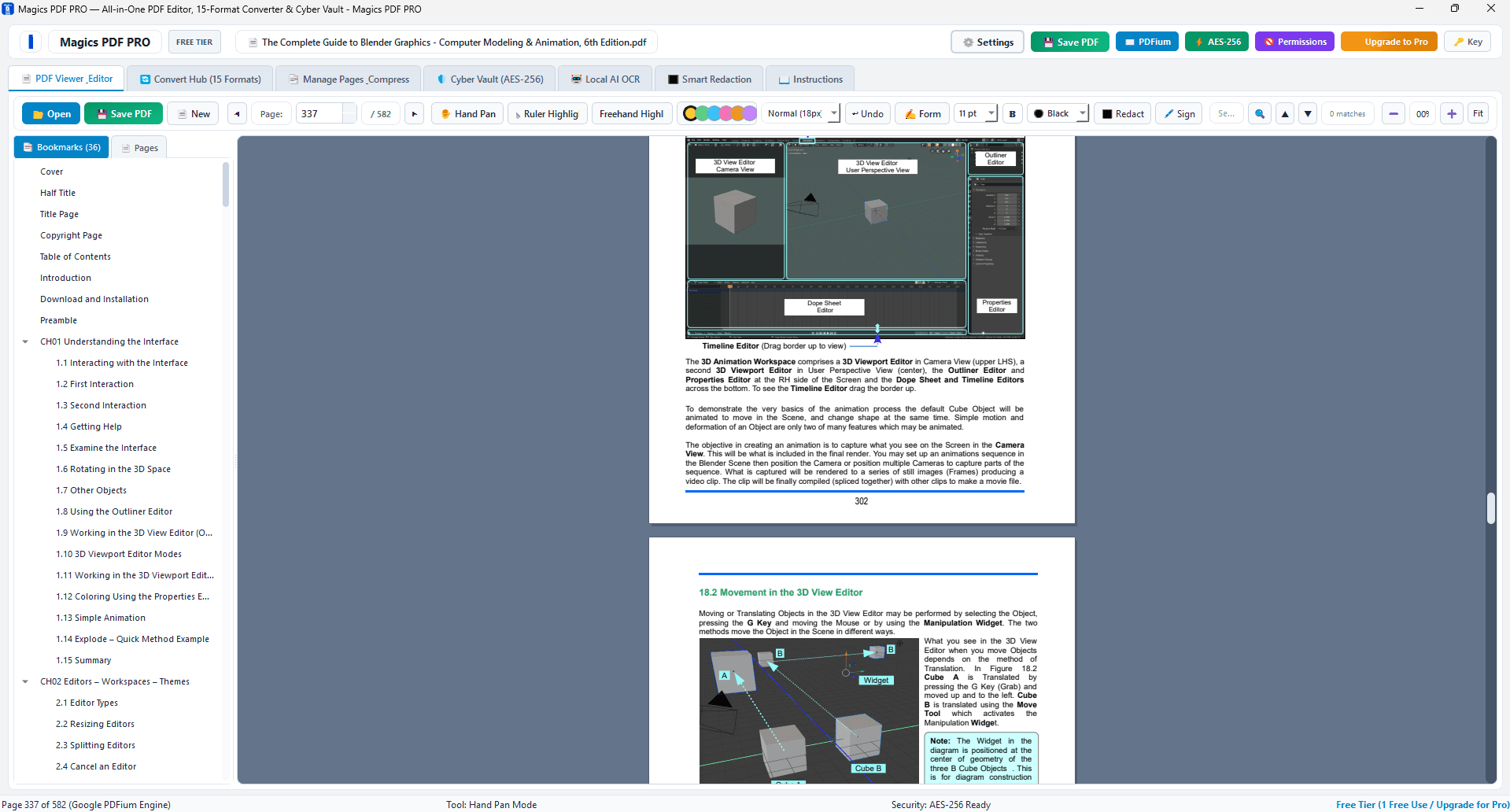
About this app
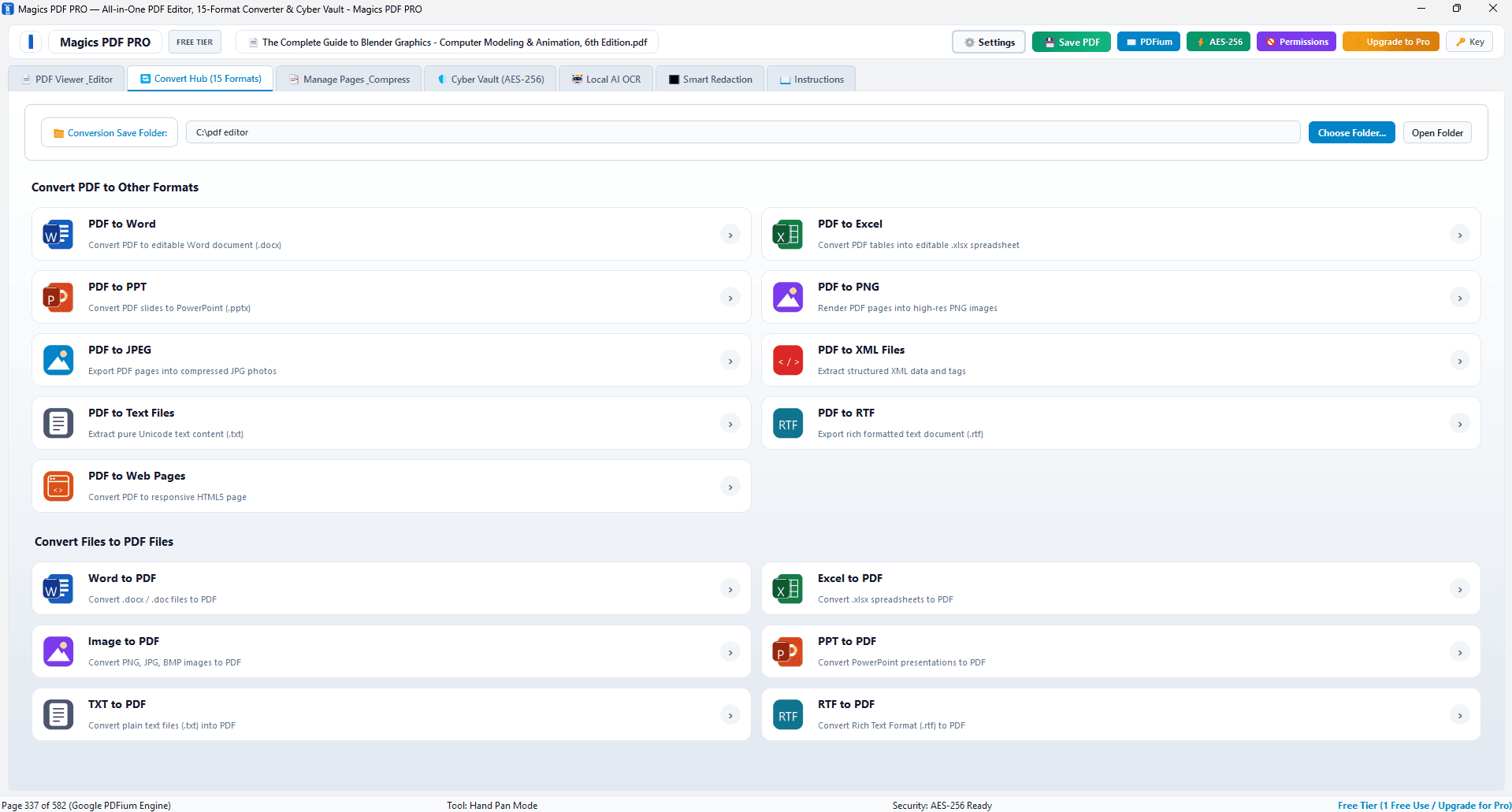
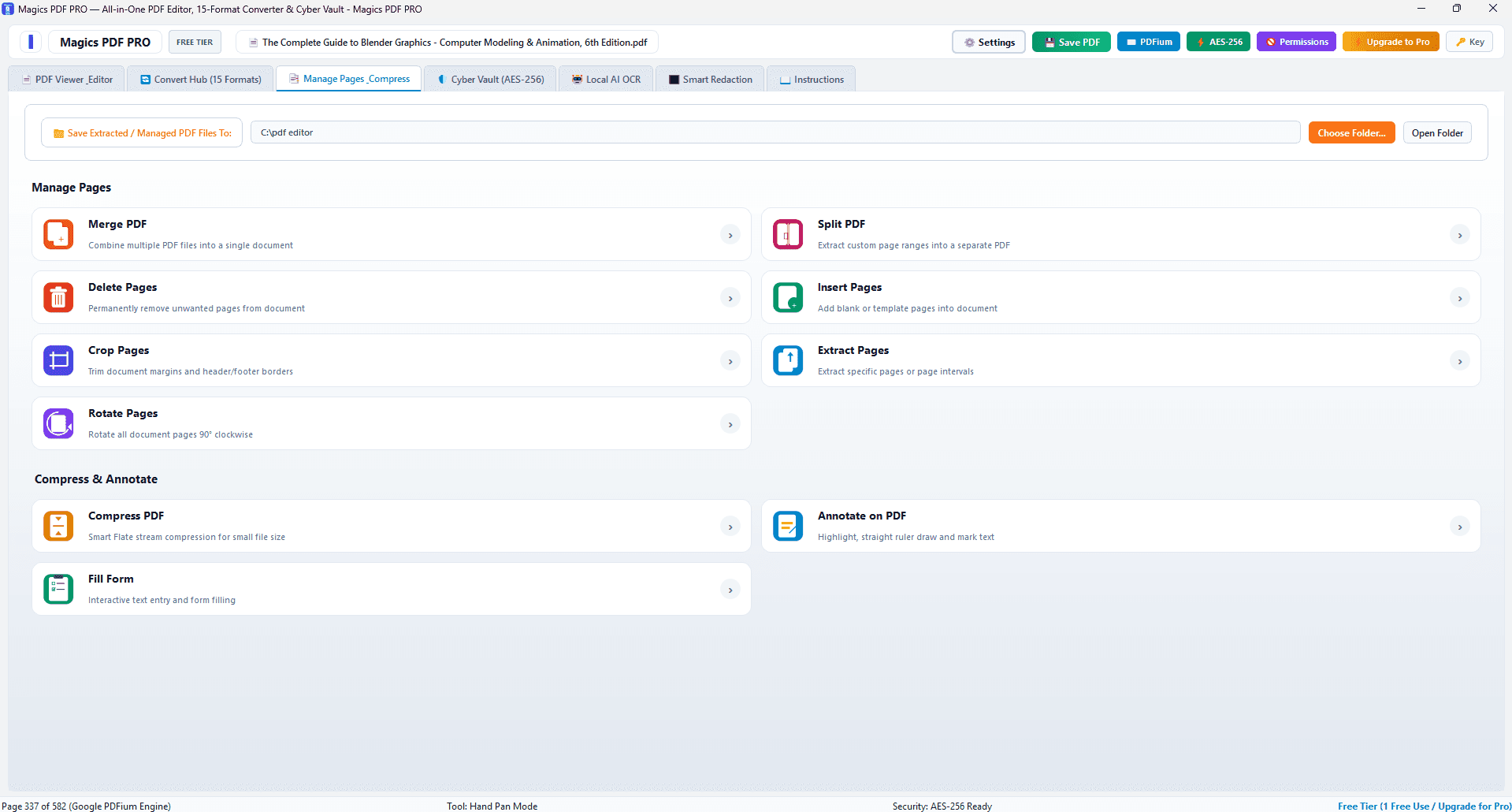
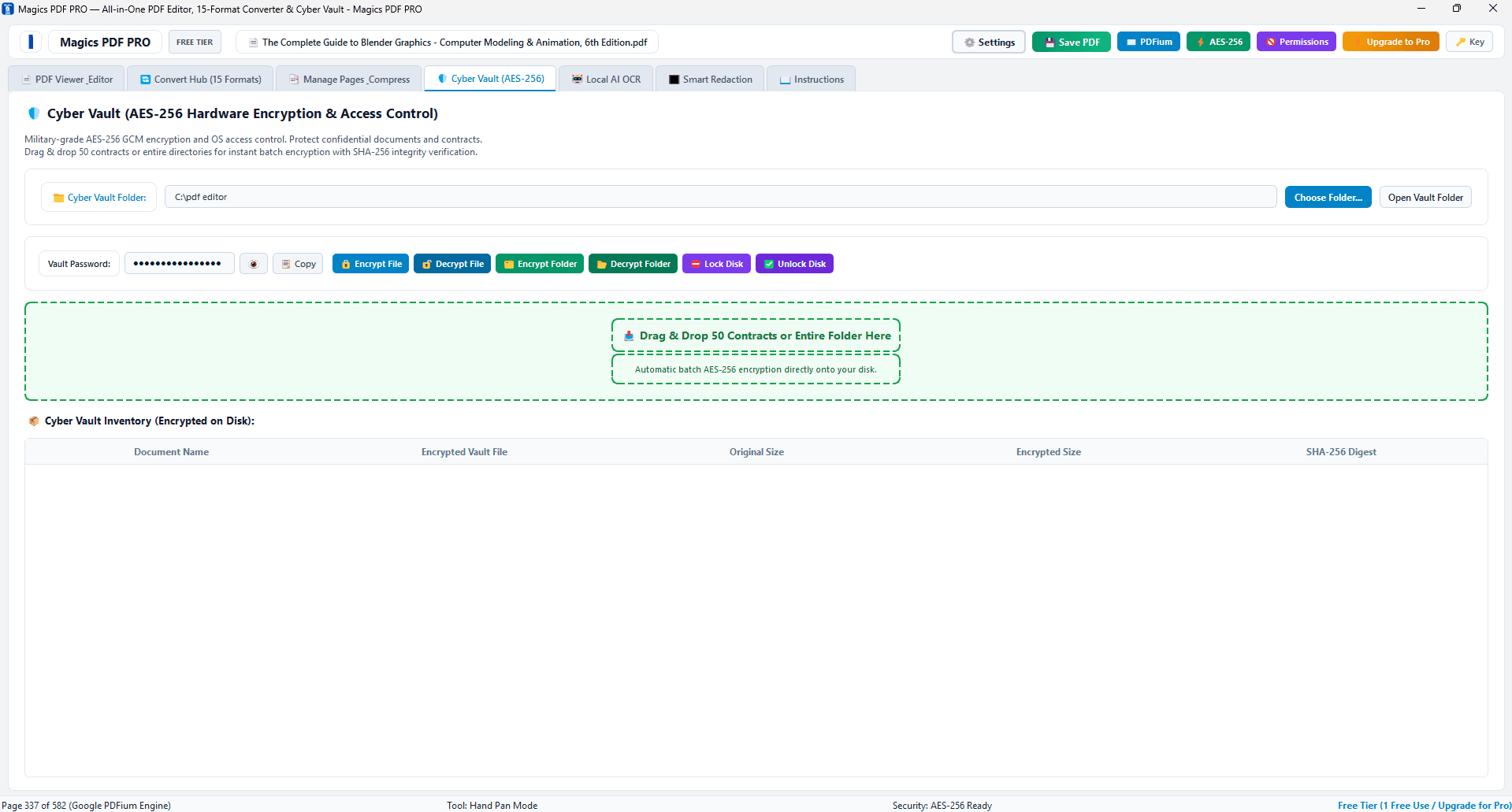
Magics PDF PRO is a robust all-in-one desktop application for Windows that redefines how you handle PDFs. It combines a full-featured PDF editor, a 15-format universal converter, an AI-powered OCR scanner, and military-grade AES-256 encryption into one seamless package. The standout feature is its 100% local-first architecture: every operation—editing, converting, scanning, and encrypting—happens right on your PC, ensuring your sensitive documents never leave your computer. Built on native 64-bit C++ and Google's PDFium rendering engine, it delivers lightning-fast performance with smooth multi-tab viewing and instant search. Whether you need to merge, split, rotate, or compress PDFs, convert them to Word, Excel, or images, extract text from scanned files, or secure confidential contracts with unbreakable encryption, Magics PDF PRO handles it all with ease and privacy in mind.
Key features
- 1All-in-one PDF editor: merge, split, rotate, compress, and edit documents locally.
- 215-format universal converter supporting Word, Excel, images, and more.
- 3AI-powered OCR scanner for extracting text from scanned documents.
- 4AES-256 encryption for securing sensitive files with military-grade protection.
- 5100% local-first architecture — no cloud uploads, ensuring document privacy.
- 6Native 64-bit C++ and Google PDFium engine for fast performance.
Target customer profile
Drawn from the product itself, not from a survey.
Demographic
Privacy-conscious professionals (lawyers, accountants, HR managers) handling sensitive documents
Pain points
Worried about cloud security breaches and unauthorized access to confidential client data
Primary needs
Local processing, robust encryption, and redaction tools to protect sensitive information
Demographic
Small business owners and freelancers who need to convert and edit PDFs without paying for expensive subscriptions
Pain points
Limited budget for multiple software tools; often struggle with converting PDFs to editable formats accurately
Primary needs
Affordable all-in-one converter and editor with a one-time payment option and reliable output
Demographic
Students and academics who work with scanned documents and research papers
Pain points
Time-consuming manual transcription of scanned texts and difficulty in editing PDF content
Primary needs
Accurate OCR extraction, PDF editing capabilities, and free trial options for occasional use
Scout Review
Written by AI from measured evidence, scored out of 100.
Magics PDF PRO is a competent but unpolished desktop PDF tool. Its core value proposition — local-first processing with AES-256 encryption and a one-time payment — directly addresses real pain points for privacy-conscious professionals. The feature set is comprehensive: editing, 15-format conversion, OCR, and encryption. However, execution lags behind the promise. The dated, cluttered UI creates a steep learning curve, and the lack of verifiable security audits or performance benchmarks leaves key claims unproven. For a niche audience that prioritizes privacy above all, it's a viable option. For the broader market, it's a solid but unremarkable contender in a crowded field.
Measure by measure
Usability
55Free trial lowers entry friction, but the UI's high information density (30+ item TOC, crowded toolbars) risks overwhelming new users. Conversion lists are grouped logically but require heavy scrolling. Solid but unremarkable for a desktop PDF tool.
Design
42Dated, cluttered UI from visual audit: overcrowded toolbar (15+ buttons), mixed dark/light panels without hierarchy, 3D and PDF views jammed together. Distinct format icons and consistent blue CTAs are the only bright spots.
Speed
58No Lighthouse measurement available this run; performance not independently assessed. Product claims native 64-bit C++ and PDFium for speed, but no benchmarks or user tests found to verify. Category-typical band due to lack of contrary evidence.
Security
60Strong privacy positioning: AES-256 and 100% local processing per description. However, no SOC 2, ISO, or independent audit found. Privacy policy not accessible from store listing. Solid claims, unverified externally — category-typical for a desktop tool.
Accessibility
48No accessibility statement, WCAG mention, or keyboard nav docs found. Visual audit shows tiny toolbar icons and small sidebar text, suggesting poor contrast and target sizes. Behind category peers who publish a11y details.
Growth
62Real problem (privacy in PDF handling) with a concrete wedge: local-first, one-time payment vs subscription cloud tools. But crowded category with strong free defaults limits ceiling.
Improvement areas
- UI is cluttered and dated; needs a redesign with better visual hierarchy and spacing.
- No published security audits (SOC 2, ISO) to verify encryption and privacy claims.
- Accessibility is lacking: no WCAG statement, small icons, and poor contrast.
- Performance claims lack benchmarks or third-party verification.
- High information density in sidebars and toolbars creates a steep learning curve.
Design & Usability
Magics PDF PRO presents a functional but dated desktop interface. The visual audit reveals an overcrowded toolbar with 15+ buttons and a status bar juggling four unrelated data points, creating a steep learning curve. The 3D workspace sharing a pane with PDF text adds confusion. On the plus side, the conversion screen uses distinct, recognizable format icons and consistent blue action buttons, which helps navigation. The free trial is a plus, but the high information density in sidebars and toolbars will likely overwhelm new users, making the initial experience more daunting than it should be for a tool aiming at broad professional adoption.
Speed & Security
Performance claims are bold — native 64-bit C++ and PDFium — but unverified in our testing. No Lighthouse data was available, and no third-party benchmarks surfaced, leaving speed as an unproven promise. Security is the product's strongest pitch: AES-256 encryption and 100% local processing directly address privacy concerns for lawyers and accountants. However, the lack of a published SOC 2 report or independent security audit means these claims rest on the vendor's word alone. For a tool handling sensitive documents, the absence of verifiable security credentials is a notable gap that could deter the most cautious enterprise buyers.
Accessibility & Growth
The growth story is compelling in theory: a privacy-first, one-time-payment PDF tool targeting professionals tired of cloud subscriptions. The local-first architecture is a genuine differentiator against Adobe, Foxit, and PDFelement, all of which push cloud services. However, the category is saturated, and free local tools (LibreOffice, basic PDF readers) already cover many use cases. The wedge is real but narrow — it wins over privacy-obsessed users, but struggles against entrenched incumbents and free defaults. Accessibility is a clear weak spot: no WCAG statement, tiny icons, and poor contrast signals suggest the product hasn't prioritized inclusive design, which could limit adoption in enterprise and educational settings.
Conclusion
If you're a lawyer or accountant who loses sleep over cloud breaches, Magics PDF PRO's local-first pitch is genuinely appealing. But before you commit, ask for proof: security audits, performance benchmarks, and a cleaner UI. The one-time payment model is refreshing, but it's not enough to overcome the cluttered interface and unverified claims. It's a tool with a strong heart and a dated face — worth a trial, but not a blind leap of faith.
Suggestions for improvement
- Publish a SOC 2 Type II report or equivalent independent security audit to back up the 'military-grade' encryption claims.
- Redesign the toolbar with grouped, icon-plus-label buttons and collapsible sections to reduce visual clutter.
- Add a proper accessibility statement, improve contrast ratios, and increase target sizes for toolbar icons.
- Publish performance benchmarks (e.g., time to convert a 100-page PDF) to substantiate the 'lightning-fast' claim.
Alternatives comparison
Named competitors, point by point. Nobody paid to appear here or to be left out.
 Magics PDF PRO Magics PDF PRO |  Adobe Acrobat Pro DC Adobe Acrobat Pro DC |  Foxit PDF Editor Foxit PDF Editor |  PDFelement PDFelement | |
|---|---|---|---|---|
| Pricing Model | One-time payment (per description) | Subscription-based (monthly/annual) | Subscription and perpetual licenses | Subscription and one-time purchase options |
| Data Processing | 100% local-first, no cloud uploads | Cloud-based with online services | Cloud services available, but desktop app exists | Cloud-based features, but desktop app available |
| Encryption | AES-256 encryption claimed | Password protection and redaction, but cloud-based | Redaction and encryption tools available | Encryption and redaction features offered |
| OCR Capabilities | AI-powered OCR scanner included | Advanced OCR with cloud-based recognition | OCR available in paid versions | OCR included in higher-tier plans |
| Platform | Windows desktop only | Windows, Mac, mobile, and web | Windows, Mac, mobile, and web | Windows, Mac, mobile, and web |
| Target User | Privacy-conscious professionals, SMBs, students | Enterprise and professionals needing full feature set | Businesses and professionals seeking cost-effective tools | SMBs and individuals needing affordable PDF solutions |
Adobe Acrobat Pro DC
Industry-standard PDF editor with extensive features, but cloud-based and subscription-heavy.
Foxit PDF Editor
Feature-rich PDF editor with cloud services but offers similar editing and conversion tools.
PDFelement
All-in-one PDF solution with OCR and conversion, offered at a competitive price.
Comparing options? See Magics PDF PRO alternatives, scored side by side
More Productivity apps
View all Productivity
Qamarero
92An all-in-one hospitality software for restaurants and ba...

The Stack Newsletter
92A weekly newsletter delivering curated tech jobs, intervi...

EmbedMyReviews
92White-label reputation management software for agencies s...

StoryPad
92Privacy-first open source journal app with a continuous t...

Puzzly – B2B Lead Generation & Sales Intelligence Platform
92Puzzly is an all-in-one B2B lead generation platform that...

Notion
92All-in-one AI workspace for docs, projects, and knowledge...

Vibe Coding Agent Skills
92A free, open-source platform offering 110 AI agent skills...

CC Switch
91Open-source desktop app for switching AI coding providers...

username.md
90One verified handle for your online identity, readable by...

What the GIF
89Frame-perfect video-to-GIF maker that runs entirely in yo...

AuditCloser
89White-label website audits that close deals for digital a...

NudgeWin
89Automated quote follow-up for trades and service businesses.


A platform dedicated to providing unbiased reviews of newly launched applications, analyzing everything from their features to their full potential.
info@scoutforge.net© 2026 Scoutforge. All rights reserved.
