Cycling through all six. Tap any point to stop.
Measured on six things
Mainspring turns the settings macOS hides into 90+ one-click, fully reversible power-ups for Finder, Dock, screenshots and more. $29 once.
Security
52HTTPS enforced, SPF and DMARC present, Apple-signed and notarized, local-only data with no account. But zero HSTS, CSP, frame protection or other hardening headers — 4/12 on the checklist.
Screenshots
1 / 3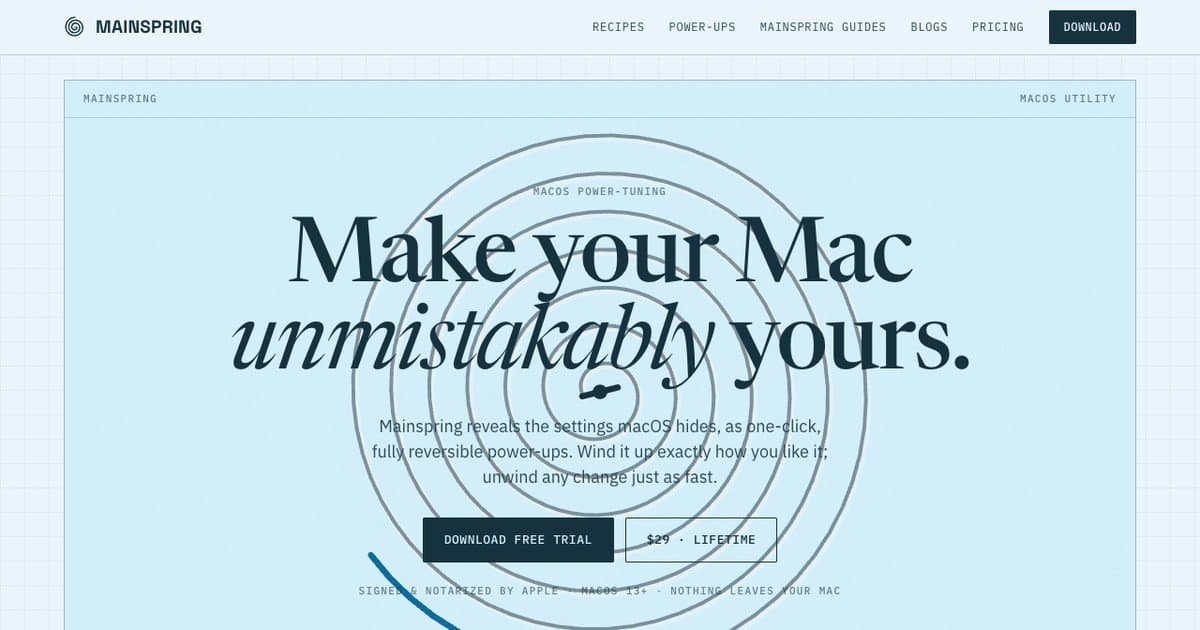
About this app
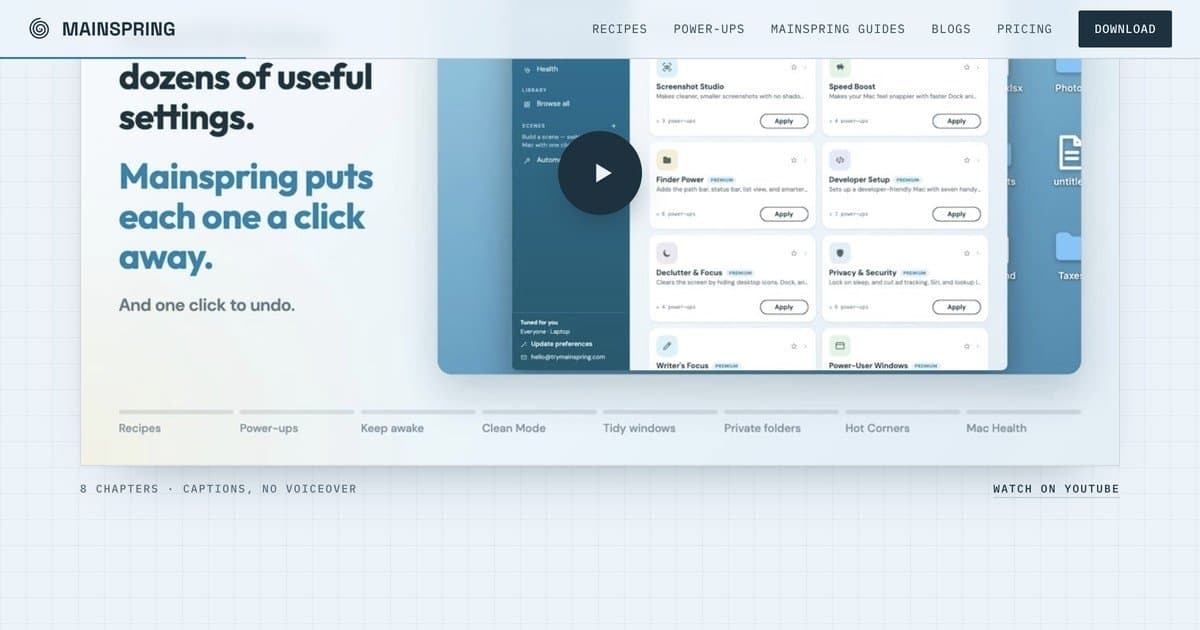
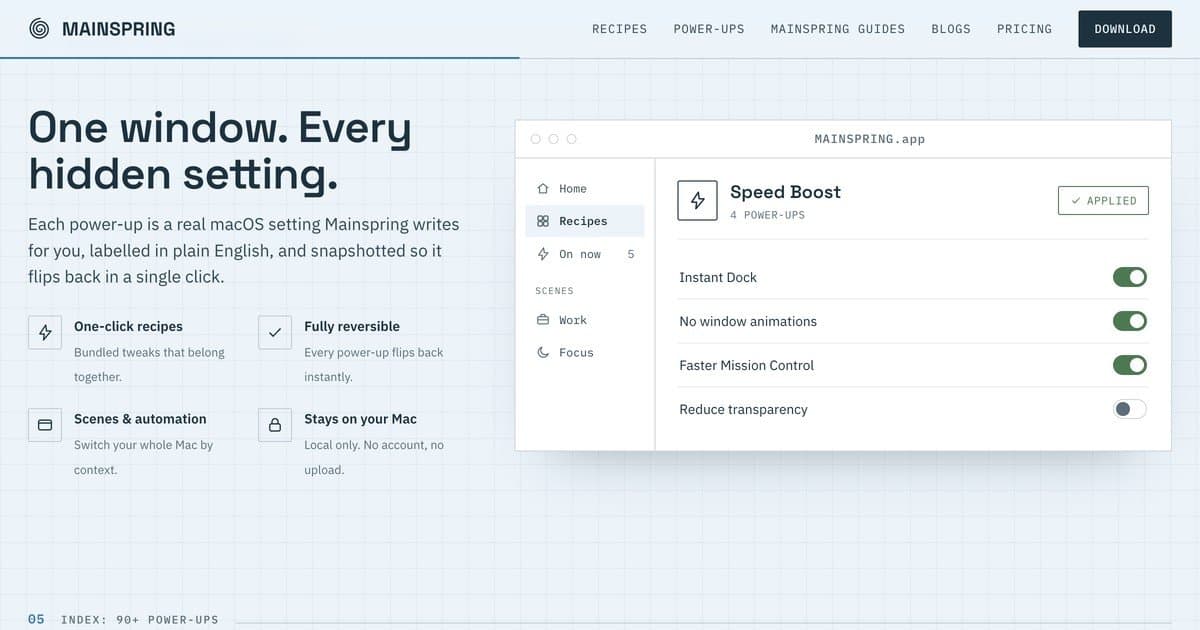
Mainspring reveals the settings macOS hides and turns them into 90+ one-click power-ups for Finder, the Dock, screenshots, animations, windows and more. Every change is snapshotted, so any switch flips back in one click. Recipes such as Developer Setup (hidden files, all file extensions, fast key repeat) apply and revert as a set. It runs locally with no account. $29 once, with a free 1-day trial.
Key features
- 190+ one-click macOS power-ups across Finder, Dock, screenshots, animations, windows and privacy
- 2Every change snapshotted and fully reversible in one click; recipes apply and revert as sets
- 3Scenes and automation switch your whole Mac by context (power, displays, time, app launch)
- 4Runs locally with no account; Apple-signed and notarized; $29 once, free 1-day trial
Target customer profile
Drawn from the product itself, not from a survey.
Scout Review
Written by AI from measured evidence, scored out of 100.
Mainspring is a well-scoped macOS power-tuning utility with a clear, honest pitch: 90+ hidden settings turned into one-click, fully reversible power-ups, plus recipes that apply and revert as sets. The site is upfront about the tradeoffs — no Mac App Store because sandboxing blocks lid-closed sleep, Apple-signed and notarized instead, local-only with no account. The guides section is unusually thorough for an indie utility, checked against app version 3.3.1. The measured weaknesses are a slow first paint (4.5s LCP) on a site selling speed, a thin security-header posture (4/12), and a hero that wastes its best real estate. Accessibility is genuinely strong at 96. The idea is differentiated and the execution is competent; the open question is whether a one-time $29 license can fund the updates it promises forever.
Measure by measure
Usability
74Free 1-day trial with no account, a genuinely deep guides section checked against v3.3.1, and an app UI where the core action is a visible Apply button. Onboarding path is short and clear.
Design
70Cohesive Mac-native palette and a clean app UI with obvious Apply cards. Landing page craft is good but the hero wastes vertical space and the video block is a blank white rectangle.
Speed
58Lighthouse mobile 67 and desktop 66, with LCP/FCP both at 4.5s. CLS is a clean 0 and TBT is modest at 288ms, but first paint is slow for a marketing page that should be near-instant.
Security
52HTTPS enforced, SPF and DMARC present, Apple-signed and notarized, local-only data with no account. But zero HSTS, CSP, frame protection or other hardening headers — 4/12 on the checklist.
Accessibility
80Lighthouse accessibility 96/100 with only two failing audits: non-sequential heading order and a missing main landmark. No a11y statement or multi-language support found, but the automated baseline is strong.
Growth
62Real, specific wedge: 90+ reversible one-click macOS tweaks with snapshots and recipes, aimed at power users who'd otherwise paste Terminal commands. Category has headroom but also free (OnyX) and paid (MacPilot) incumbents.
Improvement areas
- Landing page LCP of 4.5s undercuts the 'snappier Mac' pitch — needs performance work
- Security headers at 4/12: no HSTS, CSP, frame protection, Referrer-Policy or Permissions-Policy
- Two accessibility audits failing (heading order, missing main landmark) despite a 96 score
- Hero wastes vertical space and the video placeholder is an empty white rectangle
Design & Usability
Mainspring's design reads as a competent Mac-native product: a consistent pale blue/navy/teal palette, a hero that pairs a heavy serif with an italic accent, and an app screenshot that actually shows the one-click Apply cards the copy promises. The weak spots are landing-page craft, not product craft — a hero with too much dead vertical space and a video block that's a blank white rectangle with a play button. Usability is the stronger half: a free 1-day trial with no account or card, a guides section deep enough to document the sidebar search bar and checked against v3.3.1, and a UI where the core action is a visible button. The one-day trial is the main friction point for a 90-toggle utility.
Speed & Security
Speed is the softest measured dimension. Lighthouse lands at 67 mobile and 66 desktop, with LCP and FCP both at 4.5s — slow first paint for a marketing page that should be near-instant, though CLS 0 and TBT 288ms show the layout is stable and the main thread isn't choking. For a product whose entire pitch is 'snappier Mac,' a 4.5s first paint is an awkward look. Security is a mixed bag: HTTPS is enforced, SPF and DMARC are present, the app is Apple-signed and notarized, and the site is explicit that data stays local with only license-verification network calls. But the header checklist is 4/12 — no HSTS, no CSP, no frame protection, no Referrer-Policy. No SOC 2, ISO, pen-test or bug-bounty signals appear anywhere in the site content.
Accessibility & Growth
Accessibility is the strongest measured dimension: Lighthouse 96/100, with only two failing audits — heading elements not in sequential-descending order and a missing main landmark. Both are quick fixes. No accessibility statement or multi-language support turned up in the site content, so the automated score is doing most of the work here. Growth is a judgement on the idea, not traction. The wedge is real and specific: 90+ macOS settings that power users currently dig out of Terminal, relabelled in plain English, snapshotted, and reversible in one click, with recipes that apply and revert as sets. That's a genuine differentiator against both the free Terminal route and the paid incumbents in the Mac-tuning category. The limit is the pricing model — $29 once with forever updates and three Macs is a one-time sale with no expansion revenue, which caps how far the wedge can carry the business even if the product is good.
Conclusion
If you're a Mac power user who's tired of pasting defaults write commands off a forum and forgetting the undo, Mainspring is aimed squarely at you, and the reversible-snapshot model is the right answer to that problem. The free 1-day trial is enough to know. The things to watch are the pricing model's long-term sustainability and the site's slow first paint, neither of which affects whether the app itself works. For $29 once across three Macs, the risk is low and the upside is a calmer, faster Mac you actually understand.
Suggestions for improvement
- Fix the two accessibility audits: sequential heading order and add a <main> landmark — both are quick wins from 96 to near-100.
- Add HSTS, CSP, X-Content-Type-Options, Referrer-Policy and Permissions-Policy headers; the 4/12 checklist is the weakest measured signal.
- Cut LCP from 4.5s — preload the hero font and image, and consider a static or edge-rendered landing page for a product selling speed.
- Replace the blank white video placeholder with a real poster frame or a short autoplay loop; it currently reads as unfinished.
Alternatives comparison
Named competitors, point by point. Nobody paid to appear here or to be left out.
 Mainspring Mainspring |  | |
|---|---|---|
| Pricing model | $29 one-time, lifetime updates, up to 3 Macs, free 1-day trial | Not provided in app details |
| Reversible changes / undo | Every setting snapshotted; one-click revert; recipes revert as a set | Not provided in app details |
| Number of tweaks | 90+ power-ups plus 9 curated recipes | Not provided in app details |
| Account / data handling | No account; runs locally; only license-verification network calls | Not provided in app details |
| Automation / context switching | Scenes plus automation on power, displays, time of day, app launch | Not provided in app details |
Comparing options? See Mainspring alternatives, scored side by side
More Productivity apps
View all Productivity
Qamarero
92An all-in-one hospitality software for restaurants and ba...

The Stack Newsletter
92A weekly newsletter delivering curated tech jobs, intervi...

EmbedMyReviews
92White-label reputation management software for agencies s...

StoryPad
92Privacy-first open source journal app with a continuous t...

Puzzly – B2B Lead Generation & Sales Intelligence Platform
92Puzzly is an all-in-one B2B lead generation platform that...

Notion
92All-in-one AI workspace for docs, projects, and knowledge...

Vibe Coding Agent Skills
92A free, open-source platform offering 110 AI agent skills...

CC Switch
91Open-source desktop app for switching AI coding providers...

username.md
90One verified handle for your online identity, readable by...

What the GIF
89Frame-perfect video-to-GIF maker that runs entirely in yo...

AuditCloser
89White-label website audits that close deals for digital a...

NudgeWin
89Automated quote follow-up for trades and service businesses.


A platform dedicated to providing unbiased reviews of newly launched applications, analyzing everything from their features to their full potential.
info@scoutforge.net© 2026 Scoutforge. All rights reserved.
