

A platform dedicated to providing unbiased reviews of newly launched applications, analyzing everything from their features to their full potential.
info@scoutforge.net© 2026 Scoutforge. All rights reserved.
A platform dedicated to providing unbiased reviews of newly launched applications, analyzing everything from their features to their full potential.
info@scoutforge.net© 2026 Scoutforge. All rights reserved.
A platform dedicated to providing unbiased reviews of newly launched applications, analyzing everything from their features to their full potential.
info@scoutforge.net© 2026 Scoutforge. All rights reserved.
Cycling through all six. Tap any point to stop.
Measured on six things
Beautiful markdown viewer & editor for Mac and Windows.
Very new product (launched ~June/July 2026) with no reviews, no GitHub activity, and minimal third-party listings.
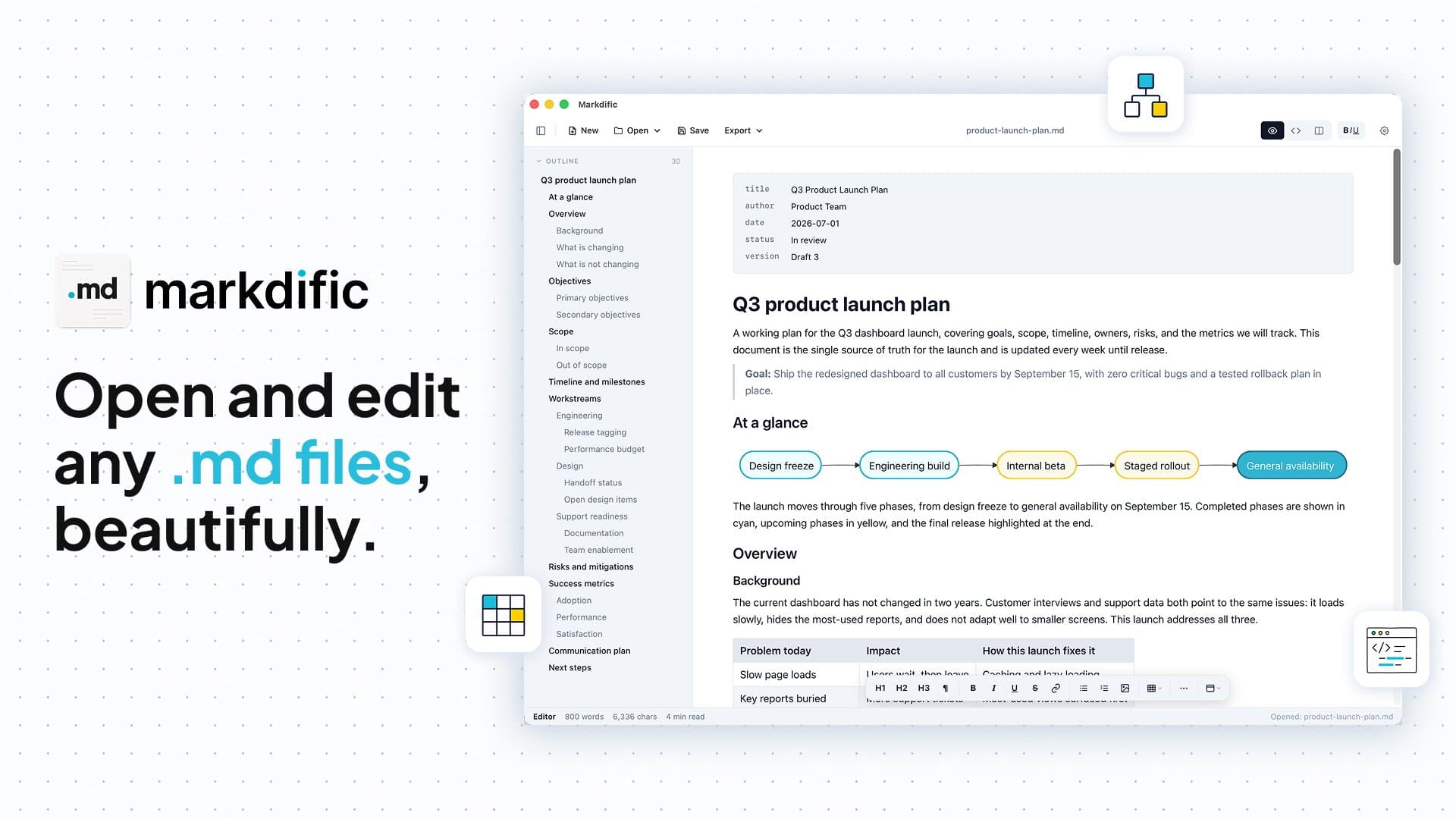
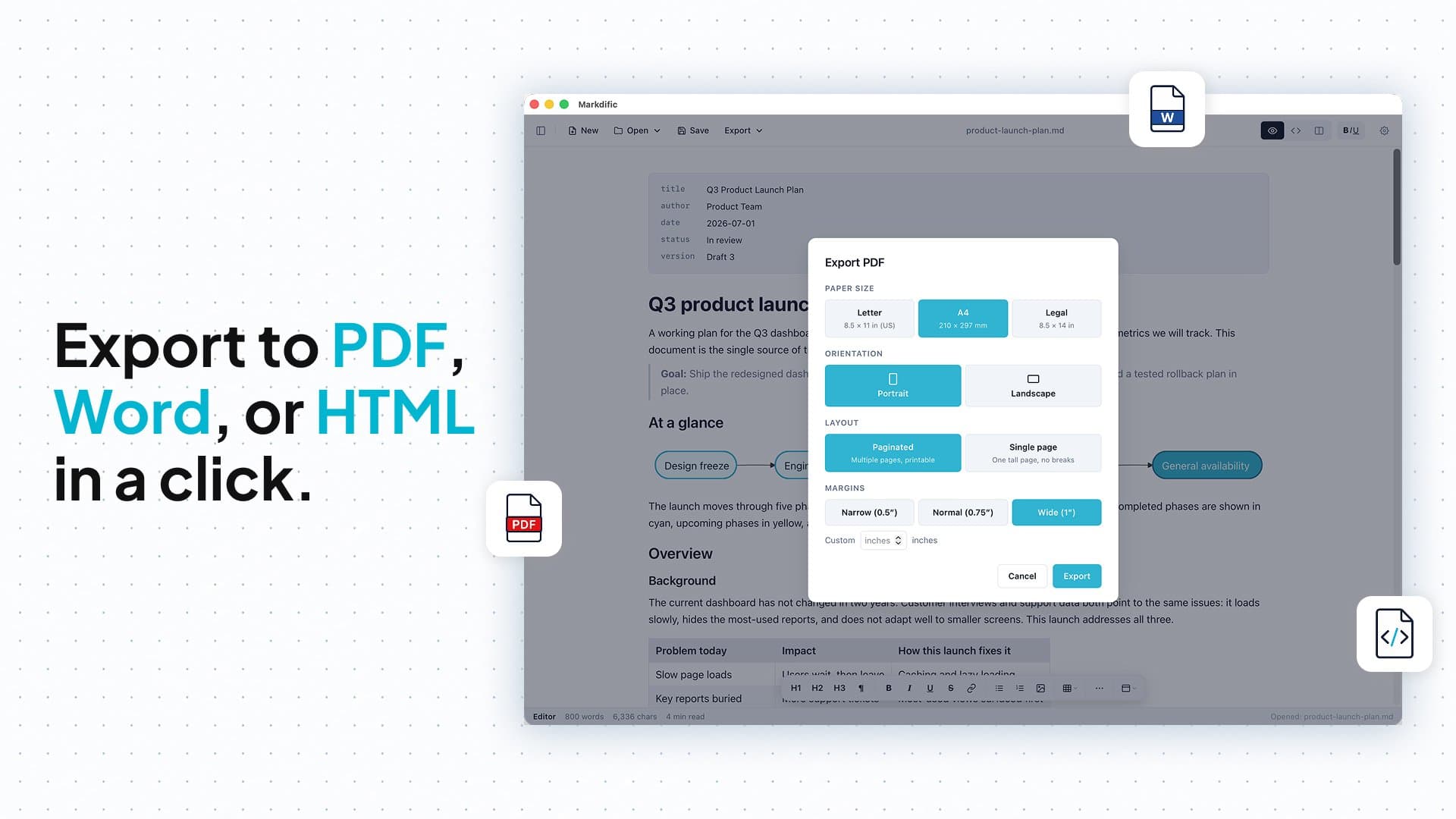
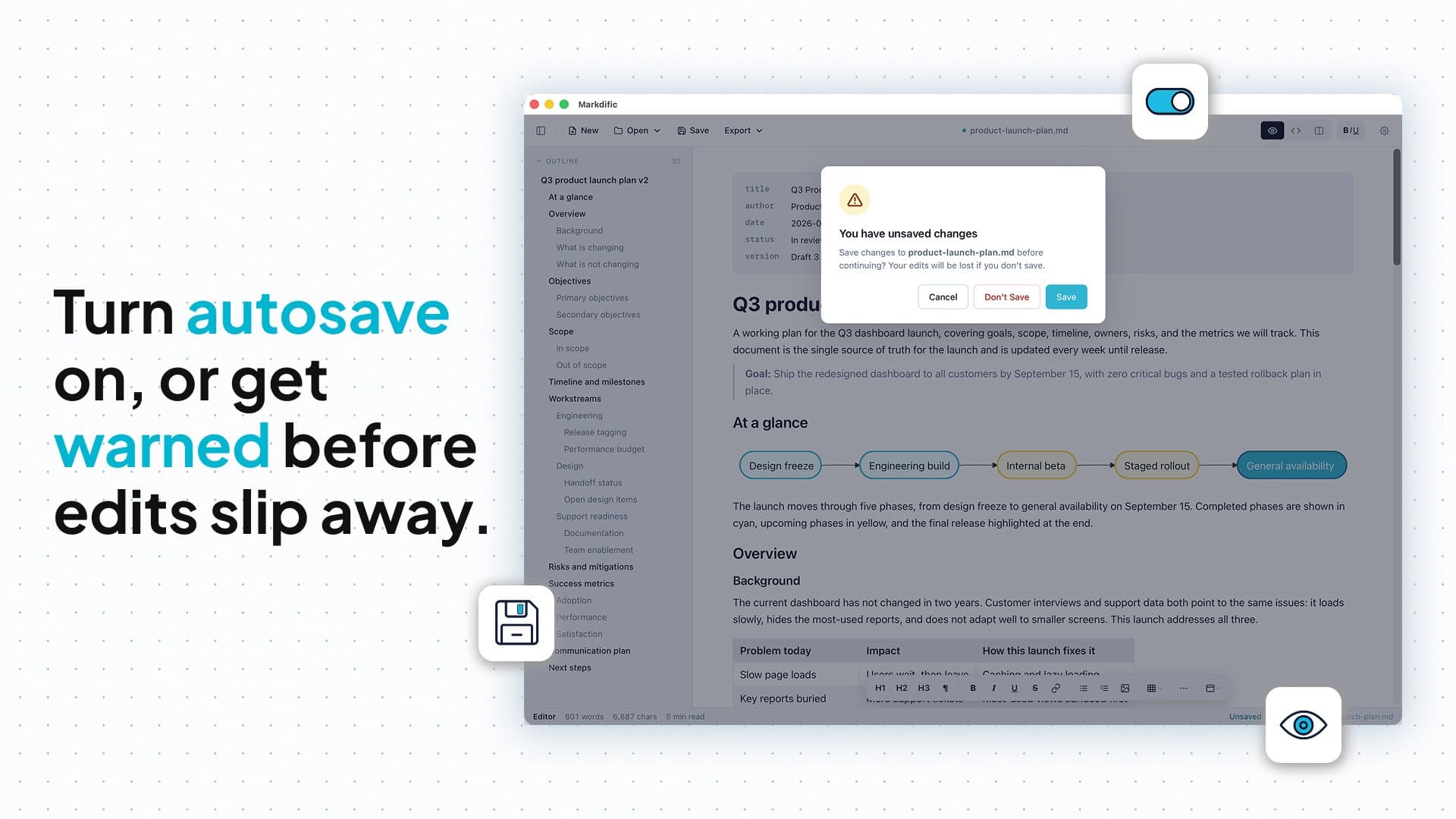
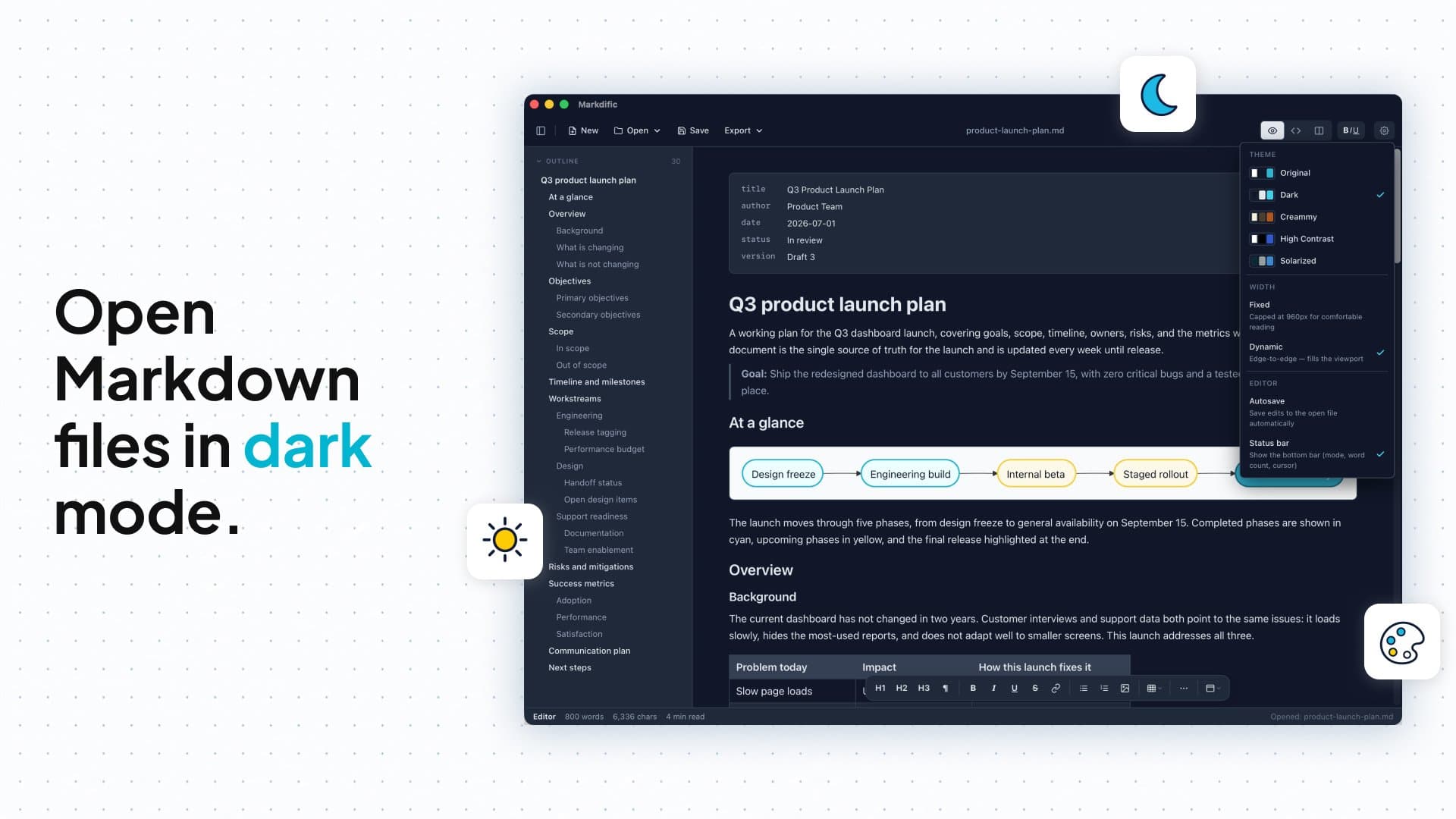
If you're anything like me, you've been drowning in .md files from ChatGPT, Claude, and other AI tools. Opening them in TextEdit or Notepad is a pain—raw syntax everywhere. Markdific is a breath of fresh air. It's a lightweight, native markdown viewer and editor for macOS and Windows that renders files beautifully. Double-click any .md file and instantly see proper headings, tables, images, code fences with syntax highlighting, LaTeX math, and even Mermaid diagrams. The editing experience is just as smooth: switch between read and edit modes, autosave, and export to PDF, Word, or HTML. The themes are gorgeous—light, dark, serif, cream—and the outline sidebar makes navigation a breeze. Best of all, it's free to use forever for basic viewing, and premium features (editing, export) are a one-time $9.99 purchase with a 14-day free trial. No subscription, no fuss. It's the markdown tool I wish I had years ago.
Drawn from the product itself, not from a survey.
Demographic
AI users who frequently receive markdown outputs
Pain points
Raw .md files look terrible in default text editors
Primary needs
A beautiful, native viewer that renders markdown correctly
Demographic
Developers and technical writers
Pain points
Need a lightweight editor with syntax highlighting and export options
Primary needs
Fast, clean editing with PDF/HTML export and code support
Demographic
Students and researchers using markdown for notes
Pain points
Existing tools are either too complex or lack math/diagram support
Primary needs
Simple tool with LaTeX math and Mermaid diagrams
Written by AI from measured evidence, scored out of 100.
A promising lightweight markdown viewer/editor aimed squarely at the flood of AI-generated .md files. Strong design and usability for its niche, but it's too early to judge real-world speed, security depth, or long-term growth. One-time $9.99 pricing is refreshing compared to subscriptions elsewhere.
Straightforward onboarding with free viewer tier, instant online demo, and transparent one-time pricing—no subscriptions or accounts needed.
Polished, modern landing page with excellent theme previews and clear visual hierarchy tailored to markdown rendering.
Native lightweight app claim with fast-loading marketing site; no independent benchmarks or lag reports available yet.
HTTPS and simple one-time purchase model; complete absence of security certifications, audits, or transparency docs.
Basic readable site with theme options; zero mentions of WCAG compliance, screen reader support, or accessibility testing.
Very new product (launched ~June/July 2026) with no reviews, no GitHub activity, and minimal third-party listings.
Markdific nails the visual pitch with a sleek site showcasing gorgeous themes and rendered elements like Mermaid diagrams and LaTeX. The free viewer tier plus instant online demo makes it dead easy to try. Onboarding feels frictionless for the target AI-markdown crowd, though the real test is whether the native app delivers the same polish once installed.
The app is positioned as lightweight and native, which should translate to good performance, but there's zero benchmark data or user feedback to confirm it. Security is basic HTTPS plus a simple purchase flow—perfectly adequate for personal use but lacks any enterprise-grade assurances like audits that competitors sometimes offer.
Accessibility gets almost no attention—no WCAG claims or platform-specific features highlighted. Growth is the weakest area: the product is brand new with no reviews, community, or GitHub presence, putting it far behind established alternatives like Obsidian or Typora in visibility and proven adoption.
Conclusion
If you just want beautiful double-click .md viewing without fuss, Markdific is worth the free download. Power users may still prefer more mature tools until this one builds some momentum.
Named competitors, point by point. Nobody paid to appear here or to be left out.
 Markdific Markdific |  Typora Typora |  Obsidian Obsidian |  iA Writer iA Writer | |
|---|---|---|---|---|
| Pricing model | Free viewer; $9.99 one-time for premium editing/export | One-time purchase (~$14.99-$19.99 depending on platform) | Free core app; optional paid sync/publish | One-time purchase or subscription options |
| Mermaid diagrams & LaTeX support | Native rendering of Mermaid and LaTeX math | Supports Mermaid and math via extensions/plugins | Excellent built-in Mermaid and math support via plugins | Basic math support; limited diagram features |
| Platform & export options | macOS/Windows native; PDF, Word, HTML export | macOS/Windows/Linux; PDF, HTML, Word export | Cross-platform; export via plugins or core features | macOS/iOS focused; strong PDF and DOCX export |
Typora
A minimal markdown editor for Mac/Windows with live preview.
Obsidian
A powerful knowledge base that works on local markdown files.
iA Writer
A distraction-free writing app with markdown support.
Comparing options? See Markdific alternatives, scored side by side
What the review was written against. A verdict with no sources is an opinion.

An all-in-one hospitality software for restaurants and ba...

A weekly newsletter delivering curated tech jobs, intervi...

White-label reputation management software for agencies s...

Privacy-first open source journal app with a continuous t...

Puzzly is an all-in-one B2B lead generation platform that...

All-in-one AI workspace for docs, projects, and knowledge...

A free, open-source platform offering 110 AI agent skills...

Open-source desktop app for switching AI coding providers...

One verified handle for your online identity, readable by...

Frame-perfect video-to-GIF maker that runs entirely in yo...

White-label website audits that close deals for digital a...

Automated quote follow-up for trades and service businesses.
A platform dedicated to providing unbiased reviews of newly launched applications, analyzing everything from their features to their full potential.
info@scoutforge.net© 2026 Scoutforge. All rights reserved.
