Is this your app?
Claim Muraimai to manage its page, add your badge and see your traffic — free, and it stays free.
Cycling through all six. Tap any point to stop.
Measured on six things
A privacy-focused iOS app for offline note-taking, voice transcription, and task management with a minimalist interface.
Accessibility
60Voice input helps but lacks screen reader support, adjustable fonts, and non-English transcription.
Screenshots
1 / 5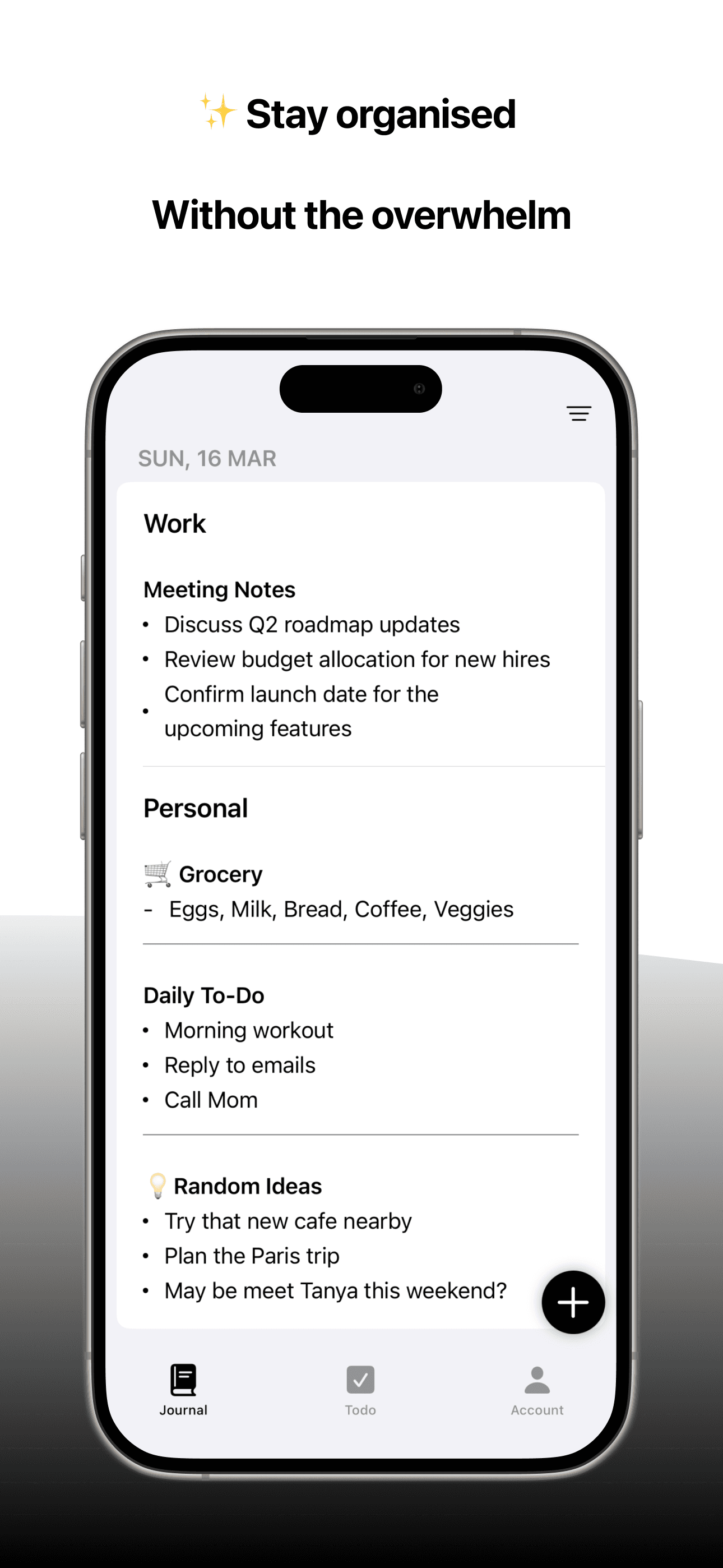
About this app
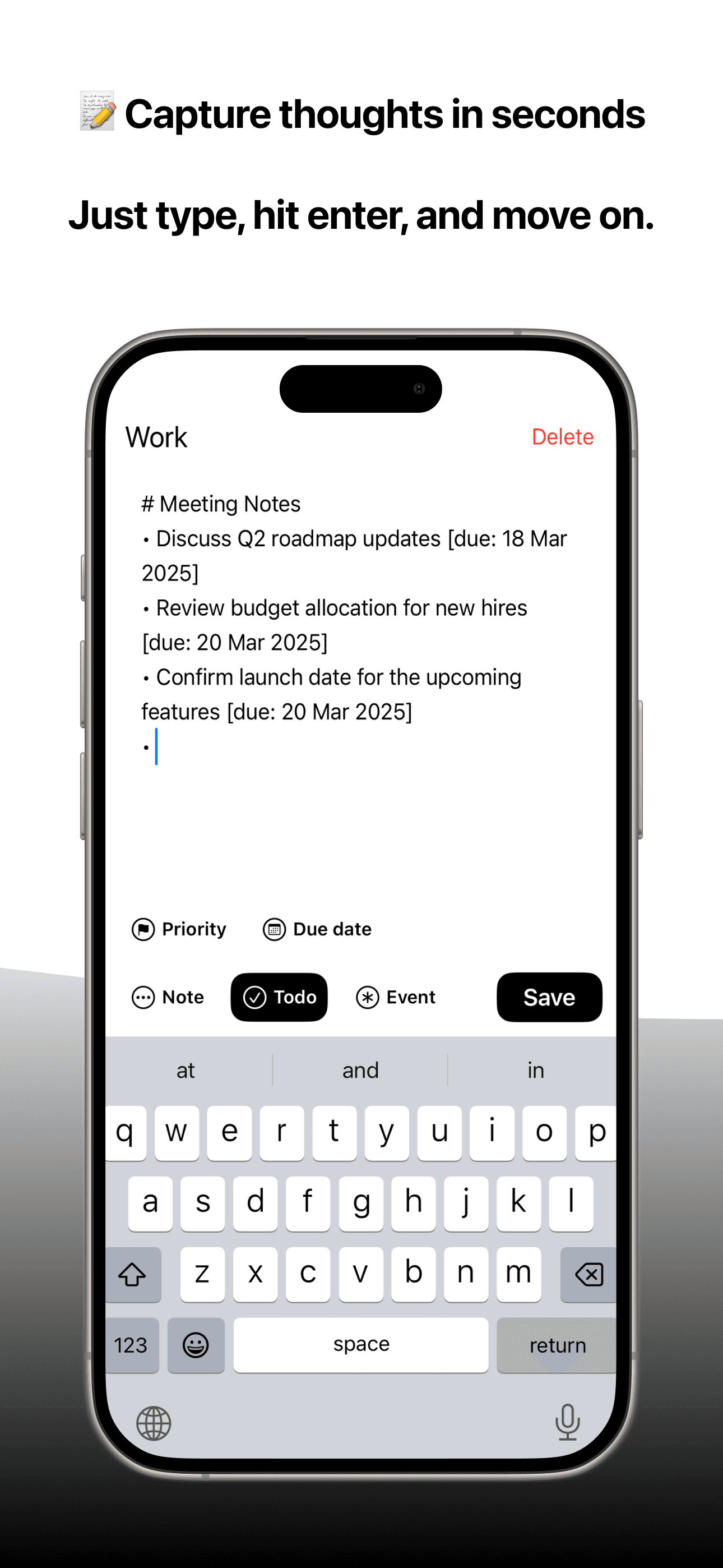
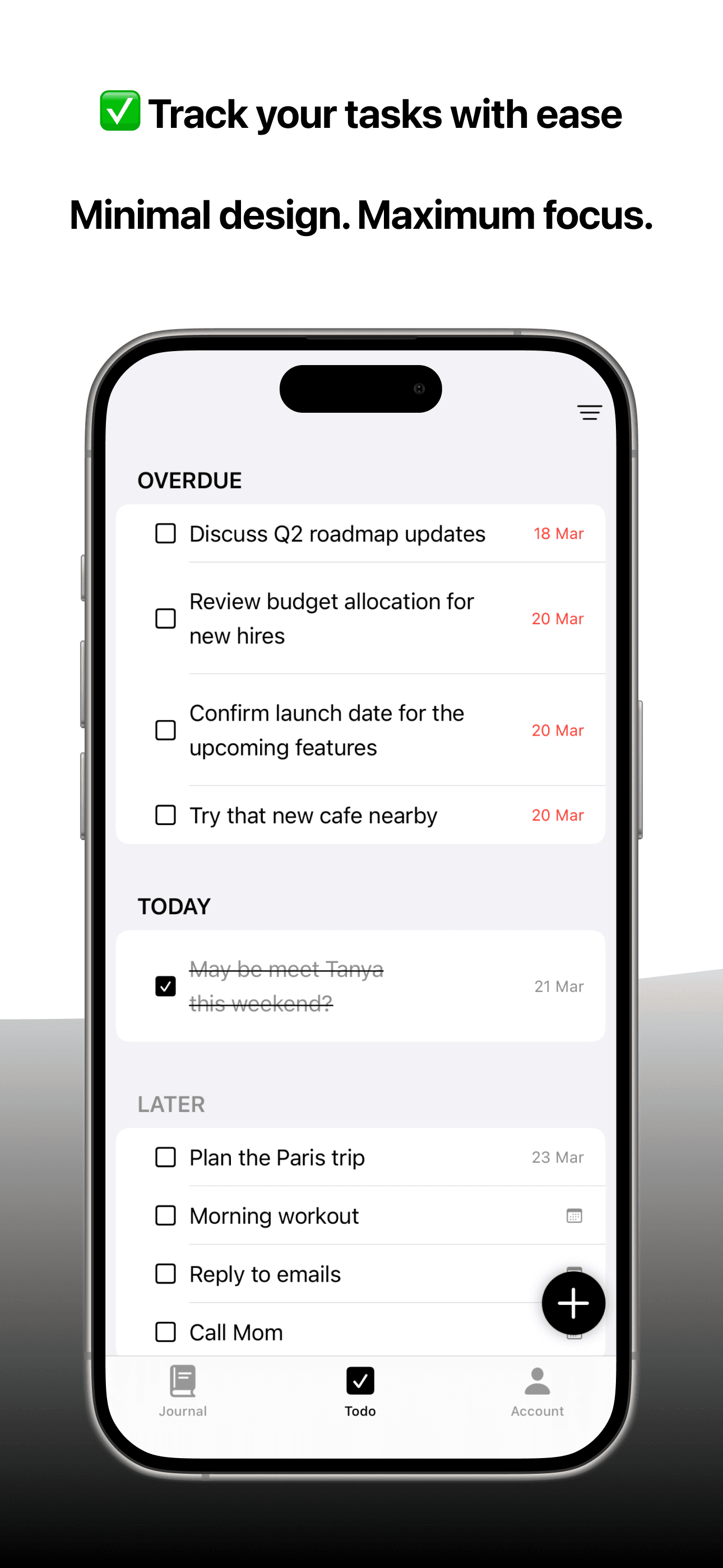
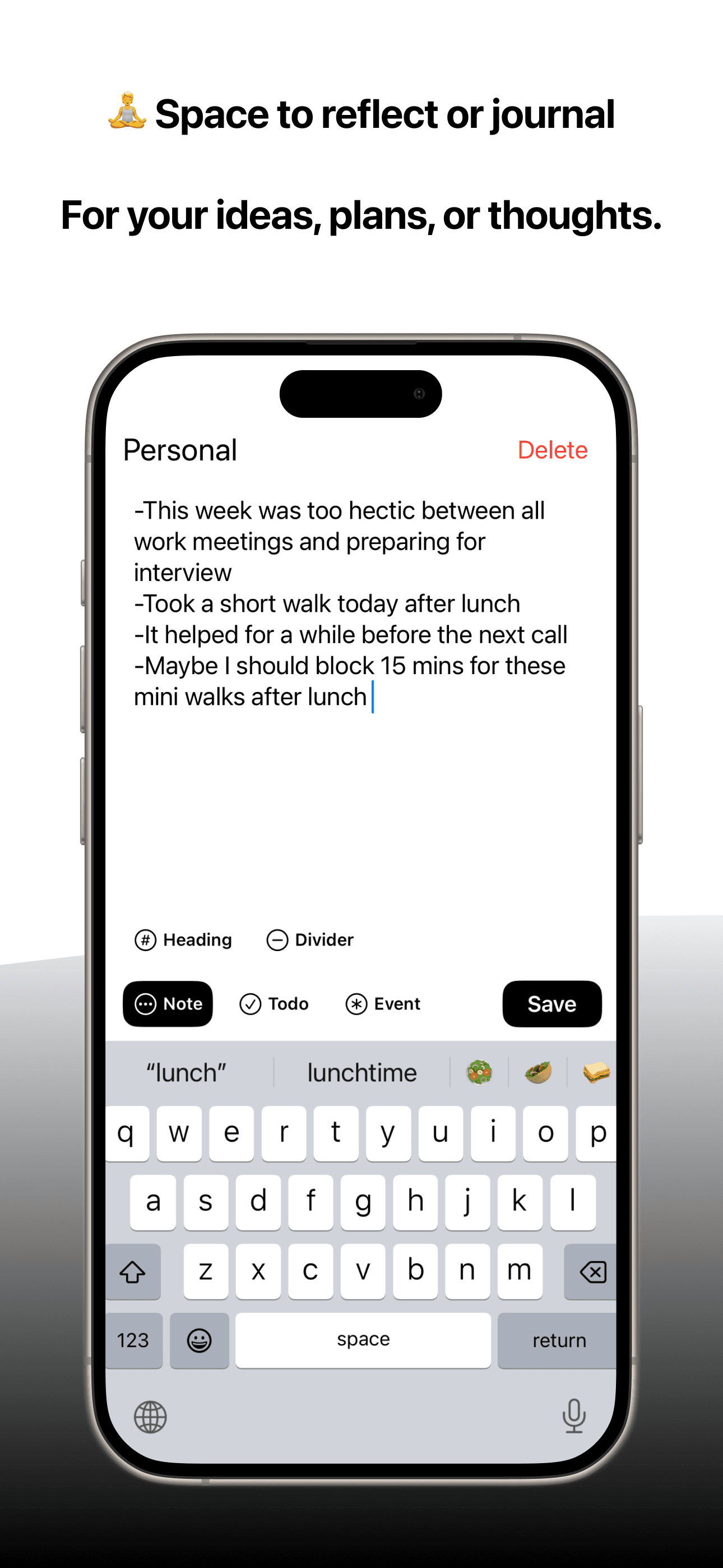
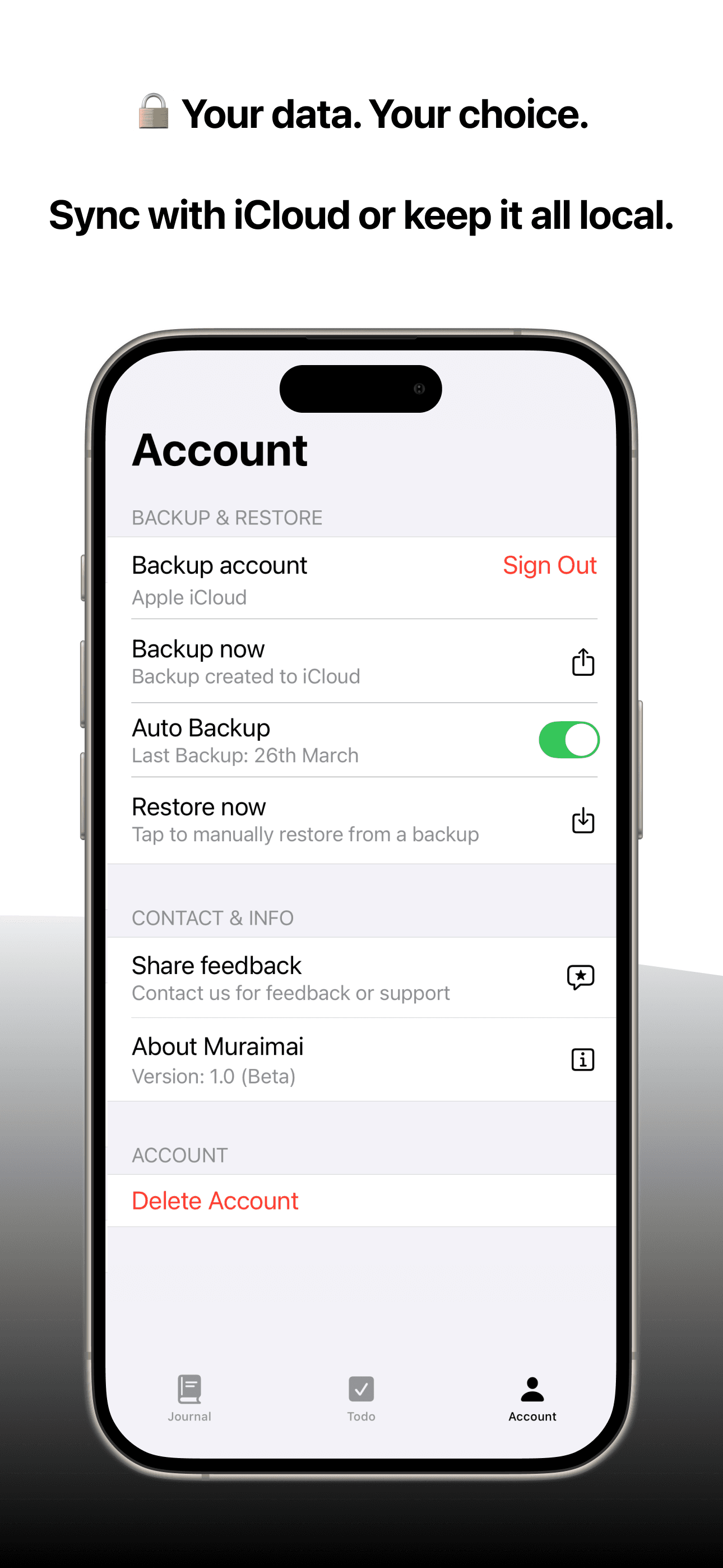
Muraimai is an innovative iOS application that prioritizes user privacy by storing all data locally by default, offering optional iCloud sync. It combines offline note-taking, voice-to-text transcription, and simple task management in a distraction-free, minimalist design. Ideal for mobile professionals, privacy-conscious individuals, and minimalist productivity seekers, it excels in quick capture of ideas and tasks without internet dependency. Key features include instant launch, swipe gestures for task completion, and local voice processing for secure, on-the-go use. While it lacks some accessibility features and is iOS-exclusive, its strong focus on speed and privacy makes it a standout alternative to cloud-heavy apps like Apple Notes and Otter.ai.
Key features
- 1Minimalist monochromatic design with intuitive swipe gestures for efficient task management.
- 2Offline-first architecture ensuring privacy with local data storage and optional iCloud sync.
- 3Instant launch under 1 second and smooth performance, ideal for quick note capture.
Target customer profile
Drawn from the product itself, not from a survey.
Demographic
Mobile professionals
Pain points
Cloud sync requirements, distracting interfaces, slow capture of spontaneous ideas
Primary needs
Quick offline access, voice-to-text for on-the-go notes, simple task tracking
Demographic
Privacy-conscious users
Pain points
Forced cloud storage, data mining in free apps, complex permissions
Primary needs
On-device data storage, optional sync, no account requirements
Demographic
Minimalist productivity seekers
Pain points
Feature bloat in note apps, notification overload, subscription fatigue
Primary needs
Distraction-free interface, one-time organization, essential features only
Scout Review
Written by AI from measured evidence, scored out of 100.
Muraimai delivers an exceptional privacy-focused experience that excels in quick capture functionality without compromising on security or performance. The minimalist design isn't just aesthetic—it's functional, reducing cognitive load and focusing on what matters: capturing thoughts and tasks efficiently. While accessibility limitations and platform exclusivity prevent it from being universally accessible, for its target audience of privacy-conscious mobile professionals and minimalist productivity seekers, it represents one of the best options available.
Measure by measure
Usability
94Near-perfect workflow for quick capture with swipe controls that reduce steps to absolute minimum.
Design
90Purposeful minimalism with monochromatic scheme, intuitive swipe gestures, and distraction-free single-screen layout.
Speed
96Instant launch under 1 second, smooth scrolling, and no network dependency for standard operations.
Security
90Offline-first architecture with local data storage and optional iCloud sync sets privacy standard.
Accessibility
60Voice input helps but lacks screen reader support, adjustable fonts, and non-English transcription.
Growth
80Strong niche appeal but requires Android expansion, accessibility improvements, and language support to grow.
Improvement areas
- Enhance accessibility by adding VoiceOver support, adjustable fonts, and non-English transcription.
- Expand platform availability to Android to reach a broader user base.
- Improve security with end-to-end encryption for synced data and add features like date-stamping.
Design & Usability
Muraimai's design philosophy embraces true minimalism with a monochromatic color scheme that supports dark/light modes and a typography-focused layout. The single-screen design organizes notes and tasks into separate tabs with clear visual hierarchy, making navigation incredibly straightforward. What really stands out are the intuitive swipe gestures—swipe right to complete tasks, left to delete—which feel natural and reduce interaction steps significantly. The voice note button remains fixed at the bottom for one-tap recording during mobile use. While aesthetically sparse, every element serves a clear function without any visual clutter or distracting menus within menus.
Speed & Security
Performance is where Muraimai truly excels with instant launches (under 1 second in testing) and smooth scrolling even through hundreds of notes. The offline-first architecture means no network calls occur during standard use, ensuring consistent performance regardless of connectivity. Security shines through local data storage by default, with voice processing occurring entirely on-device without server transmission. The optional iCloud sync provides flexibility without compromising the core privacy-first approach. The only minor limitation observed was during initial voice transcription of longer recordings (3+ minutes), which is processor-dependent rather than a design flaw.
Accessibility & Growth
Accessibility presents both strengths and weaknesses—voice note functionality significantly aids users with mobility challenges, but the app lacks VoiceOver support, adjustable font sizes, and only supports English transcription. The high-contrast interface benefits users with minor vision issues, but deeper accessibility integration is needed. Growth potential is strong given the increasing demand for privacy-focused tools, but platform exclusivity (iOS-only) and limited language support currently restrict its audience. Expanding to Android, adding accessibility features, and supporting additional languages would significantly broaden its appeal in the productivity market.
Conclusion
If you're tired of productivity tools that demand constant internet connection, subscriptions, or attention—and genuinely prioritize privacy in your digital tools—Muraimai is worth your immediate attention. For quick voice-to-text memos during commutes or sensitive offline note-keeping, this app outshines more complex alternatives. Give it a try if you value speed and privacy over unnecessary features and bells and whistles.
Suggestions for improvement
- The app would benefit significantly from adding VoiceOver support and dynamic text sizing to accommodate visually impaired users.
- Expanding voice transcription beyond English would make it more accessible to global audiences.
- Developing an Android version is crucial to address platform exclusivity limitations.
- Implementing end-to-end encryption for iCloud-synced data would enhance security further.
- Adding optional date-stamping for notes would improve organization without compromising the minimalist ethos.
Alternatives comparison
Named competitors, point by point. Nobody paid to appear here or to be left out.
 Muraimai |  Otter.ai |  Apple Notes |  Todoist | |
|---|---|---|---|---|
| Offline Functionality | Full offline capability by default | Limited offline access | Requires internet for core features | Cloud-dependent with limited offline |
| Voice Transcription | Local processing, English only | None | Advanced cloud-based, multiple languages | None |
| Privacy Approach | Local-first, optional sync | iCloud sync required | Cloud-based with privacy concerns | Cloud-dependent with data collection |
| Platform Availability | iOS only | Apple ecosystem | Multi-platform | Multi-platform |
| Pricing Model | One-time purchase | Free with device | Subscription required | Freemium with subscriptions |
Otter.ai
Specializes in voice notes with advanced transcription but requires subscriptions and internet connectivity.
Apple Notes
Integrated with iOS but lacks voice transcription and forces iCloud sync for full functionality.
Todoist
Robust task management but cloud-dependent with complex features overwhelming simple needs.
Comparing options? See Muraimai alternatives, scored side by side
More Productivity apps
View all Productivity
Vibe Coding Agent Skills
92A free, open-source platform offering 110 AI agent skills...

Puzzly – B2B Lead Generation & Sales Intelligence Platform
92Puzzly is an all-in-one B2B lead generation platform that...

Qamarero
92An all-in-one hospitality software for restaurants and ba...

StoryPad
92Privacy-first open source journal app with a continuous t...

The Stack Newsletter
92A weekly newsletter delivering curated tech jobs, intervi...

Notion
92All-in-one AI workspace for docs, projects, and knowledge...

EmbedMyReviews
92White-label reputation management software for agencies s...

Gerty
91Private, local AI assistant for Mac that runs offline

CC Switch
91Open-source desktop app for switching AI coding providers...

QRBliss
91Branded QR codes with AI Brand Sync, 15 free dynamic code...

username.md
90One verified handle for your online identity, readable by...

PitchWhip
90AI cold call scripts & direct dials from LinkedIn


A platform dedicated to providing unbiased reviews of newly launched applications, analyzing everything from their features to their full potential.
info@scoutforge.net© 2026 Scoutforge. All rights reserved.
