Cycling through all six. Tap any point to stop.
Measured on six things
Free meal planning calendar with 4,600+ recipes and grocery lists
Growth
62Real problem, specific wedge: global recipe depth plus AI nutrition and photo tools in one free-to-start account, at $2.99/mo under MyFitnessPal Premium. Early-stage (domain ~0.7 years, no store ratings) but the idea has room.
Screenshots
1 / 1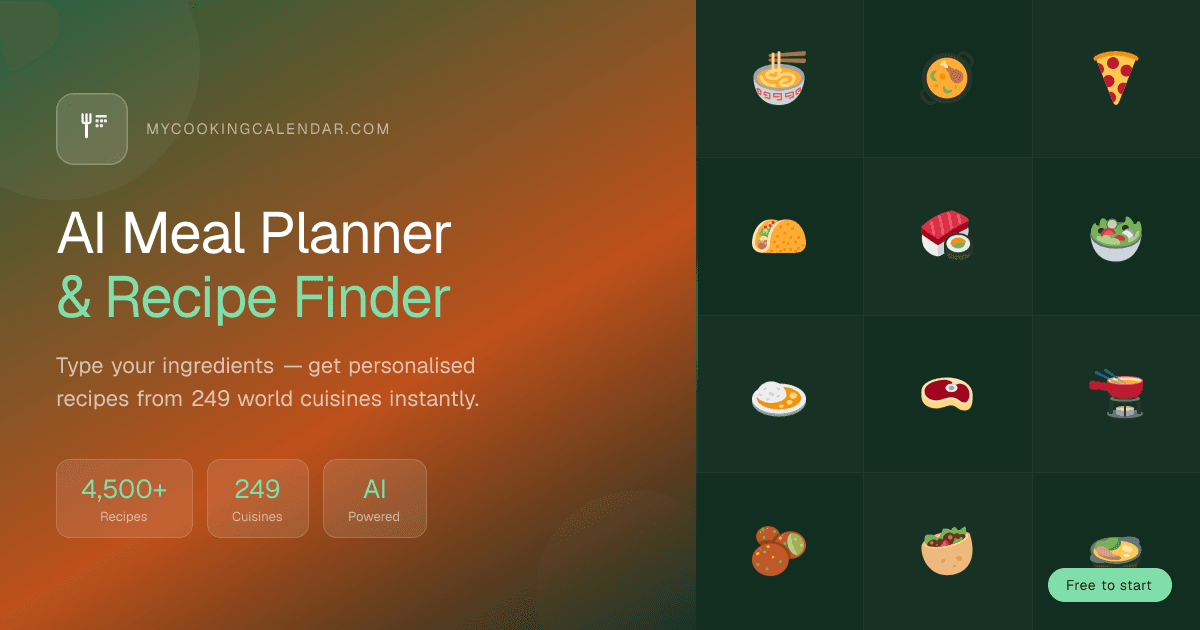
About this app
MyCookingCalendar is a web-based meal planner built around a weekly calendar. You drop recipes onto days, see the calorie and macro totals for each day, and turn the week into a grocery list grouped by ingredient. The recipe library has 4,600+ recipes from 250 cuisines, each with ingredients, step-by-step instructions and nutrition per serving. The site is available in 12 languages. Other tools in the same account: a pantry tracker with expiry dates, an intermittent fasting timer, a recipe importer that saves recipes from any URL, and AI features: a recipe generator, a cooking and nutrition chat and a food-photo calorie analyzer. Browsing recipes and using the meal calendar are free. AI features have a small free daily allowance; Pro ($2.99/month or $29.99/year) raises the daily limits.
Key features
- 1Weekly meal calendar with per-day calorie and macro totals, free to use without a subscription.
- 24,500+ recipes across 249 cuisines in 12 languages, each with ingredients, steps and per-serving nutrition.
- 3AI tools: nutritionist chat, recipe generator, food-photo calorie analyzer and grocery photo scanning.
- 4Auto-generated grocery list grouped by ingredient, plus pantry expiry tracking and a 16:8 fasting timer.
Target customer profile
Drawn from the product itself, not from a survey.
Demographic
Busy professionals aged 25-40 who cook most weeknights
Pain points
No time to plan meals; default to takeout; inconsistent eating
Primary needs
10-second weekly meal plans, auto grocery lists, quick recipes
Demographic
Fitness-focused users tracking macros and intermittent fasting
Pain points
Juggling separate apps for recipes, calories, and fasting timers
Primary needs
Protein/calorie per recipe, macro totals, 16:8 fasting tracker
Demographic
Home cooks and foodies exploring global cuisines
Pain points
Recipe sites are cluttered; hard to find authentic dishes
Primary needs
Large multi-cuisine library, chef guides, ingredient-based ideas
Demographic
Beginners and students on a tight budget
Pain points
Food waste, impulse spending, no cooking confidence
Primary needs
Free app, one consolidated shopping list, simple step-by-step recipes
Scout Review
Written by AI from measured evidence, scored out of 100.
MyCookingCalendar is a competent, genuinely fast meal planner with an unusually deep recipe library and a coherent brand across web and app. The free tier is real — browsing and the meal calendar cost nothing — and Pro at $2.99/month undercuts the big fitness apps. The measured profile is strong on speed (86 mobile Lighthouse) and security headers (12/12), good on accessibility (97/100 with two fixable failures), and solid on design and usability with real hierarchy and readability flaws. The open question is differentiation: it competes with four established apps by doing a bit of each, and the homepage doesn't make the case for why that combination wins.
Measure by measure
Usability
68Short path to value: Google sign-in, ingredient chips, and a free meal calendar. Pricing page clearly separates free browsing from Pro AI limits, but the homepage never explains that split and recipe-card metadata is tiny grey type.
Design
71Judging the app UI and store material: warm terracotta palette carries cleanly from homepage to iOS screenshots, hero planner shows real meals and macros. Flattened feature-card hierarchy and a camera FAB clipping a calorie value hold it back.
Speed
73Lighthouse mobile 86/100 with LCP 1.7s and CLS 0, desktop 88/100. Genuinely snappy lab profile; the 381ms total blocking time is the only real drag.
Security
76Full header set verified: HSTS, CSP, frame protection, Referrer and Permissions policies, plus SPF and DMARC — 12/12 on the probe. Creem handles payments as Merchant of Record. No published audit or bug bounty found.
Accessibility
82Lighthouse accessibility 97/100 with 12-language support and a header language switcher. Two real failures remain: insufficient contrast and visible labels without matching accessible names. No published a11y statement.
Growth
62Real problem, specific wedge: global recipe depth plus AI nutrition and photo tools in one free-to-start account, at $2.99/mo under MyFitnessPal Premium. Early-stage (domain ~0.7 years, no store ratings) but the idea has room.
Improvement areas
- Homepage never explains the free-vs-Pro split; AI daily caps are only visible on the pricing page.
- Six identical feature cards flatten hierarchy — the meal calendar should visually lead.
- Two Lighthouse accessibility failures remain: contrast ratios and accessible names on visible labels.
- No published security or accessibility documentation (no SOC 2, bug bounty or a11y statement).
Design & Usability
The product reads as one brand: the terracotta accent, the warm typography and the real meal data in the hero planner all carry through to the iOS screenshots, which is more than most indie planners manage. Usability is short-path by design — Google sign-in, ingredient quick-pick chips, and a meal calendar that works without paying. The gaps are in the details: six identical feature cards give the core calendar no priority, recipe metadata is set in type small enough to squint at, and the homepage never explains that AI features are capped while browsing is free. You learn the paywall exists on the pricing page, not before you commit.
Speed & Security
Speed is a genuine strength rather than a lucky lab run: mobile Lighthouse 86/100 with a 1.7s LCP and zero cumulative layout shift, desktop 88/100. The only measurable drag is 381ms of total blocking time, which is well within tolerable for a content-heavy recipe site. Security is quietly solid — the probe found HSTS, CSP, frame protection, Referrer-Policy, Permissions-Policy, SPF and DMARC all in place, 12 of 12 checklist points, and card handling is offloaded to Creem as Merchant of Record. What's missing is the paper trail: no SOC 2, no ISO, no bug bounty, no security page. For a free-to-start consumer app that's normal, but it caps how much a cautious buyer can verify.
Accessibility & Growth
Accessibility lands at 97/100 on the automated audit, with 12-language support and a visible language switcher — strong for the category. Two failures survive: insufficient contrast on some text and visible labels without matching accessible names, both fixable in an afternoon. There is no accessibility statement, which is a documentation gap rather than a functional one. Growth is the more interesting question. The category is crowded — Mealime owns simple planning, Yazio and MyFitnessPal own logging, Paprika owns recipe storage — and this product's bet is consolidation: global recipe depth plus AI nutrition, photo analysis and fasting in one free-to-start account at $2.99/month. That's a real wedge against MyFitnessPal's premium gate, but it's a wedge built on breadth, not on anything an incumbent structurally can't copy.
Conclusion
If you cook most weeknights and want one place for recipes, a weekly plan and a grocery list without a subscription, this is a genuinely good free option and the speed makes it pleasant to use. If you're already deep in MyFitnessPal's logging or Paprika's recipe archive, the switching cost is real and the AI features alone probably won't move you. The product's next job is not more features — it's making the homepage explain the free/Pro split and giving the meal calendar visual priority over the six identical cards. Fix the contrast failures and the clipped calorie value while you're in there.
Suggestions for improvement
- Explain the free-vs-Pro split on the homepage instead of only on the pricing page — users shouldn't discover AI caps after committing.
- Give the meal calendar visual priority over the five other feature cards; it's the core job and currently looks identical to the fasting timer.
- Fix the two Lighthouse accessibility failures: contrast ratios and accessible names on visible labels.
- Reposition the camera FAB so it stops clipping calorie values in the app screenshots, and correct the mislabeled breakfast entry.
Alternatives comparison
Named competitors, point by point. Nobody paid to appear here or to be left out.
 MyCookingCalendar |  Mealime |  Yazio |  Paprika Recipe Manager |  MyFitnessPal | |
|---|---|---|---|---|---|
| Free tier without a subscription | Yes — browsing recipes and the meal calendar are free; AI features have a small daily allowance | Yes — free tier with a smaller recipe library; Pro unlocks more recipes and features | Yes — free calorie logging with ads; Premium for advanced macros and fasting | No — one-time paid purchase, no free tier | Yes — free logging; meal planning and advanced features are Premium-gated |
| Recipe library depth | 4,500+ recipes across 249 cuisines, 12 languages | Smaller curated library focused on simple weeknight recipes | Large food database for logging; recipe discovery is secondary | No built-in library — imports and stores recipes from any URL | Huge food database; recipe discovery and planning are limited |
| AI nutrition / photo calorie analysis | Yes — AI nutritionist chat, recipe generator and food-photo calorie analyzer | Limited — no photo calorie analysis or AI nutritionist | Barcode and food logging; no photo-based calorie analysis | No AI features | Barcode scanning and food database; no AI nutritionist chat |
| Weekly meal planning with auto grocery list | Yes — drag recipes onto a weekly calendar, grocery list grouped by ingredient | Yes — core feature, auto-generated grocery lists | Lighter — meal planning is secondary to logging | Yes — meal planner with grocery list from stored recipes | Limited — meal planning is a Premium feature |
| Intermittent fasting timer | Yes — 16:8, 5:2 or custom windows with streak tracking | No | Yes — fasting features included | No | Limited — fasting tracking is not a core feature |
| Pricing | Free to browse and plan; Pro $2.99/mo or $29.99/yr for AI limits | Free tier; Pro subscription for full recipe access | Free with ads; Premium subscription | One-time purchase, no subscription | Free tier; Premium subscription at a higher monthly price |
Mealime
Meal planning app focused on simple recipes and auto-generated grocery lists, with a smaller free recipe library and less AI/nutrition tracking.
Yazio
Calorie counter and macro tracker with fasting features; strong on logging but lighter on full weekly meal planning and global recipe depth.
Paprika Recipe Manager
Paid recipe organizer and meal planner that excels at importing and storing recipes but lacks an AI nutritionist or photo calorie analysis.
MyFitnessPal
Market-leading calorie and macro tracker with a huge food database, though meal planning and recipe discovery are more limited and premium-gated.
Comparing options? See MyCookingCalendar alternatives, scored side by side
More Health & Wellness apps
View all Health & Wellness
StoryPad
92Privacy-first open source journal app with a continuous t...

Pushup RPG: Fitness Quest
90Pushup RPG is a camera-based push-up counter and fitness RPG for home workouts. Real push-ups and squats become attacks as you defeat 48 foes across 8 biomes, earn XP and loot, join guilds, and battle in live 40-second duels. Free on iOS and Android.

Gryper
89Workout tracker with muscle heatmaps and volume landmarks

Snapkin: Photo Calorie Counter
88Snapkin is a calorie tracker you use by photographing your plate.

Innermost
87An AI-powered emotional support app that acts as a person...

Cat Years to Human Years
86Free cat age calculator converting cat years to human years.

Mantra Meditation Timer
85A minimalist, distraction-free meditation timer for mantr...

TDEE Calculator
84Free TDEE calculator that estimates maintenance calories, weight loss targets, muscle gain calories, and macro recommendations based on your body stats and activity level.

FitLifeBud
84AI meal plans for your week, with one aisle-sorted shopping list

WellWired
84AI explained simply for older adults, with safety lessons...

TheBean.ai
84Adaptive AI personal trainer that evolves with your progr...

SayLift
84Voice workout log and calorie counter for iPhone


A platform dedicated to providing unbiased reviews of newly launched applications, analyzing everything from their features to their full potential.
info@scoutforge.net© 2026 Scoutforge. All rights reserved.
