Cycling through all six. Tap any point to stop.
Measured on six things
Bulk import customers, products, and orders into Shopify ...
Speed
34Lighthouse mobile performance is 35/100 with a 10.4s LCP and 1.7s TBT; desktop is 48/100. That is a slow marketing page for a tool whose whole pitch is not waiting around.
Screenshots
1 / 1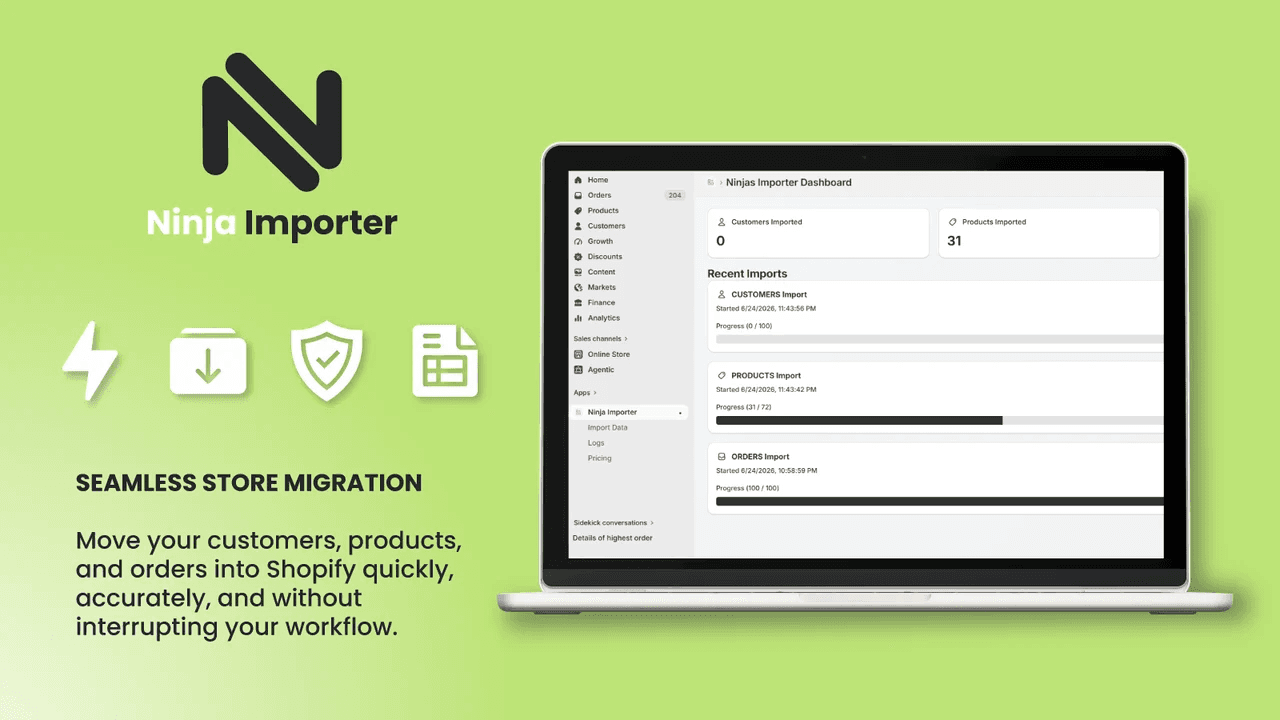
About this app
Ninja Importer is built for anyone moving a store's data into Shopify. Download the template for Customers, Products, or Orders, fill it in, and upload the CSV or Excel file inside the app. Large migrations process in the background rather than tying up a browser tab, and merchants get an automatic email the moment the import finishes, so there's no need to sit and watch a progress bar. When something does go wrong, row-level logs show exactly which records failed and why, with the raw Shopify API error attached, so problems get fixed and re-imported quickly instead of hunted down after the fact. The free plan imports up to 1,000 customers, 500 orders, and 100 products per upload, and the Pro plan raises those ceilings to 8,000 products, 5,000 customers, and 4,000 orders per upload for bigger migrations.
Key features
- 1Bulk import customers, products, and orders into Shopify from CSV or Excel with ready-made templates
- 2Background processing with automatic email notification when an import completes
- 3Row-level error logs with raw Shopify API messages to pinpoint and fix failed records
Target customer profile
Drawn from the product itself, not from a survey.
Demographic
Small business owners migrating to Shopify
Pain points
Manual data entry is time-consuming and error-prone
Primary needs
Efficient bulk import of products, customers, and orders
Demographic
Shopify agencies managing client stores
Pain points
Juggling multiple import tools and high costs per migration
Primary needs
A single, cost-effective solution for all import needs
Demographic
Store owners switching from platforms like WooCommerce or Magento
Pain points
Complex migration processes with limited error visibility
Primary needs
Seamless migration with detailed error logs and background processing
Scout Review
Written by AI from measured evidence, scored out of 100.
Ninja Importer is a focused Shopify migration tool with a genuinely useful wedge: background processing, row-level error logs with raw API messages, and a free tier that beats the 100-record caps most competitors impose. The four-step workflow is clear, the pricing is simple ($9.99/mo Pro), and the target customer — merchants and agencies doing real migrations — is specific. Where it falls short is execution polish. The landing page scores 35/100 on mobile Lighthouse with a 10.4-second LCP, security headers are 3/12 with no compliance claims, and the docs page is a sidebar with no visible articles. Design is average: consistent branding, but blurry screenshots and sparse layouts. Accessibility is 83/100 with real failing audits. The idea is sound and the differentiator is real; the packaging needs work before agencies will trust it with client data.
Measure by measure
Usability
62The 4-step workflow is clear and the free tier is genuinely usable, but the docs page shows only a sidebar of app names with no visible article content, leaving onboarding support thin.
Design
58Clean lime-green accent and real product screenshots give the page a coherent look, but the low-detail hero icon, sparse white space, and blurry UI shots drag it to average for a Shopify app landing page.
Speed
34Lighthouse mobile performance is 35/100 with a 10.4s LCP and 1.7s TBT; desktop is 48/100. That is a slow marketing page for a tool whose whole pitch is not waiting around.
Security
40HTTPS is enforced and SPF is set, but HSTS, CSP, frame protection, X-Content-Type-Options, Referrer-Policy, and DMARC are all missing — 3/12 on the header checklist, with no published compliance or audit claims.
Accessibility
58Lighthouse scores 83/100 but the failing audits are real: unnamed buttons and links, insufficient contrast, small touch targets, and SVGs without text alternatives. Spanish support is a plus.
Growth
58A real, recurring migration pain with a specific wedge — background processing, row-level error logs, and a free tier that beats competitors' 100-record caps. Category is crowded but the segment is real.
Improvement areas
- Mobile Lighthouse performance is 35/100 with a 10.4s LCP — the landing page is slower than the migrations it sells
- Security headers are 3/12 (no HSTS, CSP, DMARC, or frame protection) with no published compliance or audit claims
- Docs page shows only a sidebar of app names with no visible article content, leaving support thin for a data-migration tool
Design & Usability
The design is competent but not memorable: a consistent lime-green accent ties the cards, buttons, and icons together, and the four-step 'How It Works' section is genuinely easy to scan. Real product screenshots are used instead of stock imagery, which is the right call. But the hero spreadsheet icon is under-detailed, the feature screenshots look low-resolution, and large empty white regions make sections feel unfinished. On usability, the workflow is clear — download a template, fill it, upload, get an email when done, fix flagged rows from logs — and the free tier (1,000 customers, 500 orders, 100 products) is more generous than most competitors. The problem is support depth: the docs page at /docs/ shows only a sidebar listing app names with no visible article content, so a merchant hitting a bad row at 11pm has a homepage and a contact form, not a knowledge base.
Speed & Security
Speed is the weakest dimension. Lighthouse mobile performance lands at 35/100 with a 10.4-second LCP and 1.7-second TBT; desktop is only 48/100. For a tool whose entire value proposition is 'stop waiting on a browser tab,' a landing page that takes ten seconds to render its headline is a bad first impression. There is no published benchmark or CDN claim to offset it. Security is similarly thin: HTTPS is enforced and SPF is configured, but HSTS, CSP, frame protection, X-Content-Type-Options, Referrer-Policy, and DMARC are all absent — 3 of 12 checklist points. There is no SOC 2, ISO, pen-test, or bug bounty mention anywhere on the site. For a Shopify app that ingests customer and order data, that is a gap worth closing before agencies start asking.
Accessibility & Growth
Accessibility scores 83/100 on Lighthouse, but the failing audits are not cosmetic: buttons and links without accessible names, insufficient color contrast, touch targets that are too small, and SVGs with an img role but no text alternative. Spanish is offered alongside English, which is a genuine plus. On growth, the idea holds up. Migrating customers, products, and orders into Shopify is a real, recurring pain, and the wedge is specific: background processing with email completion, row-level error logs with the raw Shopify API message attached, and a free tier that imports 1,000 customers versus competitors' 100-record caps. Matrixify, Importify, and CSV Import-Export all exist, but none of them lead with error visibility and background processing the way Ninja Importer does. The category has headroom; the question is distribution, not demand.
Conclusion
If you are migrating a store into Shopify and you are tired of per-migration pricing or 100-record free tiers, Ninja Importer is worth a look — the free plan alone imports more than most competitors' paid entry tiers, and the row-level logs with raw API errors are the kind of thing you only appreciate after your first failed import. But go in knowing the marketing site is slow, the docs are thin, and the security posture is minimal. For a solo merchant moving a small catalog, that is fine. For an agency moving client data at scale, ask the team directly about their data handling and support SLAs before you commit. The product idea is stronger than the product's current presentation.
Suggestions for improvement
- Fix the Lighthouse performance score — 10.4s LCP on mobile is losing you signups before the headline even renders.
- Add HSTS, CSP, X-Content-Type-Options, and DMARC; publish a security page with data handling details for agency buyers.
- Replace the placeholder docs sidebar with real articles: template formats, common import errors, and how to fix flagged rows.
- Swap the low-detail hero icon and blurry screenshots for high-resolution captures or a short product demo video.
Alternatives comparison
Named competitors, point by point. Nobody paid to appear here or to be left out.
 Ninja Importer Ninja Importer |  Matrixify Matrixify | Importify | CSV Import‑Export‑‑‑‑ | |
|---|---|---|---|---|
| Free tier limits | 1,000 customers, 500 orders, 100 products per upload | Free trial only; paid plans required for bulk imports | Free plan with limited imports; paid tiers for volume | Free app with basic CSV import/export |
| Background processing with email on completion | Yes — imports run in background, email sent on completion | Yes — background jobs supported on paid plans | Not a primary feature; imports run in-app | No — basic synchronous import |
| Row-level error logs with raw API messages | Yes — row-level logs with raw Shopify API error attached | Yes — detailed error reporting on failed rows | Limited error visibility | Basic error handling only |
| Record types supported | Customers, Products, Orders | Products, Customers, Orders, and more (import + export) | Products primarily; limited customer/order import | Products, Customers, Orders via CSV |
| Pricing model | Free plan + Pro at $9.99/mo | Tiered monthly plans based on record volume | Free plan + paid tiers | Free |
Matrixify
A popular Shopify app for bulk importing and exporting data, supporting various file formats.
Importify
Allows importing products from AliExpress, Amazon, and other sites to Shopify, but with limited customer/order import.
CSV Import‑Export‑‑‑‑
A free app for importing and exporting CSV files, but lacks advanced error handling and background processing.
Comparing options? See Ninja Importer alternatives, scored side by side
More Productivity apps
View all Productivity
Qamarero
92An all-in-one hospitality software for restaurants and ba...

The Stack Newsletter
92A weekly newsletter delivering curated tech jobs, intervi...

EmbedMyReviews
92White-label reputation management software for agencies s...

StoryPad
92Privacy-first open source journal app with a continuous t...

Puzzly – B2B Lead Generation & Sales Intelligence Platform
92Puzzly is an all-in-one B2B lead generation platform that...

Notion
92All-in-one AI workspace for docs, projects, and knowledge...

Vibe Coding Agent Skills
92A free, open-source platform offering 110 AI agent skills...

CC Switch
91Open-source desktop app for switching AI coding providers...

username.md
90One verified handle for your online identity, readable by...

What the GIF
89Frame-perfect video-to-GIF maker that runs entirely in yo...

AuditCloser
89White-label website audits that close deals for digital a...

NudgeWin
89Automated quote follow-up for trades and service businesses.


A platform dedicated to providing unbiased reviews of newly launched applications, analyzing everything from their features to their full potential.
info@scoutforge.net© 2026 Scoutforge. All rights reserved.
