

A platform dedicated to providing unbiased reviews of newly launched applications, analyzing everything from their features to their full potential.
info@scoutforge.net© 2026 Scoutforge. All rights reserved.
A platform dedicated to providing unbiased reviews of newly launched applications, analyzing everything from their features to their full potential.
info@scoutforge.net© 2026 Scoutforge. All rights reserved.
A platform dedicated to providing unbiased reviews of newly launched applications, analyzing everything from their features to their full potential.
info@scoutforge.net© 2026 Scoutforge. All rights reserved.
Cycling through all six. Tap any point to stop.
Measured on six things
Store, edit and share HTML alongside your team documents.
HTTPS enforced with HSTS, SPF and DMARC present. But CSP, frame protection, X-Content-Type-Options, Referrer-Policy and Permissions-Policy are all missing (6/12 probe points). No SOC 2, ISO or pen-test claims.
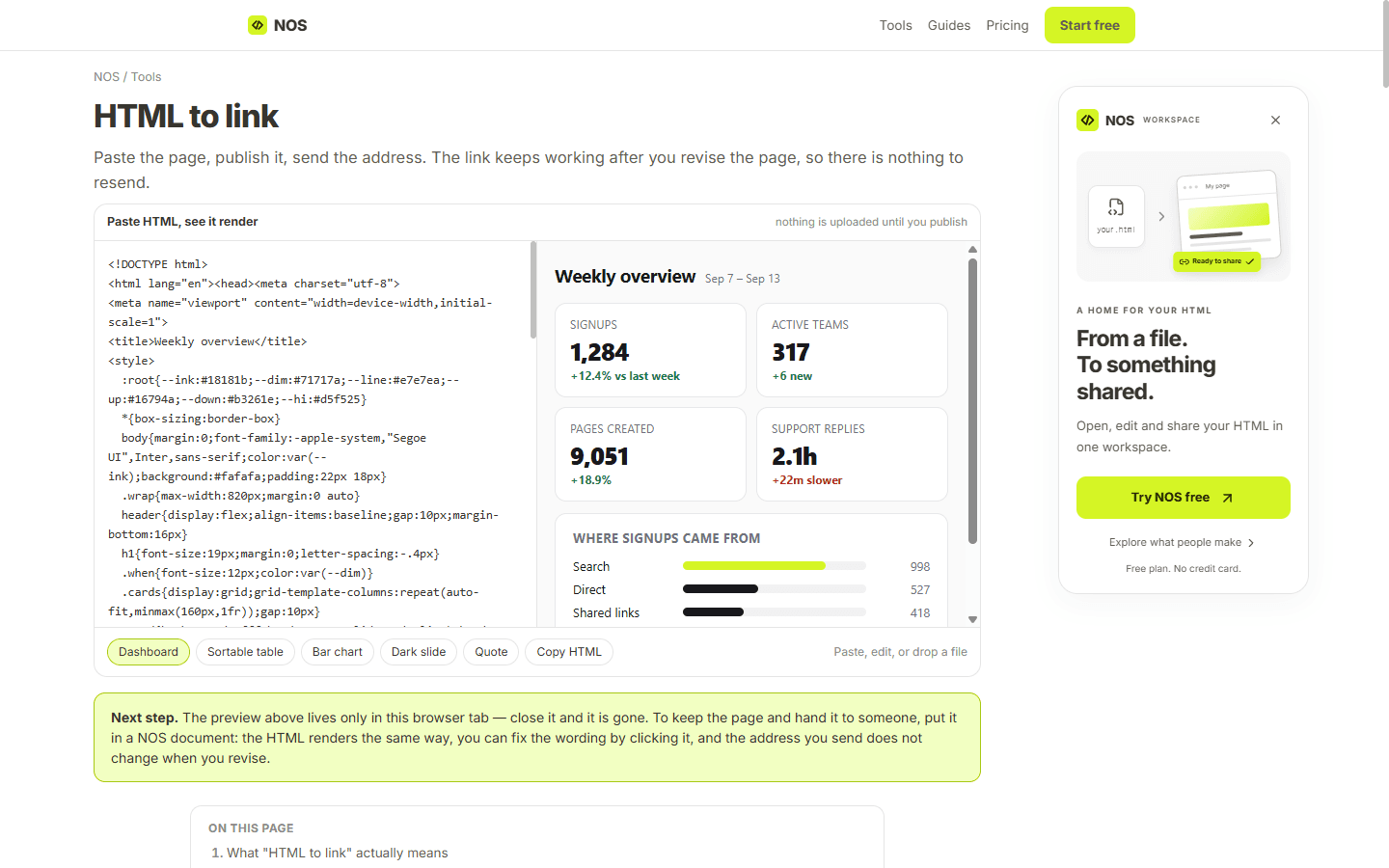
NOS Workspace brings ordinary documents and HTML files into one team workspace. Paste or upload an HTML report, dashboard, presentation or invitation, view it directly in the browser, and edit text by clicking it on the page. Share the result through a stable link that stays the same when you update the file. Keep your HTML work organized alongside your documentation.
Drawn from the product itself, not from a survey.
Demographic
Product Managers
Pain points
Keeping HTML files organized and sharing updated reports without sending attachments.
Primary needs
A workspace for documents and HTML files, direct text editing, and stable shared links.
Written by AI from measured evidence, scored out of 100.
NOS Workspace is a well-executed early-stage product with a clear thesis: HTML is everywhere, sharing it is broken, and the fix is a workspace that lets you paste, edit, and share HTML through stable links. The landing page is genuinely good — the live editor demo in the hero lets you try the product without signing up, which is more than most competitors offer. The pricing is transparent, the FAQ is honest, and the design is clean. The weak spots are technical: missing security headers (6/12 on the probe), a CLS of 0.17 that causes layout shift, and accessibility audits that fail on contrast and heading structure. None of these are dealbreakers at this stage, but they're the difference between a product that feels polished and one that feels finished. The growth story is solid — the wedge against GitHub Pages is real, and the target customer is specific. If the team ships the missing headers, fixes the layout shift, and adds an accessibility statement, this moves from 'promising' to 'recommended.'
No-signup paste-and-edit demo lowers the barrier hard. Pricing FAQ answers the real questions (cancellation, link persistence, seat counting). Docs/help center depth beyond FAQ is not evident.
Polished, modern landing page with a live HTML editor demo in the hero that shows the product instantly. Pricing hierarchy is clear. Minor noise: inconsistent sidebar icons, tight FAQ line-height, cropped media card.
Lighthouse mobile 87/100 (LCP 2.4s, TBT 76ms), desktop 89/100. Solid scores, but CLS 0.17 is above the 0.1 'good' threshold — content shifts during load.
HTTPS enforced with HSTS, SPF and DMARC present. But CSP, frame protection, X-Content-Type-Options, Referrer-Policy and Permissions-Policy are all missing (6/12 probe points). No SOC 2, ISO or pen-test claims.
Lighthouse a11y 93/100. Failing: color contrast, non-sequential heading order, missing main landmark. No WCAG statement or a11y page found. Multi-language support (Korean/English) is a plus.
Real problem (HTML sharing breaks on mobile, edits require resending files), specific target (PMs and teams), and a concrete wedge: stable links plus in-browser editing. Early stage, but the idea has room.
The landing page does the thing most SaaS landing pages fail at: it lets you use the product before you sign up. The hero embeds a live HTML editor with sample files, and the copy is direct — 'Paste, edit and preview without signing up.' The pricing page is unusually honest, with an FAQ that answers the questions people actually ask at checkout (what happens to my links if I cancel, how seats are counted, what happens at the free limit). Design is clean and modern, with a clear visual hierarchy in the pricing cards. The weak spots are small but real: the FAQ line-height is tight enough to hurt scannability, the sidebar icons in the demo are inconsistent, and there's no visible docs or help center beyond the FAQ. For a product this early, the onboarding flow is genuinely well thought out — the barrier to trying it is about as low as it gets.
Lighthouse gives the site an 87 on mobile and 89 on desktop, with LCP at 2.4s and TBT at 76ms — solid numbers that suggest a reasonably lean frontend. The one metric that stands out is CLS at 0.17, which is above Google's 0.1 'good' threshold and means the page shifts during load. On security, the probe shows HTTPS enforced with HSTS, plus SPF and DMARC records in place — the basics are covered. But five security headers are missing: CSP, frame protection, X-Content-Type-Options, Referrer-Policy, and Permissions-Policy, giving a 6/12 checklist score. The site claims HTML scripts run on a completely separate domain so they never touch your session, which is the right architectural instinct for a product that executes user-supplied HTML. There's no SOC 2, ISO, or pen-test claim, which is normal at this stage but worth watching as the product moves upmarket.
The accessibility audit scores 93/100, which is above average, but the failing audits are worth naming: insufficient color contrast, non-sequential heading order, and a missing main landmark. These are fixable in an afternoon and would push the score higher. There's no accessibility statement or WCAG conformance claim on the site, and no visible keyboard navigation documentation. On the growth side, the idea is well-positioned. The problem is real — HTML files break on mobile, edits require resending attachments, and version control is a mess. The target customer is specific (PMs and teams sharing reports and dashboards), and the wedge against GitHub Pages is clear: no git workflow, in-browser editing, and stable share links that don't change when you update the file. The category has room, but the challenge is convincing teams that already email attachments to change their habits. At 0.1 years old, the product is early, but the positioning is sharper than most.
Conclusion
The honest read on NOS Workspace is that it's a product with a clear idea and competent execution, held back by technical details that are easy to fix but haven't been yet. The security headers are the most urgent — running user-supplied HTML without a CSP is a risk you don't want to explain to a customer. The CLS issue is cosmetic but noticeable. The accessibility gaps are small but real. None of these are reasons to avoid the product; they're reasons to expect the next version to be better. The core value proposition — paste HTML, edit it in the browser, share a stable link — is genuinely useful for teams that live in reports and dashboards. If that's you, it's worth a look. If you're happy with GitHub Pages and don't mind the git workflow, you're not the target customer. Everyone else: try the demo, it takes thirty seconds and costs nothing.
Named competitors, point by point. Nobody paid to appear here or to be left out.
 NOS Workspace NOS Workspace |  GitHub Pages GitHub Pages | |
|---|---|---|
| In-browser editing of HTML content | Yes — click any text on the rendered page to edit it directly | No — requires editing source files and pushing via git |
| Stable share links that persist across updates | Yes — URL never changes when you edit the file | Yes — GitHub Pages URLs are stable, but updates require a git push |
| Free tier availability | Yes — 3 share links, unlimited documents, 2 MB per document | Yes — free for public repositories, with bandwidth limits |
| Team collaboration features | Yes — shared workspace, live co-editing, roles (editor/read-only) on Team plan | Limited — collaboration via git pull requests, no live editing |
| No-code / no-git workflow | Yes — paste or upload, edit in browser, share link | No — requires git knowledge and command-line or GitHub Desktop workflow |
| Viewer access without account | Yes — anyone with the link opens it without signing up | Yes — public pages are viewable by anyone with the URL |
Comparing options? See NOS Workspace alternatives, scored side by side

An all-in-one hospitality software for restaurants and ba...

A weekly newsletter delivering curated tech jobs, intervi...

White-label reputation management software for agencies s...

Privacy-first open source journal app with a continuous t...

Puzzly is an all-in-one B2B lead generation platform that...

All-in-one AI workspace for docs, projects, and knowledge...

A free, open-source platform offering 110 AI agent skills...

Open-source desktop app for switching AI coding providers...

One verified handle for your online identity, readable by...

Frame-perfect video-to-GIF maker that runs entirely in yo...

White-label website audits that close deals for digital a...

Automated quote follow-up for trades and service businesses.
A platform dedicated to providing unbiased reviews of newly launched applications, analyzing everything from their features to their full potential.
info@scoutforge.net© 2026 Scoutforge. All rights reserved.
