Cycling through all six. Tap any point to stop.
Measured on six things
The Dynamic Island for Mac: music, files, clipboard, calendar and focus in your notch
Speed
58Desktop Lighthouse 100/100, but mobile 74/100 with a 5.4s LCP — well past the 2.5s 'good' line. CLS 0 and TBT 128ms are clean; the hero media is the bottleneck.
Screenshots
1 / 2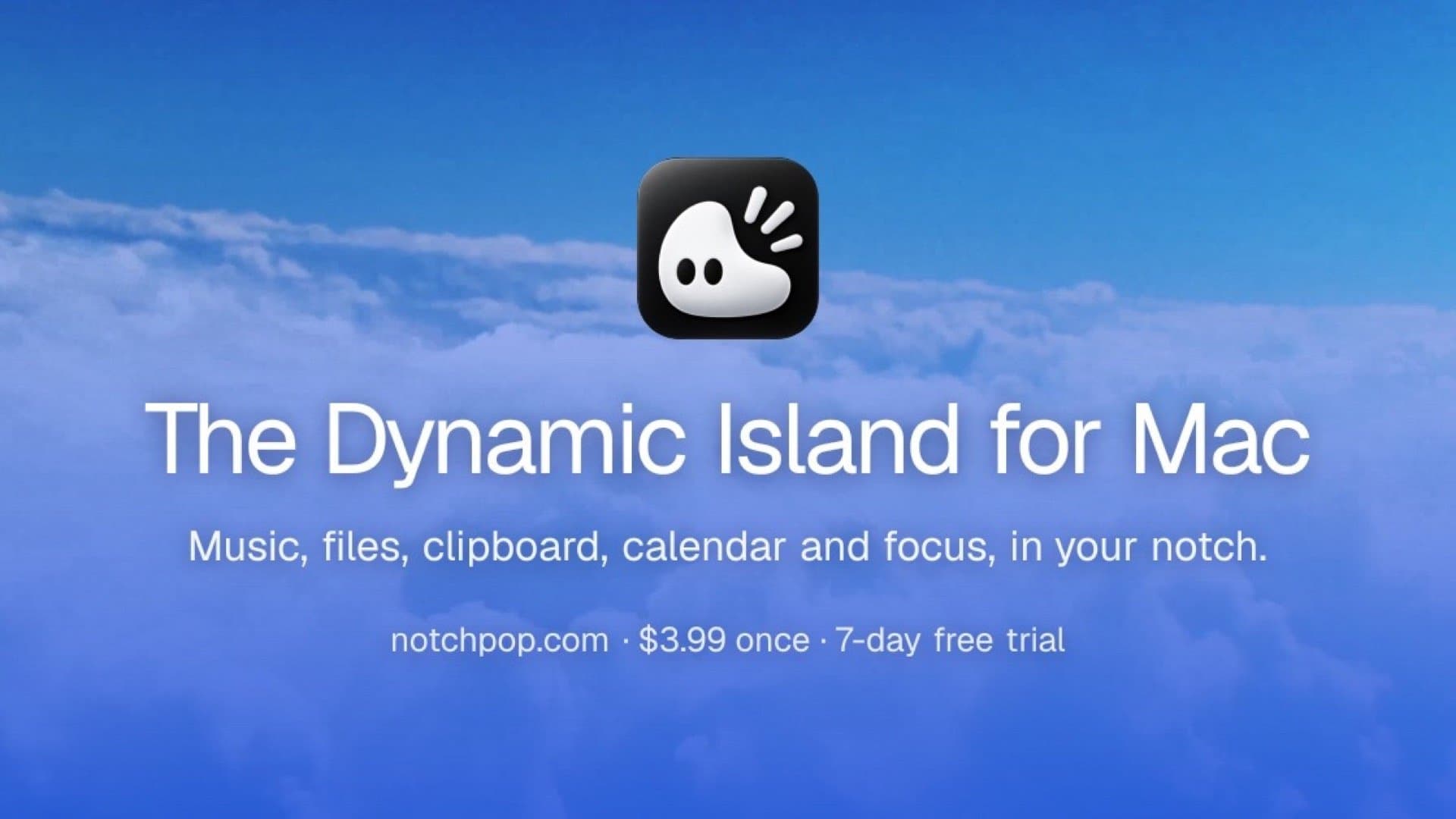
About this app
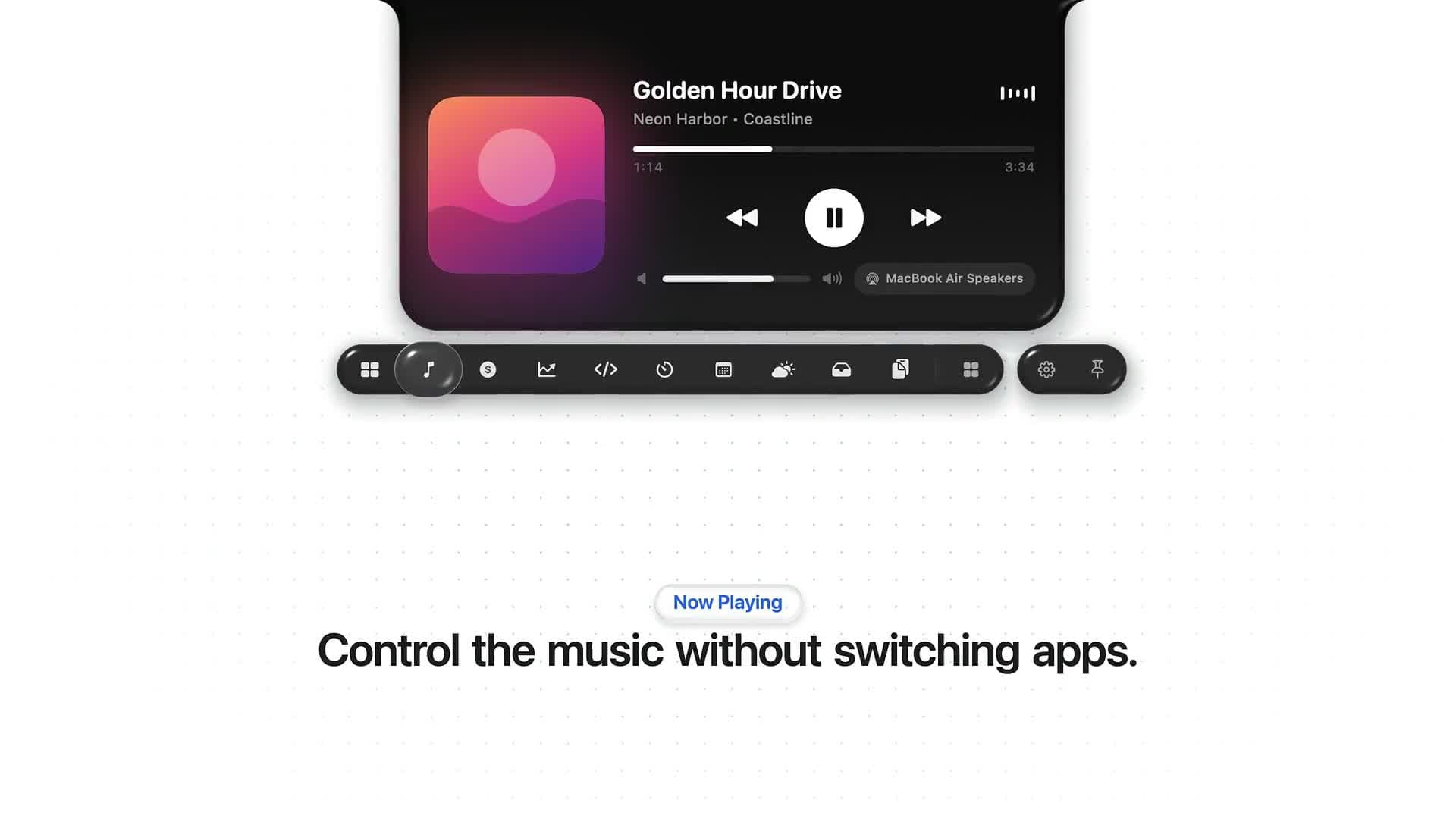
NotchPop turns your Mac's notch into a Dynamic Island. Control music, drop files on a shelf, search your clipboard history, check your calendar and run focus timers, all from the top of your screen. It can also show Claude Code and Codex activity, weather, system stats and revenue from Stripe or Dodo Payments. Clipboard history is off until you opt in, and file conversion happens on your Mac. On Macs without a notch, or on an external monitor, NotchPop appears as a floating pill under the menu bar, and you choose which display it lives on. Built with Swift and SwiftUI. Try it free for 7 days, then $3.99 once. Requires macOS 14 or later on Apple Silicon.
Key features
- 1Dynamic Island-style notch panel with music, files, clipboard, focus timers, and calendar.
- 2Developer extensions: Claude Code, Codex, Cursor activity, Stripe/Polar/Dodo revenue, local dev servers.
- 3Floating pill mode for Macs without a notch or on external monitors, with display selection.
- 4Local-first privacy: opt-in clipboard history and on-device file conversion.
- 5One-time $3.99 purchase after a 7-day free trial; no subscription.
Target customer profile
Drawn from the product itself, not from a survey.
Demographic
Mac users on Apple Silicon, with or without a notch
Pain points
The notch feels like wasted space; switching apps to control music or check calendar is disruptive
Primary needs
Quick access to media controls, calendar, and files without leaving the current task
Demographic
Developers and indie hackers
Pain points
Constantly switching between IDE, terminal, and browser to monitor coding activity or revenue
Primary needs
Real-time updates on coding agent progress, local servers, and Stripe/Polar revenue in one glance
Demographic
Remote workers and productivity enthusiasts
Pain points
Losing focus due to notifications and context switching; forgetting to take breaks or hydrate
Primary needs
Focus timers, hydration reminders, and a file shelf to streamline drag-and-drop workflows
Scout Review
Written by AI from measured evidence, scored out of 100.
NotchPop is a $3.99 one-time Mac utility that turns the notch (or a floating pill on non-notch Macs) into a Dynamic Island for music, files, clipboard, focus timers, and — its real differentiator — developer signals like Claude Code, Codex, Cursor activity, Stripe/Polar/Dodo revenue, and local dev servers. The site is polished and unusually well-supported (50 guides, a detailed changelog, an interactive demo), the security headers are complete, and the accessibility audit is clean. The weak spots are a slow mobile LCP, broken-looking 'Preview unavailable' media on the homepage, and a crowded competitive set where a free open-source alternative exists.
Measure by measure
Usability
72Clear CTA path, an in-browser interactive demo, 50 setup/troubleshooting guides, and a detailed changelog. Onboarding and support depth are well above typical indie Mac utilities.
Design
68Disciplined card system, confident type hierarchy, and a consistent notch concept across hero, demo, and features. Undermined by repeated 'Preview unavailable' captions and a stray 'For' label.
Speed
58Desktop Lighthouse 100/100, but mobile 74/100 with a 5.4s LCP — well past the 2.5s 'good' line. CLS 0 and TBT 128ms are clean; the hero media is the bottleneck.
Security
74Full security-header sweep (HSTS, CSP, frame protection, Referrer-Policy, Permissions-Policy) plus SPF/DMARC — 12/12. Local-first clipboard and conversion claims. No published audits or bug bounty.
Accessibility
80Lighthouse accessibility 100/100. But small gray feature-card text and low-contrast 'Preview unavailable' captions were flagged visually, and there's no published WCAG statement.
Growth
62Real, specific pain (notch as dead space, context switching) with a genuine wedge: developer extensions — Claude Code, Codex, Cursor, Stripe/Polar/Dodo revenue, dev servers — that the free Boring Notch and media-focused NotchNook don't cover.
Improvement areas
- Homepage media is broken — 'Preview unavailable' repeats across hero and six feature cards.
- Mobile LCP of 5.4s is well above the 2.5s 'good' threshold; hero media needs optimization.
- No published accessibility statement or WCAG conformance claim despite a clean automated audit.
- No third-party security validation (SOC 2, pen-test, bug bounty) to back the privacy pitch.
Design & Usability
NotchPop's site is a well-composed pitch: a confident hero, a disciplined six-card feature grid, and — the standout — an in-browser interactive demo that lets you play music, start a focus timer, and drop a sample file without installing anything. The CTA path is unambiguous, the trial terms are stated in the hero, and the 50-guide library plus a detailed 1.2.4 changelog show real support depth. The cracks are cosmetic but visible: 'Preview unavailable. Open the recording' repeats across the hero and at least six cards, so the screenshots meant to prove the product read as broken, and a stray 'For' label dangles under the subhead. Fix the media and this jumps a tier.
Speed & Security
Speed is a split verdict. Desktop Lighthouse is a clean 100/100, but mobile lands at 74/100 with a 5.4s LCP — more than double the 2.5s 'good' threshold — while CLS 0 and TBT 128ms stay tidy. The hero media is the obvious culprit. Security is stronger than the price point implies: the HTTP probe returned 12/12 checklist points (HSTS, CSP, frame protection, Referrer-Policy, Permissions-Policy, SPF, DMARC), and the product's privacy story — opt-in clipboard, on-device file conversion — is coherent. What's missing is third-party validation: no SOC 2, ISO, pen-test, or bug bounty is published, which is normal for an indie utility but caps the ceiling.
Accessibility & Growth
Accessibility scores a perfect 100/100 on Lighthouse's automated audit, and the site is responsive with clear structure. The gap is human: the visual audit flagged small gray body text in feature cards and low-contrast 'Preview unavailable' captions, and there's no published WCAG statement or a11y page. Growth is the more interesting question. The problem NotchPop names — the notch as dead space, context switching for music, calendar, and files — is real and specific. Its wedge is developer tooling: Claude Code, Codex, and Cursor activity, Stripe/Polar/Dodo revenue, and local dev servers, all in the notch. That's a sharper position than NotchNook's media-and-files focus or Boring Notch's free music shelf. The limit is the crowded category and the free open-source alternative; the wedge is real but narrow, and the domain is only months old.
Conclusion
If you're a Mac-based developer or indie hacker who already lives in Claude Code, Cursor, or a Stripe dashboard, NotchPop's developer extensions are the reason to look — that's a wedge the media-focused notch apps don't cover, and $3.99 once is a low-risk trial. If you just want music controls and a file shelf, Boring Notch is free and NotchNook is more established. Either way, the maker should fix the broken homepage media before the next launch push; the product is better than its own screenshots currently suggest.
Suggestions for improvement
- Fix the 'Preview unavailable. Open the recording' captions across the hero and feature cards — replace with real embedded recordings or static captures.
- Remove the stray 'For' label under the hero subhead and audit the headline block for other unfinished copy.
- Improve mobile LCP (currently 5.4s) by compressing or lazy-loading the hero media and serving responsive image sizes.
- Increase contrast on feature-card body text and 'Preview unavailable' captions to meet WCAG AA at normal viewing distance.
Alternatives comparison
Named competitors, point by point. Nobody paid to appear here or to be left out.
 NotchPop | NotchNook |  Boring Notch |  Alcove | |
|---|---|---|---|---|
| Pricing model | $3.99 one-time after 7-day trial | Paid (subscription/one-time tiers) | Free, open-source | Paid |
| Music controls in notch | Yes — Spotify, Apple Music, audio output switching | Yes — core feature | Yes — core feature | Yes — live activities |
| File shelf / drag-and-drop | Yes — shelf with on-device conversion | Yes — file shelf | Yes — file shelf | Limited |
| Developer signals (coding agents, revenue, dev servers) | Yes — Claude Code, Codex, Cursor, Stripe/Polar/Dodo, dev servers | No | No | No |
| Works on Macs without a notch / external monitors | Yes — floating pill with display selection | Limited | Limited | Limited |
| Open source | No | No | Yes | No |
NotchNook
Mac app that turns the notch into a hub for media controls and files.
Boring Notch
Free, open-source Mac app that adds music controls and a file shelf to the notch.
Alcove
Mac app that brings Dynamic Island-style live activities to the notch.
Comparing options? See NotchPop alternatives, scored side by side
More Productivity apps
View all Productivity
Puzzly – B2B Lead Generation & Sales Intelligence Platform
92Puzzly is an all-in-one B2B lead generation platform that...

Qamarero
92An all-in-one hospitality software for restaurants and ba...

EmbedMyReviews
92White-label reputation management software for agencies s...

StoryPad
92Privacy-first open source journal app with a continuous t...

Notion
92All-in-one AI workspace for docs, projects, and knowledge...

The Stack Newsletter
92A weekly newsletter delivering curated tech jobs, intervi...

Vibe Coding Agent Skills
92A free, open-source platform offering 110 AI agent skills...

QRBliss
91Branded QR codes with AI Brand Sync, 15 free dynamic code...

Gerty
91Private, local AI assistant for Mac that runs offline

Strukchad Property Management
91Property management for Kenyan letting agents: rent invoices raised every month, M-Pesa rent prompts to tenants, arrears tracking and landlord statements.

CC Switch
91Open-source desktop app for switching AI coding providers...

PitchWhip
90AI cold call scripts & direct dials from LinkedIn


A platform dedicated to providing unbiased reviews of newly launched applications, analyzing everything from their features to their full potential.
info@scoutforge.net© 2026 Scoutforge. All rights reserved.
