

A platform dedicated to providing unbiased reviews of newly launched applications, analyzing everything from their features to their full potential.
info@scoutforge.net© 2026 Scoutforge. All rights reserved.
A platform dedicated to providing unbiased reviews of newly launched applications, analyzing everything from their features to their full potential.
info@scoutforge.net© 2026 Scoutforge. All rights reserved.
A platform dedicated to providing unbiased reviews of newly launched applications, analyzing everything from their features to their full potential.
info@scoutforge.net© 2026 Scoutforge. All rights reserved.
Cycling through all six. Tap any point to stop.
Measured on six things
Privacy-first OCR for math to editable Word, PDF, LaTeX.
HTTPS, HSTS, and several headers present, but CSP and DMARC missing. Privacy policy clarifies local vs cloud data. No SOC 2 or pen-test claims. Domain is new, no incident history found.

Offline OCR: Math to Word is a local-first OCR application designed specifically for math-heavy documents. It recognizes both everyday text and mathematical formulas directly on your device, ensuring privacy and speed. The tool allows you to capture or upload images of notes, worksheets, or scanned PDFs, then export the recognized content as editable Word equations, PDF, LaTeX, or plain text. With an optional cloud AI mode for complex layouts and handwriting, it bridges the gap between convenience and accuracy. Perfect for students, teachers, and researchers, it streamlines the conversion of math content into reusable digital formats. The app is available for Android and Windows, with a free online demo for basic OCR. Its standout features include on-device processing, formula-focused recognition, and versatile export options, making it a robust alternative to cloud-based services like Mathpix.
Drawn from the product itself, not from a survey.
Demographic
Students (high school, university, online learners)
Pain points
Struggle to manually retype math formulas from notes or screenshots; need to convert handwritten or scanned assignments into editable digital format for submission or study.
Primary needs
Fast and accurate math OCR; ability to export to Word/LaTeX; privacy for personal notes; affordable pricing.
Demographic
Teachers and educators (K-12, college, tutors)
Pain points
Time-consuming to digitize worksheets and answer keys with complex formulas; existing OCR tools often lose mathematical structure.
Primary needs
Efficient conversion of scanned worksheets into editable teaching materials; accuracy in formula recognition; batch processing capabilities; offline use in classrooms.
Demographic
Researchers and academics (STEM fields, technical writers)
Pain points
Need to extract equations and symbols from technical papers and textbooks; manual conversion is tedious and error-prone.
Primary needs
Reliable OCR for dense mathematical content; LaTeX export for academic writing; high accuracy for complex layouts; cloud AI option for difficult documents.
Written by AI from measured evidence, scored out of 100.
Offline OCR: Math to Word is a promising tool for math-heavy document conversion, offering local-first processing and Word/LaTeX export. The website is polished, but the app's error state is concerning. Speed is good on desktop, acceptable on mobile. Security is basic but adequate for a new product. Accessibility is excellent. Growth potential is real, but traction is minimal. If the app delivers on its promises, it could be a strong alternative to Mathpix for privacy-conscious users.
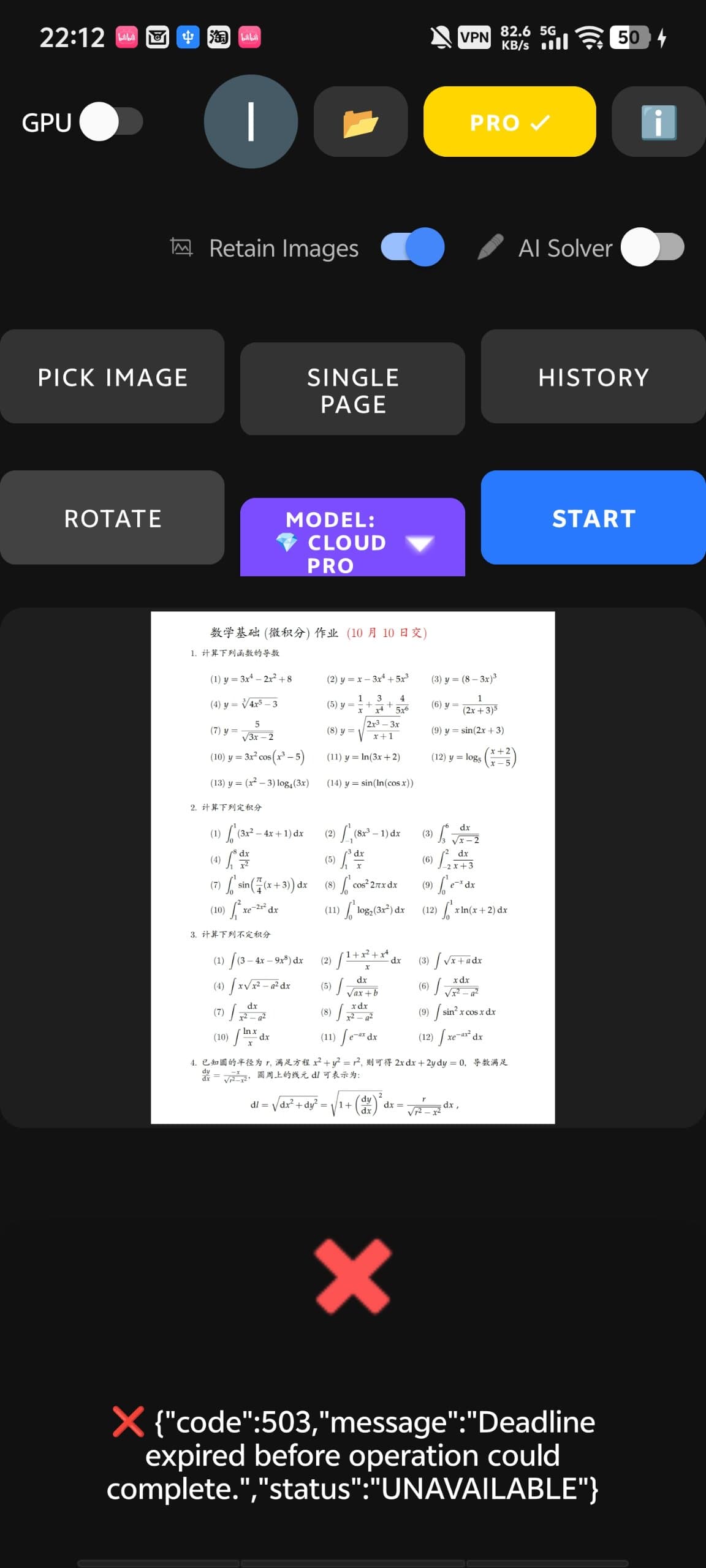
Clear numbered workflow and prominent CTAs. Online demo for basic OCR lowers barrier, but full features require app download. Error state in app screenshot offers no recovery path.
Clean, modern homepage with disciplined card layouts and mint/teal accents. App screenshot shows raw JSON error with red X, undermining polish. Demo upload zone lacks feedback states.
Mobile performance 78/100 with LCP 4.2s (acceptable but not great), desktop 100/100. No user complaints found. Local OCR promises speed, but web demo depends on server.
HTTPS, HSTS, and several headers present, but CSP and DMARC missing. Privacy policy clarifies local vs cloud data. No SOC 2 or pen-test claims. Domain is new, no incident history found.
Lighthouse accessibility 96/100, only contrast ratio issue. Multi-language support (EN/ZH). No explicit WCAG statement, but strong automated score suggests good baseline.
Local-first math OCR with Word/LaTeX export targets a clear niche. Differentiated from cloud-only Mathpix. Category has headroom, but traction is minimal (new domain, no reviews).
The website is a masterclass in clean design—mint accents, card layouts, and a hero that actually explains the product. But the app screenshot showing a raw JSON error is a slap in the face. Usability-wise, the numbered workflow is clear, and the online demo is a nice touch, but the error state with no recovery path is a usability nightmare. The app itself is the product, and if that's what it looks like, I'm worried.
Speed is a mixed bag: desktop performance is perfect, mobile is acceptable but not stellar. The local OCR promises speed, but the web demo is a gamble. Security is decent for a new product—HTTPS, HSTS, and a privacy policy that clarifies local vs cloud. But missing CSP and DMARC are red flags for a tool that handles sensitive documents. No SOC 2 or pen-test claims, so trust is based on hope.
Accessibility is a strong point with a 96/100 Lighthouse score, though the contrast issue is a minor blemish. Multi-language support is a plus. Growth potential is real: the local-first, formula-focused approach fills a gap left by cloud-only tools like Mathpix. But with a domain that's 0.2 years old and no traction, it's a bet on the idea, not the execution. The niche is specific, but if it executes well, it could carve out a loyal user base.
Conclusion
Overall, Offline OCR is a solid early-stage product with a clear value proposition. It's not perfect—the app needs polish, and security could be tighter—but the local-first approach is a compelling differentiator. If you're a student or researcher tired of retyping formulas, it's worth a try. Just keep your expectations in check until they fix that error screen.
Named competitors, point by point. Nobody paid to appear here or to be left out.
 Offline OCR: Math to Word Offline OCR: Math to Word |  Mathpix Mathpix |  Microsoft Math Solver Microsoft Math Solver |  Adobe Scan Adobe Scan |  Google Lens Google Lens | |
|---|---|---|---|---|---|
| OCR processing location | Local-first, on-device | Cloud-based | Cloud-based | Cloud-based | Cloud-based |
| Math formula recognition | Specialized, formula-focused | High accuracy for math | Basic handwriting recognition | No formula support | No formula support |
| Export formats | Word, PDF, LaTeX, text | LaTeX, Word, PDF | None (solves problems) | PDF, text | Text copy only |
| Offline capability | Yes, local mode | No, requires internet | No, requires internet | No, requires internet | No, requires internet |
| Pricing model | Free local mode, optional cloud AI | Subscription-based | Free | Freemium | Free |
Mathpix
Cloud-based OCR tool that converts math images to LaTeX and Word. Offers high accuracy but requires internet and has subscription pricing.
Microsoft Math Solver
Free app that solves math problems and recognizes handwriting, but lacks document export capabilities.
Adobe Scan
General-purpose scanner app with basic OCR, but not specialized for math formulas or equation editing.
Google Lens
Can copy text from images, but does not properly handle complex math formulas for editing.
Comparing options? See Offline OCR: Math to Word alternatives, scored side by side

An all-in-one hospitality software for restaurants and ba...

A weekly newsletter delivering curated tech jobs, intervi...

White-label reputation management software for agencies s...

Privacy-first open source journal app with a continuous t...

Puzzly is an all-in-one B2B lead generation platform that...

All-in-one AI workspace for docs, projects, and knowledge...

A free, open-source platform offering 110 AI agent skills...

Open-source desktop app for switching AI coding providers...

One verified handle for your online identity, readable by...

Frame-perfect video-to-GIF maker that runs entirely in yo...

White-label website audits that close deals for digital a...

Automated quote follow-up for trades and service businesses.
A platform dedicated to providing unbiased reviews of newly launched applications, analyzing everything from their features to their full potential.
info@scoutforge.net© 2026 Scoutforge. All rights reserved.
