Cycling through all six. Tap any point to stop.
Measured on six things
112 free client-side web tools plus a private autosaving ...
Growth
58Real problem (scattered, login-walled, privacy-leaking tools) with a clear consolidation-plus-privacy wedge. Differentiated, but the category is crowded and switching is frictionless.
Screenshots
1 / 3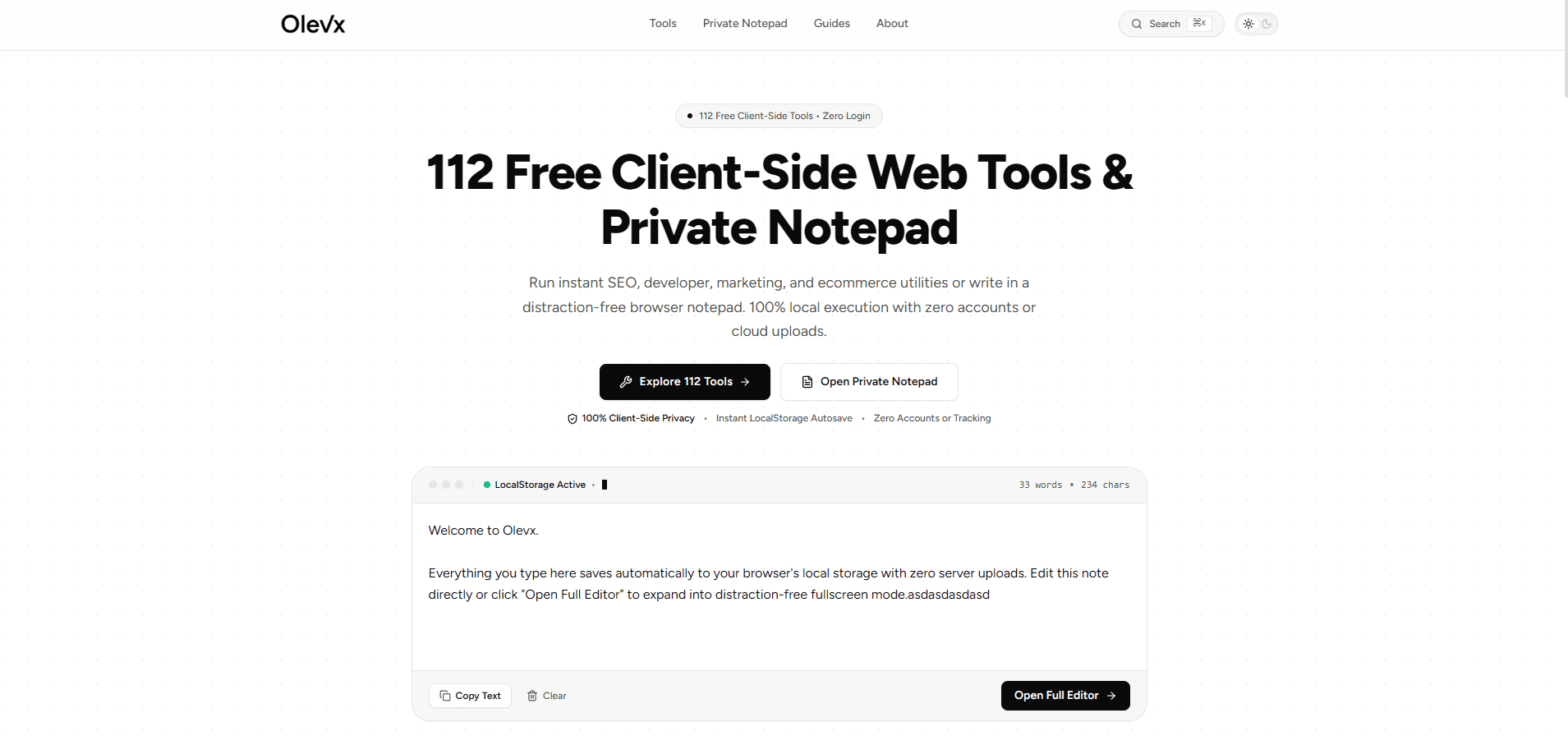
About this app
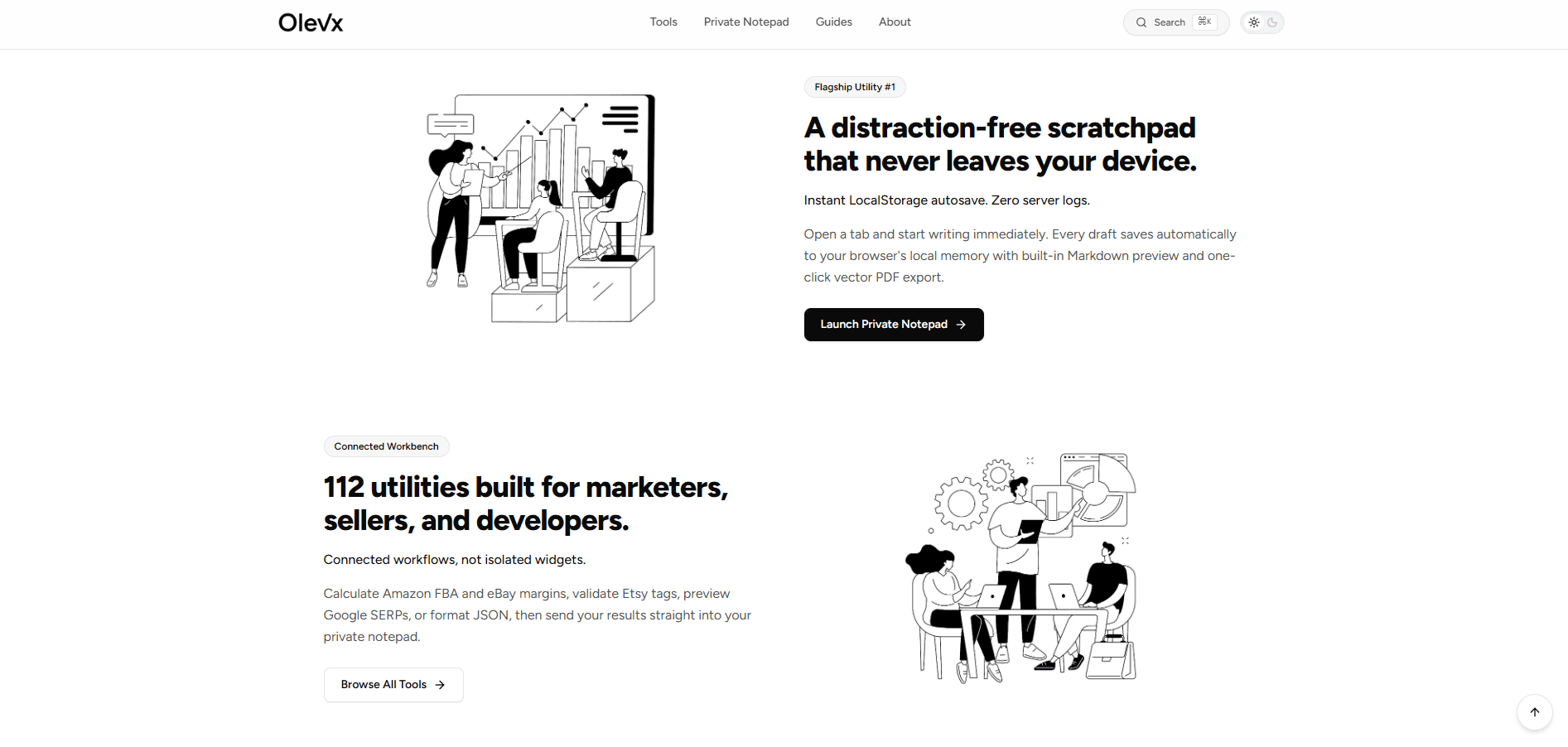
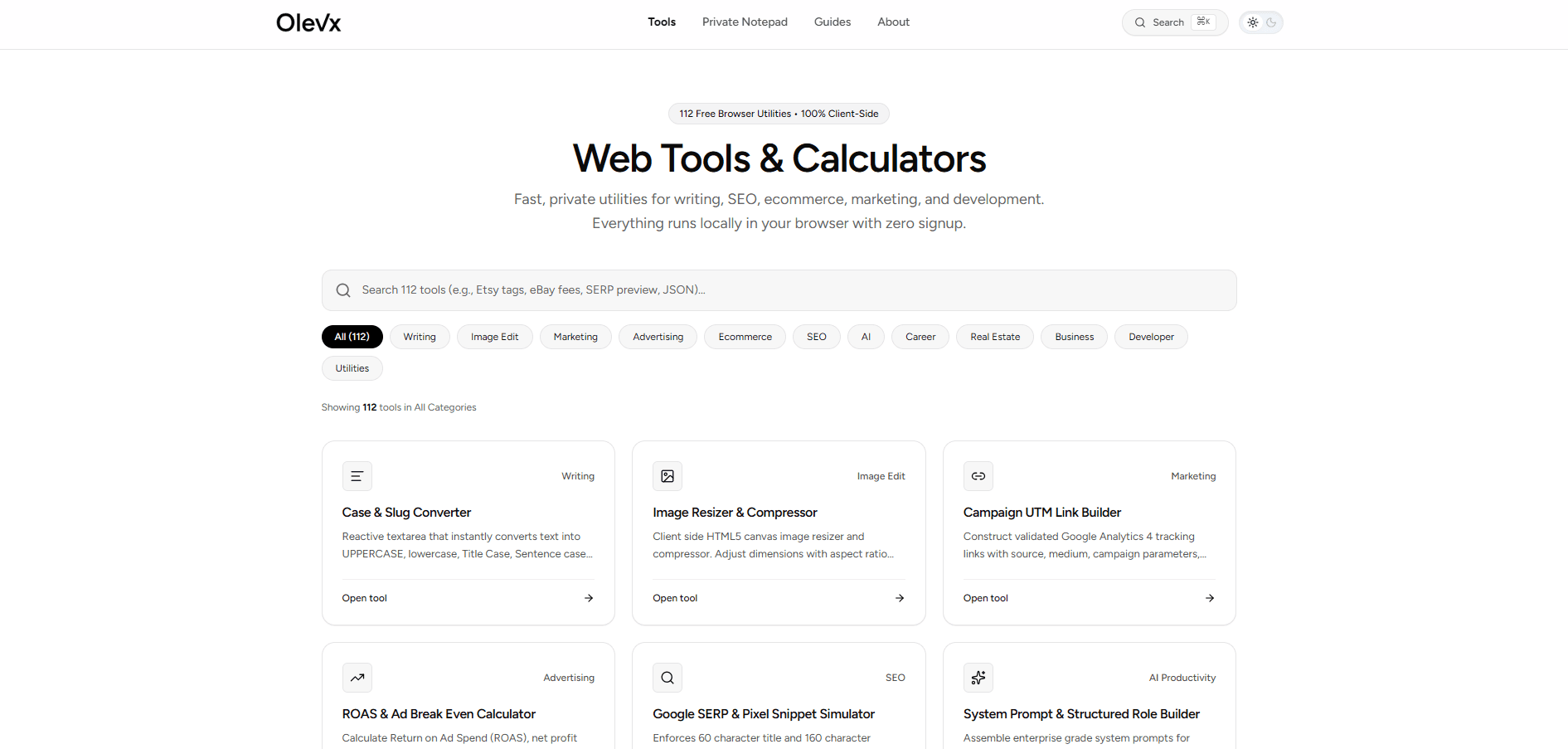
Olevx is a privacy-first web toolkit that bundles a distraction-free browser notepad with 112 client-side utilities for writers, marketers, developers, and online sellers. Everything runs locally in your browser using HTML5 Canvas and LocalStorage, so your drafts, images, and calculations never touch a server and no account or login is required. Standouts include a notepad with instant autosave, Markdown preview, and one-click vector PDF export; a live UTM builder with QR codes; a Google SERP and pixel snippet simulator; a ROAS and ad break-even calculator; a JSON formatter/linter; a cryptographically secure password generator; an image format converter; and social caption limit checkers. Results flow into the private notepad, so workflows stay connected rather than scattered across isolated widgets. Short guides cover practical topics like backing up AO3 drafts offline and verifying real Black Friday discounts. The trade-off is portability: because data lives in browser LocalStorag...
Key features
- 1112 client-side tools across 12 categories — SEO, marketing, dev, ecommerce, writing — all running locally with zero login
- 2Private notepad with instant LocalStorage autosave, Markdown preview, and one-click vector PDF export
- 3Connected workbench: results from UTM builders, SERP simulators, and calculators flow into the private notepad
Target customer profile
Drawn from the product itself, not from a survey.
Demographic
Freelance writers, bloggers, and fanfiction authors
Pain points
Drafts lost to crashes, AI scraping fears, clunky cloud editors requiring logins
Primary needs
Private autosaving notepad, word count, Markdown and PDF export
Demographic
SEO specialists and digital marketers at small agencies
Pain points
Scattered free tools, paywalls, unclear pixel limits for SERP snippets
Primary needs
UTM builder, SERP simulator, ROAS and CPC/CPM calculators
Demographic
Ecommerce sellers and small business owners (Etsy, Amazon FBA, eBay)
Pain points
Complex margin math, verifying discount claims, character limits for listings
Primary needs
Margin and markup calculators, social character checkers, tag validation
Demographic
Front-end developers and IT generalists
Pain points
Quick formatting tasks blocked by clunky tools or upload-only sites
Primary needs
Offline JSON formatter, password generator, image converter
Scout Review
Written by AI from measured evidence, scored out of 100.
Olevx is a privacy-first web toolkit bundling a distraction-free notepad with 112 client-side utilities for writers, marketers, developers, and sellers. Everything runs locally via HTML5 Canvas and LocalStorage — no accounts, no uploads. The execution is above-average: a cohesive monochrome design, a scannable tool grid, zero-login access, and a genuinely fast site (Lighthouse mobile 100/100). Security hygiene is excellent on headers (12/12) though unbacked by a published audit. Accessibility is a perfect automated 100 but undercut by low-contrast text the audit can't see. The idea is real and differentiated through consolidation and privacy, but the moat is shallow in a crowded category. A solid, well-built product that needs a contrast pass, a11y statement, and a defensibility story.
Measure by measure
Usability
74Zero-login access, a ⌘K search, category filters, and two clear hero paths get you to any tool in one click. Tiny grey labels and captions drag down readability.
Design
71Cohesive monochrome system, disciplined tool-card grid, and a live notepad mock-up above the fold. Undercut by low-contrast grey text and category chips clipped at the right edge.
Speed
88Lighthouse mobile 100/100 with LCP 905ms, CLS 0, TBT 61ms; desktop 84/100. Client-side-only execution keeps latency near zero across all 112 tools.
Security
79Full header suite (HSTS, CSP, frame protection, Permissions-Policy) at 12/12, plus SPF/DMARC. Client-side-only design limits data exposure. No published audit or bug bounty found.
Accessibility
80Lighthouse accessibility 100/100. Offset by low-contrast grey body text and tiny uppercase labels the audit can't catch, and no published WCAG statement.
Growth
58Real problem (scattered, login-walled, privacy-leaking tools) with a clear consolidation-plus-privacy wedge. Differentiated, but the category is crowded and switching is frictionless.
Improvement areas
- Low-contrast grey body and caption text reduces legibility despite a perfect automated accessibility score
- Category filter chips clipped at the right edge with no clear scroll affordance at desktop width
- No published security audit, bug bounty, or accessibility statement to back the privacy and a11y claims
Design & Usability
Olevx's homepage is a genuinely well-composed piece of design work: a monochrome palette, one consistent black CTA, a cohesive line-illustration system, and a tool-card grid that makes 112 utilities feel browsable rather than overwhelming. The live LocalStorage notepad mock-up above the fold is the smartest move on the page — it shows the product instead of describing it. Usability follows through: no login, a ⌘K search, category filters, and two clear hero paths mean you reach any tool in one click. The cracks are legibility: low-contrast grey body text, tiny uppercase status labels, and category chips clipped at the right edge without a scroll cue. Fix the contrast and the chip overflow and this jumps a tier.
Speed & Security
Speed is the standout. Lighthouse mobile scores a perfect 100 with LCP at 905ms, CLS at 0, and TBT at 61ms; desktop lands at 84. Because every tool runs client-side with no server round-trips, the snappiness is structural, not cosmetic. Security is strong on hygiene: the HTTP probe found HTTPS enforced with HSTS, CSP, frame protection, X-Content-Type-Options, Referrer-Policy, and Permissions-Policy all present — 12/12 checklist points — plus SPF and DMARC. The client-side-only architecture genuinely limits data-at-rest exposure. What's missing is third-party assurance: no published SOC 2, ISO, pen-test, or bug bounty surfaced in the collected evidence, so the 'private by design' claim rests on architecture and headers rather than an audit.
Accessibility & Growth
Accessibility scores a perfect 100 on Lighthouse's axe-core audit, which is a strong automated baseline. But automated checks only cover part of WCAG, and the visual audit caught what the robot missed: low-contrast light-grey body and caption text, and tiny uppercase labels that hurt real readers. There's also no published accessibility statement or WCAG conformance claim. On growth, the idea holds up: scattered, login-walled, privacy-leaking single-purpose tools are a real annoyance, and Olevx's wedge — 112 tools plus a private notepad in one connected, no-account workbench — is a specific, demonstrable differentiator against the listed alternatives (Online Notepad, JSON Formatter, Google UTM Builder), each of which does one thing. The limit is defensibility: bundling free tools is easy to copy, and the category is crowded. It's a competent, clearly positioned product with a real but shallow moat.
Conclusion
If you're a writer tired of cloud editors logging your drafts, a marketer juggling five ad-filled free tools, or a developer who just wants a JSON formatter that doesn't upload your payload, Olevx is a genuinely pleasant place to work. It's fast, it's private by architecture, and it's free of the login walls that make competitors exhausting. The gaps are fixable: raise the text contrast, add an accessibility statement, publish a security audit or bug bounty, and give the growth story a sharper edge than 'we bundled everything.' Do that and this stops being a nice utility drawer and starts being a product people recommend by name.
Suggestions for improvement
- Raise contrast on grey body and caption text to meet WCAG AA — the 100/100 audit doesn't catch what users squint at.
- Fix the category filter chips clipped at the right edge; add a visible scroll affordance or wrap them.
- Publish an accessibility statement and a security page (pen-test summary or bug bounty) to back the privacy claims.
- Sharpen the growth story: name the specific workflow Olevx owns that single-purpose competitors structurally can't.
Alternatives comparison
Named competitors, point by point. Nobody paid to appear here or to be left out.
 Olevx | Online Notepad | JSON Formatter & Validator | UTM Builder by Google | |
|---|---|---|---|---|
| Account / login required | No — zero accounts, zero login | No — browser-based, no login | No — paste and format | No — Google tool, no login |
| Scope of tools offered | 112 tools across 12 categories plus a private notepad | Single-purpose: plain text notepad with autosave | Single-purpose: JSON beautify/minify/validate | Single-purpose: GA4 campaign URL builder |
| Data privacy / local execution | 100% client-side; LocalStorage; zero server uploads | Browser-based; privacy handling not verified | Client-side formatting; not independently verified | Google-hosted; subject to Google data policies |
| Connected workflow (results feed into a notepad) | Yes — tool results flow into the private notepad | No — standalone notepad only | No — standalone JSON tool | No — standalone URL builder |
| Export options | Markdown, vector PDF, copy-to-clipboard | Copy / download text | Copy formatted JSON | Copy generated URL |
Online Notepad
A simple browser-based text editor with autosave, used mainly for quick notes without logins.
JSON Formatter & Validator
A dedicated tool for beautifying, minifying, and validating JSON with error highlighting.
UTM Builder by Google
Google's own campaign URL builder for creating GA4-compatible tracking links.
Comparing options? See Olevx alternatives, scored side by side
More Productivity apps
View all Productivity
Puzzly – B2B Lead Generation & Sales Intelligence Platform
92Puzzly is an all-in-one B2B lead generation platform that...

Qamarero
92An all-in-one hospitality software for restaurants and ba...

EmbedMyReviews
92White-label reputation management software for agencies s...

StoryPad
92Privacy-first open source journal app with a continuous t...

Notion
92All-in-one AI workspace for docs, projects, and knowledge...

The Stack Newsletter
92A weekly newsletter delivering curated tech jobs, intervi...

Vibe Coding Agent Skills
92A free, open-source platform offering 110 AI agent skills...

QRBliss
91Branded QR codes with AI Brand Sync, 15 free dynamic code...

Gerty
91Private, local AI assistant for Mac that runs offline

Strukchad Property Management
91Property management for Kenyan letting agents: rent invoices raised every month, M-Pesa rent prompts to tenants, arrears tracking and landlord statements.

CC Switch
91Open-source desktop app for switching AI coding providers...

PitchWhip
90AI cold call scripts & direct dials from LinkedIn


A platform dedicated to providing unbiased reviews of newly launched applications, analyzing everything from their features to their full potential.
info@scoutforge.net© 2026 Scoutforge. All rights reserved.
