Cycling through all six. Tap any point to stop.
Measured on six things
OpenSubs generates subtitles for a video right in your browser. Speech recognition (Whisper) runs on your own machine, so the video is never uploaded. Edit any line, translate, pick a caption style, then export SRT, VTT or ASS, or burn the subtitles into an MP4. Free and open source.
Growth
63Real, specific wedge: free, local, open-source subtitle generation against VEED and Kapwing's paid cloud tiers. Privacy is a genuine differentiator and the desktop/extension spread widens reach. Very early (domain ~0.2 years).
Screenshots
1 / 3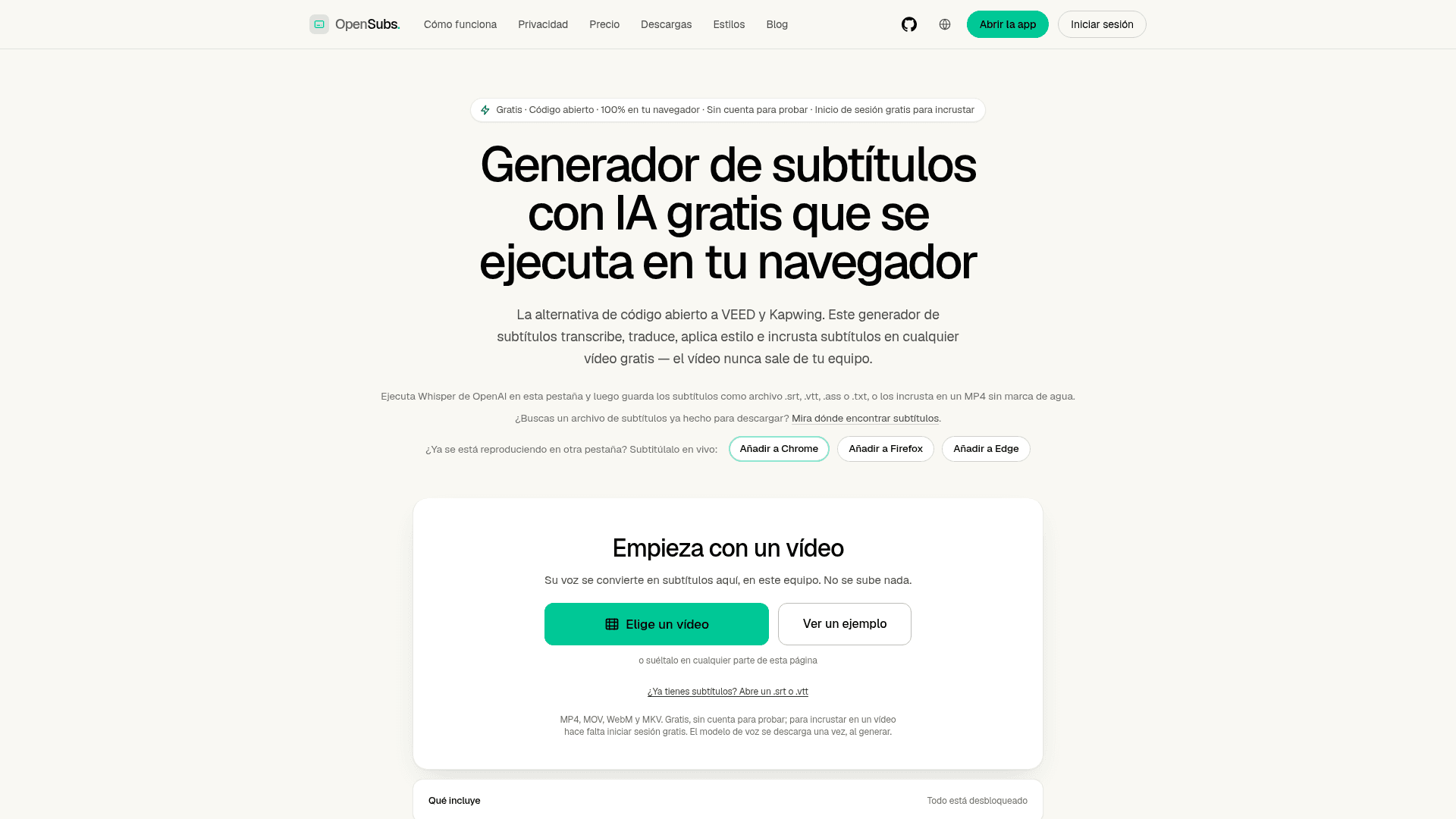
About this app
OpenSubs is a free subtitle generator that runs in your browser. Drop in a video and it transcribes the speech with Whisper on your own machine; the video is never uploaded. You can fix any line, translate the subtitles, choose a caption style with word-by-word highlighting, and export .srt, .vtt or .ass files, or an MP4 with the subtitles burned in. Exporting subtitle files needs no account; burning them into the video takes a free sign-in. There is also a desktop app for Windows, Mac and Linux, and an extension for Chrome, Edge and Firefox that adds subtitles to whatever is playing in the tab. The source code is published under AGPL-3.0.
Key features
- 1Local Whisper transcription in-browser — video never uploaded, model cached after first download.
- 2Translation into 20 languages via on-device Chrome translation, or bring your own Claude/OpenAI/DeepL key.
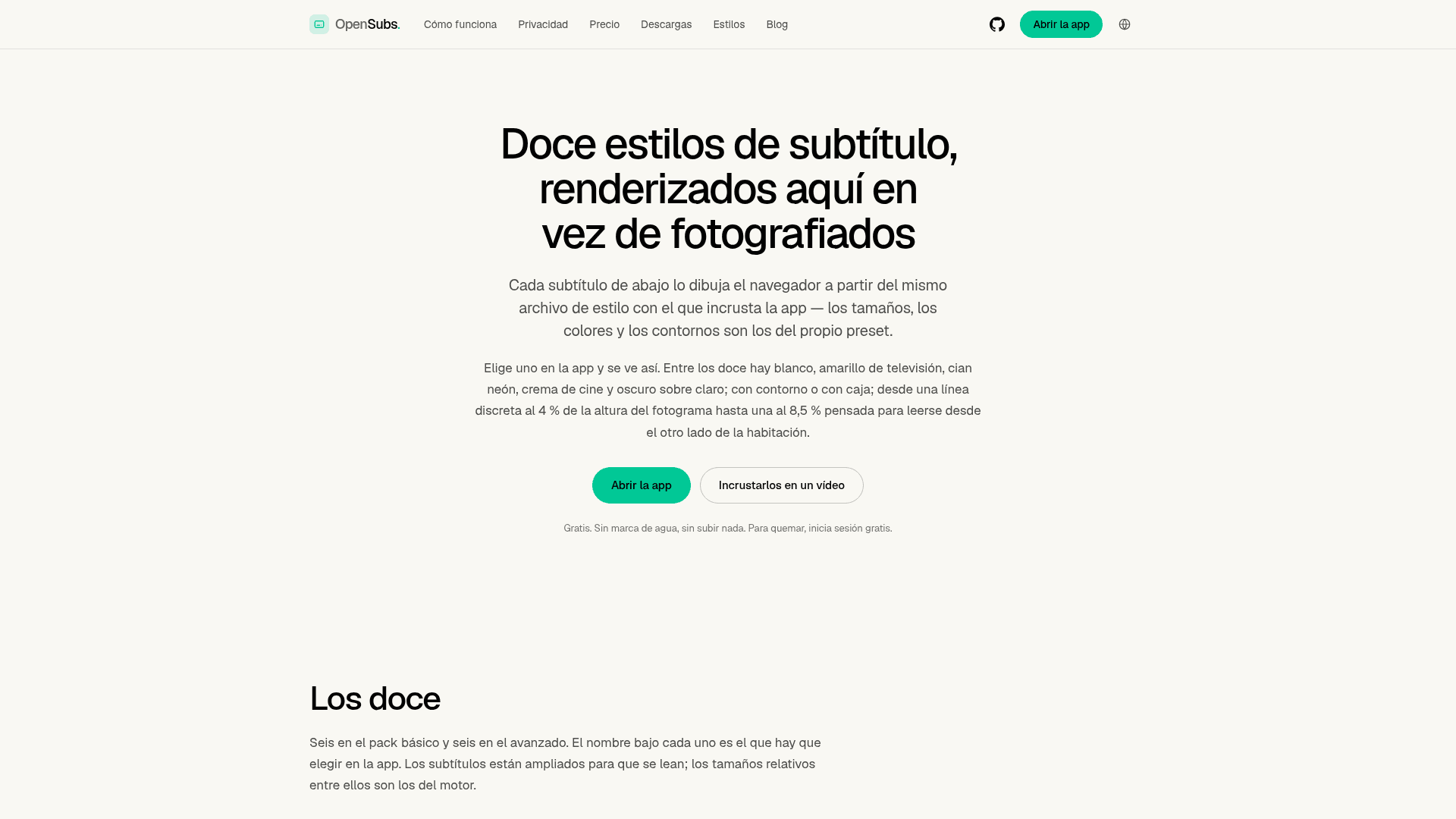
- 3Twelve caption presets with word-by-word highlighting, export to SRT, VTT, ASS, TXT or burned-in MP4.
- 4Subtitle editor with clickable timestamps and inline text editing; opens existing .srt/.vtt files.
- 5Desktop apps for Windows, Mac and Linux plus browser extensions for Chrome, Edge and Firefox.
- 6AGPL-3.0 open source; subtitle file exports require no account.
Target customer profile
Drawn from the product itself, not from a survey.
Scout Review
Written by AI from measured evidence, scored out of 100.
OpenSubs is a browser-based subtitle generator that runs Whisper locally, so video never leaves your machine. It transcribes, translates into 20 languages, styles with twelve presets, and exports SRT, VTT, ASS, TXT or a burned-in MP4 — with subtitle file exports requiring no account. The site is fast, clean and unusually honest about what it does and doesn't do. The measured profile is strong on speed and accessibility, solid on security and design, and competent on usability, with the main weaknesses being low-contrast microcopy, unreadable feature screenshots, missing HSTS/Permissions-Policy headers, and sign-in messaging that repeats itself into confusion. Against VEED, the pitch is credible: same job, no upload, no watermark, no subscription.
Measure by measure
Usability
66Clear primary path with drag-and-drop and a sample file, plus a documented transcribe→translate→style→burn workflow and an editor with clickable timestamps. Repeated sign-in caveats and dense hero microcopy add friction.
Design
71Clean, disciplined landing page: tight type scale, restrained off-white/green palette, and a hero upload card that explains the product in seconds. Undermined by tiny low-contrast microcopy and unreadable feature thumbnails.
Speed
84Lighthouse mobile 98/100 with 1.2s LCP and 30ms TBT — genuinely fast. Desktop scores 77/100, a real gap worth closing. In-app Whisper runs locally with a one-time cached model download, so no server round-trip.
Security
74HTTPS enforced with CSP, frame protection, Referrer-Policy, SPF and DMARC in place; 9/12 header checklist. The local-processing architecture is a real privacy advantage, and the AGPL source is public. HSTS and Permissions-Policy are missing.
Accessibility
79Lighthouse accessibility 96/100 with a single failing audit: insufficient contrast. That matches the visible low-contrast grey microcopy in the hero. No WCAG statement or a11y page found, so keyboard and screen-reader support are unverified.
Growth
63Real, specific wedge: free, local, open-source subtitle generation against VEED and Kapwing's paid cloud tiers. Privacy is a genuine differentiator and the desktop/extension spread widens reach. Very early (domain ~0.2 years).
Improvement areas
- Low-contrast hero microcopy fails the sole accessibility audit and hides the core privacy claim.
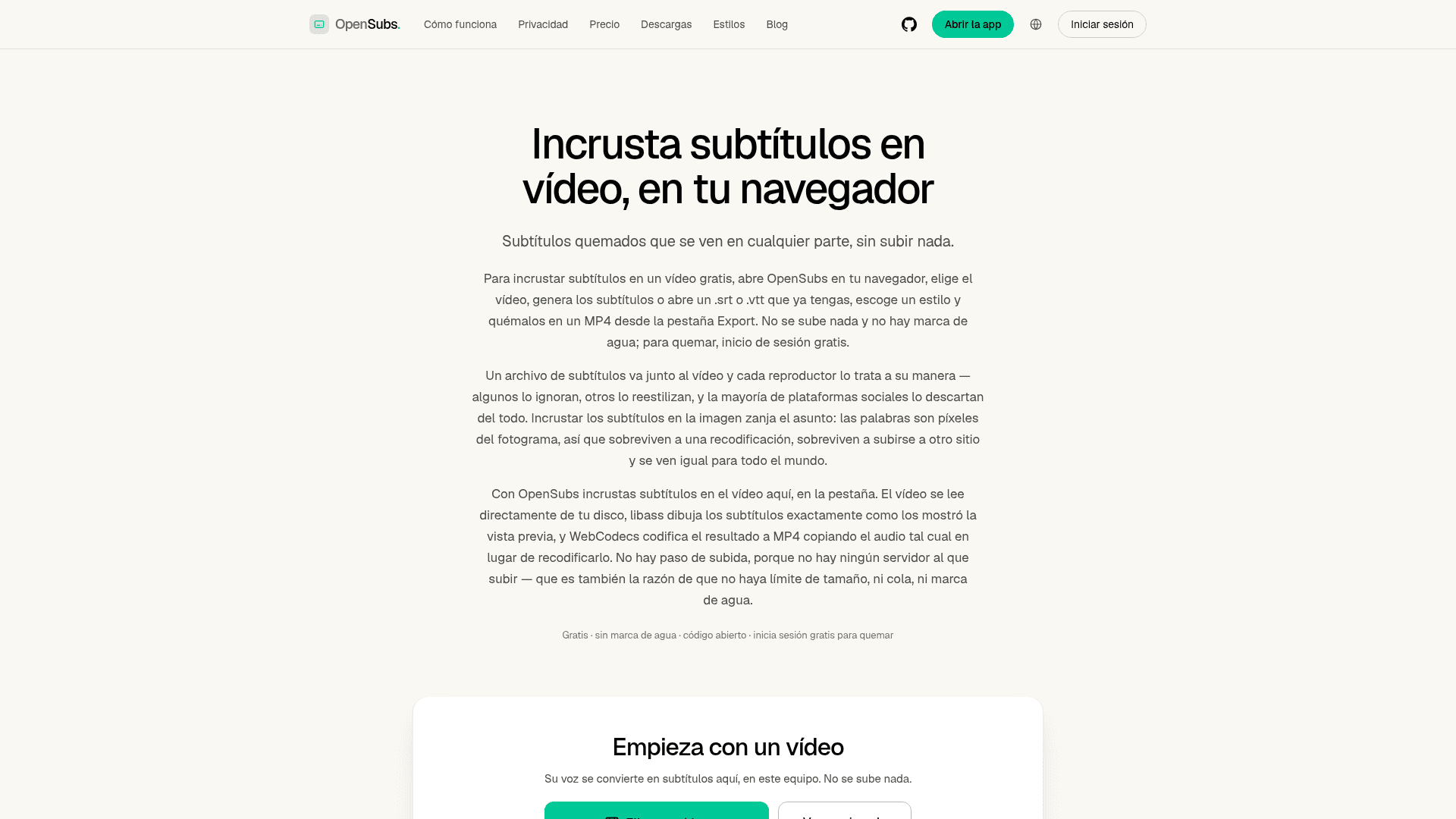
- Feature thumbnails too small to demonstrate the editor and export UI.
- Missing HSTS and Permissions-Policy headers (9/12 checklist).
- Repeated sign-in caveats create confusion about whether an account is needed to use the tool.
Design & Usability
OpenSubs has a landing page that mostly earns its confidence. The hero is disciplined — a tight display headline, a restrained off-white and green palette, and an upload card that makes the product legible in about three seconds. Where it slips is in the details: the trust microcopy carrying the core 'nothing is uploaded' claim is set in small light grey, and the three feature thumbnails under the main output still are too small to actually show the editor and export UI. Usability is solid on the happy path — drag-and-drop, a sample file, and a documented four-step workflow from transcription through translation, styling and burn. The friction is messaging: the free-sign-in caveat is repeated so often that a first-time visitor can't tell whether an account is required to use the tool or only to burn subtitles into a video.
Speed & Security
Speed is the standout. Lighthouse mobile scores 98/100 with a 1.2s LCP and 30ms total blocking time, and because Whisper runs locally the heavy work never touches a server — the model downloads once and caches. Desktop lands at 77/100, a real gap that suggests the desktop bundle is carrying more than it needs to. Security is respectable rather than exceptional: HTTPS is enforced with CSP, frame protection, Referrer-Policy, SPF and DMARC, hitting 9 of 12 header checks, but HSTS and Permissions-Policy are missing. The architectural privacy story is genuinely strong — video never leaves the machine, and the source is published under AGPL-3.0 — but there is no published audit, SOC 2 or bug bounty in the evidence, so the claim rests on the architecture rather than third-party verification.
Accessibility & Growth
Accessibility scores 96/100 on Lighthouse with exactly one failing audit: insufficient contrast. That failure is not abstract — it lands on the small grey microcopy in the hero that explains the product's main differentiator, which is the worst possible place to lose a low-vision reader. There is no WCAG conformance statement or dedicated accessibility page, so keyboard navigation and screen-reader behaviour remain unverified beyond the automated pass. Growth is a judgement on the idea rather than traction: OpenSubs names a specific, real problem (subtitle generation is paywalled and cloud-based at VEED and Kapwing) and answers it with a concrete wedge — free, local, open-source, no watermark. The desktop apps and browser extensions widen the surface area, and the comparison page shows deliberate positioning. The limit is that 'free and open source' is a crowded pitch; privacy is the only durable moat and it needs to be the loudest thing on the page.
Conclusion
If you handle footage you would rather not hand to a cloud vendor — client work, unreleased material, anything under an NDA — OpenSubs is the most defensible free option in this category right now, and the AGPL source means you can check the claim instead of trusting it. The gaps are fixable in an afternoon: bump the hero microcopy contrast, enlarge the feature screenshots, add HSTS and Permissions-Policy, and consolidate the sign-in messaging into one clear line. Do those four things and this moves from 'impressive for a young project' to 'genuinely better than the paid option' for a large slice of users.
Suggestions for improvement
- Raise the contrast on the hero trust microcopy — it carries the core privacy claim and currently fails the one accessibility audit.
- Enlarge the three feature thumbnails so the editor and export UI are actually legible as evidence.
- Add HSTS and Permissions-Policy headers to close the two remaining gaps in the security checklist.
- Consolidate the repeated 'free sign-in' caveats into one clear statement of what needs an account and what doesn't.
Alternatives comparison
Named competitors, point by point. Nobody paid to appear here or to be left out.
 OpenSubs |  VEED | |
|---|---|---|
| Processing location / privacy | Runs Whisper locally in the browser; video never uploaded | Cloud-based; video uploaded to VEED servers |
| Price for subtitle generation | Free; subtitle exports need no account, burning needs free sign-in | Freemium with paid subscription tiers for full features |
| Watermark on burned output | No watermark on burned MP4 | Watermark on free tier exports |
| Export formats | SRT, VTT, ASS, TXT, or burned-in MP4 | SRT/VTT plus rendered video in various formats |
| Translation | 20 languages via on-device Chrome translation or BYO API key | Cloud translation across many languages |
| Open source | Yes — AGPL-3.0, source published | No — proprietary SaaS |
| Desktop / browser extension | Desktop apps (Win/Mac/Linux) + Chrome/Edge/Firefox extensions | Web app only |
Comparing options? See OpenSubs alternatives, scored side by side
More Productivity apps
View all Productivity
Puzzly – B2B Lead Generation & Sales Intelligence Platform
92Puzzly is an all-in-one B2B lead generation platform that...

Qamarero
92An all-in-one hospitality software for restaurants and ba...

EmbedMyReviews
92White-label reputation management software for agencies s...

StoryPad
92Privacy-first open source journal app with a continuous t...

Notion
92All-in-one AI workspace for docs, projects, and knowledge...

The Stack Newsletter
92A weekly newsletter delivering curated tech jobs, intervi...

Vibe Coding Agent Skills
92A free, open-source platform offering 110 AI agent skills...

QRBliss
91Branded QR codes with AI Brand Sync, 15 free dynamic code...

Gerty
91Private, local AI assistant for Mac that runs offline

Strukchad Property Management
91Property management for Kenyan letting agents: rent invoices raised every month, M-Pesa rent prompts to tenants, arrears tracking and landlord statements.

CC Switch
91Open-source desktop app for switching AI coding providers...

PitchWhip
90AI cold call scripts & direct dials from LinkedIn


A platform dedicated to providing unbiased reviews of newly launched applications, analyzing everything from their features to their full potential.
info@scoutforge.net© 2026 Scoutforge. All rights reserved.
