

A platform dedicated to providing unbiased reviews of newly launched applications, analyzing everything from their features to their full potential.
info@scoutforge.net© 2026 Scoutforge. All rights reserved.
A platform dedicated to providing unbiased reviews of newly launched applications, analyzing everything from their features to their full potential.
info@scoutforge.net© 2026 Scoutforge. All rights reserved.
A platform dedicated to providing unbiased reviews of newly launched applications, analyzing everything from their features to their full potential.
info@scoutforge.net© 2026 Scoutforge. All rights reserved.
Cycling through all six. Tap any point to stop.
Measured on six things
Build an org chart in minutes from Excel or CSV, a template, or a blank chart. CSV export is always free; no per-seat fees.
Real problem, specific wedge: one-time pass pricing from $1, no per-seat fees, editable PowerPoint exports. Category has headroom, but incumbents are entrenched and switching costs are low.
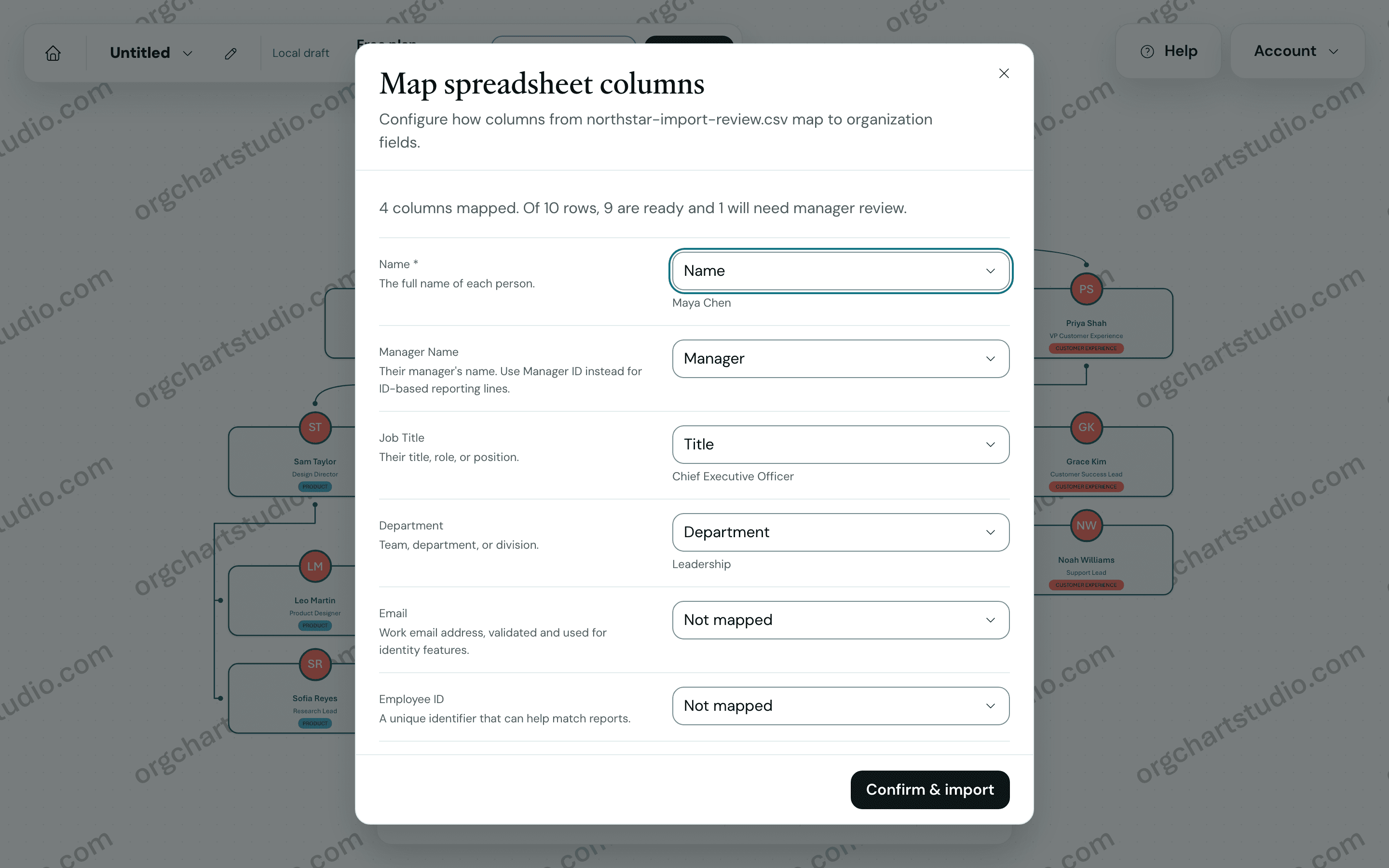
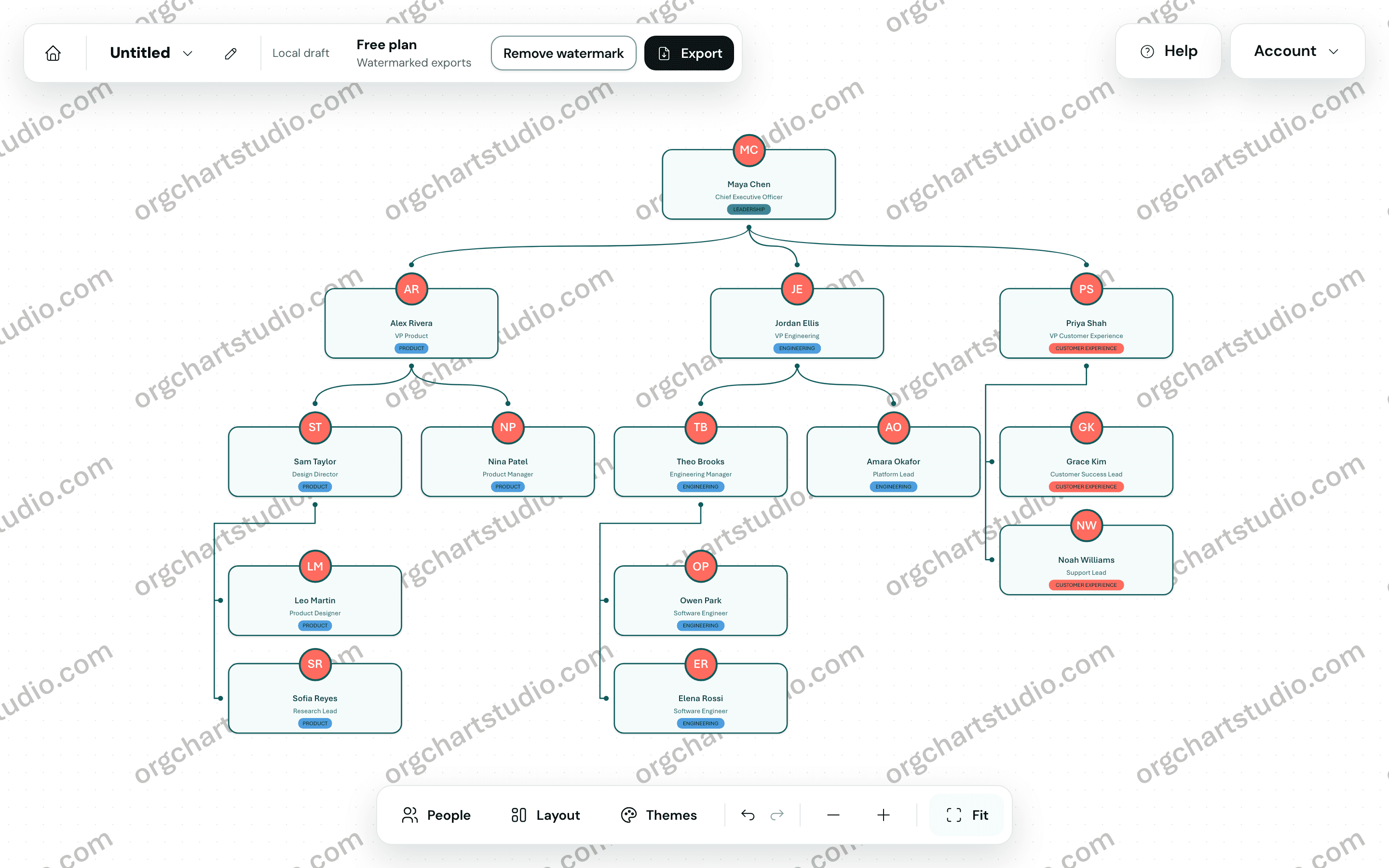
Stop fighting with your org chart and create one in minutes. Org Chart Studio builds an org chart three ways. Import an Excel or CSV roster, map the columns you have and review the result before anything is committed; likely typos in manager names are flagged for review instead of guessed at. Start from a template in the library (12 templates, 30 picker variants). Or start blank and add people by hand, on the canvas or in the table editor. Edit on the canvas or in a table, apply a theme, and export. Starting and editing need no account. CSV export is always free; a watermarked PNG is free; clean PNG, PDF and editable PowerPoint need a pass or a subscription. Pay for an export when you need it. A subscription is optional, never required. There are no per-seat fees.
Drawn from the product itself, not from a survey.
Written by AI from measured evidence, scored out of 100.
Org Chart Studio is a focused, well-executed take on a boring problem. It imports messy Excel rosters, flags typos instead of guessing, and exports editable PowerPoint and vector PDF rather than screenshots. The pricing model is the real story: build free, pay $1–$100 for a one-time export pass, no per-seat fees, subscription optional. That's a genuine middle finger to the subscription-everything status quo. Design is clean but the hero illustration is too faint and the editor watermarks are noisy. Usability is strong except for the desktop-only canvas. Speed is excellent on desktop (98) and mediocre on mobile (81, 4.5s LCP). Security headers are complete but no audits are published. Accessibility scores 100/100 on automated checks with no WCAG statement to back it up. Growth potential is solid — real problem, specific wedge, room to run — but incumbents are entrenched.
No-account start, three input paths (Excel/CSV, templates, blank), and import intelligence that flags typos instead of guessing. Desktop-only canvas limits mobile editing.
Clean, modern SaaS look with consistent rounded cards and soft shadows. Hero illustration is too faint, and the editor's repeated watermarks feel dated. Solid but not standout.
Desktop Lighthouse 98/100 is excellent; mobile sits at 81/100 with a 4.5s LCP — above the 2.5s 'good' threshold. Fast on desktop, sluggish first paint on phones.
Full security header suite (HSTS, CSP, frame protection, Referrer-Policy, Permissions-Policy), SPF and DMARC configured — 12/12 probe points. No published audits or bug bounty.
Lighthouse accessibility 100/100 on automated checks, responsive layout, mobile table view. No WCAG statement or multi-language support surfaced, so real-world screen-reader coverage is unverified.
Real problem, specific wedge: one-time pass pricing from $1, no per-seat fees, editable PowerPoint exports. Category has headroom, but incumbents are entrenched and switching costs are low.
Org Chart Studio's homepage is a competent, modern SaaS page — rounded cards, soft shadows, clear hierarchy, and a hero that says 'Stop fighting with your org chart.' The visual audit flagged the hero illustration as too faint and the editor's repeated watermarks as noisy, which drags an otherwise clean aesthetic. On usability, the product earns real points: you can build and edit without an account, import from Excel/CSV/Google Sheets with column mapping, start from 12 templates, or go blank. Import intelligence flags typos and missing managers instead of silently guessing, which is the kind of detail that saves an HR admin an afternoon. The catch is the desktop-only canvas — mobile users get table view only, which is fine for quick edits but a hard stop for real restructuring on the go.
Speed is a tale of two devices. Desktop Lighthouse performance lands at 98/100, which is genuinely excellent. Mobile sits at 81/100 with a 4.5-second LCP — above Google's 2.5s 'good' threshold and the main reason the mobile score isn't higher. CLS is a clean 0 and TBT is 133ms, so the page isn't janky, it's just slow to paint on phones. Security is stronger than most indie tools at this stage: the HTTP probe returned 12/12 checklist points including HSTS, CSP, frame protection, Referrer-Policy, and Permissions-Policy, plus SPF and DMARC for email. What's missing is the paperwork layer — no SOC 2, ISO, pen-test report, or bug bounty surfaced. For a tool handling org rosters that's a reasonable gap at this size, but enterprise buyers will ask.
Accessibility is a bright spot on paper: Lighthouse's axe-core audit returned a perfect 100/100, and the site is responsive with a mobile table view. What's absent is the human layer — no WCAG conformance statement, no accessibility page, no multi-language support. Automated checks catch maybe a third of real-world issues, so 100/100 is a starting line, not a finish line. Growth is where the idea gets interesting. The problem is real (org charts are a recurring HR/ops headache), the wedge is specific (one-time passes from $1, no per-seat fees, editable PowerPoint with native shapes instead of screenshots), and the category has headroom. The site claims 1,000+ companies in 15+ countries, though that's unverified traction context. The honest limit: incumbents like Lucidchart and Pingboard are entrenched, and switching costs for a chart you build once a quarter are low. The pass model is the differentiator — whether it's enough to pull teams off subscriptions is the open question.
Conclusion
If you build an org chart once a quarter and resent paying $8/seat/month for the privilege, Org Chart Studio is aimed squarely at you. The free build path and $1 entry pass mean you can test the whole workflow before spending anything real. The desktop-only canvas is the biggest practical limitation — if your team lives on phones, this isn't it. And if you need SOC 2 paperwork for procurement, look elsewhere for now. But for the HR generalist, ops lead, or founder who just needs a clean, editable org chart without a subscription trap, this is one of the more honest tools in the category. Worth a look before you renew that Lucidchart seat.
Named competitors, point by point. Nobody paid to appear here or to be left out.
 Org Chart Studio Org Chart Studio |  |  |  | |
|---|---|---|---|---|
| Pricing model | Free to build; one-time export passes from $1 (1-day) to $100 (annual); no per-seat fees; subscription optional | Not available in provided data | Not available in provided data | Not available in provided data |
| Import from Excel/CSV | Yes — Excel (.xlsx), CSV, Google Sheets with column mapping and typo/missing-manager flagging | Not available in provided data | Not available in provided data | Not available in provided data |
| Editable PowerPoint export | Yes — native PowerPoint shapes and text, requires pass | Not available in provided data | Not available in provided data | Not available in provided data |
| Free tier | Yes — build and store free up to 2,500 people; watermarked PNG free up to 25 people; CSV export always free | Not available in provided data | Not available in provided data | Not available in provided data |
| Mobile support | Partial — table view on mobile; visual canvas is desktop-only | Not available in provided data | Not available in provided data | Not available in provided data |
Comparing options? See Org Chart Studio alternatives, scored side by side

Privacy-first open source journal app with a continuous t...

Puzzly is an all-in-one B2B lead generation platform that...

An all-in-one hospitality software for restaurants and ba...

All-in-one AI workspace for docs, projects, and knowledge...

White-label reputation management software for agencies s...

A weekly newsletter delivering curated tech jobs, intervi...

A free, open-source platform offering 110 AI agent skills...

Open-source desktop app for switching AI coding providers...

One verified handle for your online identity, readable by...

Frame-perfect video-to-GIF maker that runs entirely in yo...

White-label website audits that close deals for digital a...

Automated quote follow-up for trades and service businesses.
A platform dedicated to providing unbiased reviews of newly launched applications, analyzing everything from their features to their full potential.
info@scoutforge.net© 2026 Scoutforge. All rights reserved.
