Cycling through all six. Tap any point to stop.
Measured on six things
AI notes, web clips in your Chrome Side Panel
Growth
28Extremely young product (domain Dec 2025) with zero discoverable reviews, community, or traction signals. Early-stage indie effort.
Screenshots
1 / 9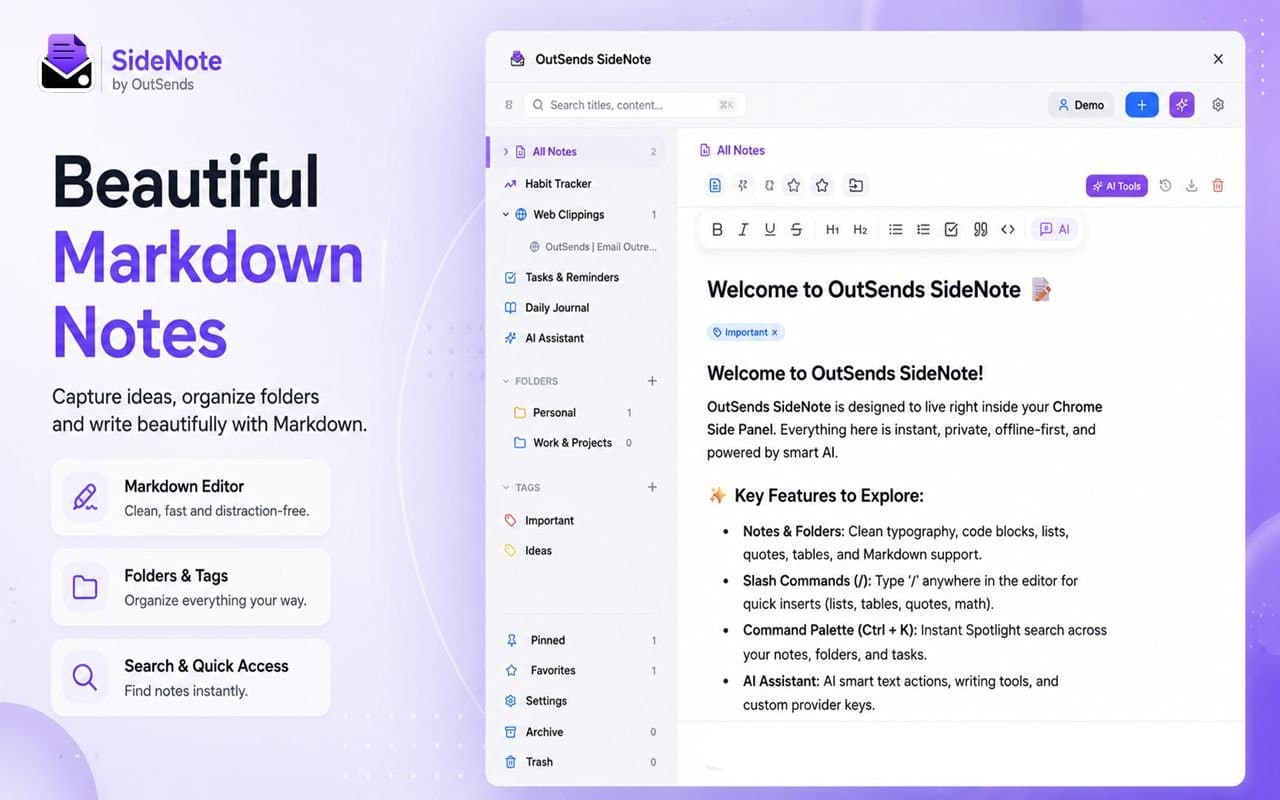
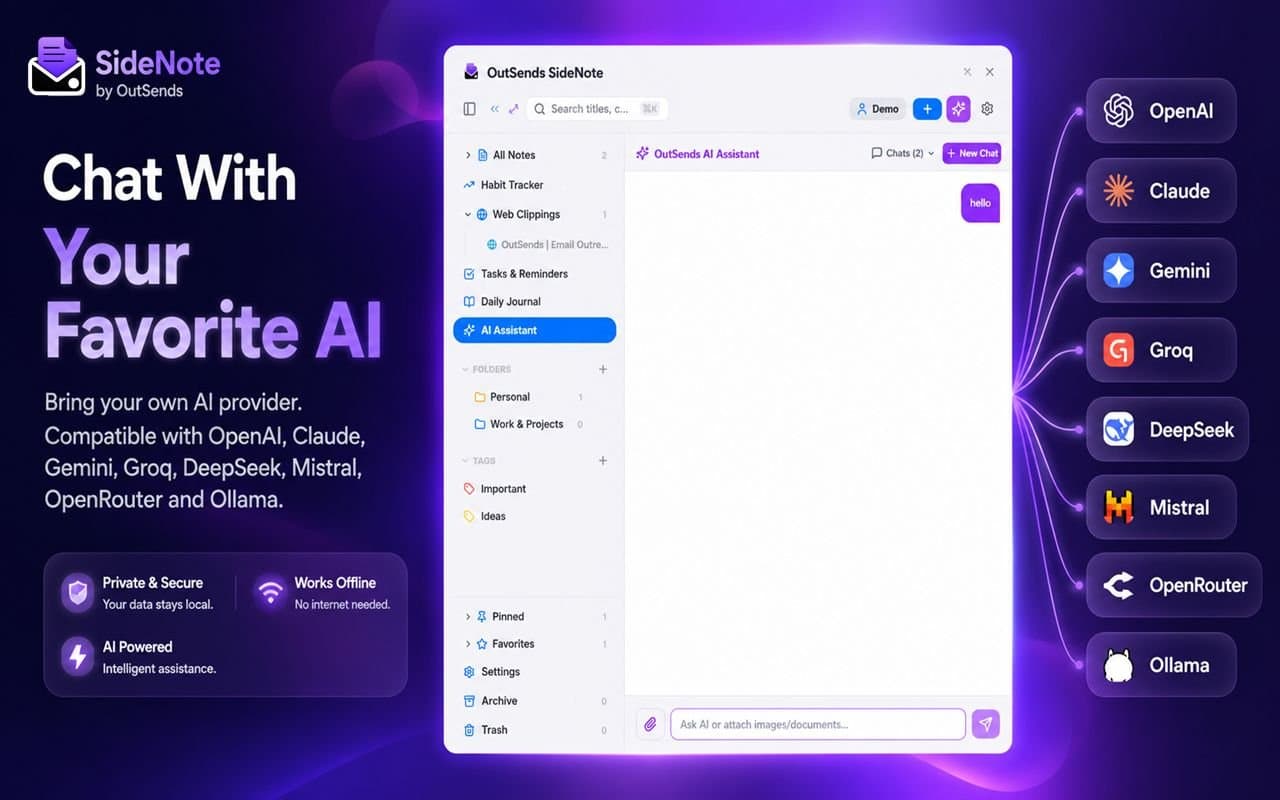
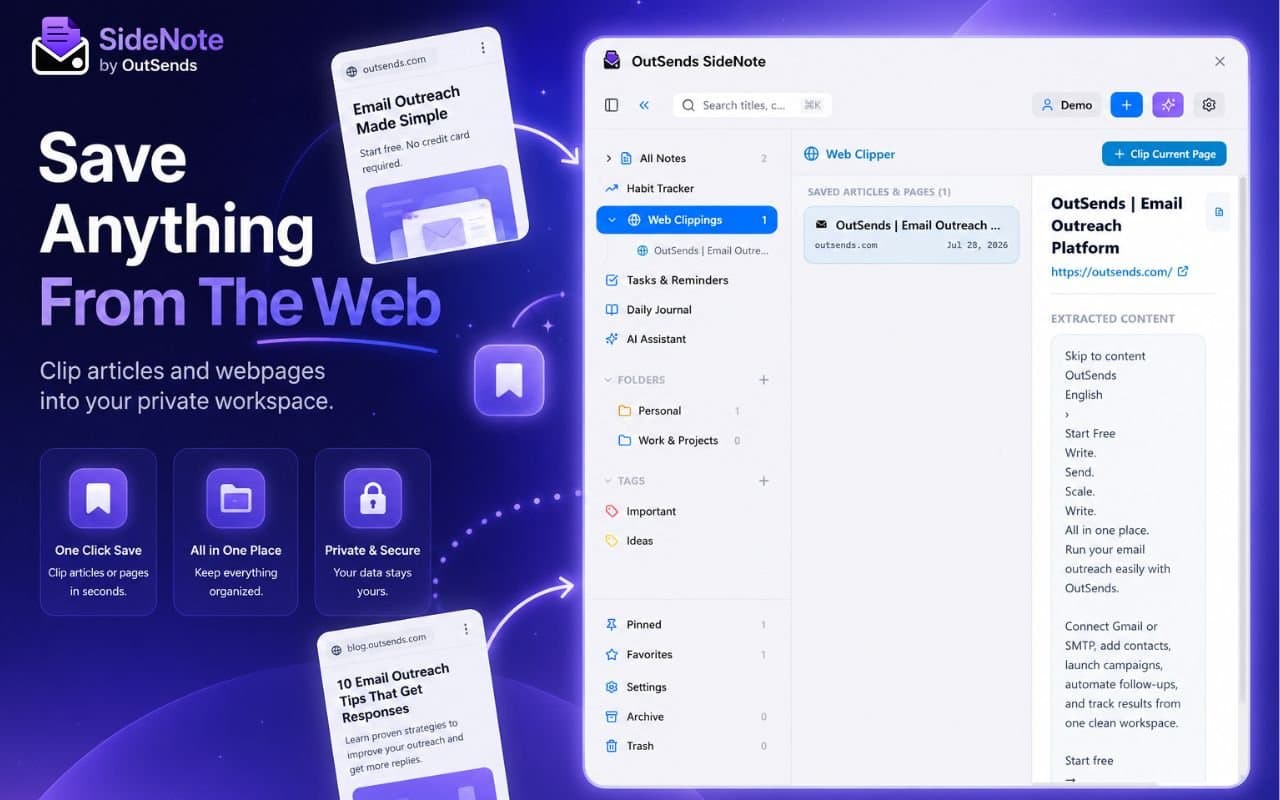
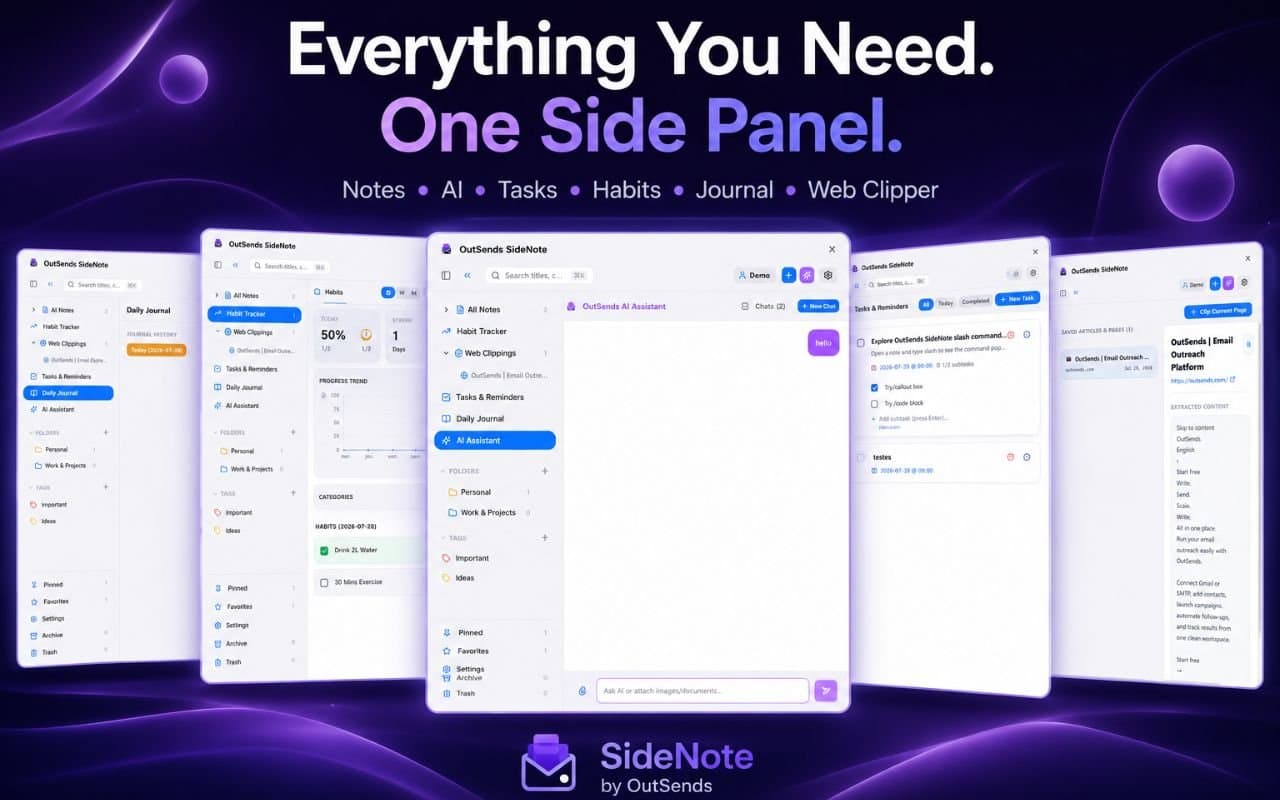
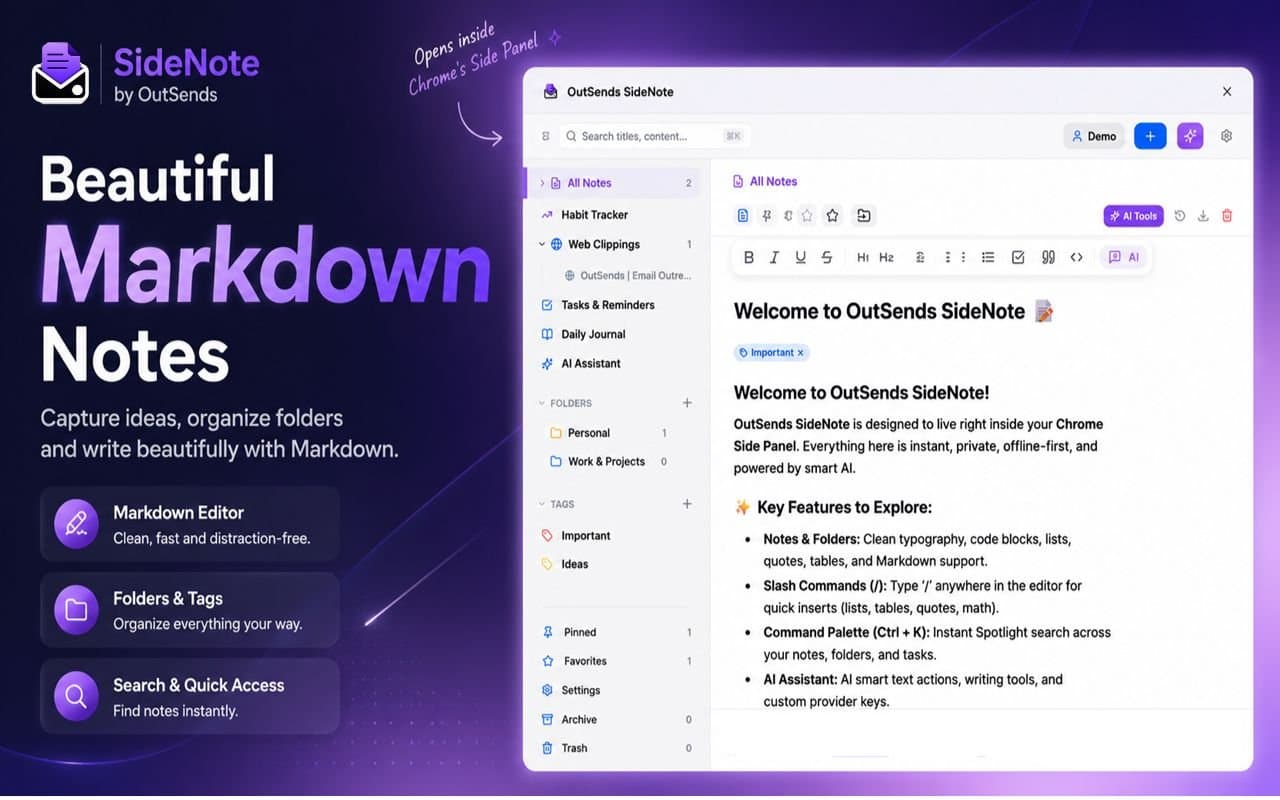
About this app
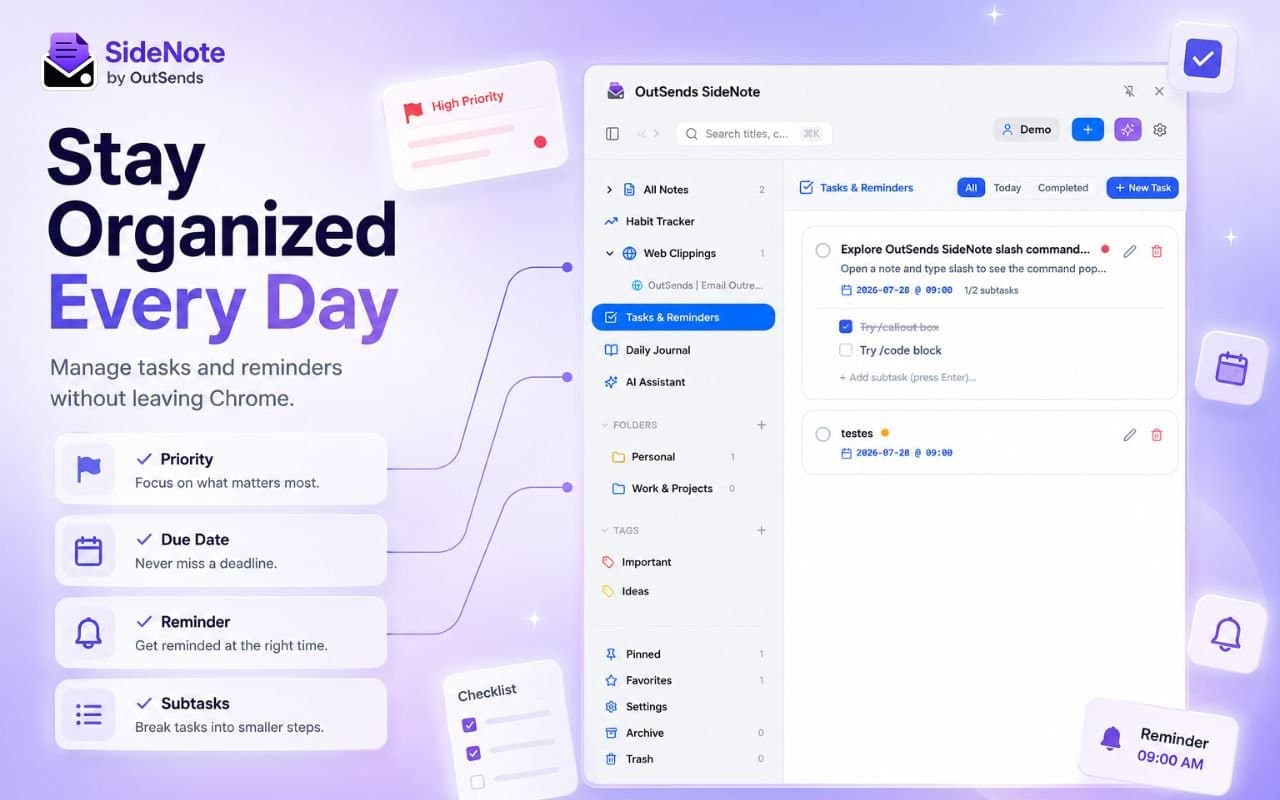
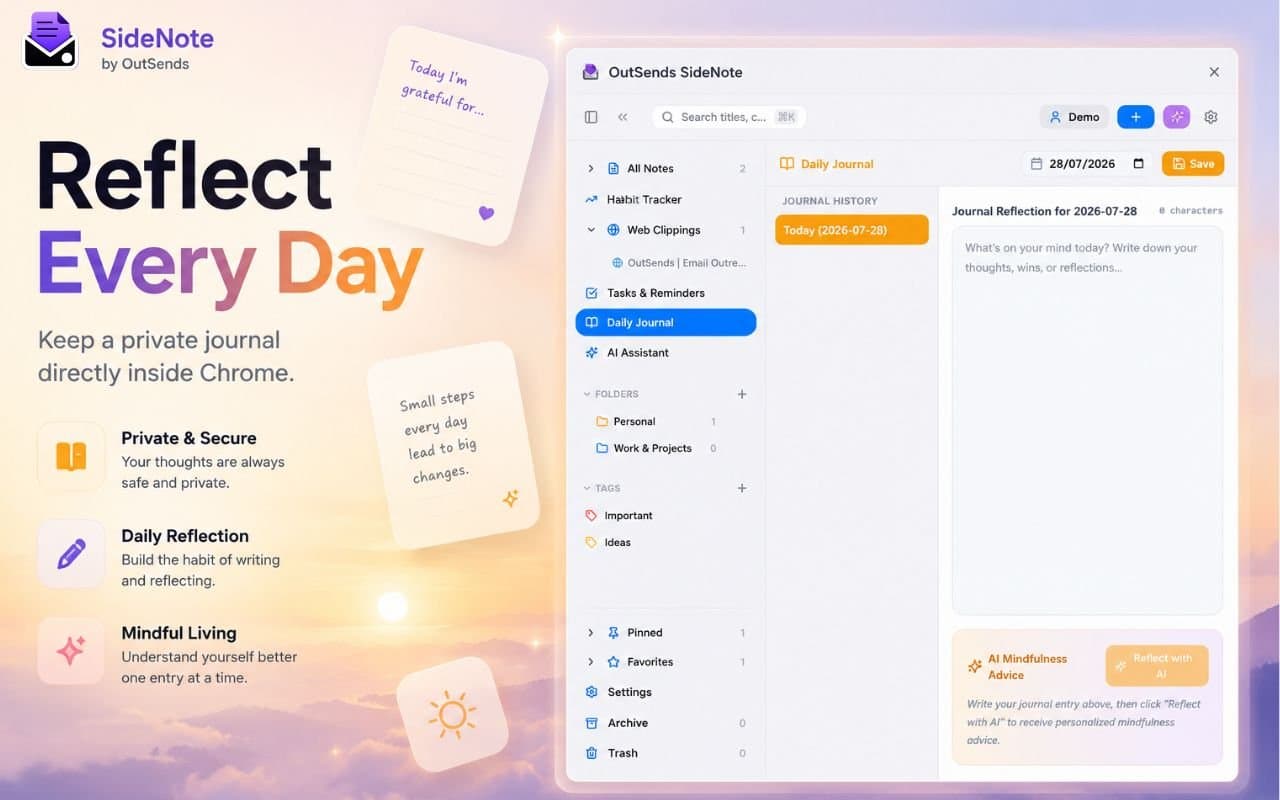
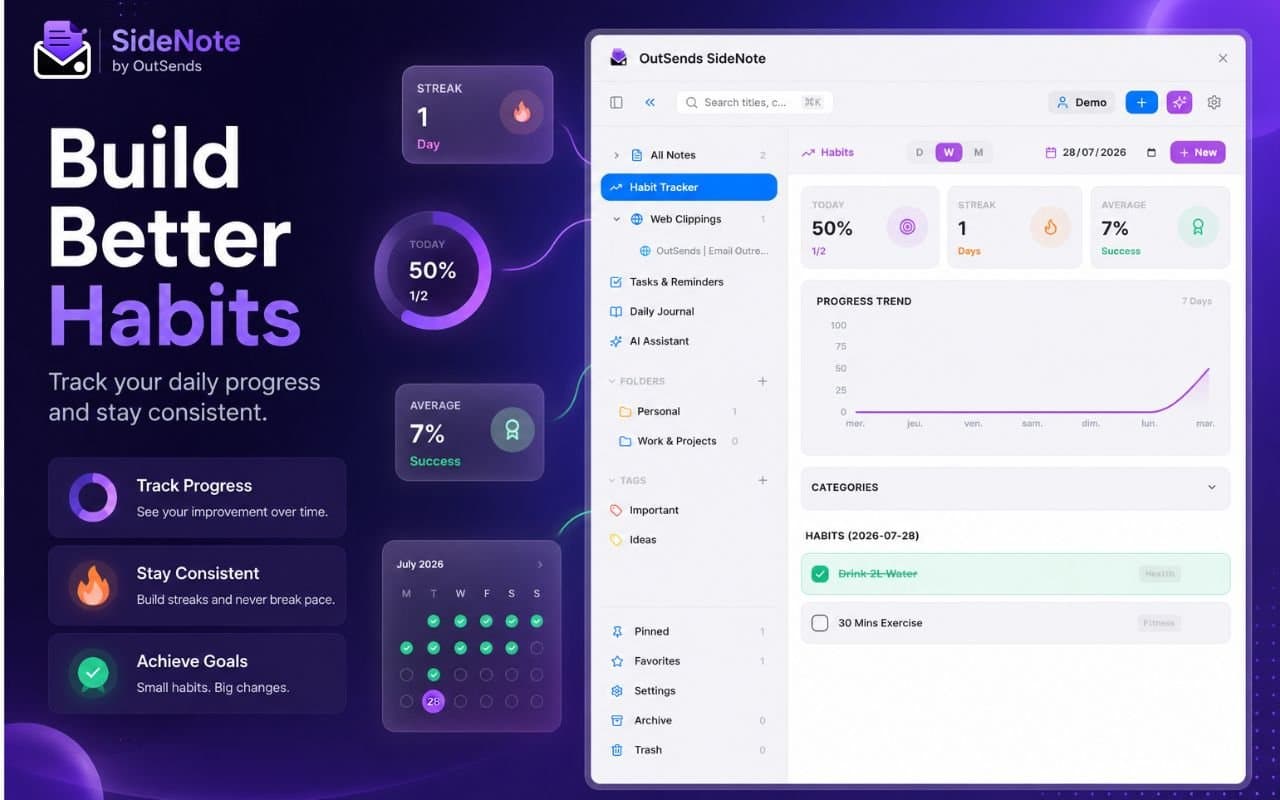
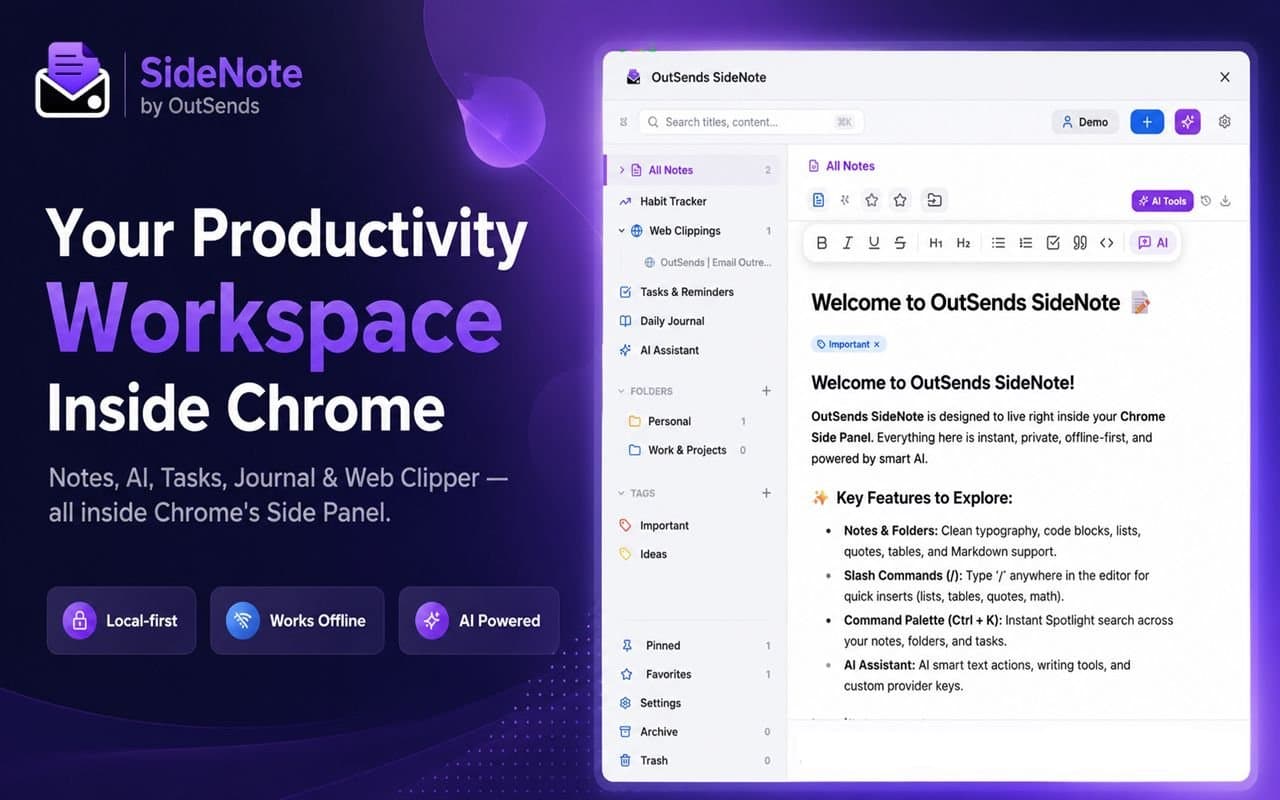
OutSends SideNote is a native Chrome Side Panel workspace that combines offline-first notes, task management, habit tracking, and multi-provider AI assistance.
Key features
- 1Local-first offline workspace inside Chrome side panel with Markdown notes, tasks, journal, habits, web clipper, and AI assistant.
- 2Free tier includes unlimited notes, folders, local storage, backup, and PIN lock; Pro adds AI, tasks, journal, habits, and clipper for $2.99/mo or $24.99/yr.
- 3Full data export, no cloud sync, and 7-day Pro trial with no credit card required.
Target customer profile
Drawn from the product itself, not from a survey.
Demographic
Remote workers and freelancers who need a distraction-free workspace
Pain points
Context switching between multiple apps for notes, tasks, and AI help
Primary needs
All-in-one productivity tool with AI that works offline and respects privacy
Demographic
Students and researchers who do heavy web browsing and note-taking
Pain points
Losing track of web clippings and research notes across different tools
Primary needs
Easy web clipping, markdown notes with AI summarization, and offline access
Demographic
Privacy-conscious users who avoid cloud-based productivity apps
Pain points
Distrust of cloud storage for personal notes and habits
Primary needs
Local-first storage, no cloud dependency, and full data export capability
Scout Review
Written by AI from measured evidence, scored out of 100.
OutSends SideNote delivers a focused, local-first Chrome side-panel workspace combining notes, tasks, habits, journaling, web clipping, and AI. It targets users frustrated by context switching and cloud dependency. Strengths include strong measured performance, high automated accessibility, and transparent local storage. Weaknesses are minimal external validation, young product stage, and marketing visuals that rely on placeholders and gradients rather than polished demos.
Measure by measure
Usability
64Straightforward Chrome side-panel install with prominent download CTA, search, filters, and free tier. Onboarding appears fast but narrow panel may crowd controls.
Design
58Average visual execution with consistent purple accents and clear sidebar-editor hierarchy in screenshots, but hero placeholder and gradient-heavy marketing images reduce polish.
Speed
68Strong Lighthouse scores (mobile 86, desktop 99) with solid LCP and zero CLS/TBT issues. No external benchmarks or complaints surfaced.
Security
52HTTPS + basic headers present; strong local-first privacy claims with no cloud dependency. Missing CSP/HSTS and any third-party audits.
Accessibility
78Excellent automated score (98/100) with only one minor heading-order issue. No manual a11y docs or multi-language support verified.
Growth
28Extremely young product (domain Dec 2025) with zero discoverable reviews, community, or traction signals. Early-stage indie effort.
Improvement areas
- Marketing visuals rely on placeholders and gradients instead of live product demos.
- Zero third-party reviews, community, or security certifications despite strong privacy claims.
- Narrow side-panel UI may crowd controls; limited discoverability for a new product.
Design & Usability
SideNote's design keeps a clean left-to-right folder-and-editor layout with consistent purple accents across the Chrome side panel. The hero section suffers from a literal black rectangle placeholder, while marketing leans on gradients instead of real screenshots. Usability benefits from an immediate 'Download for Chrome' CTA and visible search/filters, though the narrow panel packs many controls. Free tier plus 7-day Pro trial lowers the barrier, and the local-first offline promise aligns with privacy-focused users who dislike cloud note apps.
Speed & Security
Performance is a bright spot: Lighthouse reports 86 mobile and 99 desktop with excellent LCP and zero layout shift. Security rests on HTTPS and local storage claims rather than formal audits; headers are partial (no CSP or HSTS). The product positions itself as fully offline and private by design, exporting data locally with no cloud sync, which matches its target of privacy-conscious freelancers and researchers.
Accessibility & Growth
Accessibility scores 98/100 automatically, failing only on heading order. No dedicated a11y statement or multi-language support appears on the site. Growth is the weakest dimension: the domain is under a year old with no reviews, GitHub presence, or community footprint found anywhere. As a new indie Chrome extension, it currently lacks the traction of established alternatives like Obsidian or Notion.
Conclusion
For remote workers and students who live in the browser and want everything offline and private, SideNote offers a compelling all-in-one sidebar. It won't replace Notion for teams or Obsidian for power users yet, but the core experience is already functional and fast.
Suggestions for improvement
- Replace the black rectangle hero with an actual product demo or animated side-panel preview.
- Add a public changelog and lightweight docs page to improve discoverability.
- Publish basic security headers (CSP, HSTS) and consider a simple privacy audit summary.
- Seed early user feedback via Product Hunt or targeted Reddit posts in productivity communities.
Alternatives comparison
Named competitors, point by point. Nobody paid to appear here or to be left out.
 OutSends SideNote — Side Panel Notes OutSends SideNote — Side Panel Notes |  Notion Notion |  Obsidian Obsidian |  Microsoft OneNote Microsoft OneNote | |
|---|---|---|---|---|
| Local-first / offline storage | Yes - fully local, works offline | No - cloud-only | Yes - local Markdown files | No - cloud-reliant |
| Built-in AI assistant | Yes - summarize, rewrite, brainstorm inside workspace | Yes - AI features available | No - requires plugins | No |
| Habit tracking & journaling | Yes - built-in streaks and daily journal | Yes - via templates/databases | No - requires plugins | No |
| Chrome side-panel integration | Yes - native side panel | No - web/app only | No | No |
Notion
All-in-one workspace for notes, tasks, and databases, but cloud-based and heavier.
Obsidian
Local-first markdown note-taking app with a large plugin ecosystem, but no built-in AI or habit tracker.
Microsoft OneNote
Feature-rich note-taking app with web clipper, but cloud-reliant and less private.
Comparing options? See OutSends SideNote — Side Panel Notes alternatives, scored side by side
Sources
What the review was written against. A verdict with no sources is an opinion.
More Productivity apps
View all Productivity
Qamarero
92An all-in-one hospitality software for restaurants and ba...

The Stack Newsletter
92A weekly newsletter delivering curated tech jobs, intervi...

EmbedMyReviews
92White-label reputation management software for agencies s...

StoryPad
92Privacy-first open source journal app with a continuous t...

Puzzly – B2B Lead Generation & Sales Intelligence Platform
92Puzzly is an all-in-one B2B lead generation platform that...

Notion
92All-in-one AI workspace for docs, projects, and knowledge...

Vibe Coding Agent Skills
92A free, open-source platform offering 110 AI agent skills...

CC Switch
91Open-source desktop app for switching AI coding providers...

username.md
90One verified handle for your online identity, readable by...

What the GIF
89Frame-perfect video-to-GIF maker that runs entirely in yo...

AuditCloser
89White-label website audits that close deals for digital a...

NudgeWin
89Automated quote follow-up for trades and service businesses.


A platform dedicated to providing unbiased reviews of newly launched applications, analyzing everything from their features to their full potential.
info@scoutforge.net© 2026 Scoutforge. All rights reserved.
