Cycling through all six. Tap any point to stop.
Measured on six things
Finder alternative for Mac with up to 16 floating panes
Security
52HTTPS enforced with frame protection, X-Content-Type-Options and Referrer-Policy, but no HSTS, no CSP, no DMARC and no published audit. No-account model limits credential exposure; 6/12 checklist.
Screenshots
1 / 5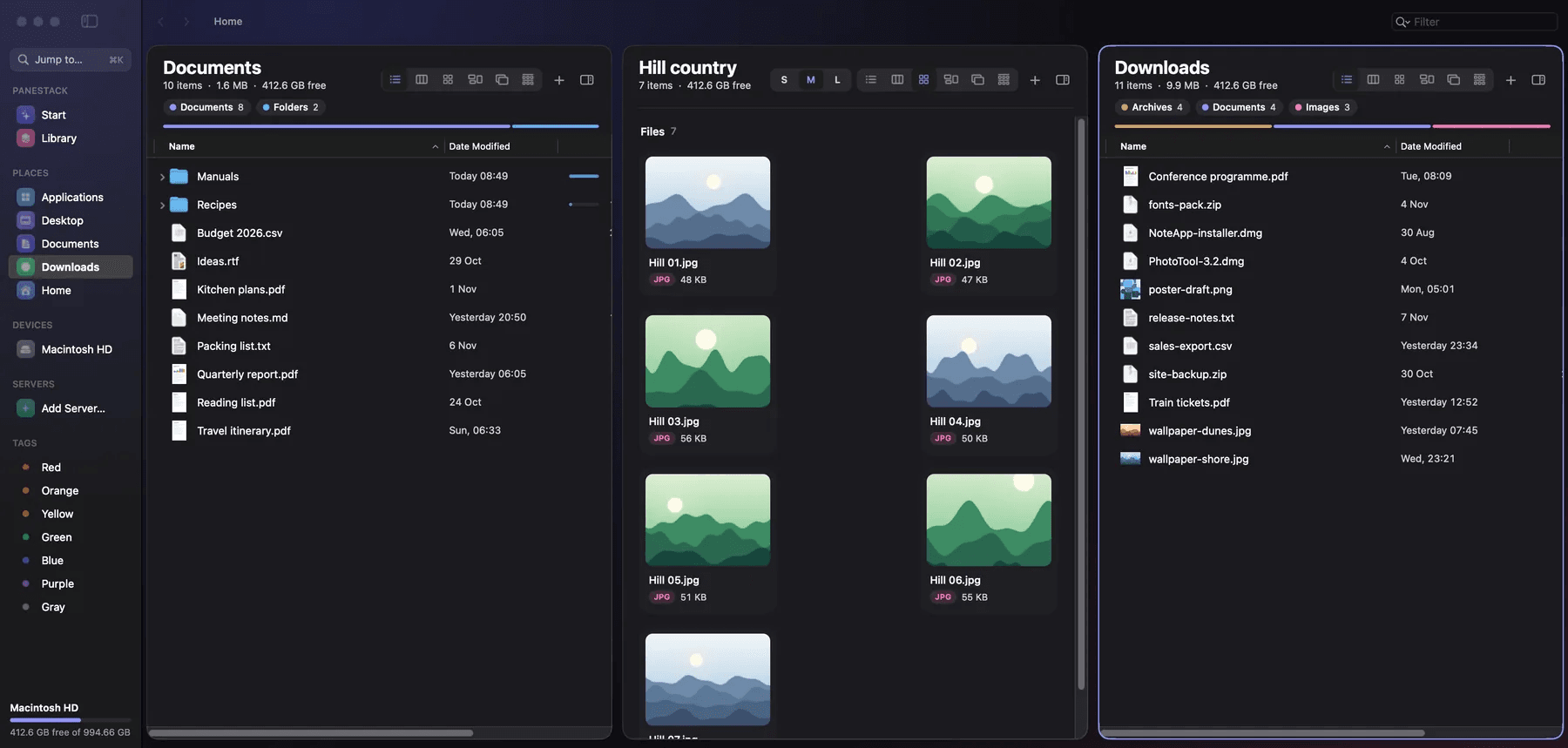
About this app
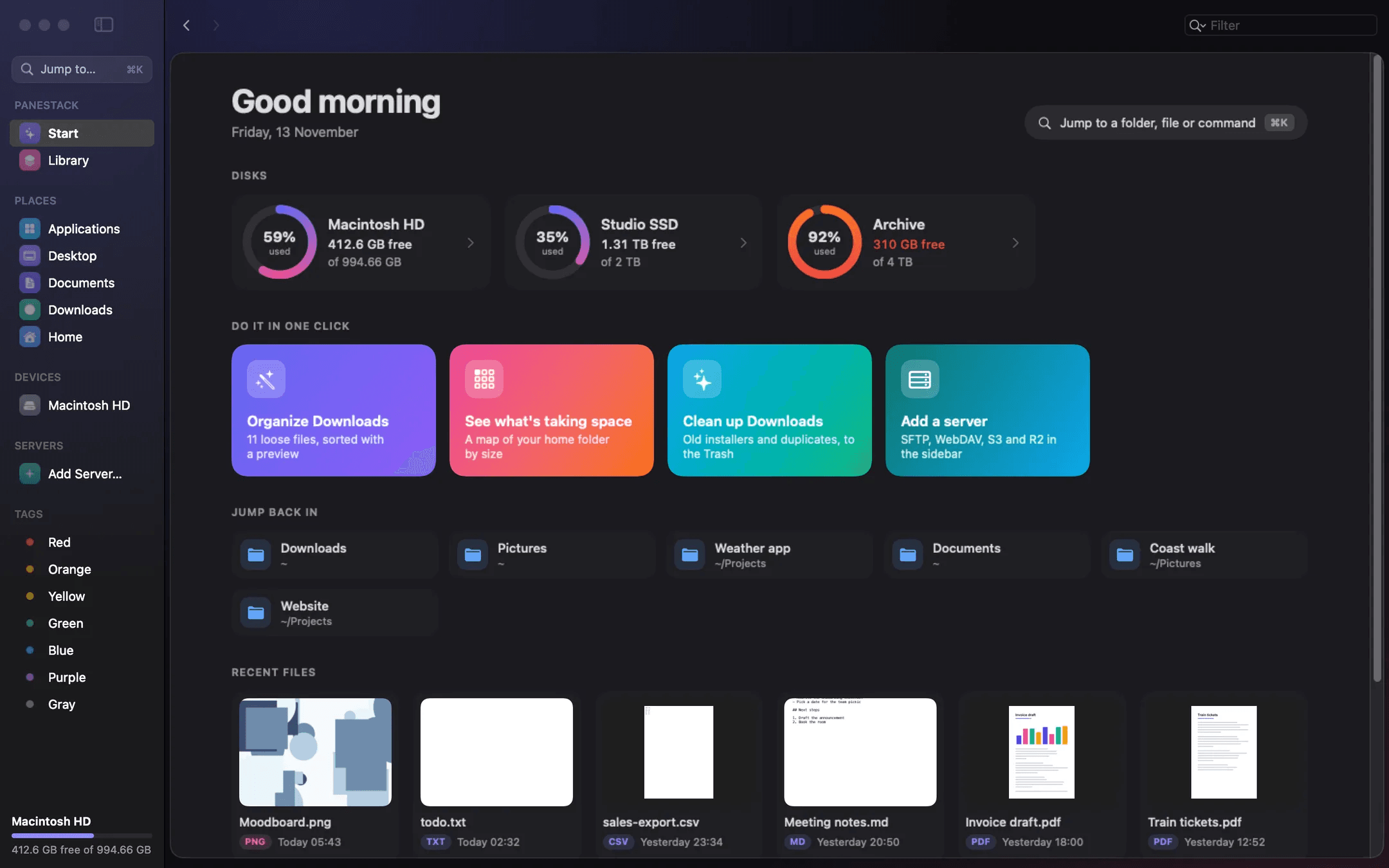
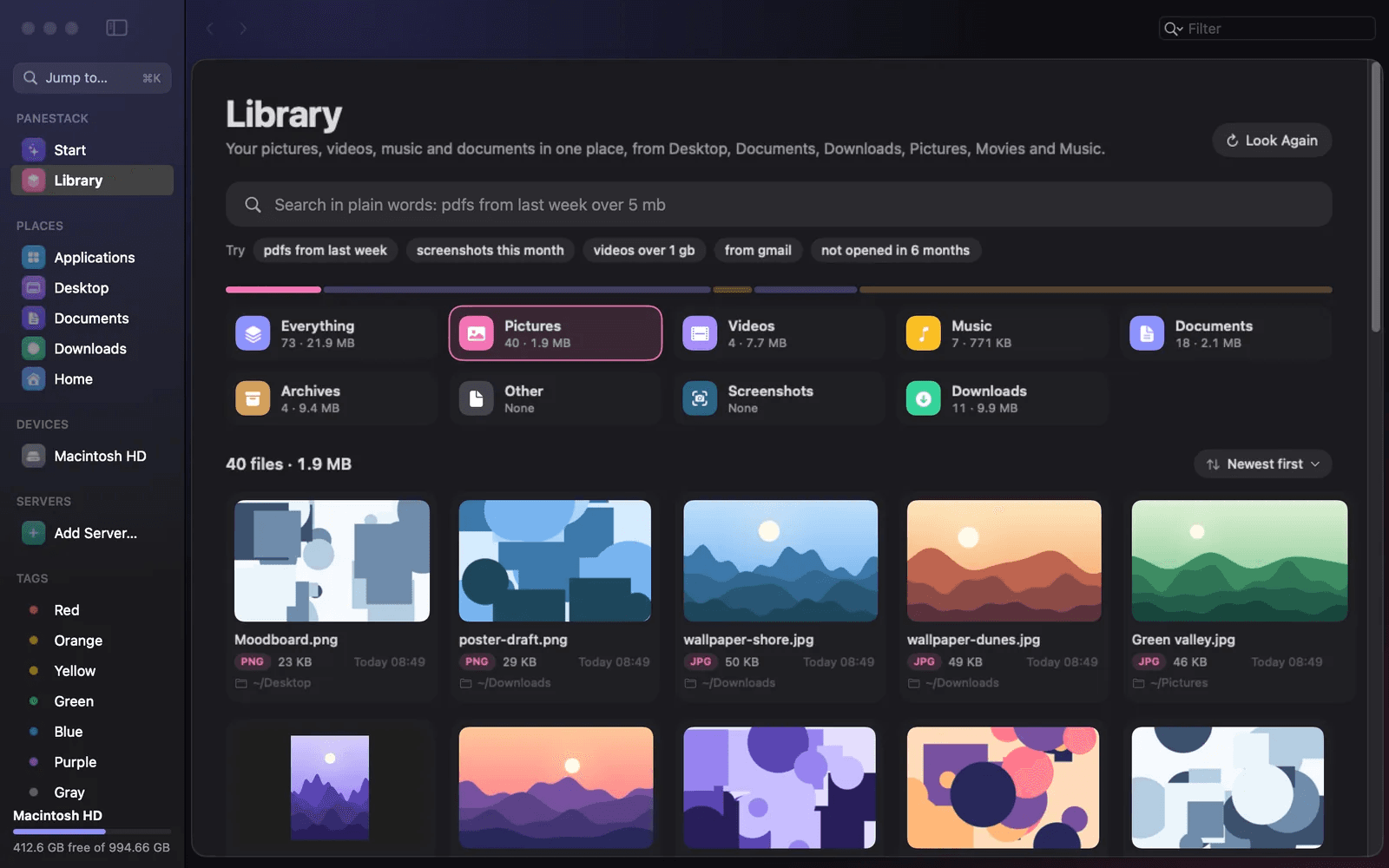
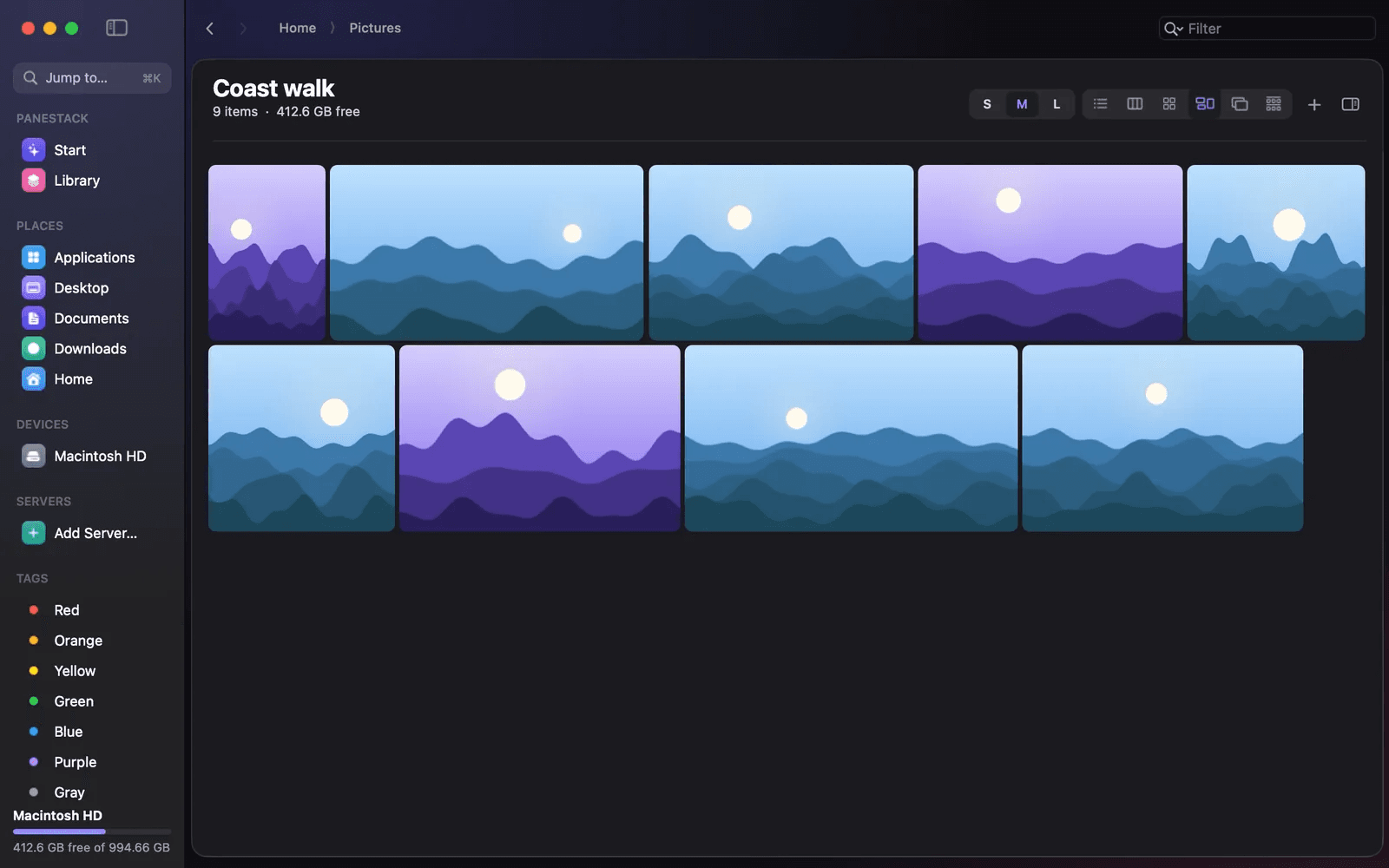
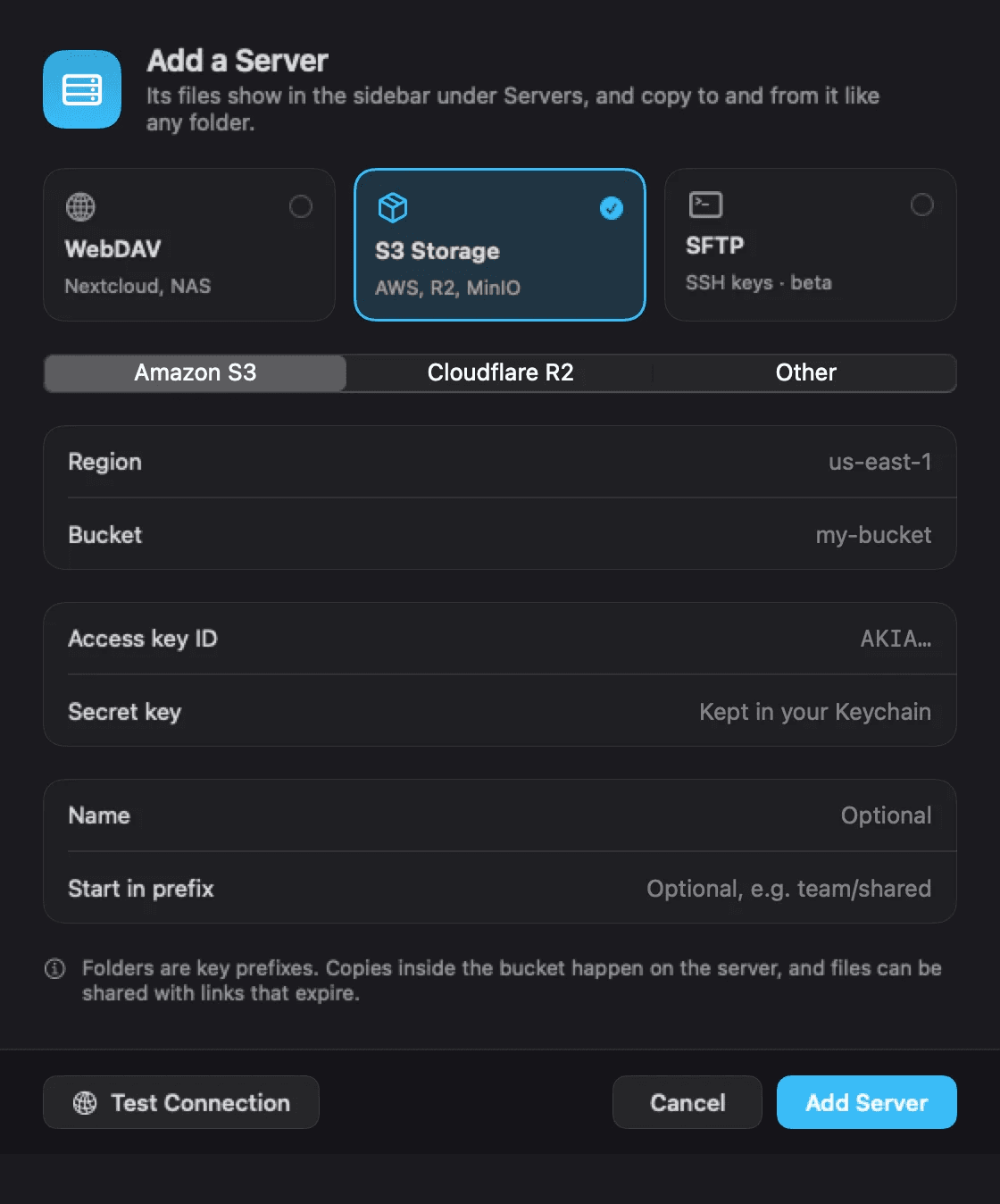
PaneStack is a file manager for macOS 14 or later that can stand in for Finder. It opens on a Start screen with your disks as rings, recent files and one-click jobs, and lets you work in up to 16 floating panes per window, split in any direction. A Library groups files by kind, and you can search in plain words. It includes six views, eight themes, a size map of what takes space, batch rename, folder rules that rename, tag and move files as they arrive, a built-in terminal, and PDF tools to combine, split, edit pages, compress and OCR. WebDAV, Amazon S3, Cloudflare R2 and SFTP servers open in a pane beside your folders. File operations can be undone, and the past day's can still be undone after a relaunch. Apple silicon and Intel, no account. One purchase covers 1 Mac, with a 1-day free trial and a 7-day money-back guarantee. The price rises as copies sell: $4.99 for the first 20.
Key features
- 1Up to 16 floating panes per window, split in any direction, with linked panes and saved Scenes.
- 2Undo for file operations, including the past day's operations after a relaunch.
- 3Built-in terminal plus WebDAV, Amazon S3, Cloudflare R2 and SFTP servers opened in a pane.
- 4PDF tools: combine, split, edit pages, compress and OCR, all undoable.
- 5Library view grouping files by kind with plain-word search and on-device OCR.
Target customer profile
Drawn from the product itself, not from a survey.
Demographic
Mac power users and professionals managing large file collections
Pain points
Finder lacks advanced features, multiple windows clutter the screen, and undo options are limited.
Primary needs
Efficient multi-pane file management, robust undo, and advanced search capabilities.
Demographic
Developers and IT professionals working with remote servers and code
Pain points
Switching between Finder and terminal is inefficient; remote server access is clunky.
Primary needs
Built-in terminal, support for WebDAV/S3/SFTP, and quick file operations.
Demographic
Creative professionals and designers handling images, PDFs, and media files
Pain points
Need to preview files without opening apps and organize large media libraries.
Primary needs
Built-in previews, PDF editing tools, batch rename, and visual organization features.
Scout Review
Written by AI from measured evidence, scored out of 100.
PaneStack is an ambitious Finder replacement for Mac power users, and the pitch is unusually specific: 16 floating panes, undo that survives a relaunch, a Library that searches in plain words, built-in PDF tools and remote servers in a pane. The marketing site is fast (98 mobile Lighthouse) and visually distinctive, but blank feature cards and low-contrast microcopy undercut it, and security disclosure is thin — no HSTS, CSP, DMARC or audit. At $4.99 for the first 20 copies with a no-account trial, it is cheap to try and clearly aimed at a real audience. Whether it can pull users off ForkLift and Path Finder depends on execution the site only partly demonstrates.
Measure by measure
Usability
63No-account 1-day trial and a persistent Buy CTA keep the path clear, and keyboard hints are visible in screenshots. Nav's eight items with ambiguous active state and thin docs keep it mid-pack.
Design
68Distinctive editorial homepage with highlighter accents and real product screenshots at scale. Undercut by blank feature cards and small, low-contrast body copy in lower sections.
Speed
88Lighthouse mobile 98/100 with 965ms LCP and 0ms TBT; desktop 94/100. A genuinely fast marketing site, though the 72ms folder-listing figure is a vendor claim, not a benchmark.
Security
52HTTPS enforced with frame protection, X-Content-Type-Options and Referrer-Policy, but no HSTS, no CSP, no DMARC and no published audit. No-account model limits credential exposure; 6/12 checklist.
Accessibility
80Lighthouse accessibility 100/100 with only a table-header audit failing. No WCAG statement or a11y page published, and the small low-contrast captions noted in the visual audit temper the perfect score.
Growth
58Real, specific problem — Finder is limited and multi-window work is cluttered — with concrete differentiators (16 panes, day-long undo, built-in terminal, PDF tools) at a $4.99 entry. Crowded category with entrenched peers.
Improvement areas
- Homepage feature cards render blank and lower-section copy is small and low-contrast.
- No HSTS, CSP or DMARC; no published SOC 2, ISO or pen-test evidence.
- No accessibility statement or WCAG conformance page despite a 100 Lighthouse score.
- Nav active state is ambiguous and public documentation is thin.
Design & Usability
PaneStack's homepage has a real point of view: a condensed headline with highlighter bands, monospace stats and framed product screenshots that show the actual Start screen and multi-pane layout rather than illustrations. The problem is execution below the fold — the 'Six ways to look at a folder' cards render blank, and body copy plus captions are small and low-contrast. Usability is decent: the 1-day trial needs no account or card, the Buy CTA is always visible, and screenshots expose keyboard shortcuts like ⌘K. But the eight-item nav with an ambiguous active state and a thin public docs surface leave onboarding to be discovered rather than guided.
Speed & Security
Speed is the standout measured dimension: Lighthouse mobile 98/100 with a 965ms LCP, 0.05 CLS and 0ms TBT, and desktop 94/100. The site is light and snappy, though the '72ms to list a 100,000-file folder' figure is a vendor claim rather than an independent benchmark. Security is the weak flank: HTTPS is enforced and frame protection, X-Content-Type-Options and Referrer-Policy are present, but there is no HSTS, no CSP, no DMARC and no published SOC 2, ISO or pen-test evidence — 6/12 on the header checklist. The no-account model removes credential risk, but a file manager touching remote servers and PDFs deserves a real security page.
Accessibility & Growth
Accessibility scores 100/100 on Lighthouse's automated audit, with only a table-header failure flagged, but no WCAG statement or accessibility page is published and the visual audit found small, low-contrast captions — automated checks only cover part of the story. Growth is a judgement on the idea: the problem is real (Finder is limited, multi-window work is cluttered, undo is shallow) and the differentiators are concrete — 16 floating panes, undo surviving a relaunch, a built-in terminal, PDF tools and WebDAV/S3/SFTP in-pane. But the category is crowded with ForkLift, Path Finder and Commander One, and the $4.99 rising price is a launch tactic, not a moat. A credible wedge, not a category-defining one.
Conclusion
If you live in Finder and curse it daily, PaneStack is worth the 1-day trial — the pane model, day-long undo and in-pane servers are the kind of features that change a workflow. Go in expecting a young product: no published security audit, a docs surface still forming, and a homepage that needs its feature cards fixed. The $4.99 early price is a fair bet; the 7-day money-back guarantee makes it a low-risk one.
Suggestions for improvement
- Fix the blank 'Six ways to look at a folder' cards — they are the page's core proof and currently render as white voids.
- Raise body and caption contrast and font size in lower sections; the visual audit flags them as hard to read.
- Publish a security page: add HSTS, CSP and DMARC, and state data handling for remote servers and PDFs.
- Add an accessibility statement and fix the table-header audit; document keyboard navigation and screen-reader support.
Alternatives comparison
Named competitors, point by point. Nobody paid to appear here or to be left out.
 PaneStack |  ForkLift |  Path Finder | Commander One | |
|---|---|---|---|---|
| Multi-pane layout | Up to 16 floating panes per window, split any direction, with linked panes and saved Scenes. | Dual-pane file manager with tabs and sync. | Dual panes with drop stack and extensive customization. | Dual-pane file manager with tabs. |
| Built-in terminal | Yes, built-in terminal alongside panes. | No built-in terminal. | No built-in terminal. | Yes, built-in terminal. |
| Remote server support | WebDAV, Amazon S3, Cloudflare R2 and SFTP (beta) in a pane. | FTP/SFTP, S3, WebDAV and more. | FTP/SFTP and cloud storage support. | FTP/SFTP and cloud storage (Google Drive, Dropbox, etc.). |
| Undo for file operations | Undo for everything, including the past day's operations after a relaunch. | Limited undo for some operations. | Undo for some operations. | Limited undo support. |
| Built-in PDF tools | Combine, split, edit pages, compress and OCR PDFs in-app. | No built-in PDF editing tools. | No built-in PDF editing tools. | No built-in PDF editing tools. |
| Pricing model | $4.99 for the first 20 copies, rising with sales; one purchase covers 1 Mac; 1-day trial. | Paid license with free trial. | Paid license with free trial. | Paid license with free trial. |
ForkLift
A powerful dual-pane file manager for Mac with FTP/SFTP support, sync, and batch rename.
Path Finder
A feature-rich Finder replacement with dual panes, drop stack, and extensive customization.
Commander One
Dual-pane file manager with built-in terminal, FTP/SFTP, and cloud storage support.
Comparing options? See PaneStack alternatives, scored side by side
More Productivity apps
View all Productivity
Puzzly – B2B Lead Generation & Sales Intelligence Platform
92Puzzly is an all-in-one B2B lead generation platform that...

Qamarero
92An all-in-one hospitality software for restaurants and ba...

EmbedMyReviews
92White-label reputation management software for agencies s...

StoryPad
92Privacy-first open source journal app with a continuous t...

Notion
92All-in-one AI workspace for docs, projects, and knowledge...

The Stack Newsletter
92A weekly newsletter delivering curated tech jobs, intervi...

Vibe Coding Agent Skills
92A free, open-source platform offering 110 AI agent skills...

QRBliss
91Branded QR codes with AI Brand Sync, 15 free dynamic code...

Gerty
91Private, local AI assistant for Mac that runs offline

Strukchad Property Management
91Property management for Kenyan letting agents: rent invoices raised every month, M-Pesa rent prompts to tenants, arrears tracking and landlord statements.

CC Switch
91Open-source desktop app for switching AI coding providers...

PitchWhip
90AI cold call scripts & direct dials from LinkedIn


A platform dedicated to providing unbiased reviews of newly launched applications, analyzing everything from their features to their full potential.
info@scoutforge.net© 2026 Scoutforge. All rights reserved.
