

A platform dedicated to providing unbiased reviews of newly launched applications, analyzing everything from their features to their full potential.
info@scoutforge.net© 2026 Scoutforge. All rights reserved.
A platform dedicated to providing unbiased reviews of newly launched applications, analyzing everything from their features to their full potential.
info@scoutforge.net© 2026 Scoutforge. All rights reserved.
A platform dedicated to providing unbiased reviews of newly launched applications, analyzing everything from their features to their full potential.
info@scoutforge.net© 2026 Scoutforge. All rights reserved.
Cycling through all six. Tap any point to stop.
Measured on six things
Free online PDF dark mode converter, no upload or signup.
Three-month-old indie project with active GitHub (2 stars, 60 commits) but zero reviews or community footprint yet.
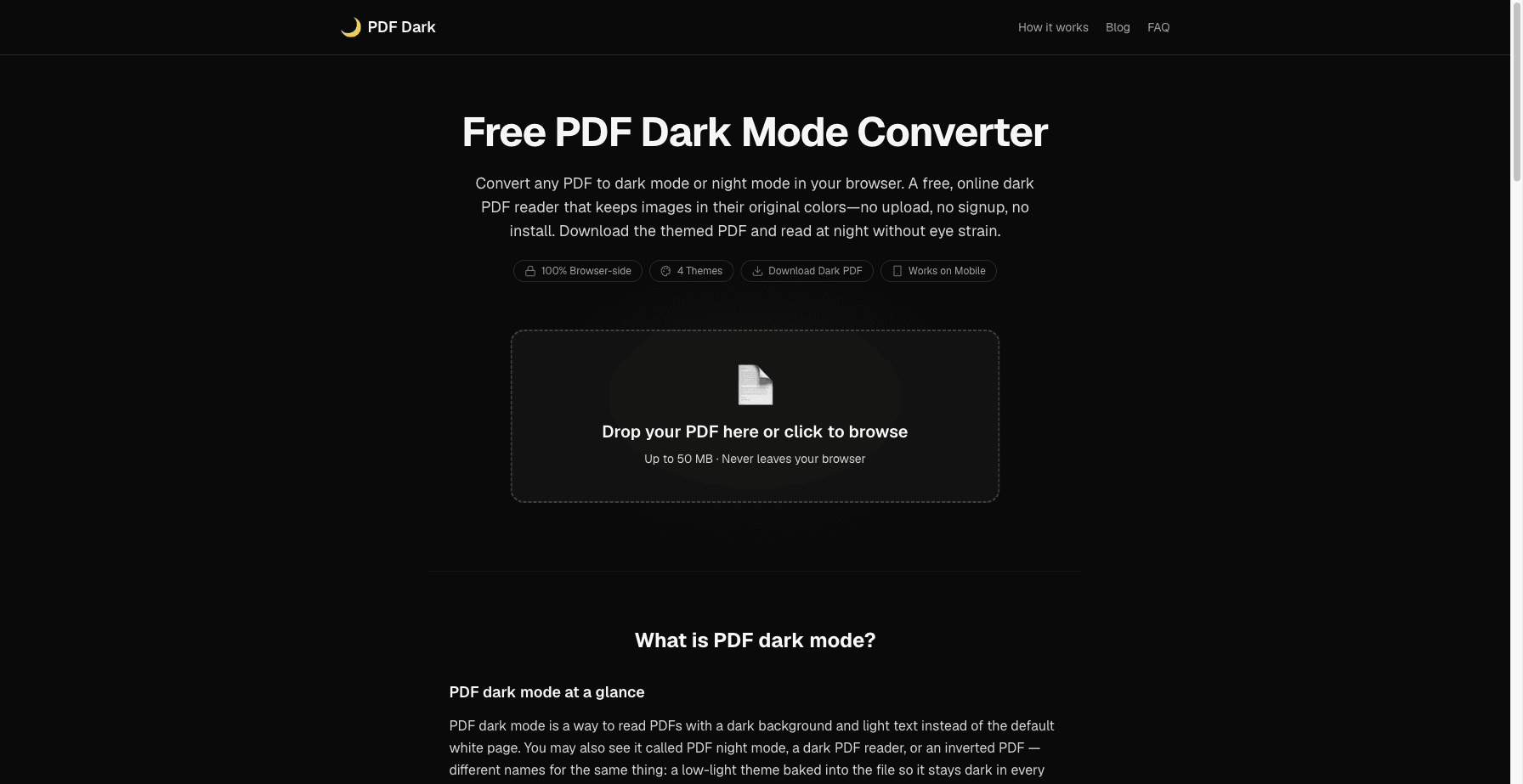
PDF Dark Mode is a free, browser-based tool that converts any PDF into a permanent dark mode or night mode version. It processes files entirely on your device — no uploads, no signups, no installs. The tool intelligently inverts text and background while keeping images in their original colors. You can choose from themes like Midnight, Sepia, Solarized, or OLED pure black. The resulting dark PDF can be downloaded and opened in any reader, making it perfect for late-night reading without eye strain. Supports PDFs up to 50 MB and works on desktop and mobile browsers. Unlike browser extensions that only fake a dark view, PDF Dark Mode produces a real dark-themed file that stays dark everywhere.
Drawn from the product itself, not from a survey.
Demographic
Students and researchers
Pain points
Eye strain from reading bright PDFs late at night
Primary needs
A permanent dark mode that works offline and on any device
Demographic
Night-shift workers and programmers
Pain points
Harsh white backgrounds in code-heavy or text-heavy PDFs
Primary needs
A dark PDF that preserves image colors and can be shared
Demographic
Privacy-conscious users
Pain points
Concern about uploading sensitive documents to online converters
Primary needs
A fully local, no-upload solution that runs in the browser
Written by AI from measured evidence, scored out of 100.
PDF Dark Mode solves a genuine pain point for late-night PDF readers by producing real, permanent dark files that work everywhere, all while keeping data strictly local. The experience is simple and effective for its target users, though the young age shows in limited polish, mobile speed, and community signals.
Zero-friction onboarding with instant browser processing, mobile support and preview before saving; minimal nav and empty space are minor drags.
Clean black/yellow theme fits the product perfectly with a clear dropzone, but tiny low-res previews, repeated sections and missing hover/focus states keep it average.
Desktop loads instantly at 100/100 but mobile LCP of 5.7s drags the score down despite efficient Web Worker architecture.
Strong privacy via 100% local processing and HTTPS/HSTS; missing CSP and any compliance certifications keep it mid-tier.
High automated score of 96/100 with responsive mobile support; single contrast issue and lack of explicit a11y docs cap it below the top of the band.
Three-month-old indie project with active GitHub (2 stars, 60 commits) but zero reviews or community footprint yet.
PDF Dark Mode delivers a purpose-built dark interface that matches its mission, with a prominent dropzone and generous spacing that feels calm rather than sparse. The consistent black-and-yellow palette reinforces the night-reading focus, though tiny preview cards and absent hover states prevent it from feeling fully polished. Usability shines through zero-friction access: drop a PDF, choose from four themes plus sliders, preview instantly, and download a permanent file — all without accounts or uploads. Mobile support and keyboard navigation make it practical for students and night-shift workers, while the minimal nav keeps things simple at the cost of discoverability on sub-pages.
Performance is split: desktop Lighthouse hits a perfect 100 while mobile sits at 71 with a 5.7-second LCP, acceptable for a lightweight Next.js site but noticeable on slower connections. The real speed advantage comes from client-side Web Workers that keep the UI responsive even on larger files. Security is privacy-first by design — every operation runs locally via PDF.js and pdf-lib so documents never touch a server. HTTPS and HSTS are in place, yet the absence of CSP and any third-party audits leaves it at a competent but unremarkable level for a small indie tool.
Automated accessibility scores 96/100 with only a minor contrast warning, and the responsive layout works across desktop and iOS Safari. No dedicated accessibility statement or multi-language support appears on the site, keeping it solid rather than exceptional. Growth reflects a brand-new product launched in April 2026: the GitHub repo shows steady commits and an MIT license, but two stars and zero presence on review platforms indicate it is still in the very early traction phase typical of solo indie launches.
Conclusion
For anyone tired of bright PDFs at 2 a.m. or wary of uploading sensitive research, this is a refreshingly private, no-nonsense option that already delivers on its core promise.
Named competitors, point by point. Nobody paid to appear here or to be left out.
 PDF Dark Mode PDF Dark Mode |  Adobe Acrobat Adobe Acrobat |  Chrome PDF Viewer Chrome PDF Viewer |  Smallpdf Smallpdf | |
|---|---|---|---|---|
| Local / no-upload processing | Yes - 100% browser-side | No - desktop app required | Partial - extensions only | No - requires upload |
| Permanent dark PDF output | Yes - downloadable themed file | Yes - but only inside Acrobat | No - viewer only | Yes - but upload required |
| Preserves original image colors | Yes - saturation-based detection | Varies by viewer settings | No - full invert common | Not specified |
| Free with no account | Yes - completely free | No - paid subscription | Yes - browser built-in | Limited free tier |
Adobe Acrobat
Paid PDF editor with a built-in dark mode that only works inside Acrobat
Chrome PDF Viewer
Built-in browser viewer; no native dark mode, extensions can fake it but images invert
Smallpdf
Online PDF tools including a dark mode converter, but requires file upload
Comparing options? See PDF Dark Mode alternatives, scored side by side
What the review was written against. A verdict with no sources is an opinion.

An all-in-one hospitality software for restaurants and ba...

A weekly newsletter delivering curated tech jobs, intervi...

White-label reputation management software for agencies s...

Privacy-first open source journal app with a continuous t...

Puzzly is an all-in-one B2B lead generation platform that...

All-in-one AI workspace for docs, projects, and knowledge...

A free, open-source platform offering 110 AI agent skills...

Open-source desktop app for switching AI coding providers...

One verified handle for your online identity, readable by...

Frame-perfect video-to-GIF maker that runs entirely in yo...

White-label website audits that close deals for digital a...

Automated quote follow-up for trades and service businesses.
A platform dedicated to providing unbiased reviews of newly launched applications, analyzing everything from their features to their full potential.
info@scoutforge.net© 2026 Scoutforge. All rights reserved.
