Is this your app?
Claim Pdforge to manage its page, add your badge and see your traffic — free, and it stays free.
Cycling through all six. Tap any point to stop.
Measured on six things
A no-code PDF builder and API platform automating document generation with AI-driven workflows for teams and businesses.
Accessibility
70Basic screen reader support available but dynamic elements like AI builder aren't fully accessible. Limited to English language only.
Screenshots
1 / 3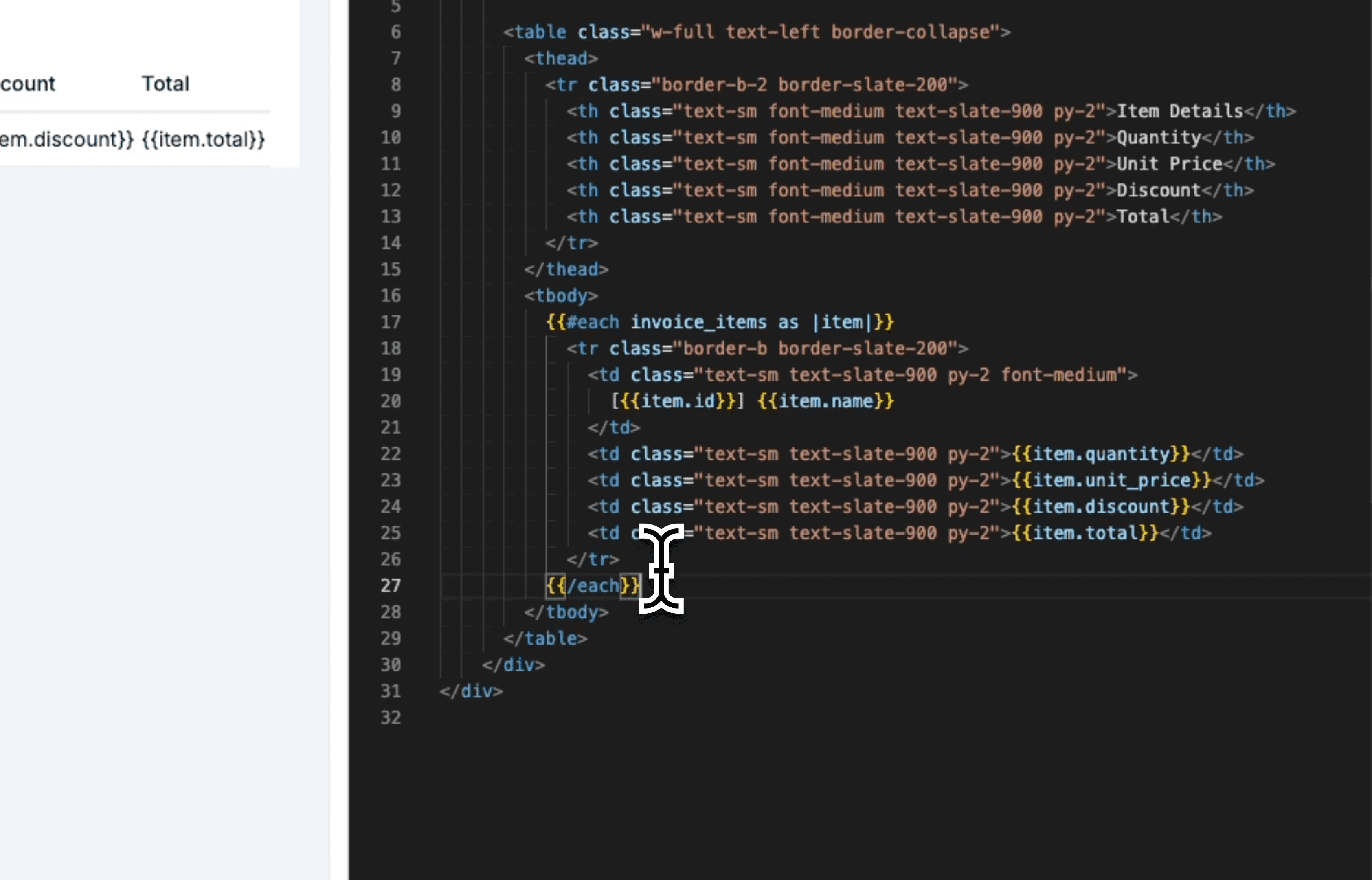
About this app
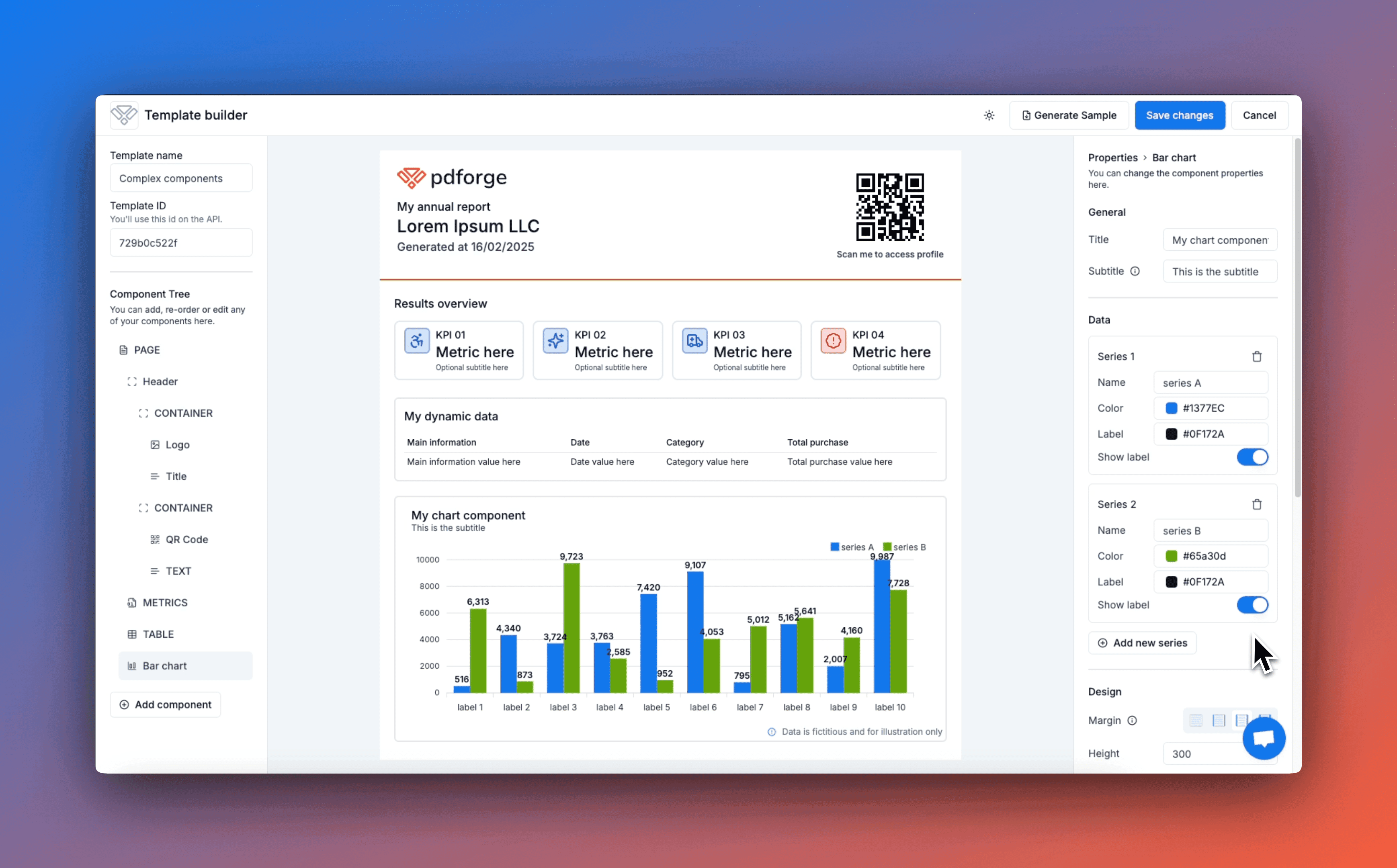
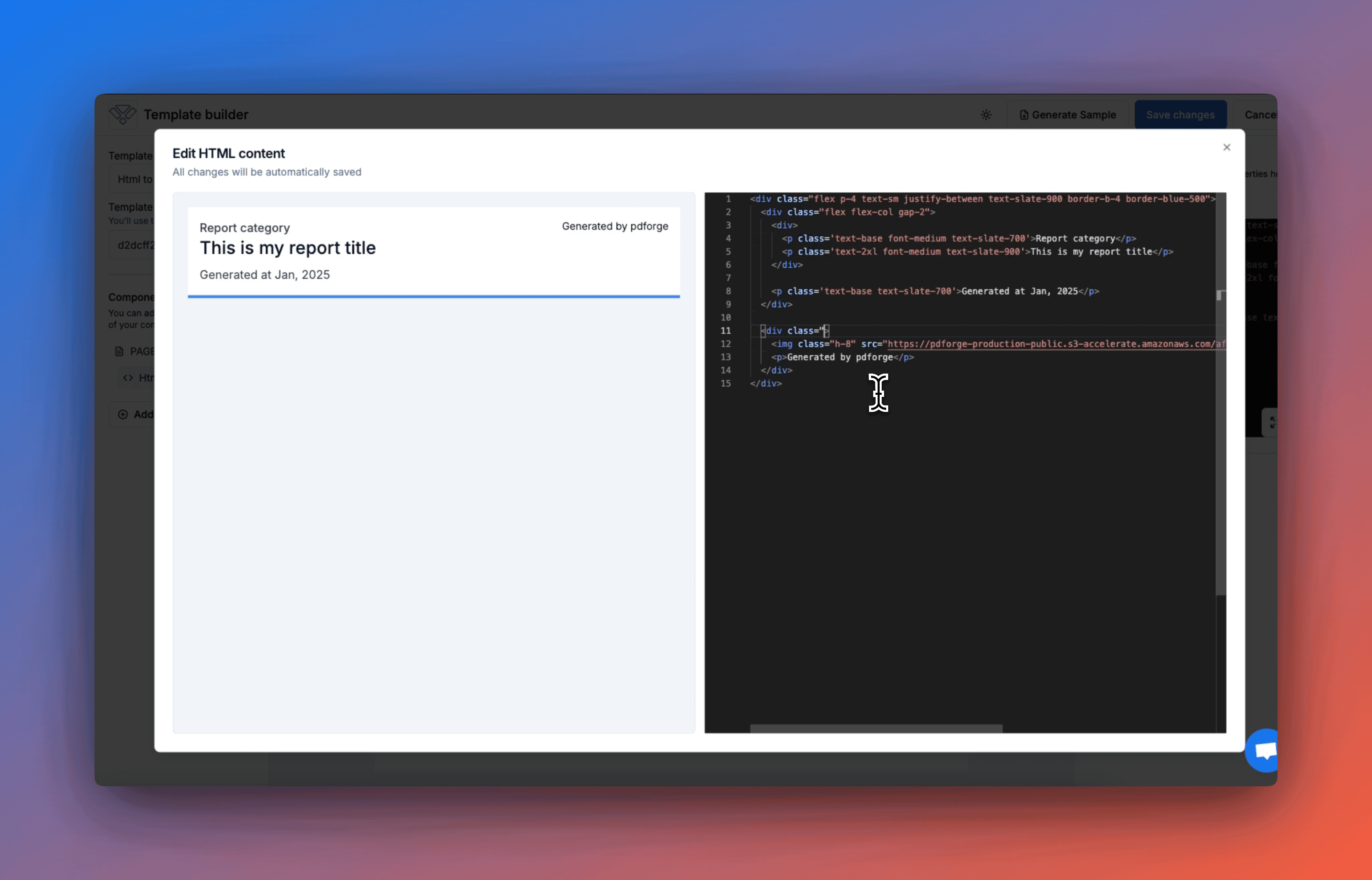
Pdforge is a game-changing tool that bridges the gap between no-code users and developers, offering drag-and-drop templates and robust APIs for Python, Node.js, and more. Its standout AI 'Agents' can auto-generate templates from prompts, saving time on repetitive tasks like invoices and reports. Ideal for SMBs and tech teams, it eliminates reliance on developers for PDF workflows, providing scalability and ease of use. With a clean interface, SSL encryption, and a 7-day free trial, it's a practical choice for automating document processes, though it could improve in accessibility and language support.
Key features
- 1Clean, minimalist interface with intuitive drag-and-drop editor and grid system for easy no-code PDF generation.
- 2Excellent for no-code users with smooth drag-and-drop experience and AI-driven template automation from prompts.
- 3High market demand for no-code automation solutions with AI features and multi-platform SDKs for future expansion.
Target customer profile
Drawn from the product itself, not from a survey.
Demographic
Small-to-medium businesses (SMBs)
Pain points
Reliance on developers for PDF generation; inefficient manual workflows
Primary needs
Automation, cost-effective scaling, no technical debt
Demographic
Developers/IT teams
Pain points
Time spent on custom PDF coding; maintaining legacy systems
Primary needs
API/SDK flexibility, integration with existing tools
Demographic
No-code enthusiasts
Pain points
Limited customization in other tools; lack of AI features
Primary needs
Drag-and-drop builder, pre-built templates, Zapier/Make.com integration
Scout Review
Written by AI from measured evidence, scored out of 100.
Pdforge successfully bridges the gap between no-code simplicity and developer flexibility, offering a compelling solution for businesses tired of manual PDF workflows. The AI template generation is genuinely innovative, saving significant time on repetitive documents. While accessibility and language support need attention, the core functionality delivers exactly what it promises: automated document generation without requiring developer intervention for every change.
Measure by measure
Usability
94Excellent for no-code users with smooth drag-and-drop experience. API setup could be slightly simplified for developers.
Design
90Clean, minimalist interface with intuitive drag-and-drop editor and grid system. Dark mode available but advanced design controls need expansion.
Speed
86Fast template editing with snappy load times. API response latency varies during peak hours affecting performance.
Security
90SSL encryption and GDPR-compliant data handling provide solid security foundation. Lacks SOC 2 compliance for enterprise needs.
Accessibility
70Basic screen reader support available but dynamic elements like AI builder aren't fully accessible. Limited to English language only.
Growth
96High market demand for no-code automation solutions. AI features and multi-platform SDKs position it well for future expansion.
Improvement areas
- Expand language support beyond English and implement full WCAG compliance for dynamic elements like AI builder.
- Simplify API setup for developers and address API response latency issues during peak usage hours.
- Lacks SOC 2 compliance for enterprise needs and could benefit from more transparent uptime SLAs and performance metrics.
Design & Usability
Pdforge's design philosophy centers on clean minimalism that actually serves a purpose - making PDF generation accessible to non-technical users. The drag-and-drop editor uses a logical grid system that feels intuitive from the first use, while the template gallery provides solid starting points for common document types. The dark mode implementation is thoughtful for extended use sessions. However, advanced design customization options feel limited compared to dedicated design tools, and the AI template generator's placement in settings feels counterintuitive for a feature that should be front-and-center.
Speed & Security
Performance-wise, Pdforge delivers snappy template editing and quick load times that keep workflows moving efficiently. The main performance concern comes from API response latency during peak usage hours, which could frustrate developers building automated systems. Security measures include solid SSL encryption and GDPR compliance that should reassure most business users, though the lack of SOC 2 certification may give pause to larger enterprises with stricter compliance requirements. The platform handles data responsibly but could benefit from more transparent uptime SLAs and performance metrics.
Accessibility & Growth
Accessibility represents Pdforge's most significant area for improvement. While basic screen reader support exists, dynamic elements like the AI template builder lack full accessibility compliance. The English-only language support severely limits global usability, and keyboard navigation options are noticeably absent. Despite these shortcomings, the platform's growth potential is exceptional due to high market demand for no-code automation solutions. The AI-driven features and comprehensive API/SDK support position Pdforge well for expansion into new markets and use cases.
Conclusion
If you're part of an SMB or tech team struggling with manual PDF processes or developer-dependent document workflows, Pdforge's 7-day free trial is absolutely worth exploring. The platform particularly shines for teams that need to scale document automation without accumulating technical debt. For enterprises requiring granular security certifications, you might want to wait for future updates, but for most business use cases, this tool delivers exceptional value.
Suggestions for improvement
- Expand language support beyond English to capture global markets and implement full WCAG compliance for dynamic elements.
- Introduce keyboard shortcuts and improved screen reader support for power users.
- Develop pre-built templates for specific verticals like legal, healthcare, and HR to reduce setup time.
- Add granular user permission controls for enterprise teams and publish transparent API performance metrics to build trust with developer users.
Alternatives comparison
Named competitors, point by point. Nobody paid to appear here or to be left out.
 Pdforge |  CraftMyPDF |  Adobe PDF Services |  DevExpress PDF API | |
|---|---|---|---|---|
| AI Template Generation | Yes - AI Agents auto-generate from prompts | No | No | No |
| No-Code Visual Builder | Yes - drag-and-drop interface | Yes | No - code only | No - requires coding |
| Multi-language SDK Support | Yes - Python, Node.js, REST API | Limited | Yes - multiple languages | .NET focused |
| Zapier/Make.com Integration | Yes | Yes | Limited | No |
| Free Trial | 7-day free trial | Limited free plan | Paid only | Paid only |
CraftMyPDF
Offers similar no-code templates and Zapier integration but lacks Pdforge's AI-driven automation and multi-language SDKs.
Adobe PDF Services
Enterprise-grade but code-heavy and pricier; less intuitive for non-technical users.
DevExpress PDF API
Robust for developers but requires coding expertise and lacks a visual builder.
Comparing options? See Pdforge alternatives, scored side by side
More Productivity apps
View all Productivity
Notion
92All-in-one AI workspace for docs, projects, and knowledge...

Qamarero
92An all-in-one hospitality software for restaurants and ba...

EmbedMyReviews
92White-label reputation management software for agencies s...

StoryPad
92Privacy-first open source journal app with a continuous t...

Puzzly – B2B Lead Generation & Sales Intelligence Platform
92Puzzly is an all-in-one B2B lead generation platform that...

The Stack Newsletter
92A weekly newsletter delivering curated tech jobs, intervi...

Vibe Coding Agent Skills
92A free, open-source platform offering 110 AI agent skills...

QRBliss
91Branded QR codes with AI Brand Sync, 15 free dynamic code...

Gerty
91Private, local AI assistant for Mac that runs offline

CC Switch
91Open-source desktop app for switching AI coding providers...

username.md
90One verified handle for your online identity, readable by...

PitchWhip
90AI cold call scripts & direct dials from LinkedIn


A platform dedicated to providing unbiased reviews of newly launched applications, analyzing everything from their features to their full potential.
info@scoutforge.net© 2026 Scoutforge. All rights reserved.
