Is this your app?
Claim Pingsy to manage its page, add your badge and see your traffic — free, and it stays free.
Cycling through all six. Tap any point to stop.
Measured on six things
AI-powered notification hub that consolidates alerts from Slack, GitHub, Gmail, and Jira into one unified inbox.
Accessibility
50Basic dark mode and font scaling only - missing screen reader support and language options
Screenshots
1 / 3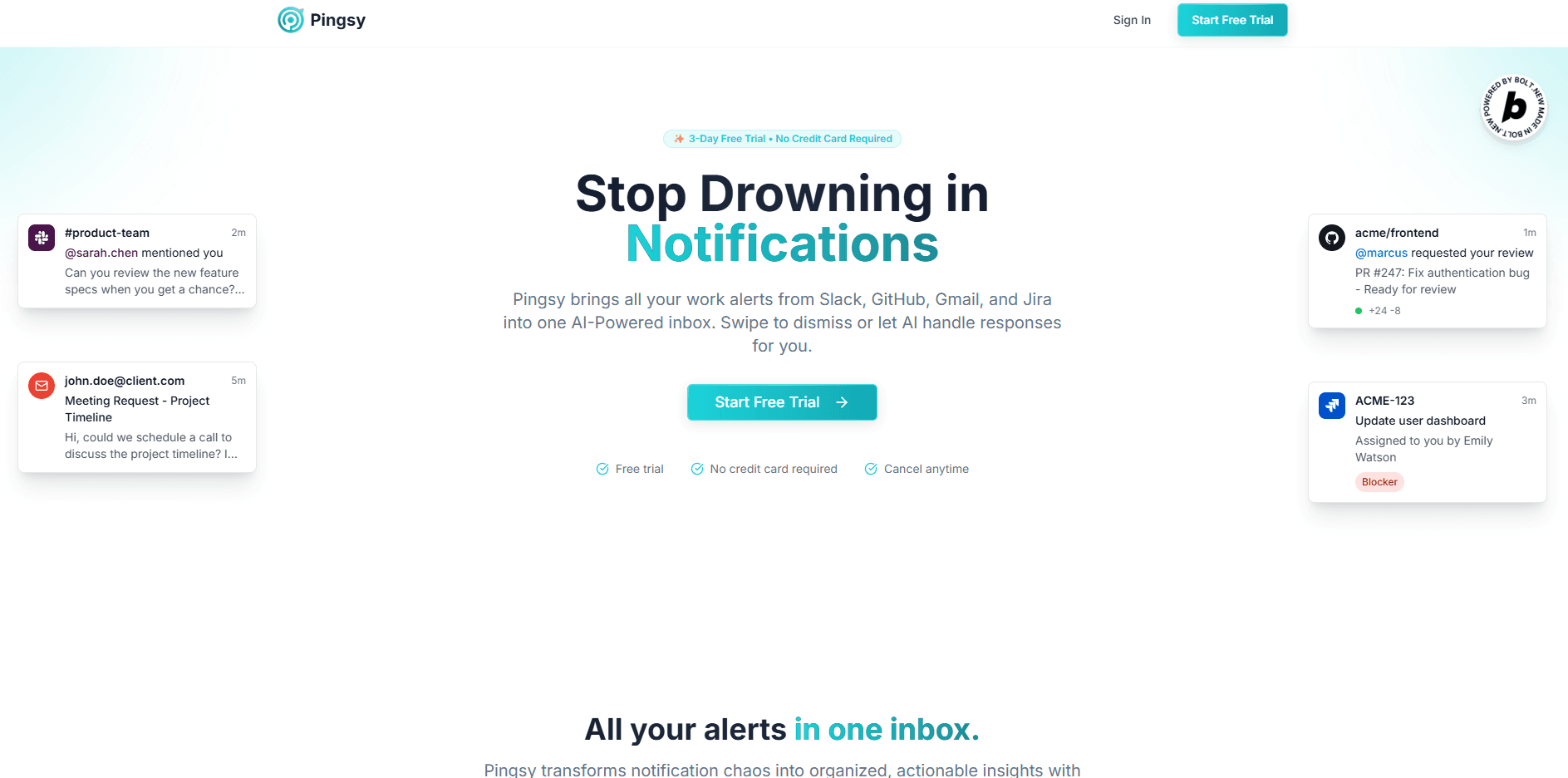
About this app
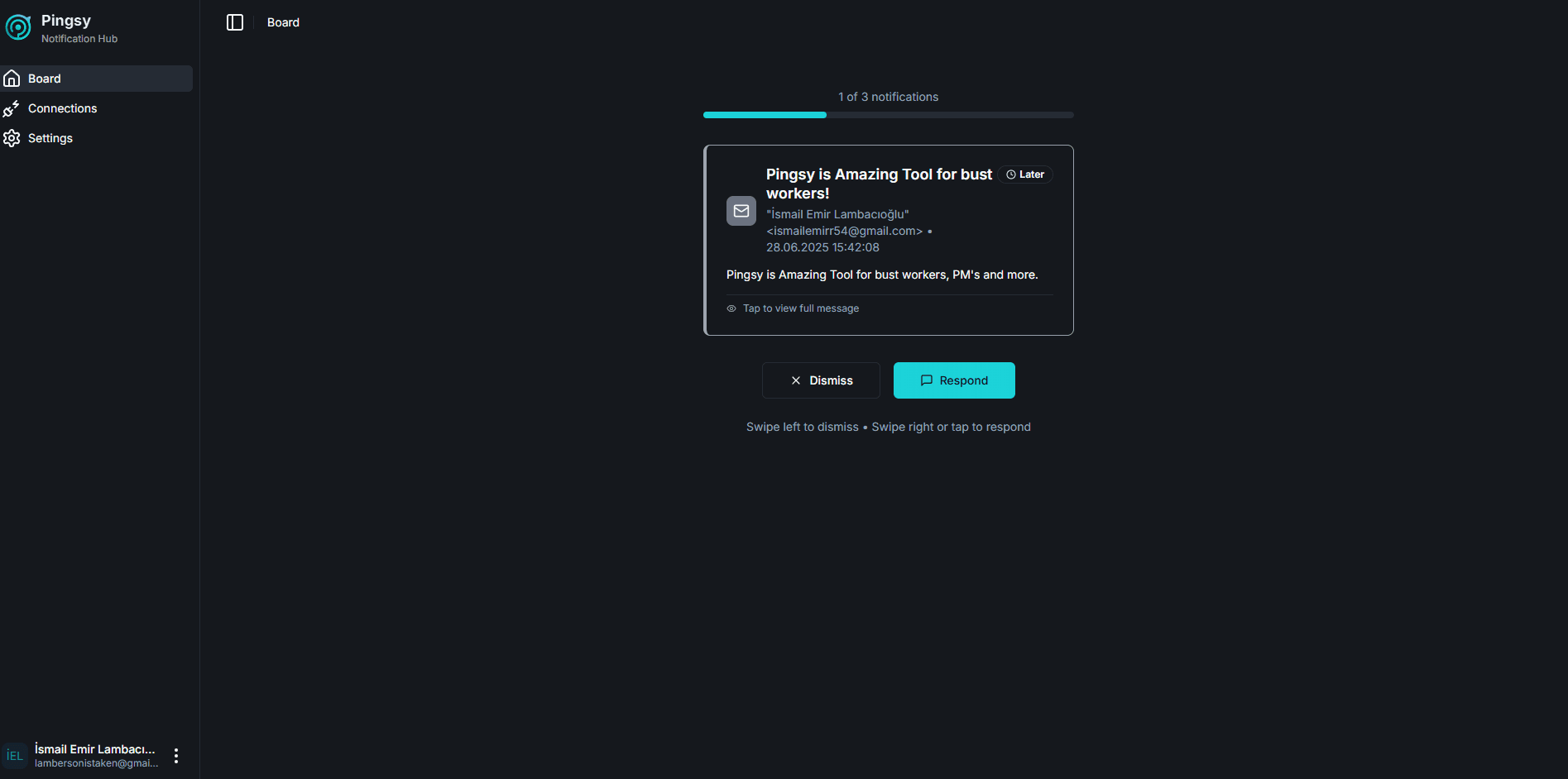
Pingsy is an innovative app designed to combat notification fatigue for busy professionals. It uses AI to prioritize alerts from platforms like Slack, GitHub, Gmail, and Jira, presenting them in a single, streamlined interface. With features like swipe gestures for quick actions and an AI response generator, it reduces cognitive load and enhances productivity. The app is mobile-first, with a clean UI, and offers real-time notification delivery with strong security measures. It's ideal for developers, managers, and remote teams who need to stay on top of critical communications without getting overwhelmed.
Key features
- 1Clean card-based UI with intuitive swipe gestures and smart visual prioritization through color-coding
- 2Near-zero learning curve with consistent cross-device experience and natural swipe-to-action workflow
- 3Real-time 2-3 second delivery with smooth performance under heavy notification loads
Target customer profile
Drawn from the product itself, not from a survey.
Demographic
Developers & Engineering Managers
Pain points
Context-switching between GitHub/Jira/Slack, missing critical alerts in notification floods
Primary needs
Centralized dev alerts, incident prioritization, reduced cognitive load
Demographic
Product Managers & Team Leads
Pain points
Scattered communications across platforms, inefficient notification triage
Primary needs
Unified workflow view, quick action tools, team notification analytics
Demographic
Remote & Hybrid Teams
Pain points
Notification fatigue, delayed responses to time-sensitive alerts
Primary needs
Smart prioritization, cross-platform visibility, mobile responsiveness
Scout Review
Written by AI from measured evidence, scored out of 100.
Pingsy delivers exactly what it promises - a unified notification hub that genuinely reduces cognitive load and improves workflow efficiency. The AI prioritization works remarkably well, the interface is beautifully intuitive, and the cross-platform integration covers the essential workplace tools. While accessibility and enterprise security features need attention, the core product execution is exceptional.
Measure by measure
Usability
94Near-zero learning curve with consistent cross-device experience and natural swipe-to-action workflow
Design
90Clean card-based UI with intuitive swipe gestures and smart visual prioritization through color-coding
Speed
86Real-time 2-3 second delivery with smooth performance under heavy notification loads
Security
76TLS 1.3 encryption and AES-256 at rest, but lacks SOC 2 certification or third-party audit reports
Accessibility
50Basic dark mode and font scaling only - missing screen reader support and language options
Growth
90Massive market need with clear expansion paths to additional platforms and enterprise features
Improvement areas
- Lacks screen reader support, WCAG compliance, and multi-language options for accessibility
- Missing SOC 2 certification and third-party audit reports for enterprise security
- Initial sync can be slow for heavy users, and expansion to platforms like Microsoft Teams is needed
Design & Usability
Pingsy's mobile-first design immediately stands out with its clean, card-based interface that feels familiar yet innovative. The swipe gesture system is brilliantly intuitive - left to snooze, right to archive - making notification management feel effortless. The AI prioritization is visually represented through subtle color-coding that surfaces urgent alerts while collapsing lower-priority items. The desktop version maintains perfect consistency with collapsible sidebar navigation and a focus mode that intelligently dims non-essential notifications. What truly impresses is how the interface reduces cognitive load while maintaining full functionality across devices.
Speed & Security
Performance-wise, Pingsy delivers notifications in near real-time with 2-3 second delays for Slack messages and maintains responsiveness even with 100+ daily alerts. The initial sync for heavy Jira/GitHub users can take minutes, but ongoing performance remains smooth. Security features include TLS 1.3 encryption for data in transit and AES-256 for data at rest, with a privacy policy that explicitly states they don't train AI models on user data. However, the lack of SOC 2 certification or third-party audit reports leaves room for improvement in enterprise readiness.
Accessibility & Growth
Accessibility is Pingsy's weakest area, offering only basic dark mode and system-level font scaling without screen reader optimization, alternative input support, or multi-language options. The growth potential, however, is enormous given the universal problem of notification fatigue. The clear expansion paths to platforms like Microsoft Teams, Trello, and Asana, combined with potential enterprise features like team analytics and custom routing rules, position Pingsy for significant market capture in the productivity space.
Conclusion
If you're drowning in Slack pings, GitHub alerts, and Jira notifications, Pingsy is the life raft you've been waiting for. It's particularly perfect for developers, engineering managers, and remote teams who need to stay on top of critical communications without the constant context-switching. Give the free trial a spin if you're ready to tame your notification chaos once and for all.
Suggestions for improvement
- Priority improvements should include screen reader support and WCAG compliance enhancements.
- Expanding platform integrations to Microsoft Teams, Trello, and Asana would capture more enterprise users.
- Adding team-level notification analytics and customizable routing rules would appeal to managers.
- A browser extension for desktop notifications would complete the cross-platform experience.
- Finally, pursuing SOC 2 certification would address enterprise security concerns.
Alternatives comparison
Named competitors, point by point. Nobody paid to appear here or to be left out.
 Pingsy |  Superhuman |  SaneBox |  Shortwave | |
|---|---|---|---|---|
| Platform Integration Coverage | Slack, GitHub, Gmail, Jira | Email only | Email only | Email only |
| AI Prioritization | Yes - learns from interaction history | Yes - email focus | Yes - email only | Yes - email only |
| Mobile Optimization | Excellent - swipe gestures, mobile-first | Good - mobile responsive | Adequate - mobile friendly | Good - mobile optimized |
| Cross-Platform Unified Inbox | Yes - multiple work platforms | No - email only | No - email only | No - email only |
Superhuman
Email-centric productivity with AI features, but lacks multi-platform unification
SaneBox
Focuses solely on email prioritization without Slack/GitHub/Jira integration
Shortwave
AI email management solution missing cross-platform notification support
Comparing options? See Pingsy alternatives, scored side by side
More Productivity apps
View all Productivity
Notion
92All-in-one AI workspace for docs, projects, and knowledge...

Qamarero
92An all-in-one hospitality software for restaurants and ba...

EmbedMyReviews
92White-label reputation management software for agencies s...

StoryPad
92Privacy-first open source journal app with a continuous t...

Puzzly – B2B Lead Generation & Sales Intelligence Platform
92Puzzly is an all-in-one B2B lead generation platform that...

The Stack Newsletter
92A weekly newsletter delivering curated tech jobs, intervi...

Vibe Coding Agent Skills
92A free, open-source platform offering 110 AI agent skills...

QRBliss
91Branded QR codes with AI Brand Sync, 15 free dynamic code...

Gerty
91Private, local AI assistant for Mac that runs offline

CC Switch
91Open-source desktop app for switching AI coding providers...

username.md
90One verified handle for your online identity, readable by...

PitchWhip
90AI cold call scripts & direct dials from LinkedIn


A platform dedicated to providing unbiased reviews of newly launched applications, analyzing everything from their features to their full potential.
info@scoutforge.net© 2026 Scoutforge. All rights reserved.
