Is this your app?
Claim Pomotimer to manage its page, add your badge and see your traffic — free, and it stays free.
Cycling through all six. Tap any point to stop.
Measured on six things
A versatile productivity app using the Pomodoro Technique to help users stay focused with customizable timers and progress tracking.
Accessibility
60Supports screen persistence and adjustable layouts but lacks screen reader compatibility, high-contrast modes, or multilingual support.
Screenshots
1 / 3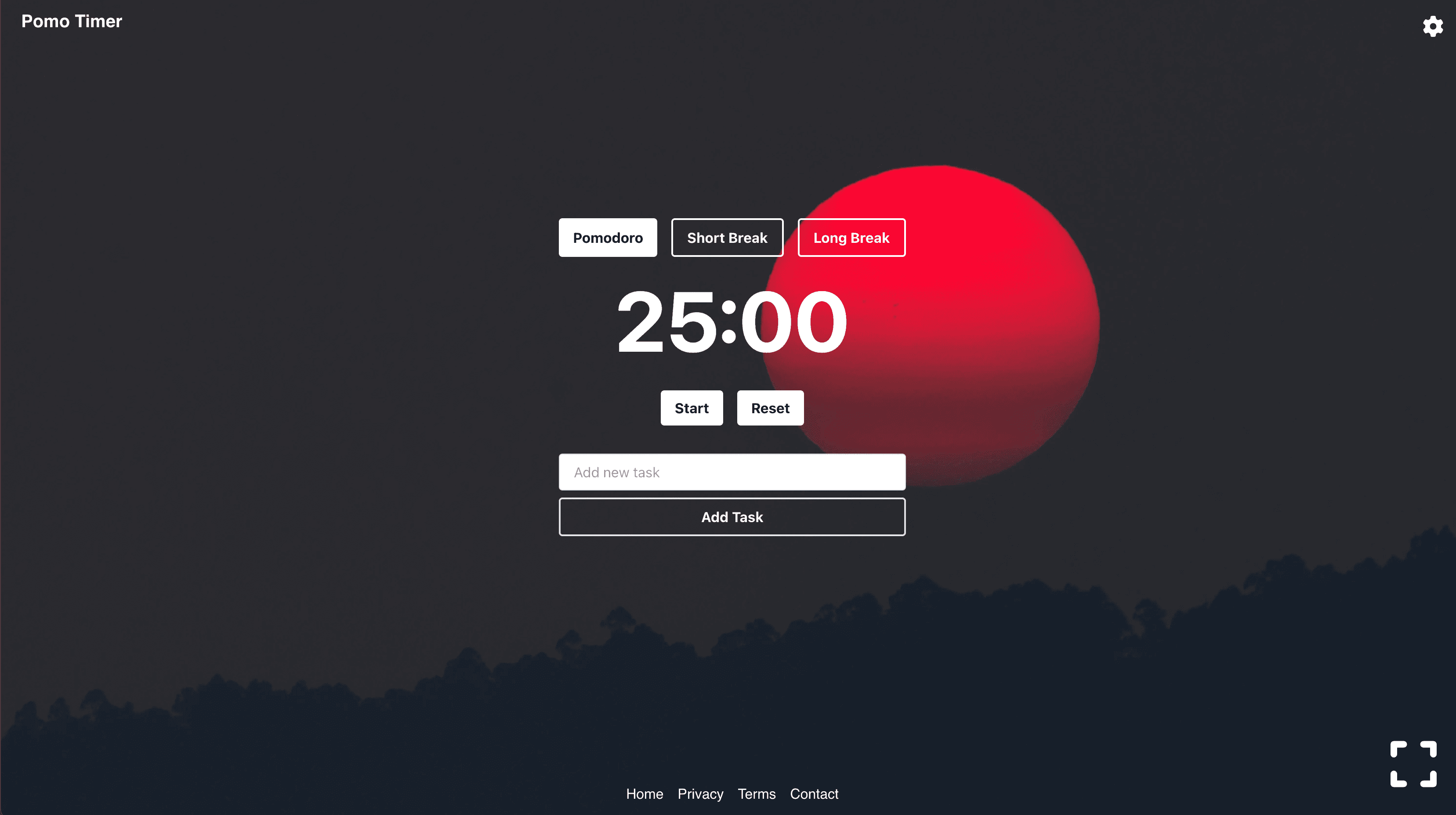
About this app
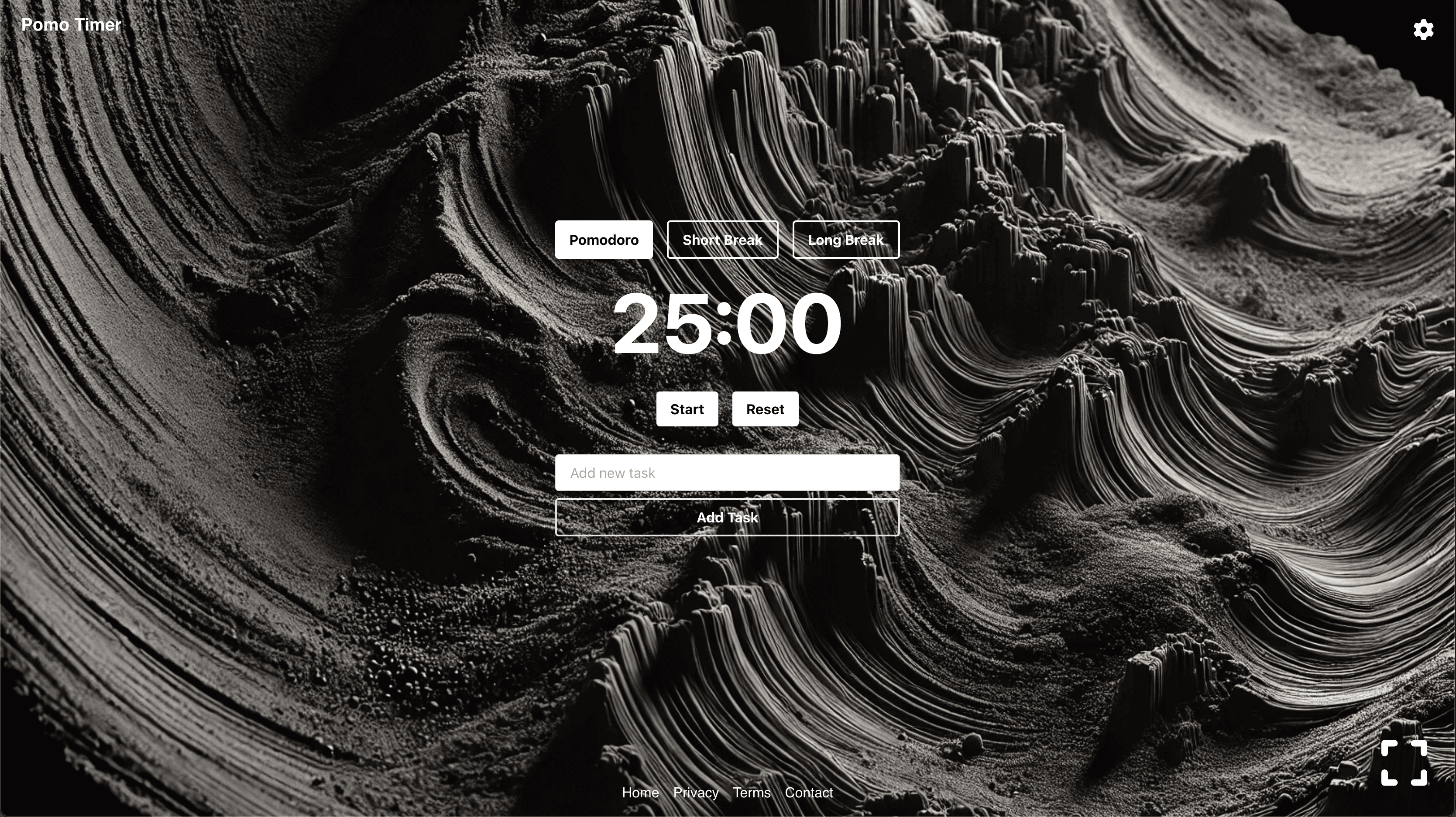
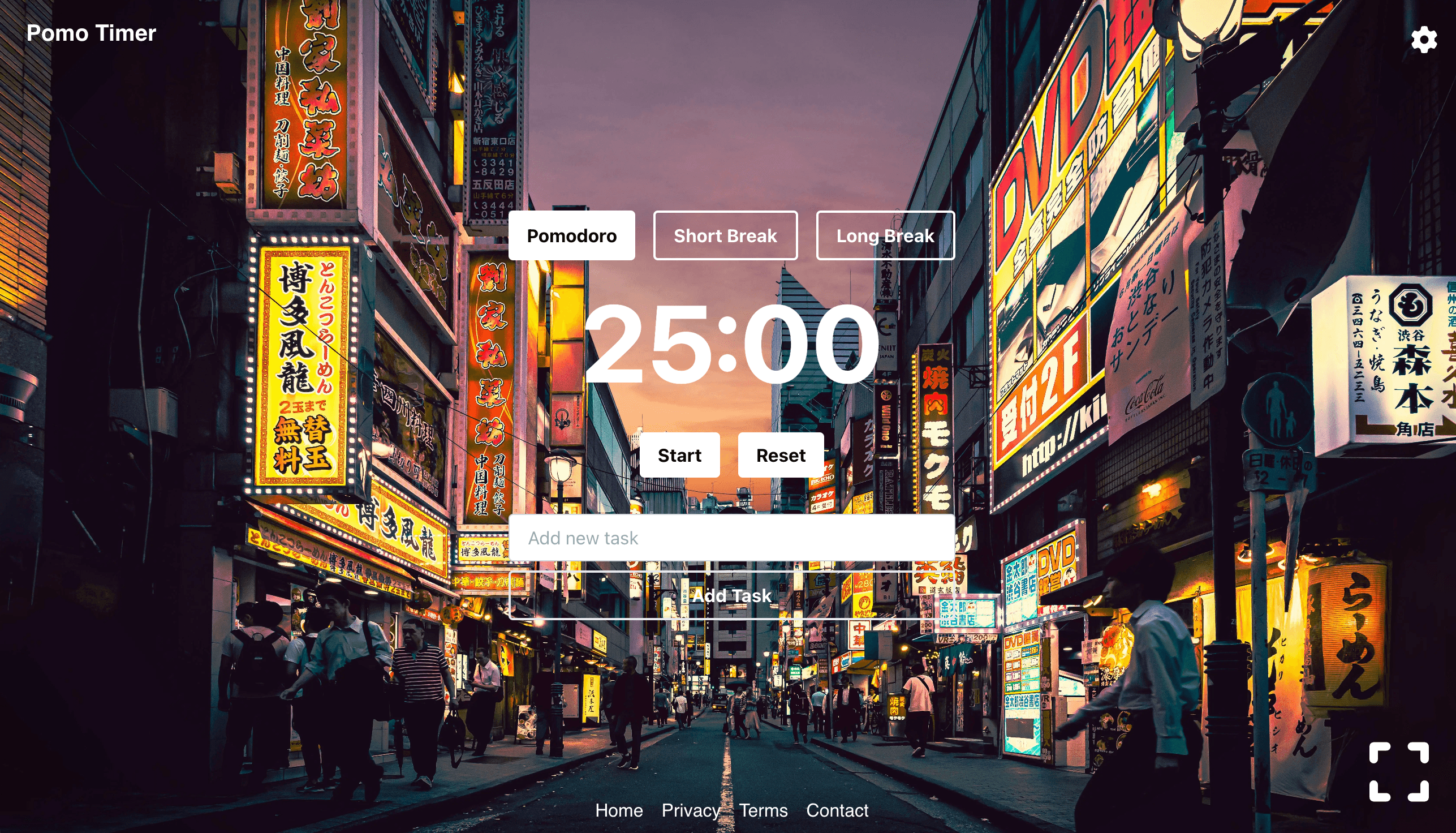
Pomotimer is a web-based and Android-compatible app that implements the Pomodoro Technique, breaking work into timed intervals (like 25 minutes) with short breaks to boost focus and productivity. It's perfect for students, remote workers, and freelancers who struggle with distractions. Key features include customizable session lengths, detailed statistics for progress tracking, and a gamified leaderboard to encourage consistency. While it offers a clean, minimalist interface and works offline as a Progressive Web App, it could improve with better accessibility options and enhanced security. Overall, it's a solid, no-frills tool for anyone looking to manage time more effectively and reduce procrastination.
Key features
- 1Clean minimalist interface with progress bar and customization options for adaptable focus sessions
- 2Intuitive navigation with PWA convenience, offline functionality, and fast loading for reliable use
- 3Strong analytics foundation and gamified leaderboard to motivate and track productivity progress
Target customer profile
Drawn from the product itself, not from a survey.
Demographic
Students
Pain points
Difficulty concentrating during study sessions
Primary needs
Structured focus intervals, progress tracking
Demographic
Remote workers
Pain points
Procrastination, time mismanagement
Primary needs
Customizable timers, task analytics
Demographic
Freelancers
Pain points
Balancing multiple projects
Primary needs
Work-break balance, session history
Scout Review
Written by AI from measured evidence, scored out of 100.
Pomotimer excels as a no-frills, effective Pomodoro timer that delivers exactly what it promises: structured focus sessions with helpful tracking. Its cross-platform availability through PWA technology makes it accessible to most users, while the customization options and progress analytics provide genuine value. The gamification elements through the leaderboard add motivation without becoming distracting. While it lacks polish in accessibility and security, it more than makes up for it with reliability and straightforward functionality.
Measure by measure
Usability
90Intuitive navigation with PWA convenience, customizable timers, and offline functionality make it exceptionally user-friendly.
Design
80Clean minimalist interface with progress bar and customization options, though web version feels slightly dated compared to competitors.
Speed
80Fast loading PWA with offline capability, though occasional lag during timer transitions affects the experience.
Security
70Basic localStorage data protection but lacks explicit encryption, privacy policy details, or advanced security measures.
Accessibility
60Supports screen persistence and adjustable layouts but lacks screen reader compatibility, high-contrast modes, or multilingual support.
Growth
90Strong foundation with analytics and gamification, ripe for adding collaboration features, premium options, and expanded platform support.
Improvement areas
- Enhance accessibility with screen reader support, high-contrast modes, and multilingual capabilities
- Improve security by adding encryption for user data and a clear privacy policy
- Modernize design with dark mode, theme options, and reduced lag during transitions
Design & Usability
Pomotimer delivers a clean, distraction-free interface that perfectly serves its purpose. The minimalist design focuses your attention on what matters: the timer and your progress. The circular progress bar provides satisfying visual feedback as your focus session advances, while the customization options for work/break durations make it adaptable to different working styles. The Android app's 80+ ambient sounds and background images create an immersive experience, though the web version could use a visual refresh to match modern standards. Navigation is intuitive with everything within easy reach - no hunting through menus to start your productivity session.
Speed & Security
As a Progressive Web App, Pomotimer loads quickly and works reliably offline, making it accessible anywhere. The occasional lag during timer transitions is noticeable but doesn't significantly impact the overall experience. Security-wise, the app uses basic localStorage for settings storage but lacks explicit encryption or detailed privacy policies. For a productivity timer that doesn't handle sensitive personal data, this is adequate though not exceptional. The PWA architecture ensures your data persists locally rather than being transmitted unnecessarily.
Accessibility & Growth
Accessibility is Pomotimer's weakest area. While it maintains screen persistence during sessions and offers some layout adjustments, it misses crucial features like screen reader support, high-contrast modes, or language localization. The growth potential, however, is impressive. The solid analytics foundation, gamified leaderboard, and PWA architecture provide excellent groundwork for future collaboration features, premium subscriptions, or expanded platform support. The market demand for focus tools continues to grow, positioning Pomotimer well for expansion.
Conclusion
Pomotimer is ideal for students, remote workers, and freelancers who want a straightforward focus tool without unnecessary complexity. Its strength lies in doing one thing well rather than trying to be everything to everyone. If you're tired of overcomplicated productivity apps and just want something that helps you stay focused with minimal fuss, Pomotimer delivers exactly that. Give it a try if you need a simple, effective way to implement the Pomodoro Technique without the feature bloat.
Suggestions for improvement
- To reach its full potential, Pomotimer should prioritize adding dark mode and theme customization options to modernize its appearance.
- Implementing proper screen reader support and multilingual capabilities would significantly improve accessibility.
- Enhancing security with encryption for user data and a clear privacy policy would build trust.
- Finally, exploring team collaboration features like shared focus sessions could tap into the growing remote work market and differentiate from competitors.
Alternatives comparison
Named competitors, point by point. Nobody paid to appear here or to be left out.
 Pomotimer Pomotimer |  Forest Forest |  Focus To-Do Focus To-Do |  Toggl Track Toggl Track | |
|---|---|---|---|---|
| Gamification Elements | Leaderboard system for motivation | Tree-growing visual gamification | Basic task completion rewards | Minimal gamification focus |
| Analytics & Tracking | Detailed session statistics and progress | Basic focus time tracking only | Integrated with task completion metrics | Advanced time tracking with reports |
| Platform Availability | Web PWA and Android app | iOS and Android mobile apps | Multiple platform support | Web, desktop, and mobile apps |
| Customization Options | Fully customizable timer lengths | Limited timer customization | Task-oriented customization | Project and client customization |
Forest
Gamified focus sessions but lacks Pomotimer’s detailed analytics
Focus To-Do
Integrates task management but is less visually engaging
Toggl Track
Advanced time-tracking tools but lacks Pomotimer’s simplicity
Comparing options? See Pomotimer alternatives, scored side by side
More Productivity apps
View all Productivity
Notion
92All-in-one AI workspace for docs, projects, and knowledge...

Qamarero
92An all-in-one hospitality software for restaurants and ba...

EmbedMyReviews
92White-label reputation management software for agencies s...

StoryPad
92Privacy-first open source journal app with a continuous t...

Puzzly – B2B Lead Generation & Sales Intelligence Platform
92Puzzly is an all-in-one B2B lead generation platform that...

The Stack Newsletter
92A weekly newsletter delivering curated tech jobs, intervi...

Vibe Coding Agent Skills
92A free, open-source platform offering 110 AI agent skills...

QRBliss
91Branded QR codes with AI Brand Sync, 15 free dynamic code...

Gerty
91Private, local AI assistant for Mac that runs offline

CC Switch
91Open-source desktop app for switching AI coding providers...

username.md
90One verified handle for your online identity, readable by...

PitchWhip
90AI cold call scripts & direct dials from LinkedIn


A platform dedicated to providing unbiased reviews of newly launched applications, analyzing everything from their features to their full potential.
info@scoutforge.net© 2026 Scoutforge. All rights reserved.
