

A platform dedicated to providing unbiased reviews of newly launched applications, analyzing everything from their features to their full potential.
info@scoutforge.net© 2026 Scoutforge. All rights reserved.
A platform dedicated to providing unbiased reviews of newly launched applications, analyzing everything from their features to their full potential.
info@scoutforge.net© 2026 Scoutforge. All rights reserved.
A platform dedicated to providing unbiased reviews of newly launched applications, analyzing everything from their features to their full potential.
info@scoutforge.net© 2026 Scoutforge. All rights reserved.
Cycling through all six. Tap any point to stop.
Measured on six things
AI-powered macOS translation app with OCR, multi-engine comparisons, and keyboard-friendly design for professionals and learners.
Supports 30+ languages with adjustable text, natural voice playback, but lacks screen reader support and voice speed control.
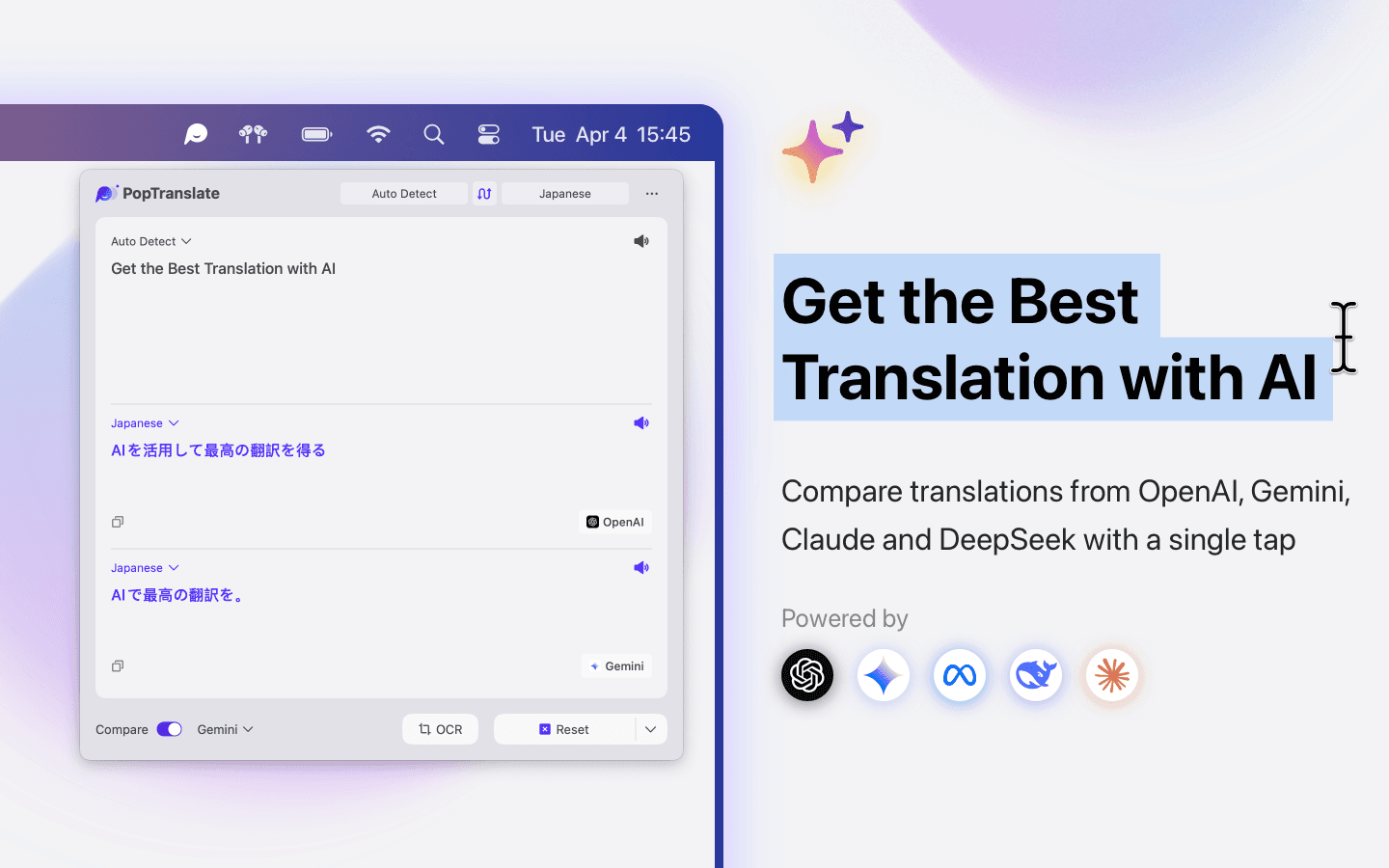
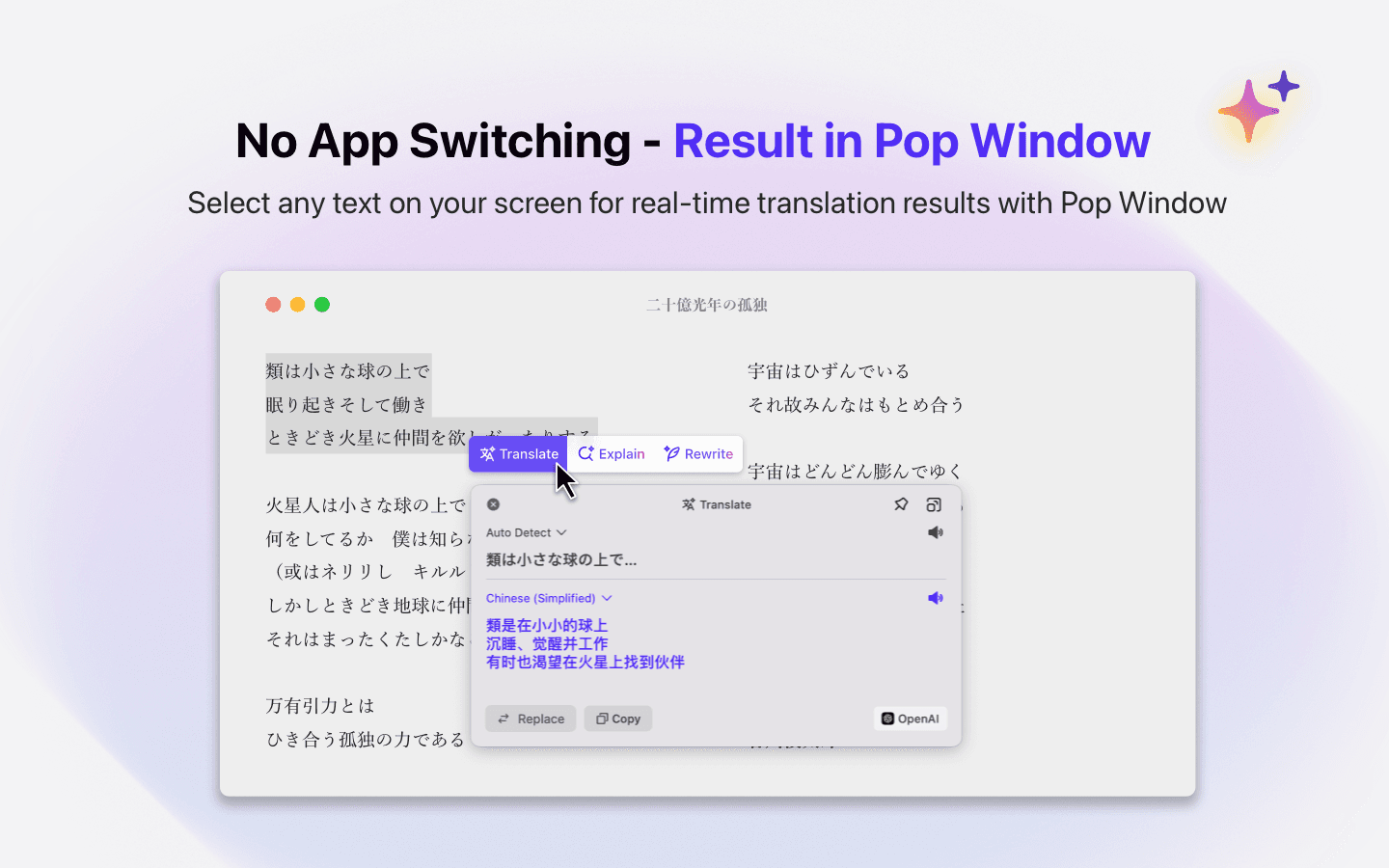
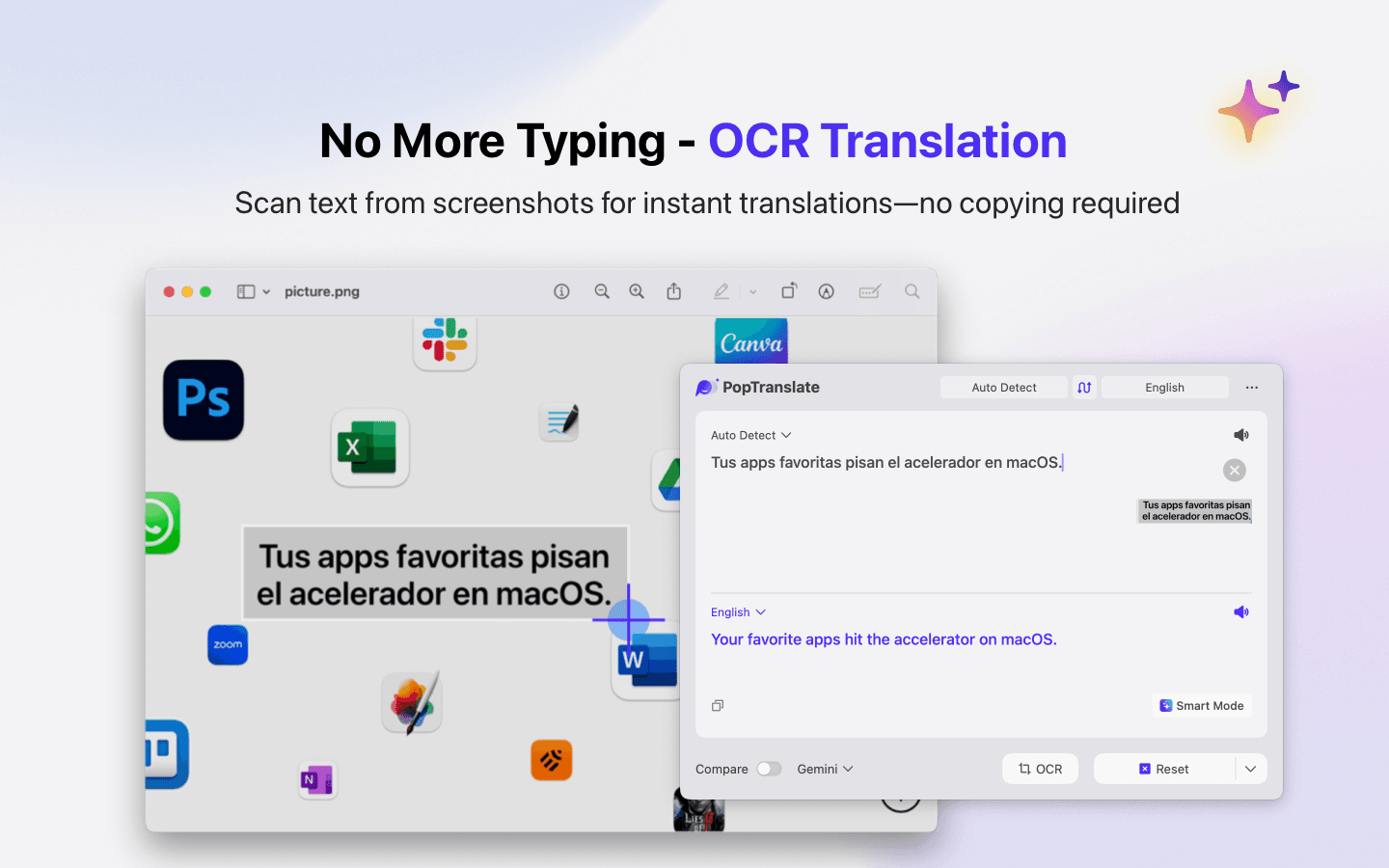
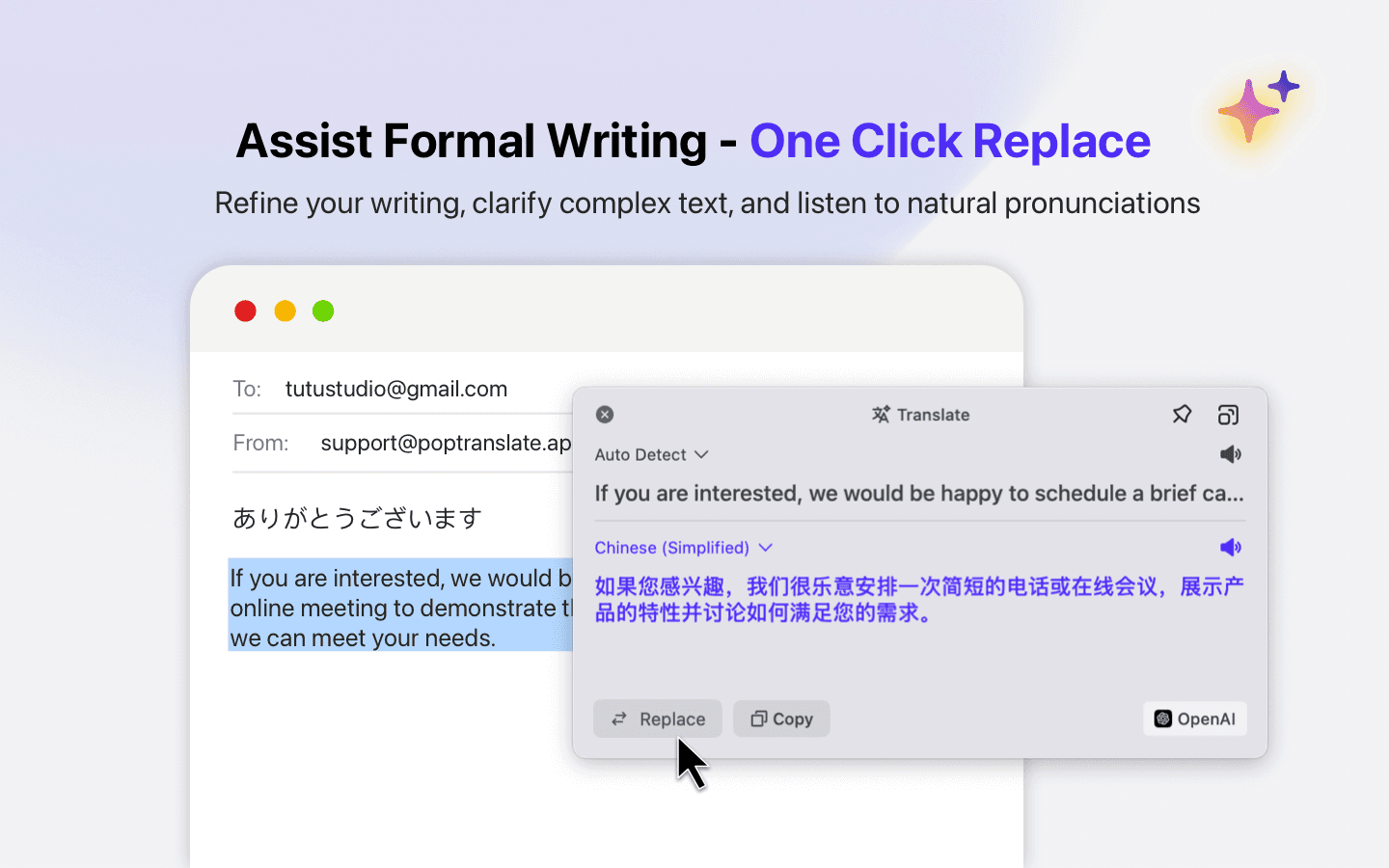
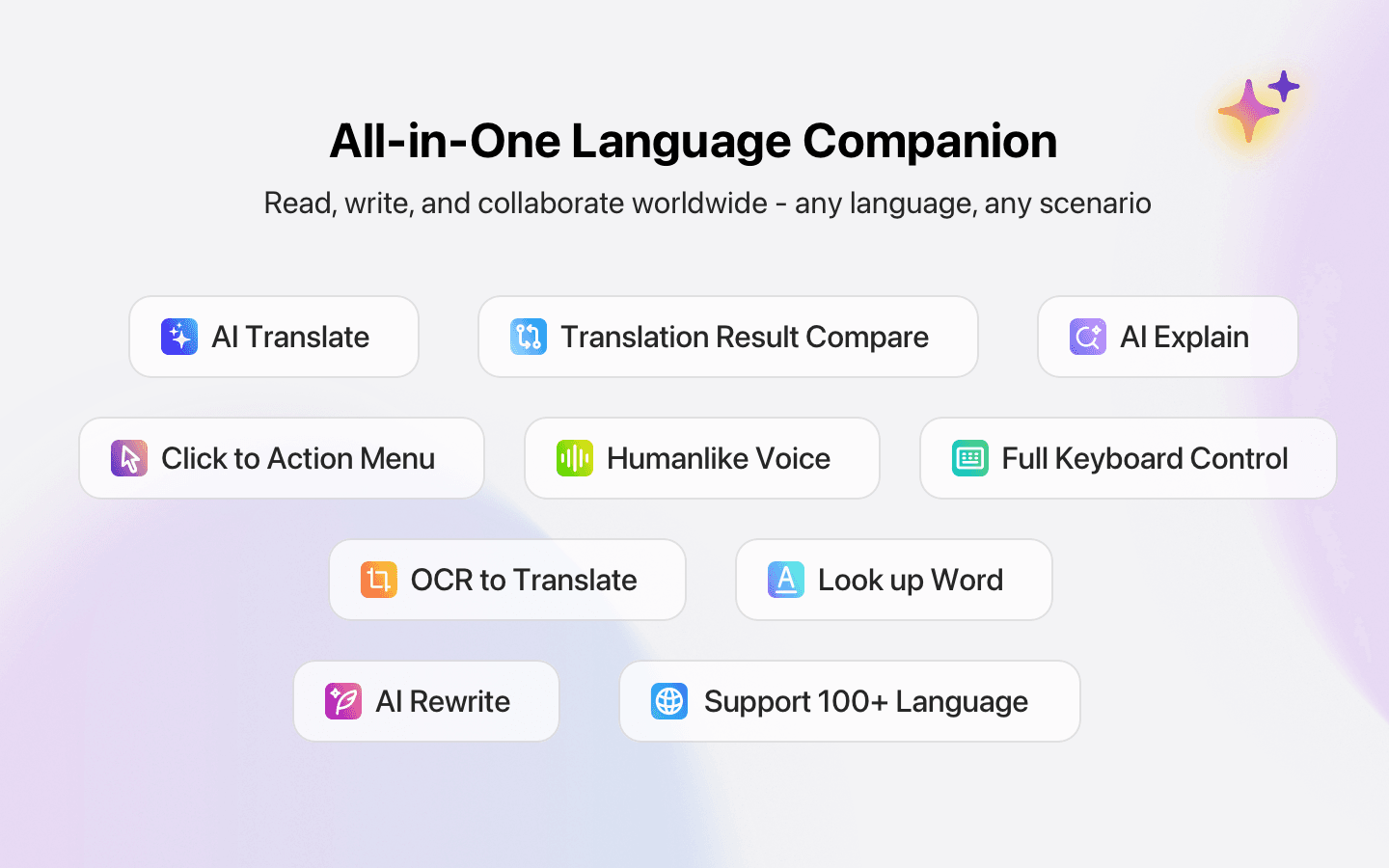
PopTranslate is a native macOS application that revolutionizes text translation by integrating multiple AI models like OpenAI, Gemini, and Claude for nuanced and accurate translations. It features OCR scanning for extracting text from images, voice playback for natural audio output, and a unique side-by-side comparison of different translation engines. Designed with a clean, macOS-native interface, it includes persistent docked windows and keyboard shortcuts, making it ideal for quick access during workflows. Target users include multilingual professionals, language learners, and Mac power users who need efficient, high-quality translation tools without disrupting their productivity. The app supports over 30 languages, offers customizable style options, and allows users to input their own API keys for enhanced data control. While it excels in usability and speed, it has room for improvement in accessibility features like screen reader support and batch processing.
Drawn from the product itself, not from a survey.
Demographic
Multilingual professionals (e.g., writers, researchers)
Pain points
Time-consuming manual translation checks, inconsistent AI outputs
Primary needs
Accurate comparisons across translation engines, OCR for documents and screenshots
Demographic
Language learners
Pain points
Lack of context for translations, robotic voice synthesis
Primary needs
AI explanations of phrases, natural-sounding audio playback
Demographic
Mac power users
Pain points
Clunky web-based translators disrupting workflows
Primary needs
Native macOS integration, keyboard navigation, persistent window
Written by AI from measured evidence, scored out of 100.
PopTranslate stands out as a premium translation tool for macOS users who need more than basic web translators. Its multi-engine comparison feature is genuinely innovative, allowing users to see different AI interpretations side-by-side. The OCR integration works seamlessly, making it perfect for translating text from images, screenshots, or documents. While it excels for power users with its keyboard navigation and persistent window, beginners might need a moment to discover all its capabilities.
Intuitive for power users with keyboard shortcuts, persistent docked windows, and intelligent click-to-pop feature adaptation.
Clean macOS-native interface with collapsible three-pane layout, contextual menus, and excellent keyboard integration.
Near-instant OCR processing (local), 2-3 second AI translations depending on provider, responsive interface.
User-controlled API keys provide data control, local OCR processing, but lacks built-in encryption and depends on external providers.
Supports 30+ languages with adjustable text, natural voice playback, but lacks screen reader support and voice speed control.
Strong foundation for team features, Windows expansion, browser extensions, and batch processing capabilities.
PopTranslate nails the macOS aesthetic with a clean, focused interface that feels instantly familiar to Apple users. The collapsible three-pane layout efficiently manages input, translation, and explanation sections without overwhelming the user. Contextual menus and a customizable toolbar put frequently used actions like OCR triggering right where you need them. Keyboard enthusiasts will appreciate the thoughtful shortcut integration, with ⌥⌘T for instant translation becoming second nature quickly. The intelligent 'click-to-pop' feature that adapts based on selected text type shows genuine attention to workflow optimization.
Performance-wise, PopTranslate delivers impressive speed with local OCR processing that extracts text near-instantly from images without cloud delays. AI translations typically complete in 2-3 seconds using GPT-4, though this varies by provider. Security takes a pragmatic approach - while the app doesn't include built-in encryption, it puts data control firmly in users' hands by allowing them to use their own API keys for AI services. This means your translation data follows the security protocols of whichever provider you choose, with the added benefit that OCR processing happens entirely locally on your device.
Accessibility shows room for improvement despite supporting over 30 languages with adjustable text sizing. The natural inflection voice playback is a nice touch, but the lack of speed control and screen reader optimization limits its usefulness for vision-impaired users. Keyboard navigation partially compensates for motor accessibility needs. Growth potential is substantial with opportunities for translation memory, collaborative features, browser extensions, and batch document processing. The solid macOS foundation could easily expand to Windows or team-oriented features.
Conclusion
If you're a multilingual professional, researcher, or content creator tired of juggling translation tabs and losing context, PopTranslate is absolutely worth trying. The free version gives you full access to test whether its workflow integration fits your needs. For Mac power users who value native app experiences and keyboard efficiency, this might become your go-to translation solution that actually stays out of your way until needed.
Named competitors, point by point. Nobody paid to appear here or to be left out.
 PopTranslate PopTranslate |  DeepL for Mac DeepL for Mac |  Translate AI Translate AI |  Naver Papago Naver Papago | |
|---|---|---|---|---|
| Multi-Engine Comparison | Yes (OpenAI, Gemini, Claude, etc.) | No | No | No |
| OCR Capability | Yes (local processing) | No | No | No |
| Native macOS Integration | Excellent | Good | Basic | Poor |
| Keyboard Shortcuts | Comprehensive | Limited | Minimal | None |
| AI Model Flexibility | Multiple providers | Single provider | Limited options | Specialized (Asian languages) |
DeepL for Mac
Offers high-quality translations but lacks multi-engine comparisons and OCR capabilities.
Translate AI
Simpler interface but missing advanced features like text rewriting or keyboard control.
Naver Papago
Specializes in Asian languages but lacks macOS-native design and AI model flexibility.
Comparing options? See PopTranslate alternatives, scored side by side

An all-in-one hospitality software for restaurants and ba...

A weekly newsletter delivering curated tech jobs, intervi...

White-label reputation management software for agencies s...

Privacy-first open source journal app with a continuous t...

Puzzly is an all-in-one B2B lead generation platform that...

All-in-one AI workspace for docs, projects, and knowledge...

A free, open-source platform offering 110 AI agent skills...

Open-source desktop app for switching AI coding providers...

One verified handle for your online identity, readable by...

Frame-perfect video-to-GIF maker that runs entirely in yo...

White-label website audits that close deals for digital a...

PERM Processing Time is an independent data analysis platform that helps users navigate the U.S. Department of Labor’s permanent labor certification process.
A platform dedicated to providing unbiased reviews of newly launched applications, analyzing everything from their features to their full potential.
info@scoutforge.net© 2026 Scoutforge. All rights reserved.
