Is this your app?
Claim ProfileSpider to manage its page, add your badge and see your traffic — free, and it stays free.
Cycling through all six. Tap any point to stop.
Measured on six things
AI-powered Chrome extension for effortless profile data extraction from any website, with local storage for privacy.
Growth
401-year-old domain, 6 Chrome reviews, minimal Product Hunt/Reddit presence. Early traction but no meaningful community or review volume yet.
Screenshots
1 / 5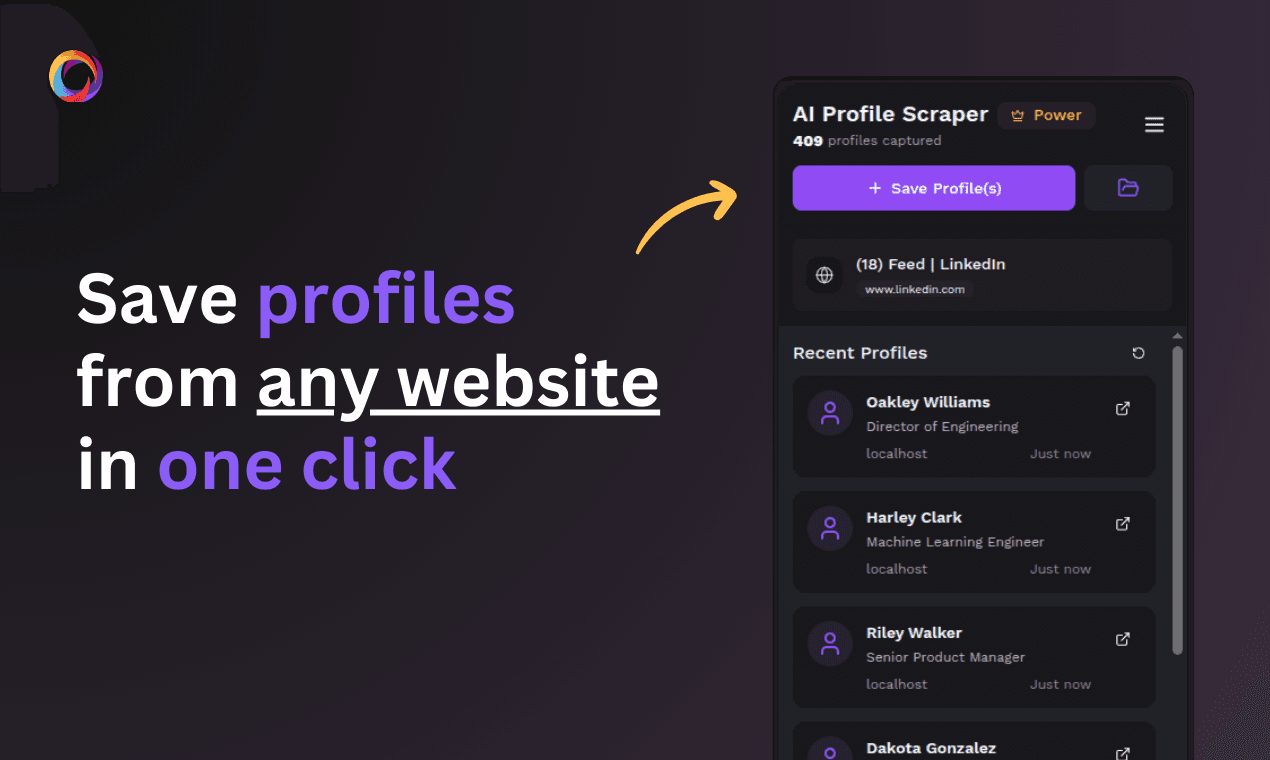

About this app
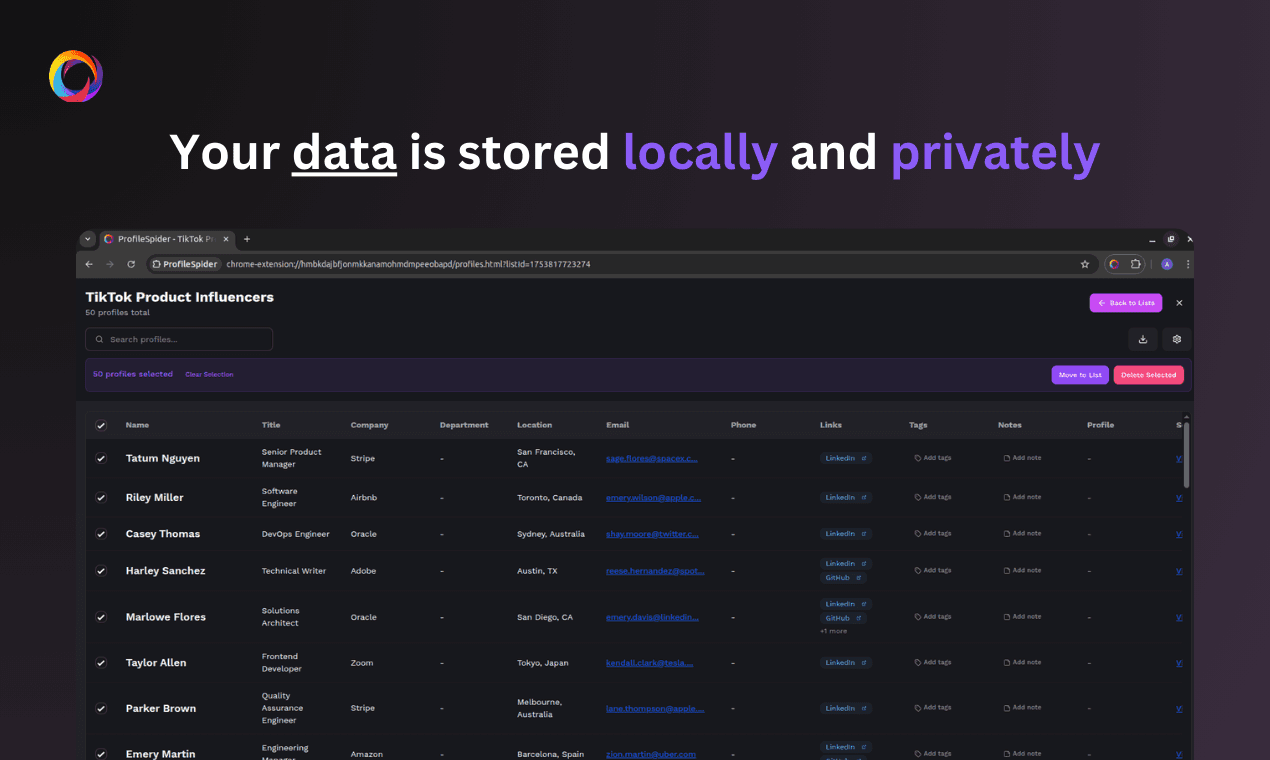
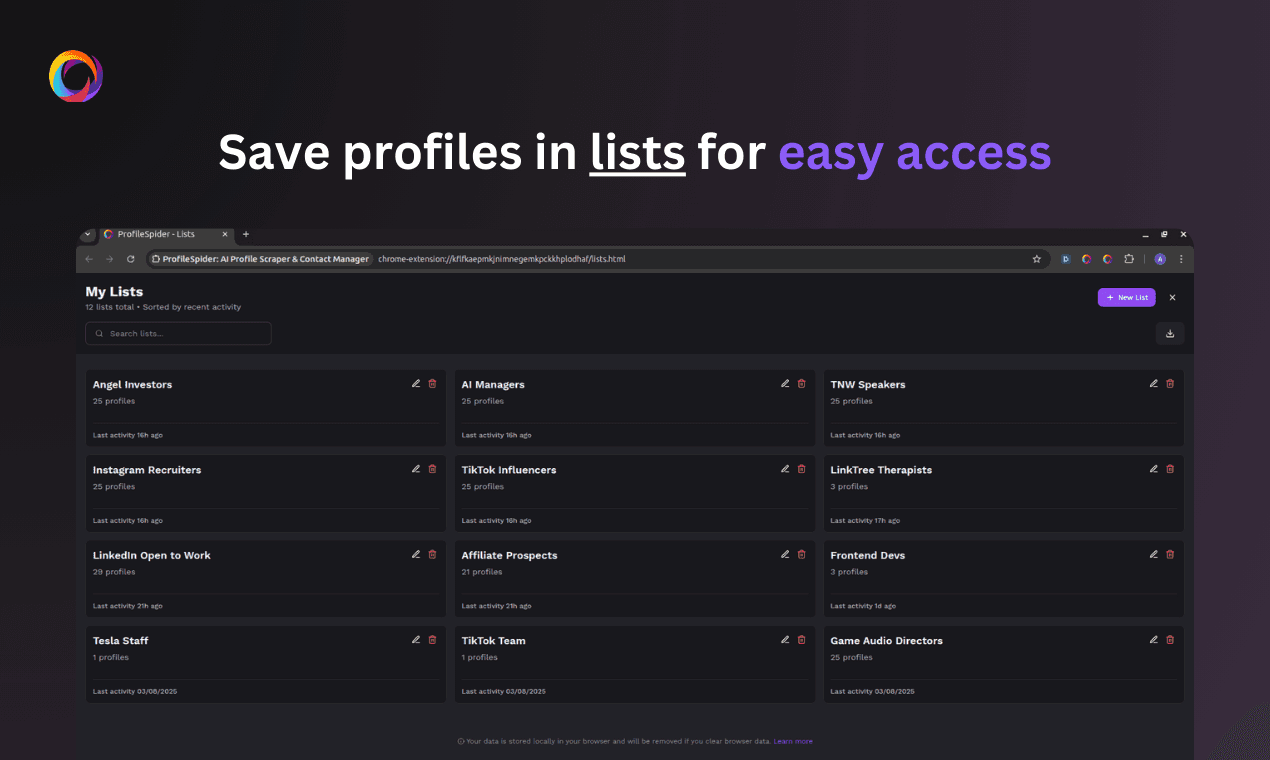
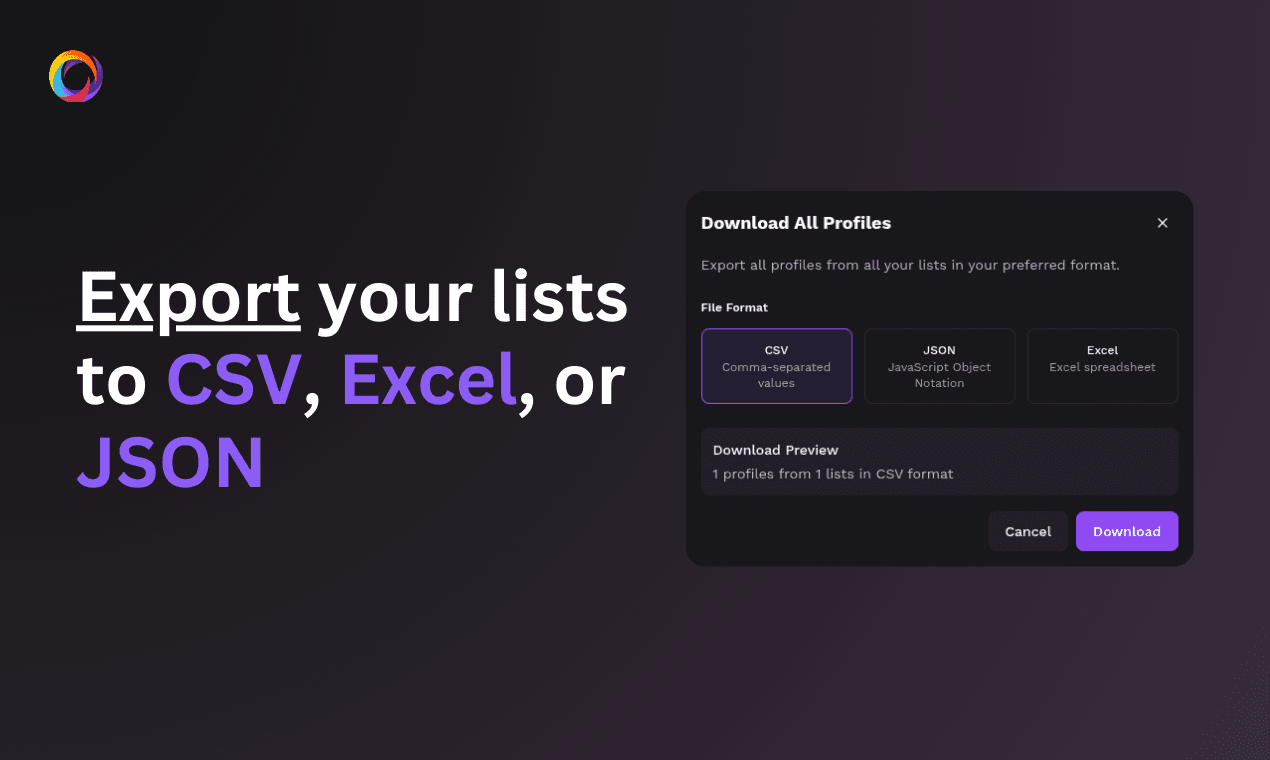
ProfileSpider is a game-changing Chrome extension that leverages artificial intelligence to scrape profile data from websites like LinkedIn, company directories, and more with a single click. Designed for recruiters, sales teams, and marketers, it automates the tedious task of manual data entry, extracting details such as names, job titles, and contact information. The tool stores all data locally in your browser, ensuring privacy and security, and allows for easy organization with tags, notes, and exports to CSV, JSON, or Excel formats. While it excels on well-structured sites, it may require tweaks for dynamic or cluttered pages. Overall, it's a must-try for anyone looking to streamline lead generation and contact list building without technical expertise.
Key features
- 1One-click AI extraction of people & company profiles from any site (up to 100 per page)
- 2Local browser storage with tags, notes, and exports to CSV/Excel/JSON
- 3Verified email lookup (pay only for valid results) plus background enrichment
Target customer profile
Drawn from the product itself, not from a survey.
Demographic
Recruiters and HR Professionals
Pain points
Time-consuming manual profile scraping from job sites or LinkedIn, inconsistent data formatting, and privacy concerns with cloud-based tools.
Primary needs
Rapid candidate database building, easy export to ATS (Applicant Tracking System), and secure handling of personal data.
Demographic
Sales and Marketing Teams
Pain points
Inefficient lead generation processes, difficulty in extracting contact details from websites, and need for targeted prospecting lists.
Primary needs
Quick extraction of prospect profiles, integration with CRM systems, and ability to tag and segment leads for campaigns.
Demographic
Researchers and Data Analysts
Pain points
Manual data collection for studies or market analysis, handling large volumes of profile data, and ensuring data accuracy.
Primary needs
Batch profile extraction, data organization features, and export options for analysis in tools like Excel or JSON-based applications.
Scout Review
Written by AI from measured evidence, scored out of 100.
ProfileSpider is a focused Chrome extension that solves a narrow but painful problem—manual profile scraping—for recruiters, sales, and researchers. Its local storage, one-click AI extraction, and flexible exports to CSV/Excel/JSON deliver real workflow value without requiring coding. Pricing is transparent but credit-based complexity and slow page loads hold it back from broader appeal. Early traction exists but remains modest.
Measure by measure
Usability
68Quick Chrome install, free credits, and solid guides make onboarding fast. Workflow is clearly documented with step-by-step visuals.
Design
70Polished dark theme with consistent purple accents and clear CTAs. Extension previews look realistic and match marketing claims.
Speed
55Lighthouse mobile 64/100 with painfully slow 17.9s LCP. Desktop fares better at 79. Client-side extension helps once installed.
Security
75Strong security headers (12/12) and local-only data storage. No third-party audits published.
Accessibility
68Lighthouse 88/100 but multiple WCAG failures (contrast, headings, touch targets, landmarks). No dedicated a11y docs.
Growth
401-year-old domain, 6 Chrome reviews, minimal Product Hunt/Reddit presence. Early traction but no meaningful community or review volume yet.
Improvement areas
- Slow mobile LCP (17.9s) and missing table filtering/scroll handling
- Limited review volume and early-stage community signals
- Credit pricing requires careful reading to understand email vs page costs
Design & Usability
ProfileSpider delivers a clean, modern dark-themed landing page with consistent purple branding and prominent CTAs that make the value proposition clear. The extension UI previews directly demonstrate the one-click workflow, which helps users understand the product instantly. Usability benefits from a frictionless free tier (10 credits, no card) and well-structured guides that walk through real use cases like directory scraping and email enrichment. The five-step process is visually documented, reducing the learning curve for non-technical users. Minor friction exists in the dense data table views and the need to understand credit consumption for emails versus pages.
Speed & Security
Performance is the weakest link: Lighthouse shows a sluggish 17.9s LCP on mobile despite a respectable 64 score, though the desktop 79 and client-side extension execution mitigate some pain once installed. Security is handled responsibly with full header compliance and local browser storage that keeps all profile data private—no cloud syncing or tracking claims. The absence of published audits keeps the score from climbing higher, but the local-first approach aligns well with the privacy-sensitive target audience of recruiters and sales teams.
Accessibility & Growth
Accessibility scores 68 within its measured band, supported by an 88 Lighthouse rating yet undermined by concrete failures in color contrast, heading hierarchy, touch targets, and missing landmarks. No accessibility statement or multi-language support appears on the site. Growth remains early-stage at roughly one year old, with only six Chrome Web Store ratings and limited external mentions; the 500+ user claim and Product Hunt presence show promise but lack the review volume or community signals of more established tools.
Conclusion
For teams tired of copy-paste drudgery on LinkedIn and directories, ProfileSpider offers a practical, privacy-respecting alternative worth testing with the free credits.
Suggestions for improvement
- Add column filtering, search, and horizontal scroll handling to the profile table to reduce information overload.
- Publish a short security or compliance page even if just summarizing local storage and data handling.
- Optimize hero image and LCP assets to bring mobile load time under 5 seconds.
- Expand Chrome reviews by prompting users after successful exports.
Alternatives comparison
Named competitors, point by point. Nobody paid to appear here or to be left out.
 ProfileSpider ProfileSpider |  Thunderbit AI Web Scraper Thunderbit AI Web Scraper |  Bardeen AI LinkedIn Scraper Bardeen AI LinkedIn Scraper | |
|---|---|---|---|
| Primary focus | Profile-specific extraction from any site | General web content scraping | LinkedIn-only automation playbooks |
| Data storage | Local browser only | Cloud or local options | Cloud within Bardeen platform |
| Pricing model | Credits per page (1 credit = up to 100 profiles) | Subscription with per-profile or usage tiers | Platform subscription + automation credits |
Thunderbit AI Web Scraper
Another AI-powered Chrome extension for scraping website data, but it focuses on general content extraction rather than profile-specific detection, which might require more configuration.
Bardeen AI LinkedIn Scraper
A automation playbook for scraping LinkedIn profiles, but it's limited to LinkedIn and requires setup within the Bardeen platform, whereas ProfileSpider works on any website.
Comparing options? See ProfileSpider alternatives, scored side by side
Sources
What the review was written against. A verdict with no sources is an opinion.
More Productivity apps
View all Productivity
Notion
92All-in-one AI workspace for docs, projects, and knowledge...

Qamarero
92An all-in-one hospitality software for restaurants and ba...

EmbedMyReviews
92White-label reputation management software for agencies s...

StoryPad
92Privacy-first open source journal app with a continuous t...

Puzzly – B2B Lead Generation & Sales Intelligence Platform
92Puzzly is an all-in-one B2B lead generation platform that...

The Stack Newsletter
92A weekly newsletter delivering curated tech jobs, intervi...

Vibe Coding Agent Skills
92A free, open-source platform offering 110 AI agent skills...

QRBliss
91Branded QR codes with AI Brand Sync, 15 free dynamic code...

Gerty
91Private, local AI assistant for Mac that runs offline

CC Switch
91Open-source desktop app for switching AI coding providers...

username.md
90One verified handle for your online identity, readable by...

PitchWhip
90AI cold call scripts & direct dials from LinkedIn


A platform dedicated to providing unbiased reviews of newly launched applications, analyzing everything from their features to their full potential.
info@scoutforge.net© 2026 Scoutforge. All rights reserved.
