Cycling through all six. Tap any point to stop.
Measured on six things
A Mac menu bar app that notices where your day went, app by app, then prints you a receipt for it at closing time. $9 once.
Security
44HTTPS enforced and a credible local-only architecture with documented build gates, but the probe found 3/12 header checklist points: no HSTS, CSP, frame protection or DMARC. No published audit.
Screenshots
1 / 3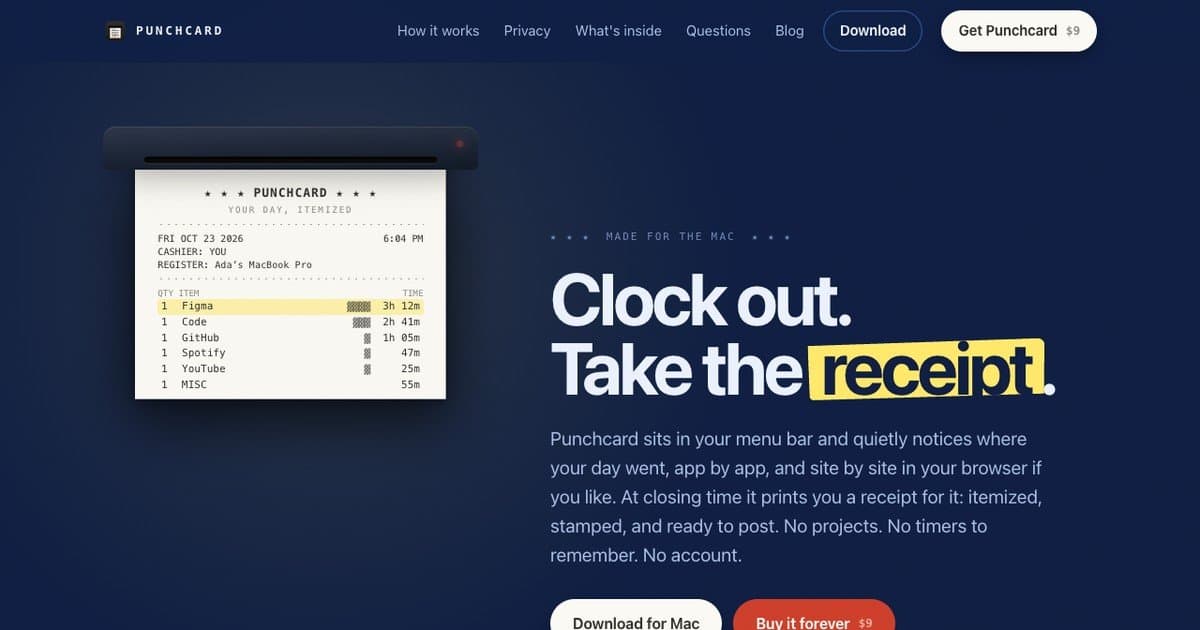
About this app
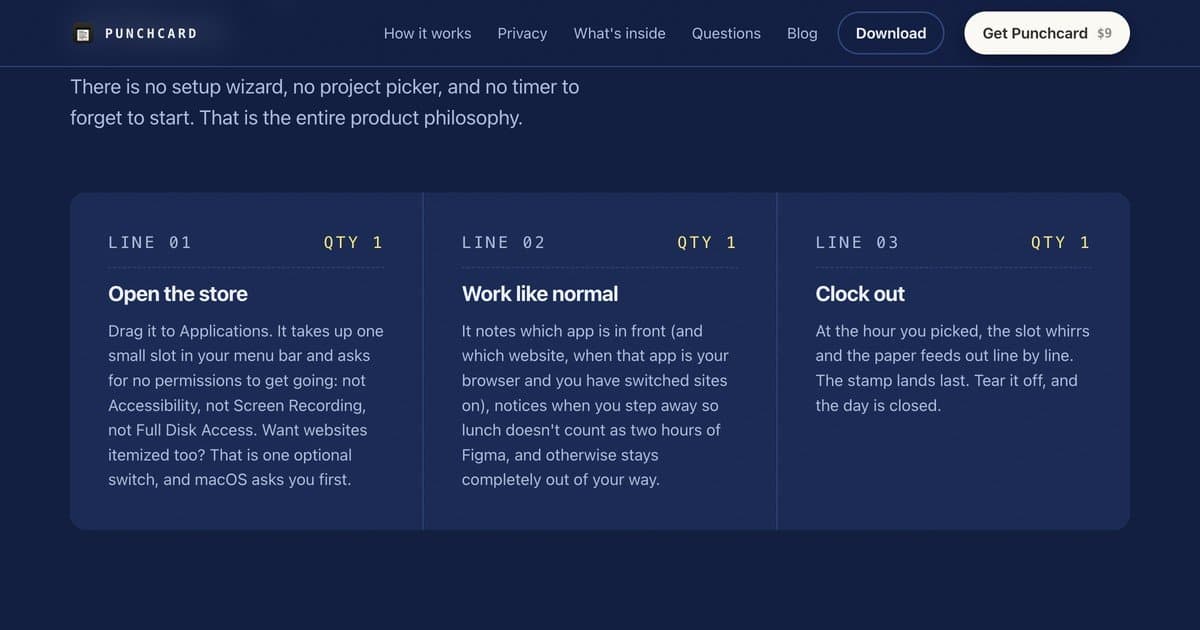
Punchcard is a Mac menu bar app that quietly notices where your day went, app by app (and site by site in the browser, if you switch that on). At the hour you pick, it prints a receipt of your day: itemized, stamped and ready to post, exported as an image. No projects, no timers to remember and no account. It notices when you step away, so lunch is not counted as work. It asks for no special permissions to get going, keeps everything in one file on your Mac, and has no analytics. Free to try with two receipts on the house, then $9 once. macOS 13 or later, Apple silicon and Intel.
Key features
- 1Passive Mac menu bar tracking of frontmost app (and optionally browser site), with idle detection so lunch isn't counted
- 2Scheduled receipt printing: itemized, stamped, Code 128 barcode encoding the date, exported as 1080×1350 PNG
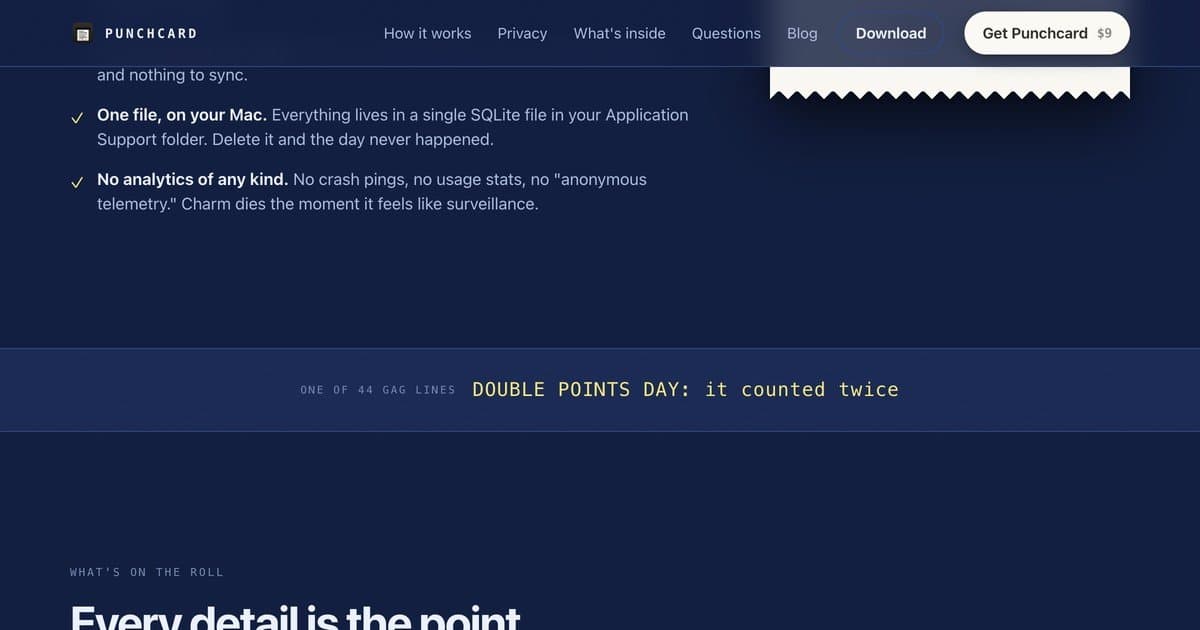
- 3Privacy by architecture: no account, no cloud, no analytics, single local SQLite file, two build gates enforcing it
Target customer profile
Drawn from the product itself, not from a survey.
Scout Review
Written by AI from measured evidence, scored out of 100.
Punchcard is a Mac menu bar time tracker that refuses to be a time tracker. It watches which app is in front, notices when you step away, and at an hour you choose prints a receipt — itemized, stamped, with a scannable barcode — exported as a 1080×1350 PNG. No projects, no timers, no account, no analytics, one SQLite file you can delete. The landing page sells this with real craft: receipt mockups, three paper stocks, a tear animation, and copy that commits to the bit. Two receipts are free, then $9 once, with a 30-day refund. The measured site is fast and accessible; the security headers are the weak link, and the design repeats itself in the middle sections. The idea is specific and defensible, which is rarer than the execution.
Measure by measure
Usability
68Zero-permission menu bar install, no account, no timers, two free receipts before paying, 30-day refund. Onboarding is genuinely near-zero friction; the site buries pricing under a lot of receipt theater.
Design
71Receipt-and-stamp theme is executed with real craft: tilted paper mockups, Code 128 barcode, navy/yellow/red palette, disciplined hierarchy. Workflow cards and pricing papers blur together at a glance.
Speed
72Lighthouse mobile 81/100 and desktop 87/100, CLS 0 and TBT 36ms — snappy and stable. LCP 3.8s and FCP 2.9s on mobile are the drag, likely the heavy receipt imagery.
Security
44HTTPS enforced and a credible local-only architecture with documented build gates, but the probe found 3/12 header checklist points: no HSTS, CSP, frame protection or DMARC. No published audit.
Accessibility
80Lighthouse accessibility 96/100 with one failing contrast audit. Plain-text receipt export for alt text is a thoughtful touch, but there's no WCAG statement or documented keyboard/screen-reader support.
Growth
58Real, specific wedge: private, account-free Mac time tracking whose output is a shareable receipt. One-time $9 undercuts subscription trackers, but the category is crowded and the audience is Mac-only.
Improvement areas
- Website security headers: no HSTS, CSP, frame protection, Referrer-Policy or DMARC (3/12 probe checklist)
- Middle-section design repetition: three near-identical workflow cards and low-contrast Blueprint pricing card
- No accessibility statement or documented keyboard/screen-reader support despite a 96/100 audit
Design & Usability
The design is the product's best argument. Every receipt mockup, the CLOCKED OUT stamp, the Code 128 barcode that actually encodes the date, the three paper stocks — it all reinforces one idea instead of decorating around it, and the navy/yellow/red palette stays disciplined. The weak spot is repetition: three workflow cards in near-identical dark fills, and pricing papers so subtly differentiated that the Blueprint card sinks into the background. Usability is close to ideal for the category — drag to Applications, no Accessibility or Screen Recording permission, no account, no timers, two free receipts before the $9 ask, 30-day refund. The friction is on the website, not the app: pricing sits below several screens of receipt theater and the top bar puts two competing CTAs side by side.
Speed & Security
Measured performance is solid: Lighthouse 81 mobile / 87 desktop, CLS 0, TBT 36ms. The mobile LCP of 3.8s and FCP of 2.9s are the cost of the paper-texture imagery, and they're the one number worth trimming. Security is the split personality. The architecture is unusually honest for an indie Mac app — two build gates that fail the release if networking appears outside the licensing file or if the binary references analytics, a single local SQLite file, no account, no cloud, checkout handled by Dodo Payments as merchant of record. But the site itself scored 3/12 on the header probe: HTTPS yes, then no HSTS, no CSP, no frame protection, no Referrer-Policy, no DMARC. No published audit or bug bounty either. The app earns trust; the web presence doesn't reinforce it.
Accessibility & Growth
Accessibility lands well: 96/100 on the Lighthouse audit with a single contrast failure, and the plain-text receipt export for alt text shows someone thought past the checkbox. What's missing is documentation — no WCAG statement, no stated keyboard or screen-reader support. Growth is a judgement on the idea, and the idea is sharper than most in this category. Passive Mac time tracking with no account and no cloud is a real answer to a real complaint about RescueTime and Toggl, and turning the output into a postable 1080×1350 receipt gives it a distribution loop those tools don't have. The one-time $9 also undercuts every subscription competitor. The honest limit: Mac-only, a crowded category, and an audience that skews toward people who already find screen-time dashboards funny rather than people who need them.
Conclusion
If you're on macOS 13+ and you've bounced off RescueTime because it felt like surveillance, this is the version of the idea that respects you — and the receipt is a genuinely good artifact, not a gimmick bolted on. Buy it if you want passive awareness without a dashboard to maintain. Skip it if you need billable-hour reporting, cross-platform coverage, or team features; this does none of that and doesn't pretend to. The $9 one-time price with a 30-day no-questions refund makes trying it a low-stakes call.
Suggestions for improvement
- Add HSTS, CSP, X-Content-Type-Options, Referrer-Policy and a DMARC record — the app's privacy story deserves matching site hardening.
- Differentiate the three workflow cards visually; right now LINE 01/02/03 read as one repeated block.
- Lift the Blueprint pricing card's contrast off the navy background so all three paper options read at a glance.
- Publish a short accessibility statement covering keyboard navigation and the plain-text receipt alt-text workflow.
Alternatives comparison
Named competitors, point by point. Nobody paid to appear here or to be left out.
 Punchcard Punchcard |  | |
|---|---|---|
| Pricing model | $9 one-time after two free receipts; no subscription | Not provided in app details |
| Account / cloud requirement | No account, no cloud; single local SQLite file | Not provided in app details |
| Platform support | macOS 13+, Apple silicon and Intel only | Not provided in app details |
| Output format | Shareable receipt PNG (1080×1350) plus plain-text clipboard copy | Not provided in app details |
Comparing options? See Punchcard alternatives, scored side by side
More Productivity apps
View all Productivity
Qamarero
92An all-in-one hospitality software for restaurants and ba...

The Stack Newsletter
92A weekly newsletter delivering curated tech jobs, intervi...

EmbedMyReviews
92White-label reputation management software for agencies s...

StoryPad
92Privacy-first open source journal app with a continuous t...

Puzzly – B2B Lead Generation & Sales Intelligence Platform
92Puzzly is an all-in-one B2B lead generation platform that...

Notion
92All-in-one AI workspace for docs, projects, and knowledge...

Vibe Coding Agent Skills
92A free, open-source platform offering 110 AI agent skills...

CC Switch
91Open-source desktop app for switching AI coding providers...

username.md
90One verified handle for your online identity, readable by...

What the GIF
89Frame-perfect video-to-GIF maker that runs entirely in yo...

AuditCloser
89White-label website audits that close deals for digital a...

NudgeWin
89Automated quote follow-up for trades and service businesses.


A platform dedicated to providing unbiased reviews of newly launched applications, analyzing everything from their features to their full potential.
info@scoutforge.net© 2026 Scoutforge. All rights reserved.
