Cycling through all six. Tap any point to stop.
Measured on six things
An end-to-end agreements eSigning online platform. Simple to use, affordable, powerful in capability. ISO 27001 Certified. API ready.
Accessibility
49No WCAG mentions or screen reader testing found; mobile-friendly noted but insufficient for high accessibility score.
Screenshots
1 / 1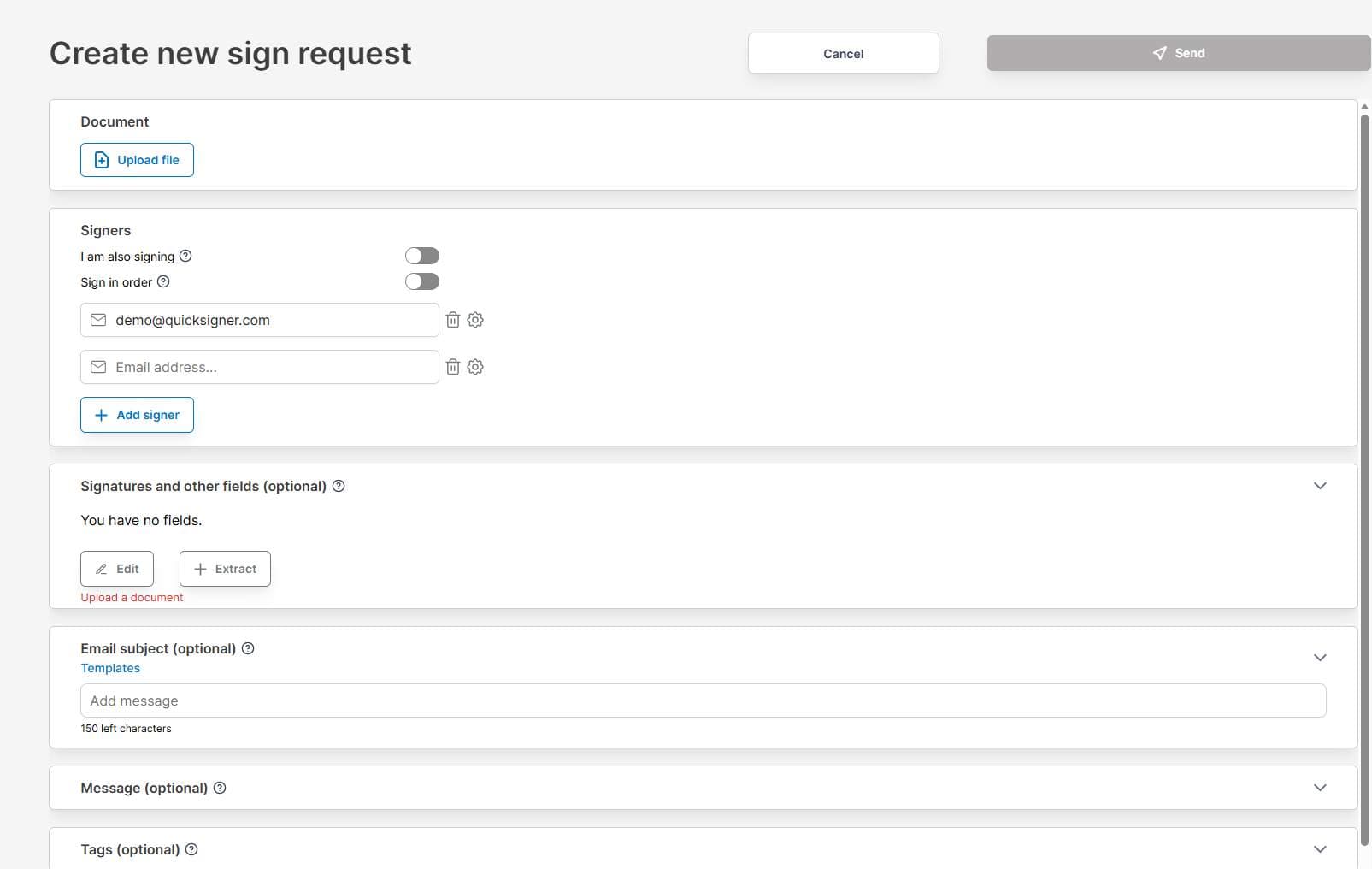
About this app
QuickSigner accelerates how you sign, send, and finalize documents — turning days of back-and-forth into minutes. It comes with everything you need, including Adobe Approved Trust List electronic signatures, and is ISO 27001 certified.
Key features
- 1ISO 27001 certified with PAdES/Adobe Trust List e-signatures and full audit trails.
- 2Free tier, usage-based API at $0.20/envelope, subscription plans from $5/mo.
- 3Templates, bulk sending, SMS notifications, and mobile-friendly workflows.
Target customer profile
Drawn from the product itself, not from a survey.
Demographic
Small to medium business owners
Pain points
High cost of enterprise eSign tools, complex workflows
Primary needs
Affordable, legally compliant eSignatures
Demographic
Freelancers and solopreneurs
Pain points
Need occasional signatures without monthly fees
Primary needs
Free or low-cost simple signing
Demographic
Remote teams and startups
Pain points
Delays in contract sign-offs, lack of mobile access
Primary needs
Fast, collaborative, mobile-friendly signing
Demographic
HR and legal departments
Pain points
Need audit trails and compliance for sensitive documents
Primary needs
Secure, tamper-proof eSignatures with full audit trail
Scout Review
Written by AI from measured evidence, scored out of 100.
QuickSigner delivers strong value as an affordable, compliant e-signature tool tailored for small teams and occasional users, excelling in usability and cost while lagging in proven performance metrics and advanced accessibility. It's a practical choice for replacing expensive enterprise solutions without sacrificing core legal features.
Measure by measure
Usability
86Intuitive workflow praised in reviews for quick setup and signing. Free tier limits test it well; strong for SMBs and freelancers.
Design
72Clean, modern interface with straightforward document upload and signing flow. Mobile-responsive but basic visuals compared to polished enterprise tools.
Speed
69No independent benchmarks found; user feedback highlights fast signing and reduced turnaround from days to minutes.
Security
66Claims ISO 27001 certification and Adobe Approved Trust List/PAdES compliance; audit trails mentioned but no public audits or bug bounties.
Accessibility
49No WCAG mentions or screen reader testing found; mobile-friendly noted but insufficient for high accessibility score.
Growth
59Mentions 30k+ users and positive AppSumo/Trustpilot presence; limited reviews (only ~6 on major sites) and no GitHub indicate early/niche stage.
Improvement areas
- Lack of published security audits or bug bounty program.
- No WCAG accessibility documentation or testing references.
- Limited independent performance benchmarks or large-scale case studies.
Design & Usability
QuickSigner sports a functional, no-frills design that prioritizes speed over flair, making document workflows feel effortless for its target SMB and freelancer audience. Users consistently rate ease of use at 5.0/5 across platforms, crediting the intuitive upload-sign-send process and templates that cut back-and-forth dramatically. The mobile optimization shines for remote teams, though the interface lacks the premium polish of bigger players.
Speed & Security
Performance claims center on turning multi-day signing cycles into minutes, backed by user testimonials rather than benchmarks—solid for typical use but unproven at scale. Security rests on ISO 27001 and PAdES standards with audit trails, providing baseline legal compliance attractive to HR/legal users, though the absence of independent audits keeps it average rather than enterprise-grade.
Accessibility & Growth
Accessibility documentation is absent, limiting scores despite mobile support, which is a gap for inclusive design. Growth shows promise with 30k+ claimed users and strong value perception as a DocuSign alternative, yet sparse verified reviews and no open-source presence suggest it's still building momentum in a crowded market.
Conclusion
Overall a capable contender for budget-conscious signers, QuickSigner punches above its weight on features per dollar but needs more transparency and polish to challenge leaders long-term.
Suggestions for improvement
- Publish independent security audits and bug bounty program details.
- Add WCAG compliance documentation and screen reader testing.
- Release public performance benchmarks or case studies with metrics.
- Expand free tier limits or add more transparent usage tracking.
Alternatives comparison
Named competitors, point by point. Nobody paid to appear here or to be left out.
 QuickSigner QuickSigner |  DocuSign DocuSign |  HelloSign HelloSign |  SignNow SignNow | |
|---|---|---|---|---|
| Starting Price | Free tier; $5/mo Business | Higher, ~$10+/user/mo | Mid-tier subscription | Affordable but less transparent |
| Compliance (ISO 27001 / Audit Trails) | ISO 27001 claimed + PAdES | Enterprise-grade, full compliance | Lacks ISO certification | Less transparent on standards |
| Ease of Use (User Ratings) | 4.8-5.0/5 (easy for SMBs) | 4.7/5 but complex workflows | User-friendly per reviews | Affordable, solid usability |
DocuSign
The market leader with a higher price point for similar features.
HelloSign
User-friendly alternative but lacks ISO certification.
SignNow
Affordable but less transparent about compliance standards.
Comparing options? See QuickSigner alternatives, scored side by side
Sources
What the review was written against. A verdict with no sources is an opinion.
More Productivity apps
View all Productivity
Qamarero
92An all-in-one hospitality software for restaurants and ba...

The Stack Newsletter
92A weekly newsletter delivering curated tech jobs, intervi...

EmbedMyReviews
92White-label reputation management software for agencies s...

StoryPad
92Privacy-first open source journal app with a continuous t...

Puzzly – B2B Lead Generation & Sales Intelligence Platform
92Puzzly is an all-in-one B2B lead generation platform that...

Notion
92All-in-one AI workspace for docs, projects, and knowledge...

Vibe Coding Agent Skills
92A free, open-source platform offering 110 AI agent skills...

CC Switch
91Open-source desktop app for switching AI coding providers...

username.md
90One verified handle for your online identity, readable by...

What the GIF
89Frame-perfect video-to-GIF maker that runs entirely in yo...

AuditCloser
89White-label website audits that close deals for digital a...

NudgeWin
89Automated quote follow-up for trades and service businesses.


A platform dedicated to providing unbiased reviews of newly launched applications, analyzing everything from their features to their full potential.
info@scoutforge.net© 2026 Scoutforge. All rights reserved.
