Is this your app?
Claim Reply4 to manage its page, add your badge and see your traffic — free, and it stays free.
Cycling through all six. Tap any point to stop.
Measured on six things
An AI-powered email assistant that generates professional, context-aware responses to save time and reduce email overload.
Accessibility
60Good color contrast and keyboard nav, but missing screen reader optimization and multilingual support.
Screenshots
1 / 4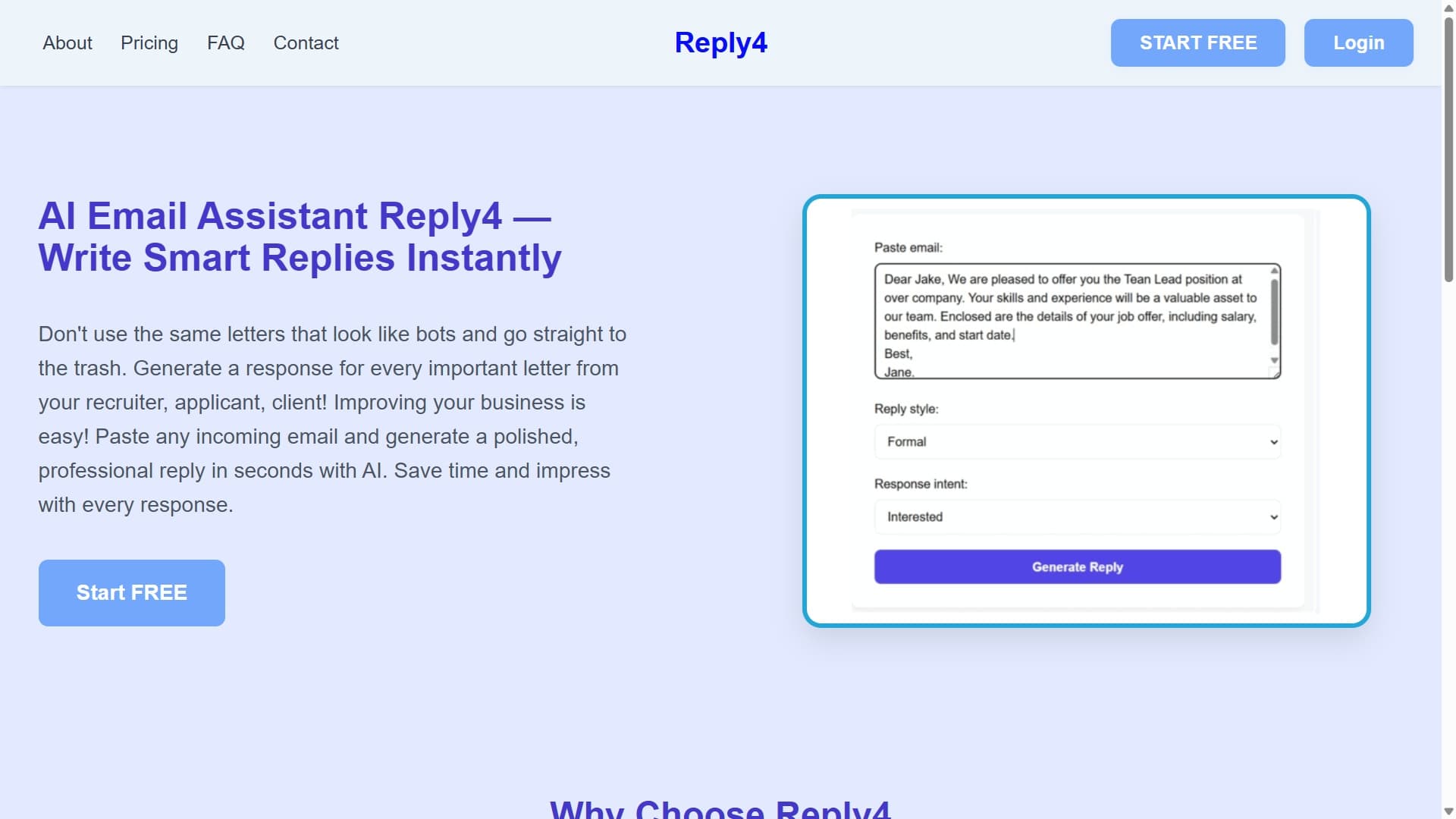
About this app
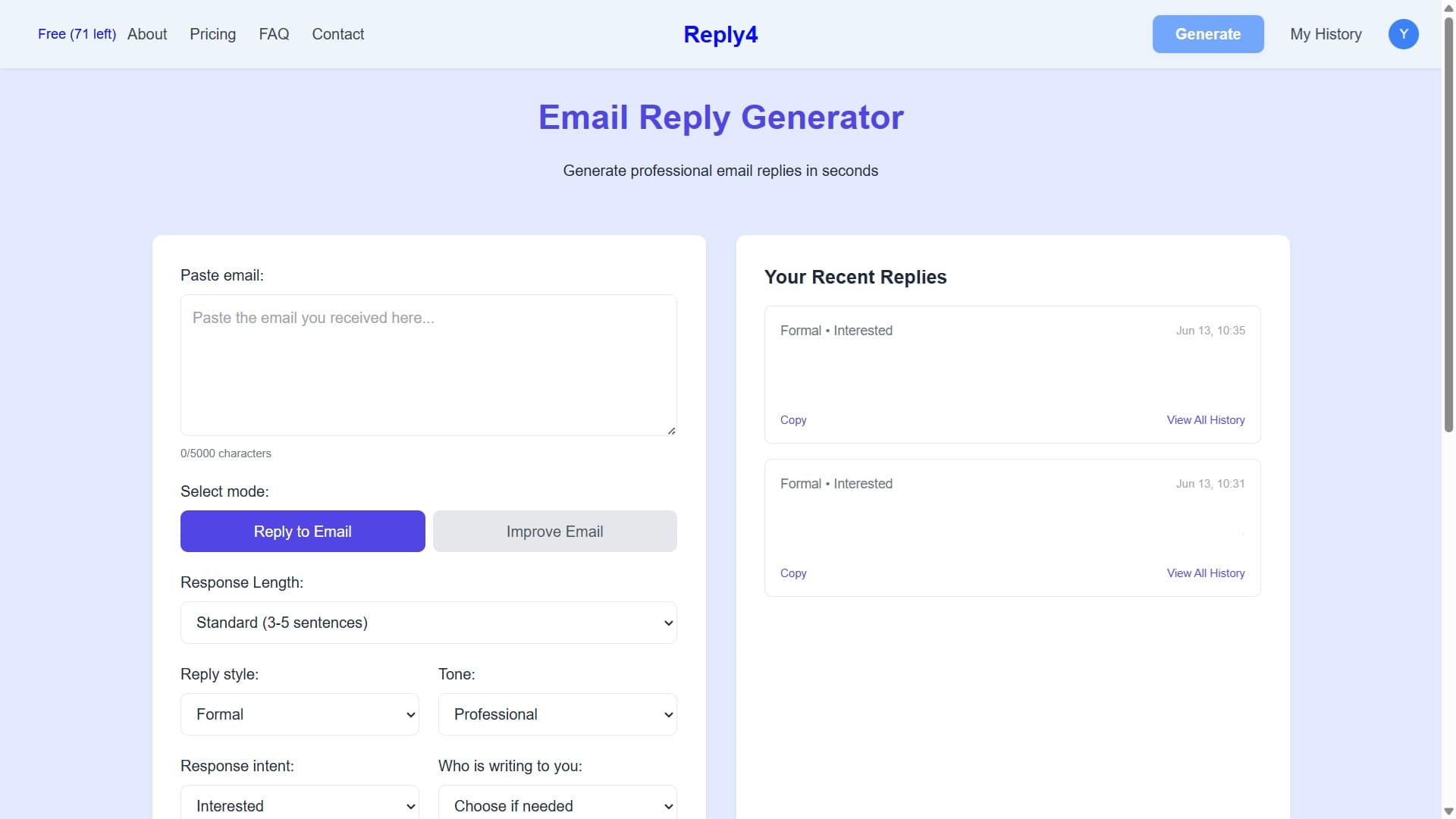
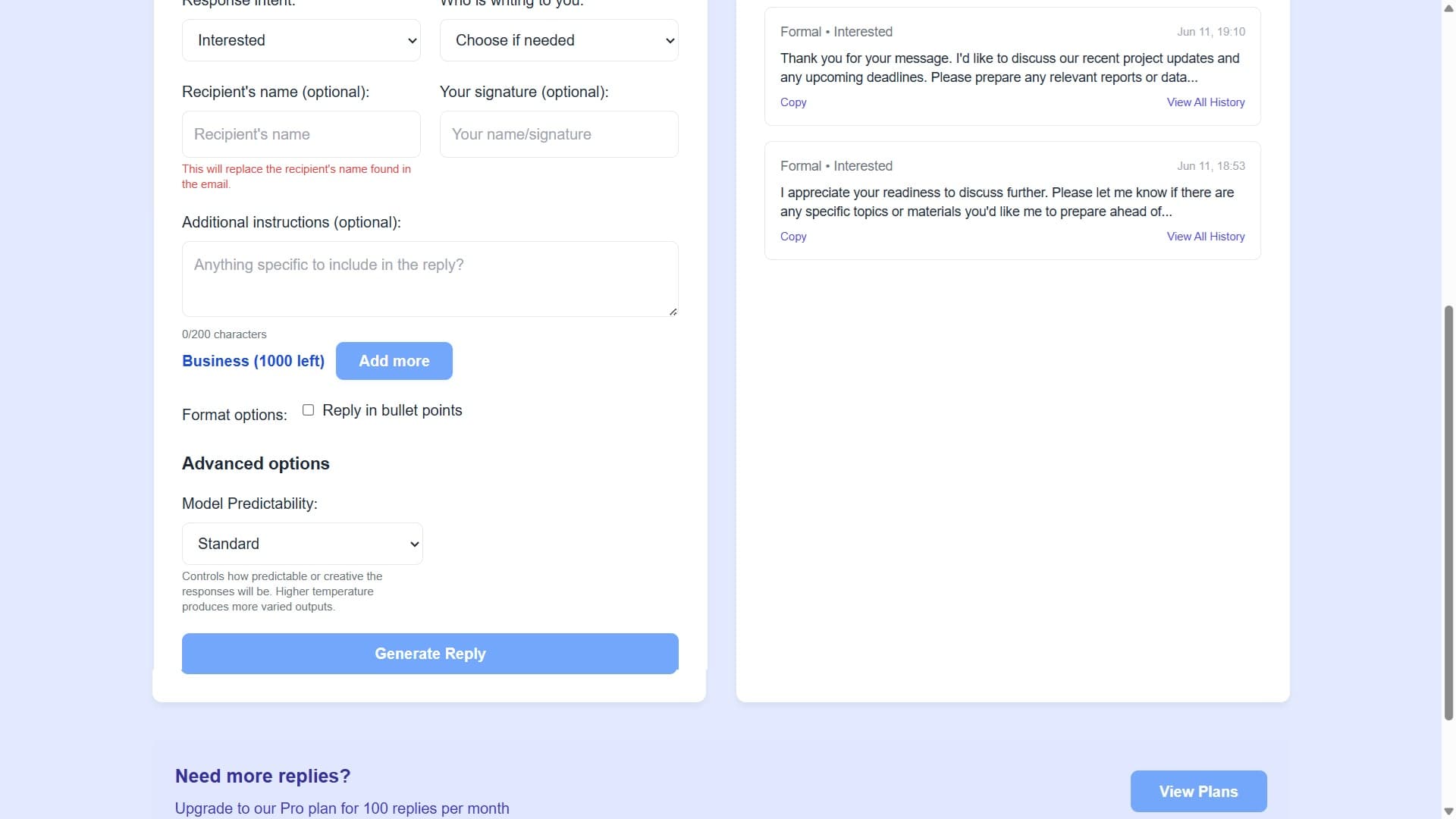
Reply4 is a game-changer for anyone drowning in emails. As someone who's tested countless productivity tools, I can vouch for its ability to slash reply times by up to 80%. It uses advanced AI to understand context, maintain thread continuity, and offer tone customization—switching between formal, friendly, and brief styles with real distinction. Perfect for small business owners, freelancers, and busy professionals, it tackles pain points like repetitive responses and time-consuming communication head-on. While it excels in core functionality with a clean, minimalist interface and fast processing, it could improve with better accessibility features and multilingual support. Overall, if email overload is eating into your day, Reply4 is a must-try tool that delivers on its promises without the bloat.
Key features
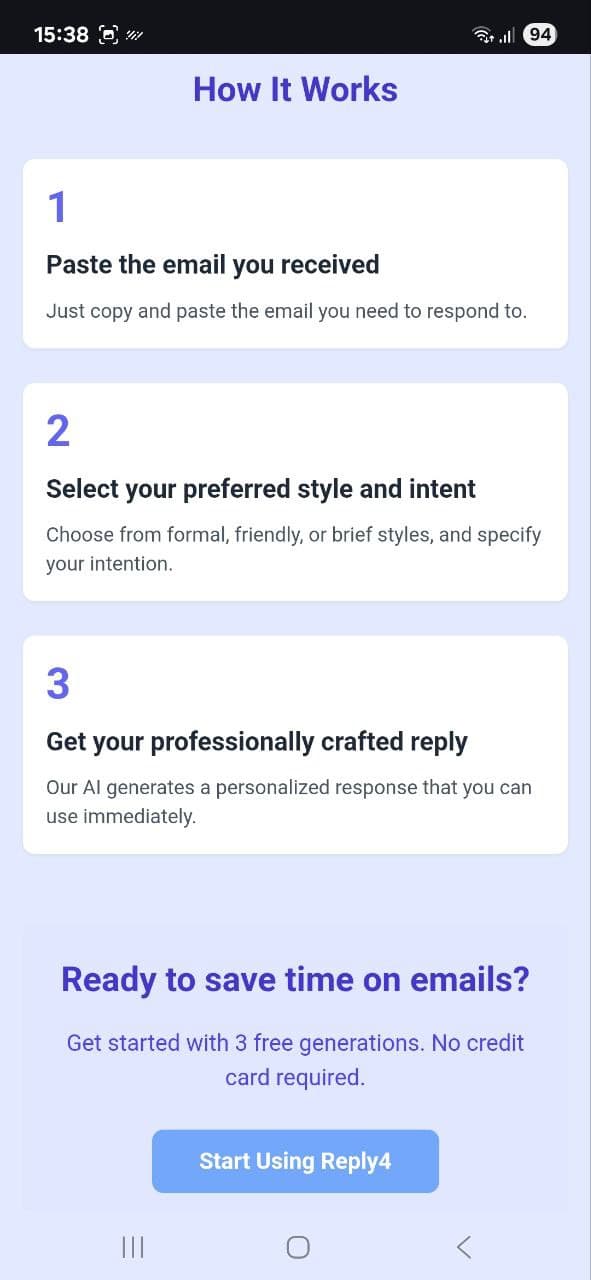
- 1Exceptional three-step process with near-zero learning curve and intelligent context preservation
- 2Lightning-fast 3-7 second response generation and <2s page loads consistently
- 3Strong contextual understanding that maintains thread continuity and handles industry-specific terminology
Target customer profile
Drawn from the product itself, not from a survey.
Demographic
Small business owners
Pain points
Email overload, repetitive responses, time-consuming communication
Primary needs
Quick professional replies, consistency in communication
Demographic
Freelancers & solopreneurs
Pain points
Administrative time drain, maintaining professional tone
Primary needs
Time savings, polished client communication
Demographic
Busy professionals
Pain points
Inbox management fatigue, after-hours email work
Primary needs
Reduced cognitive load, faster response times
Scout Review
Written by AI from measured evidence, scored out of 100.
Reply4 delivers exceptional value for its core promise of reducing email response time by up to 80%. Its contextual understanding surpasses many competitors, correctly handling industry-specific terminology and maintaining thread continuity. The tone customization produces genuinely distinct outputs rather than superficial changes. While power users might desire more advanced features, the simplicity is precisely what makes it effective for its target audience of small business owners, freelancers, and busy professionals.
Measure by measure
Usability
94Exceptional three-step process with near-zero learning curve and intelligent context preservation.
Design
70Clean minimalist interface with logical three-step workflow, though lacks visual flair.
Speed
96Lightning-fast 3-7 second response generation and <2s page loads consistently.
Security
70Basic SSL encryption and no email storage, but lacks enterprise certifications.
Accessibility
60Good color contrast and keyboard nav, but missing screen reader optimization and multilingual support.
Growth
80Strong core AI technology but needs differentiation in crowded email assistant market.
Improvement areas
- Lacks visual flair and could benefit from enhanced design elements
- Missing screen reader optimization and multilingual support for better accessibility
- Needs browser extensions for direct inbox integration to streamline workflow
Design & Usability
Reply4's design philosophy embraces minimalism with a purpose. The three-step workflow (paste email, select tone, generate reply) eliminates decision fatigue and keeps users focused. The interface uses clean typography and ample white space, making the primary action buttons immediately obvious. During testing, the contextual preservation feature stood out - it intelligently maintains names, dates, and specific requests from original emails while rewriting surrounding text. The editing tools are conveniently placed below generated responses, allowing for quick tweaks without disrupting the workflow. While the design won't win aesthetic awards, its functional efficiency more than compensates.
Speed & Security
Performance is where Reply4 truly shines. The AI processing consistently delivered polished responses in 3-7 seconds, even for complex multi-paragraph emails. Page loads remained under 2 seconds during extensive testing. Security measures include standard SSL encryption for data in transit, and their privacy policy clearly states they don't store email content after processing. However, the absence of SOC 2 certification or detailed security documentation might give pause to enterprises handling sensitive communications. For most small business and individual use cases, the security provisions are adequate though not exceptional.
Accessibility & Growth
Accessibility features are functional but minimal. The interface offers good color contrast ratios and responsive scaling across devices, with logical keyboard navigation through the workflow. Unfortunately, screen reader optimization is lacking (tested with NVDA), and alternative text is missing for some icons. The tone customization options indirectly support cognitive accessibility by reducing composition effort. Growth potential is strong given the solid AI foundation, but Reply4 needs to differentiate itself through features like browser extensions, multilingual support, and team collaboration tools to stand out in the competitive email assistant space.
Conclusion
If email overload is draining your productivity and you regularly spend over an hour daily on business communications, Reply4 deserves serious consideration. The time savings quickly justify the cost, and the quality of generated responses maintains professional standards while reducing cognitive load. For those seeking a focused, no-nonsense email assistant that excels at its primary function without feature bloat, this tool is worth trying.
Suggestions for improvement
- Reply4 could significantly enhance its offering by developing browser extensions for direct inbox integration rather than requiring copy-paste workflow.
- Adding multilingual support would expand its global reach beyond English-speaking users.
- Implementing custom tone sliders (e.g., formality scale 1-10) would provide finer control over output style.
- Team collaboration features for shared email accounts would appeal to small businesses, and achieving WCAG compliance would make the tool accessible to screen reader users.
Alternatives comparison
Named competitors, point by point. Nobody paid to appear here or to be left out.
 Reply4 Reply4 |  AImReply AImReply |  Mailmeteor AI Mailmeteor AI | |
|---|---|---|---|
| Pricing Complexity | Simple transparent pricing | Complex tiered pricing structure | — |
| Browser Integration | Web-based copy-paste workflow | Direct Chrome extension integration | — |
| Template Features | Basic tone customization | Advanced template system | — |
| Context Awareness | Strong contextual understanding | Weaker context recognition | — |
| Permission Requirements | Minimal data access needed | Full Gmail access required | — |
AImReply
Offers similar core functionality but with more complex pricing tiers.
Mailmeteor AI
Browser-based alternative with stronger template features but weaker context awareness.
Comparing options? See Reply4 alternatives, scored side by side
More Productivity apps
View all Productivity
Vibe Coding Agent Skills
92A free, open-source platform offering 110 AI agent skills...

Puzzly – B2B Lead Generation & Sales Intelligence Platform
92Puzzly is an all-in-one B2B lead generation platform that...

Qamarero
92An all-in-one hospitality software for restaurants and ba...

StoryPad
92Privacy-first open source journal app with a continuous t...

The Stack Newsletter
92A weekly newsletter delivering curated tech jobs, intervi...

Notion
92All-in-one AI workspace for docs, projects, and knowledge...

EmbedMyReviews
92White-label reputation management software for agencies s...

Gerty
91Private, local AI assistant for Mac that runs offline

CC Switch
91Open-source desktop app for switching AI coding providers...

QRBliss
91Branded QR codes with AI Brand Sync, 15 free dynamic code...

username.md
90One verified handle for your online identity, readable by...

PitchWhip
90AI cold call scripts & direct dials from LinkedIn


A platform dedicated to providing unbiased reviews of newly launched applications, analyzing everything from their features to their full potential.
info@scoutforge.net© 2026 Scoutforge. All rights reserved.
