Cycling through all six. Tap any point to stop.
Measured on six things
One review link for HTML reports
Security
29HTTP probe found HTTPS not enforced, zero security headers, no SPF/DMARC, and 0/13 checklist points. Password sharing is offered, but no SOC 2, ISO, or pen-test claims appear.
Screenshots
1 / 1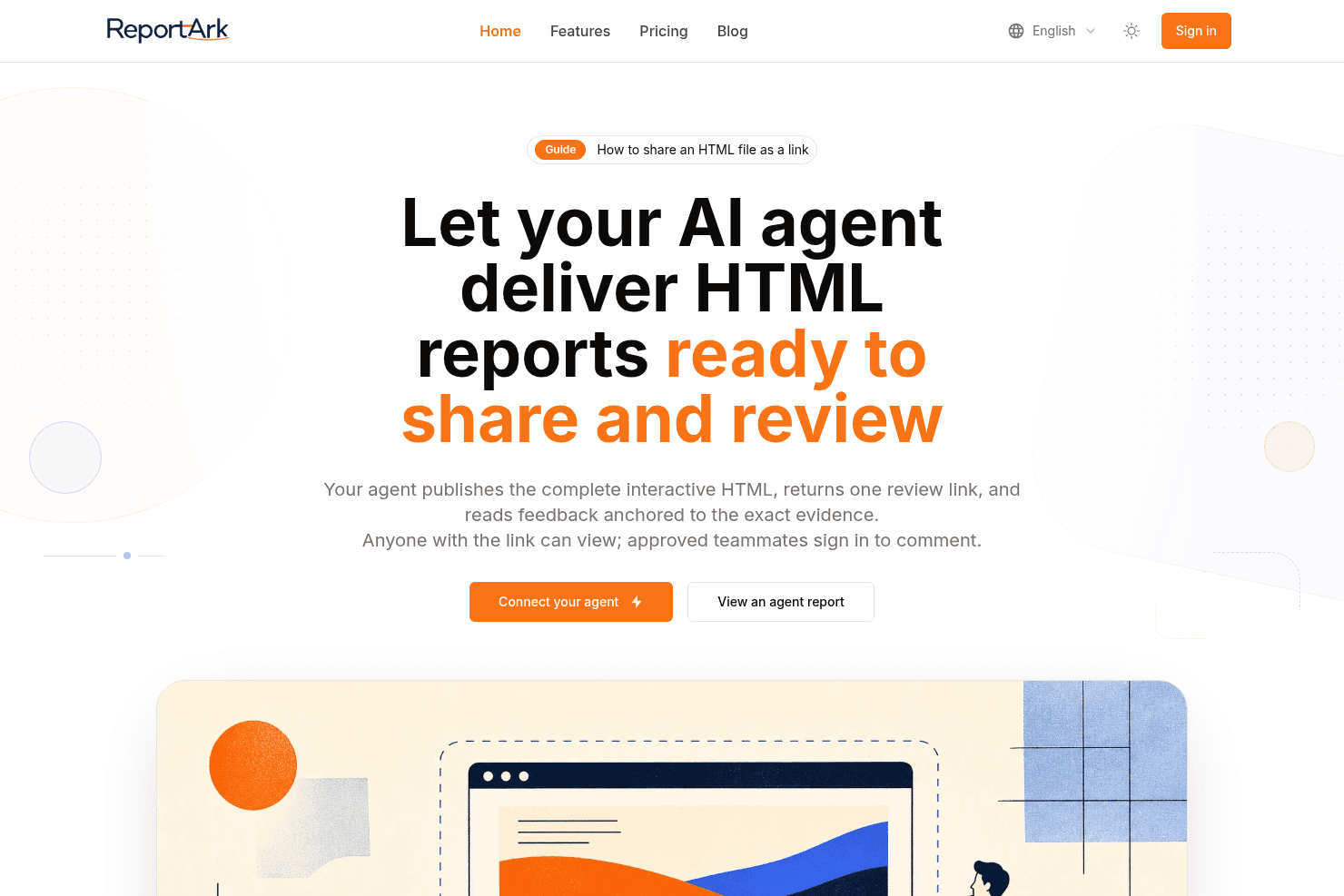
About this app
Publishes finished interactive HTML reports as a stable review link. Approved teammates comment beside headings, tables, charts, and findings. It does not generate the report. Pricing is freemium: Free, Lite $99/yr, and Pro $190/yr (https://reportark.com/pricing).
Key features
- 1Agent publishes finished interactive HTML reports and returns one stable review link.
- 2Approved teammates comment anchored to specific headings, tables, charts, and findings.
- 3Agent can read feedback with page location, anchor, and quoted context for the next revision.
- 4Owner controls: pause sharing, add password, upload new version without changing the link.
Target customer profile
Drawn from the product itself, not from a survey.
Demographic
Data and AI teams
Pain points
AI-generated reports stuck in local workspaces, feedback scattered across tools, version control issues
Primary needs
Seamless sharing of HTML reports, contextual comments, agent-readable feedback
Demographic
Project managers and team leads
Pain points
Difficulty tracking feedback on AI outputs, unclear review boundaries, manual copy-pasting of evidence
Primary needs
Centralized review interface, access control, automated notifications
Demographic
Consultants and analysts
Pain points
Sharing interactive reports with clients, ensuring feedback is tied to specific data points
Primary needs
Easy link sharing, secure viewing, precise commenting on findings
Scout Review
Written by AI from measured evidence, scored out of 100.
ReportArk is a focused, well-designed tool for a real problem: getting AI-generated HTML reports out of local workspaces and into a reviewable link with comments anchored to specific findings. The homepage is polished, the no-sign-in preview is a smart demo, and the agent-readable feedback loop is a genuinely differentiated wedge against Google Docs, Notion, and Confluence. Pricing is honest and freemium-friendly. But the security posture is alarming for a link-sharing product — HTTPS not enforced, zero security headers, no SPF/DMARC, 0/13 checklist points — and mobile LCP of 6.5s undercuts the otherwise snappy desktop experience. Documentation is thin, and the category is crowded enough that the moat needs to be defended. It's a promising early-stage product with a clear idea and a security bill that's come due.
Measure by measure
Usability
63No-sign-in agent report preview is a smart low-friction demo, and pricing limits are concrete. But there's no visible docs/help center, so onboarding leans on a single CTA.
Design
71Cohesive orange brand accent, disciplined type hierarchy, and custom flat illustrations give the homepage a polished, product-specific feel. Hero card shadow feels slightly dated.
Speed
68Desktop Lighthouse 89/100 and TBT of 38ms are solid, but mobile LCP of 6.5s is nearly triple the 'good' threshold, dragging mobile performance to 77/100.
Security
29HTTP probe found HTTPS not enforced, zero security headers, no SPF/DMARC, and 0/13 checklist points. Password sharing is offered, but no SOC 2, ISO, or pen-test claims appear.
Accessibility
81Lighthouse accessibility 96/100 with only one failing audit (color contrast). Language selector present, but no WCAG statement or a11y documentation found.
Growth
58Real, specific problem — AI HTML reports trapped in local workspaces — with a concrete agent-publish-and-read-feedback wedge. Differentiated, but the category is crowded and the moat is thin.
Improvement areas
- Security posture: HTTPS not enforced, zero security headers, no SPF/DMARC (0/13 checklist).
- Mobile performance: LCP of 6.5s drags mobile Lighthouse to 77/100.
- Documentation: no visible help center or docs page beyond a 'Guide' link.
- No published SOC 2, ISO, or pen-test claims for a link-sharing product handling client reports.
Design & Usability
ReportArk's homepage is genuinely well-crafted: a consistent orange accent, disciplined typography, and custom flat illustrations that actually depict the product rather than generic stock. The below-fold layout uses clear icon+text rows and numbered 01/02/03 cards to explain view/review/owner controls, and the FAQ is scannable. Usability is helped enormously by the no-sign-in 'Agent report preview' — visitors can see the review UI before committing an email. Pricing limits are concrete and honest (20MB/100MB per report, 5/50/200 reports retained). The weak spot is documentation: there's no visible help center or docs page in the site content, so onboarding leans heavily on a single 'Connect your agent' CTA and a 'Guide' link. For a product whose core value is a workflow integration, that's a real gap.
Speed & Security
Speed is a tale of two devices. Desktop Lighthouse lands at 89/100 with a TBT of 38ms — snappy and well-optimized. Mobile is 77/100, dragged down by an LCP of 6.5 seconds, which is nearly triple the 2.5s 'good' threshold. CLS is excellent at 0.022 and FCP is a respectable 922ms, so the page isn't heavy — it's just slow to paint the largest element on mobile. Security is the serious problem. The HTTP probe found HTTPS not enforced, no HSTS, no CSP, no frame protection, no X-Content-Type-Options, no Referrer-Policy, no Permissions-Policy, no secure cookies, and no SPF or DMARC records — 0/13 checklist points. The site does describe password-protected sharing and pause-sharing controls, which is table stakes for a link-sharing product, but there are no SOC 2, ISO, or pen-test claims anywhere in the site content. For a tool that publishes client reports behind a link, that posture is hard to defend.
Accessibility & Growth
Accessibility is a genuine strength: Lighthouse scores 96/100 with only one failing audit — insufficient color contrast. Given the brand's bright orange-on-beige palette, that's a remarkably clean result, and fixing the one contrast pair would likely push it higher. A language selector is present in the nav, though no WCAG statement or accessibility documentation was found. Growth is a more mixed picture. The problem ReportArk names is real and specific: AI-generated HTML reports get stuck in local agent workspaces, and feedback scatters across tools. The wedge — agent publishes finished HTML, returns one review link, and reads comments anchored to exact evidence — is concrete and demonstrably different from Google Docs, Notion, and Confluence, none of which natively render complex HTML or offer agent-readable feedback. That earns a solid score. But the moat is thin: the incumbents could bolt on HTML rendering and comment anchoring, and the domain is only ~0.3 years old, so there's no traction evidence yet to suggest the wedge is holding.
Conclusion
ReportArk gets the hard part right: it understands that an AI-generated report is worthless until a human can review it in context, and it builds the publish-and-comment loop around that insight. The design and accessibility work is above average, and the agent-readable feedback is a real differentiator. What holds it back is execution on the fundamentals — a security posture that would make any consultant nervous about sharing client reports, a mobile load time that punishes phone reviewers, and documentation that hasn't caught up to the product's ambition. None of these are unfixable. Enforce HTTPS, add the standard header suite, publish a security page, and shave the mobile LCP, and this jumps a tier. Until then, it's a good idea with a leaky hull.
Suggestions for improvement
- Enforce HTTPS site-wide and add HSTS, CSP, X-Content-Type-Options, Referrer-Policy, and Permissions-Policy headers — 0/13 is not defensible for a link-sharing tool.
- Publish SPF and DMARC records and a security page describing data handling, retention, and any audit or pen-test status.
- Fix the mobile LCP of 6.5s — preload the hero image, serve responsive formats, and check what's blocking largest-contentful paint on mobile.
- Build a real docs/help center covering the ReportArk Skill setup, API key scoping, and comment-anchoring behavior — the 'Guide' link isn't enough.
Alternatives comparison
Named competitors, point by point. Nobody paid to appear here or to be left out.
 ReportArk |  Google Docs |  Notion |  Confluence | |
|---|---|---|---|---|
| Renders interactive HTML reports natively | Yes — core feature; publishes single HTML or full package with CSS/JS/images. | No — document editor, not an HTML renderer. | No — doesn't natively render complex HTML reports. | No — requires setup; not focused on HTML report rendering. |
| Comments anchored to specific report elements | Yes — pin comments to headings, tables, charts, findings. | Yes — comments on text ranges, not on rendered HTML elements. | Yes — block-level comments, not on rendered HTML. | Yes — inline comments on pages, not on HTML report elements. |
| Agent-readable feedback (API/Skill) | Yes — agent lists feedback with location, anchor, quoted context. | No native agent-readable feedback loop. | No native agent-readable feedback loop. | No native agent-readable feedback loop. |
| Stable share link with owner controls | Yes — pause sharing, password, new version without changing link. | Yes — share links with permission controls. | Yes — share links with permission controls. | Yes — share links with permission controls. |
| Free tier available | Yes — Free tier with 20MB/report, 5 reports, 30-day availability. | Yes — free with Google account. | Yes — free personal plan. | Yes — free tier up to 10 users. |
Google Docs
Collaborative document editing with commenting, but lacks support for interactive HTML reports and AI agent integration.
Notion
All-in-one workspace for notes and collaboration, but doesn't natively render complex HTML reports or offer agent-readable feedback.
Confluence
Team collaboration software with commenting, but requires setup and doesn't focus on AI-generated HTML reports.
Comparing options? See ReportArk alternatives, scored side by side
More Productivity apps
View all Productivity
Notion
92All-in-one AI workspace for docs, projects, and knowledge...

Qamarero
92An all-in-one hospitality software for restaurants and ba...

EmbedMyReviews
92White-label reputation management software for agencies s...

StoryPad
92Privacy-first open source journal app with a continuous t...

Puzzly – B2B Lead Generation & Sales Intelligence Platform
92Puzzly is an all-in-one B2B lead generation platform that...

The Stack Newsletter
92A weekly newsletter delivering curated tech jobs, intervi...

Vibe Coding Agent Skills
92A free, open-source platform offering 110 AI agent skills...

QRBliss
91Branded QR codes with AI Brand Sync, 15 free dynamic code...

Gerty
91Private, local AI assistant for Mac that runs offline

CC Switch
91Open-source desktop app for switching AI coding providers...

username.md
90One verified handle for your online identity, readable by...

PitchWhip
90AI cold call scripts & direct dials from LinkedIn


A platform dedicated to providing unbiased reviews of newly launched applications, analyzing everything from their features to their full potential.
info@scoutforge.net© 2026 Scoutforge. All rights reserved.
